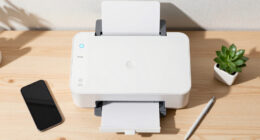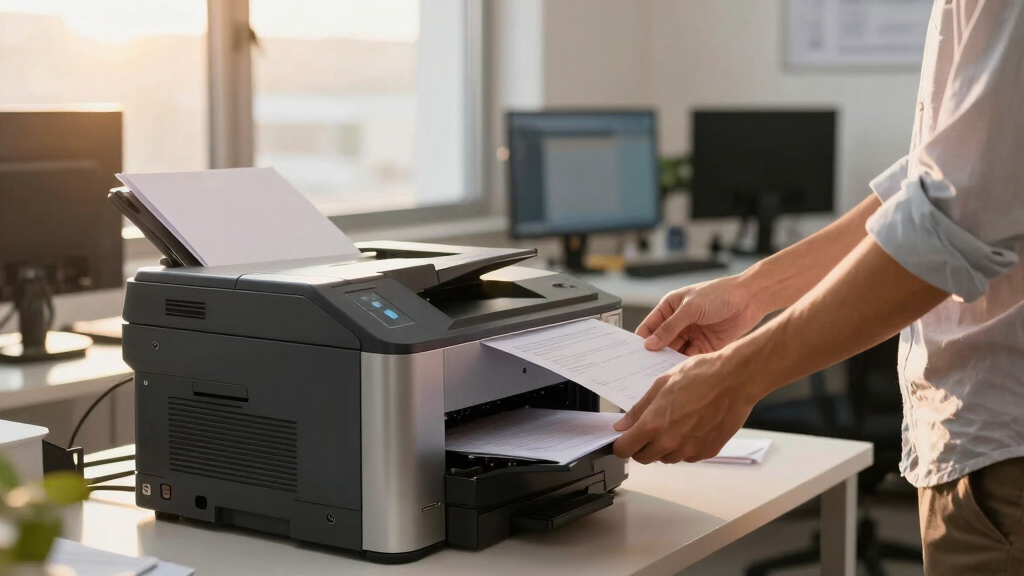
For finance teams handling large document volumes, a high-capacity laser printer isn’t just a convenience — it’s a necessity. The HP LaserJet M207dw stands out as the best overall thanks to its fast speeds and reliable duplex printing, ideal for busy finance departments. The Canon imageCLASS MF462dw II excels with its multifunction capabilities and expandable paper capacity, making it perfect for larger teams. However, these choices involve tradeoffs: some models focus on speed over multifunctionality, while others prioritize versatility at a higher cost. Continue reading for a detailed breakdown of each option and find the best fit for your team’s needs.
Key Takeaways
- Speed and duty cycle are the most critical factors for finance teams with large printing volumes.
- Multifunction models offer scanning and copying, but often come at a higher price and larger footprint.
- Wireless and mobile printing features are increasingly standard, but may add to complexity and cost.
- Build quality and toner yield significantly impact long-term value and maintenance costs.
- Choosing between single-function and multifunction printers depends on the specific workflow needs of the finance team.


More Details on Our Top Picks
HP LaserJet M209d Laser Printer, Black and White, Automatic Duplex, USB Connection Only (Cable Included) — Best for Home Office
This HP LaserJet M209d stands out for its compact size, making it ideal for home offices with limited space. Compared with the HP LaserJet M110w, it offers faster in-class duplex printing, which is a significant advantage for those needing double-sided reports. Its reliance on USB connection simplifies setup but limits flexibility—ideal if you mainly print from a single device. The 150-sheet input tray ensures fewer refills during busy periods, and the laser quality guarantees sharp text for professional-looking documents. However, its USB-only connectivity restricts multiple device use, which could be a drawback for slightly larger teams or those needing wireless flexibility. This pick makes the most sense for individuals or small home offices prioritizing speed and space efficiency without wireless needs.
Pros:- Compact, space-saving design
- Fast in-class duplex printing speeds
- Includes USB cable for easy setup
- Consistent laser print quality
Cons:- Limited to USB connection, restricting multiple device use
- No wireless or Ethernet options available
- Paper tray capacity of only 150 sheets may require frequent refills
Best for: Home office users who prioritize speed, space savings, and simple USB connectivity.
Not ideal for: Small teams or users needing wireless printing or multiple device support, as it lacks Wi-Fi.
- Printer Type:Laser
- Printer Output Type:Black & White
- Print Speed:Up to 21 ppm
- Connectivity:USB
- Input Tray Capacity:150 sheets
- Automatic Duplex:Yes
- Item Weight:8.3 pounds
- Dimensions:13.63″ W x 6.26″ H x 7.45″ D
- Warranty:Limited warranty
Bottom line: This printer suits home users with limited space who need reliable monochrome printing from a single device without wireless features.
HP LaserJet M110w Wireless Black & White Printer, Print, Fast speeds, Easy Setup, Mobile Printing, Best-for-Small Teams
This HP LaserJet M110w earns its spot for its ultra-compact size and wireless capabilities, making it perfect for small teams or shared home offices. Compared with the HP LaserJet M209d, it excels in wireless connectivity and mobile printing options via the HP Smart App, streamlining workflows for teams on the go. Its small footprint fits easily into tight spaces, and with print speeds of up to 21 ppm, it handles moderate workloads efficiently. The self-resetting Wi-Fi feature minimizes connectivity issues, which is a common frustration with similar models. The downside is that it has a lower paper capacity of 150 sheets, similar to the M209d, so frequent refills may be necessary during intense printing periods. This printer is ideal for small teams needing fast, wireless, and mobile-ready monochrome printing without extra bulk.
Pros:- Wireless connectivity with self-reset feature
- Compact size suitable for small spaces
- Supports mobile printing via HP Smart App
- Fast print speeds for its class
Cons:- Limited paper capacity at 150 sheets
- No duplex printing for double-sided pages
- Requires HP original cartridges to avoid blockages
Best for: Small workgroups or home offices requiring wireless, mobile printing, and space efficiency.
Not ideal for: Larger teams or high-volume printing environments that need greater paper capacity and wired options.
- Printer Type:Laser
- Printer Output Type:Black & White
- Print Speed:Up to 21 ppm
- Connectivity:Wireless, Mobile
- Input Tray Capacity:150 sheets
- Automatic Duplex:No
- Item Weight:8.3 pounds
- Dimensions:13.63″ W x 6.26″ H x 7.45″ D
- Warranty:Limited warranty
Bottom line: This model offers a perfect balance of portability, wireless mobility, and speed for small teams or home offices on the move.
Canon imageCLASS MF236n All-in-One Laser Printer, Black — Best for Small Teams with Multifunction Needs
This Canon imageCLASS MF236n offers a comprehensive all-in-one solution, making it ideal for small teams that need versatile functionality. Compared with the HP LaserJet M207dw, it adds scanning, copying, and faxing, which is beneficial for departments handling multiple document tasks. Its 24 ppm speed and 250-sheet paper capacity support moderate workloads efficiently. The tiltable 6-line LCD makes navigation straightforward, and its low energy consumption is an eco plus. However, its slightly larger footprint and higher price point may be drawbacks for very tight spaces or budget-conscious buyers. The lack of wireless connectivity (Ethernet only) can limit flexibility for some users. This model is suited for small teams that require multifunction capabilities in a reliable, space-efficient device.
Pros:- All-in-one functions including scan, copy, and fax
- 250-sheet paper tray for sustained use
- User-friendly tiltable LCD panel
- Low energy consumption
Cons:- Ethernet-only connectivity, lacking Wi-Fi
- Slightly larger footprint than single-function printers
- Higher cost compared to basic models
Best for: Small teams needing multifunctionality—print, scan, copy, and fax—in a single compact device.
Not ideal for: Single users or those looking solely for high-speed printing, as it’s more feature-rich and pricier.
- Printer Type:Laser MFP
- Printer Output:Black & White
- Print Speed:Up to 24 ppm
- Connectivity:Ethernet
- Paper Capacity:250 sheets
- Automatic Duplex:Yes
- Item Weight:25 pounds
- Dimensions:16″ W x 15″ D x 12″ H
- Warranty:1-year limited
Bottom line: Ideal for small teams that need multifunction features in a space-conscious, reliable printer with moderate volume capacity.
HP LaserJet M207dw Laser Wireless Printer, Black and White, Duplex, Best-for-Office
This HP LaserJet M207dw is designed for office environments requiring fast, duplex, monochrome printing. Compared to the Canon LBP122dw, it offers the fastest two-sided printing in its class at 28 ppm, which is a key advantage for busy offices. Its dual-band Wi-Fi with self-reset reduces common connectivity issues, enhancing reliability for shared workspaces. The 150-sheet paper tray and secure printing features make it suitable for professional document handling. The downside is its higher power consumption at 1230 watts, which makes it less eco-friendly for those emphasizing energy efficiency. Its size and weight are moderate, fitting well in typical office setups. This printer makes sense for small to medium teams that prioritize speed, security, and duplex functionality in a reliable wireless package.
Pros:- Fast duplex printing at 28 ppm
- Dual-band Wi-Fi with self-reset technology
- Strong security features
- Supports wireless printing from multiple devices
Cons:- Higher power consumption of 1230W
- Relatively larger footprint
- More expensive than basic models
Best for: Small to medium-sized offices needing fast, duplex monochrome printing with secure wireless connectivity.
Not ideal for: Very small home offices or individuals with low volume needs, as it’s larger and more feature-rich than necessary.
- Printer Type:Laser
- Printer Output:Black & White
- Print Speed:Up to 28 ppm
- Connectivity:Wireless, Ethernet
- Automatic Duplex:Yes
- Input Tray Capacity:150 sheets
- Item Weight:15 pounds
- Dimensions:14.4″ W x 15.4″ D x 14.6″ H
- Warranty:1-year limited
Bottom line: This printer suits office environments demanding high-speed, secure duplex printing with reliable wireless connectivity.
Canon imageCLASS LBP122dw – Monochrome Duplex Wireless Laser Printer, Single Function, Home Office, Mobile Ready, 30 PPM
This Canon LBP122dw excels in speed, offering up to 30 ppm, making it suitable for high-volume printing in home or small office settings. Compared with the HP LaserJet M209d, it provides faster output and supports wireless printing, which boosts flexibility. Its compact design allows it to fit almost anywhere, and the 150-sheet tray supports moderate workloads. The Canon Genuine Toner ensures high-quality, crisp text. A notable drawback is its limited to monochrome output, and its single-function nature means it cannot scan or copy. While it has a one-year warranty, it lacks some of the advanced security or multifunction features found in broader office models. This printer makes the most sense for users needing quick, reliable monochrome printing with wireless convenience at home or in small offices.
Pros:- High print speed of 30 ppm
- Wireless and mobile printing ready
- Compact and easy to place
- High-quality Canon toner for crisp text
Cons:- Single-function (print only)
- Limited paper capacity of 150 sheets
- No scanning or copying capabilities
Best for: Home or small office users seeking fast, wireless monochrome printing with minimal fuss.
Not ideal for: Teams needing multifunctionality or higher paper capacity, as it’s a single-function device with modest input capacity.
- Printer Type:Laser
- Printer Output:Black & White
- Print Speed:30 ppm
- Connectivity:Wireless
- Duplex Printing:Yes
- Input Tray Capacity:150 sheets
- Item Weight:12.4 pounds
- Dimensions:14.6″ H x 14.4″ W x 15.4″ D
- Warranty:1-year limited
Bottom line: This printer is ideal for high-speed monochrome printing in small spaces where multifunctionality is not required.
HP Laserjet MFP M140w Wireless Black & White Printer, Print, scan, Copy, Fast speeds, Easy Setup, Mobile Printing, Best-for-Small Teams
This compact HP LaserJet M140w is ideal for small teams needing reliable black-and-white printing without breaking the bank. Compared to larger, more feature-rich models like the HP LaserJet Enterprise M607n, it sacrifices high capacity and advanced security but excels in ease of setup and affordability. Its small footprint makes it perfect for tight office spaces, and wireless mobile printing streamlines daily tasks. The tradeoff is a limited paper capacity and slower speeds—up to 21 pages per minute—so it’s less suited for high-volume environments. Nonetheless, for teams of 1-3 who prioritize straightforward, consistent printing, this model offers excellent value.
Pros:- Compact size fits small office spaces
- Affordable price point for small teams
- Easy wireless setup and mobile printing support
Cons:- Limited paper capacity of only 150 sheets
- Print speeds of just 21 ppm may slow productivity for larger volumes
- Lacks advanced security and high-volume features
Best for: Small finance teams or startups needing simple, dependable black-and-white output.
Not ideal for: Large finance departments with high-volume printing needs or requiring advanced security features.
- Printer Type:Laser
- Max Print Speed:21 pages per minute
- Connectivity:Wireless, Mobile Printing
- Item Weight:15.4 Pounds
- Paper Handling:150 sheets
- Resolution:1200 x 1200 dpi
- Control Method:HP Smart App
- Maximum Media Size:8.5 x 14 inches
Bottom line: Best suited for small, budget-conscious teams that need reliable, straightforward black-and-white printing.
HP LaserJet Enterprise M607n Monochrome Printer with Built-in Ethernet (K0Q14A)
The HP LaserJet Enterprise M607n stands out for its exceptional speed—up to 55 pages per minute—and industry-leading security features, making it an excellent choice for larger finance teams. Unlike the HP M140w, it offers a 650-sheet paper capacity and centralized management via HP Web JetAdmin, ideal for high-volume environments requiring strict security. The tradeoff is a higher price and larger footprint, which may not suit smaller offices. Its robust security measures, including over 175 embedded features, are particularly valuable for finance teams handling sensitive data. If security and speed are priorities, this model delivers unmatched performance for enterprise settings.
Pros:- Fast print speeds of 55 ppm
- Large 650-sheet paper capacity
- Exceptional security features with over 175 embedded protections
Cons:- Higher cost and larger size
- Limited to monochrome printing only
- Requires network infrastructure for full feature set
Best for: Large finance departments or corporate teams needing secure, high-volume printing management.
Not ideal for: Small teams or home offices with limited space and lower-volume needs.
- Printer Type:Laser
- Max Print Speed:55 pages per minute
- Connectivity:Ethernet
- Paper Capacity:650 sheets
- Security:Over 175 embedded features
- Item Weight:44 Pounds
- Resolution:1200 x 1200 dpi
- Automatic Duplex:Yes
Bottom line: Ideal for enterprise-level finance teams prioritizing security, speed, and high-volume capacity.
HP LaserJet MFP M234dw Wireless Printer, Print, scan, Copy, Fast speeds, Easy Setup, Mobile Printing, Best-for-Small Teams, Instant Ink Eligible
This HP LaserJet MFP M234dw combines fast two-sided printing—up to 30 ppm—with scanning and copying, making it a versatile choice for small finance teams. Compared to the more advanced Canon imageCLASS MF462dw II, it offers slightly faster duplex speeds and easier setup, especially with the HP Smart app that simplifies daily tasks. Its compact size and wireless capabilities make it suitable for smaller offices. The main tradeoff is its lower paper capacity of 250 sheets and slightly slower print speeds than larger models like the Canon MF462dw II, which could be a limitation for high-volume environments. For teams of 1-5 prioritizing multifunctionality and ease of use, this model fits well.
Pros:- Fast duplex printing at 30 ppm
- Wireless and mobile printing support
- Includes scanner, copier, and security features
Cons:- Limited paper capacity of 250 sheets
- Slightly slower than some larger models for high-volume printing
- Higher cost per page if used heavily
Best for: Small finance teams or remote offices needing an all-in-one, easy-to-use device with fast duplex printing.
Not ideal for: High-volume departments or those needing extensive paper capacity and advanced security features.
- Printer Type:Laser
- Max Print Speed:30 pages per minute
- Connectivity:Wireless, Mobile Printing
- Paper Handling:250 sheets
- Resolution:1200 x 1200 dpi
- Scan Resolution:600 dpi
- Automatic Duplex:Yes
- Item Weight:44 Pounds
Bottom line: Best for small teams seeking an easy-to-configure, multifunction device with fast duplex printing.
Canon imageCLASS MF462dw II – Monochrome Wireless Duplex Laser Printer with Print, Copy, Scan, Fax, Expandable Paper Capacity and 3 Year Limited Warranty, 37 PPM
The Canon imageCLASS MF462dw II offers a solid balance of speed—up to 37 pages per minute—and multifunction capabilities including fax, scan, and copy, making it a strong choice for busy finance teams. Unlike the HP M140w, it provides a 50-sheet automatic document feeder and an expandable paper capacity of up to 900 sheets with optional cassettes, suitable for larger workloads. Its 3-year warranty adds peace of mind, and the intuitive 5-inch color touchscreen enhances usability. The main tradeoff is its weight at 44 pounds and higher initial cost, which may be less attractive for smaller offices. Overall, it’s ideal for teams needing fast, multifunctional, and expandable office printing solutions.
Pros:- Fast printing at 37 ppm
- Includes fax, scan, and copy functions
- Expandable paper capacity up to 900 sheets
Cons:- Heavier at 44 pounds, less portable
- Higher upfront cost
- Complex setup for advanced features
Best for: Mid-sized finance teams requiring fast, multifunction, and expandable paper handling capabilities.
Not ideal for: Very small offices or those with minimal print volume and budget constraints.
- Printer Type:Laser
- Max Print Speed:37 pages per minute
- Connectivity:Wireless, Ethernet
- Paper Handling:Up to 900 sheets with optional cassettes
- Control Method:Color Touchscreen
- Resolution:1200 x 600 dpi
- Automatic Duplex:Yes
- Warranty:3 Years
Bottom line: Excellent for teams that need rapid, multifunction printing with future expansion options.
Canon imageCLASS MF3010 VP – Wired Monochrome Multifunction Laser Printer with Scanner, Copier, USB Cable Included, Up To 2,300 Page Toner Yield in Box, 19 PPM, Black
The Canon imageCLASS MF3010 VP offers essential monochrome printing, scanning, and copying in a simple, wired setup, making it suitable for small offices with limited volume. It’s comparable to the HP LaserJet M140w in size and basic functionality but includes a higher toner yield of approximately 2,300 pages, reducing the need for frequent replacements. Its 19 ppm speed is modest but sufficient for light daily tasks. The main tradeoff involves its lack of wireless connectivity and slower speed compared to multifunction models like the MF462dw II, which means it’s less flexible for dynamic office environments. For budget-minded teams that prioritize basic features, this model provides dependable performance at a lower price.
Pros:- Affordable price for small offices
- High toner yield of approximately 2,300 pages
- Includes scanner and copier functions
Cons:- Limited to wired USB connection
- Slower speed of 19 ppm
- No wireless or mobile printing support
Best for: Small offices or home-based finance teams needing basic, wired monochrome printing with good toner yield.
Not ideal for: Teams requiring wireless connectivity, high-speed output, or multifunction features beyond printing.
- Printer Type:Laser
- Max Print Speed:19 pages per minute
- Connectivity:USB
- Toner Yield:Up to 2,300 pages
- Scan Resolution:600 dpi
- Item Weight:15 Pounds
- Paper Capacity:150 sheets
- Resolution:600 x 600 dpi
Bottom line: Best for small, budget-conscious offices that need reliable monochrome printing with high toner capacity.
Xerox B205NI Monochrome Multifunction Printer, White
The Xerox B205NI stands out for its combination of compact design and versatile functionality, making it a solid choice for small finance teams that need to handle printing, copying, and scanning without taking up much space. Compared with the HP LaserJet M209d, which is more budget-friendly but less feature-rich, the Xerox provides a broader media compatibility and enhanced security features essential for sensitive financial documents. Its 40-sheet Automatic Document Feeder and 250-sheet paper capacity support high-volume workflows, though the printer’s slightly higher price and lack of duplex printing may be drawbacks for those seeking absolute cost efficiency. The device’s built-in secure protocols and support for mobile printing (AirPrint, Google Cloud Print) make it suitable for environments where data security and flexible device access are priorities. However, it is relatively quiet, which is good for shared office spaces, but its small display might slow down workflow for users needing quick adjustments. Overall, this pick makes the most sense for small teams prioritizing security and multifunctionality in a compact footprint, willing to trade off some speed for a feature-rich device.
Pros:- Compact and lightweight, ideal for small office spaces
- Built-in security protocols for sensitive data protection
- Supports a wide range of media types for versatile printing needs
- Mobile printing support (AirPrint, Google Cloud Print)
Cons:- No automatic duplex (double-sided) printing, increasing manual effort
- Limited display size may slow workflow adjustments
- Print speeds are moderate compared to larger office models
Best for: Small finance teams in need of a secure, space-efficient multifunction printer with mobile connectivity
Not ideal for: Large finance departments requiring higher monthly volume capacity and faster print speeds
- Print Speed:31 ppm (black and white)
- Paper Capacity:250 sheets
- Media Compatibility:plain, thick, thin, cotton, colored, pre-printed, recycled, transparency, label, cardstock, bond
- Automatic Document Feeder:40 sheets
- Connectivity:Wireless (Wi-Fi, AirPrint, Google Cloud Print), Ethernet
- Security Features:802.1X, HTTPS, IPsec, Scan to Email with Authentication
- First Page Out Time:8.5 seconds
- Energy Star Qualified:Yes
- Monthly Duty Cycle:up to 2,500 pages
Bottom line: This printer is best suited for small finance teams needing security and multifunctionality in a compact form, accepting some speed tradeoffs.
How We Picked
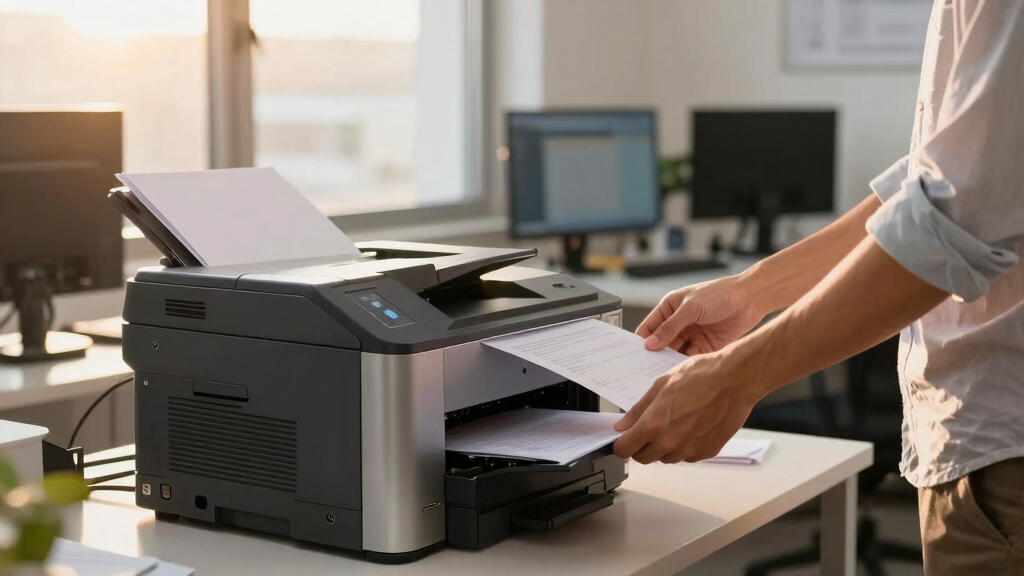
I evaluated each printer based on its printing speed, duty cycle, paper capacity, and multifunction capabilities, as these are vital for high-volume finance environments. Ease of use, connection options, and maintenance costs also played a role in ranking. Those that balanced performance with value and reliability rose higher, while models with notable limitations or higher total cost of ownership were ranked lower. The goal was to identify printers that deliver consistent, fast output with minimal downtime, while also considering the needs of various team sizes and budgets.Factors to Consider When Choosing High Volume Laser Printer For Finance Team
Selecting the right high volume laser printer for a finance team requires understanding several key factors. Beyond initial cost, consider how the printer’s speed, capacity, and multifunction features align with your workflow. Investing in a model with a higher duty cycle can prevent interruptions during peak periods, but it might also come with a higher price tag. Connectivity options like wireless and mobile printing are convenient, yet can introduce security considerations. It’s also important to evaluate toner yield and maintenance costs to ensure long-term value. Making an informed choice means balancing these factors carefully to meet your team’s volume and functionality needs.Print Speed and Duty Cycle
For a finance team managing a high volume of reports and statements, a fast printer with a high duty cycle is essential. Speed determines how quickly tasks are completed, reducing bottlenecks during busy periods. Duty cycle reflects the maximum number of pages a printer can handle per month without breakdowns or excessive wear. Choosing a printer with a duty cycle well above your average monthly volume can improve longevity and reliability, but models with extremely high duty cycles tend to be more expensive. Be realistic about your needs; overpaying for a duty cycle far beyond your requirements can lead to unnecessary costs.
Paper Capacity and Expandability
High-volume printing requires a large paper capacity to avoid frequent refills, which can disrupt workflow. Many models offer expandable trays or additional paper drawers, a valuable feature for large teams or extended printing sessions. Keep in mind that larger capacities may increase the printer’s size and cost. For finance teams that print thousands of pages monthly, prioritizing models with at least 500-sheet capacity is wise. Conversely, smaller teams or less frequent users might manage well with lower capacity units, saving money and space.
Multifunction Capabilities
While a dedicated printer handles printing, multifunction models add scanning, copying, and sometimes faxing, streamlining document workflows. For finance teams dealing with invoices, receipts, and reports, having all functions integrated can save time and reduce equipment clutter. However, multifunction printers often come with higher upfront costs and larger footprints. If your team primarily prints and rarely scans or copies, a single-function model might offer better value. Consider your specific workflow to determine whether multifunctionality justifies the added expense.
Connectivity and Security
Wireless and mobile printing features are increasingly common, offering flexibility for finance teams that work across multiple devices or remote locations. Secure printing options, like PIN or encryption, are vital in protecting sensitive financial data. Be aware that wireless features can sometimes introduce vulnerabilities if not properly configured, so security should be a priority. Wired connections tend to be more stable and secure, but less flexible. Choose a model that balances ease of use with robust security features tailored to your organization’s policies.
Cost of Ownership and Maintenance
Beyond the initial purchase price, toner yield and maintenance costs heavily influence overall value. High-yield toner cartridges reduce the frequency and cost of replacements, especially important for high-volume printing. Some models offer bulk toner options or high-capacity cartridges, lowering long-term expenses. Maintenance requirements, such as cleaning cycles or parts replacement, should also be considered, as they can add to total ownership costs. Investing in a reliable, durable model with high toner yields can pay off over time by minimizing downtime and repair expenses.
Frequently Asked Questions
How do I determine the right duty cycle for my finance team?
To select an appropriate duty cycle, analyze your team’s average monthly print volume and add a buffer for peak periods. For example, if your team prints around 10,000 pages per month, choosing a printer rated for at least 15,000 pages can prevent excessive wear and potential breakdowns. A higher duty cycle ensures the machine remains reliable under heavy loads, but it also tends to come with a higher initial cost. Matching your expected volume with a suitable duty cycle helps prevent frequent repairs and extends the printer’s lifespan.
Is it better to buy a multifunction printer or a single-function model?
The decision depends on your workflow. If your team frequently scans, copies, or faxes documents, a multifunction printer consolidates these tasks into one device, saving space and reducing clutter. However, multifunction models are usually more expensive and can be more complex to operate and maintain. For teams that mainly print large volumes and rarely need scanning or copying, a dedicated printer often provides better speed and lower costs. Assess your team’s specific needs carefully to avoid overspending on unnecessary features or sacrificing productivity.
What security features should I look for in a high volume laser printer?
Security features like encrypted printing, user authentication, and secure data storage are vital, especially for finance teams handling sensitive data. Look for printers that support PIN or card-based release, which prevent unauthorized access to printed documents. Network security options, such as SSL encryption and secure firmware updates, help protect against cyber threats. Ensuring your printer has these capabilities can prevent data leaks and maintain confidentiality, which is critical in financial environments.
How important is toner yield in a high-volume environment?
Toner yield directly impacts operational costs and downtime. High-yield cartridges provide more pages per replacement, reducing the frequency of toner changes, which is essential for high-volume printing. A lower yield cartridge might save money upfront but can lead to frequent replacements and increased labor costs over time. For finance teams printing thousands of pages monthly, investing in high-capacity toner cartridges offers better efficiency and long-term savings, even if the initial cost is higher.
Should I prioritize speed over multifunctionality?
The choice depends on your team’s workflow. If quick, high-volume printing is the primary need, focusing on models with high ppm (pages per minute) makes sense. However, if your team also needs to scan and copy large quantities regularly, multifunction models can streamline operations, despite potentially slightly lower speeds. Balancing these factors involves evaluating your typical document handling volume and functional requirements to avoid bottlenecks or unnecessary expenses.
Conclusion
For the finance team that needs a reliable, fast, and durable printer, the HP LaserJet M207dw offers a solid balance of speed, duty cycle, and affordability, making it the best overall choice. If your priority is a multifunction device that can handle scanning and copying alongside printing, the Canon imageCLASS MF462dw II provides excellent expandability and features. Budget-conscious teams should consider models like the HP LaserJet M110w for simplicity and value, while larger organizations seeking enterprise-grade reliability may opt for the HP LaserJet Enterprise M607n. Ultimately, matching your specific volume, workflow, and budget will guide you to the ideal high volume laser printer for your finance department in 2026.