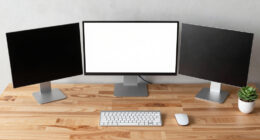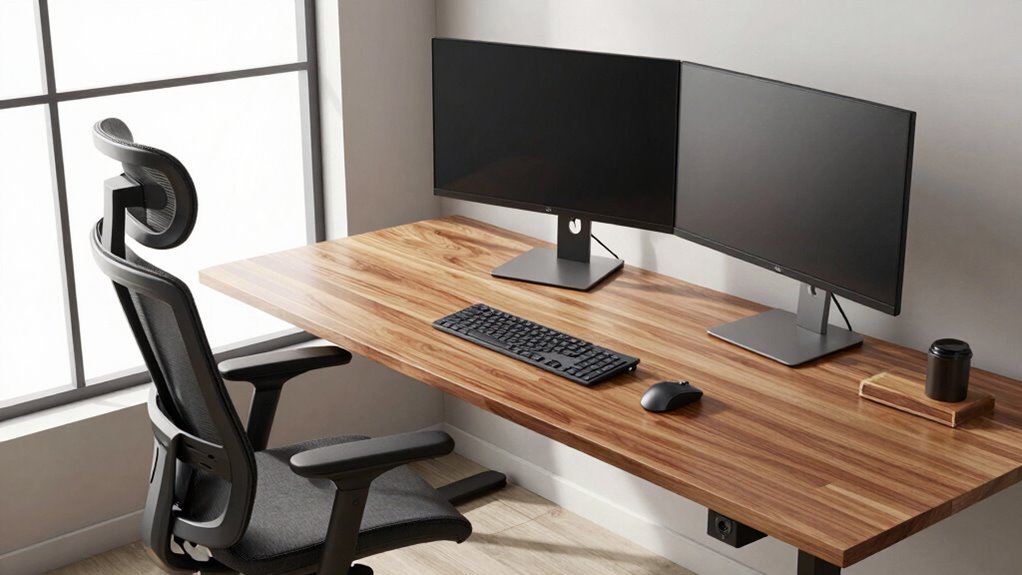
To stay comfortable during long workdays, set up your workspace with an adjustable desk and chair that support a natural posture. Keep your monitor at eye level about an arm’s length away, and make sure your elbows are at 90 degrees. Use a wrist rest for support and keep your wrists level with your keyboard and mouse. Pay attention to your posture throughout the day—proper ergonomics can prevent discomfort and boost efficiency. Keep exploring to discover more tips for a healthier workspace.

Get business pricing on office and shipping supplies
- Business-only prices and quantity discounts
- Tax-exempt purchasing
- Multiple users, one account, clear invoices
Key Takeaways
- Use an adjustable height desk to maintain proper elbow and monitor positioning for ergonomic comfort.
- Position monitors at eye level and about an arm’s length away to reduce eye and neck strain.
- Keep wrists neutral and supported with wrist rests to prevent repetitive strain injuries.
- Adjust chair height for feet flat on the floor and knees at a 90-degree angle, supporting proper posture.
- Organize the workspace to promote good posture, reduce clutter, and optimize lighting and environmental conditions.

When you spend long hours at your desk, maintaining good ergonomics becomes essential to prevent discomfort and long-term injuries. One of the most important aspects is ensuring your workstation is properly set up to support your body’s natural position. An adjustable height desk allows you to customize your workspace so your elbows are at a 90-degree angle, reducing strain on your shoulders and neck. This flexibility helps you avoid hunching over or reaching too far, which can cause fatigue and musculoskeletal issues over time. When your desk height is right, your monitor should be positioned at eye level, so you’re not tilting your head up or down, and your feet should comfortably rest flat on the floor or on a footrest.
Wrist support is another key component to consider. When you type or use a mouse for extended periods, your wrists can become strained if they’re not properly supported or if you’re forced into awkward angles. Investing in a good wrist rest can help keep your wrists in a neutral position, reducing pressure on the carpal tunnel and preventing repetitive strain injuries like carpal tunnel syndrome. Make sure your wrists are level with your keyboard and mouse, not resting on the desk or pushed up against the edge. This simple addition can significantly decrease discomfort and allow you to work more efficiently without distraction from pain or fatigue.
In addition to adjustable height and wrist support, paying attention to your chair is vital. Your chair should offer lumbar support to maintain the natural curve of your spine. Adjust the chair height so your feet are flat on the floor and your knees are roughly at a 90-degree angle. If your feet don’t reach, use a footrest. Keep your shoulders relaxed and avoid shrugging or tensing up. Position your monitor about an arm’s length away, with the top of the screen at eye level. This setup minimizes eye strain and encourages a good posture. Additionally, ergonomic workstation design can play a significant role in preventing discomfort during long workdays. Being mindful of your body posture throughout the day can help reduce muscle tension and improve overall comfort. Incorporating proper workspace organization can also prevent unnecessary strain and fatigue, especially during extended periods of work. Paying attention to work environment factors such as lighting and noise levels can further enhance your comfort and productivity during long work hours.
As an affiliate, we earn on qualifying purchases.
Frequently Asked Questions
How Often Should I Take Breaks During Long Workdays?
You should take breaks every 60 minutes during long workdays to reduce eye strain and encourage posture correction. During these breaks, stand up, stretch, and look away from your screen for a few minutes. Short, frequent breaks help prevent fatigue, improve circulation, and maintain good ergonomics. Remember, consistent movement and eye rest are key to staying comfortable and avoiding long-term musculoskeletal issues.
What Budget-Friendly Ergonomic Tools Are Most Effective?
They say, “A penny saved is a penny earned,” and that’s true for ergonomic tools too. You can find affordable accessories like adjustable keyboard stands, lumbar support cushions, and wrist rests that make a big difference. DIY adjustments, like repositioning your monitor or adding homemade footrests, also help improve comfort without breaking the bank. These budget-friendly solutions keep you supported and productive during long workdays.
How Can I Adjust My Chair for Optimal Comfort?
You can adjust your chair for ideal comfort by setting the chair height so your feet rest flat on the floor and your knees are at a 90-degree angle. Make sure the lumbar support fits snugly against your lower back to maintain proper posture. Make small adjustments to find the most comfortable position, and regularly check your alignment throughout the day to prevent strain and promote long-term comfort.
Are There Specific Stretches for Desk Workers?
Think of your body as a well-tuned instrument—keeping it in harmony is key. You should do shoulder stretches to loosen tightness and wrist exercises to keep your hands nimble. Roll your shoulders gently, reach across your chest, or stretch your arms overhead. For wrists, try flexing and extending or making small circles. These simple movements help prevent strain, making your workday smoother and more comfortable.
How Do I Know if My Setup Is Truly Ergonomic?
To know if your setup is truly ergonomic, start with a posture assessment—ensure your chair supports your lower back and your monitor is at eye level. Organize your workspace so frequently used items are within easy reach, reducing strain. Pay attention to how your body feels during the day; if you experience discomfort or fatigue, adjust your workspace accordingly. Proper posture and organized workspace are key for comfort and productivity.
Conclusion
By embracing these desk ergonomics basics, you turn your workspace into a sanctuary of comfort and productivity. Remember, small adjustments can make a world of difference—like tuning an instrument to hit the perfect note. So, take charge of your environment, prioritize your well-being, and let good habits compose a symphony of long-lasting health. After all, a well-set desk isn’t just a workspace; it’s your foundation for success and vigor.
Fall Picks
fall essentials
As an affiliate, we earn on qualifying purchases.