The main mistake that makes NAS storage risky is granting overly broad or unnecessary permissions to users. When you assign full access rights or forget to review permissions regularly, it increases the chance of accidental data deletion, leaks, or malicious activity. Overprovisioned access expands your attack surface and compromises data privacy. To prevent this, you need to follow best practices like role-based controls and regular audits. Keep going to discover how to tighten security and avoid such errors.
Key Takeaways
- Granting overly broad permissions, such as full access to all users, increases vulnerability to data breaches.
- Failing to revoke permissions after user offboarding leaves sensitive data exposed to unauthorized individuals.
- Ignoring regular permission audits can lead to outdated or excessive access rights.
- Misconfiguring sharing links or folders with open access options facilitates external data leaks.
- Not implementing role-based access control results in unnecessary user privileges and higher security risks.

Synology 24 Bay NAS FlashStation FS6400 (Diskless)
Synology all-flash server targeted at I/o-intensive and latency-sensitive applications; over 240, 000 iSCSI 4K random Write IOPS, ultra-high…
As an affiliate, we earn on qualifying purchases.
As an affiliate, we earn on qualifying purchases.
Why NAS Permissions Are Critical for Data Security
NAS permissions are crucial because they control who can access, modify, or delete your data. Understanding the permission hierarchy helps you set appropriate levels of access, ensuring users only get what they need. Proper user authentication verifies identities before granting access, preventing unauthorized users from entering your system. When you configure permissions correctly, you establish a layered security approach that minimizes risks. For example, administrators can assign read-only rights to most users while reserving full control for trusted personnel. This structure reduces accidental data loss or malicious actions. Additionally, paying attention to side-channel vulnerabilities can help prevent indirect data leaks through hardware or software signals. By paying close attention to user authentication and permission hierarchy, you strengthen your NAS’s defenses. Implementing security best practices can also help optimize your data display and management. Regularly reviewing permission settings and staying updated on security patches ensures your system remains resilient against emerging threats. Clear, precise permission settings are indispensable for maintaining data security and preventing potential breaches.
role-based access control NAS
As an affiliate, we earn on qualifying purchases.
As an affiliate, we earn on qualifying purchases.
Common Permission Misconfigurations That Increase Risks
One of the most common pitfalls in permission management is assigning overly broad access rights, which can substantially increase security risks. When you don’t customize permissions carefully, you leave sensitive data exposed to unintended users. Poor permission customization often results in granting unnecessary user access, making it easier for malicious actors or accidental mishaps to compromise your NAS storage. For example, giving all users admin rights or access to critical files can lead to data leaks or corruption. Misconfigured permissions can also make it difficult to track who accessed what, complicating audits and incident response. To minimize these risks, you need to tailor user access precisely based on roles and responsibilities, ensuring each user only has the permissions they need to do their job. Additionally, regularly reviewing permission settings helps ensure that access remains appropriate as roles evolve. Implementing role-based access control strategies can further tighten security and limit exposure. Understanding permission management best practices is crucial for maintaining a secure storage environment. Properly implementing user roles can further restrict unnecessary access and reduce potential vulnerabilities. Being aware of access controls can help prevent common permission mistakes that expose your data.
NAS permission audit tools
As an affiliate, we earn on qualifying purchases.
As an affiliate, we earn on qualifying purchases.
Why Forgetting to Review Permissions Puts Your Data at Risk
Neglecting to regularly review permissions can leave your data vulnerable to unnecessary exposure or misuse. When you don’t revisit who has access, outdated or excessive permissions remain active, risking data privacy breaches. Without routine checks, unauthorized users might access sensitive information, either accidentally or maliciously. This oversight compromises user authentication, making it easier for intruders to exploit weak points. Ensuring permissions are current helps you maintain strict control over who can see or modify data. Regular reviews also help identify and revoke unnecessary access, reducing the risk of insider threats or accidental leaks. Staying proactive in permission management safeguards your NAS storage, reinforces data privacy, and keeps your data protected against evolving security threats. Understanding content formats can help you optimize your security strategies and improve overall data management. Additionally, implementing permission auditing tools can automate these reviews and identify potential vulnerabilities more effectively. Regularly updating your access control policies ensures that permissions align with your current security requirements and organizational roles.

Synology 12-Bay RackStation RS2423+ (Diskless)
Scale up to 24 drive bays with one Synology RX1223RP Expansion Unit
As an affiliate, we earn on qualifying purchases.
As an affiliate, we earn on qualifying purchases.
Why Giving Too Much Access Can Put Your Data at Risk
While regularly reviewing permissions is essential, it’s equally important to guarantee that users only have the access they truly need. Permission overreach and access overprovision expose your NAS storage to unnecessary risks. When users have more permissions than necessary, accidental deletions, data leaks, or malicious actions become more likely. You might think giving full access speeds up workflows, but it also broadens vulnerabilities. Implementing access control measures can help prevent these issues and ensure permissions are appropriately managed. Additionally, understanding the resale value of related equipment, such as electric dirt bikes, highlights how overextending access or mismanaging hardware can lead to loss or damage. Properly managing permissions also involves considering regional flavors, as different areas have unique security practices that should be respected to maintain compliance and safeguard data. Recognizing the importance of permissions management is key to minimizing risks and protecting sensitive information. Ensuring that permissions are aligned with user roles helps minimize unnecessary exposure and enhances overall security. To avoid this, keep permissions tight and specific.
Essential Best Practices for Secure NAS Permission Management
To keep your NAS secure, you should regularly audit permissions to catch any unnecessary access. Using role-based access helps you assign permissions more efficiently and minimize risks. Additionally, enabling two-factor authentication adds an extra layer of protection against unauthorized logins. Regularly reviewing vetted security practices ensures your setup remains safe and effective. Understanding dream symbolism related to clocks and time can also help you recognize patterns that signal potential vulnerabilities or the need for security updates. Monitoring Hive stability can provide insights into unusual activity that might compromise your data security and can be enhanced by understanding wave and wind patterns that influence network or environmental vulnerabilities. Keeping an eye on system logs is also crucial for identifying irregularities early and preventing potential breaches.
Regularly Audit Permissions
Regularly auditing permissions is a critical step in maintaining the security of your NAS storage. It helps you identify outdated or overly broad access rights that could compromise user privacy and file sharing. By reviewing permissions often, you guarantee only authorized users can access sensitive data, reducing risks of data leaks. Regular checks also help you spot accidental permission grants or changes that might expose files unintentionally. Keep your permissions tight and current to prevent unauthorized access and maintain trust with users. Incorporating well-maintained permissions ensures your storage remains secure and efficient.
Use Role-Based Access
Implementing role-based access control (RBAC) is essential for securing your NAS storage because it guarantees users only have permissions necessary for their specific job functions. By assigning user access based on roles, you reduce the risk of unauthorized data exposure and limit accidental modification. RBAC simplifies permission management, making it easier to update access as roles change. Additionally, combining RBAC with storage encryption enhances security by protecting data even if user access controls are bypassed. This layered approach ensures sensitive information remains confidential and minimizes potential damage from insider threats or breaches. Properly implemented, role-based access helps you enforce least privilege, maintain control, and improve overall data security in your NAS environment. Incorporating requirements traceability ensures that permission settings align with compliance standards and best practices for security.
Enable Two-Factor Authentication
Have you considered how a single compromised password could jeopardize your entire NAS system? Enabling two-factor authentication (2FA) enhances user authentication and strengthens access control. It requires a second verification step, like a code sent to your phone, making it harder for hackers to gain entry even if they have your password. This added layer significantly reduces the risk of unauthorized access.
- Protects against stolen passwords
- Adds an extra security barrier
- Ensures only authorized users access data
- Encourages better password habits
- Complements existing access controls
Implementing 2FA is a simple yet powerful way to secure your NAS. It makes your system less vulnerable, especially when combined with strong permissions and role-based access control. Don’t leave your data exposed—enable two-factor authentication today.
Tools for Regular NAS Permission Audits
To effectively monitor and maintain proper NAS permissions, you need reliable tools that can streamline the audit process. Look for solutions with a user interface that’s easy to navigate, so you can quickly identify permission discrepancies. Automated tools help you run regular audits without manual effort, saving time and reducing human error. They often include features like detailed reports and change logs, which improve storage efficiency by highlighting unnecessary access rights. Some tools also allow you to set permissions policies and receive alerts for suspicious activity. Using these tools ensures you stay compliant and minimize security risks. Regular audits with the right software keep your NAS permissions tight and prevent accidental exposure of sensitive data.
Real-World Cases of Data Breaches Caused by Permission Errors
Real-world data breaches often happen because permission errors allowed unauthorized access. You’ve probably heard about insider threats or accidental exposures that compromised sensitive information. These cases highlight how vital proper permission settings are to protect your data from both external and internal risks.
Unauthorized Access Incidents
Many data breaches occur because of simple permission errors that lead to unauthorized access. When permissions are misconfigured, attackers can exploit cloud synchronization or during user onboarding to gain access to sensitive data. These incidents often happen without your knowledge until after the damage is done, exposing vulnerabilities.
- Poorly set permissions during initial setup
- Overly broad access rights for new users
- Failing to revoke permissions after user offboarding
- Insecure sharing links or folders
- Insufficient monitoring of access logs
Such breaches highlight how critical it is to review permissions regularly, especially when integrating new team members or syncing data across platforms. Properly managing permissions reduces the risk of unauthorized access and keeps your NAS storage secure.
Insider Threat Cases
How often do you consider that insiders—employees or trusted partners—can intentionally or unintentionally cause data breaches through permission errors? Many breaches stem from simple mistakes or misconfigured permissions, especially during cloud integration. For example, a trusted employee might accidentally grant access to sensitive data or leave permissions too broad, exposing confidential information. In some cases, malicious insiders exploit lax permissions to steal or leak data. Proper user training is vital to prevent these errors, ensuring staff understand permission settings and security protocols. Without awareness, even well-intentioned insiders can cause significant damage. Regularly reviewing and updating permissions, along with thorough user training, reduces insider threat risks and helps keep your NAS storage secure from internal vulnerabilities.
Data Exposure Examples
Permission errors have led to high-profile data breaches, exposing sensitive information to unauthorized individuals. These mistakes often occur when permissions aren’t carefully set during cloud integration or hardware compatibility processes. For example, a misconfigured NAS allowed external attackers to access confidential customer data. In another case, outdated hardware with lax permission settings enabled data leaks. Sometimes, broad permissions granted during setup exposed entire directories to employees or third parties. These breaches highlight how simple errors in permission settings can have serious consequences.
- Publicly accessible files due to misconfigured permissions
- Data leaks caused by incorrect cloud integration settings
- Sensitive info exposed through hardware compatibility issues
- Unauthorized access from improperly set user permissions
- Large-scale breaches from overlooked permission details
How to Review and Update Your NAS Permissions Effectively

To guarantee your NAS remains secure, regularly reviewing and updating its permissions is essential. Begin by examining the permission hierarchy to ensure access levels align with current roles. Remove unnecessary privileges for users who no longer need full access, especially those involved in user onboarding. During reviews, confirm that new users are assigned appropriate permissions from the start. Keep a record of permission changes to track adjustments over time. Use tools or built-in NAS features to automate periodic checks, minimizing human error. Regularly updating permissions helps prevent outdated or excessive access, reducing security risks. Avoid complacency by establishing a routine schedule for reviews, especially after staff changes or policy updates. Staying vigilant ensures your NAS stays protected against permission-related vulnerabilities.
Top Strategies to Prevent NAS Permission Flaws
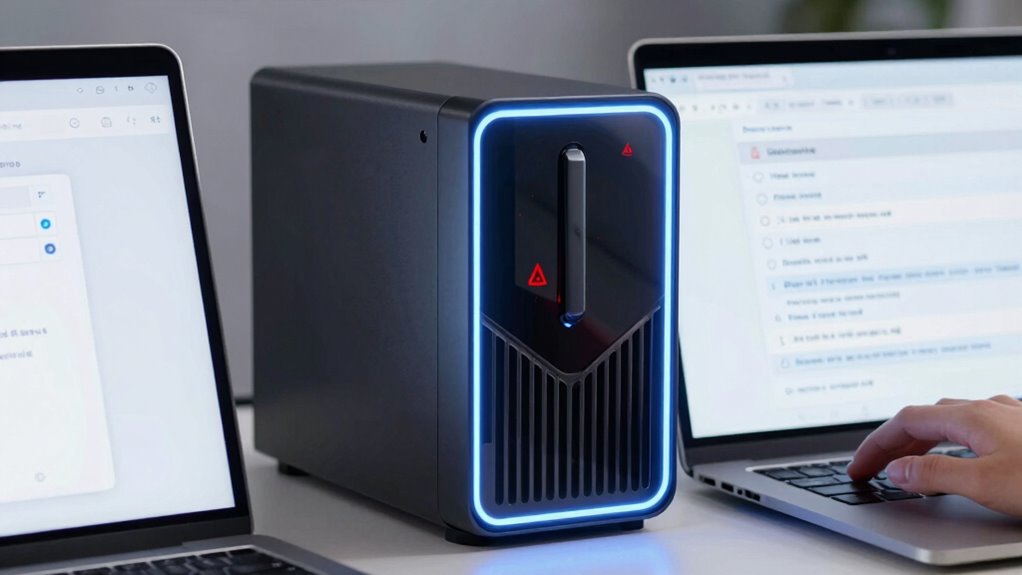
Implementing strong strategies to prevent NAS permission flaws is essential for maintaining your data security. You should regularly audit permissions to guarantee only authorized users have access, especially when enabling remote collaboration. Use role-based access controls to limit what users can see and do, reducing the risk of accidental data exposure. When integrating with the cloud, verify that permissions align across platforms, preventing gaps that could be exploited. Keep your NAS firmware and software up to date to patch vulnerabilities. Finally, establish clear policies and train your team on proper permission management to foster a security-conscious environment.
Implement strong access controls, regularly audit permissions, and keep software updated to secure your NAS data effectively.
- Regularly audit permissions and access logs
- Implement role-based access controls
- Align permissions during cloud integration
- Keep firmware and software updated
- Educate your team on permission best practices
Frequently Asked Questions
How Often Should NAS Permissions Be Reviewed?
You should review your NAS permissions at least quarterly to guarantee user access remains appropriate. Regular permission audits help you identify any unauthorized changes or outdated access rights. By staying proactive, you prevent potential security breaches and maintain proper control over sensitive data. Don’t wait until issues arise—schedule consistent reviews to keep your NAS storage secure and ensure only the right users have access to your files.
What Are the Signs of Permission Misconfigurations?
You’ll notice signs of permission misconfigurations when user access rights seem overly broad or inconsistent, allowing unauthorized users to access sensitive data. Permission escalation might occur, giving certain users elevated privileges unexpectedly, which can lead to security breaches. If you observe unfamiliar access patterns or sudden changes in user permissions, it’s a clear sign you need to review and tighten your NAS permissions promptly to protect your data.
Can Incorrect Permissions Lead to Data Loss?
Yes, incorrect permissions can cause data loss, often unexpectedly. When access control settings are too lax or misconfigured, unauthorized users might delete or overwrite files, risking data privacy. Conversely, overly restrictive permissions might prevent legitimate users from accessing essential data, leading to operational issues. This coincidence highlights how critical proper permission management is to safeguard your data and maintain a secure, functional NAS storage environment.
How Do Permissions Differ Between NAS Brands?
You’ll find that NAS brands differ in how they handle user access and permission hierarchy. Some, like Synology, offer granular control, allowing you to assign specific permissions to individual users or groups. Others, like QNAP, provide a more straightforward approach but still support layered permissions. Understanding each brand’s permission hierarchy helps you set appropriate access levels, reducing security risks and ensuring only authorized users can access sensitive data.
Are There Automated Tools to Manage NAS Permissions?
Yes, you can find automated permission management tools to simplify managing NAS permissions. These tools help you set consistent access controls, prevent mistakes, and improve security. Permission audit tools are also available to regularly review and track permission changes, ensuring compliance and identifying potential risks. Using such automation reduces manual effort, minimizes errors, and keeps your NAS storage safer by maintaining proper permission settings over time.
Conclusion
Think of your NAS as a fortress guarding priceless treasures. If your permissions are misconfigured, it’s like leaving the gates wide open or locking the wrong doors—inviting intruders or accidental damage. By regularly reviewing and tightening your access controls, you’re reinforcing the walls and securing the vault. Stay vigilant, keep your defenses strong, and your data will remain safe from breaches, just like a well-guarded castle standing tall against unseen threats.