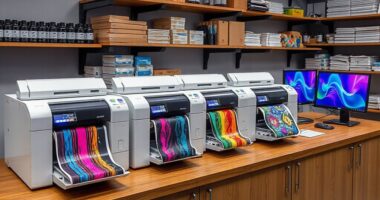
Choosing a desktop workstation for graphic design means balancing processor speed, memory, graphics capability, storage, and desk space—not simply chasing the biggest specification. My strongest all-around pick is the Dell Pro Max Tower T2, because it pairs 64GB of memory and a 2TB SSD with an RTX 2000 Ada card built for professional workloads. For a more general-purpose tower with a gaming-class GPU and wireless connectivity, the Dell Tower Plus EBT2250 is the more flexible alternative. If a compact footprint and strong everyday performance matter more than dedicated graphics, the Dell Pro Max Slim is my leading small-form option.

Get business pricing on office and shipping supplies
- Business-only prices and quantity discounts
- Tax-exempt purchasing
- Multiple users, one account, clear invoices
The tradeoff is clear: the dedicated-GPU towers suit demanding visual work better, but take up more space and have specific caveats around connectivity, configuration, or upgrade headroom. The two slim Dell desktops save space and bring capable processors, yet their integrated graphics put a ceiling on GPU-heavy tasks. I ranked these picks by how well their listed components fit common design workflows, while noting where product details or condition deserve a closer check.
Complete the kit



Key Takeaways
- The Dell Pro Max Tower T2 is the strongest match for graphics-heavy professional work here, with an RTX 2000 Ada GPU, 64GB RAM, and a 2TB SSD; it lacks Wi-Fi, Bluetooth, and an included keyboard.
- The Dell Tower Plus EBT2250 pairs a GeForce RTX 5060 with Wi-Fi 7 and a keyboard and mouse, but its 460W power supply may restrict future upgrades and its processor labeling conflicts.
- The Dell Pro Max Slim offers a compact chassis, a 20-core processor, and 64GB RAM, but integrated Intel Arc graphics are a weaker fit for demanding GPU-accelerated design.
- The Dell Pro Slim is the compact value-oriented option, with 32GB RAM and a stated NVMe drive capacity that conflicts between the title and description; verify the listing before buying.
- The renewed HP Z4 G4 includes 64GB RAM, a fast SSD plus a 2TB hard drive, and a Quadro P400, but its older six-core CPU and 2GB graphics memory limit its appeal for current demanding work.
| Dell Pro Max Tower T2 FCT2250 Workstation, Intel Core Ultra 7 265, 64GB DDR5 RAM, 2TB SSD, NVIDIA RTX 2000 Ada 16GB |  | Best Overall for Professional Graphics Work | Processor: Intel Core Ultra 7 265 vPro, 20 cores, up to 5.3 GHz | Graphics: NVIDIA RTX 2000 Ada, 16GB GDDR6 | Memory: 64GB DDR5, 4800 MHz | VIEW ON AMAZON | See Our Full Breakdown |
| Dell Tower Plus EBT2250 Workstation Desktop with Intel Ultra 7-265 and GeForce RTX 5060 |  | Best for Wireless Flexibility and Dedicated Graphics | Processor: Intel Ultra 7-265 in description; processor label conflicts in supplied specifications | Graphics: GeForce RTX 5060, 8GB GDDR7 | Memory: 32GB DDR5, maximum 64GB | VIEW ON AMAZON | See Our Full Breakdown |
| Dell Pro Max Slim Desktop, Intel Core Ultra 7 265K, 64GB DDR5, 1TB SSD, Windows 11 Pro |  | Best Compact Desktop for CPU-Heavy Design Work | Processor: Intel Core Ultra 7 265K, 20 cores | Memory: 64GB DDR5, 4800MHz; maximum 128GB | Storage: 1TB SSD | VIEW ON AMAZON | See Our Full Breakdown |
| Dell Pro Slim Desktop with Intel Core Ultra 5 235, 32GB DDR5 RAM, 1TB SSD |  | Best Compact Starter Workstation | Processor: Intel Core Ultra 5 235, 14 cores, up to 5.0 GHz | Memory: 32GB DDR5; maximum 64GB | Storage: Conflicting listing: 1TB in title, 2TB NVMe in description | VIEW ON AMAZON | See Our Full Breakdown |
| HP Z4 G4 Workstation Tower, Xeon W-2133, 64GB RAM, 512GB NVMe SSD + 2TB HDD, Quadro P400, Windows 11 Pro (Renewed) |  | Best Renewed Workstation with Separate Archive Storage | Processor: Intel Xeon W-2133, 6 cores, 3.6GHz base and up to 3.9GHz turbo | Memory: 64GB DDR4 | Storage: 512GB NVMe SSD plus 2TB SATA HDD | VIEW ON AMAZON | See Our Full Breakdown |
| desktop workstation for graphic designers on amazon | Processor | Graphics | Memory | Storage |
|---|---|---|---|---|
| Dell Pro Max Tower T2 FCT2250 | Intel Core Ultra 7 265 vPro, 20 cores, up to 5.3 GHz | NVIDIA RTX 2000 Ada, 16GB GDDR6 | 64GB DDR5, 4800 MHz | 2TB SSD |
| Dell Tower Plus EBT2250 Workst | Intel Ultra 7-265 in description; processor label conflicts in supplied specifications | GeForce RTX 5060, 8GB GDDR7 | 32GB DDR5, maximum 64GB | 1TB PCIe NVMe SSD |
| Dell Pro Max Slim Desktop | Intel Core Ultra 7 265K, 20 cores | Integrated Intel Arc Graphics | 64GB DDR5, 4800MHz; maximum 128GB | 1TB SSD |
| Dell Pro Slim Desktop with Int | Intel Core Ultra 5 235, 14 cores, up to 5.0 GHz | Integrated graphics | 32GB DDR5; maximum 64GB | Conflicting listing: 1TB in title, 2TB NVMe in description |
| HP Z4 G4 Workstation Tower | Intel Xeon W-2133, 6 cores, 3.6GHz base and up to 3.9GHz turbo | NVIDIA Quadro P400, 2GB GDDR5 | 64GB DDR4 | 512GB NVMe SSD plus 2TB SATA HDD |
More Details on Our Top Picks
Dell Pro Max Tower T2 FCT2250 Workstation, Intel Core Ultra 7 265, 64GB DDR5 RAM, 2TB SSD, NVIDIA RTX 2000 Ada 16GB
The Dell Pro Max Tower T2 ranks first because it has the most directly workstation-oriented graphics setup in this group: an NVIDIA RTX 2000 Ada with 16GB of GDDR6, alongside 64GB of DDR5 memory and a 2TB SSD. That combination gives designers more headroom for GPU-assisted creative work and larger working files than either slim Dell with integrated graphics. It is also a stronger professional-graphics proposition than the Tower Plus’s GeForce RTX 5060, whose listed 8GB of GDDR7 may still suit many visual tasks but is not presented here as a workstation-class RTX Ada card.
The tradeoffs are practical rather than minor. Wi-Fi and Bluetooth are absent, so a wired network connection or separate adapters may be needed, and the listing says no keyboard is included. The computer has also been resealed for memory and SSD upgrades; the stated warranty covers those upgrades for three years, while Dell ProSupport covers the remaining components through July 2029. Compared with the Pro Max Slim, this tower is larger and less convenient for a tight desk, but its dedicated GPU makes it the better fit when graphics acceleration is a priority. I would check the upgrade and warranty disclosure carefully before ordering.
Pros:- RTX 2000 Ada with 16GB GDDR6 is the most workstation-focused graphics option in this lineup.
- 64GB DDR5 RAM and a 2TB SSD support larger projects and multitasking.
- Supports up to four displays, including 8K at 60Hz.
- Windows 11 Pro, Thunderbolt 4, and a DVD±RW drive are included.
Cons:- No Wi-Fi or Bluetooth; the listed networking is wired Ethernet.
- Keyboard is not included.
- The system has been resealed for memory and SSD upgrades.
Best for: Designers who need a dedicated workstation-class GPU, 64GB memory, and 2TB of SSD storage for demanding creative or technical projects.
Not ideal for: Buyers who need built-in Wi-Fi or Bluetooth, want a keyboard in the box, or prefer an untouched system configuration.
- Processor:Intel Core Ultra 7 265 vPro, 20 cores, up to 5.3 GHz
- Graphics:NVIDIA RTX 2000 Ada, 16GB GDDR6
- Memory:64GB DDR5, 4800 MHz
- Storage:2TB SSD
- Display support:Up to four displays; 8K at 60Hz listed
- Connectivity:3 USB-C, Thunderbolt 4, 6 USB-A, dual DisplayPort, RJ-45; no Wi-Fi or Bluetooth
- Warranty:Three years on upgraded memory and SSD; Dell ProSupport on remaining components through July 2029
Our verdict“I rank this first for designers who value workstation-class graphics and generous memory and storage more than wireless convenience.”
Dell Tower Plus EBT2250 Workstation Desktop with Intel Ultra 7-265 and GeForce RTX 5060
For a designer who wants a dedicated GPU without giving up built-in wireless, the Dell Tower Plus is the most convenient alternative to my top pick. Its GeForce RTX 5060 with 8GB GDDR7 is paired with a 20-core Intel Ultra 7-265, 32GB of DDR5, and a 1TB NVMe SSD. That makes it a more graphics-capable starting point than either slim Dell, while Wi-Fi 7, Bluetooth 5.4, and an included keyboard and mouse make setup simpler than with the Tower T2.
The Tower T2 still leads for workstation-oriented graphics memory and double the listed RAM and SSD capacity. The Tower Plus counters with a more familiar general-purpose GPU and wireless connectivity already onboard, which can suit a home studio or flexible desk arrangement. Its limitations deserve attention: the 460W power supply may constrain upgrades, memory is listed as expandable only to 64GB, and product details conflict over the processor label, with the description naming Ultra 7-265 while the specifications say Core i7. I would confirm the configuration on the live listing before purchase. This is a strong mixed-workload choice, not the safest pick for a buyer who wants the clearest listing and broadest upgrade runway.
Pros:- GeForce RTX 5060 provides dedicated graphics with 8GB GDDR7.
- 20-core processor and 32GB DDR5 support multitasking.
- Wi-Fi 7, Bluetooth 5.4, and an included keyboard and mouse simplify setup.
- Multiple display connections, Thunderbolt 4, and an SD card reader are listed.
Cons:- The 460W power supply may limit future hardware upgrades.
- The processor is identified inconsistently as Ultra 7-265 and Core i7 in the supplied details.
- The 1TB SSD and 32GB memory provide less listed capacity than the Tower T2.
Best for: Designers who want a dedicated GPU, built-in Wi-Fi and Bluetooth, and a ready-to-use tower for mixed creative and general computing work.
Not ideal for: Buyers planning extensive power-hungry upgrades or anyone who wants a fully consistent processor description before ordering.
- Processor:Intel Ultra 7-265 in description; processor label conflicts in supplied specifications
- Graphics:GeForce RTX 5060, 8GB GDDR7
- Memory:32GB DDR5, maximum 64GB
- Storage:1TB PCIe NVMe SSD
- Wireless:Wi-Fi 7 and Bluetooth 5.4
- Power supply:460W
- Ports:USB-C, Thunderbolt 4, 2 HDMI, 3 DisplayPort, SD card reader, and USB-A
Our verdict“I would choose this over the Tower T2 when built-in wireless and a dedicated GPU matter more than workstation graphics memory and larger included storage.”
Dell Pro Max Slim Desktop, Intel Core Ultra 7 265K, 64GB DDR5, 1TB SSD, Windows 11 Pro
The Dell Pro Max Slim is my compact pick for designers whose daily work leans on processor performance and memory rather than a discrete GPU. Its 20-core Core Ultra 7 265K and 64GB of DDR5 make it the best-equipped of the two slim systems for keeping demanding applications and substantial files open together. The three DisplayPort outputs also make a multi-monitor desk practical without needing a larger tower. For a small office where space matters, that combination is more compelling than the HP Z4’s bulkier, older platform.
Its central compromise is integrated Intel Arc graphics. That is a meaningful step down from the RTX 2000 Ada in the Tower T2 and the RTX 5060 in the Tower Plus for workflows that depend heavily on dedicated GPU performance. The 1TB SSD is also smaller than the Tower T2’s 2TB drive, and there is no dedicated graphics card specified. Compared with the less expensive-in-specification Pro Slim, this model gives you twice the listed memory and a 20-core processor, but both slim options share the same basic limitation around integrated graphics. I would choose it for compactness and CPU-led creative work, not as a substitute for a GPU-focused workstation.
Pros:- 20-core Core Ultra 7 265K and 64GB DDR5 provide strong listed CPU and memory capacity.
- Compact slim chassis is easier to fit on a crowded desk than either tower workstation.
- Three DisplayPort outputs support a multi-monitor setup.
- Memory can be expanded up to 128GB.
Cons:- Integrated Intel Arc graphics are less suitable for demanding GPU-accelerated work than the two dedicated-GPU towers.
- The included SSD is 1TB, half the Tower T2’s listed capacity.
- Wired keyboard and mouse are included, but the graphics configuration is not a dedicated card.
Best for: Designers with limited desk space who run memory-hungry creative applications and need several DisplayPort-connected monitors.
Not ideal for: Buyers whose regular work involves GPU-heavy 3D, visualization, or effects, or who need more than 1TB of fast storage.
- Processor:Intel Core Ultra 7 265K, 20 cores
- Memory:64GB DDR5, 4800MHz; maximum 128GB
- Storage:1TB SSD
- Graphics:Integrated Intel Arc Graphics
- Video outputs:3x DisplayPort 1.4a
- Wireless:Wi-Fi 6E and Bluetooth 5.3
- Dimensions:11.95 x 3.74 x 11.53 inches
Our verdict“I recommend this compact Dell when processor, memory, and display connectivity matter more than dedicated graphics performance.”
Dell Pro Slim Desktop with Intel Core Ultra 5 235, 32GB DDR5 RAM, 1TB SSD
The Dell Pro Slim is the simpler compact choice for designers whose work is mainly illustration, page layout, photo editing, and everyday multitasking. Its 14-core Core Ultra 5 235, 32GB of DDR5, and slim case make it a more practical starting point than the renewed HP Z4 for buyers who want a current compact business desktop and do not need a large tower. It also includes HDMI 2.1 and DisplayPort, so a two-display setup is supported by the listed outputs.
Against the Pro Max Slim, this model gives up processor cores and half the listed memory, while the Pro Max Slim also has three DisplayPort connections and a higher memory ceiling. The Pro Slim’s advantage is a more modest configuration for lighter workloads, but its storage capacity is unclear: the product title says 1TB, while the description lists a 2TB NVMe SSD. I would confirm the actual drive size with the seller before ordering rather than assume either figure. Integrated graphics remain the bigger limitation for GPU-heavy creative tasks, and the RTX-equipped towers are a more suitable category if that work is central to your day.
Pros:- 14-core Core Ultra 5 processor and 32GB DDR5 suit everyday creative multitasking.
- Slim case and 10 listed USB ports fit a compact workstation setup.
- HDMI 2.1 and DisplayPort support a dual-display arrangement.
- Windows 11 Pro and a wired keyboard and mouse are included.
Cons:- Integrated graphics are less capable for GPU-intensive creative workflows than the dedicated-GPU towers.
- The listing conflicts on SSD capacity: title says 1TB and description says 2TB.
- Memory maximum is listed as 64GB, below the Pro Max Slim’s 128GB ceiling.
Best for: Beginning or occasional designers who want a compact Windows 11 Pro desktop for common 2D creative work and two displays.
Not ideal for: Designers working regularly with GPU-heavy 3D or effects, or anyone unwilling to verify the conflicting SSD capacity.
- Processor:Intel Core Ultra 5 235, 14 cores, up to 5.0 GHz
- Memory:32GB DDR5; maximum 64GB
- Storage:Conflicting listing: 1TB in title, 2TB NVMe in description
- Graphics:Integrated graphics
- Video outputs:1 HDMI 2.1 and 1 DisplayPort 1.4a
- Wireless:Wi-Fi 6
- Ports:10 USB ports listed
Our verdict“I would shortlist this for compact, mainly 2D design work only after confirming the SSD capacity listed for the exact configuration.”
HP Z4 G4 Workstation Tower, Xeon W-2133, 64GB RAM, 512GB NVMe SSD + 2TB HDD, Quadro P400, Windows 11 Pro (Renewed)
The renewed HP Z4 G4 earns a place for its workstation tower layout, 64GB of memory, and useful two-drive arrangement: a 512GB NVMe SSD for active work plus a 2TB hard drive for files and archives. Its Quadro P400 also gives it a discrete graphics card, a distinction from the integrated graphics in both compact Dell systems. For a buyer who needs a large local archive and values plentiful USB ports and dual Ethernet, it offers a different kind of utility from the newer slim desktops.
That does not make it the better choice for most demanding current design workflows. The six-core Xeon W-2133 is older and has fewer cores than the 20-core Dell processors, while the Quadro P400 has just 2GB of graphics memory. Both the Tower T2 and Tower Plus provide substantially more capable listed graphics hardware for graphics-heavy work. The HP is also renewed, with a minimum 90-day warranty, so it is less appealing if a new system and longer stated coverage are priorities. I would consider it for a secondary workstation, a budget-conscious legacy setup, or a workflow where storage and connectivity matter more than modern GPU power.
Pros:- 64GB RAM and a 512GB NVMe SSD support multitasking and active project files.
- 2TB hard drive adds local capacity for archives.
- Quadro P400 provides discrete graphics and three Mini DisplayPort outputs.
- Dual Gigabit Ethernet and numerous USB ports support a connected workstation.
Cons:- Renewed condition and a minimum 90-day warranty may not suit buyers seeking new hardware.
- Quadro P400 has only 2GB of graphics memory.
- Six-core Xeon processor is less powerful on paper than the newer 20-core Dell options.
Best for: Buyers who want a renewed workstation tower with 64GB RAM, a separate archive drive, many USB ports, and dual Ethernet.
Not ideal for: Designers seeking a current high-performance GPU, a new-condition computer, or the strongest CPU performance in this comparison.
- Processor:Intel Xeon W-2133, 6 cores, 3.6GHz base and up to 3.9GHz turbo
- Memory:64GB DDR4
- Storage:512GB NVMe SSD plus 2TB SATA HDD
- Graphics:NVIDIA Quadro P400, 2GB GDDR5
- Video outputs:3x Mini DisplayPort
- Networking:2x 1GbE LAN ports
- Condition and warranty:Renewed, tested and inspected; minimum 90-day warranty
Our verdict“I see this as a storage-rich renewed tower for less GPU-intensive work, not a peer to the newer RTX-equipped workstations.”

How We Picked
I ranked these desktops around what graphic designers need from a workstation: dependable room for creative applications, enough memory for layered projects, responsive storage for active files, and graphics hardware suited to the kind of visual work involved. Because the supplied listings describe a mix of compact business desktops, a renewed workstation, and newer GPU-equipped towers, I did not treat them as interchangeable. Instead, I weighed each machine against its likely role—from everyday vector and layout work to graphics-heavy creative projects.
Dedicated graphics matter when an application relies on GPU acceleration, and they can make a workstation a better fit for certain 3D, visualization, or effects workflows. That is why the Dell Pro Max Tower T2 and Dell Tower Plus rank ahead of the integrated-graphics desktops for demanding visual work. The Dell models with integrated graphics still have meaningful strengths: the Pro Max Slim brings 64GB memory and a powerful processor in a small chassis, while the Pro Slim is more compact and lists a 32GB configuration. Neither should be mistaken for a dedicated-GPU workstation.
I also looked at memory and storage as workflow tools, not just numbers. More memory can help when a designer keeps large documents and several applications open; fast SSD storage helps with launching software and handling active project files. A secondary hard drive, like the HP’s, can provide space for an archive, but it does not replace the responsiveness of an SSD. Finally, I included practical buying caveats that can change the decision: the HP is renewed, the Tower T2 is resealed for upgrades and has no wireless networking, and the Pro Slim’s capacity is inconsistent across its listing. Those tradeoffs affect fit as much as the headline specifications.
| desktop workstation for graphic designers on amazon | Processor | Graphics | Wireless |
|---|---|---|---|
| Dell Pro Max Tower T2 FCT2250 | Intel Core Ultra 7 265 vPro, 20 cores, up to 5.3 GHz | NVIDIA RTX 2000 Ada, 16GB GDDR6 | — |
| Dell Tower Plus EBT2250 Workst | Intel Ultra 7-265 in description; processor label conflicts in supplied specifications | GeForce RTX 5060, 8GB GDDR7 | Wi-Fi 7 and Bluetooth 5.4 |
| Dell Pro Max Slim Desktop | Intel Core Ultra 7 265K, 20 cores | Integrated Intel Arc Graphics | Wi-Fi 6E and Bluetooth 5.3 |
| Dell Pro Slim Desktop with Int | Intel Core Ultra 5 235, 14 cores, up to 5.0 GHz | Integrated graphics | Wi-Fi 6 |
| HP Z4 G4 Workstation Tower | Intel Xeon W-2133, 6 cores, 3.6GHz base and up to 3.9GHz turbo | NVIDIA Quadro P400, 2GB GDDR5 | — |
Factors to Consider When Choosing Desktop Workstation For Graphic Designers On Amazon
I would start by matching the computer to the work rather than picking a tower based on a processor name alone. A designer mainly building vector layouts and editing standard-resolution images may get more practical value from memory, storage, monitor connections, and a compact case. A designer who works with 3D assets, GPU-accelerated effects, or other demanding visual tasks should put more weight on the graphics card.
Choose graphics for the work you actually do
The biggest divide in this lineup is between dedicated and integrated graphics. The Pro Max Slim and Pro Slim use integrated graphics, while the Tower T2 and Tower Plus list dedicated NVIDIA cards. The HP Z4 also has a discrete card, but its Quadro P400 has only 2GB of graphics memory. For graphics-heavy applications, the two newer GPU-equipped Dell towers are the most compelling candidates here; the Tower T2 leads on listed workstation-class graphics memory, while the Tower Plus brings wireless features and a GeForce card. Integrated graphics can suit many ordinary 2D tasks, but should not be treated as equivalent to the discrete cards.
Treat memory as room to work
Memory affects how comfortably a desktop handles several open applications, large documents, and layered projects. 64GB configurations appear in the Tower T2, Pro Max Slim, and renewed HP Z4. The Tower Plus and Pro Slim list 32GB, which can be a reasonable starting configuration for lighter workloads, but the Pro Slim’s listed maximum is 64GB and the Tower Plus’s is also 64GB. The Pro Max Slim lists support for up to 128GB. I would prioritize more memory if your projects regularly grow large or you keep many creative tools open at once, while still checking the exact system’s upgrade support.
Separate active files from archives
An SSD helps the operating system, applications, and active files feel responsive. Capacity matters too: the Tower T2 lists a 2TB SSD, while the Tower Plus and Pro Max Slim list 1TB. The HP takes a different approach, pairing a 512GB NVMe SSD with a 2TB hard drive. That can provide separate fast working space and archive capacity, though the hard drive is not the same as a large SSD for active project work. The Pro Slim listing has a discrepancy between 1TB in its title and 2TB in its description, so I would verify the drive configuration before buying.
Balance compactness against upgrade room
The two Dell Slim desktops have a clear footprint advantage: they measure about 12 inches tall and under four inches wide. That can matter in a small studio or shared workspace. The larger towers take up more room, but are a more natural choice if you want a dedicated graphics card and expect to change hardware later. The Tower Plus’s 460W power supply may limit some future upgrades, while the Tower T2’s listing focuses on its resealed memory and SSD upgrades rather than describing a broad expansion plan. I would check internal clearance and supported upgrades if long-term expansion is a deciding factor.
Check the listing details and what comes in the box
Configuration details can alter the value of a workstation, so confirm them on the live product page before ordering. The Pro Slim has conflicting SSD capacities, and the Tower Plus has inconsistent processor naming in its supplied details. The Tower T2 has been resealed for upgrades, does not include a keyboard, and lacks Wi-Fi and Bluetooth. By contrast, the slim Dell models and Tower Plus list a keyboard and mouse, while the HP is renewed and includes a minimum 90-day warranty. Those details are especially relevant if you need a ready-to-use desktop or want new-condition hardware.
Plan for your displays and network
Designers often benefit from a second display, and the models differ in how they connect. The Pro Max Slim lists three DisplayPort outputs; the Pro Slim has one HDMI and one DisplayPort; and the Tower T2 supports up to four displays, with four Mini DisplayPort outputs listed for its graphics card. The Tower Plus lists two HDMI and three DisplayPort connections. Network preferences differ too: the Tower T2 has no wireless, while the compact Dells and Tower Plus list Wi-Fi. Match the outputs to your monitors, and account for adapters where the connector type does not match.
Frequently Asked Questions
Which workstation in this roundup is the best choice for demanding graphic design?
I would start with the Dell Pro Max Tower T2 if your work benefits from workstation-oriented graphics, because it combines an RTX 2000 Ada with 16GB of graphics memory, 64GB RAM, and a 2TB SSD. The Tower Plus is a strong alternative with its RTX 5060, especially if built-in Wi-Fi and Bluetooth matter more. Neither choice removes the need to check application requirements and monitor connections before ordering.
Are the compact Dell desktops suitable for graphic design?
They can suit many everyday 2D workflows, including layout, illustration, and general photo editing, particularly when paired with enough memory and a suitable monitor. The Pro Max Slim has a stronger listed processor and 64GB RAM, while the Pro Slim offers 32GB and a compact configuration. Both use integrated graphics, so I would favor one of the dedicated-GPU towers for work that depends heavily on GPU acceleration.
Should I choose the RTX 2000 Ada or GeForce RTX 5060?
The listings point to different strengths rather than a universal winner. The Tower T2’s RTX 2000 Ada has 16GB of graphics memory and is presented as a professional workstation card; the Tower Plus’s RTX 5060 has 8GB GDDR7 and comes with Wi-Fi 7 and Bluetooth 5.4. I would compare the requirements of your design applications and your preference for professional workstation features versus the Tower Plus’s built-in wireless convenience.
Is the renewed HP Z4 G4 a good choice for a designer?
It may work for a designer who values 64GB of memory, a fast SSD plus a 2TB archive drive, many USB ports, and dual Ethernet, and who is comfortable buying a renewed computer. Its Quadro P400 has only 2GB of graphics memory, and its six-core Xeon is older than the processors in the newer Dell systems. I would treat it as a specialized storage-rich option rather than the leading pick for demanding modern graphics work.
What should I verify before ordering one of these desktops?
Confirm the exact processor, SSD capacity, graphics configuration, included accessories, warranty, and display outputs on the live listing. That is especially useful here because the Pro Slim’s title and description conflict on SSD capacity, and the Tower Plus’s processor label is inconsistent. Also note that the Tower T2 has no Wi-Fi or Bluetooth and no included keyboard, while the HP is renewed and the Tower T2 has been resealed for memory and SSD upgrades.
Conclusion
For a designer who needs the strongest workstation-focused graphics configuration in this comparison, I would pick the Dell Pro Max Tower T2, provided that wired networking and its resealed-upgrade disclosure fit your plans. If you want a dedicated GPU with Wi-Fi 7, Bluetooth, and included peripherals, the Dell Tower Plus is the more convenient mixed-workload option, though I would verify its processor listing and consider the 460W power supply before planning upgrades. For a compact studio desktop, the Dell Pro Max Slim is my choice for CPU-led work and memory-heavy multitasking. The Pro Slim is better for lighter 2D design after its SSD capacity is confirmed, while the renewed HP Z4 makes the most sense when archive storage and older workstation connectivity outweigh current GPU performance. My ranking favors fit for creative work, not the longest feature list; the right pick depends on how much your applications lean on the graphics card.
Halloween Picks
halloween
As an affiliate, we earn on qualifying purchases.