

To effectively mitigate cybersecurity risks in remote work, focus on employee training to recognize scams and social engineering. Use data encryption to protect sensitive information during transmission and storage. Enforce strong password policies and multi-factor authentication to control access. Deploy endpoint security solutions and AI tools on remote devices to detect threats early. Maintain ongoing security efforts, including regular updates and awareness, to build a resilient security posture—continuing this approach helps keep your remote environment safe.
Key Takeaways
- Conduct regular cybersecurity training to raise awareness of phishing, social engineering, and safe online practices.
- Implement data encryption for sensitive information during transmission and storage to prevent unauthorized access.
- Enforce strong password policies and multi-factor authentication to limit system access.
- Deploy endpoint security solutions and AI tools to detect and block malicious activities on remote devices.
- Maintain continuous security practices through updates, monitoring, and ongoing employee education to adapt to evolving threats.
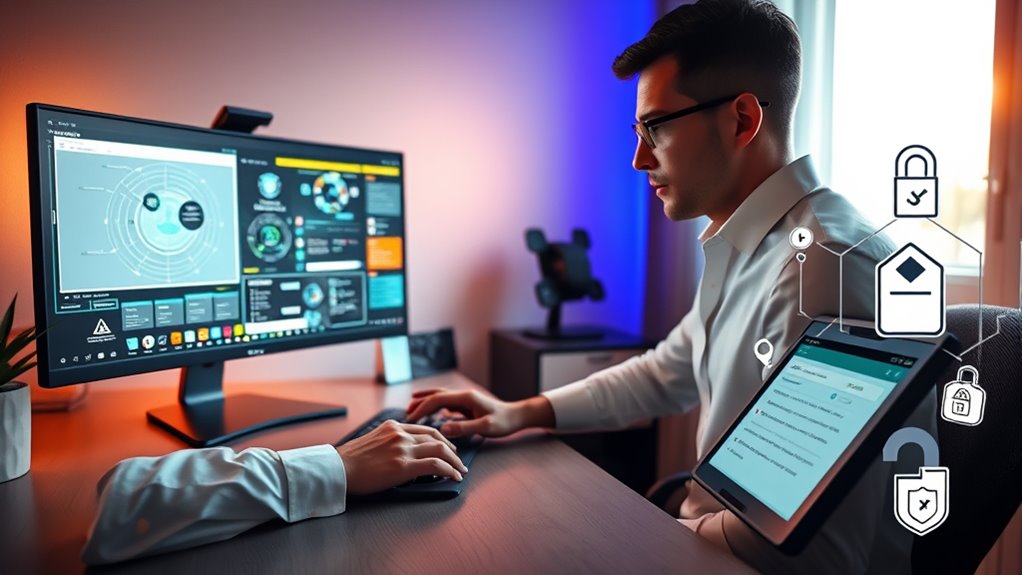
As remote work becomes more prevalent, so do the cybersecurity risks that come with it. You need to be proactive to protect your company’s sensitive information and maintain trust with clients. A key step in this process is investing in employee training. Many security breaches happen because employees aren’t aware of common threats or don’t follow best practices. Regular training sessions can help you educate your team about phishing scams, suspicious links, and social engineering tactics. When your employees understand the importance of cybersecurity, they’re more likely to recognize potential threats and act cautiously. This reduces the chances of malware infections or data leaks originating from human error.
Investing in employee training reduces cybersecurity risks and helps recognize threats before they cause harm.
Alongside training, implementing data encryption is essential. When employees work remotely, they often access company data through various devices and networks, many of which aren’t secure. Data encryption transforms your sensitive information into an unreadable format, so even if someone intercepts it, they can’t decipher the content. This acts as a formidable barrier against hackers trying to steal confidential information during transmission or when stored on devices. Ensuring that all remote communications and data storage are encrypted substantially lowers the risk of data breaches. For example, using encrypted email services, virtual private networks (VPNs), and secure cloud storage keeps your data protected from unauthorized access.
You should also enforce strong password policies and encourage the use of multi-factor authentication (MFA) to add more layers of security. Combined with employee training, these measures ensure that only authorized personnel can access critical systems. Regularly updating your security protocols and software is equally important, as cybercriminals often exploit outdated systems. When you make security updates a routine part of your operations, you stay ahead of emerging threats. Additionally, adopting AI security solutions can help detect unusual activity patterns and respond swiftly to potential breaches.
Furthermore, consider deploying endpoint security solutions that protect devices used for remote work. These tools can detect and block malicious activity in real-time, preventing potential breaches before they happen. Educate your team about the importance of keeping their devices secure, avoiding public Wi-Fi for sensitive tasks, and reporting suspicious activity immediately. This thorough approach, combining employee awareness with technical safeguards like data encryption, creates a strong defense against cyber threats.
Ultimately, safeguarding your remote workforce requires ongoing effort. By prioritizing employee training and implementing robust data encryption practices, you build a resilient security posture that can adapt to evolving cyber risks. When everyone understands their role in security, and your data remains encrypted, you reduce vulnerabilities and ensure your remote work environment stays safe and secure.
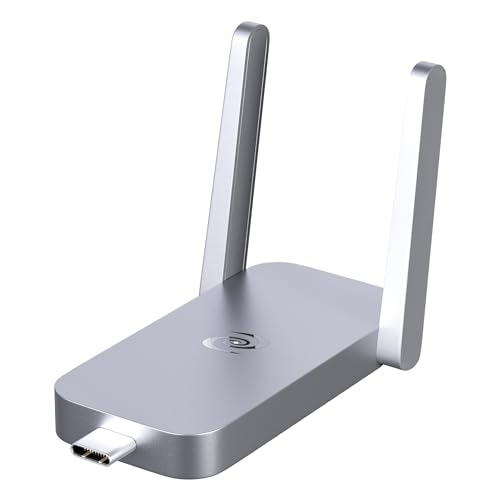
Deeper Connect Air Portable WiFi Wireless Router Hotspot Device, Lifetime Free Router VPN for Travel Privacy, Compact VPN Routers for Home and Remote Work
- Lifetime Private Browsing: Built-in decentralized VPN service
- Light Daily Connectivity: Low-overhead mode for light browsing
- Optimized Pocket Router: Connects 1-3 devices reliably
As an affiliate, we earn on qualifying purchases.
As an affiliate, we earn on qualifying purchases.
Frequently Asked Questions
How Can Small Businesses Enhance Remote Cybersecurity Measures Effectively?
You can enhance your remote cybersecurity by boosting employee awareness through ongoing training, making sure everyone understands common threats and best practices. Strengthen endpoint security by updating devices regularly, using strong passwords, and enabling multi-factor authentication. Implement secure VPNs for remote access and monitor network activity closely. These steps help protect your small business from cyber threats, ensuring your data remains safe while employees work remotely.
What Are the Latest Tools for Detecting Remote Work Cyber Threats?
You should explore tools that combine behavioral analytics and threat intelligence to detect remote cyber threats effectively. These tools analyze user behavior patterns to identify anomalies and leverage threat intelligence to stay ahead of emerging risks. Recent solutions like Darktrace, Vectra, and CrowdStrike Falcon are leading the way, providing real-time threat detection and automation. Incorporating these technologies into your security strategy helps you proactively identify and respond to remote work cyber threats.
How to Train Employees on Remote Cybersecurity Best Practices?
You should provide regular training sessions focused on employee awareness and phishing prevention. Use engaging, real-world scenarios to help employees recognize threats and practice safe behaviors. Encourage open communication where they can ask questions and report suspicious activities. Keep training short, frequent, and updated with the latest cybersecurity trends. By empowering your team with knowledge, you strengthen your remote work security and reduce the risk of cyber threats.
What Legal Liabilities Exist for Companies Neglecting Remote Cybersecurity?
Ignoring remote cybersecurity can open a Pandora’s box of legal liabilities. You face liability exposure if data breaches occur due to neglecting legal compliance, risking hefty fines and lawsuits. Companies must follow regulations like GDPR or CCPA to shield themselves, or they could find themselves drowning in legal trouble. Staying proactive isn’t just smart; it’s essential to protect your organization from costly consequences.
How Do VPNS Protect Remote Workers From Cyber Attacks?
VPNs protect you from cyber attacks by providing secure VPN security and remote encryption, which safeguards your data from hackers and eavesdroppers. When you connect to a VPN, your internet traffic is encrypted, making it unreadable to outsiders. This guarantees your sensitive information stays private, even on unsecured networks. By using a VPN, you create a secure barrier that considerably reduces your risk of cyber threats while working remotely.
Conclusion
By being vigilant and vigilant, you can vanquish vulnerabilities and vault over vast cyber threats. Stay savvy by securing your systems, scrutinizing suspicious activity, and staying updated. Don’t let digital dangers derail your remote work routine. With diligence and determination, you’ll defend data, diminish risks, and dominate cyber threats. Keep these clever, consistent practices in mind, and you’ll confidently conquer cybersecurity concerns, creating a safer, more secure remote workspace where productivity and peace of mind flourish.