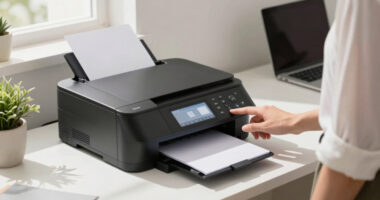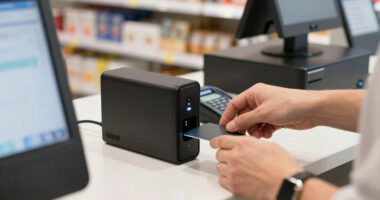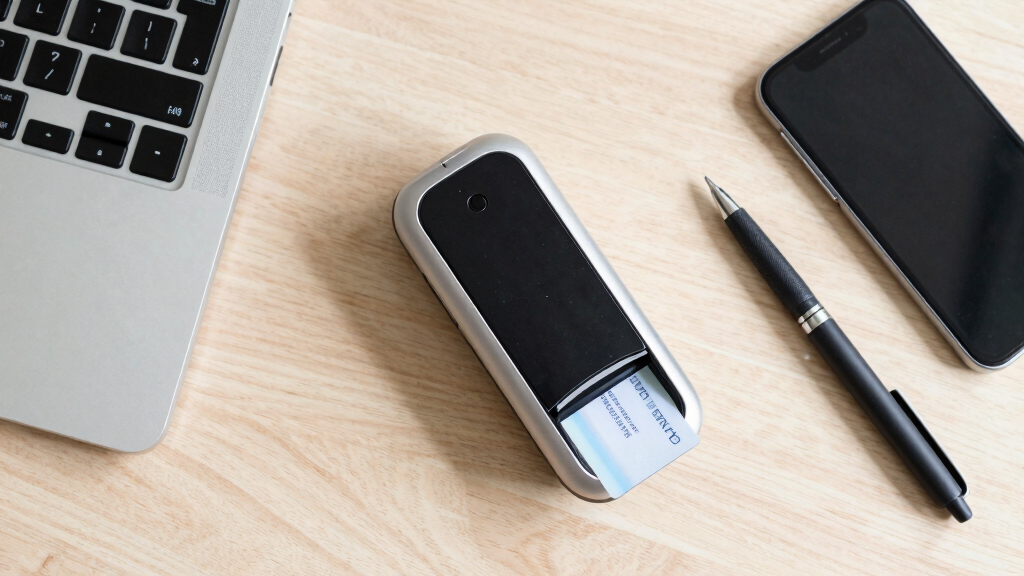

When selecting an ID card scanner for client onboarding, speed and accuracy are key to maintaining a smooth process. The Ambir ImageScan Pro 687-AS stands out as the best overall for its reliable duplex scanning and compatibility with multiple systems. For those on a budget, the DocketPORT 667 Simplex Card Scanner offers decent performance at a lower price, though it lacks duplex scanning. High-volume environments may favor the Ambir ID Card and Business Card Scanner PS670st for its faster throughput. Keep in mind that tradeoffs often involve balancing speed, data accuracy, and scanner versatility. Continue reading for a detailed comparison to find the right fit for your onboarding needs.

Get business pricing on office and shipping supplies
- Business-only prices and quantity discounts
- Tax-exempt purchasing
- Multiple users, one account, clear invoices
Key Takeaways
- Duplex scanning capability significantly improves throughput for high-volume onboarding processes.
- Software integration and data extraction features vary widely and impact overall efficiency.
- Build quality and ease of maintenance influence long-term reliability and total cost of ownership.
- Budget options tend to compromise on features like automatic data extraction or duplex scanning.
- Choosing a scanner with versatile compatibility ensures better integration with existing client management systems.
| DocketPORT 667 Simplex Card Scanner |  | Best Compact and Portable Scanner | Size: About the size of a stapler | Power: USB powered | Compatibility: TWAIN driver included | VIEW LATEST PRICE | See Our Full Breakdown |
| Ambir ImageScan Pro 687-AS Duplex Card Scanner for Windows PC and Mac |  | Best for High-Speed Duplex ID Scanning | Card Handling: ID, insurance, driver’s licenses, vaccine cards | Scan Speed: 3 seconds per card | Duplex Scanning: Yes | VIEW LATEST PRICE | See Our Full Breakdown |
| Ambir ID Card and Business Card Scanner PS670st |  | Best for Quick Office ID and Business Card Scanning | Scan Speed: Under 2 seconds per card | Image Resolution: 600 dpi | Feed Path: Vertical | VIEW LATEST PRICE | See Our Full Breakdown |
| Medical Insurance Card and ID Card Scanner with Scan-ID LITE for Windows |  | Best for Medical and Healthcare Card Scanning | Model: BCR901 | Type: USB Optical Card Scanner | Compatibility: Windows only | VIEW LATEST PRICE | See Our Full Breakdown |
| Swish S1 Medical Insurance Card and Photo ID Scanner with Scan-ID LITE for Windows |  | Best for Dual-Side High-Resolution ID Capture | Scanner Type: Simplex (single side) | Scanning Technology: Dual-side | Supported Formats: PDF, JPEG, TIF, BMP | VIEW LATEST PRICE | See Our Full Breakdown |
| IDVisor Smart V2 ID Scanner – Driver’s License & Passport Age Verification, Customer Management, Charger Cradle, Hand Strap |  | Best Overall for Enterprise-Level ID Verification | ID Compatibility: Passports, IDs from all US states, Canadian provinces, Military IDs | Scan Speed: 1 second per scan | Battery Life: 12+ hours | VIEW LATEST PRICE | See Our Full Breakdown |
| Driver License Scanner with Age Verification (Full Version for Windows) |  | Best Compact Choice for Driver License Verification | Connectivity: USB | Compatibility: Windows | Scan Speed: 2 seconds | VIEW LATEST PRICE | See Our Full Breakdown |
| AMBIR ID Scanner with Card Scanning Software DS687 |  | Best All-in-One Solution for Small Business ID Verification | Type: ID Scanner | Scanning Features: Duplex, 2D barcode reading | Compatibility: Windows, Mac | VIEW LATEST PRICE | See Our Full Breakdown |
| AMIR ID Card Scanner with Software – PS667 – Automatic Data Extraction for Age Verification, No Subscription, One-Time Purchase |  | Best Budget-Friendly ID Scanner for Small Business | Compatibility: Windows, Mac | Power: USB | Warranty: 2 years | VIEW LATEST PRICE | See Our Full Breakdown |
| Ambir Technology PS667 Simplex A6 Card Scanner |  | Best Compact and Durable Card Scanner | Type: Simplex Card Scanner | Compatibility: Citrix Ready | Connectivity: USB | VIEW LATEST PRICE | See Our Full Breakdown |
| ID card scanner for client onboarding | Compatibility | Scan Speed |
|---|---|---|
| DocketPORT 667 Simplex Card Sc | TWAIN driver included | — |
| Ambir ImageScan Pro 687-AS Dup | Windows and Mac | 3 seconds per card |
| Ambir ID Card and Business Car | Windows 10 and 11 | Under 2 seconds per card |
| Medical Insurance Card and ID | Windows only | — |
| Swish S1 Medical Insurance Car | Windows only | — |
| IDVisor Smart V2 ID Scanner | — | 1 second per scan |
| Driver License Scanner with Ag | Windows | 2 seconds |
| AMBIR ID Scanner with Card Sca | Windows, Mac | — |
| AMIR ID Card Scanner with Soft | Windows, Mac | — |
| Ambir Technology PS667 Simplex | Citrix Ready | 3 seconds |
More Details on Our Top Picks
DocketPORT 667 Simplex Card Scanner
The DocketPORT 667 stands out for its ultra-compact size and portability, making it ideal for professionals who need to scan IDs on the go. Unlike larger models like the Ambir ImageScan Pro 687-AS, this scanner is limited to simplex (single-sided) scanning, which can slow down workflows that require back-to-back data capture. Its USB-powered design simplifies setup, but the small form factor may compromise throughput for high-volume environments. Its direct-to-PDF feature is convenient for quick document creation, but the lack of duplex capability means more manual effort for double-sided cards. This pick is perfect for mobile professionals or small offices needing a lightweight, easy-to-carry device without complex features.
Pros:- Compact and lightweight design for portability
- USB powered for easy setup anywhere
- Direct to PDF scanning simplifies document management
Cons:- Limited to simplex (single-sided) scanning
- Requires software for full functionality
- Small size may be less suitable for high-volume use
Best for: Travelers, mobile professionals, or small office staff needing simple, portable ID scanning.
Not ideal for: High-volume or duplex scanning needs, as it can only scan one side at a time and is less suited for bulk processing.
- Size:About the size of a stapler
- Power:USB powered
- Compatibility:TWAIN driver included
- Included Software:DocketScan image acquisition software
Our verdict“This scanner is best for mobile users or small offices needing basic, single-sided ID scans on the go.”
Ambir ImageScan Pro 687-AS Duplex Card Scanner for Windows PC and Mac
The Ambir ImageScan Pro 687-AS excels at handling large volumes efficiently, with its ability to scan both sides of an ID in just 3 seconds. Compared to the Ambir PS670st, which offers high-quality 600 dpi images but only supports single-sided scans, the 687-AS’s duplex feature reduces manual effort and speeds workflow. Its compatibility with both Windows and Mac, along with cloud integration and support for automation via TWAIN and Zapier, makes it a versatile choice for busy offices. However, the need for Zapier Professional to unlock automation features can add complexity and cost, making it more suitable for organizations with advanced workflow needs rather than casual users. This model is best for high-volume onboarding environments where speed and automation are priorities.
Pros:- Fast duplex scanning of both card sides
- Compatible with Windows and Mac systems
- Supports cloud storage and automation workflows
Cons:- Requires Zapier Professional for full automation features
- May be more expensive than basic scanners
- Overly feature-rich for simple scanning tasks
Best for: Large offices or onboarding departments needing fast, automated dual-sided ID processing.
Not ideal for: Small teams or individuals with minimal scanning requirements, as its advanced features may be overkill.
- Card Handling:ID, insurance, driver’s licenses, vaccine cards
- Scan Speed:3 seconds per card
- Duplex Scanning:Yes
- Compatibility:Windows and Mac
Our verdict“This scanner is ideal for organizations that prioritize speed, duplex scanning, and workflow automation over simplicity.”
Ambir ID Card and Business Card Scanner PS670st
The Ambir PS670st offers a streamlined, high-speed solution primarily for single-sided ID and business card scanning, making it a strong choice for busy offices. Its 600 dpi resolution ensures clear images, suitable for record-keeping and verification. Compared with the duplex-capable Ambir ImageScan Pro 687-AS, the PS670st sacrifices two-sided scanning for faster single-pass throughput and a more compact vertical design, saving desk space. While Zapier integration adds automation, its sole focus on single-sided scans limits versatility when capturing both sides of an ID. This device makes the most sense for users who need quick, high-quality scans of individual cards without the complexity of duplex handling.
Pros:- Scans in under two seconds per card
- High 600 dpi image quality
- Vertical design saves space
Cons:- Limited to single-sided scans
- Requires Zapier for workflow automation
- Less suitable for bulk duplex processing
Best for: Office staff needing fast, high-resolution, single-sided ID or business card scans in a compact form.
Not ideal for: Organizations requiring duplex scanning or processing large batches of double-sided IDs regularly.
- Scan Speed:Under 2 seconds per card
- Image Resolution:600 dpi
- Feed Path:Vertical
- Compatibility:Windows 10 and 11
Our verdict“This scanner is best for quick, high-quality single-sided ID and business card scans in small or busy offices.”
Medical Insurance Card and ID Card Scanner with Scan-ID LITE for Windows
The Scan-ID LITE offers a compact, dedicated solution for medical and healthcare environments, capable of scanning insurance cards, IDs, and laminated cards. Unlike multi-purpose scanners, it focuses solely on single-sided captures, which may be limiting for applications requiring back data. Its compatibility with Windows only means Mac users will need to look elsewhere. The device’s ability to save images directly in multiple formats is convenient, but it does not support reading driver licenses or dual-sided data, which can be a drawback for comprehensive onboarding processes. This scanner makes sense for clinics or medical offices that need a small, straightforward device for quick insurance or ID snapshots.
Pros:- Ultra-compact design saves space
- Supports various card types including laminated cards
- Directly saves images in multiple formats
Cons:- Limited to single-sided scans
- Does not read driver licenses automatically
- Not compatible with Mac systems
Best for: Medical clinics or healthcare providers needing a simple, space-saving scanner for insurance and ID cards.
Not ideal for: Users requiring duplex scanning or Mac compatibility, as it cannot handle double-sided data or work across platforms.
- Model:BCR901
- Type:USB Optical Card Scanner
- Compatibility:Windows only
- Scan Capacity:Single side
Our verdict“This scanner is suitable for healthcare settings needing quick, single-sided scans of insurance and ID cards in a compact form.”
Swish S1 Medical Insurance Card and Photo ID Scanner with Scan-ID LITE for Windows
The Swish S1 shines with its dual-side scanning capability and high-resolution imaging, making it ideal for healthcare and administrative use where capturing both front and back of IDs is necessary. Its simple drop-and-scan operation reduces manual handling, and the device’s compact size fits onto small desks. Compared with the Ambir PS670st, which is limited to single-sided scans, the S1 captures both sides in one pass, streamlining workflows. However, its Windows-only compatibility and manual data entry requirements for card info can slow down multi-user environments. This scanner is a solid choice for offices that need quick, high-res dual-sided ID scans without complex automation.
Pros:- Drop-and-scan operation simplifies workflow
- Dual-side scanning captures both card faces in one pass
- High-resolution images ensure clear records
Cons:- Windows only, limits cross-platform use
- Requires manual data entry for card details
- No automatic driver license reading
Best for: Healthcare providers or admin staff needing efficient dual-sided scanning with minimal fuss.
Not ideal for: Mac users or those requiring automated data extraction, as manual entry and Windows-only support limit flexibility.
- Scanner Type:Simplex (single side)
- Scanning Technology:Dual-side
- Supported Formats:PDF, JPEG, TIF, BMP
- Compatibility:Windows only
Our verdict“This scanner is best suited for healthcare or admin teams prioritizing dual-sided, high-res scans with easy operation.”
IDVisor Smart V2 ID Scanner – Driver’s License & Passport Age Verification, Customer Management, Charger Cradle, Hand Strap
This device stands out for its comprehensive feature set, supporting passports, military IDs, and all 50 US states with lightning-fast 1 second per scan. Compared to the simpler Driver License Scanner, the IDVisor Smart V2 offers automatic age verification, GPS tracking, and cloud data transfer, making it ideal for high-volume client onboarding. The tradeoff is its complex setup process and higher cost, which may be a barrier for smaller operations. Its lifetime software updates and US-based support add long-term value, especially for organizations prioritizing security and compliance.
Pros:- Supports a wide range of IDs including passports and military IDs
- Fast 1-second scan speed with automatic age verification
- Lifetime software updates and cloud data transfer
- Includes GPS tracking for location monitoring
Cons:- Complex setup requiring technical knowledge
- Higher purchase cost compared to basic scanners
- Battery life may vary with heavy usage
Best for: Large businesses or agencies needing fast, reliable, and versatile ID verification with ongoing support.
Not ideal for: Small startups or one-person shops that prefer simple, plug-and-play solutions without extensive setup.
- ID Compatibility:Passports, IDs from all US states, Canadian provinces, Military IDs
- Scan Speed:1 second per scan
- Battery Life:12+ hours
- Connectivity:WiFi, USB
- Software Updates:Lifetime
- Additional Features:GPS tracking, cloud data transfer, customer management, customizable alerts
Our verdict“This pick suits larger organizations seeking an all-in-one, high-speed ID verification solution with advanced features.”
Driver License Scanner with Age Verification (Full Version for Windows)
This scanner is a compact USB device designed specifically for quick and high-resolution reading of driver licenses via 2D barcode, making it well-suited for quick onboarding at small desks or kiosks. While it excels in space efficiency and speed, it’s limited to driver licenses only and works solely on Windows, unlike multi-ID models like the IDVisor. Its 2 seconds per card scan speed and support for PDF, JPEG, and TIF formats make it practical for routine verification, but it lacks broader ID support and mobile integration.
Pros:- Compact and space-saving design
- High-resolution scans up to 600 dpi
- Fast 2-second scan speed with automatic age verification
- Supports multiple digital formats
Cons:- Limited to driver licenses only
- Windows-only compatibility
- Scans only one side at a time
Best for: Small businesses or government offices needing dedicated driver license verification on Windows machines.
Not ideal for: Organizations requiring multi-ID support or cross-platform compatibility, as this scanner is very specialized.
- Connectivity:USB
- Compatibility:Windows
- Scan Speed:2 seconds
- Resolution:up to 600 dpi
- Max Card Size:4 x 9 inches
- Supported IDs:Driver licenses only
Our verdict“This device is ideal for quick, focused driver license checks in Windows-based environments with limited ID variety.”
AMBIR ID Scanner with Card Scanning Software DS687
The AMBIR DS687 combines duplex scanning and automatic data extraction from US and State IDs, making it a solid choice for small businesses needing reliable verification. Unlike the simpler AMIR PS667, this model offers security features like anti-passback and local data storage, plus compatibility with both Windows and Mac. The tradeoff is that it’s limited to US and State IDs, and it requires a PC or Mac—no mobile or cloud options—which could restrict flexibility. Nonetheless, it’s a comprehensive package for organizations prioritizing compliance and security.
Pros:- Automatic data extraction reduces manual entry
- Duplex scanning for both sides of IDs
- Security features like anti-passback
- Compatible with Windows and Mac
Cons:- Limited to US and State IDs
- Requires a PC or Mac, not standalone
- No mobile or cloud support
Best for: Small to medium-sized businesses that need a secure, automatic ID verification system compatible with existing computers.
Not ideal for: Organizations seeking mobile or cloud-based solutions, or those needing to scan international IDs.
- Type:ID Scanner
- Scanning Features:Duplex, 2D barcode reading
- Compatibility:Windows, Mac
- Power:USB
- Warranty:2 years
- Security Features:Age verification, anti-passback
Our verdict“This scanner fits small businesses that want a reliable, secure ID verification system integrated with their existing computers.”
AMIR ID Card Scanner with Software – PS667 – Automatic Data Extraction for Age Verification, No Subscription, One-Time Purchase
The AMIR PS667 offers automatic data extraction and age verification at a competitive price point, making it suitable for small businesses that want reliable verification without ongoing costs. It supports Windows and Mac, with simple USB setup, but requires a PC for operation—lacking standalone or mobile capabilities. Compared with more advanced models like the IDVisor, it’s less feature-rich, but its no subscription or hidden fees make it appealing for budget-conscious buyers. The device’s limited ID support and dependence on a PC are tradeoffs for affordability.
Pros:- No subscription or ongoing fees
- Easy USB-powered setup
- Supports age verification and customer management
- Compatible with Windows and Mac
Cons:- Requires a PC, not standalone
- Limited to US and State IDs
- No mobile device support
Best for: Small businesses or clinics seeking a cost-effective, straightforward ID verification tool without ongoing fees.
Not ideal for: High-volume operations or organizations needing mobile or multi-ID support, as it’s dependent on a PC and limited to US IDs.
- Compatibility:Windows, Mac
- Power:USB
- Warranty:2 years
- Features:Automatic data extraction, age verification, local data storage
- Additional:Customer management, anti-passback
Our verdict“This scanner works well for small businesses on a budget wanting reliable, no-cost ID verification with simple setup.”
Ambir Technology PS667 Simplex A6 Card Scanner
The Ambir PS667 is a durable, lightweight scanner designed for quick, single-sided ID, insurance, or credit card scans, supporting busy workflows where portability matters. Its speed of 3 seconds per scan balances quality with efficiency, and its USB connection makes it compatible with a variety of systems, including cloud services like Dropbox and Google Drive. While it’s limited to simplex scanning and does not support duplex or color scans, it excels in simple, reliable image capture for fast-paced environments. Its compact size makes it perfect for mobile setups, but it might fall short for those needing detailed or multi-sided ID processing.
Pros:- Fast 3-second scan speed
- Lightweight and portable
- Supports cloud storage and workflow automation
- High-quality imaging hardware
Cons:- Limited to simplex (single-sided) scans
- No color or duplex scanning
- Requires Zapier Professional for automation
Best for: Mobile professionals or busy offices needing a rugged, portable scanner for simple ID or credit card scans.
Not ideal for: Organizations requiring duplex or color scanning, or those needing detailed, multi-page ID processing.
- Type:Simplex Card Scanner
- Compatibility:Citrix Ready
- Connectivity:USB
- Scan Speed:3 seconds
- Weight:Under 1 pound
- Cloud Integration:Box, DropBox, Evernote, Google Drive, Zapier
Our verdict“This scanner is ideal for mobile use and quick ID or card scans where durability and speed are priorities over multi-sided imaging.”
How We Picked
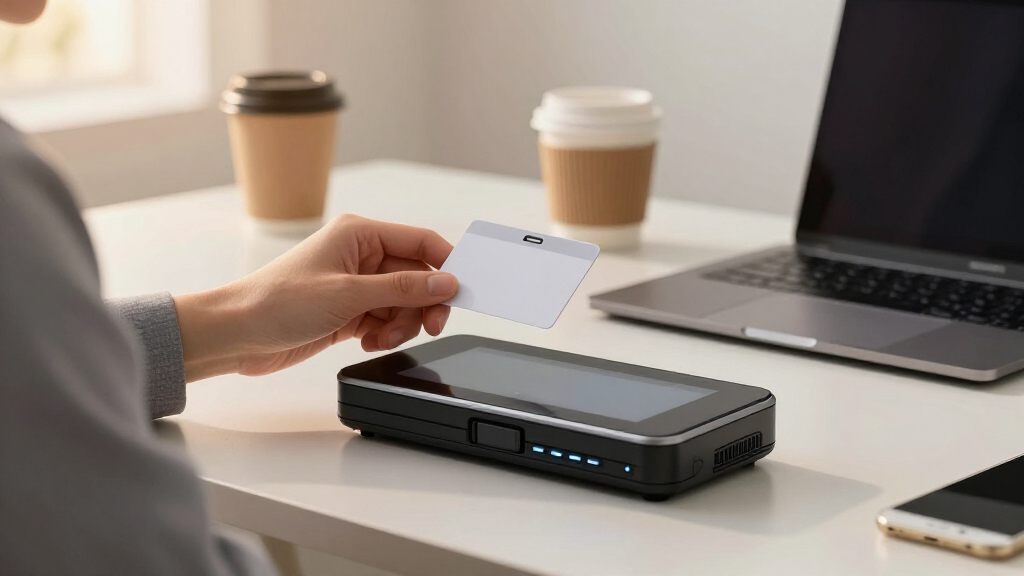
Our evaluation focused on performance metrics such as scan speed, accuracy, and ease of use, alongside build quality and reliability. We prioritized models with proven compatibility across Windows and Mac systems, as well as those offering features like automatic data extraction or duplex scanning. Cost-effectiveness was considered, but not at the expense of core functionality needed for seamless client onboarding. Finally, we examined user reviews to identify common issues and long-term durability, ensuring the selected options serve a range of onboarding environments from small offices to high-volume settings.Factors to Consider When Choosing ID Card Scanner For Client Onboarding
Choosing the right ID card scanner for client onboarding involves more than just price. It’s important to consider how the device’s features align with your specific workflow, volume, and data security needs. The right scanner can save time, reduce errors, and improve client experience, but the wrong one can cause delays and frustration. Here are key factors to keep in mind when making your selection.Scan Speed and Duplex Capabilities
For busy onboarding environments, high scan speeds and duplex (double-sided) scanning are essential. Duplex scanning allows both sides of an ID to be captured in a single pass, reducing overall processing time. However, faster scanners may come at a higher cost, and some models with duplex features might be bulkier or more complex to operate. Consider your volume and throughput needs carefully to avoid bottlenecks.
Data Extraction and Software Compatibility
Automatic data extraction can significantly cut down manual entry errors. Look for scanners that come with or support robust OCR (Optical Character Recognition) software. Compatibility with your existing client management or CRM systems is equally important; ensure the scanner’s software integrates smoothly without requiring extensive customization. Investing in a device with strong software support can streamline onboarding workflows.
Build Quality and Reliability
Durability matters, especially if the scanner will see daily use. Cheaper models may save money upfront but often require more maintenance or frequent replacements. Choose a device from a reputable manufacturer with positive user reviews on longevity and ease of maintenance. This reduces the risk of downtime during critical onboarding periods.
Ease of Use and Setup
An intuitive interface and straightforward setup process are vital for minimizing onboarding time and reducing training costs. Features like automatic document feeders, simple calibration, and clear instructions can make a big difference. If you lack technical support resources, opt for models known for user-friendly features and comprehensive customer support.
Cost and Total Cost of Ownership
While budget options may seem attractive initially, consider the long-term expenses, including maintenance, software upgrades, and potential data recovery costs. Sometimes, investing in a slightly more expensive but reliable scanner yields better value over time. Make sure to weigh upfront costs against ongoing expenses to find a balanced choice.
Frequently Asked Questions
Can I use an ID card scanner for mobile client onboarding?
Most ID card scanners are designed for desktop use, connected via USB or network. For mobile onboarding, look for portable, handheld scanners or apps compatible with smartphones. These options often sacrifice some speed or features but offer greater flexibility for remote or on-the-go processes. Always verify compatibility with your mobile device and data security standards before choosing such solutions.
How important is software integration for client onboarding?
Software integration is vital because it directly impacts how smoothly data flows into your existing systems. A scanner with built-in OCR and compatibility with your CRM or document management platform reduces manual entry and minimizes errors. Poor integration can create bottlenecks and increase manual workload, undermining the efficiency gains a scanner provides.
Should I prioritize duplex scanning or speed?
If onboarding involves many two-sided IDs, duplex scanning saves time by capturing both sides simultaneously. However, if your volume is low or IDs are mostly single-sided, a faster simplex scanner might suffice. Consider your typical workflow to avoid overpaying for features you won’t use or sacrificing necessary capabilities that slow down your process.
What maintenance should I expect with ID card scanners?
Most scanners require regular cleaning, calibration, and occasional software updates. Cheaper models often need more frequent maintenance and may be prone to jams or data errors. Choosing a scanner with a reputation for durability and easy maintenance can prevent costly downtime and extend the device’s lifespan.
Is automatic data extraction worth the extra investment?
Automatic data extraction can significantly improve onboarding efficiency by reducing manual entry errors and speeding up data capture. It is especially beneficial in high-volume environments where manual input would be time-consuming and prone to mistakes. While it may increase initial costs, the long-term savings in time and accuracy often justify the investment.
Conclusion
For smaller offices or infrequent use, the DocketPORT 667 Simplex Card Scanner offers a budget-friendly option that covers basic needs. High-volume environments or those prioritizing speed and data accuracy should consider the Ambir ImageScan Pro 687-AS for its duplex capabilities and software support. For users seeking premium features and robust integration, the Ambir ID Card and Business Card Scanner PS670st makes a compelling choice. Beginners will benefit from models with simple setup and user-friendly interfaces, while organizations with complex workflows should focus on compatibility and automation features to streamline onboarding processes.
Fall Picks
fall essentials
As an affiliate, we earn on qualifying purchases.