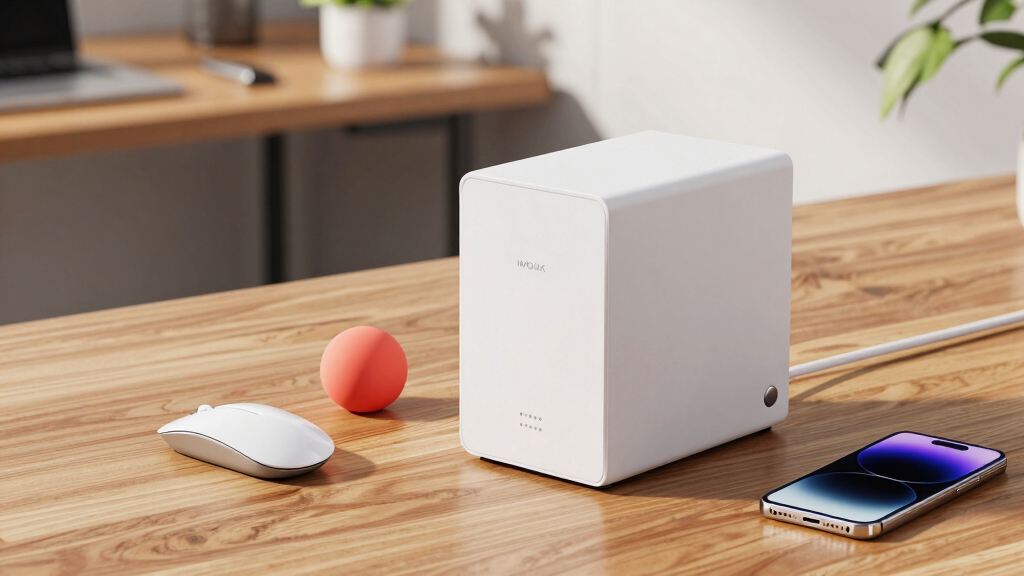

Choosing the best network attached storage (NAS) drives for teams requires balancing speed, capacity, ease of use, and scalability. The Synology DS425+ stands out as the overall top pick for its powerful performance and user-friendly interface. For teams needing a larger capacity, the UGREEN DXP6800 Pro offers six bays for expanded storage, though it comes with a higher price tag. The main challenge in this category is finding a solution that offers robust performance without overwhelming the team with complexity or cost. Continue reading for a detailed breakdown of the best NAS options for your team’s specific needs.

Get business pricing on office and shipping supplies
- Business-only prices and quantity discounts
- Tax-exempt purchasing
- Multiple users, one account, clear invoices
Key Takeaways
- The best NAS drives for teams balance performance, scalability, and ease of management, with top picks offering a mix of features for different sizes and budgets.
- High-capacity models like the UGREEN DXP6800 Pro excel for larger teams needing extensive storage, but may require more setup and maintenance effort.
- Synology models consistently deliver intuitive interfaces and robust software ecosystems, making them ideal for teams prioritizing ease of use.
- The tradeoff between diskless and pre-configured drives impacts initial cost versus setup time and flexibility, influencing overall value.
- Most top-rated NAS drives offer scalable solutions, but choosing the right number of bays and performance specs depends heavily on team size and workflow demands.
| Synology 2-Bay DiskStation DS223j NAS |  | Best Overall for Small Teams Seeking Reliable Private Cloud | Drive Bays: 2 | Drives Included: No (Diskless) | Operating System: Synology DiskStation Manager (DSM) | VIEW LATEST PRICE | See Our Full Breakdown |
| UGREEN NAS DXP6800 Pro 6-Bay for Teams and Small Businesses File Server |  | Best for High-Capacity Demanding Environments | Number of Bays: 6 | Max Storage Capacity: 208TB | Network Ports: 2 x 10GbE | VIEW LATEST PRICE | See Our Full Breakdown |
| Synology DS425+ 4-Bay Diskless NAS Private Cloud Media Server |  | Best for Multi-User Media and Surveillance with Data Protection | Drive Bays: 4 | Max Throughput: 278 MB/s | Concurrent Users: 10+ | VIEW LATEST PRICE | See Our Full Breakdown |
| UGREEN NAS DXP4800 GT 4-Bay NAS |  | Best for Power Users with Virtualization and Media Needs | Processor: AMD Ryzen Embedded R2514, 4 cores | RAM: 8GB DDR4, expandable to 64GB | Max Storage Capacity: 144TB + 16TB via M.2 SSDs | VIEW LATEST PRICE | See Our Full Breakdown |
| UGREEN NASync DXP4800 Plus 4-Bay NAS |  | Best for Creators and Small Teams Focused on Speed and Privacy | Storage Capacity: 144TB (RAID 0, drives not included) | CPU: Intel 5-Core | RAM: 8GB DDR5 | VIEW LATEST PRICE | See Our Full Breakdown |
| UGREEN NAS DXP2800 2-Bay Diskless NAS |  | Best for Power Users and Creators | CPU: Intel N100 Quad-Core | RAM: 8GB DDR5 | Storage Bays: 2x 3.5″ HDD + 2x M.2 NVMe | VIEW LATEST PRICE | See Our Full Breakdown |
| Synology DS225+ 2-Bay Diskless NAS Private Cloud Media Server |  | Best for Media Streaming and Personal Cloud | Bays: 2 (diskless) | CPU: Intel with hardware transcoding | Max Transfer Speed: 282 MB/s | VIEW LATEST PRICE | See Our Full Breakdown |
| BUFFALO TeraStation Essentials 2025 4-Bay Desktop NAS with 32TB Hard Drives |  | Best for Reliable Business Data Storage | Capacity: 32TB | Number of Bays: 4 | Included Hard Drives: Yes | VIEW LATEST PRICE | See Our Full Breakdown |
| network attached storage drives for team | Warranty |
|---|---|
| Synology 2-Bay DiskStation DS2 | 2 years |
| UGREEN NAS DXP6800 Pro 6-Bay f | — |
| Synology DS425+ 4-Bay Diskless | 3 years |
| UGREEN NAS DXP4800 GT 4-Bay NA | — |
| UGREEN NASync DXP4800 Plus 4-B | — |
| UGREEN NAS DXP2800 2-Bay Diskl | — |
| Synology DS225+ 2-Bay Diskless | 3 years |
| BUFFALO TeraStation Essentials | 3 years |
More Details on Our Top Picks
Synology 2-Bay DiskStation DS223j NAS
The Synology DS223j excels as a compact, energy-efficient solution that offers a secure private cloud environment, making it ideal for small teams prioritizing data ownership and ease of use. Compared to the UGREEN NAS DXP4800 GT, it provides a simpler setup with a more user-friendly interface, but with only 2 drive bays, it limits future storage expansion, unlike the larger capacity options on UGREEN’s model. This pick makes the most sense for teams that want a straightforward, affordable private cloud with automated backups and surveillance capabilities without the complexity of extensive hardware or enterprise features. However, it’s less suitable for those needing large-scale storage or high-performance virtual machine hosting, due to its limited bays and processing power.
Pros:- Secure private cloud with full data ownership
- Automated backups for multiple platforms
- Built-in surveillance tools supporting multiple IP cameras
- Quiet, energy-efficient design
Cons:- Ships diskless, requiring separate drive purchase
- Limited to 2 drive bays, restricting future storage scalability
Best for: Small teams or small offices needing a secure, private cloud with simple management and video surveillance features
Not ideal for: Growing businesses or teams that require extensive storage expansion or high-performance virtual environments
- Drive Bays:2
- Drives Included:No (Diskless)
- Operating System:Synology DiskStation Manager (DSM)
- Warranty:2 years
- Supported Features:Automated backups, multi-platform sharing, surveillance
- Energy Efficiency:Yes
Our verdict“This NAS is best suited for small teams seeking a reliable, easy-to-manage private cloud and surveillance system.”
UGREEN NAS DXP6800 Pro 6-Bay for Teams and Small Businesses File Server
The UGREEN NAS DXP6800 Pro stands out for its high storage capacity and robust security, making it well-suited for larger teams with intensive data needs. Its 6-bay configuration supports up to 208TB, surpassing the 4-bay options like the Synology DS425+, but this increased capacity comes with a more complex setup process that requires some technical knowledge. The dual 10GbE ports enable fast transfer speeds, ideal for media-heavy workflows or large backups, yet it lacks Wi-Fi support, limiting flexibility in some environments. This model is best for organizations that need extensive storage and high-speed data handling, but smaller teams or those seeking plug-and-play simplicity might find it overly complex or costly due to drive and setup expenses.
Pros:- Massive storage capacity up to 208TB
- Dual 10GbE ports for fast, aggregated data transfer
- Supports multiple RAID levels for redundancy
- Robust security features including encryption
Cons:- Drives are sold separately, increasing initial investment
- No Wi-Fi support, requiring wired Ethernet connections
Best for: Medium to large teams with high data volume and performance demands, such as media production or data-intensive research groups
Not ideal for: Small teams or offices without dedicated IT staff, due to complex setup and higher initial costs
- Number of Bays:6
- Max Storage Capacity:208TB
- Network Ports:2 x 10GbE
- Supported RAID:JBOD, Basic, RAID0, RAID1, RAID5, RAID6, RAID10
- Supported OS:Windows, macOS, Linux, iOS, Android
- Processor:12th Gen Intel Core i5, 10-core
Our verdict“This NAS is ideal for teams needing large-scale storage and high-speed data transfer with advanced security features.”
Synology DS425+ 4-Bay Diskless NAS Private Cloud Media Server
The Synology DS425+ is designed for teams that need a balance of media streaming, data security, and surveillance. Its 4-bay configuration supports RAID for redundancy, and with speeds up to 278 MB/s, it can handle multiple concurrent users streaming or sharing large files efficiently. Unlike the UGREEN NAS DXP4800 GT, which offers high expandability, the DS425+ focuses on a solid combination of throughput and data protection, including snapshots and automated backups. Its surveillance support for up to 30 IP cameras adds value for security-conscious organizations. However, its 4 bays might limit raw capacity for very large data pools, and it’s still shipped without drives, adding to initial costs. It’s best for teams valuing speed, data safety, and integrated surveillance in a compact system.
Pros:- High throughput supporting media streaming and file sharing
- Supports RAID, snapshots, and automated backups for data protection
- Surveillance system supporting up to 30 IP cameras
- 3-year warranty with optional enterprise support
Cons:- Diskless, drives must be purchased separately
- Limited to 4 drive bays, restricting maximum capacity for large-scale needs
Best for: Small to medium teams needing a versatile media server with security and surveillance features
Not ideal for: Organizations requiring maximum raw storage capacity or extensive virtual machine hosting
- Drive Bays:4
- Max Throughput:278 MB/s
- Concurrent Users:10+
- Surveillance Support:Up to 30 IP cameras
- Warranty:3 years
- Supported RAID:RAID levels including snapshots
Our verdict“This NAS offers a strong mix of speed, security, and surveillance for teams focused on media and data safety.”
UGREEN NAS DXP4800 GT 4-Bay NAS
The UGREEN NAS DXP4800 GT makes a compelling case for tech-savvy teams that require high processing power and extensive customization. Its AMD Ryzen Embedded R2514 processor and expandable RAM up to 64GB enable demanding workloads like Docker containers, virtual machines, and 4K/8K media editing, surpassing the capabilities of most NAS options in this roundup, including the Synology DS425+. Dual 10GbE ports facilitate exceptional data speeds, and its support for multiple storage configurations—via SATA, U.2 NVMe, and M.2—maximizes flexibility. Its built-in Surveillance Center and multiple I/O options add to its versatility. The tradeoff is that the device is complex to set up and maintain, and with drives sold separately, the total initial investment can be substantial. It’s best for professionals who need a robust, expandable platform for virtualization, media, and security applications.
Pros:- Powerful Ryzen processor with up to 64GB RAM support
- Exceptional transfer speeds with dual 10GbE ports
- Flexible storage options including U.2 NVMe and SATA drives
- Built-in Surveillance Center and media server support
Cons:- Drives are not included, increasing setup cost
- Requires technical expertise for setup and maintenance
Best for: Creators, IT professionals, and demanding small teams needing high-performance virtualization and media editing
Not ideal for: Less technical users or small teams seeking simple, plug-and-play NAS solutions
- Processor:AMD Ryzen Embedded R2514, 4 cores
- RAM:8GB DDR4, expandable to 64GB
- Max Storage Capacity:144TB + 16TB via M.2 SSDs
- Network Ports:2 x 10GbE
- Supported OS:UGOS Pro
- Surveillance Support:ONVIF/RTSP
Our verdict“This NAS is suited for tech-heavy teams requiring high performance, virtualization, and media editing capabilities.”
UGREEN NASync DXP4800 Plus 4-Bay NAS
The UGREEN NASync DXP4800 Plus combines high-speed connectivity, robust security, and flexible features tailored for creators and small teams. Its Intel 5-Core CPU and DDR5 RAM deliver fast performance for file sharing, virtualization, and AI-powered photo management, making it a strong choice over less capable models like the Synology DS223j. Its 10GbE ports support transfer speeds up to 1250 MB/s, ideal for large file workflows, while the inclusion of an internal 128G SSD accelerates caching and app performance. The device’s support for Docker and multiple platforms enhances its versatility, but the need for separate hard drives adds to initial costs, and its wired-only connectivity limits placement options. Overall, it’s best for teams that prioritize speed, security, and advanced features in local storage.
Pros:- High-speed 10GbE connectivity with transfer rates up to 1250 MB/s
- Supports virtualization and AI-powered photo management
- Includes a 128G SSD for caching and performance boost
- Flexible RAID and platform support
Cons:- Drives are sold separately, increasing overall cost
- No Wi-Fi support, wired connection required
Best for: Small teams, creators, and professionals needing fast, secure local storage with virtualization and AI features
Not ideal for: Teams seeking a simple, all-in-one plug-and-play NAS or those with limited technical expertise
- Storage Capacity:144TB (RAID 0, drives not included)
- CPU:Intel 5-Core
- RAM:8GB DDR5
- Network Ports:1x 10GbE, 1x 2.5GbE
- Video Output:4K HDMI
- Supported OS:Windows, macOS, Linux, iOS, Android
Our verdict“This NAS offers high performance, security, and flexibility for teams with advanced storage and virtualization needs.”
UGREEN NAS DXP2800 2-Bay Diskless NAS
The UGREEN NAS DXP2800 stands out for its robust hardware, featuring an Intel N100 Quad-Core CPU and 8GB DDR5 RAM, making it well-suited for running Docker containers, virtual machines, and media servers like Plex, especially when compared to the Synology DS225+ which relies on a less powerful CPU for media tasks. Its dual M.2 NVMe slots and 2 HDD bays support up to 80TB, offering flexibility and high-capacity options for demanding workflows. However, being diskless, it requires buyers to purchase drives separately, adding to the overall cost, and its plastic enclosure may feel less durable than metal models. This NAS is ideal for advanced home users, remote workers, or creators who need high performance and expandability but are comfortable assembling their drives and managing a more complex setup.
Pros:- Powerful Intel N100 CPU and 8GB DDR5 RAM handle demanding workloads like VMs and 4K media
- Flexible storage expansion with 2 HDD bays plus 2 M.2 NVMe slots supporting up to 80TB
- AI-powered photo management and home surveillance features
Cons:- Ships without drives, increasing initial setup costs
- Limited to 2 HDD bays, offering less redundancy and expansion compared to larger NAS units
- Plastic enclosure may feel less premium and durable
Best for: Power users, content creators, and remote professionals needing advanced hardware and flexible storage options
Not ideal for: Casual users or small teams seeking a simple, out-of-the-box solution with minimal setup
- CPU:Intel N100 Quad-Core
- RAM:8GB DDR5
- Storage Bays:2x 3.5″ HDD + 2x M.2 NVMe
- Max Storage Capacity:80 TB
- Networking:2.5GbE
- Form Factor:ATX
Our verdict“This model makes the most sense for tech-savvy teams needing high performance and customizability for demanding workloads.”
Synology DS225+ 2-Bay Diskless NAS Private Cloud Media Server
The Synology DS225+ excels as a dedicated media and cloud storage solution, with its hardware transcoding capabilities supporting smooth 4K streaming to multiple devices, a feature that surpasses many competitors like the UGREEN NAS DXP2800 which emphasizes virtual machines and AI features. Its 2-bay design offers RAID options for data protection, making it suitable for small teams or individual users prioritizing reliable backups and media sharing. Unlike the UGREEN model, it ships without drives, but the setup for media and backups is straightforward, and its 3-year warranty adds peace of mind. The limited bay count means less scalability, so it best fits users with moderate storage needs seeking seamless media and cloud functions without extensive expansion.
Pros:- Hardware transcoding enables smooth 4K media streaming without extra hardware
- Robust data protection with RAID, snapshots, and automated backups
- No monthly fees for personal cloud and media streaming
Cons:- Ships without drives, leading to additional purchase costs
- Limited to 2 bays, restricting future storage expansion
- Less suitable for large-scale or heavily virtualized environments
Best for: Small teams or individuals focused on media streaming, personal cloud storage, and reliable backups
Not ideal for: Teams requiring high expandability or advanced virtualization features
- Bays:2 (diskless)
- CPU:Intel with hardware transcoding
- Max Transfer Speed:282 MB/s
- Surveillance Camera Support:Up to 30 IP cameras
- Warranty:3 years
Our verdict“This NAS is perfect for media-focused users or small teams seeking reliable, low-maintenance cloud and media services.”
BUFFALO TeraStation Essentials 2025 4-Bay Desktop NAS with 32TB Hard Drives
The BUFFALO TeraStation Essentials 2025 offers a straightforward, pre-configured 4-bay solution ideal for small businesses needing reliable data sharing and backup, especially with its included hard drives and RAID support. Compared to the two-bay options like the Synology DS225+, its larger capacity and four bays provide more room for growth and redundancy, making it suitable for team environments with moderate to high storage demands. Its native 2.5GbE port ensures faster data transfers within the network, and the cloud integration options add flexibility. The main tradeoff is its focus on professional use—its setup and management can be complex for casual users, and the exact pricing isn’t specified, which may influence decision-making.
Pros:- Pre-installed hard drives and RAID configuration for quick setup
- Supports cloud integration for flexible data backup and sharing
- High-speed 2.5GbE network port for faster transfers
Cons:- Limited to 4 bays, which may not meet larger data needs
- Designed primarily for professional environments, potentially complex for novices
- Price details are not specified, making cost comparison difficult
Best for: Small business teams seeking a plug-and-play, expandable storage solution with built-in redundancy
Not ideal for: Home users or very small teams with minimal storage needs or limited technical experience
- Capacity:32TB
- Number of Bays:4
- Included Hard Drives:Yes
- RAID Support:RAID 0, 5, 6
- Network Speed:2.5GbE
- Warranty:3 years
Our verdict“This NAS is well-suited for small teams or businesses that want a reliable, ready-to-use storage system with room to grow.”

How We Picked
These NAS drives were selected based on a combination of performance benchmarks, build quality, ease of setup, and scalability features. We prioritized models that cater specifically to team environments, where multi-user access, data security, and reliable performance are critical. The ranking also considers value for money, including features like software support and expandability, while weighing tradeoffs such as complexity and initial cost. Our goal was to identify options that suit a range of team sizes and technical expertise, from small businesses to larger collaborative groups.
Factors to Consider When Choosing Best Network Attached Storage Drives For Teams
When choosing the best NAS drives for teams, it’s important to evaluate several key factors. These considerations can help you avoid common pitfalls like overspending on unnecessary features or selecting a model too small for future growth. Understanding the broader context of your team’s needs ensures you select a device that remains useful well into the future.Storage Capacity and Scalability
Assess your current data needs and anticipate growth. Larger teams or those with multimedia workflows benefit from models with more bays, which allow adding drives as data volume increases. Opting for scalable solutions prevents costly upgrades down the line. However, more bays often mean higher initial cost and complexity, so balance capacity with your team’s immediate and future needs.
Performance and Network Speed
Look for NAS drives with fast processors and sufficient RAM to handle multiple concurrent users without lag. Gigabit Ethernet ports are standard, but some high-end models offer 10GbE or link aggregation for faster data transfer. Speed matters most if your team works with large files or requires real-time access to media, so match performance specs to your workflow demands.
Ease of Setup and Management
For teams without dedicated IT staff, user-friendly interfaces and straightforward setup processes are essential. Many models now include cloud-based management tools and pre-configured options, reducing setup time. Conversely, more complex systems offer advanced features but require technical expertise, which might be a drawback for smaller teams or less experienced users.
Data Security and Backup Options
Prioritize NAS drives with robust security features, such as encryption, user access controls, and automatic backup capabilities. Data privacy is critical for sensitive information, and features like RAID configurations protect against drive failures. Consider whether integrated backup solutions or third-party integrations are needed to fully safeguard your team’s data.
Cost and Total Cost of Ownership
Beyond initial purchase price, factor in ongoing costs such as hard drives, maintenance, and potential upgrades. Diskless models might have a lower upfront cost but require additional investment in drives. Pre-configured solutions tend to be more expensive initially but can save time and reduce setup errors. Balancing budget constraints with required features leads to a more sustainable investment.
Frequently Asked Questions
Is a diskless NAS a better choice for a team?
Choosing a diskless NAS offers flexibility since you select and install drives based on your current needs, which can be cost-effective. However, it also means additional setup time and potential compatibility issues. For teams with technical expertise or specific storage requirements, diskless models allow tailored configurations and future upgrades. Conversely, those seeking a quick, plug-and-play solution might prefer pre-configured drives to minimize setup complexity.
How many bays should my team’s NAS have?
The number of bays depends on your team’s data volume and growth plans. Smaller teams or those with modest storage needs can start with 2-4 bays, which are generally easier to manage and less expensive. Larger teams or those working with multimedia files should consider 6 or more bays for scalability and redundancy. Keep in mind that adding bays later can be complicated and costly, so choose a model that accommodates your projected growth.
Is it worth paying extra for faster network interfaces?
Investing in faster network interfaces like 10GbE can significantly reduce file transfer times, especially when multiple users access large files simultaneously. For teams with high-performance demands, this upgrade can improve productivity and streamline workflows. However, it also requires compatible network infrastructure, which adds to the overall cost. For smaller or less demanding teams, standard Gigabit Ethernet might suffice, making high-speed options unnecessary.
What security features should I look for in a NAS for my team?
Security is fundamental for protecting sensitive data. Look for NAS drives with encryption options, multi-user access controls, and automatic backup functions. Features like VPN support and secure remote access enhance data privacy for remote teams. Additionally, RAID configurations help prevent data loss due to drive failure. Ensuring your NAS supports regular firmware updates is also important for maintaining security over time.
How often should I upgrade or replace my team’s NAS?
Regular upgrades depend on your team’s data growth and changing needs. Typically, a NAS designed for small to medium-sized teams should be evaluated every 3-5 years. If you notice performance issues, storage limitations, or compatibility problems, it might be time to upgrade. Planning for scalability and future-proof features—like additional bays or faster interfaces—can extend the device’s lifespan and ensure it continues to support your team’s work effectively.
Conclusion
For small teams or those new to NAS, the Synology DS225+ offers an easy-to-manage, cost-effective entry point. Larger teams or those with extensive media needs will benefit most from the UGREEN DXP6800 Pro, which provides ample capacity and scalability. For organizations seeking a balance of performance and value, the Synology DS425+ is a versatile choice. Those prioritizing premium features and maximum performance should consider high-end solutions with faster interfaces and larger capacities. Ultimately, your choice depends on your team size, growth expectations, and technical comfort level, with each option tailored to specific workflows and budgets.
Fall Picks
fall essentials
As an affiliate, we earn on qualifying purchases.