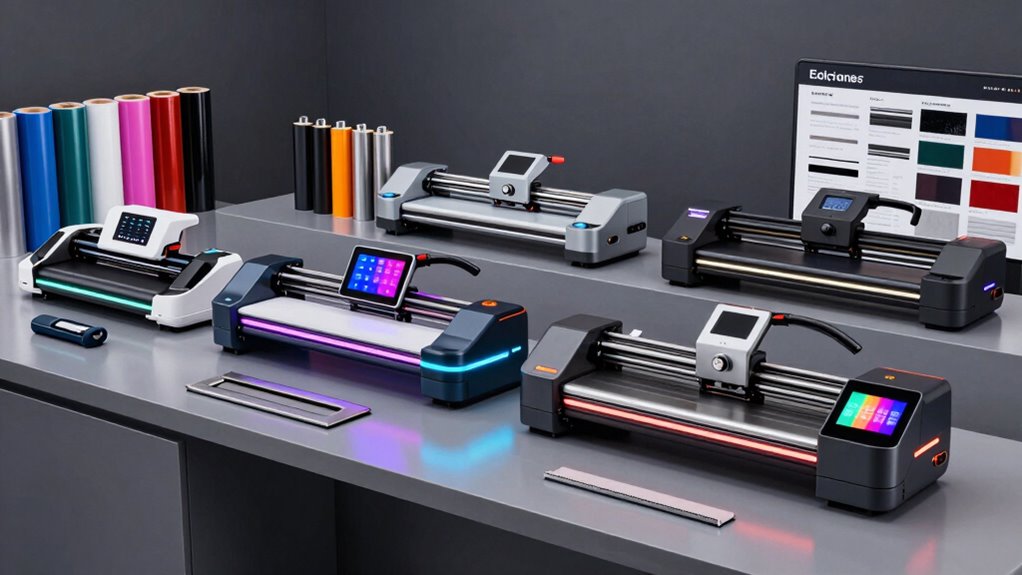

For sign making, my best overall pick is the USCutter SC2 28-inch plotter, which pairs a practical working width with a stand and catch basket for longer jobs. The USCutter MH-Series 34-inch is a strong value-oriented choice for larger signs, while the VEVOR 53-inch cutter suits buyers who need to cut wide graphics in-house. The main tradeoffs are cutting width, workflow and software compatibility: a large plotter handles sign material better, while a compact machine takes less space and may suit small decals. Read on for the full comparison and guidance on matching a cutter to your sign-making work.

Get business pricing on office and shipping supplies
- Business-only prices and quantity discounts
- Tax-exempt purchasing
- Multiple users, one account, clear invoices
Key Takeaways
- The USCutter SC2 28-inch stands out for sign-shop workflow: its stand and catch basket support longer material better than compact desktop cutters.
- Width is a major dividing line in this group: the 53-inch VEVOR and ZAC machines target large graphics, while the 12-inch VEVOR and Cameo 5 Alpha suit smaller projects.
- Software compatibility can matter as much as cutter width: some listed bundles specify PC-only software, so check your computer and design workflow before buying.
- Bundles vary in what they solve: extra blades and included software can help with setup, but they do not replace checking material support, work space and ongoing supply needs.
- Not every sign maker needs a sign-shop plotter: the Likcut S41 and compact craft cutters fit small decals and detailed projects better than repeated, wide-format sign runs.
| USCutter MH-Series 34-Inch Vinyl Cutter Plotter with Stand and VinylMaster Cut Software |  | Best for Long Windows-Only Sign Runs | Feed width: 34 in | Maximum cut width: 31 in | Maximum cut length: 96 in | VIEW ON AMAZON | See Our Full Breakdown |
| VEVOR 53-Inch Vinyl Cutter with Dual Blades |  | Best for Extra-Wide, Mixed-Task Sign Work | Maximum feed width: 53 in | Maximum material thickness: 1 mm | Cutting force: 20–500 gf | VIEW ON AMAZON | See Our Full Breakdown |
| VEVOR 28-Inch Vinyl Cutter Machine with Dual Blades and SignMaster Software |  | Best Starter Bundle for Small Sign Projects | Maximum feed width: 28 in | Maximum material thickness: 1 mm | Adjustable force: 20–500 gf | VIEW ON AMAZON | See Our Full Breakdown |
| VEVOR 28-Inch Vinyl Cutter with Floor Stand and 20 Blades |  | Best for Adjustable Speed and Pressure | Maximum paper feed: 720 mm (28.3 in) | Maximum cutting width: 630 mm (24.8 in) | Cutting precision: ±0.01 mm (0.0004 in) | VIEW ON AMAZON | See Our Full Breakdown |
| VEVOR 34-Inch Vinyl Cutter Machine with Dual Blades |  | Best Mid-Size Mac-Compatible Cutter | Maximum feed width: 34 in | Maximum material thickness: 1 mm | Adjustable force: 20–500 gf | VIEW ON AMAZON | See Our Full Breakdown |
| USCutter SC2 Vinyl Cutter Plotter with Stand and Catch Basket, 28-Inch, VMC (PC Only) |  | Best for Protected, Mid-Width Production | Cutting width: 28 inches | Included accessories: Stand and catch basket | Software: VinylMaster Cut | VIEW ON AMAZON | See Our Full Breakdown |
| VEVOR 12-Inch Vinyl Cutting Machine with Built-In Design Resources | 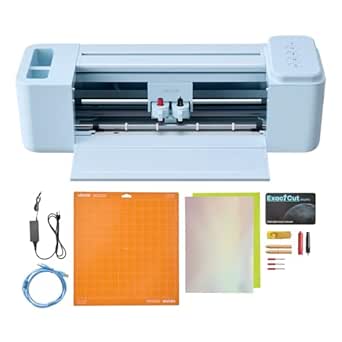 | Best Compact Choice for Small Signs | Model: smart2 | Cutting width: 12 inches | Built-in design resources: 20,000+ | VIEW ON AMAZON | See Our Full Breakdown |
| VEVOR 53-Inch Vinyl Cutter Machine with Dual Blades and SignMaster Software |  | Best Wide-Format Feature Set | Maximum feed width: 53 inches | Maximum material thickness: 1 mm | Adjustable cutting force: 20–500 gf | VIEW ON AMAZON | See Our Full Breakdown |
| Likcut S41 Vinyl Cutter Machine with Print Then Cut |  | Best for Small Printed Stickers | Model: S41 | Maximum cutting width: 8.5 inches | Active surface area: 8.5 × 11 inches | VIEW ON AMAZON | See Our Full Breakdown |
| ZAC 53-Inch Vinyl Cutting Plotter with Floor Stand and Signmaster Software |  | Best for Mobile Shop Layouts | Maximum media width: 1350 mm (53 inches) | Maximum cutting width: 1260 mm (49.6 inches) | Accuracy: ±0.01 mm | VIEW ON AMAZON | See Our Full Breakdown |
| USCutter MH100 34-Inch Vinyl Cutter with Stand and Software |  | Best for Wide-Format Sign Work | Maximum feed width: 34.64 inches | Maximum cut width: 30.63 inches | Maximum cut length: Up to 96 inches | VIEW ON AMAZON | See Our Full Breakdown |
| VEVOR 12-Inch Vinyl Cutting Machine with Built-In Design Resources |  | Best Compact Multi-Device Pick | Cutting width: 12 inches | Active surface area: 144 square inches | Dimensions: 7.36 x 22.8 x 6.61 inches | VIEW ON AMAZON | See Our Full Breakdown |
| Silhouette America Cameo 5 Alpha Smart Cutting Machine, Matte Black |  | Best for Precise Print-and-Cut Decals | Active surface area: 12 x 24 inches | Maximum material thickness: 3 mm | Maximum cutting speed: 400 mm/s | VIEW ON AMAZON | See Our Full Breakdown |
| Siser Romeo 24-Inch High-Definition Cutting Machine |  | Best for Mat-Free Mid-Width Cuts | Cutting area: 24 inches | Active surface area: 285.5 square inches | Dimensions: 7.25 x 36.5 x 7.75 inches | VIEW ON AMAZON | See Our Full Breakdown |
| VEVOR 28-Inch Vinyl Cutter Machine Bundle |  | Best Bundle for Windows Sign Shops | Maximum paper feed: 28.3 inches / 720 mm | Maximum cutting width: 24.8 inches / 630 mm | Cutting pressure: 10–500 g | VIEW ON AMAZON | See Our Full Breakdown |
More Details on Our Top Picks
USCutter MH-Series 34-Inch Vinyl Cutter Plotter with Stand and VinylMaster Cut Software
The 34-inch feed and 31-inch maximum cut width make this USCutter a practical choice for shop signs, banners, and longer decal runs, with a listed maximum cut length of 96 inches. Its included floor stand, three blades, and VinylMaster Cut software give sign makers a more complete starting setup than the VEVOR 28-Inch Cutter with Floor Stand and 20 Blades, which includes more blades but no software is specified in its listed package. The tradeoff is an older, simpler workflow: this model uses a stepper motor, works with Windows rather than macOS, and does not support contour cutting. That last limitation matters if your sign work relies on cutting printed graphics around their outlines. I’d rank it for straightforward lettering and roll-fed graphics, not print-and-cut production.
Pros:- Cuts up to 31 inches wide and lists a maximum cut length of 96 inches.
- Includes a floor stand, three blades, a pen adapter, and cover.
- VinylMaster Cut software and lifetime phone support are included.
Cons:- Listed operating system compatibility is Windows only.
- No contour-cutting support for tracing printed graphics.
- Stepper motor may be a less appealing fit for buyers prioritizing a different drive setup.
Best for: Windows-based sign makers who need a stand-mounted cutter for lettering, banners, and decals up to 31 inches wide.
Not ideal for: Mac users and shops that need contour cutting for printed stickers or graphics.
- Feed width:34 in
- Maximum cut width:31 in
- Maximum cut length:96 in
- Maximum speed:39 in/s
- Maximum pressure:350 g
- Motor:Stepper
- Connectivity:Serial and USB
- Operating system:Windows
- Included accessories:Floor stand, 3 blades, pen adapter, cover, VinylMaster Cut software
Our verdict“Choose this USCutter for long, straightforward sign and banner jobs on a Windows PC, but skip it if contour cutting or Mac support is part of your workflow.”
VEVOR 53-Inch Vinyl Cutter with Dual Blades
For sign makers who need to work wider than the 34-inch USCutter MH-Series, this VEVOR’s 53-inch maximum feed width is its defining advantage. The dual-blade setup supports drawing, cutting, and scoring, while USB, U-disk, and serial connections offer more ways to bring designs to the machine than the USCutter’s listed USB and serial options. It also supports Windows and macOS, which makes it a more flexible choice for mixed-computer workspaces. Adjustable force spans 20–500 gf, and the product data lists intelligent contour detection, useful for jobs that need cuts aligned to artwork. The tradeoffs are substantial: material thickness tops out at 1 mm, and no cutting-speed figure is supplied. I’d choose it for wide-format capacity and versatility, not when documented speed is a deciding factor.
Pros:- 53-inch maximum feed width accommodates wider sign materials than the 28- and 34-inch cutters in this batch.
- Dual blades support drawing, cutting, and scoring without manual blade swaps.
- Compatible with Windows 7–11 and macOS.
- USB, U-disk, and serial connections provide several workflow options.
Cons:- Maximum supported material thickness is 1 mm.
- No cutting speed specification is provided.
- Its wide-format capacity calls for more workspace than the smaller cutters in this lineup.
Best for: Small sign shops and wide-format makers who need up to 53 inches of feed width, dual-blade functions, and Mac or Windows compatibility.
Not ideal for: Buyers who need a stated cutting speed or plan to process material thicker than 1 mm.
- Maximum feed width:53 in
- Maximum material thickness:1 mm
- Cutting force:20–500 gf
- Cutting accuracy:±0.1 mm
- Blades:Dual blades
- Operating systems:Windows 7–11 and macOS
- Connections:USB, U-disk, serial port
- Included software:SignMaster
Our verdict“Pick this VEVOR when wide material and multi-function operation matter more than a published speed figure or compact footprint.”
VEVOR 28-Inch Vinyl Cutter Machine with Dual Blades and SignMaster Software
This 28-inch VEVOR is the more approachable width choice for makers who want to begin with decals, small signs, and heat-transfer work rather than commit space to a 34- or 53-inch cutter. Its dual blades and SignMaster software support cutting, drawing, and scoring, while contour detection and pinch rollers are aimed at keeping jobs aligned. The bundle adds five rolls of assorted-color stickers and transfer tape, giving a newcomer materials for early projects; that separates it from the VEVOR 28-Inch Cutter with Floor Stand and 20 Blades, whose listed bundle emphasizes the stand and blade supply instead. Force adjusts from 20–500 gf, but materials are limited to 1 mm thick. I’d favor this package for a compact sign-making start, while the USCutter MH-Series is better suited to longer, wider runs.
Pros:- Dual blades support cutting, drawing, and scoring.
- Adjustable force from 20–500 gf handles a range of listed materials.
- Contour detection and pinch rollers support aligned cutting.
- Includes SignMaster, sticker rolls, and transfer tape.
Cons:- 28-inch feed width is limiting for larger signs and banners.
- Maximum material thickness is 1 mm.
- Requires a compatible Windows or macOS computer.
Best for: Newer sign makers and home businesses producing decals, small signs, or heat-transfer designs who want starter materials and Mac or Windows support.
Not ideal for: Shops needing cuts wider than 28 inches, a floor stand, or capacity for materials thicker than 1 mm.
- Maximum feed width:28 in
- Maximum material thickness:1 mm
- Adjustable force:20–500 gf
- Cutting accuracy:±0.1 mm
- Blades:Dual blades
- Connections:USB, U-disk, serial port
- Compatible operating systems:Windows 7–11 and macOS
- Included accessories:5 rolls of assorted-color stickers and 1 roll of transfer tape
- Software:SignMaster
Our verdict“Choose this bundle for smaller sign and decal projects with useful starter supplies, but move up to the USCutter MH-Series or a wider VEVOR for larger-format work.”
VEVOR 28-Inch Vinyl Cutter with Floor Stand and 20 Blades
Among the 28-inch options, this VEVOR stands out for publishing adjustable speed and pressure: the 10–800 mm/s range gives the operator a stated speed ceiling, unlike the newer dual-blade VEVOR 28-Inch model, which lists no cutting speed. Its floor stand, LCD panel, and 20 blades suit a fixed workshop setup, and the 630 mm cutting width covers many common sign and decal jobs. It also lists USB and COMPIM interfaces, with DM/PL and HP/GL languages. The compromises are a narrower workflow and older computer support: it is Windows-only, with compatibility listed through Windows 10, and its software package is not specified here. Unlike the dual-blade VEVOR, no drawing or scoring functions are listed. I’d pick it for hands-on adjustment, not Mac-based design work.
Pros:- Adjustable cutting speed is listed from 10–800 mm/s.
- Cutting pressure adjusts from 10–500 g.
- Includes a floor stand and 20 blades.
- USB and COMPIM interfaces are specified.
Cons:- Not compatible with Mac; listed Windows support ends at Windows 10.
- No included software is specified in the supplied product data.
- Does not list the dual-blade drawing and scoring functions of the other VEVOR 28-inch model.
Best for: Windows-based hobby sign makers or small shops who want a stand-mounted 28-inch cutter with stated speed and pressure controls.
Not ideal for: Mac users, buyers on newer Windows versions beyond those listed, or anyone who wants dual-blade drawing and scoring functions.
- Maximum paper feed:720 mm (28.3 in)
- Maximum cutting width:630 mm (24.8 in)
- Cutting precision:±0.01 mm (0.0004 in)
- Cutting pressure:10–500 g, adjustable
- Cutting speed:10–800 mm/s, adjustable
- Interfaces:USB and COMPIM
- Supported languages:DM/PL and HP/GL
- Operating system compatibility:Windows XP/Vista/7/8/10 (32-bit and 64-bit); not compatible with Mac
- Included components:Floor stand, vinyl cutter machine, 20 blades
Our verdict“Choose this VEVOR for a Windows workshop that values adjustable speed, pressure, and a stand, but favor the dual-blade 28-inch model for Mac support and drawing or scoring.”
VEVOR 34-Inch Vinyl Cutter Machine with Dual Blades
This 34-inch VEVOR bridges the gap between the 28-inch dual-blade model and the 53-inch wide-format machine: it offers more room for signs and banners without requiring the widest setup in the lineup. Its dual blades, 20–500 gf force adjustment, and ±0.1 mm contour detection support varied vinyl jobs, while compatibility with Windows 7–11 and macOS makes it easier to fit into mixed-platform shops than the Windows-only USCutter MH-Series. The bundle also includes SignMaster activation and starter sticker rolls with transfer tape. Still, the product data gives no cutting-speed specification, and the material limit is 1 mm; the USCutter, by comparison, lists speed and a 96-inch maximum cut length. Setup and driver details beyond the activation code are also sparse. I’d choose this for mid-size work and cross-platform flexibility, not for buyers who need detailed setup guidance.
Pros:- 34-inch feed width offers more room than the VEVOR 28-inch models.
- Dual blades and adjustable force support cutting, drawing, and scoring tasks.
- Windows 7–11 and macOS compatibility suits mixed-platform workspaces.
- Includes SignMaster activation, sticker rolls, and transfer tape.
Cons:- No cutting speed specification is provided.
- Maximum supported material thickness is 1 mm.
- Setup instructions and driver requirements beyond the activation code are not detailed.
Best for: Mac or Windows sign makers who need a mid-size cutter for decals, lettering, and signs wider than a 28-inch machine can handle.
Not ideal for: Buyers who need a documented cutting speed, material capacity above 1 mm, or detailed driver and setup guidance.
- Maximum feed width:34 in
- Maximum material thickness:1 mm
- Adjustable force:20–500 gf
- Contour detection accuracy:±0.1 mm
- Blades:Dual blades
- Connectivity:USB, U-disk, serial port
- Operating system compatibility:Windows 7–11 and macOS
- Included accessories:5 rolls of stickers and 1 roll of transfer tape
- Included software:Licensed SignMaster activation code
Our verdict“Choose this VEVOR for mid-size sign work on Mac or Windows, but pick the USCutter MH-Series if stated speed and maximum cut length matter more.”
USCutter SC2 Vinyl Cutter Plotter with Stand and Catch Basket, 28-Inch, VMC (PC Only)
The 28-inch cutting width, included stand, and catch basket make the USCutter SC2 a practical choice for sign makers producing longer jobs who want the cut material supported as it exits. Adjustable pinch rollers plus speed and pressure controls give more room to tune feeding and cuts than a compact machine like the VEVOR smart2 12-inch cutter. The included VinylMaster Cut software can help with design creation and image vectorizing, while lifetime phone support is a useful resource for setup questions. The main limitation is firm: this model is PC only, so Mac-based shops should look at a compatible option instead. It also takes more floor space than desktop cutters, and buyers seeking a wider production format should compare it with the 53-inch machines in this roundup.
Pros:- 28-inch cutting width suits many medium-format sign and decal jobs
- Stand and catch basket support the cutter and help manage exiting material
- Adjustable pinch rollers, speed, and pressure allow cut and feed adjustments
- VinylMaster Cut includes design and image-vectorizing tools, with lifetime phone support
Cons:- PC-only compatibility excludes Mac-based workflows
- Stand-mounted footprint is less convenient than a compact desktop cutter
- Narrower working width than the 53-inch VEVOR and ZAC plotters
Best for: PC-based sign makers who cut medium-width decals or lettering and want a stand, catch basket, and phone support included.
Not ideal for: Mac users, occasional crafters with little floor space, or shops that regularly need media wider than 28 inches.
- Cutting width:28 inches
- Included accessories:Stand and catch basket
- Software:VinylMaster Cut
- Computer compatibility:PC only
- Controls:Adjustable pinch rollers, speed, and pressure
- Roller system:Dual roller system
- Support:Web-based resources and lifetime phone support
Our verdict“Choose the USCutter SC2 if you run a PC-based sign workflow and want a supported 28-inch setup without stepping up to a 53-inch plotter.”
VEVOR 12-Inch Vinyl Cutting Machine with Built-In Design Resources
The VEVOR smart2 is the compact pick for buyers making small decals, labels, card details, or short runs of lettering rather than full-size storefront graphics. Its 12-inch cutting width is far easier to fit on a home craft table than the USCutter SC2 or the 53-inch VEVOR plotter, and cutting, drawing, and scoring broaden its use beyond vinyl. USB, Bluetooth, and USB-drive connections plus support for Mac, Windows, Android, and iOS offer more device flexibility than the PC-only USCutter SC2. The 20,000-plus built-in design resources may help users get started, though the listed file-format support and project area still point to small-format work. Buyers who need long sign runs or wider panels should choose a stand-mounted cutter instead; this model’s compact size is also a hard limit on output scale.
Pros:- Compact 12-inch format fits a small work surface
- Cutting, drawing, and scoring cover several craft and sign-adjacent tasks
- USB, Bluetooth, and USB-drive connections support varied workflows
- Compatible with Mac, Windows, Android, and iOS devices
Cons:- 12-inch cutting width limits sign size and long-format production
- 18.1-pound weight is substantial for a machine with a compact cutting area
- Built-in design resources may not replace dedicated design software for custom sign work
Best for: Home-based makers and small sign sellers who produce compact decals, labels, card designs, and short lettering runs across different devices.
Not ideal for: Sign shops cutting long vehicle graphics, storefront panels, or other jobs wider than a 12-inch machine can handle.
- Model:smart2
- Cutting width:12 inches
- Built-in design resources:20,000+
- Functions:Cutting, writing/drawing, and scoring
- Supported file formats:PNG, JPG, SVG, TIF
- Connectivity:USB, Bluetooth, and USB drive
- Compatible devices:Mac, Windows, Android 5.1+, iOS 11.0+
- Compatible materials:Vinyl, heat transfer paper, cardstock, foil, specialty paper
- Dimensions and weight:7.36 × 22.8 × 6.61 inches; 18.1 pounds
Our verdict“Pick the VEVOR smart2 for small-format signs and decals when device flexibility matters more than production width.”
VEVOR 53-Inch Vinyl Cutter Machine with Dual Blades and SignMaster Software
This VEVOR is the feature-rich wide-format option for sign makers handling broad vinyl, heat-transfer material, or sticker-paper jobs. Its 53-inch maximum feed width gives it a clear scale advantage over the 28-inch USCutter SC2, while adjustable force from 20–500 gf helps tailor cuts to different materials. Contour detection rated to ±0.1 mm and dual-spring rollers are aimed at accurate tracking, useful when printed graphics need to align with cut paths. SignMaster software and starter materials add an entry point for setup, but this is still a substantial, corded machine weighing 65.9 pounds; it needs dedicated space and careful placement. Unlike the ZAC 53-inch plotter, this bundle specifies dual blades and contour detection, but buyers should weigh those features against its heavy footprint and the need to confirm their preferred workflow before purchasing.
Pros:- 53-inch feed width accommodates large sign and decal media
- 20–500 gf adjustable force supports different material and cut requirements
- Contour detection and dual-spring rollers are designed to support accurate tracking
- Includes dual blades, SignMaster software, and starter materials
Cons:- At 65.9 pounds, it is difficult to move and needs a dedicated work area
- Large dimensions make it a poor fit for compact home studios
- Corded operation and bundled software may require workflow setup before production
Best for: Small sign businesses that need wide-format capacity, adjustable cutting force, and contour detection for mixed-material work.
Not ideal for: Home crafters with limited floor space, users who need a lightweight portable cutter, or buyers unwilling to plan around software setup.
- Maximum feed width:53 inches
- Maximum material thickness:1 mm
- Adjustable cutting force:20–500 gf
- Cutting accuracy:±0.1 mm
- Blade design:Dual-blade
- Connectivity:USB, U-disk, serial port
- Compatible systems:Windows 7–11, macOS
- Software:SignMaster for Windows and macOS
- Dimensions and weight:61.42 × 17.91 × 41.34 inches; 65.9 pounds
Our verdict“Choose this VEVOR when wide media capacity and contour detection matter more than a compact footprint.”
Likcut S41 Vinyl Cutter Machine with Print Then Cut
The Likcut S41 targets buyers whose sign work is mostly small printed stickers, labels, and cut-to-shape graphics. Its print-then-cut capability, built-in screen, and one-touch controls suit short, compact projects better than the roll-oriented USCutter SC2, while USB-C and Bluetooth 5.0 offer wired and wireless connection choices. AI-assisted design from voice or text prompts may help generate starting concepts, although app-based features can add a learning step rather than simplify every workflow. The tradeoff is its strict 8.5-inch maximum width and 8.5 × 11-inch active area: it cannot take on the longer sign runs suited to the VEVOR 12-inch smart2, let alone the wide-format plotters. I’d treat it as a small graphics tool, not a shop’s primary machine for sign lettering.
Pros:- Print-then-cut function suits small printed stickers and shaped graphics
- USB-C and Bluetooth 5.0 provide wired and wireless connection options
- Built-in screen and one-touch controls show machine status
- AI-assisted design accepts voice or text prompts
Cons:- 8.5-inch cutting width and letter-size active area restrict sign scale
- AI design and app features may take time to learn
- Listed compatible materials emphasize paper and film rather than a broad range of sign media
Best for: Makers and microbusinesses producing letter-size printed stickers, small labels, and compact vinyl graphics who want screen controls and wireless connection.
Not ideal for: Sign makers cutting long lettering, vehicle graphics, or panels wider than 8.5 inches, and users who prefer a straightforward desktop design workflow.
- Model:S41
- Maximum cutting width:8.5 inches
- Active surface area:8.5 × 11 inches
- Cutting accuracy tolerance:0.2 mm
- Connectivity:USB-C and Bluetooth 5.0
- Operation mode:Automatic
- Compatible materials:Back print film, cardstock, glossy film, plain paper
- Weight:3.9 kg
- Included components:Cutting machine, adapter, USB-C cable, vinyl bundle
Our verdict“Choose the Likcut S41 for compact print-then-cut sticker jobs, not as a substitute for a wider sign-making plotter.”
ZAC 53-Inch Vinyl Cutting Plotter with Floor Stand and Signmaster Software
The ZAC plotter pairs 53-inch media support with a heavy-duty stand on four caster wheels, making it a strong fit for sign shops that need wide material but may need to reposition the machine around a work area. Its stated maximum cutting width is 49.6 inches, so the 53-inch VEVOR offers a comparable feed class while adding specified dual blades and contour detection. ZAC instead lists a ±0.01 mm accuracy figure, USB and COM interfaces, and a broad 20–800 mm/s speed range. The tradeoff is less clarity about the included software’s compatibility, plus manual contour cutting rather than the VEVOR’s described contour-detection feature. It also uses a stepper motor, so buyers comparing motion systems should check whether that setup suits their production needs before committing.
Pros:- Handles media up to 53 inches wide with a stated 49.6-inch maximum cutting width
- Caster-equipped heavy-duty stand supports repositioning around a shop
- USB and COM interfaces provide two listed connection options
- Specified speed range covers 20–800 mm/s
Cons:- Software compatibility details are not provided
- Manual contour cutting lacks the specified detection feature of the wide VEVOR model
- Stepper motor may be a limiting factor for buyers seeking a different motion system
Best for: Sign shops needing near-50-inch cutting capacity and a caster-mounted stand that can be moved within a production area.
Not ideal for: Buyers who need clearly documented software compatibility, automatic contour detection, or a compact cutter for occasional home projects.
- Maximum media width:1350 mm (53 inches)
- Maximum cutting width:1260 mm (49.6 inches)
- Accuracy:±0.01 mm
- Speed:20–800 mm/s
- Interfaces:USB, COM
- Motor:Stepper motor
- Stand:Heavy-duty stand with four caster wheels
- Power supply:AC 90–264 V
- Contour cutting:Manual
Our verdict“Pick the ZAC if you need wide-format cutting on a movable stand and can verify that its software fits your computer setup.”
USCutter MH100 34-Inch Vinyl Cutter with Stand and Software
The 34-inch feed width and ability to cut designs up to 96 inches long make the MH100 a practical fit for storefront graphics, longer decals, and apparel transfers. Its adjustable 0–350 g force lets operators tune pressure for different materials, while the included stand and Windows VinylMaster Cut software provide a more complete sign-making setup than the compact VEVOR smart3. It also accepts USB and serial connections and comes with blades, a pen adapter, training, and a one-year warranty. The tradeoff is platform flexibility: Mac users need optional third-party software, and this model lacks the catch basket supplied with some larger USCutter machines. I’d choose it for regular wide-format jobs, not occasional small decals or a Mac-first shop.
Pros:- Cuts designs up to 30.63 inches wide and 96 inches long
- Adjustable cutting force and speed for varied materials
- Includes a basic stand, Windows software, blades, and pen adapter
- Online training and lifetime phone and online support are included
Cons:- Mac operation requires optional third-party software
- Catch basket is not included with this model
Best for: Windows-based sign makers who need a stand-mounted cutter for wide graphics, long decals, and heat-transfer projects.
Not ideal for: Mac-first buyers who want ready-to-use native software, or shops that need a catch basket for managing long cuts.
- Maximum feed width:34.64 inches
- Maximum cut width:30.63 inches
- Maximum cut length:Up to 96 inches
- Cutting force:0–350 g
- Maximum cutting speed:48 in/sec
- Drive motor:Precision stepper motor
- Interfaces:USB and serial
- Included software:VinylMaster Cut for Windows
- Warranty:1 year
Our verdict“Choose the MH100 for long, wide sign and apparel cuts on Windows, but skip it if Mac compatibility or a catch basket is a requirement.”
VEVOR 12-Inch Vinyl Cutting Machine with Built-In Design Resources
The VEVOR smart3 is the most compact choice here for small signs, labels, and decorative details, with a 12-inch cutting width and functions for cutting, drawing, and scoring. Its support for Mac, Windows, Android, and iOS gives it broader device compatibility than the Windows-only VEVOR 28-Inch Bundle, and USB, Bluetooth, or USB-drive transfers offer several ways to send designs. It handles vinyl, heat-transfer paper, cardstock, foil, and specialty paper, so it can serve projects beyond adhesive sign vinyl. That small footprint comes with a clear limit: 12 inches is not a wide-format workspace, making larger storefront lettering a poor fit. Product details also list a 240-volt input and conflicting counts for built-in design resources, so I’d verify power and included content before buying.
Pros:- Supports cutting, drawing, and scoring
- Works with Mac, Windows, Android, and iOS devices
- Offers USB, Bluetooth, and USB-drive connectivity
- Handles vinyl, heat-transfer paper, cardstock, foil, and specialty paper
Cons:- 12-inch cutting width limits larger sign projects
- Listed input voltage is 240 volts and should be checked before purchase
- Product information conflicts on the number of built-in design resources
Best for: Home crafters and small-business makers producing compact decals, labels, and sign details from phones, tablets, or computers.
Not ideal for: Sign shops that routinely cut wide lettering or long graphics, and buyers who cannot confirm that the listed 240-volt input suits their setup.
- Cutting width:12 inches
- Active surface area:144 square inches
- Dimensions:7.36 x 22.8 x 6.61 inches
- Weight:18.1 pounds
- Supported file formats:PNG, JPG, SVG, TIF
- Connectivity:USB, Bluetooth, USB drive
- Compatible devices:Mac, Windows, Android 5.1+, iOS 11.0+
- Supported materials:Vinyl, heat-transfer paper, cardstock, foil, specialty paper
- Input voltage listed:240 volts
Our verdict“Pick the smart3 for compact, mixed-material projects across several device types, not for full-width signage.”
Silhouette America Cameo 5 Alpha Smart Cutting Machine, Matte Black
For sign makers who print designs before cutting them, the Cameo 5 Alpha’s 4-point registration system is its clearest advantage: it helps align cuts to printed artwork for stickers, labels, and small graphics. It also cuts, sketches, and embosses, with Fast Sketch Mode and a stated top speed of 400 mm/s. Compared with the VEVOR 12-Inch smart3, the Cameo provides specified registration technology and an included AutoBlade, mat, adapter, software, and designs; the smart3, by contrast, lists wider device compatibility and multiple transfer methods. The Cameo’s 12-by-24-inch active area suits more than tiny craft cuts, but its 3 mm material-thickness ceiling rules out thicker stock. It’s a more specialized choice for alignment-sensitive work than a straightforward wide-format sign cutter.
Pros:- 4-point registration system supports print-and-cut alignment
- Cuts, sketches, and embosses materials
- Includes AutoBlade, cutting mat, Sketch Pens Adapter, software, and designs
- Maximum cutting speed is listed at 400 mm/s
Cons:- Maximum material thickness is 3 mm
- Its 12-by-24-inch active area is smaller than the wide-format cutters in this roundup
Best for: Small sign and decal businesses that print artwork first and need registered cuts, plus sketching and embossing options.
Not ideal for: Operators cutting material thicker than 3 mm or seeking the broad cutting width of a dedicated 24- to 34-inch sign plotter.
- Active surface area:12 x 24 inches
- Maximum material thickness:3 mm
- Maximum cutting speed:400 mm/s
- Registration system:4-point
- Dimensions:6.94 x 22.28 x 4.89 inches
- Weight:11.5 pounds
- Included components:AutoBlade, cutting mat, Sketch Pens Adapter, 100 designs, Studio software
- Color:Matte Black
Our verdict“Choose the Cameo 5 Alpha for registered printed decals and varied small-format work, not thick materials or wide storefront graphics.”
Siser Romeo 24-Inch High-Definition Cutting Machine
The Siser Romeo occupies a useful middle ground between compact craft cutters and the USCutter MH100: its 24-inch cutting area can handle broader sign graphics, while mat-free cutting can reduce setup steps when working with compatible material. Preinstalled settings for Siser HTV and EasyPSV, a touchscreen, and Windows and Mac compatibility make it friendlier to mixed-material users than the Windows-only VEVOR 28-Inch Bundle. The included 12-by-12-inch light-tack mat is handy for smaller pieces, but it does not cover the machine’s full cutting area, so buyers should not mistake the included mat for a full-width workflow. At 10 kg and 36.5 inches wide, this is also a substantial machine for a home workspace. I’d favor it for mid-width jobs and accessible controls over maximum feed capacity.
Pros:- 24-inch cutting area accommodates broader graphics than compact cutters
- Mat-free cutting capability can simplify compatible vinyl jobs
- Touchscreen interface and preinstalled Siser material settings
- Compatible with Windows and Mac
Cons:- The included mat is only 12 x 12 inches, smaller than the machine’s full cutting area
- At 10 kg and 36.5 inches wide, it needs substantial workspace
Best for: Small sign and apparel businesses that want a 24-inch cutter, mat-free capability, and compatibility with both Windows and Mac.
Not ideal for: Buyers needing a full-width included mat, a compact desktop footprint, or the longer cutting capacity of the USCutter MH100.
- Cutting area:24 inches
- Active surface area:285.5 square inches
- Dimensions:7.25 x 36.5 x 7.75 inches
- Weight:10 kg
- Compatible devices:Windows and Mac
- Compatible materials:Vinyl, cardstock, stickers, and other materials
- Included mat:12 x 12-inch light-tack cutting mat
- Model:SNAHDCR24
Our verdict“Choose the Romeo for mid-width sign and HTV work with mat-free flexibility, but plan for its footprint and a separate solution for full-width mat cutting.”
VEVOR 28-Inch Vinyl Cutter Machine Bundle
The VEVOR 28-Inch Bundle puts its emphasis on working width and included materials: it feeds media up to 28.3 inches and cuts up to 24.8 inches wide, with five vinyl sheets and several accessories in the box. That makes it a more immediately stocked option than the Siser Romeo, whose supplied mat is only 12 by 12 inches, while adjustable pressure from 10–500 g and speed from 10–800 mm/s allow settings to be tailored to different jobs. It can handle heat-transfer vinyl, paper, cardstock, and paint masks for signs, labels, and logos. The main compromise is a firm platform restriction: Mac is not supported, and setup calls for a Pentium-based PC or a supported Windows system. This is a practical bundle for a Windows workflow, not a flexible choice for mixed-device teams.
Pros:- Maximum cutting width of 24.8 inches for medium-width sign jobs
- Adjustable cutting pressure and speed
- Includes five vinyl sheets and additional accessories
- USB and COM connections are available
Cons:- Not compatible with Mac
- Requires a Pentium-based PC or a listed Windows operating system
- 39-pound weight and 38-inch length make it less suited to portable or crowded workspaces
Best for: Windows-based sign makers who want a 24.8-inch cutting width and starter vinyl sheets for signage, labels, and heat-transfer projects.
Not ideal for: Mac users or businesses that need a compact, lightweight cutter; the machine weighs 39 pounds and measures 38 inches long.
- Maximum paper feed:28.3 inches / 720 mm
- Maximum cutting width:24.8 inches / 630 mm
- Cutting pressure:10–500 g
- Cutting speed:10–800 mm/s
- Blade accuracy:0.0004 inches / 0.01 mm
- Dimensions:38 x 14 x 12 inches
- Weight:39 pounds
- Connections:USB and COM
- Supported systems:Pentium-based PC or Windows XP, Vista, 7, 8, 10, or 11
Our verdict“Choose this bundle for a Windows sign-making station that can use the included vinyl, but skip it if you need Mac support or an easy-to-move machine.”

How We Picked
I compared these machines for real sign-making tasks: cutting lettering and graphics from adhesive vinyl, handling material width, and supporting jobs that are longer or larger than a small craft project. I also weighed workflow details such as stands, catch baskets, bundled blades, design software and stated computer compatibility. These factors shape how easily a buyer can move from a design file to a finished sign, not just what appears in a feature list.
The ranking gives more weight to useful working width and sign-production setup than to compact size or general craft versatility. That puts the USCutter SC2 near the top for a balanced sign workflow, with the USCutter MH models and wider VEVOR options appealing to different capacity needs. Compact machines rank better for limited spaces and small graphics, not for high-volume or wide sign work. I treat similarly named models as distinct only where the supplied listing details differ, and buyers should verify current bundle contents and software compatibility on the product page.
Factors to Consider When Choosing Vinyl Cutter Machine For Sign Making On Amazon Usa
Before choosing a cutter, match the machine to the signs you expect to produce and the space and software you already have. Maximum width is only one part of the decision: material handling, file preparation and your typical job size affect whether a plotter feels practical day to day.
Choose Width for Finished Signs, Not Just the Machine
Start with the widest piece of vinyl you expect to cut, then leave room for margins and feeding the material straight. A 53-inch cutter can handle broader graphics than a 28- or 34-inch plotter, but it also demands more floor space and room to load rolls. If most of your work is window lettering or small panels, a wider machine may sit idle while taking up valuable shop area. Avoid planning around the cutter’s headline width alone; usable cutting width and material-feed setup can differ. Check the listing and manual for supported media dimensions before choosing. For occasional oversized signs, compare the cost and inconvenience of splitting a design across cuts with the space needs of a wider plotter.
Plan for Material Feeding and Long Jobs
Sign graphics are often longer than craft projects, so a stable feed path can matter more than a long feature list. A floor stand can position a plotter at a working height, while a catch basket can support material as it exits and help prevent it from dragging. Without suitable support, long cuts may skew or crease, especially when the roll is not aligned carefully. Measure the space behind and in front of the machine, not just the plotter’s footprint. Think about where rolls will sit and how you will keep the vinyl square as it feeds. Buyers making only short decals may prefer a desktop cutter; regular roll-fed work favors a dedicated plotter setup.
Check Software and Computer Compatibility Before Ordering
A cutter is only useful if your design software can send files to it reliably. Listings in this group include different software bundles, and the USCutter SC2 listing specifies PC-only software, which may rule it out for a Mac-centered workflow. Check supported operating systems, connection methods, file formats and whether the software supports the lettering or contour-cut tasks you need. Also find out whether the bundle is a full design program or a limited cutting utility. A familiar design workflow can save more time than an included program with features you will not use. Confirm compatibility from the current listing or manufacturer documentation before relying on a software name alone.
Separate Sign-Shop Plotters From Craft Cutters
Compact machines such as the listed 12-inch VEVOR models and Cameo 5 Alpha serve a different scale of work from 28- to 53-inch plotters. They can make sense for small decals, labels and short lettering, especially when storage space matters. A wide plotter is a better fit for larger signs and roll material, but its size and setup may be excessive for occasional small projects. Print-then-cut features, such as those named for the Likcut S41, address a different workflow from cutting plain adhesive vinyl for lettering. Decide whether your work needs printed graphics, cut vinyl shapes or both. Buying for the actual output avoids paying in space and complexity for capacity you rarely use.
Look Beyond Included Blades and Bundled Software
Extra blades can provide spares, but blade count alone does not predict cut quality or how quickly you can complete a job. Blade condition, correct depth, pressure settings and material choice all affect the result, and setup still takes practice. Likewise, a bundle may include software or accessories without covering every tool or supply needed for production. Before ordering, check exactly what is in the box, which consumables the machine accepts and whether replacement parts are available. Beginners should value clear setup instructions and a manageable first project over a large accessory count. Experienced sign makers may prefer a cutter that fits existing tools and software rather than a bundle that duplicates them.
Match Capacity to Your Workload and Workspace
Buying more capacity than your jobs require can add setup demands and consume room without improving everyday results. On the other hand, a small desktop cutter can become a bottleneck if you routinely produce long lettering or wide storefront graphics. Estimate how many jobs you expect to cut, their typical dimensions and whether production happens at a desk or in a dedicated shop. Leave space for vinyl rolls, weeding and application work, since the cutter is only one part of sign production. If demand is uncertain, a mid-width plotter may offer a more flexible starting point than either a compact craft machine or a very wide unit. Choose a larger format when regular jobs justify the footprint and material-handling needs.
Frequently Asked Questions
Is a 28-inch cutter wide enough for most small sign businesses?
A 28-inch cutter can suit many jobs involving door lettering, window graphics and moderate-size panels, particularly when the vinyl roll fits the machine’s supported width. It may not handle a full-width design in one pass if the finished sign exceeds its usable cutting area. Splitting artwork into sections is possible for some projects, but alignment adds work and can be less forgiving on large graphics. Check the actual cutting width and the dimensions of your most common signs before deciding. If wide storefront graphics are routine, a 34- or 53-inch model may reduce the need to divide artwork.
Should I choose a 53-inch plotter if I plan to grow my sign business?
Choose a 53-inch plotter when you already expect regular wide-format jobs or have a clear plan for that work. Its capacity can reduce the need to divide large graphics, but it takes more space and calls for careful material feeding and storage. A larger machine does not automatically improve small-sign production, and unused width still has a real footprint. Compare your likely jobs with the machine’s supported media and usable cutting area. If larger work is only a possibility, a mid-width plotter may be a more practical starting point while you build demand.
Can I run a cutter listed with PC-only software from a Mac?
Do not assume that a PC-only software bundle will work directly on a Mac. Check the current product listing and manufacturer documentation for supported operating systems, connection options and compatible cutting programs. Some cutters may work with other software, but compatibility depends on the machine, file workflow and available drivers. Confirm this before ordering, especially if your designs are created on a Mac and you need to send cuts from that same computer. A software workaround can add setup steps, so choose a listing that fits your existing workflow when possible.
Is a 12-inch craft cutter suitable for making business signs?
A 12-inch cutter can produce small decals, labels and short runs of lettering, so it may suit a sign maker who mainly handles compact graphics. Its working width is a constraint for larger storefront or vehicle designs, which may need to be split into sections. Craft-oriented features can be useful for mixed projects, but they do not make the machine equivalent to a floor-standing sign plotter. Consider how often you make wide or roll-fed cuts, rather than judging the machine only by the kinds of materials it can cut. For frequent full-size sign work, a wider plotter is usually the more fitting class.
What should I verify about a cutter bundle before ordering?
Check the exact included software, blades, stand, basket, cables and other accessories rather than relying on a bundle name. Confirm that the software supports your computer and the file formats you use, and check whether the blade type and replacement supplies are available. Product variations can carry similar names while including different accessories, so match the listing details to the specific model. Also review the manual or manufacturer information for supported vinyl widths and setup requirements. These checks can prevent a bundle from arriving with useful extras but missing an item your workflow depends on.
Conclusion
For a balanced sign-making setup, I would start with the USCutter SC2 28-inch as the best overall pick, especially if its PC-only software suits your workflow and the stand and catch basket fit your production needs. For buyers seeking a value-oriented wider format, compare the USCutter MH-Series 34-inch and MH100 34-inch listings carefully for their exact included software and accessories. The VEVOR 53-inch and ZAC 53-inch models are better matches for buyers with frequent large graphics and room for a wide plotter. Beginners making small decals may prefer a compact option such as the 12-inch VEVOR or Silhouette Cameo 5 Alpha, while the Likcut S41 stands out for a print-then-cut workflow. For a premium compact cutting approach, consider the Siser Romeo 24-inch; for each choice, verify software compatibility, usable width and the precise bundle contents before ordering.