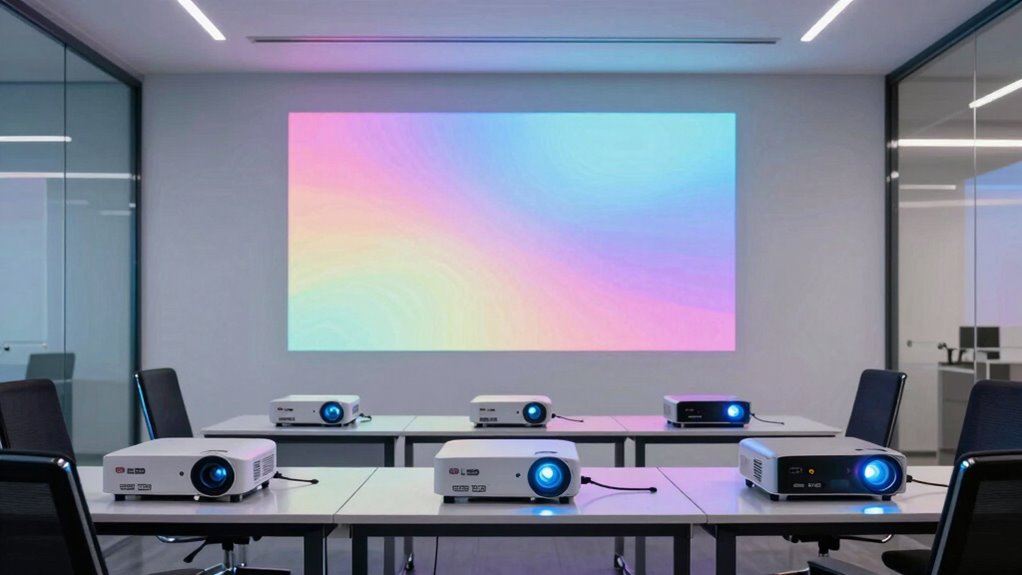

Choosing an ultra short throw projector for a training room means balancing room light, image size, resolution, and installation—not simply picking the model with the biggest headline spec. I rank the Epson PowerLite 760W first for its bright, classroom-focused design and wireless presentation tools. The ViewSonic LS832WU is my choice for rooms with more ambient light, while the Epson Lifestudio Grand suits buyers who want higher-resolution images and integrated streaming, with the caveat that this listing is renewed.

Get business pricing on office and shipping supplies
- Business-only prices and quantity discounts
- Tax-exempt purchasing
- Multiple users, one account, clear invoices
The Optoma Photon Go fills a different need: it is portable and quick to set up, but its 650 ANSI lumens make it a weaker fit for a brightly lit room or a large training audience. I compare these four by asking how well each handles real meeting-room priorities: readable slides, minimal presenter shadows, easy device connection, and fit for the room. Brightness and business-friendly controls carry more weight here than entertainment extras.
Key Takeaways
- The Epson PowerLite 760W is my strongest training-room match because its 4,100 lumens, 16:10 WXGA format, and wireless casting features serve slide presentations directly.
- The ViewSonic LS832WU provides the most specified brightness at 5,000 ANSI lumens and WUXGA resolution, making it the better candidate for rooms that cannot be fully darkened.
- The renewed Epson Lifestudio Grand offers 4K PRO-UHD processing and 3,600 lumens, but buyers should weigh its renewed condition and screen requirements against the business-focused Epson 760W.
- The Optoma Photon Go is the portable, battery-powered choice for small sessions and temporary setups, not my pick for projecting large slides in a bright room.
- Before choosing, match the projector to the screen size and mounting position: ultra short throw reduces presenter shadows, but it still needs careful placement and a suitable display surface.
| Epson PowerLite 760W Ultra Short Throw 3LCD Projector – 16:10 – Wall Mountable, Tabletop |  | Best Overall for Training Rooms | Native resolution: 1280 x 800 WXGA | Brightness: 4,100 lumens | Display technology: 3LCD | VIEW ON AMAZON | See Our Full Breakdown |
| ViewSonic LS832WU WUXGA Ultra-Short-Throw Laser Projector, 5,000 Lumens |  | Best for Bright, Larger Training Spaces | Native resolution: 1920 x 1200 WUXGA | Brightness: 5,000 ANSI lumens | Throw ratio: 0.25:1 | VIEW ON AMAZON | See Our Full Breakdown |
| Epson Lifestudio Grand 4K PRO-UHD Ultra Short Throw Laser Projector, Black (Renewed) |  | Best for High-Detail Content and Built-In Entertainment | Resolution: 3840 x 2160 4K PRO-UHD | Brightness: 3,600 lumens | Maximum image size: Up to 120 inches | VIEW ON AMAZON | See Our Full Breakdown |
| Optoma Photon Go ML1080UST 1080p Ultra Short Throw Triple Laser Projector |  | Best Portable Option for Small, Temporary Sessions | Native resolution: 1920 x 1080 | Brightness: 650 ANSI lumens | Light source: RGB triple laser | VIEW ON AMAZON | See Our Full Breakdown |
| ultra short throw projector for training rooms on amazon usa | Brightness | Native resolution | Maximum image size | Connections |
|---|---|---|---|---|
| Epson PowerLite 760W Ultra Sho | 4,100 lumens | 1280 x 800 WXGA | Up to 150 inches | Ethernet, HDMI, USB, Wi-Fi |
| ViewSonic LS832WU WUXGA Ultra- | 5,000 ANSI lumens | 1920 x 1200 WUXGA | Listed as 150–170 inches; verify with seller | HDMI, USB, VGA, 3.5 mm audio |
| Epson Lifestudio Grand 4K PRO- | 3,600 lumens | — | Up to 120 inches | — |
| Optoma Photon Go ML1080UST 108 | 650 ANSI lumens | 1920 x 1080 | — | HDMI, RCA, Wi-Fi, Bluetooth |
More Details on Our Top Picks
Epson PowerLite 760W Ultra Short Throw 3LCD Projector – 16:10 – Wall Mountable, Tabletop
The Epson PowerLite 760W earns my top spot because its design and feature set align closely with the way people use a shared training room. Its 4,100 lumens support clearer slides when lights are on, and the 16:10 WXGA image gives presentation layouts more vertical room than standard widescreen. That combination is more relevant to charts, documents, and course materials than the Optoma’s portable setup or the Lifestudio Grand’s emphasis on 4K and streaming.
Its workplace features help distinguish it from the other picks. Epson describes wireless casting for up to 50 devices, a moderator feature, and split-screen display for as many as four connected sources. Those tools can help an instructor manage participant presentations without passing cables around. The ultra short throw format also places the projector near the display, reducing the chance that a presenter will block the image while speaking.
The tradeoff is resolution: 1280 x 800 WXGA is below the WUXGA ViewSonic and the 4K PRO-UHD Lifestudio. Small text and detailed source material can benefit from those higher-resolution options. The supplied description also lists Ethernet, HDMI, USB, and Wi-Fi, but buyers should confirm which wireless functions and accessories suit their own network and devices. For routine training slides and collaborative instruction, I would choose the 760W over a sharper model if brightness and room usability matter more than fine image detail.
Pros:- 4,100 lumens of color and white brightness for rooms that retain some ambient light.
- 16:10 WXGA format suits slide decks, documents, and classroom materials.
- Wireless casting, moderator controls, and split-screen support are aimed at group instruction.
- Laser light source is rated for 20,000 hours and starts quickly.
Cons:- 1280 x 800 resolution is lower than the ViewSonic WUXGA and Lifestudio 4K PRO-UHD options.
- The listing does not provide a complete, simple account of wireless setup or included mounting accessories.
Best for: Training departments, instructors, and meeting rooms that need a bright, short-throw display with wireless participant sharing and familiar classroom controls.
Not ideal for: Buyers who need 4K-level detail, routinely display very fine text, or want a portable projector with an integrated battery.
- Native resolution:1280 x 800 WXGA
- Brightness:4,100 lumens
- Display technology:3LCD
- Aspect ratio:16:10
- Maximum image size:Up to 150 inches
- Throw distance:1.11–3.04 feet
- Light source life:20,000 hours
- Connections:Ethernet, HDMI, USB, Wi-Fi
Our verdict“I recommend the Epson PowerLite 760W as the most training-focused balance of brightness, collaboration tools, and short-throw placement.”
ViewSonic LS832WU WUXGA Ultra-Short-Throw Laser Projector, 5,000 Lumens
When room lights cannot be lowered and the audience needs to read a large image, the ViewSonic LS832WU becomes my leading alternative to the Epson 760W. Its stated 5,000 ANSI lumens and 1920 x 1200 WUXGA resolution give it the strongest combination of brightness and pixel detail in this group. That extra resolution can make dense diagrams, spreadsheets, and small labels easier to follow than on the WXGA Epson, while its 0.25:1 throw ratio supports close placement at the screen.
This model reads more like a commercial installation choice than a portable teaching tool. LAN control, image adjustment, and ceiling-or-table mounting offer flexibility for rooms where a projector is installed and managed as shared equipment. Compared with the Lifestudio Grand, the ViewSonic prioritizes high-output business projection over built-in streaming and enhanced audio. Compared with the Optoma, it is a much more plausible choice for a larger audience or a bright room, though it is less convenient to move between locations.
There is a meaningful listing ambiguity: the description says a 100-inch image can be projected from about 11 inches away, while the product details give a minimum image size of 80 inches and list maximum image size figures of 170 inches and, elsewhere, up to 150 inches. I would verify the required screen size and mounting geometry before committing. The listed 328-watt power use is another practical cost of a high-brightness installation. This is my pick when room conditions demand output, not when compactness or simple transport is the priority.
Pros:- 5,000 ANSI lumens are the highest stated brightness in this comparison.
- WUXGA resolution provides more detail than the Epson PowerLite 760W’s WXGA image.
- 0.25:1 throw ratio supports close installation near the screen.
- LAN control and ceiling-or-table mounting suit a managed room setup.
Cons:- The listing gives conflicting maximum image size figures, so installation dimensions need confirmation.
- 328 watts of listed power consumption is relatively high for a projector in this selection.
- Its commercial installation emphasis offers less portability and built-in convenience than the Optoma.
Best for: Organizations equipping a fixed training room with ambient light, larger audiences, detailed content, and a need for LAN-based control.
Not ideal for: Small teams seeking a lightweight portable model, buyers with a tight power budget, or anyone who needs the listing to specify one unambiguous maximum image size.
- Native resolution:1920 x 1200 WUXGA
- Brightness:5,000 ANSI lumens
- Throw ratio:0.25:1
- Maximum image size:Listed as 150–170 inches; verify with seller
- Minimum image size:80 inches
- Light source life:20,000 hours
- Connections:HDMI, USB, VGA, 3.5 mm audio
- Mounting:Ceiling or table
Our verdict“I would choose the ViewSonic LS832WU for a bright, fixed training room where higher output and WUXGA detail outweigh its installation and power tradeoffs.”
Epson Lifestudio Grand 4K PRO-UHD Ultra Short Throw Laser Projector, Black (Renewed)
The Epson Lifestudio Grand is the resolution-led option in this comparison. Its 4K PRO-UHD processing, 3,600 lumens, and image size up to 120 inches make it attractive for training that involves detailed product visuals, technical diagrams, or video alongside slides. Compared with the 760W, it offers substantially higher stated resolution and a built-in Google TV experience; compared with the ViewSonic, it gives up some brightness and commercial control emphasis for a stronger entertainment and audio package.
Google TV and the Bose-designed 2.1 sound system can simplify occasional video playback without requiring a separate streaming device and speakers. App-assisted setup and automatic screen alignment may also help a shared room get started more easily. Those conveniences are useful, but they are not substitutes for checking whether the room’s lighting and screen are a good match for its 3,600-lumen output. In a brightly lit space, I would lean toward the 4,100-lumen Epson 760W or the 5,000-ANSI-lumen ViewSonic instead.
The largest purchasing caveat is in the product title: this is a renewed unit, not a listing presented as new. Buyers should review the seller’s condition notes and included accessories before ordering. The description also says an optional SilverFlex screen is needed for the enhanced screen experience, which may add planning and equipment requirements. I place it behind the business-first picks because it is less clearly tailored to classroom collaboration, but it is the better fit for a training room that doubles as a media or demonstration space and values higher image detail.
Pros:- 4K PRO-UHD processing supports finer visual detail than the WXGA and WUXGA alternatives.
- 3,600 lumens offer more output than the portable Optoma Photon Go.
- Google TV provides integrated access to streaming apps.
- Bose-designed 2.1 audio and app-assisted setup add convenience for mixed-use rooms.
Cons:- The listing identifies the projector as renewed, so condition and included items merit close review.
- Its brightness is below both the Epson 760W and ViewSonic LS832WU.
- The enhanced screen experience calls for an optional SilverFlex screen.
Best for: Teams that present detailed visuals and video, want integrated streaming and room audio, and are comfortable buying a renewed projector.
Not ideal for: Buyers who require a new unit, need the strongest brightness for a sunlit room, or prioritize classroom sharing and network management over streaming.
- Resolution:3840 x 2160 4K PRO-UHD
- Brightness:3,600 lumens
- Maximum image size:Up to 120 inches
- Maximum throw distance:2.3 feet
- Display technology:LCD
- Contrast ratio:5,000,000:1
- Connectivity:Bluetooth, HDMI, Wi-Fi
- Condition:Renewed
Our verdict“I recommend the renewed Lifestudio Grand when detail, streaming, and built-in sound matter more than the brightest image or classroom-specific collaboration tools.”
Optoma Photon Go ML1080UST 1080p Ultra Short Throw Triple Laser Projector
The Optoma Photon Go ML1080UST is the easiest model here to imagine carrying between rooms. At 6.9 pounds, with a built-in battery rated for up to 1.5 hours, autofocus, and automatic keystone correction, it is designed for quick setup rather than a permanent training-room installation. The 0.34–0.81-foot throw distance keeps it close to the wall or screen, while Google TV, HDMI, Wi-Fi, and Bluetooth give presenters several ways to use it without building a full AV system.
That convenience comes with the clearest performance compromise in the group: its 650 ANSI lumens are far below the Epson 760W and ViewSonic LS832WU. For a small room with controlled lighting and a modest image, the Optoma can serve a mobile instructor or a pop-up workshop. For a larger class, bright overhead lighting, or dense slide content that must remain readable from the back of the room, I would choose one of the brighter Epson or ViewSonic models instead. Its native 1080p resolution also sits between the WXGA Epson and the higher-resolution Lifestudio and ViewSonic.
The projector supports 4K input with HDR10, but its listed maximum display resolution remains 1920 x 1080; buyers should not mistake input support for native 4K projection. The battery rating is another limit: a 1.5-hour session may require nearby power for longer training days. I rank it fourth because portability and streaming do not outweigh low brightness for most fixed training rooms. It is still the right specialist pick when a conventional mount is unavailable and easy transport matters more than room-light tolerance.
Pros:- Portable ultra short throw form with a built-in battery rated for up to 1.5 hours.
- Autofocus and automatic keystone correction simplify temporary setup.
- Google TV, Wi-Fi, Bluetooth, HDMI, and a built-in speaker support flexible use.
- Triple-laser light source and 1080p native resolution suit compact presentations.
Cons:- 650 ANSI lumens make it the least suitable choice here for a bright training room.
- Battery life may not cover a full-length workshop without access to power.
- 4K input support does not change its listed 1920 x 1080 maximum display resolution.
Best for: Mobile instructors, small teams, and temporary workshops in rooms where lights can be dimmed and a compact, fast setup matters.
Not ideal for: Large or bright training rooms, long sessions away from power, and buyers who need native 4K or high-output projection.
- Native resolution:1920 x 1080
- Brightness:650 ANSI lumens
- Light source:RGB triple laser
- Throw distance:0.34–0.81 feet
- Image size:60–100 inches
- Battery life:Up to 1.5 hours
- Connections:HDMI, RCA, Wi-Fi, Bluetooth
- Weight:6.9 pounds
Our verdict“I would pick the Optoma Photon Go for portability and quick setup in small, dimmable spaces, not as the main projector for a bright or large training room.”

How We Picked
I ranked these models around the demands of training rooms, where instructors need legible text, stable placement, and a dependable way to show content from laptops or mobile devices. I gave more weight to brightness, resolution, image size, connection options, and installation features than to home-theater extras. A projector can have appealing streaming apps and audio, but those features do not compensate for an image that is difficult to read under room lights.
The supplied listings do not offer identical data, so I distinguish stated specifications from assumptions. The Epson 760W has the clearest classroom-oriented feature set: 4,100 lumens, WXGA resolution, wireless casting, moderation, and split-screen display. The ViewSonic LS832WU lists higher brightness and WUXGA resolution, but its listed maximum image size differs between the product description and item details. I call out that discrepancy rather than treating one figure as settled.
I also account for practical ownership tradeoffs. The Optoma is notably portable and includes a battery, yet its lower brightness limits where it makes sense. The Lifestudio Grand has a more detailed entertainment feature package and 4K PRO-UHD processing, but the supplied listing identifies it as renewed. My ranking reflects how each model fits a particular training-room use, not a claim that one projector wins in every room.
| ultra short throw projector for training rooms on amazon usa | Maximum image size | Connections |
|---|---|---|
| Epson PowerLite 760W Ultra Sho | Up to 150 inches | Ethernet, HDMI, USB, Wi-Fi |
| ViewSonic LS832WU WUXGA Ultra- | Listed as 150–170 inches; verify with seller | HDMI, USB, VGA, 3.5 mm audio |
| Epson Lifestudio Grand 4K PRO- | Up to 120 inches | — |
| Optoma Photon Go ML1080UST 108 | — | HDMI, RCA, Wi-Fi, Bluetooth |
Factors to Consider When Choosing Ultra Short Throw Projector For Training Rooms On Amazon Usa
I would choose a projector only after matching its output and placement to the room. Ultra short throw models reduce the space needed between projector and screen, but brightness, screen size, and connection needs still decide whether training materials are easy to follow.
Start with room brightness and audience size
For rooms that stay lit during note-taking or discussion, compare the stated brightness before looking at streaming or audio features. The ViewSonic LS832WU lists 5,000 ANSI lumens, followed by the Epson PowerLite 760W at 4,100 lumens. The Lifestudio Grand lists 3,600 lumens, while the portable Optoma lists 650 ANSI lumens. These figures make the Optoma a poor match for a bright, large room. They do not replace a real room check: screen material, sunlight, image size, and light placement all affect perceived clarity.
Choose resolution for the material you teach
For ordinary slides, the Epson 760W’s WXGA resolution may be sufficient, and its 16:10 format suits many presentation layouts. If participants need to inspect fine text or complex diagrams, the ViewSonic’s WUXGA resolution provides more pixels. The Lifestudio Grand goes further with 4K PRO-UHD processing, which can suit detailed images and video. The Optoma accepts 4K input but lists a 1080p maximum display resolution, so it should not be chosen as a native 4K projector.
Measure the throw and screen before installation
Ultra short throw describes close placement, not effortless placement. Measure the distance from the intended projector position to the display and check the image size at that distance. The ViewSonic listing gives a 0.25:1 throw ratio, while the Optoma specifies a range of 0.34–0.81 feet and a 60–100-inch image. The ViewSonic listing contains conflicting maximum image sizes, so I would verify its installation dimensions with the seller. Plan for a flat, suitable screen surface and enough room to access connections.
Prioritize collaboration or simple playback
For instructor-led sessions with many devices, the Epson PowerLite 760W stands out for wireless casting, moderator control, and split-screen support. If a room mainly plays prepared videos or standalone demonstrations, the Lifestudio Grand’s Google TV and Bose-designed sound may be more useful. The Optoma also has Google TV, but its limited brightness keeps that convenience best suited to small, dimmable spaces. Check that your organization permits the apps and wireless connections you plan to use.
Account for ownership and condition
The Epson 760W and ViewSonic listings specify 20,000-hour laser light sources, a useful point for shared equipment expected to run regularly. The Optoma adds a battery, but its stated 1.5-hour runtime limits its value for extended sessions away from power. The Lifestudio listing is marked Renewed; review the seller’s condition details, included accessories, and applicable warranty terms before ordering. Installation costs, screen choice, room controls, and network policy can matter as much as projector specifications.
Frequently Asked Questions
Which of these projectors is my best general choice for a training room?
I would start with the Epson PowerLite 760W for a typical training room because it combines 4,100 lumens with a 16:10 WXGA image and features aimed at group instruction, including wireless casting, moderation, and split-screen display. Choose the ViewSonic instead if the room is brighter or the audience needs more image detail, and choose the Optoma only when portability is a stronger need than brightness.
Can an ultra short throw projector be used with the lights on?
It can, but the room’s lighting and screen size affect how easy the image is to read. Among these four, the ViewSonic LS832WU has the highest listed output at 5,000 ANSI lumens, with the Epson PowerLite 760W next at 4,100 lumens. The Optoma Photon Go’s 650 ANSI lumens make it a much less suitable choice for a bright room. Direct sunlight on the screen can still reduce contrast, even with a bright projector.
Does the Optoma Photon Go project in 4K?
The supplied specifications list native and maximum display resolution as 1920 x 1080. The projector supports 4K input with HDR10, which means it can accept that type of source signal, but the listed output remains Full HD. If native 4K-level detail is central to your training material, compare the Epson Lifestudio Grand’s 4K PRO-UHD processing and verify the precise image capabilities you need.
Which model is better for sharing from several participant devices?
I would favor the Epson PowerLite 760W for collaborative training because its description specifically lists wireless casting for up to 50 devices, a moderator feature, and split-screen display for up to four connected sources. That feature set is more directly aimed at instructor-managed participation than the streaming-focused Lifestudio Grand or Optoma. Check device compatibility and your organization’s network requirements before relying on wireless presentation.
What should I check before buying the renewed Epson Lifestudio Grand?
Since the listing identifies the Lifestudio Grand as renewed, I would read the condition description, confirm which cables and accessories are included, and review the warranty terms that apply to the specific seller and item. Also check whether your room can make good use of its 3,600-lumen output and whether you want the optional SilverFlex screen described for an enhanced screen experience. If condition certainty or high brightness is the priority, the Epson 760W or ViewSonic may fit better.
Conclusion
For most training rooms, I recommend the Epson PowerLite 760W: its brightness, 16:10 layout, and presentation-sharing tools make it the most purpose-built option here. For a brighter fixed room or detailed material, choose the ViewSonic LS832WU, after confirming screen-size and mounting figures with the seller. Pick the Epson Lifestudio Grand when 4K PRO-UHD detail, streaming, and built-in sound matter and you accept a renewed unit. Choose the Optoma Photon Go for mobile, small-group sessions where battery power and fast setup outweigh lower brightness. My shortlist depends on the room: match the projector to its lighting and audience before choosing by extra features.
Halloween Picks
halloween
As an affiliate, we earn on qualifying purchases.