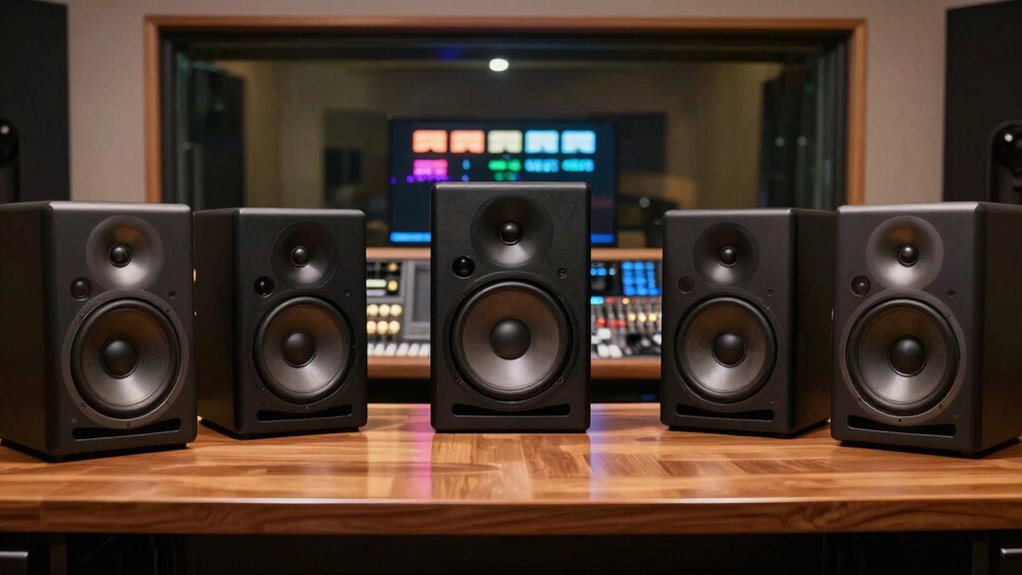

Choosing the right studio monitor speakers is crucial for video editors who need accurate audio reproduction to ensure their mixes translate well across platforms. The Yamaha HS5 W stands out as the best overall choice, offering a balanced mix of clarity and affordability. For those seeking premium sound, the Yamaha HS8 offers larger drivers and richer bass, ideal for detailed editing work. Meanwhile, the KRK RP5G5 ROKIT 5 provides excellent value with professional features at a mid-range price. The primary tradeoffs in this category involve balancing size, sound fidelity, budget, and additional features like Bluetooth or different driver sizes. Continue reading for a detailed breakdown of each option and how to choose the best fit for your needs.

Get business pricing on office and shipping supplies
- Business-only prices and quantity discounts
- Tax-exempt purchasing
- Multiple users, one account, clear invoices
Key Takeaways
- Top picks balance audio accuracy with affordability, with the Yamaha HS5 W leading for overall performance.
- Larger monitors like the Yamaha HS8 excel in bass response but require more space and power.
- Bluetooth connectivity, as seen in models like the M-Audio BX5BT, adds convenience but may compromise sound purity.
- Compact options such as the Mackie CR3.5 are suitable for small setups or secondary use but lack the depth of larger monitors.
- Build quality and input options vary significantly; choosing a monitor with durable construction and versatile inputs aids long-term use.
| Mackie CR3.5 3.5-inch Creative Reference Powered Studio Monitors |  | Best for Versatile Desktop Use | Speaker Size: 3.5 inches | Connectivity: TRS, RCA, 3.5mm input | Features: Tone knob, location switch, headphone output | VIEW ON AMAZON | See Our Full Breakdown |
| Yamaha HS5 W 5-Inch Powered Studio Monitor (White, 2-Pack) |  | Best for Accurate Professional Mixing | Quantity: 2 | Color: White | Speaker Size: 5 inches | VIEW ON AMAZON | See Our Full Breakdown |
| M-Audio BX5BT 5″ Desktop Studio Monitors Pair with Bluetooth and App Control |  | Best for Wireless Convenience and Compact Space | Power: 240W | Woofer: 5″ Kevlar | Tweeter: 1″ silk dome with waveguide | VIEW ON AMAZON | See Our Full Breakdown |
| KRK Classic 7 Powered Studio Monitor |  | Best for Deep Bass and Professional Audio Production | Power: 73 watt | Size: 7 inches | Type: Active studio monitor | VIEW ON AMAZON | See Our Full Breakdown |
| Yamaha HS5 Powered Studio Monitor, Pair |  | Best for Precise, Flat Response Monitoring | Speaker Type: Woofer | Power Output: 70 watts | Frequency Response: 54 Hz to 30 kHz | VIEW ON AMAZON | See Our Full Breakdown |
| Edifier MR4 Studio Monitor Speakers, 4 inch Active Near-Field |  | Best for Compact, Versatile Near-Field Monitoring | Size: 4 inch | Type: Active Near-Field Studio Monitors | Tweeter: 1-inch silk dome | VIEW ON AMAZON | See Our Full Breakdown |
| Ortizan C7 Powered Studio Monitors Pair with Bluetooth 5.3, Black |  | Best for Wireless Convenience and Compact Desktop Use | Bluetooth Version: 5.3 | Speaker Size: 3.5-inch mid-bass, 0.75-inch silk dome tweeter | Inputs: RCA, 3.5mm AUX, TRS balanced, headphone output | VIEW ON AMAZON | See Our Full Breakdown |
| JBL 305P MkII 5″ 2-Way Active Powered Studio Reference Monitors (Pair) |  | Best for Accurate, Wide-Range Sound in Professional Environments | Number of Speakers: 2 | Speaker Size: 5 inches | Power: 2 x 41 Watts | VIEW ON AMAZON | See Our Full Breakdown |
| Superlux BES3.5 50W Studio Monitor Speakers, 3.5-Inch Pair with TRS and RCA Inputs |  | Best for Entry-Level, Compact Monitoring in Small Spaces | Woofer Size: 3.5 inches | Tweeter Size: 1 inch | Power Output: 50W total | VIEW ON AMAZON | See Our Full Breakdown |
| KRK RP5G5 ROKIT 5 Generation Five 5″ Powered Studio Monitor Pair |  | Best for Professional-Grade Mixing and Dynamic Range | Size: 5 inches | Tweeter: 1″ silk dome | Amplifier: Class D | VIEW ON AMAZON | See Our Full Breakdown |
| PreSonus Eris 3.5 Powered Studio Monitors, Pair |  | Best for Compact Desktop Setups | Power: 50W | Woofer Size: 3.5 inches | Frequency Range: 80 Hz–20 kHz | VIEW ON AMAZON | See Our Full Breakdown |
| KRK Kreate 3 Powered Studio Monitors Pair |  | Best for Wireless Connectivity and Versatility | Tweeter: 1″ Textile Dome | Woofer: 3.5″ Glass Aramid | Connectivity: Bluetooth, multiple audio inputs | VIEW ON AMAZON | See Our Full Breakdown |
| Yamaha HS7 7-Inch Powered Studio Monitor Pair |  | Best for Professional Clarity and Wide Frequency Response | Frequency Response: 43Hz – 30kHz | Power: 95W total (60W LF + 35W HF) | Inputs: XLR, TRS | VIEW ON AMAZON | See Our Full Breakdown |
| Yamaha HS8 8-Inch Powered Studio Monitor Pair – Black |  | Best for Deep Bass and High-Performance Monitoring | Frequency Response: 38Hz – 30kHz | Woofer Size: 8 inches | Power: 120W | VIEW ON AMAZON | See Our Full Breakdown |
| studio monitor speakers for video editor | Inputs |
|---|---|
| Mackie CR3.5 3.5-inch Creative | — |
| Yamaha HS5 W 5-Inch Powered St | — |
| M-Audio BX5BT 5" Desktop Studi | — |
| KRK Classic 7 Powered Studio M | — |
| Yamaha HS5 Powered Studio Moni | — |
| Edifier MR4 Studio Monitor Spe | 1/4-inch TRS, RCA, AUX |
| Ortizan C7 Powered Studio Moni | RCA, 3.5mm AUX, TRS balanced, headphone output |
| JBL 305P MkII 5" 2-Way Active | XLR/TRS |
| Superlux BES3.5 50W Studio Mon | TRS, RCA, AUX |
| KRK RP5G5 ROKIT 5 Generation F | XLR, 1/4" TRS combo |
| PreSonus Eris 3.5 Powered Stud | TRS, RCA, Aux |
| KRK Kreate 3 Powered Studio Mo | — |
| Yamaha HS7 7-Inch Powered Stud | XLR, TRS |
| Yamaha HS8 8-Inch Powered Stud | — |
More Details on Our Top Picks
Mackie CR3.5 3.5-inch Creative Reference Powered Studio Monitors
The Mackie CR3.5 stands out for its compact size and flexible connectivity, making it ideal for video editors who need reliable sound on a desktop setup. Compared with larger monitors like the Yamaha HS5 W, it offers a more space-efficient footprint but sacrifices some low-end response due to its smaller 3.5-inch woofer. Its adjustable tone control and multiple input options (TRS, RCA, 3.5mm) allow tailored sound and easy integration into a variety of setups, but it lacks the deep bass extension of larger monitors and doesn’t include a subwoofer. If you prioritize space and versatility over deep bass, this is a solid choice. However, for those needing serious low-end accuracy, a larger model might be better.
Pros:- Compact size perfect for desktop setups
- Multiple connectivity options for versatile device integration
- Adjustable tone control for customized sound
Cons:- No subwoofer included, limiting bass response
- Limited to 3.5-inch woofer, restricting deep bass
Best for: Video editors working in tight spaces who need flexible, desktop-friendly monitors.
Not ideal for: Editors requiring full-range sound for detailed audio mixing, as the small woofer limits bass response.
- Speaker Size:3.5 inches
- Connectivity:TRS, RCA, 3.5mm input
- Features:Tone knob, location switch, headphone output
- Tweeter:Silk dome
- Woofer:Woven
- Placement Options:Desktop or bookshelf
Our verdict“A practical, space-saving monitor for editors who prioritize convenience and adjustable sound over deep low-end performance.”
Yamaha HS5 W 5-Inch Powered Studio Monitor (White, 2-Pack)
The Yamaha HS5 W duo offers industry-standard accuracy with a flat response, making them ideal for critical editing and mixing tasks. Compared to the KRK Classic 7, which provides more low-end depth with its larger 7-inch woofer, the HS5 W emphasizes clarity and neutrality, suited to detailed audio work. While their high-res, flat response ensures your edits translate well across systems, their size—compact but not small—may demand dedicated space in a studio. These monitors excel at revealing subtle audio issues but may be overkill for casual use or editors working in limited space. Their price reflects their professional-grade performance, so they suit those who need precision above all else.
Pros:- Highly accurate, flat response for precise editing
- Industry-standard reliability and build quality
- Dual monitors with consistent performance
Cons:- Higher cost may be prohibitive for casual users
- Limited to nearfield setup, not ideal for large rooms
Best for: Professional video editors and sound engineers needing precise, flat-response monitors for mixing.
Not ideal for: Casual editors or those with limited space who do not require flat, uncolored sound for critical work.
- Quantity:2
- Color:White
- Speaker Size:5 inches
- Type:Powered Studio Monitor
Our verdict“A solid investment for editors who prioritize fidelity and accuracy in their audio monitoring.”
M-Audio BX5BT 5″ Desktop Studio Monitors Pair with Bluetooth and App Control
The M-Audio BX5BT offers a compelling mix of studio-quality sound with the convenience of Bluetooth streaming, making it suitable for creators who want flexible connectivity without clutter. Compared with the Yamaha HS5 W, which prioritizes accuracy, the BX5BT emphasizes versatility and ease of use, especially with its app-controlled sound profiles. Its 240W power and Kevlar 5-inch woofer deliver strong, clear audio, but setup and calibration are necessary to get the most out of its DSP tuning. While not ideal for critical mixing due to limited input options (no XLR), it excels in multimedia environments where wireless streaming and space efficiency matter most. This model balances performance with convenience, though it may fall short for detailed audio work.
Pros:- Wireless Bluetooth streaming with low latency
- Powerful 240W output for clear, loud sound
- App-controlled sound customization
Cons:- Requires setup and calibration for optimal sound
- Limited to Bluetooth and TRS inputs, no XLR connection
Best for: Video editors and creators seeking wireless streaming and space-efficient monitors with good sound quality.
Not ideal for: Pro audio professionals needing high-precision sound or extensive input options for detailed mixing.
- Power:240W
- Woofer:5″ Kevlar
- Tweeter:1″ silk dome with waveguide
- Connectivity:TRS inputs, Bluetooth 5.0
- Included:Speaker interconnect cable, isolation pads, power cable, manuals
Our verdict“A versatile, space-saving monitor ideal for multimedia creators who value wireless convenience over absolute mixing precision.”
KRK Classic 7 Powered Studio Monitor
The KRK Classic 7 delivers significant low-end presence with its 7-inch driver and 73-watt power, making it well-suited for editors who need accurate bass and full-range sound. Compared to the Yamaha HS5, which emphasizes clarity and neutrality, the KRK offers a more colored sound signature with broader bass response, ideal for music and multimedia production that benefits from enhanced low frequencies. Its front-firing port allows flexible placement, but the monitor’s weight and lack of included accessories could make setup less convenient. While it excels at producing a full sound profile, it may be less suited for those requiring extremely flat, transparent monitoring for detailed editing tasks.
Pros:- Powerful 73W bi-amped class A/B amplification
- Front-firing port for flexible placement
- Adjustable low and high-frequency controls
Cons:- Heavy and potentially less portable
- Lack of included accessories or mounting options
Best for: Audio professionals and editors requiring enhanced bass and versatile placement options in their studio.
Not ideal for: Editors needing ultra-flat, neutral sound for critical mixing, who might prefer the Yamaha HS series.
- Power:73 watt
- Size:7 inches
- Type:Active studio monitor
- Amplification:Bi-amped, class A/B
- Enclosure:Heavy-duty
- Ports:Front-firing
Our verdict“A robust monitor for those who prioritize full-range sound with deep bass and flexible positioning.”
Yamaha HS5 Powered Studio Monitor, Pair
The Yamaha HS5 pairs a 5-inch woofer and 1-inch dome tweeter to provide a balanced, flat response, making it a go-to for detailed editing and mixing work. Compared with the M-Audio BX5BT, which offers wireless convenience, the HS5 focuses on accuracy and transparency, essential for professional editing environments. Its bi-amplified system ensures clarity and power without coloration. The size is manageable for most studio setups, but space considerations might be an issue for small or cluttered rooms. Though priced for professionals, it’s less suitable for casual users or those who need portability, as it’s designed for stationary, critical listening positions.
Pros:- Accurate, flat frequency response for critical editing
- Bi-amplified system for clear, powerful sound
- Versatile input options including XLR and TRS
Cons:- Large size may require dedicated space
- No waterproofing or rugged features for outdoor use
Best for: Video editors and sound engineers who require highly accurate, flat-response monitors for detailed editing.
Not ideal for: Casual creators or mobile editors who need portability or integrated wireless features.
- Speaker Type:Woofer
- Power Output:70 watts
- Frequency Response:54 Hz to 30 kHz
- Woofer Diameter:5 inches
- Tweeter Diameter:1 inch
- Additional Features:Bi amplification
Our verdict“A reliable choice for professionals seeking transparent, precise monitors for editing and mixing.”
Edifier MR4 Studio Monitor Speakers, 4 inch Active Near-Field
The Edifier MR4 stands out for its high-quality, balanced sound profile which makes it suitable for both professional editing and casual listening. Compared to larger monitors like the JBL 305P MkII, the MR4’s smaller footprint and dual mode functionality offer more flexibility for desktop setups. However, its limited size means it’s best suited to near-field listening and small spaces, and setup complexity can be a hurdle for newcomers. Its 1-inch silk dome tweeter and 4-inch composite woofer deliver clear, detailed sound, making it a reliable choice for detailed audio work. The MDF wooden enclosure adds to sound fidelity, but its bulk can be an issue in tighter spaces. This monitor makes the most sense for video editors working in limited spaces who need balanced sound without sacrificing versatility, though it’s less ideal for those who need a portable or extremely compact solution.
Pros:- High-quality, balanced audio suitable for detailed editing
- Flexible connectivity including TRS, RCA, AUX for diverse devices
- Dual mode for both production and casual listening
Cons:- Relatively bulky for very small spaces
- Requires careful setup for optimal sound quality
Best for: Video editors with limited space seeking versatile near-field monitors for detailed editing and casual listening
Not ideal for: Small bedroom setups or portable needs due to its size and bulk
- Size:4 inch
- Type:Active Near-Field Studio Monitors
- Tweeter:1-inch silk dome
- Woofer:4-inch composite
- Inputs:1/4-inch TRS, RCA, AUX
- Controls:High/Low frequency knobs, volume and sound mode knob
- Material:MDF wooden structure
Our verdict“This monitor is ideal for editors who need versatile, balanced sound in a compact space but can handle a slightly larger footprint.”
Ortizan C7 Powered Studio Monitors Pair with Bluetooth 5.3, Black
The Ortizan C7 offers a compelling mix of wireless streaming and multiple input options, making it perfect for casual content creators and small-scale editing. Unlike the JBL 305P MkII which excels in accuracy and dynamic range, the C7 leans towards versatility and ease of use, especially with Bluetooth 5.3 streaming. Its 3.5-inch mid-bass and silk dome tweeter produce clear, balanced sound, but the smaller size limits its bass response and overall volume, making it less suitable for larger or more demanding editing environments. The multiple inputs—RCA, AUX, TRS, and headphone—provide flexible connection options, yet the absence of detailed power specs might concern users wanting precise control. This monitor makes sense for video editors working in small or flexible setups who prioritize wireless convenience over absolute audio fidelity, but it’s less appropriate for those requiring high-volume, studio-grade sound.
Pros:- Multiple inputs and Bluetooth 5.3 for seamless wireless streaming
- Compact size fits well on desktops and small spaces
- Professional tuning for balanced sound
Cons:- Limited bass and volume for larger or demanding editing tasks
- Potentially complex setup for inexperienced users
Best for: Content creators and video editors needing compact, versatile speakers with wireless streaming capabilities
Not ideal for: Audiophiles or professional editors requiring high-volume, flat-response monitors for detailed mixing
- Bluetooth Version:5.3
- Speaker Size:3.5-inch mid-bass, 0.75-inch silk dome tweeter
- Inputs:RCA, 3.5mm AUX, TRS balanced, headphone output
- DAC:24-bit via USB
- Color:Black
Our verdict“This pick makes the most sense for editors who value convenience and flexibility over absolute sound fidelity in small or casual setups.”
JBL 305P MkII 5″ 2-Way Active Powered Studio Reference Monitors (Pair)
The JBL 305P MkII stands out for its accurate, immersive sound with a wide listening sweet spot, making it suitable for detailed editing, mixing, and sound design. Its dual 41-watt amplifiers and tailored EQ settings outperform many smaller monitors like the Superlux BES3.5 in terms of dynamic range and clarity. The 5-inch woofer provides richer bass and a more robust sound profile, but it requires more space and careful placement, unlike the compact Superlux or Edifier options. Lacking wireless features, it’s aimed at professional or semi-professional environments where precision is critical. Its MDF enclosure ensures durability, but setup complexity and size mean it’s less suitable for mobile or very tight spaces. It’s best for those who need reliable, flat response monitors for critical listening and editing.
Pros:- Accurate and immersive sound with a wide sweet spot
- Powerful dual amplifiers for dynamic range
- Adjustable EQ for room tuning
Cons:- Requires ample space for proper placement
- No wireless or Bluetooth connectivity
Best for: Video editors and sound designers needing high accuracy and wide soundstage in a dedicated studio space
Not ideal for: On-the-go editing or users with limited room, due to its size and power requirements
- Number of Speakers:2
- Speaker Size:5 inches
- Power:2 x 41 Watts
- Inputs:XLR/TRS
- Enclosure Material:MDF
Our verdict“This monitor is best suited for professionals who prioritize precise, accurate sound over portability or wireless features.”
Superlux BES3.5 50W Studio Monitor Speakers, 3.5-Inch Pair with TRS and RCA Inputs
The Superlux BES3.5 offers a balanced, accurate sound in a compact form, making it ideal for home studios and entry-level editing. Compared to the larger KRK RP5G5, the BES3.5’s smaller 3.5-inch woofers mean less bass and volume, but it compensates with accurate, neutral sound suitable for critical listening at a lower price point. Its multiple input options and adjustable EQ controls provide flexibility, yet it’s designed for entry-level performance, not high-end mixing. The included cables and small footprint are perfect for tight spaces, but it requires some user tuning and isn’t intended for complex professional workflows. This monitor is a solid choice for beginners or those with limited space who need reliable, accurate sound for editing and mixing.
Pros:- Accurate, balanced sound suitable for detailed editing
- Multiple input options for versatile connectivity
- Compact size ideal for small or desktop setups
Cons:- Limited to entry-level performance, not suited for high-end mixing
- Requires user setup for optimal sound tuning
Best for: Beginner video editors and content creators in small spaces needing accurate sound without high-end demands
Not ideal for: Professional studios or demanding mixing environments where high volume and bass response are critical
- Woofer Size:3.5 inches
- Tweeter Size:1 inch
- Power Output:50W total
- Inputs:TRS, RCA, AUX
- Included Cables:1/8″ TRS stereo cable, bare-wire speaker cables, AC power cable
- Controls:Front volume, rear HF/LF EQ
Our verdict“This monitor set is perfect for newcomers or small-space editors needing reliable, accurate sound on a budget.”
KRK RP5G5 ROKIT 5 Generation Five 5″ Powered Studio Monitor Pair
The KRK RP5G5 ROKIT offers high-quality Class D amplification and a new silk dome tweeter, making it well-suited for serious editing, mixing, and mastering. Its 5-inch woofer delivers richer bass and more impactful sound compared to smaller monitors like the Superlux BES3.5, but it demands more space and careful placement for optimal performance. The improved high-frequency clarity and resonance reduction make it a favorite for those who need precise, flat response monitoring, yet it’s a more costly option that might be overkill for casual or beginner users. Its professional connectivity options and durable construct align with demanding workflows, but setup complexity and size may limit portability. This monitor is ideal for those seeking studio-grade accuracy and dynamic range in a dedicated editing environment.
Pros:- High-fidelity Class D amplification for clarity
- Improved high-frequency performance with silk dome tweeter
- Low distortion and resonance for precise editing
Cons:- Higher price point, less suitable for beginners
- Requires careful setup and space for best results
Best for: Professional video editors and sound engineers aiming for high fidelity and detailed sound control
Not ideal for: Editors with very limited space or those looking for wireless, portable monitors
- Size:5 inches
- Tweeter:1″ silk dome
- Amplifier:Class D
- Inputs:XLR, 1/4″ TRS combo
Our verdict“This monitor excels for professionals who need reliable, detailed sound with high accuracy and ample room for proper placement.”
PreSonus Eris 3.5 Powered Studio Monitors, Pair
The PreSonus Eris 3.5 stands out for delivering professional-quality sound in a tiny footprint, making it ideal for desktop video editing environments. Compared to larger monitors like the Yamaha HS8, these offer a more space-friendly solution without sacrificing clarity, thanks to their woven-composite woofers and silk-dome tweeters. The adjustable tuning ensures the sound can be tailored to various room acoustics, but their small size limits their low-end response, which might require an external sub for full-range audio. They lack wireless features like Bluetooth, which could be a drawback for those wanting wireless flexibility. Best suited for editors working in limited spaces or on tight budgets, who need accurate sound without the bulk.
Pros:- Compact size fits easily on small desks
- Adjustable sound tuning for room calibration
- Multiple input options for versatile connectivity
Cons:- Limited bass response due to small woofer size
- No wireless or Bluetooth connectivity
Best for: Video editors with small desks or limited space who need accurate, balanced sound without extra clutter.
Not ideal for: Editors working in larger rooms or needing deep bass, as these monitors have a limited 80Hz–20kHz frequency range and small drivers.
- Power:50W
- Woofer Size:3.5 inches
- Frequency Range:80 Hz–20 kHz
- Inputs:TRS, RCA, Aux
- Color:Black
Our verdict“This pick is perfect for space-constrained editing setups that require clear, balanced audio for accurate monitoring.”
KRK Kreate 3 Powered Studio Monitors Pair
The KRK Kreate 3 offers a compelling mix of wireless streaming and versatile inputs, making it ideal for video editors who want a flexible setup. Its 1″ textile dome tweeter delivers crisp highs, while the 3.5″ glass-aramid woofer provides precise midrange and punchy bass—adequate for most editing tasks. Compared with the Yamaha HS7, which emphasizes wider frequency response and more professional features, the Kreate 3 prioritizes user convenience with Bluetooth streaming, though its smaller woofer limits its suitability for large rooms or those needing extended bass. The tradeoff involves sacrificing some low-end depth for wireless ease of use. Best for editors who prioritize convenience and versatile connectivity in smaller or semi-professional environments.
Pros:- Wireless Bluetooth streaming for easy device pairing
- Multiple input options for flexible connectivity
- Compact and lightweight design
Cons:- Limited bass response due to small woofer
- Less suited for large or bass-heavy studio environments
Best for: Video editors who value wireless playback, multiple inputs, and flexibility in a compact monitor system.
Not ideal for: Pro users requiring deep bass or high-end accuracy for critical mixing, as the smaller woofer may fall short in large, acoustically demanding spaces.
- Tweeter:1″ Textile Dome
- Woofer:3.5″ Glass Aramid
- Connectivity:Bluetooth, multiple audio inputs
Our verdict“This monitor set is ideal for editors who want wireless convenience without sacrificing essential clarity in smaller spaces.”
Yamaha HS7 7-Inch Powered Studio Monitor Pair
The Yamaha HS7 provides a significant step up in clarity and detail, especially for professional or semi-professional video editing. Its broad frequency response of 43Hz to 30kHz surpasses smaller monitors like the PreSonus Eris 3.5, offering better low-end extension and more accurate midrange. The bi-amp system with 60W for lows and 35W for highs ensures high fidelity even at higher volumes, but this increased performance comes with a higher price point. Compared to the Yamaha HS8, the HS7 strikes a balance between size and performance, making it more manageable for smaller rooms. Proper placement is essential to maximize their potential, but they excel when positioned correctly. Best suited for serious editors needing detailed, wide-range sound with professional connectivity options.
Pros:- Wide frequency response for detailed audio
- Versatile XLR and TRS inputs for professional setup
- High-quality, transparent sound reproduction
Cons:- Higher cost may deter casual users
- Requires careful placement for best performance
Best for: Video editors working in dedicated studio spaces who require accurate, detailed sound for critical editing tasks.
Not ideal for: Casual editors or those with limited budgets, as these monitors are more expensive and demand proper placement for optimal sound quality.
- Frequency Response:43Hz – 30kHz
- Power:95W total (60W LF + 35W HF)
- Inputs:XLR, TRS
Our verdict“This monitor pair is best for professionals demanding precise sound reproduction and wide frequency coverage.”
Yamaha HS8 8-Inch Powered Studio Monitor Pair – Black
The Yamaha HS8 offers a substantial upgrade in bass response with its 8-inch woofer, making it ideal for editors who need to trust their low-end for cinematic soundtracks or complex audio. The 38Hz to 30kHz frequency range, combined with 120W bi-amp power, ensures clear, punchy sound even at higher volumes. While larger and more powerful than the HS7, the HS8’s size may be less suitable for small spaces or desktop setups. Its detailed sound profile exceeds that of smaller monitors like the PreSonus Eris 3.5, but it requires careful placement to avoid acoustic issues. This model is a solid choice for those ready to invest in serious monitoring. Best for professional environments where deep bass and high volume headroom are essential.
Pros:- Outstanding low-frequency extension with 8-inch woofer
- High power output for loud, clear sound
- Reliable Yamaha build quality and sound clarity
Cons:- Large size may not fit small desks
- Higher price point for casual or entry-level users
Best for: Video editors in larger studios or dedicated rooms needing full-range sound with high power and low-end extension.
Not ideal for: Editors with limited space or those seeking a more affordable, smaller setup, as the HS8 is large and costly.
- Frequency Response:38Hz – 30kHz
- Woofer Size:8 inches
- Power:120W
Our verdict“This monitor is perfect for large studio spaces where deep bass and high-volume clarity are priorities.”

How We Picked
We evaluated these studio monitor speakers based on their audio fidelity, frequency response, build quality, usability, connectivity options, and value for money. Since video editors need precise, flat sound profiles to accurately judge audio, monitors with neutral sound reproduction ranked higher. We also considered the size and power requirements, ensuring options suit different workspace sizes and setups. Price-to-performance ratios played a key role, along with features like Bluetooth or multiple input types that offer added convenience. Products were ranked to cater to different budgets and experience levels, from entry-level to professional-grade monitors, to help readers find their ideal match.Factors to Consider When Choosing Studio Monitor Speakers For Video Editors
Selecting the right studio monitor speakers involves understanding several key factors that influence their performance and suitability for your editing environment. Beyond basic features, it’s important to consider how size, sound profile, connectivity, and durability impact your workflow and investment. Making informed decisions helps avoid common pitfalls like choosing monitors that are too small for your space or lacking the necessary input options. Here are the main considerations to keep in mind when shopping for studio monitors for video editing.Size and Driver Compatibility
The size of the monitor, typically indicated by the driver diameter, affects how well it reproduces low frequencies. Larger drivers, such as 6 or 8 inches, deliver deeper bass and are better suited for larger rooms, while smaller monitors like 3.5 or 5 inches are more compact and fit well in tight spaces. Consider your workspace size and the type of audio work you do, as choosing a monitor that’s too small may result in a lack of low-end detail, whereas overly large monitors can overwhelm small rooms.
Frequency Response and Sound Profile
For video editing, a flat frequency response is essential to ensure accurate audio reproduction. Monitors with a neutral sound profile reveal true audio nuances without exaggerated bass or treble, which could mislead your mixing decisions. Be cautious of monitors with boosted bass or treble, as they can give a false sense of balance. Testing or reading reviews about the sound signature helps confirm whether a model provides the clarity needed for precise editing.
Connectivity and Inputs
Multiple input options, including XLR, TRS, or RCA, provide versatility and ensure compatibility with your audio interface or mixer. Bluetooth connectivity, found in some models like the M-Audio BX5BT, adds convenience but can introduce latency and compromise sound purity. Consider your setup’s complexity and whether you need wireless options or a simple wired connection. Long-term flexibility often justifies investing in monitors with diverse input types.
Build Quality and Size
Durability matters, especially if monitors will be moved or used frequently. Look for monitors with sturdy enclosures and well-made components to withstand daily use. Size impacts not only your workspace but also your listening experience; larger monitors tend to offer better sound dispersion and clarity but require more space and proper placement to avoid acoustic issues. Balance these factors based on your environment and workflow.
Budget and Additional Features
Budget constraints influence your options, but investing a bit more often yields significantly better sound quality and longevity. Additional features like room calibration, isolation pads, or multiple inputs can improve your workflow and sound accuracy. Be wary of very cheap monitors that compromise build quality or sound fidelity, as these can undermine your editing accuracy over time. Prioritize features that directly impact your work and long-term satisfaction.
Frequently Asked Questions
How do I know if a monitor’s sound is accurate enough for video editing?
To determine if a monitor offers accurate sound, look for flat frequency response specifications and neutral tonal balance in reviews. Monitors with a neutral profile prevent misleading your mixing decisions, ensuring your audio sounds consistent across different playback systems. Listening tests or professional reviews can also reveal how well a monitor reproduces audio details without coloration. For critical editing, accuracy outweighs aesthetic sound enhancements like exaggerated bass or treble.
Is it better to choose larger monitors for video editing?
Larger monitors, such as 7 or 8 inches, generally provide better low-frequency response and wider sound dispersion, which can be beneficial for detailed editing. However, they require more space and a suitable room environment to avoid acoustic issues like reflections or bass buildup. Small monitors are easier to position in tight spaces and are often sufficient for most editing tasks, especially if paired with acoustic treatment. Your workspace size and listening distance should guide this choice.
Should I prioritize Bluetooth connectivity in studio monitors?
While Bluetooth adds convenience for quick playback or casual listening, it is usually not ideal for critical editing due to potential latency and compression issues that can distort audio fidelity. For professional video editing, wired connections such as XLR or TRS provide more reliable, cleaner sound. Bluetooth-enabled monitors can be useful as secondary speakers, but for primary editing, wired connections are strongly recommended.
Can I use consumer speakers for professional video editing?
Consumer speakers often lack the flat frequency response needed for accurate audio judgment, tending to emphasize certain frequencies for entertainment rather than neutrality. This can mislead your editing process, resulting in mixes that don’t translate well. Studio monitors are designed with flat frequency response and better build quality to ensure your audio work remains precise. For professional work, investing in dedicated studio monitors is generally worth the cost.
How important is room treatment when using studio monitors?
Room acoustics significantly impact how studio monitors sound in your workspace. Reflections, standing waves, and resonances can distort sound and make accurate judgment difficult. Proper placement of monitors and acoustic treatment like bass traps and diffusers help achieve a more neutral listening environment. Even high-quality monitors will not perform optimally in untreated spaces, so consider your room’s acoustics as part of your setup for best results.
Conclusion
For those seeking an all-around performer, the Yamaha HS5 W offers a balanced mix of clarity, size, and affordability, making it ideal for most video editors. Beginners or hobbyists might prefer the PreSonus Eris 3.5 for its simplicity and lower price point. Professionals who need the utmost accuracy and deep bass should consider the Yamaha HS8 or KRK RP5G5 ROKIT 5. Budget-conscious buyers can find excellent value in models like the Edifier MR4 or KRK Kreate 3. Ultimately, your choice hinges on workspace size, budget, and the level of sound fidelity required for your editing projects.
Halloween Picks

10ft Halloween Inflatable Archway – Pumpkin Skeleton Yard Décor

Spirit Halloween Scary Sitting Scarecrow Animatronic, 4 ft 6 in

Halloween Inflatable Haunted House Maze – 20×20 ft with Removable Roof and Blower
As an affiliate, we earn on qualifying purchases.