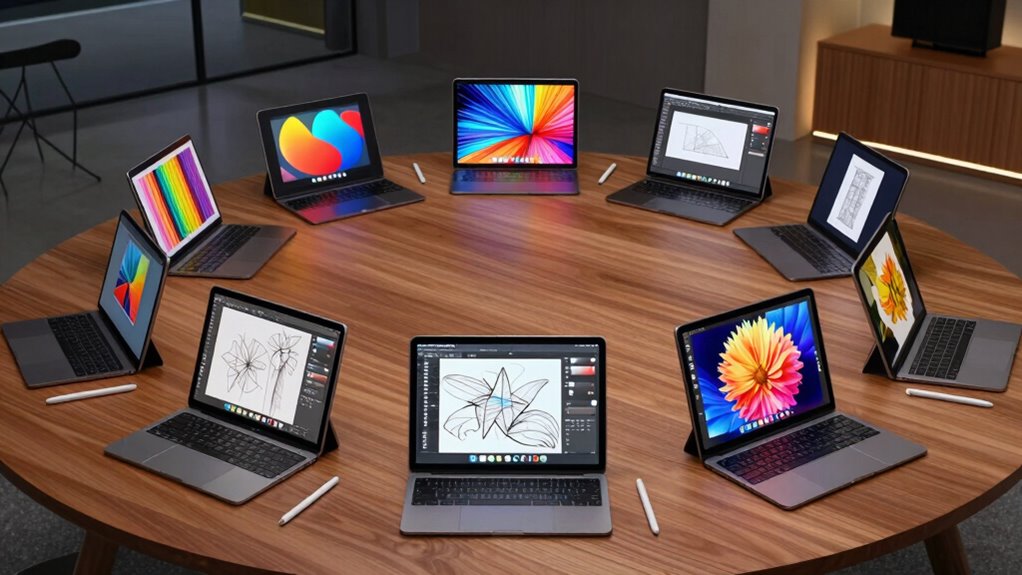

For creative work, my best overall pick is the Apple iPad Pro 11-inch (M5), which pairs a portable form with a high-end display and broad creative app support. The iPad Pro 13-inch (M5) suits artists who want more room for detailed work, while the Wacom MovinkPad Pro 14 is a focused choice for drawing directly on an Android tablet. The main tradeoff is between a self-contained device you can take anywhere and a drawing display that depends on a computer. Screen size, pen workflow, operating system, and included accessories also separate these options. Read on for how I rank all nine and which one best fits your creative setup.

Get business pricing on office and shipping supplies
- Business-only prices and quantity discounts
- Tax-exempt purchasing
- Multiple users, one account, clear invoices
Key Takeaways
- The M5 iPad Pros lead for all-around creative work: the 11-inch model is easier to carry, while the 13-inch model gives detailed projects more screen space.
- The Wacom MovinkPad Pro 14 and XP-Pen Artist 13.3 Pro serve different drawing workflows: Wacom is a standalone Android tablet; XP-Pen is a screen tablet that needs a computer.
- Samsung’s Tab S10+ and Tab S9 FE+ include an S Pen: that makes them ready for pen input without a separate pen purchase, though their creative app and performance needs should guide the choice.
- The Lenovo Idea Tab Pro models bundle a pen and folio: they suit mixed study and creative tasks, but are less specialized than a dedicated drawing device.
- The 2020 iPad Pro is the older, renewed option: its large display may appeal to budget-conscious buyers, but its age and renewed condition call for closer checks on support, battery, and seller terms.





| pro tablet for creative work | Display | Storage | Processor | Connectivity |
|---|---|---|---|---|
| Samsung Galaxy Tab S10+ Plus 1 | 12.4-inch Dynamic AMOLED 2X | 512GB | MediaTek Dimensity 9300+ | — |
| Apple iPad Pro 11-inch | 11-inch Ultra Retina XDR | 256GB | — | Wi-Fi 7 with Apple N1 |
| Apple iPad Pro 13-inch | 13-inch Ultra Retina XDR | 256GB | — | Wi-Fi 7 with Apple N1 |
| XP-Pen Artist 13.3 Pro Drawing | 13.3-inch full-laminated FHD | — | — | USB-C and 3-in-1 cable |
| Lenovo Idea Tab Pro with Googl | 12.7-inch 3K LCD | 128GB | MediaTek Dimensity 8300 | Wi-Fi 6E |
| SAMSUNG Galaxy Tab S9 FE+ Plus | 12.4-inch WQXGA (2560 × 1600), 90Hz | 256GB total: 128GB built-in plus 128GB microSD | Exynos 1380 | Wi-Fi 6, Bluetooth 5.3, USB Type-C |
| Wacom MovinkPad Pro 14 Android | 14-inch OLED, 3K (2880 × 1800) | 256GB with microSD expansion | Snapdragon 8s Gen 3 | — |
| Lenovo Idea Tab Pro Gen 2 Tabl | 13-inch 3.5K IPS LTPS | 128GB | Qualcomm Snapdragon 8s Gen 4 | — |
| 2020 Apple iPad Pro | 12.9-inch Liquid Retina, 2732 × 2048 pixels, with ProMotion, True Tone, and P3 wide color | 128GB | Apple A12Z Bionic with Neural Engine | Wi-Fi, Bluetooth, and USB Type-C |
More Details on Our Top Picks
Samsung Galaxy Tab S10+ Plus 12.4” 512GB Android Tablet, Moonstone Gray
The Galaxy Tab S10+ pairs a spacious 12.4-inch Dynamic AMOLED 2X screen with an included S Pen, giving Android-based artists room to sketch, annotate, and edit without buying a separate stylus. Its 512GB storage and 12GB RAM also leave more space for large working files than the Lenovo Idea Tab Pro’s 128GB configuration. Samsung’s Sketch to Image can turn rough drawings into generated variations, while the vivid display and water resistance suit work that moves between desk and studio. These tools make it a flexible creative tablet, though AI-generated art may not fit every workflow and requires a network connection for Sketch to Image. Unlike the XP-Pen Artist 13.3 Pro, it runs apps on its own, but its Android app selection may not match desktop creative software.
Pros:- 12.4-inch Dynamic AMOLED 2X display with 2800 × 1752 resolution and 120Hz refresh rate
- S Pen support and Sketch to Image tools for sketching and image exploration
- 512GB storage and 12GB RAM for keeping large creative files and apps on the device
- Water- and dust-resistant design for more flexible use beyond a desk
Cons:- Android app availability and workflows may not replace desktop creative software
- Sketch to Image requires a network connection and Samsung account, and generated images carry a watermark
- Large 12.4-inch body is less convenient for compact, one-handed use
Best for: Android artists and illustrators who want a large OLED canvas, an included S Pen, and generous storage for projects
Not ideal for: Artists who depend on desktop-only applications or need a compact tablet for one-handed drawing
- Display:12.4-inch Dynamic AMOLED 2X
- Resolution:2800 × 1752
- Refresh rate:120Hz
- Processor:MediaTek Dimensity 9300+
- Memory:12GB RAM
- Storage:512GB
- Battery capacity:10,090mAh
- Operating system:Android 14
Our verdict“Choose the Galaxy Tab S10+ if you want a self-contained Android art tablet with a large OLED screen, included S Pen, and ample storage.”
Apple iPad Pro 11-inch (M5): Ultra Retina XDR Display, 256GB, Landscape 12MP Front Camera/12MP Back Camera, LiDAR Scanner, Wi-Fi 7 with Apple N1, Face ID, All-Day Battery Life — Space Black
The 11-inch iPad Pro with M5 is the compact choice for creative professionals who need substantial processing power in a smaller workspace. Its Ultra Retina XDR display brings ProMotion and P3 wide color to drawing, photo work, and video review, while the M5 chip and Neural Accelerators are built for demanding apps and on-device AI tasks. Compared with the 13-inch iPad Pro, it is easier to carry and leaves less room for a broad timeline or full-size canvas; compared with the Samsung Galaxy Tab S10+, it offers Apple’s iPadOS app ecosystem but lacks the larger screen. Apple Pencil Pro and Magic Keyboard support expand its use, though both accessories are separate purchases. The 256GB configuration may also fill quickly for creators working with large video libraries.
Pros:- M5 chip with Neural Accelerators for demanding creative apps and on-device AI
- 11-inch Ultra Retina XDR display with ProMotion, P3 wide color, and True Tone
- Wi-Fi 7 connectivity with Apple N1
- Supports Apple Pencil Pro and Apple Pencil USB-C
Cons:- Apple Pencil and Magic Keyboard are sold separately
- 256GB storage may constrain large media projects
- Smaller workspace than the 13-inch iPad Pro and Galaxy Tab S10+
Best for: Mobile illustrators, photographers, and video editors who want a high-end iPad workflow in a smaller format
Not ideal for: Creators who need a large canvas, extensive local project storage, or a stylus included in the box
- Display:11-inch Ultra Retina XDR
- Chip:Apple M5
- Storage:256GB
- Connectivity:Wi-Fi 7 with Apple N1
- Front camera:12MP Landscape Center Stage
- Rear camera:12MP Wide with adaptive True Tone flash
- Authentication:Face ID
- Battery:All-day battery life
Our verdict“Pick the 11-inch iPad Pro if portability and high-end iPad creative apps matter more than a large drawing surface.”
Apple iPad Pro 13-inch (M5) – 256GB, Wi-Fi 7, Space Black
For a creative workflow built around a generous canvas, the 13-inch iPad Pro combines Apple’s M5 chip with an Ultra Retina XDR display and iPadOS 26. The larger screen gives drawing tools, reference images, and editing timelines more room than the 11-inch iPad Pro, while the 1.28-pound design remains portable for a tablet of this size. Wi-Fi 7 and the landscape Center Stage camera also suit collaboration and file transfers. Compared with the Samsung Galaxy Tab S10+, this is the stronger fit for creators committed to iPadOS apps, though Samsung includes S Pen support and offers more storage in the listed configuration. The iPad’s 256GB capacity can be limiting for extensive video work, and Apple Pencil and Magic Keyboard must be purchased separately.
Pros:- 13-inch Ultra Retina XDR display with ProMotion and high brightness
- M5 chip with Neural Accelerators for demanding creative workflows
- Wi-Fi 7 with Apple N1 and a versatile camera system with LiDAR
- Light 1.28-pound build and all-day battery life
Cons:- Apple Pencil and Magic Keyboard are sold separately
- 256GB storage may be restrictive for large photo and video libraries
- Nano-texture display glass is limited to 1TB and 2TB configurations
Best for: Digital artists and editors who want a large iPadOS canvas for professional apps, drawing, and timeline work
Not ideal for: Creators who need high local storage, an included pen, or a smaller tablet for travel
- Display:13-inch Ultra Retina XDR
- Chip:Apple M5
- Storage:256GB
- Connectivity:Wi-Fi 7 with Apple N1
- Front camera:12MP Landscape Center Stage
- Rear camera:12MP Wide with LiDAR Scanner
- Dimensions:8.48 × 11.09 × 0.2 inches
- Weight:1.28 pounds
Our verdict“Choose the 13-inch iPad Pro if a spacious iPadOS canvas and M5 performance outweigh the cost of separate accessories and limited base storage.”
XP-Pen Artist 13.3 Pro Drawing Tablet with Screen
The XP-Pen Artist 13.3 Pro is a pen display for artists who already create on a computer and want their drawing directly under the stylus. Its full-laminated 13.3-inch screen reduces the apparent gap between pen tip and cursor, while the battery-free pen, tilt support, red dial, and shortcut keys support hands-on drawing and frequent tool changes. Compared with the standalone Galaxy Tab S10+, the XP-Pen depends on a connected computer, so it is less portable but can work within desktop software and file workflows. Its FHD panel is also less detailed than the 3K Lenovo Idea Tab Pro display. This is a focused drawing surface rather than a general-purpose tablet: setup requires cables and a compatible computer, and the screen cannot run creative apps by itself.
Pros:- Full-laminated 13.3-inch display helps reduce parallax
- Battery-free stylus supports 16,384 pressure levels and 60-degree tilt
- Red dial and eight customizable shortcut keys aid frequent tool changes
- Works with Windows, macOS, ChromeOS, and Linux
Cons:- Requires a connected computer and cannot run apps on its own
- FHD resolution is lower than the 3K Lenovo Idea Tab Pro panel
- Cable setup and external power needs make it less convenient to carry than standalone tablets
Best for: Illustrators who work at a Windows, Mac, ChromeOS, or Linux computer and want a dedicated pen display
Not ideal for: Artists seeking a standalone tablet for drawing on the move or a high-resolution screen for detailed image review
- Display:13.3-inch full-laminated FHD
- Color gamut:88% NTSC; Adobe RGB ≥91%; sRGB ≥123%
- Stylus:Battery-free; 16,384 pressure levels; 60-degree tilt
- Report rate:220 RPS
- Controls:Red dial and 8 customizable shortcut keys
- Connectivity:USB-C and 3-in-1 cable
- Computer required:Yes
- Compatibility:Windows, macOS, ChromeOS, and Linux
Our verdict“Choose the XP-Pen Artist 13.3 Pro if your creative apps already run on a computer and you want a dedicated, shortcut-rich drawing display.”
Lenovo Idea Tab Pro with Google Gemini – Student Tablet – 12.7” 3K LCD Display – 8 GB Memory – 128 GB Storage – MediaTek Dimensity 8300 – Includes Pen and Folio Case
The Lenovo Idea Tab Pro suits students who mix handwritten notes, course materials, and light creative work on one device. Its included Tab Pen Plus and folio case make it ready for annotation, while the 12.7-inch 3K LCD gives reading and reference images plenty of space. The Dimensity 8300, 8GB RAM, and 90Hz display support everyday multitasking, and Lenovo lists more than 11 hours of video streaming. Compared with the Samsung Galaxy Tab S10+, it offers a higher-resolution LCD and includes a pen and case, but it has half the listed storage and less RAM. Its LCD also lacks the AMOLED contrast of Samsung’s screen and the Ultra Retina XDR display on either iPad Pro. That makes it a practical study companion, not the strongest pick for color-critical professional work.
Pros:- 12.7-inch 3K LCD provides a spacious, sharp workspace for notes and reference material
- Tab Pen Plus and folio case are included
- Dimensity 8300 processor with 8GB RAM supports everyday multitasking
- Up to 11 hours of video streaming and 45W quick charging
Cons:- 128GB storage is limited for large creative projects
- LCD panel does not offer the AMOLED contrast of the Galaxy Tab S10+
- Included pen and student-focused tools do not replace a professional desktop drawing setup
Best for: Students who annotate class material, sketch casually, and want a pen and folio case included
Not ideal for: Professional illustrators and photo editors who need OLED contrast, color-focused workflows, or more storage for large projects
- Display:12.7-inch 3K LCD
- Resolution:2944 × 1840
- Refresh rate:90Hz
- Processor:MediaTek Dimensity 8300
- Memory:8GB RAM
- Storage:128GB
- Connectivity:Wi-Fi 6E
- Included accessories:Lenovo Tab Pen Plus and folio case
Our verdict“Pick the Lenovo Idea Tab Pro for student notes and casual sketching when an included pen, case, and large 3K screen matter most.”
SAMSUNG Galaxy Tab S9 FE+ Plus Android Tablet (12.4” Touchscreen, 8GB RAM, 256GB Storage, Long Battery Life, S Pen, 1 Front Camera + 2 Rear Cameras, Lightweight Durable Design) SM-X610
The Galaxy Tab S9 FE+ is the practical pick for artists who want a large drawing surface and a stylus included, with IP68 dust and water resistance that suits sketching and note-taking on the go. Its 12.4-inch 90Hz screen gives more room than the Lenovo Idea Tab Pro Gen 2’s 13-inch panel only in durability, not size; the Lenovo offers a sharper 3.5K display and a faster refresh rate. Samsung counters with 256GB total storage, including a microSD card, and a claimed 18-hour battery life. The tradeoff is that its WQXGA screen and Exynos 1380 processor are less compelling for demanding visual work than the Wacom MovinkPad Pro 14’s 3K OLED and Snapdragon chip. Choose it for resilient everyday creativity, rather than color-critical production.
Pros:- Included S Pen supports sketching, handwriting, and document annotation.
- IP68 rating adds dust and water resistance for travel and field use.
- 256GB total storage includes 128GB built-in and 128GB microSD.
- 12.4-inch WQXGA screen runs at 90Hz.
Cons:- WQXGA resolution and 90Hz refresh rate trail the Lenovo Idea Tab Pro Gen 2’s 3.5K, 144Hz display.
- Exynos 1380 is a less performance-focused fit than the Snapdragon 8s Gen 3 in the Wacom MovinkPad Pro 14.
- No color-gamut coverage is provided for color-critical illustration.
Best for: Mobile sketchers and students who want an included S Pen, long claimed battery life, and a tablet rated for dust and water resistance.
Not ideal for: Illustrators doing color-critical work or running demanding creative projects who need a high-gamut OLED display and stronger listed processing hardware.
- Display:12.4-inch WQXGA (2560 × 1600), 90Hz
- Processor:Exynos 1380
- RAM:8GB
- Storage:256GB total: 128GB built-in plus 128GB microSD
- Stylus:S Pen included
- Durability:IP68 dust and water resistance
- Connectivity:Wi-Fi 6, Bluetooth 5.3, USB Type-C
- Battery life:Up to 18 hours claimed
Our verdict“Pick the Galaxy Tab S9 FE+ for portable sketching and notes where durability and included pen support matter more than a pro-grade display.”
Wacom MovinkPad Pro 14 Android Mobile Tablet with OLED Display and Pro Pen 3
The Wacom MovinkPad Pro 14 is the most drawing-focused Android option here: its 14-inch 3K OLED screen covers 100% sRGB and DCI-P3, while the included Pro Pen 3 offers 8,192 pressure levels and needs no charging. Those details matter to artists who want color-rich artwork and expressive strokes without adding a separate pen display. Compared with the Samsung Galaxy Tab S9 FE+, it pairs a wider color gamut with a more powerful listed processor and 12GB RAM, though Samsung supplies its S Pen and claims longer battery life. Android 15, Google Play, and included creative apps make it a self-contained workspace. The limitation is compatibility: its listed computer support excludes Windows ARM systems and Intel Macs, and the product data gives no battery-life or weight figure.
Pros:- 14-inch 3K OLED display covers 100% sRGB and DCI-P3.
- Included Wacom Pro Pen 3 has 8,192 pressure levels and requires no charging.
- 12GB RAM and Snapdragon 8s Gen 3 suit demanding creative apps.
- 256GB storage can be expanded with a microSD card.
Cons:- Battery life and tablet weight are not provided in the product data.
- Listed computer compatibility excludes Windows ARM systems and Intel Macs.
- Compared with the Samsung Galaxy Tab S9 FE+, it has no stated IP68 dust and water resistance.
Best for: Digital illustrators who want an Android drawing tablet with a wide-gamut OLED, pressure-sensitive pen, and creative apps ready to use.
Not ideal for: Artists who need a tablet with documented all-day battery life, or who plan to connect it to a Windows ARM computer or Intel Mac.
- Operating system:Android 15
- Processor:Snapdragon 8s Gen 3
- RAM:12GB
- Storage:256GB with microSD expansion
- Display:14-inch OLED, 3K (2880 × 1800)
- Color gamut:100% sRGB and DCI-P3
- Stylus:Wacom Pro Pen 3; 8,192 pressure levels; no charging required
- Computer compatibility:Windows 11 and macOS 14, 15, and 26; excludes Windows ARM systems and Intel Macs
Our verdict“Choose the MovinkPad Pro 14 for standalone digital art where its OLED color coverage and dedicated pen take priority over known battery life and broad computer compatibility.”
Lenovo Idea Tab Pro Gen 2 Tablet with Pen & Folio Case
The Lenovo Idea Tab Pro Gen 2 puts visual fluidity first with a 3.5K, 144Hz IPS display rated at 800 nits. That combination gives artists detailed previews and smooth pen movement, while the included pen and folio case make it ready for drawing and note-taking. Its Snapdragon 8s Gen 4 processor is a stronger listed platform than the Exynos 1380 in the Samsung Galaxy Tab S9 FE+, and Lenovo adds tools for transcription and visual organization. Against the Wacom MovinkPad Pro 14, however, Lenovo’s IPS panel lacks the stated OLED technology and 100% sRGB/DCI-P3 coverage, so color-focused illustrators may prefer Wacom. The main constraint is capacity: 8GB RAM and 128GB storage leave less room for large projects and multitasking than Wacom’s configuration.
Pros:- 3.5K IPS LTPS display offers detailed visuals and a 144Hz refresh rate.
- 800-nit brightness supports viewing in brighter settings.
- Snapdragon 8s Gen 4 processor and AI tools support multitasking, transcription, and organization.
- Pen and folio case are included.
Cons:- 128GB storage is limited for large art files and app libraries.
- 8GB RAM provides less headroom than the Wacom MovinkPad Pro 14’s 12GB.
- The product data does not specify color-gamut coverage for color-critical work.
Best for: Artists and students who want a sharp, fluid screen for sketching and study, with a pen and protective folio included.
Not ideal for: Professionals managing large layered projects or color-critical artwork who need more memory, storage, or stated wide-gamut coverage.
- Display:13-inch 3.5K IPS LTPS
- Refresh rate:144Hz
- Brightness:800 nits
- Processor:Qualcomm Snapdragon 8s Gen 4
- RAM:8GB
- Storage:128GB
- Audio:JBL speakers with Dolby Atmos
- Included accessories:Pen and folio case
Our verdict“Choose the Idea Tab Pro Gen 2 for fluid sketching and study when its high-refresh screen and included accessories matter more than storage headroom or specified color accuracy.”
2020 Apple iPad Pro (12.9-inch, Wi-Fi, 128GB) – Silver (Renewed)
This 2020 iPad Pro is the Apple-platform pick for creators who rely on iPadOS art apps, Apple Pencil support, and a large 12.9-inch display with ProMotion and P3 color. The A12Z Bionic chip was built to handle graphics-intensive apps, while True Tone adjusts the display to surrounding light. Compared with the newer Apple iPad Pro 13-inch (M5), this renewed model has an older processor and only 128GB storage, making it a less future-facing choice for heavy projects. It does offer a wide and ultra-wide rear camera plus LiDAR for creators using AR tools. The listing describes it as renewed and does not establish software update support to a date, so buyers who want the latest hardware or long-term support clarity should look at the newer iPad Pro models.
Pros:- 12.9-inch Liquid Retina display includes ProMotion, True Tone, and P3 wide color.
- A12Z Bionic chip is described as capable of graphics-intensive apps.
- Supports Apple Pencil and the Magic Keyboard with trackpad.
- Wide and ultra-wide rear cameras and LiDAR support AR workflows.
Cons:- A12Z chip is older than the M5 processor in the Apple iPad Pro models also in this roundup.
- 128GB storage offers limited room for large creative files.
- Software update support date is listed as unknown, and the unit is renewed.
Best for: Apple-focused illustrators who already use iPadOS creative apps and want a large screen with Apple Pencil support.
Not ideal for: Creators seeking current-generation performance, confirmed long-term software support, or ample built-in room for large projects.
- Display:12.9-inch Liquid Retina, 2732 × 2048 pixels, with ProMotion, True Tone, and P3 wide color
- Processor:Apple A12Z Bionic with Neural Engine
- Operating system:iPadOS 13.4 listed
- Storage:128GB
- Stylus support:Apple Pencil supported
- Rear cameras:12MP Wide and 10MP Ultra Wide, with LiDAR Scanner
- Front camera:7MP TrueDepth
- Connectivity:Wi-Fi, Bluetooth, and USB Type-C
Our verdict“Choose this renewed iPad Pro if Apple Pencil and established iPadOS art apps are your priority and you can work within its older hardware and 128GB storage.”

How We Picked
I ranked these nine options by how well they support a real creative workflow: drawing and annotation with a pen, usable screen space, performance headroom, portability, and access to creative software. I also considered whether each device works on its own, what accessories come in the box, and whether its design suits long sessions or quick edits away from a desk.
The ranking favors capable, self-contained devices that can serve more than one creative task. The M5 iPad Pros sit at the top for their combination of display, portability choices, and creative app ecosystem; the Wacom stands out for a drawing-first Android workflow. Samsung and Lenovo offer useful pen-included alternatives, while the XP-Pen earns a distinct place for computer-based drawing. The renewed 2020 iPad Pro ranks lower because age and battery condition matter more when choosing a device for sustained creative work.
| pro tablet for creative work | Processor | Connectivity |
|---|---|---|
| Samsung Galaxy Tab S10+ Plus 1 | MediaTek Dimensity 9300+ | — |
| Apple iPad Pro 11-inch | — | Wi-Fi 7 with Apple N1 |
| Apple iPad Pro 13-inch | — | Wi-Fi 7 with Apple N1 |
| XP-Pen Artist 13.3 Pro Drawing | — | USB-C and 3-in-1 cable |
| Lenovo Idea Tab Pro with Googl | MediaTek Dimensity 8300 | Wi-Fi 6E |
| SAMSUNG Galaxy Tab S9 FE+ Plus | Exynos 1380 | Wi-Fi 6, Bluetooth 5.3, USB Type-C |
| Wacom MovinkPad Pro 14 Android | Snapdragon 8s Gen 3 | — |
| Lenovo Idea Tab Pro Gen 2 Tabl | Qualcomm Snapdragon 8s Gen 4 | — |
| 2020 Apple iPad Pro | Apple A12Z Bionic with Neural Engine | Wi-Fi, Bluetooth, and USB Type-C |
Factors to Consider When Choosing Pro Tablet For Creative Work
Before choosing a tablet, I would map the device to the way the work gets done. A portable sketching setup, a desktop illustration station, and a tablet for photo edits between meetings call for different compromises. These factors help separate genuine workflow needs from specs that may not change your day-to-day work.
Choose a standalone tablet or a computer-connected display
A standalone tablet runs apps and stores work by itself, so it can support sketching on a commute or making edits away from a desk. A pen display such as the XP-Pen Artist 13.3 Pro connects to a computer, which gives you access to desktop software but ties drawing to that setup. Buyers sometimes mistake any screen tablet for a complete computer; check whether the model runs the apps you need before choosing. If your projects depend on desktop-only tools, a connected display may fit better than a mobile tablet. If you value quick starts and working in different places, the self-contained options have the advantage. Your existing computer and software subscriptions can make this decision more significant than a processor comparison.
Size your screen for the way you draw
A larger screen gives palettes, references, and a canvas more room at once, which can help with detailed illustration and layered editing. It also makes a device less convenient to hold or carry, and it can be tiring to use without a desk during long sessions. Compact models are easier to take along, but frequent zooming and panning may interrupt work on complex projects. Think about the space your toolbars occupy, not just the advertised diagonal measurement. A tablet used mainly for notes and rough sketches may not need the same canvas area as one used for finished artwork. If possible, compare the usable workspace in your preferred app before deciding.
Check pen support as a complete workflow
A bundled pen can make a tablet ready for drawing, but pen inclusion alone does not establish how well it fits your work. Check compatibility with your apps, how the pen charges or attaches, and whether replacement nibs are easy to find. Buyers who rely on pressure-sensitive brushes should confirm that both their drawing app and chosen stylus support the behavior they expect. Tilt support, shortcut controls, and palm rejection can affect comfort during long sessions, while a pen that must be bought separately adds another choice. Try to judge the pen together with the screen and software rather than treating it as a standalone spec. A reliable workflow often matters more than a long feature list.
Match the operating system to your creative apps
Creative software availability differs across iPadOS, Android, and desktop computer platforms. Before committing, list the apps you already use and check whether the tablet version supports the file formats, brushes, layers, and collaboration tools your projects require. A mobile app can be capable yet still lack a desktop feature or behave differently with complex files. Moving work between a tablet and computer may also involve cloud storage, external drives, or export steps. That extra handling can become a recurring cost in time, even when the tablet hardware is strong. Buyers who already work inside one app ecosystem should give compatibility more weight than small differences in display specifications.
Plan for storage, files, and accessories
Large layered illustrations, video files, and photo libraries can use storage quickly, so estimate what you keep locally and what you can reliably move to cloud or external storage. Check whether the tablet accepts expandable storage or supports the drives and adapters you use. A folio can protect the device and improve desk use, but it does not replace a stand or keyboard if your workflow needs one. Also account for cables, chargers, screen protectors, and pen replacements when comparing complete setups. One common mistake is choosing capacity based only on the first project and overlooking years of working files. A little planning helps prevent a tablet from becoming a file-management bottleneck.
Weigh sustained work against short sessions
Peak performance specs do not tell the whole story for a creative device. Long drawing or editing sessions can expose limits in battery life, heat management, hand comfort, and how easily the tablet can be propped at a useful angle. A light device may be preferable for field sketching, while a larger model can be easier to use at a desk with a stable stand. If your work regularly involves large canvases or demanding effects, performance headroom can reduce waiting and keep tools responsive. For occasional sketching and annotation, paying for more power may not improve the parts of the workflow that matter most. Consider the length and setting of a typical session before choosing a form factor.
Frequently Asked Questions
Can I use the XP-Pen Artist 13.3 Pro without a computer?
No. The Artist 13.3 Pro is a pen display that connects to a computer; it does not run drawing apps on its own. That makes it a fit for artists who want a screen-based drawing surface alongside desktop software. It is less suitable if you want to sketch away from a desk or take one device on a trip. Compare it with the standalone Wacom or iPad options if portability is central to your workflow.
Is the 13-inch M5 iPad Pro worth choosing over the 11-inch model for illustration?
The 13-inch model makes more sense when extra canvas space reduces the need to zoom, pan, or rearrange tool panels. The 11-inch version is easier to carry and may suit artists who work in short sessions or switch between locations. Both are M5 iPad Pro options, so the choice is mainly about workspace and portability rather than moving to a different product tier. Consider how often you draw at a desk and whether you can comfortably hold the larger tablet. Check the full accessory setup too, since a stand or keyboard can change how each size feels in daily use.
Should I choose a Samsung tablet because it includes an S Pen?
An included S Pen makes the Galaxy Tab S10+ and Tab S9 FE+ convenient starting points for handwriting, markup, and drawing without selecting a separate stylus first. That alone does not settle the choice: verify that the apps you need run well on Android and support your preferred pen workflow. The S10+ is the more performance-oriented option in this Samsung pair, while the S9 FE+ is positioned for less demanding work. If your projects depend on specific iPad or desktop apps, compare software compatibility before treating the bundled pen as decisive. Also check whether the included storage and accessories fit your file and workspace needs.
What should I check before buying the renewed 2020 iPad Pro?
Start by checking the seller’s description of the renewed condition, return window, warranty, and battery expectations. Because this is an older model, confirm that the apps and accessories you rely on still support it and that its storage is sufficient for your projects. A large screen can remain useful for drawing, but age makes battery condition and software support more pressing than on the newer M5 models. Ask whether the included charger and any pen are part of the listing rather than assuming they are. It is a better fit for buyers comfortable with those checks than for someone seeking the longest runway for a primary work device.
Is a Lenovo Idea Tab Pro a good first tablet for creative work?
The Lenovo Idea Tab Pro models can make sense for a beginner who wants one device for study, media, notes, and entry-level creative tasks, especially with a pen and folio included. Before choosing one, confirm which generation is offered and compare its exact processor, memory, storage, display, and included accessories; the listings here describe different configurations. Think about whether your intended drawing app supports the tools you need, rather than assuming a sharp display guarantees a professional workflow. For advanced illustration or demanding editing, a more specialized tablet may offer a better fit. For learning, sketching, and mixed everyday use, the bundled setup can reduce the number of separate accessories to source.
Conclusion
For the strongest all-around creative setup, I recommend the 11-inch iPad Pro (M5); choose the 13-inch model if screen space matters more than easy carrying. The best premium pick is the larger M5 iPad Pro for artists who want a generous portable canvas. For a drawing-first Android experience, the Wacom MovinkPad Pro 14 is the specific-use choice, while the XP-Pen Artist 13.3 Pro suits artists working at a computer. The Galaxy Tab S9 FE+ and Lenovo Idea Tab Pro are approachable options for beginners and mixed study tasks; compare their exact configurations and apps before deciding. The best value fit depends on your existing setup: consider the XP-Pen if you already own a suitable computer, or a pen-included Lenovo or Samsung if you want a standalone tablet. I would choose the renewed 2020 iPad Pro only after confirming its condition, battery, and software support.