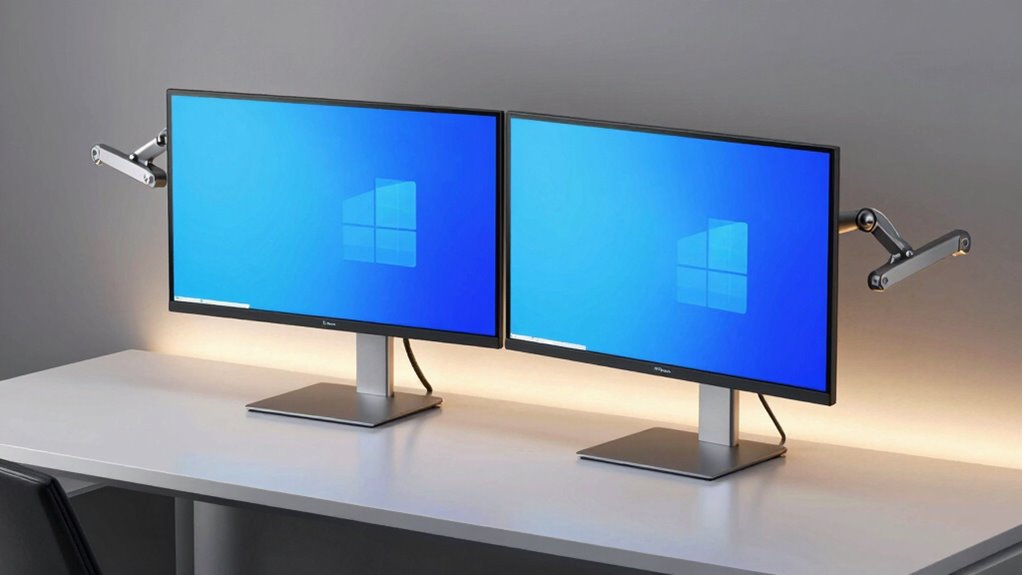

When selecting a premium monitor arm for dual monitor workstations, durability, flexibility, and ergonomic design are key. The Ergotron Upgraded LX Pro stands out as the best overall choice thanks to its robust build and smooth adjustability. For those needing ultra-wide support, the VIVO Heavy Duty Dual Monitor Arm offers excellent capacity at a competitive price, while the Fellowes Platinum Series caters to large, full-motion setups. Buyers often face tradeoffs between high-end features, price, and compatibility, making it essential to understand what each model offers. Continue reading for an in-depth review of these options and more to find your ideal fit.

Get business pricing on office and shipping supplies
- Business-only prices and quantity discounts
- Tax-exempt purchasing
- Multiple users, one account, clear invoices
Complete the kit



Key Takeaways
- The top picks balance durability, adjustability, and ease of installation, with the Ergotron LX Pro frequently highlighted for its reliability.
- Heavy-duty capacity is crucial for ultra-wide or larger monitors, making models like VIVO and VESA stand out for supporting up to 40 inches and 30+ lbs.
- Costlier options tend to offer more refined ergonomics and cable management, but some mid-range picks deliver excellent performance at a lower price.
- Compatibility with VESA standards and monitor sizes is a common thread, with some models supporting up to 45 inches or 44 lbs, ideal for high-end setups.
- Ease of installation and adjustability features, such as pneumatic height or 360° rotation, are key factors influencing user experience across the lineup.
| Ergotron Upgraded LX Pro Premium Dual Monitor Arm, VESA Desk Mount for 2 Monitors up to 27 Inches, 4-20 lbs Each, Matte Black |  | Best Overall for Versatile Dual Monitor Setup | Compatibility: Monitors up to 27 inches, 4-20 lbs each | VESA Patterns: 75x75mm, 100x100mm | Mounting Options: Desk clamp, grommet mount (accessory) | VIEW ON AMAZON | See Our Full Breakdown |
| VIVO Dual Ultra Wide LCD Monitor Desk Mount, Fits 27-38 inch Screens, Heavy Duty, Adjustable Arms, Wall Flush Design, Black |  | Best for Large Ultrawide Monitors with Space-Saving Design | Supported Screen Size: 27-38 inches | Maximum Weight per Monitor: 22 lbs | VESA Compatibility: 75x75mm, 100x100mm | VIEW ON AMAZON | See Our Full Breakdown |
| MSI MAG MT201D Dual Monitor Stand Arms, Supports 17-45 inch Monitors, VESA Compatible, Adjustable, Heavy Duty | 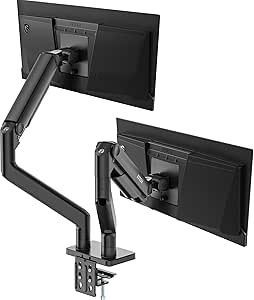 | Best for Large Monitors with Heavy-Duty Support | Supported Screen Size: 17-45 inches | Weight Capacity: 44 lbs per screen | VESA Compatibility: 75×75, 100×100 mm | VIEW ON AMAZON | See Our Full Breakdown |
| VIVO Premium Aluminum Heavy Duty Dual Monitor Arm for Ultrawide Monitors up to 40 inches and 30 lbs Each, Desk Mount Stand, Pneumatic Height, Max VESA 100×100, Black, STAND-V220Q |  | Best for Ultrawide Monitors with Pneumatic Height Adjustment | Monitor Size Support: 13” to 40” | Weight Capacity: 24 lbs (curved), 30 lbs (flat) | VESA Compatibility: 75x75mm, 100x100mm | VIEW ON AMAZON | See Our Full Breakdown |
| HUANUO FlowLift™ Dual Monitor Stand for 13–32″ Screens, Fully Adjustable Desk Mount with C-Clamp & Grommet Base |  | Best Budget-Friendly Fully Adjustable Dual Mount | Monitor Size Range: 13–32 inches | Weight Capacity: 4.4 to 19.8 lbs | VESA Compatibility: 75x75mm or 100x100mm | VIEW ON AMAZON | See Our Full Breakdown |
| Ergotron LX Dual Monitor Arm VESA Desk Mount for 2 Monitors Up to 27 Inches, 7-20 lbs Each, Matte Black |  | Best Overall Dual Monitor Mount for Versatility and Reliability | Compatibility: Monitors up to 27 inches, 7-20 lbs each | VESA Patterns: 75x75mm, 100x100mm | Maximum Height: 15.6 inches from desktop | VIEW ON AMAZON | See Our Full Breakdown |
| Ergotron Upgraded LX Pro Premium Dual Monitor Arm, VESA Desk Mount for 2 Monitors up to 27 Inches, 9 lbs Each, Dark Grey |  | Best Premium Dual Monitor Arm for Sleek Design and Ergonomics | Compatibility: Monitors up to 27 inches, 9 lbs each | VESA Pattern: 75x75mm, 100x100mm | Max Height: 20.8 inches | VIEW ON AMAZON | See Our Full Breakdown |
| VIVO Premium Aluminum Full Motion Dual Monitor Desk Mount Stand with Lift Engine Arm, Pole Extension, and USB Ports |  | Best for Large Monitors and Extra Features | Monitor Size Support: up to 40 inches | Weight Capacity: flat screens up to 26.4 lbs, curved screens up to 24.2 lbs | VESA Compatibility: 75x75mm, 100x100mm | VIEW ON AMAZON | See Our Full Breakdown |
| Vari Dual Monitor Arm – VESA Monitor Mount with 360° Adjustment for Monitors up to 27 inches |  | Best Budget-Friendly Fully Adjustable Dual Monitor Mount | Monitor Size Limit: 27 inches | Weight Capacity: 19.8 lbs | VESA Compatibility: 75x75mm, 100x100mm | VIEW ON AMAZON | See Our Full Breakdown |
| HUANUO Dual Monitor Stand for 13″–40″ Monitors with USB, Height Adjustable, VESA Mount, Clamp/Grommet Base |  | Best for Large, Heavy Monitors with Extra Connectivity | Supported Screen Size: 13″–40″ | Max Load per Arm: 26.4 lbs | VESA Compatibility: 75×75mm, 100×100mm | VIEW ON AMAZON | See Our Full Breakdown |
| Ergotron Upgraded LX Pro Premium Dual Monitor Arm, VESA Desk Mount for 2 Monitors up to 27 Inches, 4-20 lbs Each, Dark Grey |  | Best Overall | Compatibility: Monitors up to 27 inches, 4-20 lbs each | VESA Patterns: 75x75mm, 100x100mm | Maximum Height: 19.9 inches | VIEW ON AMAZON | See Our Full Breakdown |
| Fellowes Platinum Series Dual Monitor Arm for 40-Inch Monitors, Full Motion, VESA Mount with Grommet or Clamp, USB Ports, Ergonomic, Black |  | Best for Large Monitors | Supports Monitors: Up to 40 inches, 17.6 lbs each | Adjustability: Full motion, 360° rotation, +/-45° tilt | Installation: Grommet or clamp mount, VESA compatible | VIEW ON AMAZON | See Our Full Breakdown |
| BenQ ErgoArm BDH01 Dual Monitor Arm for 2 Screens Up to 35” & 44lbs, Black |  | Best Heavy-Duty Support | Supports: Up to 35 inches, 44 lbs | VESA Compatibility: 75×75, 100×100 | Mounting Options: Clamp & grommet | VIEW ON AMAZON | See Our Full Breakdown |
| Ergotron HX Dual Monitor Arm VESA Desk Mount for 2 Monitors up to 32 Inches, 5-17.5 lbs Each, Matte Black |  | Best for Versatility & Compatibility | Compatibility: Monitors up to 32 inches, 5-17.5 lbs | VESA Patterns: 75x75mm, 100x100mm | Mounting Options: Arm, extension, hinge bow, desk clamp, grommet | VIEW ON AMAZON | See Our Full Breakdown |
| Vari Dual Monitor Arm – Black |  | Best Budget-Friendly Dual Support | Supports Monitors: Up to 27 inches, 19.8 lbs | Rotation: 360 degrees | Tilt: Full tilt | VIEW ON AMAZON | See Our Full Breakdown |
| premium monitor arm for dual monitor workstation | Mounting Options | Rotation | VESA Compatibility |
|---|---|---|---|
| Ergotron Upgraded LX Pro Premi | Desk clamp, grommet mount (accessory) | 360 degrees | — |
| VIVO Dual Ultra Wide LCD Monit | Wall flush | 360° | 75x75mm, 100x100mm |
| MSI MAG MT201D Dual Monitor St | Clamp, Grommet | — | 75×75, 100×100 mm |
| VIVO Premium Aluminum Heavy Du | C-clamp, grommet | — | 75x75mm, 100x100mm |
| HUANUO FlowLift™ Dual Monitor | — | 360° | 75x75mm or 100x100mm |
| Ergotron LX Dual Monitor Arm V | Desk clamp, grommet mount | 360 degrees | — |
| Ergotron Upgraded LX Pro Premi | Desk clamp, grommet mount (accessory) | 360 degrees | — |
| VIVO Premium Aluminum Full Mot | Clamp or grommet | — | 75x75mm, 100x100mm |
| Vari Dual Monitor Arm | — | 360 degrees | 75x75mm, 100x100mm |
| HUANUO Dual Monitor Stand for | Clamp or grommet | — | 75×75mm, 100×100mm |
| Ergotron Upgraded LX Pro Premi | Desk clamp, grommet mount (accessory) | 360 degrees | — |
| Fellowes Platinum Series Dual | — | — | — |
| BenQ ErgoArm BDH01 Dual Monito | Clamp & grommet | — | 75×75, 100×100 |
| Ergotron HX Dual Monitor Arm V | Arm, extension, hinge bow, desk clamp, grommet | — | — |
| Vari Dual Monitor Arm | — | 360 degrees | — |
More Details on Our Top Picks
Ergotron Upgraded LX Pro Premium Dual Monitor Arm, VESA Desk Mount for 2 Monitors up to 27 Inches, 4-20 lbs Each, Matte Black
This model stands out for its robust support of two monitors up to 27 inches and 20 pounds each, making it ideal for users who need a reliable, adjustable dual setup. Compared with the VIVO Premium Aluminum Heavy Duty Dual Monitor Arm, the Ergotron offers smoother adjustments and a sleeker design, though it doesn’t support ultrawide monitors. Its adjustable height, tilt, and rotation deliver ergonomic benefits, while its versatile mounting options include both desk clamp and grommet (with accessory). The 10-year warranty adds peace of mind, but the grommet mount requires a separate accessory, and its weight might be challenging for some to install. Best for professionals seeking durable, flexible support with a long-term warranty.
Pros:- Supports two monitors up to 27 inches and 20 lbs each
- Adjustable height, tilt, and rotation for ergonomic comfort
- Sleek design with integrated cable management
- Includes versatile mounting options
Cons:- Grommet mount requires a separate accessory
- May be heavy to install for some users
Best for: Professionals or serious multitaskers who need a reliable, ergonomic dual monitor setup with long-term support.
Not ideal for: Light users or those with smaller desks, as its weight and installation complexity may be overkill.
- Compatibility:Monitors up to 27 inches, 4-20 lbs each
- VESA Patterns:75x75mm, 100x100mm
- Mounting Options:Desk clamp, grommet mount (accessory)
- Height Adjustment:Up to 19.9 inches
- Tilt:85 degrees
- Rotation:360 degrees
Our verdict“This arm suits users who need a durable, highly adjustable dual monitor mount with long-term reliability.”
VIVO Dual Ultra Wide LCD Monitor Desk Mount, Fits 27-38 inch Screens, Heavy Duty, Adjustable Arms, Wall Flush Design, Black
This mount excels for users working with large ultrawide monitors up to 38 inches, offering full articulation and a flush wall setup that maximizes desk space. Unlike the MSI MAG MT201D, which supports even larger monitors but is heavier and more complex to adjust, the VIVO provides a sleek, wall-mounted solution that is easy to install. Its full tilt (+90° to -90°), swivel (180°), and rotation (360°) deliver maximum ergonomic flexibility, especially suited for those with limited desk real estate. However, its maximum desk thickness of 3.25 inches may restrict some installation options, and the heavy-duty design could be overkill for lighter setups. Best for professionals with ultrawide monitors seeking a space-efficient, highly articulated mount.
Pros:- Supports monitors from 27 to 38 inches and up to 22 lbs
- Full articulation with tilt, swivel, and rotation
- Wall flush design maximizes desk space
- Easy installation with clear hardware
Cons:- Limited to desk thickness of 3.25 inches
- Heavy-duty mount may require sturdy wall or desk support
Best for: Users with large ultrawide monitors who prioritize saving desk space without sacrificing adjustability.
Not ideal for: Those with smaller desks or monitors outside the supported size range, as installation options are limited by desk thickness.
- Supported Screen Size:27-38 inches
- Maximum Weight per Monitor:22 lbs
- VESA Compatibility:75x75mm, 100x100mm
- Mounting Options:Wall flush
- Tilt Range:+90° to -90°
- Swivel:180°
- Rotation:360°
Our verdict“This mount is perfect for ultrawide monitor users needing a sleek, space-saving, fully adjustable wall solution.”
MSI MAG MT201D Dual Monitor Stand Arms, Supports 17-45 inch Monitors, VESA Compatible, Adjustable, Heavy Duty
This stand provides support for remarkably large monitors up to 45 inches and 44 lbs per screen, making it ideal for creative professionals or power users with demanding setups. Compared to the VIVO Dual Ultra Wide, the MSI model offers a broader size range and higher weight capacity, though its heavier build and more complex installation process can be daunting for beginners. Its full adjustment capabilities—including tilt (+50°/-20°), swivel (+90°/-90°), and rotation (+180°/-180°)—maximize ergonomic comfort. The clamp and grommet options add versatility, but the heavy-duty construction may overextend needs for lighter monitors or smaller desks. Best for users with large, heavy monitors who need maximum stability and flexibility.
Pros:- Supports monitors up to 45 inches and 44 lbs
- Full range of tilt, swivel, and rotation
- Versatile mounting with clamp and grommet options
- Quick-release VESA plate for ease of mounting
Cons:- Installation can be complex for novices
- Heavy-duty design may be excessive for smaller setups
Best for: Professionals with large, heavy monitors requiring maximum support and full adjustability.
Not ideal for: Casual users or those with modest-sized monitors, as the robust build and installation effort may be unnecessary.
- Supported Screen Size:17-45 inches
- Weight Capacity:44 lbs per screen
- VESA Compatibility:75×75, 100×100 mm
- Mounting Options:Clamp, Grommet
- Tilt Range:+50°/-20°
- Swivel Range:+90°/-90°
- Rotation Range:+180°/-180°
Our verdict“This arm suits demanding users with large, heavy monitors seeking maximum stability and adjustability.”
This arm is tailored for ultrawide monitors up to 40 inches and 30 lbs, featuring a pneumatic spring for effortless height adjustments. It surpasses many competitors like the Ergotron LX Pro in ease of use, especially for frequent height changes, while offering full motion including tilt, swivel, and rotation. Its sturdy aluminum construction ensures durability, but its weight and price point are higher, and it’s primarily compatible with VESA 100×100 or 75×75 patterns. The installation is straightforward, but heavy-duty design may require a sturdy desk to avoid wobble. Best for professionals who need quick, flexible height adjustments for large ultrawide screens.
Pros:- Supports ultrawide monitors up to 40 inches and 30 lbs
- Pneumatic spring for effortless height movement
- Full motion with tilt, swivel, and rotation
- Easy, drill-free installation
Cons:- Heavy build may require a sturdy desk
- Price may be higher than basic mounts
Best for: Creative professionals or power users with ultrawide monitors who value smooth height adjustments and a sturdy build.
Not ideal for: Users with smaller or lighter monitors, or those on a tight budget, as the premium features come at a higher cost.
- Monitor Size Support:13” to 40”
- Weight Capacity:24 lbs (curved), 30 lbs (flat)
- VESA Compatibility:75x75mm, 100x100mm
- Max Height Adjustment:12 inches
- Mounting Options:C-clamp, grommet
- Material:Aluminum
Our verdict“This arm is perfect for ultrawide monitor users seeking quick, flexible height adjustments and a durable, ergonomic setup.”
HUANUO FlowLift™ Dual Monitor Stand for 13–32″ Screens, Fully Adjustable Desk Mount with C-Clamp & Grommet Base
This stand offers full adjustability for monitors between 13 and 32 inches, making it suitable for a range of office setups. Unlike premium options like the Ergotron LX Pro, it provides a more affordable yet still versatile solution with full tilt, swivel, and rotation. Its cable management helps keep workspaces tidy, and its easy clamp or grommet mounting offers straightforward installation. However, it’s best suited for wooden desks only, and the maximum desk thickness of 3.54 inches may limit compatibility with some thicker surfaces. Its lighter build might also feel less stable for very heavy or larger monitors. Best for budget-conscious users who want full motion support for mid-sized monitors.
Pros:- Supports monitors from 13 to 32 inches
- Full motion with tilt, swivel, and rotation
- Cable management included
- Easy to install with clamp or grommet options
Cons:- Recommended only for wooden desks
- Desk thickness limit of 3.54 inches
Best for: Home office users or small business environments with moderate-sized monitors and wooden desks.
Not ideal for: Heavy-duty professional setups with large, heavy monitors or unconventional desk materials like glass.
- Monitor Size Range:13–32 inches
- Weight Capacity:4.4 to 19.8 lbs
- VESA Compatibility:75x75mm or 100x100mm
- Desk Thickness Range:0.59″ – 3.54″
- Tilt:+85°/-50°
- Swivel:±90°
- Rotation:360°
Our verdict“This stand delivers versatile, full-motion support at a budget-friendly price for mid-sized monitor users.”
Ergotron LX Dual Monitor Arm VESA Desk Mount for 2 Monitors Up to 27 Inches, 7-20 lbs Each, Matte Black
This model stands out for its robust support for two monitors up to 27 inches and 20 pounds each, providing a full range of motion including height adjustment, tilt, and 360-degree rotation. Compared to the Vari Dual Monitor Arm, it offers more comprehensive adjustability and a sturdier build, making it suitable for intensive daily use. Its space-saving design with integrated cable management helps keep clutter at bay, although it demands a thicker desk and can be tricky to install for beginners. The 10-year warranty reflects its durability and long-term value. It’s a top choice for professionals needing a reliable, highly adjustable dual monitor setup.
Pros:- Supports two monitors up to 27 inches and 20 lbs each
- Full motion including height, tilt, and rotation
- Space-saving design with cable management
Cons:- Requires a desk surface with sufficient thickness for mounting
- Installation can be complex for less experienced users
Best for: Professionals who require a durable, highly adjustable dual monitor setup for daily intensive use
Not ideal for: Users with very thin desks or those seeking a quick, simple install without extensive adjustments
- Compatibility:Monitors up to 27 inches, 7-20 lbs each
- VESA Patterns:75x75mm, 100x100mm
- Maximum Height:15.6 inches from desktop
- Lift Range:13 inches
- Tilt:75 degrees
- Rotation:360 degrees
- Mounting Options:Desk clamp, grommet mount
- Material:Metal
- Color:Matte Black
Our verdict“This arm is ideal for users who prioritize durability and full adjustability in a dual monitor setup.”
Ergotron Upgraded LX Pro Premium Dual Monitor Arm, VESA Desk Mount for 2 Monitors up to 27 Inches, 9 lbs Each, Dark Grey
This pick makes the most sense for users who want a premium, visually sleek solution with excellent ergonomic flexibility. Supporting two monitors up to 27 inches and 9 lbs each, it offers adjustable height, tilt, and full rotation, comparable to the Ergotron LX Dual but with a more refined aesthetic. Its maximum height of 20.8 inches is suitable for taller desks, though it requires a separate grommet accessory for mounting, which can add complexity. The 10-year warranty underscores its premium quality. Ideal for workspace aesthetics and ergonomics-conscious users who prefer a refined look.
Pros:- Supports two monitors up to 27 inches and 9 lbs each
- Adjustable height, tilt, and rotation for ergonomic comfort
- Sleek, premium design with integrated cable management
Cons:- Requires a separate grommet mount accessory
- Limited maximum height may not suit very tall desks
Best for: Design-conscious professionals seeking an elegant, ergonomic dual monitor setup
Not ideal for: Users with very heavy monitors or those needing quick, tool-free installation
- Compatibility:Monitors up to 27 inches, 9 lbs each
- VESA Pattern:75x75mm, 100x100mm
- Max Height:20.8 inches
- Tilt:30 degrees
- Rotation:360 degrees
- Mounting Options:Desk clamp, grommet mount (accessory)
- Warranty:10 years
Our verdict“Best suited for users who value a stylish, ergonomic, and durable dual monitor solution.”
VIVO Premium Aluminum Full Motion Dual Monitor Desk Mount Stand with Lift Engine Arm, Pole Extension, and USB Ports
This model supports very large displays up to 40 inches, making it ideal for ultrawide or multi-purpose setups. Its flexible arms tilt, swivel, and rotate, offering extensive adjustability, but the weight capacity of around 26 lbs per arm limits heavier monitors. Compared to HUANUO Dual Monitor Stand with USB ports, it excels in accommodating larger screens with more adjustment options. The inclusion of USB ports enhances its utility, although the complexity of adjustments can be daunting for some users. The sturdy aluminum build ensures durability for demanding environments. This stand is best for users with large, ultrawide monitors who need extensive flexibility and extra features.
Pros:- Supports monitors up to 40 inches and 26.4 lbs
- Full motion with tilt, swivel, and rotation
- Includes USB ports for device connectivity
Cons:- Maximum weight capacity may be limiting for very heavy monitors
- Installation can be complex due to size and adjustment mechanisms
Best for: Users with ultrawide or large monitors up to 40 inches needing maximum flexibility
Not ideal for: Those with smaller monitors or limited desk space, due to size and weight constraints
- Monitor Size Support:up to 40 inches
- Weight Capacity:flat screens up to 26.4 lbs, curved screens up to 24.2 lbs
- VESA Compatibility:75x75mm, 100x100mm
- Maximum Screen Height:24 inches to center
- Mounting Options:Clamp or grommet
- Cable Management:Yes
- USB Ports:2 x 3.0
Our verdict“Ideal for users with large monitors who want maximum motion and integrated connectivity features.”
Vari Dual Monitor Arm – VESA Monitor Mount with 360° Adjustment for Monitors up to 27 inches
The Vari Dual Monitor Arm offers full adjustability—tilt, swivel, and 360-degree rotation—making it a flexible and space-efficient solution for monitors up to 27 inches. Its straightforward installation and sturdy clamp make it accessible for newcomers, but its size limit and desk thickness restrictions mean it’s best for standard setups. Compared with the Ergotron LX, it provides comparable flexibility at a lower price, though it lacks some of the premium build quality and maximum height options. This makes it an attractive choice for those seeking a balanced mix of features and affordability. It’s perfect for budget-conscious users seeking full motion without the premium price tag.
Pros:- Fully adjustable with tilt, swivel, and rotation
- Supports monitors up to 27 inches and 19.8 lbs
- Easy to install with universal clamp
Cons:- Limited to monitors up to 27 inches
- Requires a desk no thicker than 1.375 inches
Best for: Home office users or students needing a versatile dual monitor solution on a budget
Not ideal for: Power users with very large or heavy monitors or those with very thick desks
- Monitor Size Limit:27 inches
- Weight Capacity:19.8 lbs
- VESA Compatibility:75x75mm, 100x100mm
- Maximum Desk Thickness:1.375 inches
- Rotation:360 degrees
- Adjustability:Tilt, swivel, rotate
Our verdict“Best suited for budget-conscious users who want full adjustability in a dual monitor setup.”
HUANUO Dual Monitor Stand for 13″–40″ Monitors with USB, Height Adjustable, VESA Mount, Clamp/Grommet Base
This stand accommodates monitors from 13 to 40 inches, supporting hefty weights up to 26.4 lbs per arm, making it ideal for ultrawide or heavy-duty setups. Its extensive height adjustment—up to 21.1 inches—and full motion flexibility surpass many competitors like the VIVO Aluminum Mount. The inclusion of USB ports adds extra utility, but the stand’s size and weight capacity demand a sturdy, spacious desk for proper installation. Some users may find the adjustment mechanisms intricate, and the grommet mount can be difficult on certain desktops. This stand is best for users with large monitors seeking maximum flexibility and additional features like USB ports.
Pros:- Supports monitors up to 40 inches and 26.4 lbs
- Full motion with height adjustment, tilt, swivel, and rotation
- Includes USB ports for device connectivity
Cons:- Requires a sturdy, spacious desk for proper mounting
- Adjustment mechanisms can be complex for some users
Best for: Professionals with large, heavy, or ultrawide monitors needing maximum adjustability and connectivity
Not ideal for: Users with smaller monitors or limited desk space, due to size and mounting requirements
- Supported Screen Size:13″–40″
- Max Load per Arm:26.4 lbs
- VESA Compatibility:75×75mm, 100×100mm
- Maximum Screen Height:up to 21.1 inches
- Mounting Options:Clamp or grommet
- Cable Management:Yes
- USB Ports:2
Our verdict“Best for large or ultrawide monitors, especially when connectivity and maximum flexibility are priorities.”
Ergotron Upgraded LX Pro Premium Dual Monitor Arm, VESA Desk Mount for 2 Monitors up to 27 Inches, 4-20 lbs Each, Dark Grey
This model stands out for its robust support of two monitors up to 27 inches and 20 pounds each, offering a perfect balance of versatility and durability. Its adjustable height, tilt, and rotation allow for ergonomic setups that reduce strain, making it suitable for intensive multitasking environments. Compared with the Vari Dual Monitor Arm, it provides more stable support and a longer warranty, though it lacks the full-motion flexibility of some higher-end options. Its sleek design and integrated cable management contribute to a tidy workspace, but the grommet mount requires a separate accessory, which is an extra step for installation. The maximum height of 19.9 inches might limit very tall desk setups. Overall, this arm is ideally suited for professionals seeking reliable, ergonomic dual support with a clean look and long-term warranty.
Pros:- Supports two monitors up to 27 inches and 20 lbs each
- Adjustable height, tilt, and rotation for ergonomic comfort
- Sleek design with built-in cable management
- Durable with a 10-year warranty
Cons:- Grommet mount requires a separate accessory
- Maximum height may not suit very tall setups
Best for: office professionals and creative workers needing reliable dual monitor support up to 27 inches with ergonomic adjustability
Not ideal for: users with very tall desks or those who prefer full motion at greater heights, as the maximum height may be limiting
- Compatibility:Monitors up to 27 inches, 4-20 lbs each
- VESA Patterns:75x75mm, 100x100mm
- Maximum Height:19.9 inches
- Tilt:85 degrees
- Rotation:360 degrees
- Mounting Options:Desk clamp, grommet mount (accessory)
Our verdict“This arm offers a durable, ergonomic solution for users needing reliable dual monitor support up to 27 inches, especially in office settings.”
Fellowes Platinum Series Dual Monitor Arm for 40-Inch Monitors, Full Motion, VESA Mount with Grommet or Clamp, USB Ports, Ergonomic, Black
This pick makes the most sense for users working with large, heavy monitors up to 40 inches and 17.6 lbs each. Its full motion capability, including 360° rotation and +/-45° tilt, provides exceptional flexibility for ergonomic positioning, surpassing the support of smaller, lighter arms like the Vari Dual Monitor Arm. The quick-install VESA compatibility simplifies setup, while integrated USB ports add a convenient charging option. However, its size and weight capacity make installation more challenging, and it’s limited to monitors no heavier than 17.6 pounds, which could restrict some very large or heavy models. The design is robust but may require more desk space and effort to install correctly. This arm is ideal for those with large monitors seeking maximum motion and adjustability in a sturdy, professional package.
Pros:- Supports large monitors up to 40 inches and 17.6 lbs
- Full motion with 360° rotation and tilt
- Easy VESA installation with quick-fit plate
- Integrated USB ports for device charging
Cons:- Heavy to install for some users
- Limited to 17.6 lbs per monitor, restricting very heavy setups
Best for: designers, video editors, or professionals using large, heavy monitors requiring maximum flexibility
Not ideal for: users with smaller or lighter monitors, as the mount’s capacity exceeds their needs and adds unnecessary bulk
- Supports Monitors:Up to 40 inches, 17.6 lbs each
- Adjustability:Full motion, 360° rotation, +/-45° tilt
- Installation:Grommet or clamp mount, VESA compatible
- Features:USB ports, cable management
- Warranty:5 years
Our verdict“This arm is best suited for those needing full motion flexibility with large, heavy monitors in a professional or creative workspace.”
BenQ ErgoArm BDH01 Dual Monitor Arm for 2 Screens Up to 35” & 44lbs, Black
This arm excels at supporting large, heavy monitors up to 35 inches and 44 pounds each, making it ideal for demanding professional tasks. Its gas spring technology ensures smooth, precise adjustments of height and angle, surpassing the simpler tilt and rotation of the Ergotron LX Pro. The space-saving design elevates monitors off the desk, optimizing workspace and reducing neck strain. Compared to lighter-duty arms like the Vari Dual Monitor, it provides a more robust solution for heavier setups, though it requires compatible VESA mounting holes and may be heavier to install. Its sturdy construction and ergonomic flexibility make it a top choice for professionals working with bulky displays, but the weight capacity limits its use with lighter or smaller monitors. This arm is best for users prioritizing heavy-duty support and ergonomic adjustment for sizable screens.
Pros:- Supports monitors up to 35 inches and 44 lbs
- Gas spring technology for smooth, effortless adjustments
- Space-saving design elevates monitors
- Ergonomically adjustable for reduced strain
Cons:- Requires compatible VESA mounting holes
- Heavy and potentially complex to install
Best for: video editors, CAD designers, or professionals with large, heavy monitors needing reliable, secure mounting
Not ideal for: users with smaller monitors or limited VESA mounting options, as compatibility is a key factor
- Supports:Up to 35 inches, 44 lbs
- VESA Compatibility:75×75, 100×100
- Mounting Options:Clamp & grommet
- Material:Sturdy construction
- Adjustments:Gas spring height and tilt
Our verdict“This arm is ideal for heavy-duty applications requiring robust support and ergonomic flexibility for large screens.”
Ergotron HX Dual Monitor Arm VESA Desk Mount for 2 Monitors up to 32 Inches, 5-17.5 lbs Each, Matte Black
This pick offers a flexible solution for monitors up to 32 inches and weighing between 5 and 17.5 pounds, making it a versatile choice for many setups. Its multiple mounting options—including arm extension, hinge bow, and desk clamp—help tailor the workspace to specific needs, surpassing the simpler clamp-only design of the Vari Dual Monitor. The 360° rotation and 75-degree tilt provide ergonomic flexibility, while the 11.5-inch lift and 20.6-inch maximum height support varied viewing angles. Compared to the Fellowes arm, it’s less feature-rich but offers broader compatibility with smaller monitors and different mounting configurations. The 10-year warranty adds peace of mind, though the complexity of installation can be a hurdle. This arm best serves users who need adaptable support for mid-sized monitors in dynamic work environments.
Pros:- Supports monitors up to 32 inches and 17.5 lbs
- Multiple mounting options for versatile setup
- Supports full adjustability including rotation, tilt, and height
- Professional-grade stability with 10-year warranty
Cons:- Installation can be complex for some users
- Limited to monitors under 17.5 lbs
Best for: IT professionals, programmers, or users with a variety of monitor sizes and mounting preferences
Not ideal for: Those with larger monitors over 32 inches or heavier than 17.5 lbs, as support is limited
- Compatibility:Monitors up to 32 inches, 5-17.5 lbs
- VESA Patterns:75x75mm, 100x100mm
- Mounting Options:Arm, extension, hinge bow, desk clamp, grommet
- Lift:11.5 inches
- Maximum Height:20.6 inches
Our verdict“This arm offers flexible, multi-mount support for mid-sized monitors, suitable for adaptable professional setups.”
Vari Dual Monitor Arm – Black
This arm supports monitors up to 27 inches and nearly 20 pounds, making it a capable yet affordable option for dual setups. Its full 360-degree rotation, tilt, and swivel provide ample flexibility, comparable to the more expensive Ergotron LX Pro. The easy assembly and hardware included make it accessible for DIY installation, and its cable management features keep workspaces neat. However, it’s limited to monitors no heavier than 19.8 pounds, which excludes some larger or heavier models, and it lacks the gas spring or premium adjustability found in higher-tier options. The clamp design fits desks between 0.5 and 1.5 inches thick, which may not suit all setups. This arm is best for users seeking a reliable, straightforward dual monitor solution without the need for ultra-heavy or very large screens.
Pros:- Supports monitors up to 27 inches and 19.8 lbs
- Full range of motion with 360° rotation and tilt
- Easy to assemble with hardware included
- Affordable price point for dual monitor support
Cons:- Limited to monitors under 19.8 lbs
- No gas spring for smoother adjustments
- Requires desk thickness between 0.5″ and 1.5″
Best for: home office users or small business environments with monitors up to 27 inches and weight constraints
Not ideal for: Professionals with large, heavy, or ultrawide monitors exceeding 27 inches or 19.8 lbs
- Supports Monitors:Up to 27 inches, 19.8 lbs
- Rotation:360 degrees
- Tilt:Full tilt
- Mounting:Clamp
- Clamp Thickness:0.5″ to 1.5″
Our verdict“This arm offers a practical, budget-conscious choice for dual monitors up to 27 inches in a compact, reliable design.”

How We Picked
To evaluate these dual monitor arms, I focused on construction quality, maximum weight capacity, range of motion, and ease of installation. Durability and stability under load were crucial, especially for larger, heavier monitors. I also considered adjustability features like height, tilt, and rotation, since ergonomic flexibility impacts long-term comfort. Price-to-performance ratio was assessed to identify options that deliver premium features without excessive cost. The final ranking emphasizes products that excel in balancing build quality, versatility, and user-friendliness for professional dual monitor workstations.Factors to Consider When Choosing Premium Monitor Arm For Dual Monitor Workstations
Choosing the right premium monitor arm involves understanding several key factors that ensure your workspace remains ergonomic, flexible, and stable. Beyond basic features, it’s vital to consider compatibility, build quality, and adjustability to match your specific monitor sizes and setup needs. Making informed decisions prevents costly mistakes, like buying an arm that can’t support your monitor or lacks the range of motion you require. The following sections highlight the main considerations to keep in mind.Monitor Size and Weight Capacity
Matching your monitor’s size and weight to the arm’s capacity is essential for safety and stability. Many premium arms support monitors up to 27 inches, but larger setups require models rated for 30 inches or more, often supporting heavier weights. Overloading an arm can lead to sagging or damage, so always verify specifications before purchasing. For ultra-wide or heavier monitors, investing in a model with higher capacity ensures long-term reliability without compromising performance.
Range of Motion and Adjustability
Flexibility in movement—such as tilt, swivel, height adjustment, and rotation—is fundamental in creating an ergonomic workspace. Premium arms typically offer smooth, multi-directional adjustments, allowing you to position monitors perfectly for comfort and productivity. Consider whether the arm has a pneumatic or gas-spring mechanism for easier height changes. Also, check for features like cable management and quick-release VESA mounts, which enhance usability and tidiness.
Build Quality and Material
Durability hinges on the use of high-quality materials like aluminum or steel. A sturdy construction prevents sagging over time, especially in dual setups where stability is compounded. Examine the joints and mounting mechanisms—premium options often have reinforced, corrosion-resistant components for long-lasting performance. Cheaper models might save money upfront but could wear out or require replacement sooner, making investment in quality worthwhile for a premium workstation.
Installation and Compatibility
Ease of installation varies among models, with some offering clamp or grommet mounting options for different desk types. Compatibility with VESA standards (typically 75×75 or 100×100 mm) is a must, but verify maximum monitor size and weight support. Some premium arms also feature quick-release mechanisms, reducing setup time. Avoid models that require complex tools or procedures if you prefer a straightforward, tool-free installation process.
Price vs. Features
While premium often correlates with better durability and more advanced features, it’s important to evaluate whether the added cost aligns with your specific needs. For instance, if you only have lighter monitors, a mid-range arm with solid build quality might suffice. Conversely, if your setup involves large, heavy, or ultra-wide monitors, investing in a higher-priced model with superior capacity and ergonomic options is justified. Balancing budget with feature requirements ensures you get the best value for your investment.
Frequently Asked Questions
Can I upgrade my existing monitor arm to support larger monitors?
Upgrading an existing arm to support larger monitors depends on its weight capacity and mounting compatibility. If your current arm supports the weight and size of your new monitor, you might simply replace the monitor. However, most arms are not easily upgradeable; in many cases, investing in a new, larger-capacity arm is more practical. Always check the maximum weight and VESA compatibility before making such a switch to ensure stability and safety.
What’s the most important feature for long-term ergonomic comfort?
The ability to precisely adjust height, tilt, and swivel is critical for ergonomic comfort. An arm that offers smooth, multi-directional adjustments allows you to position your monitors at eye level, reducing neck and eye strain. Pneumatic or gas-spring mechanisms make height adjustments effortless, which is especially helpful during long work sessions. Ultimately, a well-designed arm that stays in place once set up is key to maintaining comfort over time.
Are more expensive monitor arms worth the extra cost?
Higher-priced monitor arms often feature better materials, more precise adjustments, and enhanced stability, making them worthwhile for professional or heavy-duty use. They tend to last longer and provide a smoother experience, especially when supporting larger or ultra-wide monitors. However, for lighter setups or occasional use, mid-range options can deliver excellent value without the premium price. Carefully consider your monitor’s size, weight, and your ergonomic needs before investing.
Can a premium monitor arm support dual ultrawide monitors?
Many premium arms are designed to support ultrawide monitors, but not all are suitable for dual ultrawide setups. Look for models with high weight capacities, wide VESA compatibility, and sturdy construction. Some arms are specifically marketed for ultrawide or large monitors, supporting weights over 30 lbs and sizes up to 45 inches. Confirm the specifications to ensure your ultrawide monitors will be stable and securely mounted.
How do I prevent my monitor from sagging over time?
Choosing a monitor arm made from high-quality materials like aluminum or steel significantly reduces sagging risks. Additionally, selecting an arm with reinforced joints and gas-spring mechanisms that maintain tension over time helps keep monitors in position. Proper installation, ensuring the clamp or grommet mount is secure, also plays a vital role. Regularly checking and tightening mounting points can extend the lifespan and stability of your setup.
Conclusion
For most users seeking a best overall experience, the Ergotron Upgraded LX Pro offers excellent durability and adjustability at a reasonable price. Those with ultrawide or larger monitors should prioritize models like the VIVO Heavy Duty Dual Monitor Arm or the Fellowes Platinum Series, which support higher weights and sizes. Beginners or casual users might prefer simpler, mid-range options that still provide solid ergonomics without a hefty investment. If your setup demands specific features, such as ultra-high capacity or advanced cable management, investing in premium models ensures your workstation remains flexible and reliable over time.
Fall Picks
fall essentials
As an affiliate, we earn on qualifying purchases.