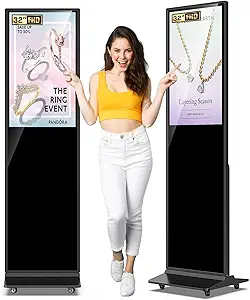
For retail promotions that need to move between locations, the 43-Inch Outdoor Digital Signage A-Frame Display with Rechargeable Battery is my best overall pick because its battery-powered, freestanding format suits changing storefront displays. The Zylosian 43-Inch Outdoor Display stands out for its stated weather resistance and bright screen, while the OptiSigns OptiKiosk 32-Inch is a better fit for stores that value managed content. The main tradeoff is between outdoor visibility and portability, interactive touch features and simple playback, or a larger screen and easier movement. I compare all 13 options by their fit for retail promotions, setup, and likely operating needs below.

Get business pricing on office and shipping supplies
- Business-only prices and quantity discounts
- Tax-exempt purchasing
- Multiple users, one account, clear invoices
Key Takeaways
- Outdoor placement changes the shortlist: the rechargeable A-frame and Zylosian specify outdoor-focused features, while most 32-inch models are indoor kiosks.
- Battery power is a meaningful mobility feature: a portable body alone does not answer whether a display can operate away from an outlet.
- Touch is useful only when customers have a reason to interact: for rotating offers and product announcements, straightforward media playback may be easier to manage.
- Screen size and portability pull in different directions: 43-inch models give promotions more presence, while 32-inch kiosks are the more manageable indoor format.
- Software and connectivity affect daily work: Android, USB playback, Wi-Fi, Ethernet, and managed signage platforms offer different levels of control and setup.




| portable digital signage kiosk for retail promotion | Connectivity | Operating system | Resolution | Brightness |
|---|---|---|---|---|
| 43-Inch Outdoor Digital Signag | Wi-Fi or wired | — | 1920 × 1080 | 2,000 nits with ambient-light adjustment |
| 32-Inch Portable Touchscreen D | USB, HDMI, Wi-Fi, Ethernet | Android 14 (stated in title) | 1920 × 1080 | 350 nits in product details; 600 nits also claimed |
| 32-Inch Floor-Standing Digital | USB, HDMI, 5G Wi-Fi | Android | — | 600 nits |
| MWE 32 Inch Digital Signage Di | HDMI, USB, Wi-Fi, Bluetooth | Android | 1920 × 1080 | — |
| MWE 32 Inch Indoor Digital Sig | 1 HDMI port, 2 USB 3.0 ports, Wi-Fi | — | 1920 × 1080 | — |
| MWE 32-Inch Floor-Standing Int | Wi-Fi, Ethernet, USB 2.0, TF card, HDMI | Android 13 | 1920 × 1080 (Full HD) | 450 cd/m² |
| 32-Inch Touch Screen Kiosk | Wi-Fi, Ethernet, USB, TF card, HDMI | Android 13 | 1920 × 1080 (FHD) | 450 nits |
| MWE 43 Inch Indoor Floor Stand | Wi-Fi, network, USB, HDMI | Android | — | — |
| JASZDOT 32-Inch Floor-Standing | Wi-Fi, USB, HDMI | Android | — | — |
| Zylosian 43" Outdoor Digital S | Wi-Fi, Ethernet, USB AutoPlay | Android | FHD | 1800 nits |
| 32-Inch Portable Outdoor Digit | — | — | 2K UHD, stated in description | 2000 nits |
| OptiSigns OptiKiosk 32-Inch Fl | Wi-Fi 6 and Bluetooth 5.3 | — | — | — |
| 32-inch Indoor Floor Standing | — | Android | — | — |
More Details on Our Top Picks
43-Inch Outdoor Digital Signage A-Frame Display with Rechargeable Battery
For promotions that need to face a storefront, patio, or food truck queue, this YIXZSWD A-frame offers the lineup’s strongest outdoor visibility. Its 2,000-nit screen adjusts to ambient light, while the IP65-rated enclosure is designed for wet and dusty conditions. The 43-inch screen is larger than the indoor 32-inch MWE models, so passersby can read an offer from farther away. A rechargeable battery supports up to 10 hours of cordless operation, and wheels help staff reposition it during the day. The tradeoff is logistics: the battery ships separately and takes seven hours to charge. It also lacks cellular connectivity, so remote updates depend on Wi-Fi or a wired connection. I’d choose it for daylight-facing promotions, not as an easy-to-deploy indoor kiosk.
Pros:- 2,000-nit brightness with ambient-light adjustment for sunlit locations
- IP65 protection for outdoor exposure to water and dust
- Up to 10 hours of battery operation for cordless placement
- Wheels and USB playback support repositioning and straightforward media setup
Cons:- Rechargeable battery ships separately from the display
- Seven-hour battery charge time can complicate daily use
- No cellular connectivity for locations without Wi-Fi or wired internet
Best for: Retailers, restaurants, and food trucks that need a large, weather-resistant screen for daytime promotions near an entrance or outdoor queue
Not ideal for: Shops that need a ready-to-use indoor touchscreen or cellular content updates; the battery ships separately and connectivity is limited to Wi-Fi or wired
- Brand:YIXZSWD
- Screen:43-inch LCD
- Resolution:1920 × 1080
- Brightness:2,000 nits with ambient-light adjustment
- Outdoor protection:IP65
- Battery runtime:Up to 10 hours
- Battery charge time:7 hours
- Connectivity:Wi-Fi or wired
- Operating temperature:-22 to 131°F
Our verdict“Choose this A-frame for bright, weather-exposed retail promotions when you can plan around its separately shipped battery.”
32-Inch Portable Touchscreen Digital Signage Display with Rolling Stand
This rolling 32-inch display is the clearest fit for stores that want shoppers to tap through product details, menus, or promotions. Its 20-point capacitive touchscreen supports multiple touch points, while the adjustable wheeled stand makes it easier to move between a sales floor and an event area. USB, HDMI, Wi-Fi, and Ethernet provide more connection choices than the MWE indoor models, and Android-based remote management can reduce the need to update the screen in person. Its main limitation is visibility: the listed brightness is inconsistent at 350 or 600 nits, and either figure is far below the outdoor YIXZSWD A-frame’s 2,000 nits. At 16 kg, it is movable on its wheels but not especially convenient to carry. I’d favor it for interactive indoor use where staff can manage the stand and screen brightness is less demanding.
Pros:- 20-point capacitive touchscreen for interactive promotions
- USB, HDMI, Wi-Fi, and Ethernet connectivity
- Wheeled adjustable stand supports portrait and landscape placement
- Android-based remote content control and split-screen playback
Cons:- Brightness is inconsistently listed as 350 or 600 nits
- At 16 kg, it is cumbersome to lift and transport
- Indoor brightness figures do not suit sunlit storefront placement
Best for: Store teams that want a wheeled, multi-touch display for indoor product exploration, self-guided promotions, or changing event layouts
Not ideal for: Retailers placing a screen in direct sunlight or frequently carrying equipment between sites; brightness is unclear and the display weighs 16 kg
- Screen size:32 inches
- Resolution:1920 × 1080
- Display type:LCD
- Touchscreen:20-point capacitive
- Brightness:350 nits in product details; 600 nits also claimed
- Connectivity:USB, HDMI, Wi-Fi, Ethernet
- Operating system:Android 14 (stated in title)
- Weight:16 kg / 35.27 lb
- Stand:Adjustable, four silent wheels, 15-degree tilt
Our verdict“Pick this model for movable indoor promotions that benefit from touch interaction and flexible connections.”
32-Inch Floor-Standing Digital Signage Kiosk with Touch Screen LCD Display
Marvel Technology’s freestanding kiosk is aimed at stores that want a permanent interactive fixture rather than a display to wheel around for each promotion. The 600-nit IPS panel and 178-degree viewing angle help content remain visible across a busy aisle, while Android, Google Apps, and 5G Wi-Fi offer several paths for managing promotional media. Split-screen playback can give a store room for more than one message at once. Compared with the portable touchscreen model, the emphasis here is on a fixed public-space installation and a longer three-year warranty with lifetime technical support. The tradeoff is that the description does not establish battery power or a wheeled stand, so portability is less clear than with the MWE models. Touch surfaces in busy venues also call for ongoing cleaning and upkeep. I’d shortlist it for a high-traffic indoor placement with a stable location.
Pros:- 600-nit IPS touchscreen with a 178-degree viewing angle
- Android, Google Apps, USB, HDMI, and 5G Wi-Fi support
- Split-screen playback can show multiple content types together
- Three-year warranty and lifetime technical support
Cons:- Battery power and wheeled portability are not specified
- Frequent public touchscreen use may require regular cleaning and maintenance
- A freestanding installation is less flexible than the wheeled MWE displays
Best for: Retailers and venue operators seeking a freestanding Android touchscreen for a fixed, high-traffic indoor promotion point
Not ideal for: Small shops that need a lightweight, battery-powered sign to move between locations or to place outdoors
- Brand:Marvel Technology
- Screen size:32 inches; 43-, 55-, and 65-inch versions also listed
- Display type:IPS LCD touchscreen
- Brightness:600 nits
- Viewing angle:178 degrees
- Operating system:Android
- Connectivity:USB, HDMI, 5G Wi-Fi
- Features:Split-screen display and remote content management
- Warranty and support:3-year warranty with lifetime technical support
Our verdict“Choose this kiosk for a stable, busy indoor retail location where touch interaction and ongoing support matter more than portability.”
MWE 32 Inch Digital Signage Display, Portable LCD Kiosk Monitor, Android Kiosk with Auto Media Player, HDMI/USB
For stores and event teams that regularly change where a promotion appears, this MWE model combines a foldable wheeled design with CMS updates and scheduled operation. USB or HDMI plug-and-play with automatic loop playback gives staff a simple route for running a prepared campaign; Wi-Fi CMS offers remote changes when plans shift. Its three-year warranty is longer than the one-year coverage listed for the outdoor YIXZSWD A-frame, though the YIXZSWD is better suited to sun and weather. This MWE is an indoor option: its glossy screen can reflect bright lights, and no brightness figure is supplied to support storefront use. The foldable design helps with moving and storing it, but Android CMS features may take setup before they are useful. I’d choose it for indoor retail floors, exhibitions, and scheduled promotions that move from spot to spot.
Pros:- Foldable wheeled design supports relocation and storage
- Wi-Fi CMS supports remote content updates
- USB and HDMI inputs with automatic loop playback
- Three-year warranty and timed power scheduling
Cons:- Glossy finish may reflect windows and strong indoor lighting
- No brightness figure is provided to judge visibility in bright spaces
- CMS functions may require Android setup before use
Best for: Retail and event teams that move an indoor promotional display between locations and want remote CMS updates plus scheduled playback
Not ideal for: Businesses that need outdoor weather protection or have bright windows and overhead lighting that may reflect off a glossy screen
- Brand:MWE
- Model:MWE-CS32BCN217
- Screen:32-inch IPS LCD
- Resolution:1920 × 1080
- Connectivity:HDMI, USB, Wi-Fi, Bluetooth
- Operating system:Android
- Dimensions:1.06 × 18.15 × 48.87 inches
- Finish:Glossy
- Warranty:3 years
Our verdict“Choose this MWE for indoor promotions that need to move around the store and can benefit from scheduled, remotely managed playback.”
MWE 32 Inch Indoor Digital Signage Display Monitor with Android Media Player
This MWE shares the other MWE model’s 32-inch Full HD format and foldable, wheeled design, but the supplied details make this version a straightforward choice for scheduled indoor playback. Its Android media player, Wi-Fi CMS, and automatic looping can keep a promotion running without staff changing media throughout the day; timed power settings support a regular operating schedule. Two USB 3.0 ports allow more USB-connected media options than the single HDMI input alone, though that one HDMI port may constrain a setup using several external sources. At 21.55 kg, it is notably heavier than the portable touchscreen display’s listed 16 kg, so the wheels help with floor moves but do not make loading it into a vehicle effortless. Unlike the MWE model with Bluetooth listed, connectivity details here specify Wi-Fi, USB, and HDMI. It suits an indoor fixture that moves occasionally, not daily transport.
Pros:- Full HD display with 178-degree viewing angle
- Android media player, Wi-Fi CMS, and automatic loop playback
- Timed power settings support scheduled daily operation
- Foldable wheeled design aids occasional repositioning
Cons:- 21.55 kg weight makes frequent transport demanding
- Single HDMI port limits connections to external video sources
- Indoor display details do not specify weather protection or brightness
Best for: Retail staff who need an indoor display for looping campaigns on a daily schedule, with occasional repositioning around the shop
Not ideal for: Teams that frequently transport the display between venues or need multiple HDMI sources; it weighs 21.55 kg and has one HDMI port
- Screen size:32 inches
- Resolution:1920 × 1080
- Display type:LCD
- Refresh rate:60 Hz
- Viewing angle:178 degrees
- Connectivity:1 HDMI port, 2 USB 3.0 ports, Wi-Fi
- Weight:21.55 kg
- Dimensions:1.06 × 18.15 × 48.87 inches
- Warranty:3 years for quality defects
Our verdict“Choose this MWE for scheduled indoor promotional loops when the kiosk will move only occasionally and one HDMI input is sufficient.”
MWE 32-Inch Floor-Standing Interactive Touchscreen Kiosk
The MWE 32-inch kiosk is a practical fit for retailers who want customers to browse or interact with promotions on a movable screen. Its Full HD IPS touchscreen gives shoppers clear content from different viewing angles, while Android 13 and Wi-Fi or Ethernet offer several ways to connect. The built-in speakers can add audio to a product demo, though they may not suit a noisy sales floor. Compared with the JASZDOT 32-Inch Floor-Standing Digital Signage Display, this model lists more connection options and specifies touchscreen capability, but its software is not pre-installed, so setup takes extra work. The wheels help reposition it indoors; they do not make it an outdoor-ready display. I’d choose it for interactive promotions when a store can handle the initial software setup.
Pros:- Full HD IPS touchscreen supports interactive promotions with wide viewing angles
- Wi-Fi, Ethernet, USB 2.0, TF card, and HDMI provide several connection options
- Two 5W speakers can add sound to demonstrations or announcements
- Bottom wheels make it easier to reposition within a store
Cons:- Signage software must be installed separately
- Indoor design is not suited to weather exposure
Best for: Retail teams that want a movable indoor touchscreen for interactive product information and can install their own signage software
Not ideal for: Stores seeking a ready-to-run player or outdoor promotions, since software is not pre-installed and the kiosk is designed for indoor use
- Display:32-inch IPS touchscreen
- Resolution:1920 × 1080 (Full HD)
- Brightness:450 cd/m²
- Operating system:Android 13
- Connectivity:Wi-Fi, Ethernet, USB 2.0, TF card, HDMI
- Speakers:2 × 5W
- Installation and mobility:Floor-standing with two bottom wheels
- Software:Not pre-installed
- After-sales guarantee:Up to 3 years
Our verdict“Choose this MWE when you want an interactive indoor kiosk with flexible connections and can supply the software yourself.”
32-Inch Touch Screen Kiosk – Interactive Floor Standing Digital Signage Display with Android 13
For retailers building promotions around directories, ordering, or other third-party apps, this 32-inch Android 13 kiosk offers a clearly defined interactive setup. Its Full HD IPS screen and commercial-grade metal frame suit public-facing use, and integrated wheels make it easier to move between store zones. Compared with the MWE 32-Inch Floor-Standing Interactive Touchscreen Kiosk, this listing specifies the frame and a three-year warranty, which may help buyers planning a longer-term installation. The 450-nit brightness is better suited to typical indoor lighting than bright direct sunlight, and the large footprint calls for a deliberate placement plan. I’d favor it over the JASZDOT 32-inch display when app flexibility and stated construction details matter more than minimizing floor space.
Pros:- Android 13 supports third-party apps for interactive retail experiences
- Full HD IPS display provides wide viewing angles
- Metal frame and integrated wheels suit commercial placement and repositioning
- Three-year warranty and dedicated technical support are stated
Cons:- Large footprint can be difficult to fit into compact retail layouts
- 450-nit brightness may limit legibility in bright direct-light areas
Best for: Retailers and hospitality operators installing Android apps for self-service, wayfinding, or interactive promotion in an indoor public area
Not ideal for: Small shops with limited floor space or storefronts that need a screen readable in direct sunlight
- Screen:32-inch IPS LED
- Resolution:1920 × 1080 (FHD)
- Aspect ratio:16:9
- Refresh rate:60 Hz
- Brightness:450 nits
- Operating system:Android 13
- Connectivity:Wi-Fi, Ethernet, USB, TF card, HDMI
- Construction:Commercial-grade metal with integrated wheels
- Warranty:3 years
Our verdict“Pick this model for an app-driven indoor kiosk when its footprint fits your store.”
MWE 43 Inch Indoor Floor Standing Digital Signage Touchscreen Kiosk, Android LCD Advertising Display with Auto Media Player
The 43-inch MWE gives in-store promotions more screen area than the 32-inch kiosks in this group, which helps when a campaign needs to combine product visuals, messaging, or multiple content zones. Its built-in media player and auto playback can simplify routine display, while split-screen layouts let a retailer show more than one content stream. Compared with the battery-powered Zylosian 43-inch outdoor display, this model is aimed at indoor use and offers touchscreen interaction rather than weather resistance and untethered placement. The larger floor-standing frame is harder to reposition, and its glossy screen may reflect nearby lighting. The description also presents a lifetime CMS system as an option, so I’d verify what is included before choosing it for a multi-store rollout.
Pros:- 43-inch Full HD IPS touchscreen offers more room for promotional content than the 32-inch models
- Built-in media player and auto playback support routine content display
- Split-screen layouts can show multiple content zones at once
- Three-year warranty is stated, with a lifetime CMS option listed
Cons:- Floor-standing size makes it less portable than smaller kiosks
- Indoor-only design is unsuitable for exposed storefront placement
- Glossy finish may reflect bright store lighting
Best for: Retail marketing teams that need a large indoor display for scheduled campaigns, split-screen content, and customer interaction
Not ideal for: Retailers needing outdoor placement, frequent solo repositioning, or a compact footprint
- Model:MWE-CS43BCT201
- Screen:43-inch LCD, FHD IPS
- Aspect ratio:16:9
- Viewing angle:178°
- Contrast ratio:1200:1
- Refresh rate:60 Hz
- Operating system:Android
- Connectivity:Wi-Fi, network, USB, HDMI
- Features:Touchscreen, built-in media player, auto playback, remote control, timed on/off, split-screen layouts
Our verdict“Choose this MWE for large, managed indoor promotions where screen area matters more than easy movement.”
JASZDOT 32-Inch Floor-Standing Digital Signage Display
The JASZDOT YHC is the simpler choice for retailers who mainly need a floor-standing screen to run promotional material and split-screen content. Its Android system, Wi-Fi, USB, and HDMI cover common playback and connection needs, while the listed Full HD native resolution is adequate for typical menus and offers. Compared with the MWE 32-Inch Floor-Standing Interactive Touchscreen Kiosk, this listing does not specify touchscreen capability, speakers, or wheels, so it is a less convincing pick for customer interaction or frequent repositioning. There is also a resolution mismatch: the specs give a 1920 × 1080 native resolution but advertise 4K and list a different maximum resolution. I’d choose it only when basic signage is the priority and the seller confirms the output details.
Pros:- Android-based system supports signage content management
- Wi-Fi, USB, and HDMI cover common content inputs
- Split-screen presentation can combine promotions and other information
- Floor-standing form suits public-facing placement
Cons:- Listing gives conflicting native, maximum, and advertised resolution details
- Large listed dimensions may require substantial floor space
- Touchscreen capability and mobility features are not specified
Best for: Retailers needing a fixed indoor screen for straightforward promotional playback and split-screen layouts
Not ideal for: Buyers who need interactive touch, clear mobility details, or verified resolution specifications
- Model:YHC
- Screen size:32 inches
- Display type:LCD
- Native resolution:1920 × 1080
- Advertised resolution:4K UHD 2160p
- Operating system:Android
- Connectivity:Wi-Fi, USB, HDMI
- Dimensions:40 × 30 × 10 inches (D × W × H)
- Warranty:3 years stated in product description
Our verdict“Consider the JASZDOT for basic fixed indoor signage only after confirming its resolution and interaction details.”
Zylosian 43″ Outdoor Digital Signage Display – 1800-Nit FHD Portable Advertising Kiosk, IP55 Weather-Resistant, Battery Powered, Android, USB AutoPlay, WiFi/Ethernet
The Zylosian stands apart from the indoor kiosks here by pairing a 43-inch screen with 1800-nit brightness, IP55 weather resistance, and battery power. That combination is aimed at promotions near entrances or other public-facing locations where sunlight and nearby outlets can constrain placement. Compared with the MWE 43-inch Indoor Floor Standing Digital Signage Touchscreen Kiosk, it trades indoor touch and split-screen features for weather protection and more flexible positioning. Android, USB AutoPlay, Wi-Fi, and Ethernet provide several content routes, though buyers should confirm how long the battery runs under their intended use; no runtime is given. The 43-inch panel may also be modest for long-distance viewing outdoors. I’d shortlist it when exposure and placement flexibility matter more than interactive use.
Pros:- 1800-nit brightness is specified for high-ambient-light visibility
- IP55 rating offers weather resistance for outdoor placement
- Battery power supports placement away from fixed wiring
- Android, USB AutoPlay, Wi-Fi, and Ethernet offer multiple playback and connection options
Cons:- Battery runtime is not specified
- 43-inch screen may be small for distant outdoor viewing
- No touchscreen capability is listed
Best for: Retailers running outdoor entrance or event promotions who need a bright, battery-powered display with weather resistance
Not ideal for: Stores needing a touchscreen kiosk, a stated battery runtime, or a larger screen for viewing from far away
- Screen size:43 inches
- Resolution:FHD
- Brightness:1800 nits
- Weather resistance:IP55
- Power:Battery powered
- Operating system:Android
- Connectivity:Wi-Fi, Ethernet, USB AutoPlay
- Model number:Zylosian-yake
- Recommended uses:Entrance, exit, office, parking, promotional
Our verdict“Choose the Zylosian for outdoor promotions where bright sunlight and flexible placement outweigh touch interaction.”
32-Inch Portable Outdoor Digital Signage Display
High stated brightness and an IP65 waterproof rating make this the outdoor-focused choice in the batch. Its listed 720 Wh battery and USB playback point toward promotions that can run away from a fixed outlet, while split-screen playback can give shoppers more than one message at a glance. Compared with the Zylosian 43-Inch Outdoor Digital Signage Display, this model claims higher brightness, but the available details for the Zylosian also specify its screen size and weather rating more consistently. Here, the title says 32 inches while the description says 43 inches and adds 2K UHD, IPS, and automatic brightness adjustment. That conflict makes it hard to plan viewing distance or compare image detail with confidence. I would shortlist it for outdoor use only after confirming the actual panel size and resolution.
Pros:- Stated 2000-nit brightness is suited to bright outdoor settings
- IP65 waterproof rating is specified for outdoor exposure
- Listed 720 Wh battery supports placement away from fixed power
- USB plug-and-play and split-screen playback support straightforward promotions
Cons:- Screen size conflicts between the 32-inch title and 43-inch description
- 2K UHD resolution and IPS panel appear only in the description
- Automatic brightness adjustment is described, but not included in the listed title specs
Best for: Retail teams seeking a battery-powered outdoor promotion display and able to confirm the screen configuration with the seller before purchase
Not ideal for: Retailers who need verified screen dimensions and resolution for fixture planning or a consistent multi-location rollout
- Screen size:32 inches in title; 43 inches in description
- Brightness:2000 nits
- Resolution:2K UHD, stated in description
- Panel:IPS, stated in description
- Viewing angle:179°, stated in description
- Battery capacity:720 Wh, stated in title
- Playback:CMS and USB plug-and-play
- Display mode:Split screen
Our verdict“Choose this for bright outdoor promotions if the seller confirms the screen size and resolution before you plan the installation.”
OptiSigns OptiKiosk 32-Inch Floor-Standing Digital Signage Kiosk
The 10-point touchscreen and remote management make this a strong fit for stores that want shoppers to interact with promotions while staff update content centrally. OptiSigns supplies templates and integrations with more than 160 tools, giving this kiosk a more managed signage workflow than the Android-based 32-inch Indoor Floor Standing Digital Signage Touchscreen Kiosk. That distinction helps teams who want a dedicated platform, but it limits people expecting a general Android screen: this model does not support app store downloads. Portability also depends on an optional battery, which is listed for up to eight hours, so the kiosk is not ready for untethered placement as supplied. An OptiSigns subscription is required, and the free plan includes branding. I’d favor it for retailers who value coordinated content and interactive campaigns over platform flexibility.
Pros:- 32-inch Full HD touchscreen supports clear interactive promotion content
- 10-point touch allows multiple touch inputs
- Remote management is available through a web portal or mobile app
- Templates and integrations with more than 160 tools support managed campaigns
Cons:- An OptiSigns subscription is required
- Optional battery adds a separate requirement for portable placement
- No app store downloads or general Android interface
Best for: Retail marketing teams that need a centrally managed touchscreen for interactive promotions across store locations
Not ideal for: Independent shops seeking an Android kiosk that runs downloaded apps or works portably without buying a separate battery
- Display:32-inch Full HD touchscreen
- Touch:10-point touch
- Processor:Octa-core
- Memory:8GB RAM
- Storage:128GB
- Connectivity:Wi-Fi 6 and Bluetooth 5.3
- Ports:HDMI input
- Battery:Optional rechargeable battery; up to 8 hours of runtime
- Platform:OptiSigns Player; subscription required
Our verdict“Pick this for managed, interactive retail campaigns if the OptiSigns platform and subscription fit your workflow.”
32-inch Indoor Floor Standing Digital Signage Touchscreen Kiosk with WiFi, HDMI/USB Input, Android OS (Black)
This kiosk’s 4K IPS touchscreen and Android OS suit indoor retailers who want sharp promotional visuals alongside several playback options. Wi-Fi, HDMI, USB, and split-screen playback let a store use networked content, an external source, or local media; the listed scheduled on/off feature can also help align display time with store hours. Compared with the OptiSigns OptiKiosk, this model offers a general Android interface and does not list a required signage subscription, while OptiSigns has more explicit templates, integrations, and remote management. The tradeoff is that this product description does not name a dedicated content platform or provide battery details, so I would plan on a fixed indoor placement and confirm how content is managed. The three-year warranty and free logo/poster customization add practical value for stores building a branded floor display.
Pros:- 4K IPS touchscreen and 178° viewing angle support visible, detailed promotions
- Android, Wi-Fi, HDMI, and USB offer several content source options
- Split-screen playback can show multiple promotional messages
- Includes free logo and poster customization and a three-year warranty
Cons:- Battery or runtime is not specified for portable placement
- Touch and non-touch versions are sold separately, which can complicate model selection
- A dedicated CMS or remote content-management platform is not specified
Best for: Indoor retailers who want a high-resolution floor kiosk with Android, local media inputs, and branded poster customization
Not ideal for: Stores needing battery-powered portability or a clearly specified central content-management service
- Screen size:32 inches
- Display:4K IPS touchscreen
- Viewing angle:178°
- Operating system:Android
- Inputs:HDMI, USB, Wi-Fi
- Audio:2 × 8Ω 5W speakers
- Playback features:Split-screen playback, plug-and-play, auto AD player
- Scheduling and control:Remote control and scheduled on/off
- Warranty:3 years
Our verdict“Choose this for a fixed indoor promotion kiosk when Android playback flexibility and branded customization matter more than built-in battery operation.”

How We Picked
I ranked these kiosks by how well their stated features address retail promotion needs: visibility at the intended placement, practical movement, playback and connectivity options, interaction, and the demands of daily operation. Outdoor use earned weight only when a product description identified features such as a battery, weather resistance, or high stated brightness; I did not assume that an indoor display could handle storefront conditions. I also separated touch kiosks from simpler media-player models because interactive promotions require different content and upkeep.
The order reflects fit and specificity, not a claim that every product has been independently verified. The 43-inch battery-powered A-frame leads for its combination of outdoor positioning and mobility. The Zylosian follows with a more explicit outdoor specification set; indoor touch and managed-content models rank higher for stores that prioritize interaction or content control, while less differentiated indoor displays suit buyers who mainly need a floor-standing screen. Product descriptions do not establish runtime, warranty, content subscription terms, or real-world durability, so buyers should confirm those details before choosing.
| portable digital signage kiosk for retail promotion | Operating system |
|---|---|
| 43-Inch Outdoor Digital Signag | — |
| 32-Inch Portable Touchscreen D | Android 14 (stated in title) |
| 32-Inch Floor-Standing Digital | Android |
| MWE 32 Inch Digital Signage Di | Android |
| MWE 32 Inch Indoor Digital Sig | — |
| MWE 32-Inch Floor-Standing Int | Android 13 |
| 32-Inch Touch Screen Kiosk | Android 13 |
| MWE 43 Inch Indoor Floor Stand | Android |
| JASZDOT 32-Inch Floor-Standing | Android |
| Zylosian 43" Outdoor Digital S | Android |
| 32-Inch Portable Outdoor Digit | — |
| OptiSigns OptiKiosk 32-Inch Fl | — |
| 32-inch Indoor Floor Standing | Android |
Factors to Consider When Choosing Portable Digital Signage Kiosk For Retail Promotions
Before choosing a kiosk, map the promotion to its location and operating routine. A screen that looks suitable on a product page may create extra work if the store lacks the right power, network access, content workflow, or space for safe placement.
Match the display to the exact placement
Start by deciding whether the kiosk will sit inside the store, just behind a window, or outdoors in a public area. Sunlight, rain exposure, temperature, and foot traffic create different demands, and an outdoor label alone may not answer all of them. Check the stated brightness, weather rating, enclosure, and operating temperature against the spot you have in mind. A bright screen placed behind reflective glass can still be hard to read, so think about viewing angle and glare as well. Do not treat an indoor floor stand as suitable for a sidewalk display without confirmation from the manufacturer. Placement determines which specs matter before screen size does.
Plan for power and moving the kiosk
Portable can mean a wheeled stand, a lighter enclosure, or a display that runs on battery; those are not interchangeable. If promotions move around the shop or operate away from outlets, request the battery runtime under continuous display use and learn how long recharging takes. For wheeled models, check whether the stand has locking casters and whether one person can safely move it across the store’s thresholds. A battery unit may save cable routing but still need scheduled charging and secure storage. For fixed placements, a corded display can be simpler and more dependable. Choose mobility based on how often staff will actually reposition the screen.
Decide whether touch supports the promotion
Touch makes sense when shoppers can browse sizes, compare products, find an aisle, or request information without staff assistance. It adds little to a screen that only cycles through a weekly offer, and interactive content takes more planning than a simple playlist. Ask whether the touch system works with the software and content you intend to use, and whether it can return to its starting screen after a shopper walks away. In a busy shop, the display surface also needs regular cleaning and a placement that does not obstruct traffic. If the promotion is passive, a non-touch model can keep setup and upkeep more straightforward. Tie the interaction to a specific customer task before paying for it.
Check how content gets onto the screen
USB autoplay is handy for a small number of scheduled promotions, while network access can help staff update content across locations. Android may give a kiosk more playback options, but the operating system by itself does not guarantee easy scheduling or remote management. Confirm supported file formats, orientation, playlist controls, and whether content can be updated without taking the screen out of service. For multi-store campaigns, ask how many displays one account can manage and whether a subscription is required. Also decide who will own updates when a promotion changes unexpectedly. The right workflow can matter more over a year than an extra input port.
Choose screen size for viewing distance and store flow
A larger panel can make a storefront message easier to notice from farther away, but it takes more floor space and can be harder to reposition. A 32-inch kiosk may suit an aisle end, checkout area, or product zone where shoppers are close to the screen. Measure the placement, including room for customers to stop and read without blocking circulation or accessible routes. Consider whether the display will show a short headline and image or detailed product information; dense copy needs close viewing regardless of panel size. Portrait and landscape orientation also change how promotional assets need to be designed. Pick the screen around the shopper’s viewing distance and the store’s layout.
Account for service, security, and ownership
A retail kiosk has to keep working through daily opening hours, so ask about warranty coverage, replacement parts, and who handles software support. If it sits in a public area, plan how the stand will resist tipping and how the screen or controls will be secured. Verify whether cables, wall or floor restraints, and locking hardware are included or must be sourced separately. For connected screens, check how the device receives updates and whether staff can restrict access to settings. Clarify any software fees and renewal terms before building a chain-wide workflow around a platform. These details help distinguish a screen that is easy to buy from one that is practical to operate.
Frequently Asked Questions
Can I use an indoor kiosk in a storefront window?
Possibly, but first check the maker’s guidance for window placement, heat exposure, brightness, and continuous operation. Glass can add glare and trap heat, which may affect readability and the display’s operating conditions. A model described as indoor is not automatically rated for direct sun or outdoor temperatures. Compare its stated brightness with the light at the intended viewing time, not just the store’s interior lighting. If the window faces a sidewalk, confirm whether the unit can be secured and operated safely in that position.
How much battery runtime do I need for a portable promotion screen?
Estimate the hours the screen must run between charging opportunities, then ask the manufacturer for runtime at the brightness and playback settings you expect to use. A published runtime may change with screen brightness, video content, and battery age. Add room for a full retail shift rather than planning around an ideal figure. If staff need to move the display during the day, confirm whether it can charge while playing and how quickly it recharges. For all-day storefront use, a reliable outlet may be a better fit than managing battery cycles.
Is a touchscreen worth it for ordinary sale announcements?
Usually only if shoppers can do something useful with the screen, such as browse product details or locate an item. A rotating announcement needs no customer input, so touch can add cost and cleaning without improving the promotion. Interactive use also calls for a clear starting screen and a way to return to it after each session. Think through who will create and maintain that content before selecting a touch model. For passive messaging, prioritize visibility, reliable playback, and simple updates.
Should I choose USB autoplay or network-managed signage?
USB autoplay works well when a small number of screens show a stable playlist and staff can visit each display to change it. Network management is more useful when promotions change often or need to stay consistent across several stores. Before committing, confirm whether remote control requires a subscription and whether the system supports your file formats and schedule. Network features also depend on reliable Wi-Fi or Ethernet at each location. Choose based on how updates happen in your retail operation, rather than assuming the more connected option will be easier.
What should I verify before ordering a floor-standing kiosk for a busy shop?
Measure the footprint and the route shoppers and staff use around the proposed position, including space for someone to stop and interact. Ask about stand stability, caster locks if present, screen protection, and any way to secure the unit against unauthorized movement. Confirm the screen’s intended orientation and whether the controls or ports are accessible to shoppers. Check how the display is powered and routed so cables do not cross walkways. Finally, get warranty and service details in writing, since an unavailable display can interrupt a time-sensitive promotion.
Conclusion
For the broadest mix of mobility and outdoor promotion use, I recommend the 43-Inch Outdoor Digital Signage A-Frame Display with Rechargeable Battery as best overall, subject to confirming its runtime and environmental limits. The MWE 32 Inch Digital Signage Display with Android and Auto Media Player is my value-oriented choice for straightforward indoor playback, while the OptiSigns OptiKiosk 32-Inch is the premium fit for retailers who need managed content workflows. Beginners with simple offers should start with a media-player model and avoid touch unless customers need to interact. For outdoor brightness and a stated weather-resistant design, shortlist the Zylosian 43-Inch; for indoor customer interaction, compare the 32-inch touch kiosks and choose based on software compatibility and store layout.