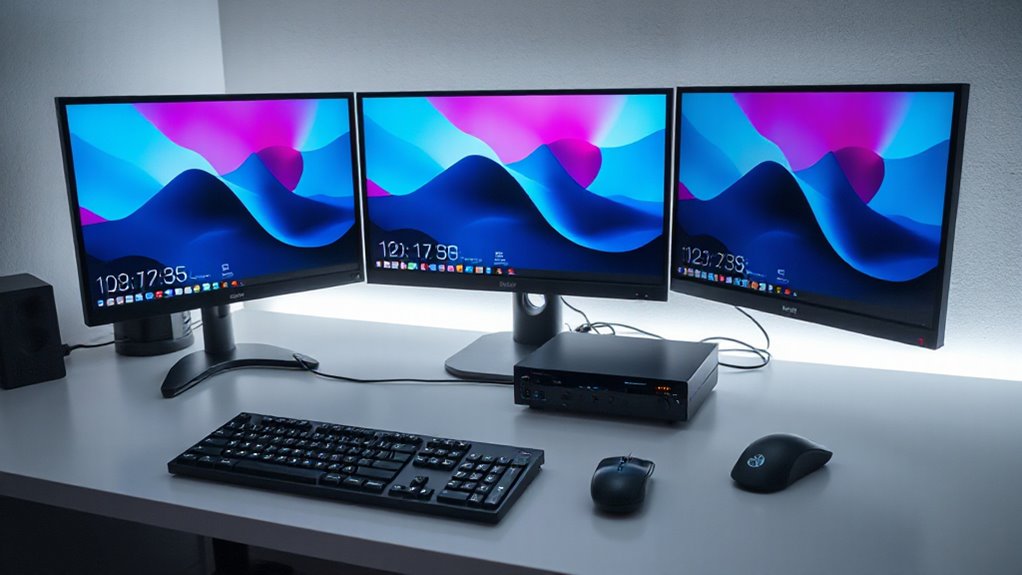

Finding the right kvm switch for multi computer setups can significantly streamline workspace management, especially when juggling multiple devices. The best options offer seamless switching, high resolution support, and reliable build quality. The HDMI KVM Switch 2 Monitors 2 Computers stands out as the overall pick for its versatility and high refresh rate support, while the Hearvo USB 3.0 HDMI KVM Switch is notable for its compatibility with various devices. However, tradeoffs often involve balancing resolution, number of ports, and ease of use. Keep reading to learn how to pick the right model for your setup.

Get business pricing on office and shipping supplies
- Business-only prices and quantity discounts
- Tax-exempt purchasing
- Multiple users, one account, clear invoices
Key Takeaways
- High-resolution support, such as 8K or 4K, is common but can impact price and compatibility.
- Multimonitor setups require more advanced switches; not all models support three or more displays.
- Switching methods vary—wired remote, button, or hotkey—affecting ease of access based on user preference.
- USB port availability and versions (USB 3.0, USB-C) are critical for connecting peripherals and ensuring speed.
- Price correlates strongly with features like resolution, number of ports, and build quality; higher-end models often support more monitors and higher refresh rates.
| HDMI KVM Switch 2 Monitors 2 Computers – 8K@60Hz, 4K@120Hz, 4 Port USB 3.0 Hub, Wired Remote, Plug & Play |  | Best Overall High-Resolution KVM Switch | Resolution Support: 8K@60Hz, 4K@120Hz | Number of Monitors: 2 | Number of Computers: 2 | VIEW ON AMAZON | See Our Full Breakdown |
| Hearvo USB 3.0 HDMI KVM Switch for 2 Computers, 4K@60Hz, Supports Multiple Devices |  | Best for Versatile Device Sharing at 4K | Input Ports: 2 HDMI | USB Ports: 4 (3 USB-A + 1 USB-C) | Resolution: 4K@60Hz | VIEW ON AMAZON | See Our Full Breakdown |
| UGREEN HDMI KVM Switch for 2 Monitors and 2 Computers, 4K@60Hz, with 4 USB 3.0 Ports, Includes Cables and Controller |  | Best Dual Monitor Support with Versatile Switching | Number of Monitors: 2 | Maximum Resolution: 4K@60Hz | USB Ports: 4 USB 3.0 | VIEW ON AMAZON | See Our Full Breakdown |
| 8K KVM Switch for 3 Monitors and 2 Computers with 4 USB 3.0 Ports |  | Best for Multi-Monitor High-Res Setups | Monitor Support: 3 monitors | Computer Support: 2 computers | Resolution: 8K@60Hz / 4K@120Hz | VIEW ON AMAZON | See Our Full Breakdown |
| HDMI KVM Switch for 3 Monitors and 2 Computers with 4 USB 3.0 Ports, 4K@60Hz Support |  | Best for Multi-Monitor, Multi-Computer with Stability | Number of Monitors: 3 | Number of Computers: 2 | Resolution Support: 4K@60Hz, extend and duplicate modes | VIEW ON AMAZON | See Our Full Breakdown |
| Hearvo USB 3.0 HDMI KVM Switch 2 Monitors 2 Computers 4K@60Hz Dual Monitor |  | Best Overall for Dual Monitor Multi-Computer Setups | Number of Monitors: 2 | Number of Computers: 2 | Resolution Support: 4K@60Hz | VIEW ON AMAZON | See Our Full Breakdown |
| UGREEN 8K@60Hz HDMI DisplayPort KVM Switch for 3 Monitors and 2 Computers |  | Best for Ultra-High-Resolution Multi-Monitor Setups | Number of Monitors: 3 | Number of Computers: 2 | Supported Resolutions: 8K@60Hz, 4K@240Hz | VIEW ON AMAZON | See Our Full Breakdown |
| Hearvo USB 3.0 HDMI KVM Switch for 2 Computers 1 Monitor, 4K@60Hz, S7232H |  | Best Compact Single-Monitor KVM for High-Resolution Work | Number of HDMI Ports: 2 | Supported Resolution: 4K@60Hz | USB Ports: 4 (3×USB-A + 1×USB-C) | VIEW ON AMAZON | See Our Full Breakdown |
| HDMI KVM Switch for 2 Monitors and 3 Computers, Support 4K@60Hz, USB 3.0, Dual Mode with Wired Controller and 12V Power Adapter |  | Best for Multi-Computer Control with Dual Monitors and Extended Modes | Number of Monitors: 2 | Number of Computers: 3 | Resolution Support: up to 4K@60Hz | VIEW ON AMAZON | See Our Full Breakdown |
| USB 3.0 HDMI KVM Switch 4K@60Hz 4-Port with 3 USB 3.0 Ports, Wired Remote & Button Switch |  | Best Overall for High-Resolution Multi-Computer Control | Number of Ports: 4 | Resolution Support: 3840×2160@60Hz | USB Ports: 3 USB 3.0 | VIEW ON AMAZON | See Our Full Breakdown |
| UGREEN 8K@60Hz HDMI KVM Switch for 4 Computers with USB 3.0 Ports and 4 HDMI Cables |  | Best for Ultra-High-Resolution, Versatile Compatibility | Resolution Support: 8K@60Hz | USB Ports: 4 USB 3.0 | HDMI Version: HDMI 2.0/1.4 | VIEW ON AMAZON | See Our Full Breakdown |
| 4 Port HDMI KVM Switch for 4 Computers 1 Monitor 4K @ 60Hz with Remote Control |  | Best Compact, Durable Choice for 4K Display Sharing | Number of Ports: 4 | Resolution Support: 4K@60Hz | USB Ports: 4 USB 2.0 | VIEW ON AMAZON | See Our Full Breakdown |
| DisplayPort KVM Switch for 2 Monitors and 2 Computers, 4K@144Hz, USB 3.0, Dual Display Support |  | Best for Dual Monitors and High Refresh Rates | Max Resolution: 3840×2160@144Hz | USB Ports: 4 USB 3.0 | Supported Modes: Extended and Copy | VIEW ON AMAZON | See Our Full Breakdown |
| kvm switch for multi computer setup | USB Ports | Resolution Support |
|---|---|---|
| HDMI KVM Switch 2 Monitors 2 C | 4 USB 3.0 ports | 8K@60Hz, 4K@120Hz |
| Hearvo USB 3.0 HDMI KVM Switch | 4 (3 USB-A + 1 USB-C) | — |
| UGREEN HDMI KVM Switch for 2 M | 4 USB 3.0 | — |
| 8K KVM Switch for 3 Monitors a | 4 USB 3.0 | — |
| HDMI KVM Switch for 3 Monitors | 4 USB 3.0 | 4K@60Hz, extend and duplicate modes |
| Hearvo USB 3.0 HDMI KVM Switch | 4 (3×USB-A + 1×USB-C) | 4K@60Hz |
| UGREEN 8K@60Hz HDMI DisplayPor | — | — |
| Hearvo USB 3.0 HDMI KVM Switch | 4 (3×USB-A + 1×USB-C) | — |
| HDMI KVM Switch for 2 Monitors | 4 USB 3.0 | up to 4K@60Hz |
| USB 3.0 HDMI KVM Switch 4K@60H | 3 USB 3.0 | 3840×2160@60Hz |
| UGREEN 8K@60Hz HDMI KVM Switch | 4 USB 3.0 | 8K@60Hz |
| 4 Port HDMI KVM Switch for 4 C | 4 USB 2.0 | 4K@60Hz |
| DisplayPort KVM Switch for 2 M | 4 USB 3.0 | — |
More Details on Our Top Picks
HDMI KVM Switch 2 Monitors 2 Computers – 8K@60Hz, 4K@120Hz, 4 Port USB 3.0 Hub, Wired Remote, Plug & Play
This HDMI KVM switch stands out for supporting ultra high-resolution displays up to 8K@60Hz, making it ideal for professionals and gamers who demand the best image quality. Compared with the Hearvo USB 3.0 HDMI KVM Switch, which maxes out at 4K@60Hz, this model offers a significant boost in visual fidelity, though it requires an external power supply for reliable performance. Its plug-and-play setup and wired remote control simplify switching, while the built-in 4-port USB 3.0 hub enhances peripheral sharing. The metal housing adds durability for intensive use. The main tradeoff is the need for an external power adapter, which might be inconvenient for some users. Still, this option best serves those who need the highest resolution and dependable performance for demanding tasks.
Pros:- Supports stunning 8K@60Hz resolution for ultra-clear visuals
- Includes a fast USB 3.0 hub with smart charging
- Durable metal housing for long-term reliability
- Easy plug-and-play operation with wired remote
Cons:- Requires external 5V/2A power adapter, adding setup complexity
- Limited to controlling two computers and monitors
Best for: Creative professionals, high-end gamers, or content creators needing 8K support and stable multi-device control.
Not ideal for: Casual users or small office setups where 8K resolution isn’t necessary and simplicity is preferred.
- Resolution Support:8K@60Hz, 4K@120Hz
- Number of Monitors:2
- Number of Computers:2
- USB Ports:4 USB 3.0 ports
- Charging Protocols:BC 1.2, Apple, Samsung
- Power Supply:5V/2A adapter
Our verdict“This switch is perfect for users who need top-tier resolution and stable performance in demanding creative or gaming setups.”
Hearvo USB 3.0 HDMI KVM Switch for 2 Computers, 4K@60Hz, Supports Multiple Devices
Choosing the Hearvo USB 3.0 HDMI KVM Switch makes sense for users who need a straightforward, reliable way to control two computers with one monitor at 4K@60Hz. Unlike the HDMI KVM Switch 2 Monitors 2 Computers which supports dual monitors, this model is limited to a single display but offers greater flexibility with four USB 3.0 ports, accommodating a variety of peripherals. Its easy switching via button or remote is ideal for quick transitions, and no driver installation makes it accessible for a wide range of operating systems. The absence of audio support and the need for physical connections are minor inconveniences. This switch best suits those seeking simple, high-quality 4K control with broad device compatibility, but not those with multi-monitor needs or audio requirements.
Pros:- Supports 4K@60Hz for crisp visuals
- Multiple USB ports for versatile device sharing
- Easy to switch via remote or button with no driver needed
- Compatible with multiple operating systems
Cons:- Limited to one monitor, unlike multi-monitor options
- No support for audio output
Best for: Home office users or streamers who want a simple, dependable 4K control solution for two computers.
Not ideal for: Professionals needing multi-monitor setups or integrated audio support for demanding workflows.
- Input Ports:2 HDMI
- USB Ports:4 (3 USB-A + 1 USB-C)
- Resolution:4K@60Hz
- Switching Methods:Button and remote
- Compatibility:Windows, Linux, Mac, PS4
Our verdict“This switch is well-suited for users prioritizing simple 4K control and quick switching over multi-monitor setups or audio features.”
UGREEN HDMI KVM Switch for 2 Monitors and 2 Computers, 4K@60Hz, with 4 USB 3.0 Ports, Includes Cables and Controller
The UGREEN HDMI KVM Switch excels for professionals needing dual monitor setup at 4K@60Hz, offering an easy switch via button or desktop controller. Its support for two monitors makes it stand out from single-monitor models like the Hearvo USB 3.0 HDMI KVM Switch, which may be insufficient for detailed workflows. The inclusion of four USB 3.0 ports allows for a broad range of peripherals, and the pre-included HDMI and USB cables streamline setup. However, it does not support keyboard hotkeys for switching, which could slow down workflow, and external power is necessary for full USB device functionality. This pick is perfect for users who want dual-monitor flexibility without sacrificing resolution or device connectivity, but it’s less suited for those wanting hotkey switching or EDID emulation.
Pros:- Supports dual 4K@60Hz monitors for detailed multitasking
- Includes multiple USB ports for peripherals
- Comes with cables for quick setup
- Supports button and desktop controller switching
Cons:- No hotkey switching support
- Requires external power for USB device operation
Best for: Designers or programmers using dual monitors who prioritize flexible switching and peripheral sharing.
Not ideal for: Users who need keyboard hotkeys or wireless control, or minimal setup complexity.
- Number of Monitors:2
- Maximum Resolution:4K@60Hz
- USB Ports:4 USB 3.0
- Switching Modes:Button and desktop controller
- Included Cables:Yes
Our verdict“This dual-monitor KVM switch suits professionals who need high-resolution multitasking with flexible switching options.”
8K KVM Switch for 3 Monitors and 2 Computers with 4 USB 3.0 Ports
The 8K KVM Switch is tailored for users who need to control two computers across three monitors with resolutions up to 8K@60Hz. Compared to dual-monitor options like the UGREEN HDMI KVM Switch, this model supports an additional third monitor, making it ideal for complex workflows such as CAD design or video editing. Its support for multiple HDMI outputs, wide system compatibility, and plug-and-play setup stand out. However, it requires computers and monitors that support multiple HDMI outputs, and it lacks hotkey switching, which could slow down workflow efficiency. The need for external power further complicates setup. This switch is best for advanced users managing multi-monitor professional environments where resolution and display count are priorities.
Pros:- Supports three 8K@60Hz monitors for expansive visuals
- Enables sharing of multiple monitors and USB devices
- Wide system compatibility with plug-and-play convenience
- Supports multiple switching modes
Cons:- Requires computers and monitors with multiple HDMI outputs
- No hotkey switching or EDID emulation
Best for: Power users with multi-monitor, high-resolution workflows in creative or technical fields.
Not ideal for: Casual users or small office workers who only need a simple two-monitor setup.
- Monitor Support:3 monitors
- Computer Support:2 computers
- Resolution:8K@60Hz / 4K@120Hz
- USB Ports:4 USB 3.0
- Switching Modes:Button and wired controller
Our verdict“This switch is best suited for high-end users needing extensive multi-monitor support at ultra-high resolutions.”
HDMI KVM Switch for 3 Monitors and 2 Computers with 4 USB 3.0 Ports, 4K@60Hz Support
The HDMI KVM Switch for 3 Monitors provides a solid solution for controlling two computers across three displays at 4K@60Hz. Its support for both extend and duplicate modes offers flexibility, especially for users who need to mirror or extend their desktop. Compared with the UGREEN HDMI KVM Switch, which emphasizes dual monitors, this model supports an additional third monitor, making it more suitable for complex multitasking. The inclusion of a wired remote and panel buttons makes switching straightforward, but it does not support hotkeys, and each computer must connect three HDMI cables, which can be cumbersome. Its stable operation with dedicated power makes it a reliable choice for demanding multi-monitor environments, especially where display count is critical.
Pros:- Supports three monitors at 4K@60Hz for expansive workspace
- Flexible extend or duplicate display modes
- Includes wired remote and panel switching
- Stable operation with dedicated power supply
Cons:- Requires three HDMI cables per computer, increasing setup complexity
- No hotkeys for quick switching
Best for: Design teams or multi-taskers who need stable, multi-monitor control with flexible display modes.
Not ideal for: Users seeking hotkey switching or minimal cable clutter, or with limited HDMI output options on their computers.
- Number of Monitors:3
- Number of Computers:2
- Resolution Support:4K@60Hz, extend and duplicate modes
- USB Ports:4 USB 3.0
- Switching Methods:Panel button, wired remote
Our verdict“This switch is ideal for professionals who need multi-monitor stability and flexible display configurations in demanding workflows.”
Hearvo USB 3.0 HDMI KVM Switch 2 Monitors 2 Computers 4K@60Hz Dual Monitor
This dual monitor KVM switch stands out for its straightforward setup and reliable 4K@60Hz support, making it ideal for professionals who need crisp visuals and quick switching. Compared to the GREATHTEK 4K@60Hz HDMI DisplayPort USB-C KVM Switch, it emphasizes ease with plug-and-play connectivity and includes a wired remote, which enhances convenience. However, the need for additional HDMI cables and its limitation to only two computers and two monitors means it’s less suitable for complex multi-device environments. Its USB 3.0 ports facilitate fast peripheral sharing, but the remote control might be an extra step for some users.
Best for: Professionals managing a dual monitor workstation requiring seamless switching and high resolution.
Not ideal for: Users with more than two computers or multiple monitors who need expanded device support.
- Supports 4K@60Hz resolution for sharp visuals
- Easy to switch via button or remote
- Includes multiple USB 3.0 ports for peripherals
- Plug & Play setup with no software needed
- Requires additional HDMI cables for full setup
- Limited to two computers and two monitors
Verdict: This pick makes the most sense for users seeking reliable dual monitor support with simple operation.
- Number of Monitors:2
- Number of Computers:2
- Resolution Support:4K@60Hz
- USB Ports:4 (3×USB-A + 1×USB-C)
- HDMI Version:HDMI 2.0
- HDCP Support:HDCP 2.2
- Remote Control:Wired remote included
- Cables Included:2 USB 3.0 cables, 1 wired remote
- Additional Cables Needed:6 HDMI 2.0 cables
Our verdict“Best Overall for Dual Monitor Multi-Computer Setups — a strong pick in this lineup.”
UGREEN 8K@60Hz HDMI DisplayPort KVM Switch for 3 Monitors and 2 Computers
This UGREEN KVM switch is tailored for users needing expansive display options, supporting three monitors and resolutions up to 8K@60Hz. It surpasses the Hearvo USB 3.0 HDMI KVM Switch in resolution and multi-monitor capacity, making it ideal for creative professionals or gamers with demanding visual needs. Its multiple video interfaces increase compatibility with diverse devices, but the requirement that both computers support triple-monitor output and the limited cable length for optimal 8K performance are notable constraints. The inclusion of necessary cables and a power supply simplifies setup for those with compatible hardware.
Best for: Creative professionals or gamers who require three monitors at ultra-high resolutions from two computers.
Not ideal for: Users with older hardware or limited space, since high-end monitor support demands compatible graphics cards and setup space.
- Supports 8K@60Hz and 4K@240Hz resolutions
- Multiple video interface options for broad device compatibility
- Includes all necessary cables and power supply
- Allows seamless switching between two computers for multi-monitor setups
- Requires both computers to support triple-monitor output
- Limited cable length for optimal 8K performance
Verdict: This switch is best suited for users needing maximum resolution and multiple high-res monitors from two high-end systems.
- Number of Monitors:3
- Number of Computers:2
- Supported Resolutions:8K@60Hz, 4K@240Hz
- Ports:2 DisplayPort 1.4, 1 HDMI 2.1, 4 USB 3.0
- Cable Length:Within 2 meters for 8K@60Hz
- Compatibility:Windows, MacOS, Linux
- Power Supply:Included
Our verdict“Best for Ultra-High-Resolution Multi-Monitor Setups — a strong pick in this lineup.”
Hearvo USB 3.0 HDMI KVM Switch for 2 Computers 1 Monitor, 4K@60Hz, S7232H
This HDMI KVM switch offers a straightforward solution for controlling two computers with a single monitor, supporting vibrant 4K visuals at 60Hz. Compared to dual-monitor options like the GREATHTEK 4K@60Hz HDMI Switch, it focuses on simplicity and space-saving design, making it ideal for users with limited desk space or basic multi-device setups. Its adaptive EDID feature stabilizes display quality, but the need for physical connection and the absence of multi-computer support beyond two limits its flexibility. The included USB ports and plug-and-play compatibility make it easy to integrate into existing setups.
Best for: Users with limited space seeking a reliable single-monitor solution for two computers.
Not ideal for: Those needing multi-monitor support or managing more than two computers simultaneously.
- Supports 4K@60Hz resolution for crisp visuals
- Includes multiple USB ports for peripherals
- Easy to switch via button or remote
- Adaptive EDID for stable display performance
- Limited to controlling only two computers
- No support for multi-monitor configurations
Verdict: This is perfect for users needing a compact, single-monitor switch with high resolution and simple operation.
- Number of HDMI Ports:2
- Supported Resolution:4K@60Hz
- USB Ports:4 (3×USB-A + 1×USB-C)
- Switching Methods:Button and Wired Remote
- Compatibility:Windows 7/8/10/11, Vista, XP, Linux, Mac
- HDCP:2.2
- Additional Features:Adaptive EDID, Plug and Play
Our verdict“Best Compact Single-Monitor KVM for High-Resolution Work — a strong pick in this lineup.”
HDMI KVM Switch for 2 Monitors and 3 Computers, Support 4K@60Hz, USB 3.0, Dual Mode with Wired Controller and 12V Power Adapter
This HDMI KVM switch supports three computers controlling two monitors at 4K@60Hz, making it suitable for complex multi-device environments. Its dual mode with extended and copy functions provides flexibility for different workflows, setting it apart from simpler switches like the Hearvo 2-Computer HDMI Switch. The need for an external power supply and compatible graphics cards limits its portability and ease of setup, but the dual switching modes via wired controller or panel button offer tailored control for demanding setups. EDID simulation ensures stable display quality across multiple devices.
Best for: Power users managing three computers with dual monitors who need flexible switching modes and stable output.
Not ideal for: Less advanced users or those with limited space, since external power and compatible hardware are required.
- Supports 4K@60Hz visuals with multiple input options
- Allows managing three computers with dual monitors and USB peripherals
- Dual switching modes for extended or copy display modes
- Includes wired remote and panel buttons for flexible control
- Requires external power supply for stable operation
- Needs compatible graphics cards supporting 4K@60Hz
Verdict: This switch is geared toward advanced users needing multi-computer control with flexible display modes.
- Number of Monitors:2
- Number of Computers:3
- Resolution Support:up to 4K@60Hz
- USB Ports:4 USB 3.0
- Power Supply:DC 12V 1A
- Switching Modes:Wireless controller and panel button
- Additional Features:EDID simulation, extended & copy mode
Our verdict“Best for Multi-Computer Control with Dual Monitors and Extended Modes — a strong pick in this lineup.”
This model stands out for its ability to support 4K resolution at 60Hz, making it ideal for professionals who need crisp visuals. Compared to the 8K KVM Switch, it offers easier setup with fewer cables and no need for external power, but it lacks hotkey switching, which some users might prefer for faster toggling. Its dual switching methods—button and remote—add convenience for users who switch frequently. While it provides three USB 3.0 ports for peripherals, it doesn’t support hotkey commands, limiting quick switching options. This pick makes the most sense for users who prioritize high-quality display and simple control without complex setup requirements.
Pros:- Supports stunning 4K resolution at 60Hz for sharp visuals
- Includes both button and remote control for flexible switching
- Shares multiple USB peripherals seamlessly
Cons:- No hotkey switching support, limiting quick toggling
- Requires multiple cables and manual operation for switching
Best for: Creative professionals or office users who need reliable 4K display and peripheral sharing without extra setup complexity
Not ideal for: Gamers or users requiring rapid hotkey switching or higher refresh rates, as hotkeys are unsupported and manual control is needed
- Number of Ports:4
- Resolution Support:3840×2160@60Hz
- USB Ports:3 USB 3.0
- Input Voltage:5 volts
- Connectivity:HDMI, USB 3.0
- Switching Method:Button and remote
Our verdict“Best for users who need a straightforward, high-quality 4K KVM solution without hotkey switching.”
UGREEN 8K@60Hz HDMI KVM Switch for 4 Computers with USB 3.0 Ports and 4 HDMI Cables
This pick makes the most sense for users who need the highest possible resolution—up to 8K@60Hz—with wide device compatibility, including gaming consoles and Macs. Compared to the HDMI KVM Switch with 4K support, it offers a significant step up in resolution, but requires an external power supply and more cables, which can complicate setup. The multiple switching options—button and desktop controller—provide flexibility, though it lacks hotkey support. Its ability to handle diverse devices makes it ideal for multimedia professionals or gamers with demanding display needs who can accommodate its power and cable requirements.
Pros:- Supports stunning 8K@60Hz resolution for detailed visuals
- Compatible with a wide range of devices, including gaming consoles and Macs
- Offers multiple switching methods for flexible control
- Supports advanced HDCP and HDCP 2.3 for secure content transmission
Cons:- Requires external power, adding complexity
- Needs multiple cables per device, making setup cumbersome
Best for: Multimedia creators or gamers who need ultra-high-res support and broad device compatibility
Not ideal for: Casual users or those with limited space who prefer plug-and-play simplicity, as it involves multiple cables and external power
- Resolution Support:8K@60Hz
- USB Ports:4 USB 3.0
- HDMI Version:HDMI 2.0/1.4
- Supported Devices:PC, Laptop, MacBook, Gaming Consoles
- Switching Methods:Button and wired remote
- Compatibility:Driver-free, plug and play
Our verdict“Ideal for users demanding maximum resolution and device versatility, despite setup complexity.”
4 Port HDMI KVM Switch for 4 Computers 1 Monitor 4K @ 60Hz with Remote Control
This model excels in offering a compact and durable solution with its aluminum alloy housing, making it suitable for space-conscious setups. Compared with the DisplayPort dual-monitor switch, it focuses solely on HDMI and USB 2.0, simplifying compatibility but limiting bandwidth and peripheral speed. The inclusion of remote control adds convenience, especially for users who switch between multiple computers frequently, though remote batteries are not included, which can be a minor inconvenience. This device makes the most sense for users who want a reliable, space-efficient switch with straightforward operation.
Pros:- Supports 4K resolution at 60Hz for sharp visuals
- Includes remote control for easy, cable-free switching
- Compact and durable aluminum alloy housing
Cons:- Remote control requires batteries, which are not included
- Limited to USB 2.0 speeds, which may bottleneck high-speed peripherals
- No hotkey switching for rapid toggling
Best for: Home office users or small business setups needing reliable 4K switching with space efficiency
Not ideal for: High-performance gaming or video editing setups requiring faster USB 3.0 speeds or more advanced switching features
- Number of Ports:4
- Resolution Support:4K@60Hz
- USB Ports:4 USB 2.0
- Switching Methods:Front panel buttons, remote control
- Housing Material:Aluminum alloy
- Compatibility:Windows, macOS, Linux
Our verdict“Best for space-efficient, reliable 4K sharing in less demanding multi-computer environments.”
DisplayPort KVM Switch for 2 Monitors and 2 Computers, 4K@144Hz, USB 3.0, Dual Display Support
This switch is perfect for users needing dual monitor control at high refresh rates, making it suitable for gaming or professional editing. Compared to single monitor options like the HDMI KVM Switch, it offers extended display flexibility and supports 4K at 144Hz, but requires two DisplayPort cables per computer, which can be cumbersome and costly. It offers both panel and wired controller switching, though it does not support hotkeys. Its external power supply ensures stable operation, making it ideal for demanding tasks where performance stability is critical.
Pros:- Supports dual 4K monitors at 144Hz for fluid visuals
- Includes external controller for easy switching
- Supports extended and mirror display modes
Cons:- Requires two DisplayPort cables per computer, increasing setup complexity
- No hotkey support, limiting quick toggling
Best for: Gamers or video editors who need dual 4K monitors with high refresh rates and flexible switching options
Not ideal for: Users seeking a simple, single-monitor setup or those with limited space for multiple cables
- Max Resolution:3840×2160@144Hz
- USB Ports:4 USB 3.0
- Supported Modes:Extended and Copy
- Power Supply:12V DC adapter
- Cable Requirements:2 DP cables and 1 USB cable per computer
Our verdict“Best for high-performance dual-monitor setups where high refresh rates are a priority, despite cable management challenges.”

How We Picked
These products were selected based on performance, build quality, usability, and versatility. Priority was given to models supporting high resolutions like 4K and 8K, as well as multi-monitor configurations. Ease of switching—whether via remote, button, or hotkey—also played a key role. We balanced price against features, ensuring options cater to both budget-conscious buyers and premium users. Our ranking reflects a combination of these factors, aiming to recommend models that deliver reliable multi computer management with minimal hassle.Factors to Consider When Choosing Kvm Switch For Multi Computer Setups
Choosing the right KVM switch for multi computer setups involves considering several key factors beyond basic compatibility. Understanding these considerations helps avoid common pitfalls like bottlenecked performance or limited port options, ensuring your setup remains flexible and future-proof. The right choice depends on your specific needs, whether it’s high resolution, multi-monitor support, or seamless switching methods.Number of Monitors and Display Support
Assess how many monitors you plan to connect and whether your workflow requires dual, triple, or even more displays. Not all KVM switches support multiple monitors simultaneously, and some are limited to a single display. For multi-monitor setups, look for switches explicitly supporting multi-display outputs at high resolutions like 4K or 8K to avoid performance bottlenecks. Avoid models that only support one monitor unless that fits your specific use case, as adding monitors later may require a costly upgrade.
Resolution and Refresh Rate
High-resolution support ensures crisp, clear displays, especially if you work with detailed graphics, video editing, or gaming. Many switches support 4K@60Hz, but if you need 8K or higher refresh rates for fast-paced work, double-check compatibility. Keep in mind that higher resolutions and refresh rates can increase the overall cost and may limit your choice of models. Balancing your display needs with your budget is key; don’t pay extra for features you won’t utilize.
Switching Method and Ease of Use
Switching between computers should be quick and intuitive. Options include wired remote controls, physical buttons, hotkeys, or software-based switching. Wired remotes and physical buttons provide immediate access without keyboard shortcuts, which can be more reliable in busy workflows. Hotkeys are convenient but may conflict with other shortcuts or require configuration. Choose a method that fits your daily routine and minimizes interruptions.
Number and Type of USB Ports
Peripheral connectivity is vital, especially if you connect multiple peripherals such as keyboards, mice, or external drives. USB 3.0 ports are common, but USB-C support is increasingly important for newer devices. Verify the number of ports and their placement—some switches include dedicated ports for audio, Ethernet, or additional peripherals. A switch with insufficient or incompatible ports can limit your setup expansion or cause inconvenience.
Build Quality and Reliability
Investing in a sturdy, well-built switch prevents issues like accidental damage or connection instability. Metal enclosures and high-quality connectors tend to be more durable and reliable over time. Consider models with good reviews on longevity and stability, especially if you plan to use the switch extensively. Cheaper switches may save money upfront but often compromise on durability, leading to increased costs down the line.
Price and Future Compatibility
Higher-priced models generally offer enhanced features, greater compatibility, and better build quality, making them suitable for demanding setups. However, if your needs are simple, a budget-friendly switch might suffice. Think about your future needs—buying a slightly more capable switch now could save you from upgrading sooner. Conversely, overpaying for features you won’t use can be a waste; match the switch’s capabilities to your current and anticipated requirements.
Frequently Asked Questions
Can I connect different brands of computers to the same KVM switch?
Yes, most modern KVM switches are designed to be compatible with different brands of computers, provided they support standard video and USB connections. However, compatibility can vary based on the specific video outputs (HDMI, DisplayPort, DVI) and USB standards. Always check that the switch supports the types of connections your computers use. Using adapters may help, but ensure they do not introduce lag or stability issues.
Will a KVM switch reduce my display quality or introduce lag?
High-quality KVM switches are designed to preserve display quality and minimize lag, especially models supporting 4K or 8K resolutions at 60Hz or higher. Cheaper switches or those with lower bandwidth may introduce lag or reduce image clarity, particularly at higher resolutions. For professional or gaming use, investing in a switch with high bandwidth and good reviews on latency is advisable to maintain a smooth experience.
Is it better to get a KVM switch with more ports than I currently need?
While having extra ports provides flexibility for future expansion, it often comes at a higher cost and increased complexity. If you’re certain your setup won’t grow beyond your current number of devices, choosing a switch tailored to your needs is more economical. However, if you anticipate adding more computers or peripherals soon, opting for a slightly larger switch can save you from redecorating your setup later.
Should I prioritize a switch with a wired remote or physical buttons?
Wired remotes and physical buttons both offer easy switching, but wired remotes can be more convenient if your workspace is cluttered or if you prefer not to reach for the device itself. Physical buttons are typically more durable and straightforward, but may require you to reach behind or beside your setup. Consider your workspace layout and personal preference when choosing between these options.
Are KVM switches compatible with gaming setups or professional workstations?
Yes, many KVM switches support gaming and professional workloads, especially those supporting high refresh rates and resolutions like 4K@60Hz or 8K@60Hz. For gaming, low latency and high refresh rates are essential; therefore, select switches explicitly rated for these features. For professional tasks such as video editing or 3D modeling, high resolution and multiple monitor support are key. Always check the specifications carefully to ensure they meet your performance requirements.
Conclusion
For most users, the HDMI KVM Switch 2 Monitors 2 Computers offers the best overall value with versatile features and high resolution support. Those seeking the best performance for demanding multi-monitor setups might consider the 8K KVM Switch for 3 Monitors and 2 Computers. Budget-conscious buyers should look at options like the Hearvo USB 3.0 HDMI KVM Switch, which balances affordability with solid functionality. Beginners or light users will appreciate simple models with one or two monitors, while professionals needing complex setups should prioritize switches with multiple high-resolution outputs and durable build quality. Ultimately, your choice depends on your specific workflow, display needs, and future expansion plans.Halloween Picks

Spirit Halloween Scary Sitting Scarecrow Animatronic, 4 ft 6 in

DomKom 6-Foot Halloween Inflatable Ghosts Roasting Marshmallows

MGparty 14.5 ft Halloween Inflatable Walk-In Pumpkin House with LED Lights
As an affiliate, we earn on qualifying purchases.