
If you’re searching for an hp printer for office use, you’re likely balancing speed, reliability, and cost. The HP LaserJet Pro M277dw stands out as the best overall, thanks to its fast wireless color printing and all-in-one features. For those prioritizing affordability, the HP DeskJet 2955 offers solid functionality at a budget-friendly price. Meanwhile, the HP Smart Tank 5101 appeals to high-volume users with its refillable ink system. Each option involves tradeoffs—faster models tend to cost more, while budget options may lack advanced features. Keep reading for a detailed breakdown to help you find the perfect fit for your office needs.

Get business pricing on office and shipping supplies
- Business-only prices and quantity discounts
- Tax-exempt purchasing
- Multiple users, one account, clear invoices
Key Takeaways
- Top-ranked printers balance speed, print quality, and connectivity features tailored for office environments.
- Refillable ink models like the Smart Tank excel for high-volume printing, reducing ongoing costs but with higher upfront investment.
- Laser printers generally provide faster, more durable prints suitable for professional settings compared to inkjet alternatives.
- Wireless and network capabilities are essential for shared office spaces, but may increase initial complexity and cost.
- Price often correlates with feature set; premium models offer advanced security, duplexing, and scalability.
| HP LaserJet Pro M277dw Wireless All-in-One Color Printer |  | Best Overall for Small Offices | Printer Type: All-in-One Color Laser Printer | Connectivity: Wireless, NFC, Mobile Printing | Toner: HP 201 High-Yield Color Toner | VIEW ON AMAZON | See Our Full Breakdown |
| HP DeskJet 2955 Wireless All-in-One Color Inkjet Printer |  | Best for Basic Home Office Use | Print Speed (Black): 7.5 ppm | Print Speed (Color): 5.5 ppm | Input Tray Capacity: 60 sheets | VIEW ON AMAZON | See Our Full Breakdown |
| HP Smart Tank 5101 Wireless All-in-One Refillable Printer |  | Best for High-Volume Home Printing | Connectivity: Wireless (2.4GHz only) | Included Ink: Up to 2 years | Page Yield: Up to 6,000 pages | VIEW ON AMAZON | See Our Full Breakdown |
| HP OfficeJet Pro 9125 Wireless All-in-One Color Inkjet Printer |  | Best for Versatile Office Productivity | Print Speed (Black): up to 22 ppm | Print Speed (Color): up to 18 ppm | Input Tray Capacity: 250 sheets | VIEW ON AMAZON | See Our Full Breakdown |
| HP Color LaserJet Pro 3301sdw Wireless All-in-One Color Laser Printer |  | Best for Professional Small Office Teams | Print Speed: up to 26 ppm | Functions: Print, Scan, Copy | Auto Duplex: Yes | VIEW ON AMAZON | See Our Full Breakdown |
| HP LaserJet Pro M501dn Duplex Printer with One-Year Onsite Warranty |  | Best Overall for High-Volume Office Printing | Print Technology: Laser | Color: Black and White | Duplex Printing: Yes | VIEW ON AMAZON | See Our Full Breakdown |
| HP OfficeJet Pro 8125e Wireless All-in-One Color Inkjet Printer | 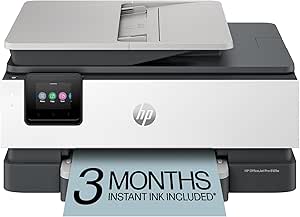 | Best Value for Versatile Home Office Users | Print Speed: Up to 10 ppm color, 20 ppm black | Automatic Duplex Printing: Yes | Input Tray Capacity: 225 sheets | VIEW ON AMAZON | See Our Full Breakdown |
| HP OfficeJet Pro 8135 Wireless All-in-One Color Inkjet Printer |  | Best for Small Teams Needing Multiple Functions with User-Friendly Tech | Print Speed: Up to 20 ppm black, 10 ppm color | Input Tray Capacity: 225 sheets | Touchscreen: 2.7-inch color touchscreen | VIEW ON AMAZON | See Our Full Breakdown |
| HP LaserJet Enterprise MFP M528dn Monochrome All-in-One Printer with Ethernet & 2-Sided Printing |  | Best for Large Business with Focus on Security and Speed | Printer Type: All-in-One Laser | Color: Monochrome | Print Speed: Up to 45 ppm | VIEW ON AMAZON | See Our Full Breakdown |
| HP LaserJet Pro MFP 3101sdw Wireless Black and White All-in-One Laser Printer |  | Best Compact Choice for Small Teams with Wireless Needs | Print Speed: Up to 35 ppm | Paper Capacity: 250 sheets | Auto Document Feeder: 50 sheets | VIEW ON AMAZON | See Our Full Breakdown |
| HP LaserJet Enterprise M607n Monochrome Printer with Built-in Ethernet |  | Best for High-Volume Business Printing and Security | Print Speed: up to 55 pages per minute | Input Capacity: 650 sheets | Security Features: Over 175 embedded security features | VIEW ON AMAZON | See Our Full Breakdown |
| HP OfficeJet Pro 9135 Wireless All-in-One Color Inkjet Printer |  | Best for Versatile, All-in-One Office Tasks with Color | Print Speed: up to 25 ppm black, 20 ppm color | Input Trays: two 250-sheet trays | Features: Print, scan, copy, fax, auto duplex, auto document feeder | VIEW ON AMAZON | See Our Full Breakdown |
| HP OfficeJet Pro 8125 Wireless All-in-One Color Inkjet Printer | 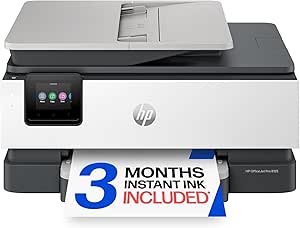 | Best for Compact, Cost-Effective Home Office Use | Print Speed: 20 ppm black, 10 ppm color | Input Tray Capacity: 225 sheets | Touchscreen: 2.7-inch color | VIEW ON AMAZON | See Our Full Breakdown |
| HP Color LaserJet Enterprise M554dn Duplex Printer |  | Best for High-Volume, Color Office Printing with Security | Input Capacity: 650 sheets | Print Speed: up to 35 ppm | Features: Automatic 2-sided printing, HP Web Admin, HP Auto-On/Auto-Off | VIEW ON AMAZON | See Our Full Breakdown |
| hp printer for office use | Connectivity | Print Speed |
|---|---|---|
| HP LaserJet Pro M277dw Wireles | Wireless, NFC, Mobile Printing | — |
| HP DeskJet 2955 Wireless All-i | Wireless, Mobile printing | — |
| HP Smart Tank 5101 Wireless Al | Wireless (2.4GHz only) | — |
| HP OfficeJet Pro 9125 Wireless | Dual-band Wi-Fi, HP App | — |
| HP Color LaserJet Pro 3301sdw | Wireless | up to 26 ppm |
| HP LaserJet Pro M501dn Duplex | — | — |
| HP OfficeJet Pro 8125e Wireles | — | Up to 10 ppm color, 20 ppm black |
| HP OfficeJet Pro 8135 Wireless | Dual-band Wi-Fi, HP app | Up to 20 ppm black, 10 ppm color |
| HP LaserJet Enterprise MFP M52 | Ethernet | Up to 45 ppm |
| HP LaserJet Pro MFP 3101sdw Wi | Wireless Wi-Fi | Up to 35 ppm |
| HP LaserJet Enterprise M607n M | Built-in Ethernet | up to 55 pages per minute |
| HP OfficeJet Pro 9135 Wireless | Dual-band Wi-Fi, HP app support | up to 25 ppm black, 20 ppm color |
| HP OfficeJet Pro 8125 Wireless | Dual-band Wi-Fi, HP app | 20 ppm black, 10 ppm color |
| HP Color LaserJet Enterprise M | — | up to 35 ppm |
More Details on Our Top Picks
HP LaserJet Pro M277dw Wireless All-in-One Color Printer
This printer stands out for offering a strong balance of speed, security, and wireless convenience in a compact form. Compared to the HP OfficeJet Pro 9125, it emphasizes laser precision and robust device management, making it ideal for environments where document quality and security are priorities. Its high-yield toner and automatic reordering streamline ongoing costs, but it relies solely on HP toner, limiting flexibility. The absence of detailed print speed and resolution specs can be a drawback for those needing specific performance metrics. Overall, this model is a great fit for small offices seeking reliable, fast, and secure color printing without occupying too much space.
Pros:- Fast two-sided printing enhances productivity
- Secure device management protects sensitive documents
- Compact size fits small office spaces
- Automatic toner reordering simplifies supplies management
Cons:- Limited to HP toner cartridges, reducing refill options
- No detailed info on print resolution or speed, which may matter for high-quality needs
Best for: Small office teams that need fast, secure, color laser printing in a compact footprint
Not ideal for: Large offices or teams requiring high-volume, multi-user scanning and copying with extensive connectivity options
- Printer Type:All-in-One Color Laser Printer
- Connectivity:Wireless, NFC, Mobile Printing
- Toner:HP 201 High-Yield Color Toner
- Warranty:1-year limited hardware
- Support:24/7 Web support
Our verdict“This printer is ideal for small offices prioritizing security, speed, and space efficiency in color laser printing.”
HP DeskJet 2955 Wireless All-in-One Color Inkjet Printer
This model makes the most sense for users with light printing needs, such as occasional documents, due to its modest print speeds and simple features. Compared with the HP OfficeJet Pro 9125, it prioritizes affordability and eco-friendliness, but sacrifices speed and advanced functionality. Its inclusion of a 3-month Instant Ink trial offers value for low-volume users, though ongoing ink costs can add up afterward. The compact and recycled plastics design appeals to environmentally conscious buyers, but it’s not suited for busy office environments where speed and volume matter. Overall, it’s a solid choice for home offices or very small teams with minimal printing demands.
Pros:- Wireless and mobile printing support
- Includes a 3-month Instant Ink trial for savings
- Compact, eco-friendly design
Cons:- Limited to basic printing tasks, not suitable for high-volume use
- Moderate print speeds may hinder productivity
- Additional ink costs after the trial period
Best for: Home office users with low-volume, basic printing, scanning, and copying needs
Not ideal for: Offices with high-volume or fast-paced printing requirements, where speed and volume are critical
- Print Speed (Black):7.5 ppm
- Print Speed (Color):5.5 ppm
- Input Tray Capacity:60 sheets
- Connectivity:Wireless, Mobile printing
- Trial of Instant Ink:3 months
- Recycled Content:70% recycled plastics
Our verdict“This printer is best for casual home office setups with minimal printing needs and a focus on eco-friendliness.”
HP Smart Tank 5101 Wireless All-in-One Refillable Printer
The HP Smart Tank 5101 excels for users who print大量 pages regularly, thanks to its cartridge-free, refillable design and up to 2-year ink supply. Compared with the HP LaserJet Pro M277dw, it focuses on low-cost, high-volume printing with easy, mess-free refills, but only supports 2.4GHz Wi-Fi, limiting network flexibility. Its vibrant, sharp prints make it suitable for home use where color quality matters, yet its primary appeal is for minimal maintenance and high yield. This makes it ideal for households or small businesses that need to print large volumes without fussing over toner or ink replacements frequently.
Pros:- Cartridge-free, mess-free refills
- High page yield with 2 years of ink included
- Reliable and easy to set up for home use
- Vivid, sharp print quality
Cons:- Limited to 2.4GHz Wi-Fi networks
- Designed primarily for low-cost, high-volume printing
- Not suitable for large or multi-user office environments
Best for: Home users or small businesses with high-volume, color printing needs
Not ideal for: Offices requiring multi-user network support or high-speed printing in a professional setting
- Connectivity:Wireless (2.4GHz only)
- Included Ink:Up to 2 years
- Page Yield:Up to 6,000 pages
- Printer Type:All-in-One (Print, Scan, Copy)
Our verdict“This printer is perfect for high-volume color printing at home or small-scale use, with minimal maintenance required.”
HP OfficeJet Pro 9125 Wireless All-in-One Color Inkjet Printer
This model makes a compelling case for busy offices needing fast, versatile color printing, scanning, copying, and faxing. It outpaces the HP LaserJet Pro M277dw in document handling speed and adds a touchscreen interface for easier operation. Compared with the HP Color LaserJet Pro 3301sdw, it offers more multifunction features, including faxing, but relies on ink cartridges that may require ongoing replacement costs. Its security features and dual-band Wi-Fi support make it suitable for professional environments, though the need for original HP cartridges with chips can be a downside for cost-conscious users. Overall, it’s a solid choice for dynamic office workflows requiring flexibility and speed.
Pros:- Fast color printing and multifunction capabilities
- Intuitive 2.7-inch touchscreen interface
- Wireless support with mobile app integration
- Secure, eco-friendly design with recycled plastics
Cons:- Requires original HP cartridges with chips or circuitry
- Firmware updates may limit third-party cartridge use
- Subscription ink costs can add up over time
Best for: Small to medium-sized offices needing fast, multi-function color printing with easy operation
Not ideal for: Offices with high-volume black-and-white printing or strict budget constraints, due to ongoing ink costs
- Print Speed (Black):up to 22 ppm
- Print Speed (Color):up to 18 ppm
- Input Tray Capacity:250 sheets
- Touchscreen:2.7-inch color touchscreen
- Connectivity:Dual-band Wi-Fi, HP App
- Security:HP Wolf Pro Security
Our verdict“Ideal for offices that prioritize speed, multifunctionality, and an easy-to-use interface in color printing.”
HP Color LaserJet Pro 3301sdw Wireless All-in-One Color Laser Printer
This laser all-in-one is tailored for small teams that need high-speed, high-quality color output along with reliable scanning and copying. Compared to the HP OfficeJet Pro 9125, it emphasizes faster printing speeds (up to 26 ppm) and robust high-volume capabilities, making it ideal for busy workgroups. Its auto duplex feature and 250-sheet tray support increased productivity, but it blocks non-HP cartridges with chips, which can be frustrating for those seeking more refill flexibility. While it’s reliable for demanding tasks, firmware updates may restrict third-party toner use, a common tradeoff in this category. Overall, it’s a strong choice for offices focused on professional, high-volume color printing with durable performance.
Pros:- Fast color printing and scanning speeds
- Automatic duplex printing saves time
- Reliable for high-demand office use
- Wireless connectivity adds convenience
Cons:- Blocks non-HP toner cartridges with chips
- Firmware updates may restrict third-party toner use
Best for: Small office teams needing fast, high-volume color printing and scanning
Not ideal for: Offices seeking flexible third-party toner options or with very limited budgets
- Print Speed:up to 26 ppm
- Functions:Print, Scan, Copy
- Auto Duplex:Yes
- Input Tray Capacity:250 sheets
- Connectivity:Wireless
- Toner Compatibility:Original HP 218A and 218X
Our verdict“This laser printer is perfect for small teams that require fast, reliable, high-volume color printing in a professional setting.”
HP LaserJet Pro M501dn Duplex Printer with One-Year Onsite Warranty
The HP LaserJet Pro M501dn stands out for its ability to handle large volumes of monochrome printing quickly and efficiently, making it ideal for busy office environments. Compared to the LaserJet Enterprise M528dn, it offers a more accessible price point while still delivering high-speed output and robust security features. Its large 650-sheet capacity minimizes paper refills, and the low energy consumption makes it eco-friendly. However, it’s limited to black-and-white output and lacks wireless connectivity, which could be inconvenient for offices relying on mobile or remote printing. This model is perfect for organizations prioritizing speed, security, and high-volume monochrome printing without the need for color or wireless features.
Pros:- High-speed, high-volume monochrome printing with duplex capability
- Low energy consumption and eco-friendly design
- Built-in security features to protect data
- Large 650-sheet paper capacity
Cons:- Limited to monochrome printing, no color option
- Size may be too large for small desks
- No wireless or mobile printing capabilities
Best for: Large offices or departments needing fast, high-volume monochrome printing with security features.
Not ideal for: Small teams or offices requiring color printing or wireless connectivity for mobile device printing.
- Print Technology:Laser
- Color:Black and White
- Duplex Printing:Yes
- Sheet Capacity:650 sheets
- Energy Efficiency:Lowest in its class
- Warranty:One-year, next-business day onsite
Our verdict“This printer suits large, security-conscious offices that prioritize speed and capacity over color or wireless features.”
HP OfficeJet Pro 8125e Wireless All-in-One Color Inkjet Printer
The HP OfficeJet Pro 8125e offers a compelling balance of speed, versatility, and affordability for small to medium home offices. Its fast color printing and all-in-one functions—scanning, copying, and duplex printing—make it more flexible than the laser-based M501dn, which is limited to monochrome output. Its dual-band Wi-Fi supports reliable wireless printing, and the 225-sheet input tray reduces frequent refills. However, the ongoing costs after the initial 3-month Instant Ink trial can add up, and it isn’t designed for high-volume printing like the LaserJet M501dn. This model makes the most sense for users who need color, occasional printing, and wireless features without the high upfront investment.
Pros:- Fast color printing and versatile all-in-one functions
- Reliable dual-band Wi-Fi for wireless convenience
- Automatic duplex printing and large input tray
- Includes a 3-month Instant Ink trial
Cons:- Post-trial ink and toner costs can be high
- Print speeds may be slow for large jobs
- Subscription required for ongoing Instant Ink service
Best for: Small offices or home-based professionals who need versatile color printing on a budget.
Not ideal for: High-volume offices or teams where monochrome speed and capacity are critical, as ink costs can escalate.
- Print Speed:Up to 10 ppm color, 20 ppm black
- Automatic Duplex Printing:Yes
- Input Tray Capacity:225 sheets
- Wireless Connectivity:Dual-band Wi-Fi
- Includes:3-month Instant Ink trial
Our verdict“This printer is ideal for small offices needing affordable, versatile color printing with wireless capabilities and moderate volume capacity.”
HP OfficeJet Pro 8135 Wireless All-in-One Color Inkjet Printer
The HP OfficeJet Pro 8135 excels in offering a well-rounded all-in-one experience, combining fast color printing, scanning, copying, and even faxing, making it suitable for small teams. Its 2.7-inch color touchscreen simplifies operation, and the device supports HP’s AI-enhanced formatting for professional-looking documents. While it shares the same 225-sheet input tray as the 8125e, its faster black and color print speeds—up to 20 and 10 ppm respectively—make it a good choice for workflow efficiency. The main tradeoff is its reliance on original HP cartridges, which can be costly, especially if firmware updates restrict third-party supplies. This pick is best for users who need a feature-rich, easy-to-use printer with a focus on document quality.
Pros:- Fast color and black printing speeds
- Intuitive 2.7-inch touchscreen interface
- Wireless printing and mobile support
- Supports HP’s AI-enhanced formatting for professional output
Cons:- Requires original HP cartridges with chips or circuitry
- Firmware updates may limit third-party cartridge use
- Subscription needed for Instant Ink after trial
Best for: Small business teams or professionals who need reliable, fast, and easy-to-use color printing with multifunction capabilities.
Not ideal for: High-volume print environments or users seeking budget-friendly ink options, due to high cartridge costs and restrictions.
- Print Speed:Up to 20 ppm black, 10 ppm color
- Input Tray Capacity:225 sheets
- Touchscreen:2.7-inch color touchscreen
- Connectivity:Dual-band Wi-Fi, HP app
- Included Trial:3 months of Instant Ink
Our verdict“This model suits small teams needing a versatile, user-friendly printer that produces professional-quality documents quickly and easily.”
HP LaserJet Enterprise MFP M528dn Monochrome All-in-One Printer with Ethernet & 2-Sided Printing
The HP LaserJet Enterprise MFP M528dn is designed for demanding office environments that require fast, secure, and reliable monochrome printing. Its impressive 45 ppm speed surpasses most alternatives like the M501dn, making it suitable for high-volume needs. The 8-inch color touchscreen provides intuitive control, while over 200 embedded security features protect sensitive data. Ethernet connectivity ensures stable network integration, ideal for centralized office workflows. The main tradeoff is its high initial cost and focus solely on monochrome output, making it overkill for small teams or those needing color. This printer is aimed at large enterprises prioritizing security, speed, and efficiency in a monochrome setup.
Pros:- High-speed printing up to 45 ppm
- Extensive security features with over 200 protections
- User-friendly 8-inch touchscreen
- Duplex printing and scanning for efficiency
Cons:- High initial purchase cost
- Limited to monochrome printing
- Designed primarily for enterprise, not casual use
Best for: Large businesses or IT departments requiring secure, high-speed monochrome printing with advanced management tools.
Not ideal for: Small offices or teams that need color printing or budget-conscious solutions, as the price and monochrome focus may be prohibitive.
- Printer Type:All-in-One Laser
- Color:Monochrome
- Print Speed:Up to 45 ppm
- Connectivity:Ethernet
- Duplex Printing:Yes
- Security Features:Over 200 embedded protections
Our verdict“This printer is best suited for large organizations that need fast, secure monochrome printing with advanced management features.”
HP LaserJet Pro MFP 3101sdw Wireless Black and White All-in-One Laser Printer
The HP LaserJet Pro MFP 3101sdw offers a compact, reliable solution for small offices or teams that need fast black-and-white laser printing, scanning, and copying. Its 35 ppm speed and 250-sheet input tray support moderate workloads efficiently, while wireless Wi-Fi connectivity allows for flexible placement and mobile printing. Compared to larger, more feature-rich models like the M528dn, it sacrifices some speed and capacity for a smaller footprint. The main limitation is its exclusive compatibility with HP chips or circuitry cartridges, which could increase ongoing costs. This printer makes the most sense for small teams seeking a straightforward, space-saving monochrome laser printer with wireless capabilities.
Pros:- Fast printing and copying speeds for small offices
- Auto duplex printing for efficiency
- Reliable wireless Wi-Fi connection
- Compact design fits tight spaces
Cons:- Works only with HP chips or circuitry cartridges
- Limited to black-and-white printing
- Lower capacity for very high workloads
Best for: Small offices or remote teams needing reliable, fast monochrome printing with wireless support in limited space.
Not ideal for: High-volume or color printing environments, due to its limited capacity and monochrome-only output.
- Print Speed:Up to 35 ppm
- Paper Capacity:250 sheets
- Auto Document Feeder:50 sheets
- Connectivity:Wireless Wi-Fi
- Cartridge Compatibility:HP chips or circuitry
Our verdict“This printer is well-suited for small offices or teams needing dependable monochrome printing with minimal space requirements and wireless access.”
HP LaserJet Enterprise M607n Monochrome Printer with Built-in Ethernet
The HP LaserJet Enterprise M607n stands out for its blazing-fast printing speed of up to 55 pages per minute, making it ideal for high-demand office environments. Its robust security with over 175 embedded features surpasses many competitors like the HP LaserJet Pro M501dn, which offers security but at lower speeds. The large input capacity of 650 sheets reduces the need for frequent refilling, streamlining workflow during heavy workloads. However, its monochrome-only output and high initial cost make it less suitable for offices needing color or budget-conscious setups. Designed specifically for businesses with significant printing needs, this model is less appealing to small teams or casual users who won’t utilize its full capacity or security features.
Pros:- Exceptional printing speed of up to 55 pages per minute
- Over 175 embedded security features for data protection
- Large 650-sheet input capacity for high-volume jobs
- Built-in Ethernet for reliable network connectivity
Cons:- High initial purchase cost
- Limited to monochrome printing, not suitable for color needs
Best for: Large enterprises or offices with high-volume monochrome printing needs and strict security requirements
Not ideal for: Small businesses or teams requiring color printing or budget-friendly options
- Print Speed:up to 55 pages per minute
- Input Capacity:650 sheets
- Security Features:Over 175 embedded security features
- Connectivity:Built-in Ethernet
- Display:LCD control panel
Our verdict“This printer is best suited for large, security-conscious offices with heavy monochrome printing demands.”
HP OfficeJet Pro 9135 Wireless All-in-One Color Inkjet Printer
The HP OfficeJet Pro 9135 excels as an all-in-one device that balances speed, versatility, and wireless convenience. Its ability to print, scan, copy, and fax with fast color speeds of up to 20 ppm makes it a flexible option for busy offices needing more than just printing. The 4.3-inch touchscreen simplifies navigation, and dual-band Wi-Fi supports mobile and remote printing. Compared to the HP OfficeJet Pro 8125, which offers similar multifunction capabilities but with a smaller touchscreen, the 9135’s larger display enhances usability. Its security features, including HP Wolf Pro Security, add peace of mind, though ongoing costs for cartridges and firmware updates might be drawbacks for budget-conscious users. This model suits offices prioritizing multifunctionality and connectivity over ultra-high-volume output.
Pros:- Fast color printing up to 20 ppm
- Large 4.3-inch touchscreen for easy use
- Wireless and mobile app support for flexible printing
- Secure with HP Wolf Pro Security and eco-friendly design
Cons:- Requires original HP cartridges with specific chips
- Security features depend on firmware updates, which may be necessary
- Post-trial ongoing cartridge costs can add up
Best for: Small to medium offices needing versatile color printing with integrated scanning and faxing
Not ideal for: Offices with very high-volume printing demands or those on strict budgets, due to ongoing cartridge costs
- Print Speed:up to 25 ppm black, 20 ppm color
- Input Trays:two 250-sheet trays
- Features:Print, scan, copy, fax, auto duplex, auto document feeder
- Connectivity:Dual-band Wi-Fi, HP app support
- Security:HP Wolf Pro Security
- Material:Made with over 40% recycled plastic
Our verdict“Ideal for offices that need a reliable, multifunction color printer with strong connectivity and security features.”
HP OfficeJet Pro 8125 Wireless All-in-One Color Inkjet Printer
The HP OfficeJet Pro 8125 offers a compact and efficient solution for small offices or home setups needing color printing, scanning, and copying. Its 2.7-inch touchscreen makes operation straightforward, and its fast color printing at 10 ppm complements its versatility. Compared to the HP OfficeJet Pro 9135, which has a larger display and higher speed, the 8125 is more space-friendly and budget-conscious, though it sacrifices some speed and features. Its eco-friendly design with recycled plastic and security features appeal to environmentally conscious users, but the reliance on specific HP cartridges can lead to ongoing costs. This printer is a practical choice for those who want reliable multifunctionality without the bulk or high price of larger models.
Pros:- Fast color printing at 10 ppm
- User-friendly 2.7-inch touchscreen
- Wireless printing and mobile device support
- Made with over 45% recycled plastic for sustainability
Cons:- Requires original HP cartridges with specific chips
- Firmware updates may restrict third-party ink cartridges
- Limited to moderate printing volumes
Best for: Small offices or home-based businesses with moderate color printing needs
Not ideal for: High-volume environments or offices needing rapid, high-capacity printing
- Print Speed:20 ppm black, 10 ppm color
- Input Tray Capacity:225 sheets
- Touchscreen:2.7-inch color
- Connectivity:Dual-band Wi-Fi, HP app
- Features:Auto duplex, auto document feeder, security
- Material:Made with over 45% recycled plastic
Our verdict“This model suits small offices looking for a compact, eco-friendly multifunction printer with reliable wireless features.”
HP Color LaserJet Enterprise M554dn Duplex Printer
The HP Color LaserJet Enterprise M554dn excels in delivering high-quality color output at speeds up to 35 ppm, making it suitable for demanding office environments. Its large 650-sheet input capacity and automatic duplex printing streamline productivity, even during heavy workloads. Compared to the monochrome HP LaserJet M607n, this model offers vibrant color capability, essential for marketing materials or reports. Its advanced security with HP Wolf Enterprise Security and energy-saving features like Auto-On/Auto-Off make it a smart choice for security-conscious, high-volume offices. However, its higher price and focus on office rather than home use may deter smaller teams or those with limited budgets. This printer makes the most sense for busy, color-dependent workplaces that require durability and security.
Pros:- Fast print speeds of up to 35 ppm
- High 650-sheet input capacity for large jobs
- Advanced security features to protect sensitive data
- Energy-efficient with Auto-On/Auto-Off technology
Cons:- Higher initial purchase price
- Primarily designed for office environments, not home use
Best for: Medium to large offices that need fast, high-volume color printing with security features
Not ideal for: Small or home offices with limited space or lower printing demands
- Input Capacity:650 sheets
- Print Speed:up to 35 ppm
- Features:Automatic 2-sided printing, HP Web Admin, HP Auto-On/Auto-Off
- Security:HP Wolf Enterprise Security
Our verdict“Ideal for security-minded, high-volume offices requiring fast, vibrant color printing in demanding environments.”
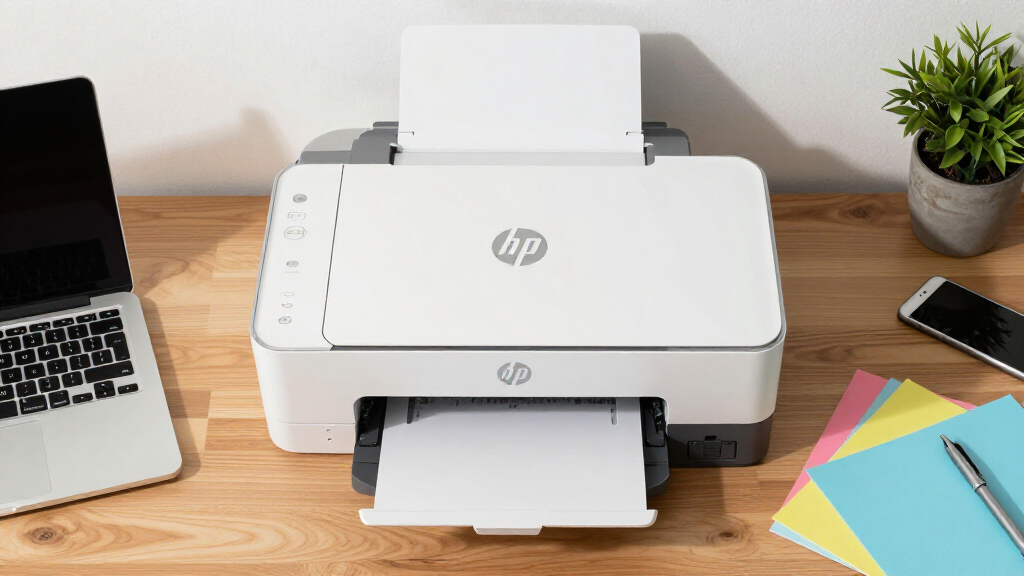
How We Picked
We evaluated HP printers based on a combination of performance, usability, build quality, maintenance costs, and value for office environments. Speed, print resolution, and connectivity options were prioritized, as these directly impact daily workflow. Durability and ease of use, including setup and ongoing maintenance, influenced rankings. We also considered the range of features offered at different price points to identify options suitable for small to large office settings. Our goal was to highlight models that provide a clear balance of reliability, cost-efficiency, and scalability for varied office needs.Factors to Consider When Choosing Hp Printer For Office Use
Choosing the right HP printer for your office involves understanding several key factors. Not all printers are created equal, and selecting one that matches your workflow can prevent costly mistakes and improve productivity. Consider your typical print volume, upfront budget, and whether your team needs features like wireless connectivity or duplex printing. Understanding these factors helps you avoid overpaying for unnecessary features or ending up with a device that can’t handle your workload.Print Volume and Speed
Assess your daily printing needs to select a printer with appropriate speed and capacity. High-volume offices benefit from laser printers with larger trays and faster print speeds, reducing wait times and downtime. Conversely, small teams or occasional printers can get by with lower-speed inkjet models that are more affordable upfront. Ignoring this factor can lead to bottlenecks or unnecessary expenses, so match the printer’s rated capacity with your actual usage.
Connectivity and Network Features
Wireless, Ethernet, and mobile printing capabilities are vital for offices with multiple users. These features enable seamless sharing and reduce clutter from cables. However, they can add complexity and sometimes compromise security if not configured properly. Evaluate your network infrastructure and consider whether your team needs advanced features like remote printing or security protocols, which may influence your choice of model.
Cost of Consumables
Ongoing costs for ink or toner significantly affect the total cost of ownership. Refillable systems like the HP Smart Tank can lower per-page expenses but require a higher initial investment. Traditional cartridges are easier to replace but tend to be more costly over time. Be sure to factor in the cost and availability of consumables, especially if your office prints frequently or in large volumes.
Size and Placement
Office space constraints should influence your choice. Compact models fit smaller desks or shared spaces, but may sacrifice capacity or features. Larger multifunction printers often include additional features like fax or scanning but require dedicated space. Measure your available area and plan for accessibility to avoid choosing a device that’s impractical for your environment.
Security and Management Features
Office printers are increasingly targeted for security breaches. Look for models that offer secure printing, user authentication, and management tools, especially if sensitive data is involved. Higher-end models often include centralized management options, which streamline updates and monitor usage, reducing the risk of vulnerabilities and ensuring compliance.
Frequently Asked Questions
How do I choose between a laser and inkjet printer for my office?
Laser printers excel in speed, durability, and cost per page, making them ideal for high-volume, professional environments. Inkjet printers often provide better color accuracy and are more affordable upfront, suited for small offices or those with lower print demands. Consider your volume, color needs, and budget when choosing; for most office settings, a laser model tends to be more efficient long-term.
Are wireless printers secure enough for sensitive office documents?
Modern wireless printers come with security features like encryption, user authentication, and secure print release. Proper network configuration and regular firmware updates are essential to maintaining security. For highly sensitive documents, select models with advanced security options and ensure your Wi-Fi network is protected with strong passwords and encryption protocols.
Is it worth investing in a multifunction printer, or should I get a dedicated scanner and printer?
Multifunction printers combine printing, scanning, copying, and sometimes faxing, saving space and reducing device clutter. For most office environments, these all-in-one models provide sufficient functionality and convenience. However, if your office has specific high-volume or specialized needs, dedicated devices might offer better performance or features tailored to those tasks.
How much should I expect to spend on a reliable office HP printer?
Office-grade HP printers range from around $200 for basic models to over $1,000 for premium, high-capacity units. Spending more typically provides faster speeds, better durability, and more advanced features like security or duplexing. Balance your budget with your expected volume and required features to avoid overpaying for unnecessary extras.
What maintenance is involved with an office HP printer?
Regular maintenance includes replacing ink or toner cartridges, cleaning print heads, and updating firmware. Laser printers often require less frequent service but can benefit from periodic drum and roller checks. Proper upkeep extends the lifespan and maintains print quality, so consider models with easy access to consumables and user-friendly maintenance procedures.
Conclusion
For most small to medium offices, the HP LaserJet Pro M277dw stands out as the best overall choice, offering a balanced mix of speed, quality, and wireless features. Budget-conscious buyers should consider the HP DeskJet 2955 for its affordability and simplicity, while larger or high-volume offices may find the HP Smart Tank 5101 provides the best value for ongoing costs. For those prioritizing security and scalability, premium models like the HP LaserJet Enterprise M554dn are ideal. Ultimately, selecting the right printer depends on your specific office needs, volume, and budget—use this guide to find your best fit.