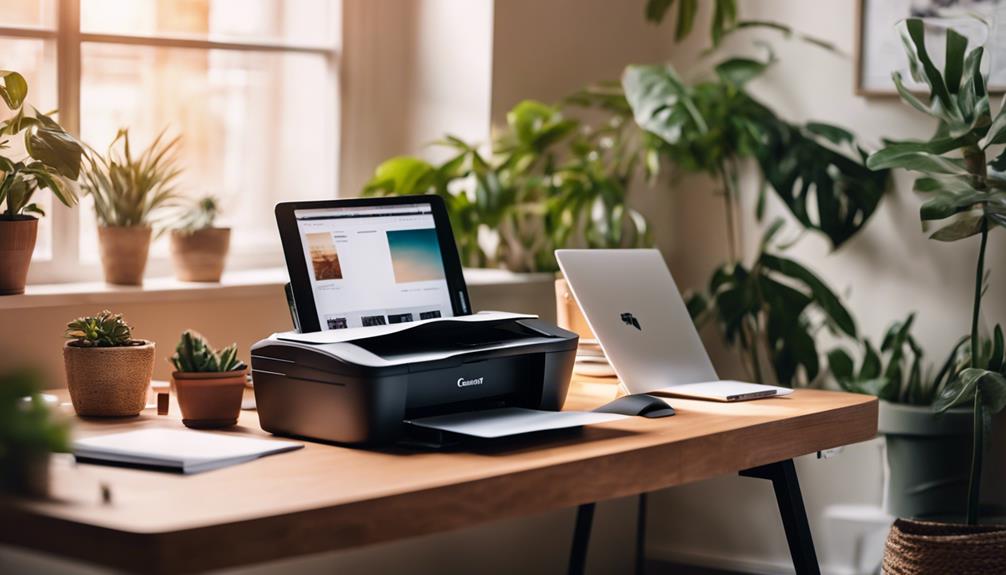
Finding the right home office color laser printer can be challenging with so many options available. The best overall pick is the Canon Color imageCLASS MF751Cdw II, thanks to its reliable wireless connectivity and fast printing speeds. For those seeking affordability, the Brother HL-L3220CDW offers solid performance at a lower price point, though it lacks multifunction features. Meanwhile, the HP Color LaserJet Pro MFP 3301sdw stands out for its compact design and all-in-one capabilities. The main tradeoffs in this category often involve balancing print quality, multifunctionality, and running costs. Keep reading for a detailed breakdown of these options to find the best fit for your home office needs.

Get business pricing on office and shipping supplies
- Business-only prices and quantity discounts
- Tax-exempt purchasing
- Multiple users, one account, clear invoices
Key Takeaways
- The top printers balance print speed, color accuracy, and connectivity features for seamless home office workflows.
- Multifunction models generally cost more but offer greater versatility, making them ideal for multi-tasking environments.
- Compact designs are popular but may sacrifice some paper capacity or feature depth, so consider your volume needs.
- Running costs, including toner yield and energy consumption, play a significant role in the long-term value of these printers.
- Wireless and mobile printing capabilities are now standard, but compatibility varies, so verify your devices before purchase.


| home office color laser printer | Print Speed | Connectivity | Paper Capacity |
|---|---|---|---|
| Canon Color imageCLASS MF751Cd | 35 ppm | — | 250-sheet standard cassette, 50-sheet multipurpose tray, expandable |
| HP Color LaserJet Pro MFP 3301 | 26 ppm | Wireless | — |
| HP Color LaserJet Pro MFP 3301 | 26 ppm | Wireless, Wi-Fi | — |
| Canon Color imageCLASS MF665Cd | 26 ppm | Wireless, Mobile Ready | 250 sheets |
| Brother MFC-L3720CDW Wireless | 19 ppm | Wi-Fi, Wi-Fi Direct, USB | 250 sheets |
| Brother MFC-L8930CDW Business | up to 33 ppm | Wi-Fi dual-band, Gigabit Ethernet | — |
| Canon Color imageCLASS MF753Cd | 35 PPM | — | — |
| Canon Color imageCLASS LBP646C | 26 PPM | Wireless | 250 sheets |
| Canon Color imageCLASS MF662Cd | 26 pages per minute | — | 250-sheet standard cassette, 1-sheet multipurpose tray |
| Brother HL-L3220CDW Color Lase | 19 PPM | — | 250 sheets |
| Brother HL-L3280CDW Wireless C | 27 pages per minute | Wireless, Ethernet | — |
| HP Color LaserJet Pro 3201dw W | 26 ppm | Wireless (dual-band Wi-Fi) | — |
More Details on Our Top Picks
Canon Color imageCLASS MF751Cdw II – Wireless Duplex Laser Printer, Multifunction with Copier, Scanner, Automatic Document Feeder, 35 PPM
The Canon imageCLASS MF751Cdw II stands out for its rapid print speed of 35 ppm, making it an excellent choice for busy home offices that require quick turnaround times. Compared with the Brother MFC-L3720CDW, it offers higher speed and a larger touchscreen, streamlining workflows. Its high-capacity toner reduces downtime, but the initial cost is higher, and expanding paper capacity requires additional purchases. This model is ideal for professionals who need a multifunction device with fast, high-quality output and seamless wireless integration, especially where time efficiency is critical.
Pros:- Exceptional print speed of 35 ppm in color and monochrome
- Intuitive 5-inch touchscreen simplifies operation
- High-capacity toner for long-lasting, professional output
- Supports wireless, mobile printing, and automatic duplexing
Cons:- Requires an optional cassette for larger paper capacity, adding to cost
- Higher initial investment compared to simpler models
Best for: Small business owners or freelancers who need high-volume, fast color printing with multifunction capabilities
Not ideal for: Budget-conscious users or those with limited space, as its higher price and larger footprint may be a concern
- Print Speed:35 ppm
- Color:Yes
- Wireless:Yes
- Duplex:Yes
- Functions:Print, scan, copy
- First Print Time:7 seconds
- Toner:Canon Genuine Toner 069 / 069 high-capacity
- Paper Capacity:250-sheet standard cassette, 50-sheet multipurpose tray, expandable
- Automatic Document Feeder:50-sheet simplex
Our verdict“This printer suits users who prioritize speed, multifunctionality, and high-quality color output in a busy home office environment.”
HP Color LaserJet Pro MFP 3301sdw Wireless All-in-One Color Laser Printer
The HP Color LaserJet Pro 3301sdw excels as an all-in-one device for compact office environments, offering reliable printing, scanning, and copying at 26 ppm. Its wireless setup simplifies connectivity, and the dual functionality with a 250-sheet tray makes it suitable for small teams. Compared to the Brother MFC-L3720CDW, it adds copying and scanning but has a slightly slower print speed. Security features and eco-friendly design appeal to offices with sensitive data and sustainability goals. However, it requires HP-specific cartridges, which might increase long-term costs, and being a newer model, firmware updates could temporarily restrict third-party cartridges.
Pros:- All-in-one functionality with print, scan, copy, and fax
- Wireless connectivity with easy setup features
- Eco-friendly with Energy Star certification
- 250-sheet input tray supports high-volume printing
Cons:- Dependent on HP cartridges with proprietary chips, increasing costs
- Refurbished units may have limited lifespan
- Complex media setup for varied paper sizes
Best for: Small business teams or home offices needing comprehensive multifunction capabilities with reliable wireless setup
Not ideal for: Users seeking the fastest print speeds or on a tight budget, due to higher cartridge costs and slower speeds compared to alternatives
- Print Speed:26 ppm
- Functions:Print, scan, copy, fax
- Connectivity:Wireless
- Automatic Duplex:Yes
- Input Tray Capacity:250 sheets
- Media Sizes Supported:Letter, Legal, Envelopes, A4, others
Our verdict“Ideal for small teams needing a secure, multifunction laser printer with decent speed and wireless ease of use, though cartridge costs are a consideration.”
HP Color LaserJet Pro MFP 3301cdw Wireless All-in-One Color Laser Printer
The HP Color LaserJet Pro 3301cdw offers a professional-grade, refurbished option for offices that need security and eco-friendliness. Its fast 26 ppm print speed, combined with secure data protection and self-reset Wi-Fi, makes it suitable for sensitive environments. Compared to the Canon MF751Cdw II, it adds security layers and energy certifications, but being refurbished, it might have a shorter lifespan and requires original HP cartridges with chips. Its broad media support and security features make it a good fit for professionals who value data protection and sustainability, though setup may be complex for some users.
Pros:- Fast printing and scanning with high-quality output
- Built-in security features to protect data
- Self-reset Wi-Fi for easier setup
- Eco-friendly certifications for energy savings
Cons:- Refurbished units may have limited durability
- Requires original HP cartridges with chips, increasing ongoing costs
- Setup complexity for non-technical users
Best for: Small offices or professionals handling sensitive data who want secure, eco-friendly color printing
Not ideal for: Users who need the highest speed or are wary of refurbished equipment, due to potential lifespan limitations
- Print Speed:26 ppm
- Functions:Print, scan, copy, fax
- Connectivity:Wireless, Wi-Fi
- Automatic Document Feeder:Yes
- Duplex Printing:Yes
- Warranty:1 year
Our verdict“This model is best for users prioritizing security, eco credentials, and professional quality over raw speed or new hardware status.”
Canon Color imageCLASS MF665Cdw Wireless All-in-One Duplex Laser Printer
The Canon imageCLASS MF665Cdw offers a balanced mix of speed, ease of use, and multifunctionality, making it suitable for small offices that value straightforward operation. Its 26 ppm speed is slightly slower than the Canon MF751Cdw II, but its 5-inch touchscreen simplifies navigation, and its high-capacity toner reduces refills. Compared with the Brother MFC-L3720CDW, it emphasizes user-friendliness and a refined design, though its larger footprint could be limiting for tight spaces. It’s an excellent pick for those who want a dependable, all-in-one device with minimal fuss.
Pros:- Fast, high-quality color printing at 26 ppm
- Easy-to-use 5-inch touchscreen interface
- Automatic duplex printing and high-capacity toner
- Reliable wireless setup with mobile printing support
Cons:- Larger physical size may not suit small or cluttered spaces
- Initial setup could be challenging for non-technical users
Best for: Small office users who prefer intuitive interfaces and straightforward wireless setup
Not ideal for: Heavy users who require the fastest speed or compact size, as it’s bulkier and slightly slower than some competitors
- Print Speed:26 ppm
- First Print Time:10.3 seconds
- Paper Capacity:250 sheets
- Automatic Document Feeder:50-sheet duplex
- Connectivity:Wireless, Mobile Ready
- Warranty:3 Years Limited
Our verdict“This printer is well-suited for users who want reliable, user-friendly multifunctionality in a slightly larger footprint.”
Brother MFC-L3720CDW Wireless Color Laser Printer with Scanner, Copier, and Fax
The Brother MFC-L3720CDW combines multiple office functions into a compact, user-friendly design, making it a strong choice for small business environments. Its 19 ppm speed is slower than other models like the Canon MF751Cdw II, but its comprehensive features—including fax and a 3.5-inch touchscreen with shortcuts—offer excellent workflow integration. Multiple connectivity options, including USB and wireless, support varied setups, though the higher upfront cost for business features and the potential complexity for first-time users could be hurdles. Overall, it’s a versatile option for those who need a reliable, multi-use printer in a smaller footprint.
Pros:- High-quality laser output with reliable speed of 19 ppm
- Multiple connectivity options including Wi-Fi, Wi-Fi Direct, and USB
- Automatic duplex printing for efficiency
- Intuitive touchscreen with customizable shortcuts
Cons:- Higher initial cost relative to simple printers
- Setup may be challenging for less tech-savvy users
- Slower speed compared to higher-end models
Best for: Small business users or home offices needing a multifunction device with extensive connectivity and ease of use
Not ideal for: High-volume users needing faster speeds, or those with limited technical experience, due to setup complexity
- Print Speed:19 ppm
- Paper Capacity:250 sheets
- Auto Document Feeder:50 sheets
- Connectivity:Wi-Fi, Wi-Fi Direct, USB
- Touchscreen:3.5-inch color with shortcuts
Our verdict“This device suits small offices seeking a feature-rich, dependable multifunction laser printer with versatile connectivity options.”
Brother MFC-L8930CDW Business Color Laser All-in-One Printer with Duplex Print, Scan, Copy, Security
This model stands out for its combination of speed, security, and versatility, making it ideal for busy office environments. Compared with the Canon MF753Cdw II, it offers faster scan speeds and more advanced security features, though it comes with a higher price tag. Its compact design helps save space, and multiple connectivity options support flexible setups. However, the initial investment is significant, and toner costs can add up over time. This pick makes the most sense for offices that need reliable, high-volume printing with strong data protection.
Pros:- Fast print and scan speeds improve productivity
- Advanced security features protect sensitive documents
- Compact footprint saves space and reduces clutter
- Supports multiple connectivity options including Wi-Fi and Ethernet
Cons:- High initial purchase price may be prohibitive for some
- Setup process can be complex without technical knowledge
- Replacement toner cartridges are expensive
Best for: Small to medium-sized businesses prioritizing security and high-volume printing
Not ideal for: Home users or small offices with tight budgets, due to the high initial cost and complex setup
- Print Speed:up to 33 ppm
- Scan Speed:up to 104 ipm
- Auto Document Feeder:80 pages
- Touchscreen:7-inch color
- Connectivity:Wi-Fi dual-band, Gigabit Ethernet
- Security:Triple layer security, NFC card reader
Our verdict“This printer is best suited for offices that need high-speed, secure, and reliable multi-function printing, despite its higher upfront cost.”
Canon Color imageCLASS MF753Cdw II – All-in-One Color Duplex Laser Printer, Wireless, Scanner, Copier, Fax, Auto Document Feeder, 35 PPM
This model excels in all-in-one functionality, combining printing, scanning, copying, and faxing with fast output of 35 pages per minute, ideal for offices that need multiple tasks handled in a single device. Compared to the Brother MFC-L8930CDW, it offers a slightly lower price point but lacks some security features, making it less suitable for highly sensitive data. Its wireless and duplex capabilities enhance usability, especially for multi-user environments. The absence of detailed pricing info could be a concern for budget-conscious buyers. Overall, this makes sense for users who want a comprehensive, fast, and wireless all-in-one printer for regular office tasks.
Pros:- All-in-one functionality including print, scan, copy, and fax
- Wireless connectivity facilitates mobile and multi-device printing
- Fast print speed of 35 ppm supports busy workflows
- Duplex printing reduces paper usage
Cons:- No specific pricing details available
- Potentially high initial cost for a laser all-in-one device
- Limited security features compared to some competitors
Best for: Small businesses or home offices seeking an all-in-one laser printer with fast throughput
Not ideal for: Offices requiring advanced security or high-volume scanning, due to limited security features
- Color:Color
- Wireless:Yes
- Duplex:Yes
- Functions:Print, scan, copy, fax
- Print Speed:35 PPM
- Warranty:3 Year Limited
Our verdict“This all-in-one printer is a solid choice for those needing quick, versatile office functions in a wireless setup, with some security limitations.”
Canon Color imageCLASS LBP646Cdw Wireless Laser Printer – White, 26 PPM, Duplex Printing, Print Only
This printer is a streamlined, space-saving option designed for small offices or home use that mainly need high-quality color printing. Compared with the multifunction Canon MF662Cdw, it offers a faster print speed of 26 ppm and automatic duplex printing, but it’s limited to printing only. Its wireless setup and mobile printing support make it very user-friendly for occasional printing needs. However, the lack of scanning and copying functions limits its usefulness for environments that require more than just printing. It’s a good fit where simplicity and quick color output are priorities, but not for those needing multifunction capabilities.
Pros:- Fast print speeds with up to 26 ppm
- Easy wireless setup and mobile printing support
- Automatic duplex printing saves paper
- Compact and stylish design
Cons:- Limited to print-only functions, reducing versatility
- Small paper capacity of 250 sheets may require frequent refills
- Limited warranty of only 1 year
Best for: Home users or small offices needing reliable color printing without scanning or copying
Not ideal for: Offices that require multifunction features or high-volume printing, due to its print-only design
- Print Speed:26 PPM
- Print Technology:Laser
- Color:Color
- Connectivity:Wireless
- Duplex Printing:Automatic
- Paper Capacity:250 sheets
Our verdict“This compact, fast color printer is perfect for users who need quick, high-quality prints without the need for scanning or copying functions.”
Canon Color imageCLASS MF662Cdw Wireless Duplex Laser Printer with Copier and Scanner
This model combines speed, high capacity, and multifunctionality, making it well-suited for busy offices that need a reliable all-in-one device. Compared with the MF753Cdw II, it offers a lower print speed of 26 ppm but compensates with a 3-year warranty and high-capacity toner, reducing ongoing costs. Its large 250-sheet paper capacity and duplex functions support high-volume workloads. The somewhat larger footprint might be a concern for tighter spaces. It is an excellent choice for offices that prioritize durability and high page yields over the latest speed enhancements.
Pros:- Fast color and monochrome printing at 26 ppm
- High-capacity toner for low running costs
- Automatic duplex printing supports efficient paper use
- 3-year warranty offers peace of mind
Cons:- Larger size may require more space
- Initial setup can be complex for some users
- Lower maximum print speed compared to some models
Best for: Small to medium-sized offices with high-volume printing needs and space for a larger machine
Not ideal for: Small home offices with limited space or those needing faster print speeds, due to size and speed limitations
- Print Speed:26 pages per minute
- First Print Time:10.3 seconds
- Display:5-inch Color Touchscreen
- Toner:Canon Genuine Toner 075 / 075 high-capacity
- Paper Capacity:250-sheet standard cassette, 1-sheet multipurpose tray
- Auto Duplex Printing:Yes
Our verdict“Ideal for busy offices that need a durable, high-capacity multifunction printer with reliable speed and longevity.”
Brother HL-L3220CDW Color Laser Printer with Wireless Printing and Duplex
This printer offers a practical balance of speed, wireless convenience, and paper capacity, making it suitable for casual or small business use. Compared to the Canon LBP646Cdw, it provides a slightly slower speed at 19 ppm but benefits from a larger 250-sheet paper tray, reducing refill frequency. Its wireless and mobile compatibility are user-friendly features, though it lacks multifunction options like scanning or copying. The absence of detailed resolution specs could leave some wanting more clarity on print quality. Overall, it’s a dependable choice for high-quality color printing in a compact, affordable package.
Pros:- Vibrant color printing with crisp text
- Large paper tray minimizes refills
- Wireless and mobile device support
- Automatic duplex printing reduces paper use
Cons:- Limited to print-only functions, lacks scanning or copying
- Print resolution details are not specified
- Potentially higher toner costs over time
Best for: Home users or small offices needing reliable color printing with minimal fuss
Not ideal for: Offices requiring multifunction capabilities or very high-speed output, due to its limited features
- Print Speed:19 PPM
- Paper Capacity:250 sheets
- Wireless:Yes
- Duplex Printing:Automatic
- Print Technology:Laser
- Color:Color
Our verdict“This printer is a solid, space-efficient choice for color printing with wireless ease, suitable for smaller teams or home use.”
Brother HL-L3280CDW Wireless Compact Digital Color Printer with Duplex and Mobile Printing
This compact color laser printer from Brother stands out for balancing high-quality output with user-friendly features tailored for small or home offices. Compared to the HP Color LaserJet Pro 3201dw, it offers similar print speeds but adds automatic duplexing and a more intuitive 2.7-inch touchscreen, making routine tasks easier. However, it requires a subscription trial for some advanced cloud features, which could be a hurdle for budget-conscious users. Its support for mobile and cloud printing enhances flexibility, but the small touchscreen might be less ergonomic for frequent use. This printer is an excellent choice for those who prioritize quality and speed in a space-efficient package, but users needing extensive office functions or large-scale printing should look elsewhere.
Pros:- High-quality laser color output
- Fast print speeds up to 27 ppm
- Automatic duplex printing to save paper
- Supports mobile and cloud printing
Cons:- Subscription trial required for some advanced features
- Limited to small office or home use
- Touchscreen may be small for frequent interaction
Best for: Small home office users who need fast, high-quality color printing with basic mobile and cloud support
Not ideal for: Large teams or heavy-duty printing environments, as it’s limited to small office workloads and has a small touchscreen interface
- Print Speed:27 pages per minute
- Connectivity:Wireless, Ethernet
- Duplex:Automatic
- Touchscreen:2.7-inch
- Compatible Apps:Google Drive, Dropbox, EverNote
Our verdict“This pick makes the most sense for small teams or home offices seeking reliable, high-quality color printing with compact design.”
HP Color LaserJet Pro 3201dw Wireless Color Laser Printer
This HP model offers a slight edge in professional-grade color for small workgroups, with a robust 26 ppm speed and a 250-sheet input tray for larger print volumes compared to Brother’s compact design. Its auto duplexing is comparable to the Brother HL-L3280CDW, but it emphasizes reliability with dual-band Wi-Fi and a self-reset feature to maintain connectivity. Nonetheless, it depends on original HP cartridges with chips, which adds to ongoing costs, and firmware updates might be needed to keep performance optimal. While it excels in producing vibrant, professional documents, the need for specific cartridges and potential update requirements could be inconvenient for budget-conscious or tech-averse users. Overall, this printer is ideal for small teams that prioritize consistent quality and office-ready features over absolute budget friendliness.
Pros:- High-quality, professional-color printing
- Fast print speeds of 26 ppm
- Auto duplex printing conserves paper
- Reliable dual-band Wi-Fi with self-reset for stable connectivity
Cons:- Requires original HP cartridges with chips or circuitry, increasing costs
- Firmware updates may be necessary, adding complexity
- Limited flexibility for non-HP compatible supplies
Best for: Small teams or professionals needing consistent, high-quality color output for documents and presentations
Not ideal for: Individuals or very small offices with limited budgets, due to higher ongoing cartridge costs and firmware update needs
- Print Speed:26 ppm
- Color:Yes
- Duplex Printing:Auto
- Input Tray Capacity:250 sheets
- Connectivity:Wireless (dual-band Wi-Fi)
Our verdict“This printer suits small teams demanding reliable, vibrant color documents with sizable paper capacity, accepting higher cartridge costs.”
How We Picked
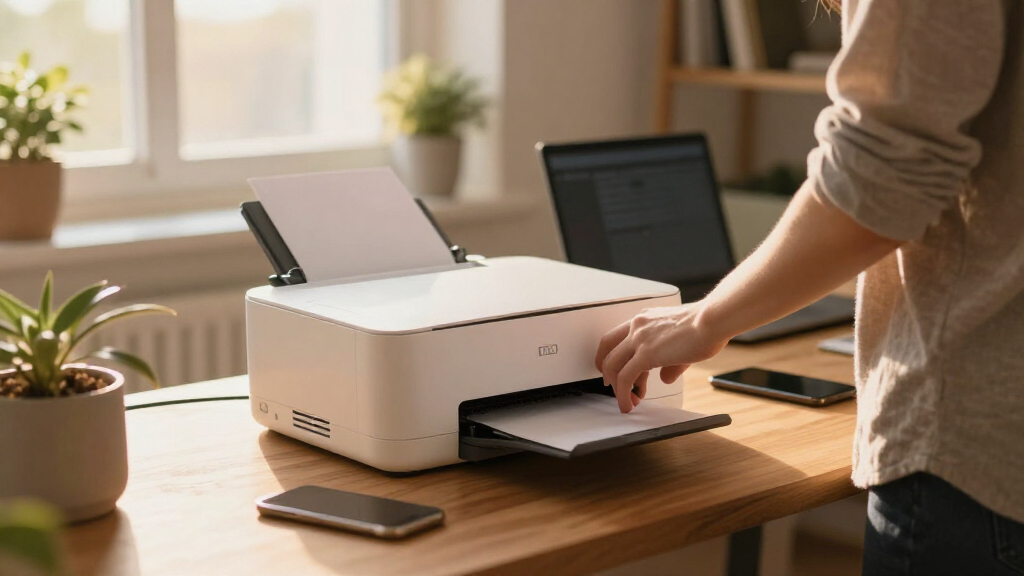
These printers were evaluated based on key performance factors such as print speed, color quality, ease of setup, and multifunction capabilities. We also considered build quality, energy efficiency, and overall value to ensure each model offers a balanced mix of features. To reflect real buyer priorities, we prioritized models with reliable wireless connectivity, low maintenance, and positive user feedback. The ranking emphasizes versatility for home offices, weighing the importance of multifunction options against dedicated print-only devices, and balancing upfront cost with long-term running expenses.Factors to Consider When Choosing Home Office Color Laser Printer
Choosing the right home office color laser printer involves understanding your specific needs and balancing several factors. While high-speed printing and excellent color accuracy are desirable, other considerations like multifunction features, size, and running costs can significantly impact your overall satisfaction. This guide highlights the most important factors to keep in mind when selecting a printer that will serve your home office efficiently and reliably.Print Speed and Volume
For a busy home office, a printer with higher pages-per-minute (PPM) rates helps maintain productivity. Consider your typical workload—if you print infrequently, a slower, less expensive model might suffice. Conversely, if you print large batches regularly, investing in a faster printer with higher paper capacity will save time and reduce refilling frequency. Be aware that higher speed models often cost more and may have larger footprints, so balance speed with available space.
Color Quality and Accuracy
Color laser printers vary in how vividly and accurately they reproduce images and documents. For professional-quality color output, look for models with higher resolution and better toner formulation. However, premium color accuracy usually comes with a higher price tag and potentially higher toner costs. If your printing is mostly for internal use or drafts, a mid-range model with decent color fidelity might be enough, saving some money without sacrificing too much quality.
Multifunctionality
Many home office printers now include scanning, copying, and faxing, which can replace multiple devices and save space. While multifunction models add convenience, they tend to be more expensive and slightly larger. Consider whether you need all these features regularly—if not, a dedicated print-only model might reduce complexity and cost. Also, multifunction devices can sometimes be slower or less reliable in each individual function, so check user reviews for specific models.
Size and Design
Space is often limited in a home office, so choosing a compact printer can be beneficial. However, smaller models may have lower paper capacity or fewer features. Think about your volume needs—if you print a lot, a slightly larger model with a bigger paper tray can reduce refilling. Also, modern designs with sleek aesthetics and wireless connectivity can help your workspace stay organized and clutter-free, but verify that the size fits your available space before purchasing.
Cost of Ownership
Initial purchase price is only part of the overall cost. Toner cartridges, maintenance, and energy consumption significantly impact the long-term expense. High-yield toner cartridges reduce refilling frequency and lower per-page costs, but they can be pricier upfront. Energy-efficient models can save money over time and reduce environmental impact. Consider your typical printing volume and choose a model that offers a good balance of upfront affordability and low ongoing costs.
Frequently Asked Questions
Does a home office color laser printer support mobile printing?
Most modern color laser printers include wireless connectivity options that support mobile printing through apps, email, or cloud services. Compatibility can vary, so it’s wise to check if the printer supports your smartphone or tablet operating system before buying. Features like Wi-Fi Direct and native app support make printing from your mobile device straightforward. Remember that some models may require additional setup or software updates for optimal mobile printing performance.
Are color laser printers suitable for high-volume printing at home?
Yes, many color laser printers are designed for higher volumes, thanks to fast print speeds and large toner yields. However, they tend to be more expensive initially and have higher energy consumption than monochrome models. If you print frequently or in large batches, investing in a model with high-yield toner cartridges and robust paper handling can be worthwhile. Be mindful of the size and noise levels, which can be factors in smaller home spaces.
How do I choose between a multifunction and a print-only color laser printer?
If your home office requires scanning, copying, or faxing, a multifunction printer offers a consolidated solution, saving space and reducing clutter. However, these models generally come at a higher price and may have slightly slower speeds for individual tasks. If your primary need is occasional color printing, a dedicated print-only device can be more affordable and faster for print jobs. Evaluate how often you’ll use each function to determine the most cost-effective choice.
What should I consider regarding toner costs and replacement cycles?
Long-term affordability hinges on toner costs and how frequently cartridges need replacing. Look for models with high-yield toner options, which provide more pages per cartridge and reduce replacement frequency. Some printers offer cost-per-page estimates that help compare ongoing expenses. Being aware of toner availability and prices in your area can also prevent surprises, especially if you print large volumes regularly.
Is it worth paying extra for a color laser printer with higher resolution?
Higher resolution generally translates to sharper images and more vibrant colors, which can be essential for professional presentations or marketing materials. If your printing needs are mostly text or internal documents, a mid-range resolution may suffice. Investing in a higher-resolution printer makes sense if color accuracy and print quality are priorities, but for basic tasks, it can be an unnecessary expense that offers diminishing returns.
Conclusion
For most home office users, the Canon Color imageCLASS MF751Cdw II stands out as the best overall choice thanks to its balance of speed, multifunctionality, and ease of use. Those prioritizing value should consider the Brother HL-L3220CDW, which provides reliable color printing at a lower cost. For users who need a premium experience with advanced features, the HP Color LaserJet Pro MFP 3301sdw offers a compact, feature-rich option. Beginners or those with limited space might prefer a smaller, straightforward model like the Brother HL-L3280CDW. Meanwhile, heavy-volume professionals should evaluate models with higher toner yields and durability, ensuring they meet demand without excessive running costs.
Fall Picks

Samsung Essential S3 27-Inch Curved FHD Monitor
As an affiliate, we earn on qualifying purchases.