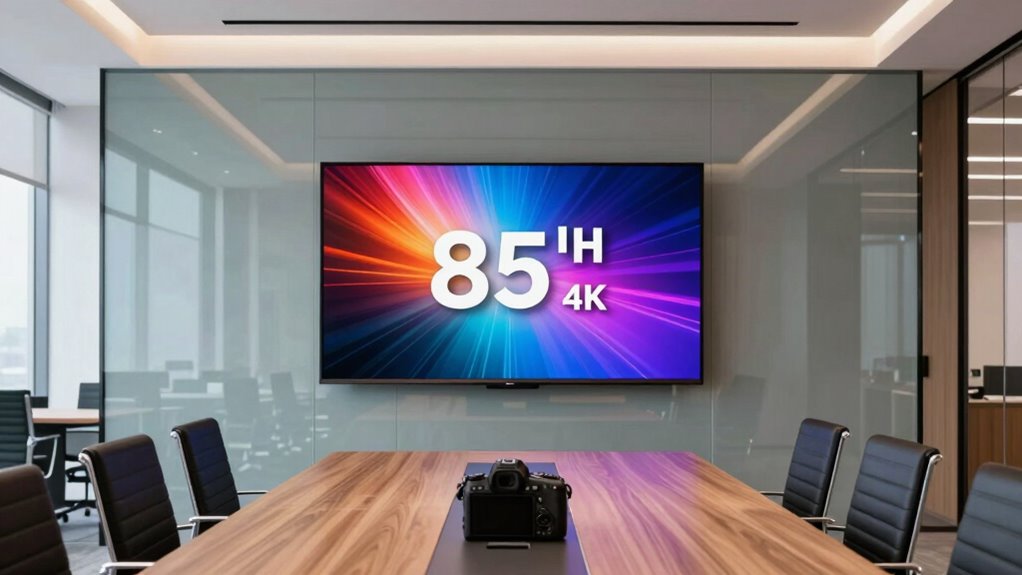

For a high-end 85-inch 4K office TV for conference rooms, my best overall pick is the Sony FW85BZ40L, a professional display built around non-glare viewing and business use. The Samsung BEFX-H and LG PK340S stand out for organizations that want commercial-oriented features rather than a consumer smart TV interface. The main tradeoff is between dedicated business controls and the stronger entertainment-focused processing or smart platforms found on models such as the Samsung M80H and TCL QM7L. Room brightness, daily operating hours, presentation connections, and mounting needs can matter more than headline picture specs. Read on for the full comparison and guidance on matching a screen to your meeting space.

Get business pricing on office and shipping supplies
- Business-only prices and quantity discounts
- Tax-exempt purchasing
- Multiple users, one account, clear invoices
Key Takeaways
- Professional displays lead for managed meeting rooms: Sony FW85BZ40L, Samsung BEFX-H, Samsung BEHX-H, and LG PK340S are the business-focused options in this lineup, while most other picks are consumer televisions.
- Glare handling can matter more than extra picture features: Sony’s non-glare professional display is especially relevant for rooms with windows or overhead lighting; verify the exact display surface and placement needs before buying any model.
- Mini-LED models offer a different kind of flexibility: Hisense 85E7SF, iFFALCON 85U85, Samsung M80H and M70H, TCL QM6K and QM7L, and LG QNED evo target richer picture performance, but they do not replace business-management features.
- Smart-TV convenience is not the same as conference-room readiness: Google TV, Fire TV, and other consumer platforms can support everyday media use, but meeting-room systems still need tested compatibility with laptops, conferencing devices, and room controls.
- The right 85-inch screen depends on the room, not just the panel: Viewing distance, wall structure, cable routing, operating schedule, and service expectations can shift the best choice from a consumer TV to a commercial display.
| Sony 85 Inch BRAVIA 4K HDR Smart Google TV (K-85S30) |  | Best for Google-Connected Conference Rooms | Screen size: 85 inches | Resolution: 4K Ultra HD | HDR: HDR, Dolby Vision | VIEW ON AMAZON | See Our Full Breakdown |
| Sony FW85BZ40L 85-Inch Bravia 4K HDR Professional Display with Deep Black Non-Glare Technology |  | Best for Bright, Connection-Heavy Rooms | Display size: 85 inches | Resolution: 3840 × 2160 (4K UHD) | Display technology: LCD | VIEW ON AMAZON | See Our Full Breakdown |
| LG 85-Inch Class Nano AI 4K NU85 Series Smart TV (2026) |  | Best for Mixed-Quality Presentation Sources | Screen size: 85 inches | Resolution: 4K | Model year: 2026 | VIEW ON AMAZON | See Our Full Breakdown |
| Samsung 85-Inch U8000H Series Crystal UHD 4K Smart TV (2026) |  | Best Value-Oriented Everyday Display | Screen size: 85 inches | Resolution: 4K UHD | Series: U8000H | VIEW ON AMAZON | See Our Full Breakdown |
| Hisense 85E7SF 85-Inch E7 Cinema Series Hi-QLED Mini-LED 4K UHD Smart Fire TV |  | Best for High-Motion Video and After-Hours Use | Screen size: 85 inches | Resolution: 4K Ultra HD | Display technology: Hi-QLED Mini-LED | VIEW ON AMAZON | See Our Full Breakdown |
| Hisense 85-Inch Hi-QLED 4K S7 CanvasTV Series Google Smart Art TV (85S7SG, 2026) |  | Best for Design-Led Conference Rooms | Screen size: 85 inches | Display and resolution: Hi-QLED, 4K | Native refresh rate: 144Hz | VIEW ON AMAZON | See Our Full Breakdown |
| iFFALCON 85-Inch 4K Mini-LED Smart TV, 144Hz, Google TV, Model 85U85 |  | Best for Flexible AV Integration | Screen size: 85 inches | Display and resolution: Mini-LED, 4K | Refresh rate: 144Hz | VIEW ON AMAZON | See Our Full Breakdown |
| Samsung 85-Inch Class M80H Series Mini LED 4K Smart TV (2026 Model) |  | Best for High-Refresh Shared Content | Screen size: 85 inches | Display and resolution: Mini LED, 4K UHD | Refresh rate: 144Hz | VIEW ON AMAZON | See Our Full Breakdown |
| Samsung 85-Inch M70H Series Mini LED 4K Smart TV (2026) |  | Best for Free Streaming and General Use | Screen size: 85 inches | Display and resolution: Mini LED, 4K | Motion feature: Motion Xcelerator+ with DLG 120Hz | VIEW ON AMAZON | See Our Full Breakdown |
| TCL 85-Inch QM6K Series Mini-LED QLED 4K HDR Smart Google TV |  | Best for Built-In Audio | Screen size: 85 inches | Display and resolution: QD-Mini LED and QLED, 4K | Native refresh rate: 144Hz | VIEW ON AMAZON | See Our Full Breakdown |
| LG 85-Inch QNED evo AI Mini LED 4K Smart TV |  | Best for High-Refresh Conference Rooms | Screen size: 85 inches | Display technology: QNED Mini LED | Resolution: 4K | VIEW ON AMAZON | See Our Full Breakdown |
| TCL 85-Inch QM7L Series SQD Mini-LED QLED Smart TV, 85QM7L (2026 Model) |  | Best for Bright Rooms and Vivid Visuals | Screen size: 85 inches | Display type: SQD Mini-LED QLED | Panel: HVA 2.0 Pro anti-reflective | VIEW ON AMAZON | See Our Full Breakdown |
| Samsung 85-Inch 4K BEFX-H Business Pro TV |  | Best for Small-Business Signage | Screen size: 85 inches | Display technology: LED | Resolution: 4K UHD | VIEW ON AMAZON | See Our Full Breakdown |
| Samsung 85-Inch BEHX-H Series 4K Business Pro TV with PlayLock |  | Best for Commercial Content Security | Screen size: 85 inches | Resolution: 4K UHD | Security: PlayLock PIN security; Samsung Knox Security | VIEW ON AMAZON | See Our Full Breakdown |
| LG PK340S 86-Inch UHD 4K HDR Commercial Display |  | Best for Scheduled Business Content | Screen size: 86 inches | Resolution: 3840 × 2160 (UHD 4K) | HDR formats: HDR10, HLG | VIEW ON AMAZON | See Our Full Breakdown |
| high end 85 inch 4k office tv for conference room | Screen size | Resolution |
|---|---|---|
| Sony 85 Inch BRAVIA 4K HDR Sma | 85 inches | 4K Ultra HD |
| Sony FW85BZ40L 85-Inch Bravia | — | 3840 × 2160 (4K UHD) |
| LG 85-Inch Class Nano AI 4K NU | 85 inches | 4K |
| Samsung 85-Inch U8000H Series | 85 inches | 4K UHD |
| Hisense 85E7SF 85-Inch E7 Cine | 85 inches | 4K Ultra HD |
| Hisense 85-Inch Hi-QLED 4K S7 | 85 inches | — |
| iFFALCON 85-Inch 4K Mini-LED S | 85 inches | — |
| Samsung 85-Inch Class M80H Ser | 85 inches | — |
| Samsung 85-Inch M70H Series Mi | 85 inches | — |
| TCL 85-Inch QM6K Series Mini-L | 85 inches | — |
| LG 85-Inch QNED evo AI Mini LE | 85 inches | 4K |
| TCL 85-Inch QM7L Series SQD Mi | 85 inches | — |
| Samsung 85-Inch 4K BEFX-H Busi | 85 inches | 4K UHD |
| Samsung 85-Inch BEHX-H Series | 85 inches | 4K UHD |
| LG PK340S 86-Inch UHD 4K HDR C | 86 inches | 3840 × 2160 (UHD 4K) |
More Details on Our Top Picks
Sony 85 Inch BRAVIA 4K HDR Smart Google TV (K-85S30)
The Sony BRAVIA K-85S30 is the most balanced fit here for offices that want a large presentation screen plus familiar smart-TV tools. Google TV, Chromecast, and AirPlay 2 give staff several ways to share or stream content, while Triluminos Pro and Dolby Vision support make video and visual presentations look more vivid than they may on the Samsung U8000H’s simpler Crystal UHD setup. Voice control can help with routine navigation, though it does not replace a dedicated room-control system. This is still a consumer smart TV, not a purpose-built commercial display like the Sony FW85BZ40L, which offers older-video-input connections and a matte, non-glare finish. The K-85S30’s tradeoffs are its reflective-use suitability, setup complexity, and gaming features that add little to most meeting rooms.
Pros:- Google TV, Chromecast, and AirPlay 2 offer flexible ways to access and share content.
- Triluminos Pro and Dolby Vision support deliver vivid color and HDR-compatible video.
- Voice control through Google Assistant can simplify basic navigation.
- Dolby Atmos support and an X-Balanced Speaker add built-in audio capability.
Cons:- The listed features do not include the matte anti-glare finish specified for the Sony FW85BZ40L.
- Its PlayStation 5 gaming features are less useful in a typical conference room.
- Numerous smart features may add setup and account-management work.
Best for: Teams that want an 85-inch shared screen with Google TV, wireless casting options, and strong color for presentations and streamed video.
Not ideal for: Organizations that need a matte panel for bright rooms, legacy video connections, or professional-display features such as those listed for the Sony FW85BZ40L.
- Screen size:85 inches
- Resolution:4K Ultra HD
- HDR:HDR, Dolby Vision
- Smart platform:Google TV
- Casting and control:Google Assistant voice control, AirPlay 2, Chromecast
- Audio:X-Balanced Speaker, Dolby Atmos
- Gaming features:Auto HDR Tone Mapping and Auto Genre Picture Mode for PlayStation 5
Our verdict“Choose the K-85S30 for a conference room that values flexible casting and smart-TV convenience more than commercial-display connections or glare control.”
Sony FW85BZ40L 85-Inch Bravia 4K HDR Professional Display with Deep Black Non-Glare Technology
For conference rooms where reflections and mixed-generation equipment are recurring problems, the Sony FW85BZ40L is the clearest specialist in this group. Its matte finish and Deep Black Non-Glare Technology address a practical office issue that the consumer-oriented Sony K-85S30 does not specifically claim to solve. HDMI, DisplayPort, DVI, and VGA also give IT teams more options for connecting computers and installed equipment without relying on wireless casting. That breadth makes it a better match for managed presentation systems than the LG NU85, whose supplied details emphasize webOS and home entertainment features. The tradeoff is a sparse feature picture: the listing does not specify smart apps or integrated audio, and it gives no refresh rate beyond 60 Hz. I would select it for visibility and wired compatibility, not as an all-in-one media hub.
Pros:- Matte screen and Deep Black Non-Glare Technology target reflections in office lighting.
- HDMI, DisplayPort, DVI, and VGA cover a wide range of source equipment.
- 85-inch 4K UHD panel provides a large canvas for shared documents and presentations.
- Professional-display positioning better fits wired, managed installations than the consumer-focused Sony K-85S30.
Cons:- The supplied product details do not identify a smart platform or built-in streaming apps.
- Integrated speakers or other audio features are not specified.
- Its 60 Hz refresh rate and professional focus offer less appeal for gaming or general entertainment.
Best for: IT teams outfitting bright meeting spaces with a mix of newer laptops, legacy computers, and wired room systems.
Not ideal for: Buyers seeking a turnkey smart-TV experience with clearly specified built-in apps, casting tools, or audio features.
- Display size:85 inches
- Resolution:3840 × 2160 (4K UHD)
- Display technology:LCD
- Screen finish:Matte
- Refresh rate:60 Hz
- Aspect ratio:16:9
- Video connections:DisplayPort, HDMI, DVI, VGA
- HDMI ports:3
- Glare feature:Deep Black Non-Glare Technology, anti-glare screen
Our verdict“Pick the FW85BZ40L when glare resistance and broad wired connectivity matter more than smart-TV convenience and specified built-in audio.”
LG 85-Inch Class Nano AI 4K NU85 Series Smart TV (2026)
The LG NU85 makes the most sense for rooms that regularly display a mix of crisp 4K content and lower-resolution material. Its Alpha 7 AI Processor 4K Gen9 is described as enhancing detail and upscaling, which may help older clips or shared media look more presentable on an 85-inch screen. Compared with the Samsung U8000H, LG adds a named processor and Filmmaker Mode, while webOS 2026 supplies its own smart-TV ecosystem and free LG Channels. Those entertainment extras may suit multipurpose rooms, but they are not a substitute for commercial signage or managed room software. Gaming capabilities such as FreeSync Premium and ALLM are also more relevant to after-hours use than meetings. The listing does not specify anti-glare treatment or business-focused connections, so I would favor the Sony FW85BZ40L when room lighting and legacy wired sources are the main concerns.
Pros:- AI processor is designed to enhance detail and upscale lower-resolution content.
- Filmmaker Mode offers a picture option aimed at preserving intended image presentation.
- webOS 2026 and LG Channels add built-in smart-TV content.
- FreeSync Premium and ALLM provide gaming flexibility beyond the meeting-room role.
Cons:- The supplied details do not list anti-glare treatment or conference-room-specific functions.
- Streaming requires internet access, and some services may require subscriptions.
- Some smart services and Gallery Plus features require an LG account or subscription.
Best for: Teams that present varied-quality video and want a consumer smart TV with upscaling, an easy-to-use entertainment platform, and occasional gaming support.
Not ideal for: Facilities managers who need a specified matte screen, extensive legacy inputs, or a dedicated commercial-display feature set.
- Screen size:85 inches
- Resolution:4K
- Model year:2026
- Processor:Alpha 7 AI Processor 4K Gen9
- HDR:HDR10 Pro
- Smart platform:webOS 2026
- Gaming features:AMD FreeSync Premium, ALLM, Game Dashboard, Game Optimizer
- Dimensions with stand:74.4 × 45.2 × 14.3 inches
Our verdict“Choose the LG NU85 if your room mixes presentations with varied video sources and you value processing and smart features over commercial controls.”
Samsung 85-Inch U8000H Series Crystal UHD 4K Smart TV (2026)
The Samsung U8000H is the straightforward pick for a conference room that needs a very large 4K screen for slides, routine video calls, and occasional shared media without paying for advanced motion or HDR features that staff may rarely use. Its Crystal Processor is designed to sharpen detail and upscale lower-resolution content, while Samsung TV Plus adds free channels for rooms that double as waiting areas or casual break spaces. Against the LG NU85, the Samsung’s supplied feature set is simpler: LG names a more elaborate AI processor and adds Filmmaker Mode and FreeSync Premium. The U8000H instead emphasizes accessible 60 Hz motion and a large content selection. That ceiling also defines its limits. It is not the right choice for demanding high-frame-rate use, and the listing does not specify conference-oriented glare control or wired input variety like the Sony FW85BZ40L.
Pros:- Crystal processing is designed to improve color, detail, and lower-resolution content.
- Samsung TV Plus provides free streaming channels and other content.
- Motion support up to 4K at 60 Hz suits standard presentations and everyday viewing.
- A simpler feature set may be easier to justify in rooms with basic display needs.
Cons:- Motion performance is limited to 60 Hz.
- The supplied details do not specify anti-glare treatment or professional room controls.
- Streaming-content availability may vary.
Best for: Budget-conscious offices that want a large 4K screen for slides, standard video playback, and free built-in streaming channels.
Not ideal for: Teams that need a matte panel for bright rooms, a broad range of legacy connections, or high-refresh-rate motion for fast content.
- Screen size:85 inches
- Resolution:4K UHD
- Series:U8000H
- Model year:2026
- Display technology:Crystal UHD
- Processor:Crystal Processor
- Motion performance:Up to 4K at 60 Hz
- Free content:Samsung TV Plus, including 2,700+ streaming options and 750+ subscription-free channels
Our verdict“Choose the U8000H for a large, simple 4K room display when standard 60 Hz performance and free streaming are enough.”
Hisense 85E7SF 85-Inch E7 Cinema Series Hi-QLED Mini-LED 4K UHD Smart Fire TV
The Hisense 85E7SF is the performance-led choice for conference spaces that also host sports, demos, or gaming after meetings. Its Mini-LED backlighting with full-array local dimming is designed to improve contrast, while a native 144 Hz refresh rate gives fast motion more headroom than the 60 Hz Samsung U8000H. Dolby Vision IQ and HDR10+ Adaptive broaden HDR support for varied video sources, and Fire TV with Alexa+ adds voice-led access to entertainment. Those strengths are less decisive for static slides, where the Sony FW85BZ40L’s matte, non-glare finish may matter more in a bright room. Hisense’s listing does not specify peak brightness or the number of dimming zones, so the precise picture-performance ceiling is unclear. Its processing and gaming emphasis may also be unnecessary for a room used mainly for meetings.
Pros:- Mini-LED backlighting with full-array local dimming is designed to improve contrast and shadow detail.
- Native 144 Hz refresh rate supports smoother fast-moving content than the 60 Hz Samsung U8000H.
- Dolby Vision IQ and HDR10+ Adaptive support multiple HDR formats.
- Fire TV, Alexa+, and Dolby Atmos add entertainment and voice-control features.
Cons:- Peak brightness and exact local-dimming zone count are not specified.
- AI picture processing and motion smoothing may not suit buyers who prefer manual calibration.
- The supplied details do not identify a matte anti-glare finish or conference-room-specific controls.
Best for: Organizations that use one 85-inch screen for presentations, sports or video demonstrations, and high-frame-rate gaming outside meeting hours.
Not ideal for: Bright-room presentation spaces where a specified matte finish matters most, or teams that need detailed commercial-display and wired-input information.
- Screen size:85 inches
- Resolution:4K Ultra HD
- Display technology:Hi-QLED Mini-LED
- Backlighting:Mini-LED with full-array local dimming
- Refresh rate:144 Hz
- Smart platform:Fire TV
- HDR formats:Dolby Vision IQ, HDR10+ Adaptive, HDR10, HLG
- Motion technology:MEMC
- Audio and voice assistant:Dolby Atmos, Alexa+
Our verdict“Pick the Hisense 85E7SF if fast motion and versatile HDR matter alongside meetings, but favor the Sony FW85BZ40L for glare control and wired office compatibility.”
Hisense 85-Inch Hi-QLED 4K S7 CanvasTV Series Google Smart Art TV (85S7SG, 2026)
The Hisense S7 CanvasTV is the room-conscious style pick: its Hi-Matte screen, included teak frame, and flush wall mount help an 85-inch display feel more like a considered fixture than a black panel. The matte finish can also reduce distracting reflections from conference-room lights. For presentations and everyday meetings, Google TV and 4K resolution cover the basics, while the 144Hz panel is a bonus for fast motion rather than a core office need. Compared with the iFFALCON 85U85, Hisense prioritizes a gallery-like appearance over installation controls and a broad commercial feature set. The tradeoff is that its art library and ambient features lean on network and app availability, and the built-in 2.0.2 audio may fall short in a large room. I’d choose it when room aesthetics matter as much as screen size.
Pros:- Hi-Matte anti-glare panel can limit distracting reflections in bright rooms
- Included teak frame and ultra-slim wall mount support a flush, art-like installation
- Art library includes more than 1,000 works and supports personal photos
- Native 144Hz refresh rate handles fast-moving video smoothly
Cons:- Art display features may depend on network access and app availability
- Built-in audio may not provide enough coverage for a large conference room
- The 85-inch screen can overwhelm smaller meeting spaces
Best for: Design-focused offices that want an 85-inch presentation screen to blend into a reception area or client-facing meeting room.
Not ideal for: IT teams seeking hospitality-style controls or a display centered on business installation features; the iFFALCON 85U85 lists hotel mode and IP/IR control.
- Screen size:85 inches
- Display and resolution:Hi-QLED, 4K
- Native refresh rate:144Hz
- Smart platform:Google TV
- HDR:Dolby Vision HDR
- Panel finish:Hi-Matte anti-glare
- Audio:2.0.2-channel with DTS Virtual:X
- Included installation and frame:Teak frame and ultra-slim wall mount
Our verdict“Choose the Hisense S7 when a polished, low-glare gallery appearance matters more than commercial control features.”
iFFALCON 85-Inch 4K Mini-LED Smart TV, 144Hz, Google TV, Model 85U85
For a conference room that needs more than a large screen, the iFFALCON 85U85 brings useful connection and control options alongside a bright Mini-LED panel. Its four HDMI 2.1 ports give teams room for a room PC, wireless presentation hardware, and other sources; two support 4K at 144Hz. Hotel mode and IP/IR control make it a more installation-minded choice than the Hisense S7 CanvasTV, whose appeal is its matte, framed design. Google TV, AirPlay 2, and Chromecast also give mixed-device teams several ways to share content. The tradeoff is that the 144Hz capability is more relevant to video and gaming than ordinary slide decks, and the stated dimensions call for careful space and mounting plans. I’d shortlist it for rooms where source flexibility and control matter more than a decorative finish.
Pros:- Four HDMI 2.1 ports support multiple connected room devices
- Hotel mode and IP/IR control suit more structured installations
- Google TV, AirPlay 2, and Chromecast offer varied content-sharing routes
- Mini-LED, local dimming, and up to 1000-nit maximum brightness support vivid imagery
Cons:- Only two HDMI ports support 4K at 144Hz
- Large dimensions require careful room measurement and installation planning
- Gaming-focused refresh and VRR features may add little value for presentation-only use
Best for: AV and IT teams equipping a large conference room with multiple wired sources, device-casting options, and centralized control needs.
Not ideal for: Small meeting rooms or offices seeking a gallery-style screen; the Hisense S7 CanvasTV includes a frame and ultra-slim mount, while this model has substantial dimensions.
- Screen size:85 inches
- Display and resolution:Mini-LED, 4K
- Refresh rate:144Hz
- Variable refresh rate:Up to 288Hz
- Maximum brightness:1000 nits
- HDMI:4 × HDMI 2.1; two support 4K at 144Hz
- Smart platform and casting:Google TV, AirPlay 2, Chromecast
- Commercial control features:Hotel mode and IP/IR control
Our verdict“Pick the iFFALCON 85U85 for a large room where multiple inputs and installation controls outweigh a design-led finish.”
Samsung 85-Inch Class M80H Series Mini LED 4K Smart TV (2026 Model)
The Samsung M80H is a strong fit when a conference display will also show sports, fast product demos, or other motion-heavy content. Its Mini LED panel and 144Hz refresh rate with VRR are the clearest differentiators, while the NQ4 AI Gen2 Processor and automatic SDR-to-HDR-style remastering are intended to give older or standard-definition material a more vivid presentation. Compared with the Samsung M70H, the M80H has a clearly specified 144Hz refresh rate; the M70H lists Motion Xcelerator+ with DLG 120Hz instead. That makes the M80H easier to assess for teams that need smooth motion. Its office fit is less certain, though: the supplied data doesn’t specify ports or audio, and smart features require a Samsung Account and internet access. I’d favor it for multimedia-heavy rooms, not as a purpose-built business display.
Pros:- Mini LED technology is designed for bright, dynamic images and deeper contrast
- 144Hz refresh rate with VRR suits fast-motion content
- NQ4 AI Gen2 Processor supports picture enhancement
- Automatic SDR remastering can make older content appear more vivid
Cons:- 4K at 144Hz requires a compatible PC graphics card
- Smart features and streaming apps require a Samsung Account and internet connection
- Provided product details do not specify ports or audio capabilities
Best for: Teams that use an 85-inch screen for motion-rich video, sports viewing, and presentations, and already work with Samsung-connected services.
Not ideal for: Buyers who need documented port counts, audio details, or purpose-built commercial controls before planning an installation.
- Screen size:85 inches
- Display and resolution:Mini LED, 4K UHD
- Refresh rate:144Hz
- Processor:NQ4 AI Gen2
- Variable refresh rate:Supported
- Picture enhancement:Automatic SDR-to-HDR-style remastering
- Model year:2026
- Series:M80H
Our verdict“Choose the M80H for a conference room that doubles as a high-refresh multimedia space, provided its connectivity fits your setup.”
Samsung 85-Inch M70H Series Mini LED 4K Smart TV (2026)
The Samsung M70H makes the most sense for an office that wants a large display for presentations and occasional shared entertainment, with free streaming content available through Samsung TV Plus. Its Mini LED dimming is intended to help separate bright highlights from darker areas, while Gaming Hub and motion features add flexibility beyond meeting use. Compared with the Samsung M80H, however, its motion specification is less direct: the M70H lists Motion Xcelerator+ with DLG 120Hz, while the M80H states a 144Hz refresh rate and VRR. That distinction matters more for fast video than for slides, but it leaves the M70H less clearly specified for demanding motion. Product details also omit port and audio information, so I wouldn’t finalize a room installation without confirming those needs. Its role here is a general-use screen, not a documented commercial-control solution.
Pros:- Mini LED dimming is designed to improve contrast and bright-highlight definition
- Samsung TV Plus includes subscription-free channel options
- Gaming Hub provides additional entertainment flexibility
- Motion features are suited to smoother sports and gameplay
Cons:- The listed DLG 120Hz feature is less clearly specified than the M80H’s 144Hz refresh rate
- Product details do not provide port or audio specifications
- Picture and motion claims lack measurement detail in the supplied information
Best for: Offices that want a large shared screen for presentations and free streaming, with gaming features as an occasional extra.
Not ideal for: AV planners who need confirmed port counts, audio specifications, or a clearly stated native high-refresh panel for fast-motion content.
- Screen size:85 inches
- Display and resolution:Mini LED, 4K
- Motion feature:Motion Xcelerator+ with DLG 120Hz
- Model year:2026
- Free content:Samsung TV Plus with 2,700+ streaming options, including 750+ subscription-free channels
- Gaming feature:Gaming Hub
Our verdict“Pick the M70H for general office viewing and free streaming, but verify its connections and audio before installation.”
TCL 85-Inch QM6K Series Mini-LED QLED 4K HDR Smart Google TV
The TCL QM6K stands apart for conference rooms where the screen’s own speakers need to do more work. Its ONKYO system includes a built-in subwoofer, Dolby Atmos, and DTS Virtual:X, a more substantial listed audio package than the Hisense S7 CanvasTV’s 2.0.2-channel setup. That can reduce reliance on an immediate speaker upgrade for everyday video calls and presentations, though room acoustics still matter. The 144Hz native refresh rate, Mini-LED local dimming, QLED color, and Google TV also make it a capable all-round large display. It is less installation-specific than the iFFALCON 85U85, which lists hotel mode and IP/IR control. TCL’s feature set is broad, but the supplied claims include no independent measurements, and built-in TV audio may not fill a large room evenly. I’d choose it when integrated sound is a priority, not as a substitute for a planned conference audio system.
Pros:- ONKYO speaker system includes a built-in subwoofer
- Dolby Atmos and DTS Virtual:X support spatial audio formats
- Native 144Hz refresh rate and Game Accelerator 288 support smooth motion
- Mini-LED local dimming, QLED color, and multiple HDR formats offer broad picture features
Cons:- Built-in audio may not provide even coverage in a large conference room
- Product copy provides no independent measurements for its performance claims
- Gaming features may matter less for a presentation-focused installation
Best for: Teams seeking a large all-purpose display with stronger listed built-in audio for smaller or mid-sized meeting rooms.
Not ideal for: Large conference rooms that need even voice coverage or buyers who require commercial control features such as the iFFALCON 85U85’s listed IP/IR control.
- Screen size:85 inches
- Display and resolution:QD-Mini LED and QLED, 4K
- Native refresh rate:144Hz
- HDR formats:Dolby Vision, HDR10+, HDR10, HLG
- Smart platform:Google TV
- Audio:ONKYO speaker system with built-in subwoofer, Dolby Atmos, DTS Virtual:X
- Gaming features:Game Accelerator 288 and Auto Game Mode
- Motion rate:480
Our verdict“Choose the TCL QM6K when integrated audio and broad entertainment features matter more than dedicated commercial controls.”
LG 85-Inch QNED evo AI Mini LED 4K Smart TV
The LG QNED evo is the strongest fit here for conference rooms that also host fast-moving presentations, live video, or gaming demonstrations. Its 144Hz panel, VRR, and AMD FreeSync Premium handle motion more smoothly than the 60Hz Samsung BEFX-H, while the 85-inch 4K Mini LED screen gives large-room audiences a broad view. Dolby Vision and Dolby Atmos add flexibility for video-heavy sessions, though the listed HDR specifications include HDR10 and HLG, so buyers should verify format support against their source devices. The Magic Remote and included HDMI cables simplify setup, and a protection plan comes in the bundle. The tradeoff is that this consumer-oriented feature set may be more than a meeting room needs, and the provided details do not state the HDMI port count.
Pros:- 85-inch 4K QNED Mini LED display
- 144Hz refresh rate with VRR and AMD FreeSync Premium
- Dolby Vision and Dolby Atmos support
- Includes two HDMI cables and a one-year protection plan
Cons:- Large screen and listed dimensions require substantial installation space
- HDMI port count is not specified in the provided product details
- Gaming and home-entertainment features may add little value in a signage-focused room
Best for: Teams presenting fast-moving video or interactive content in a large conference room who want a high-refresh 85-inch display and can confirm their connection needs before installation.
Not ideal for: Businesses focused on scheduled signage or straightforward presentations; the Samsung BEFX-H and LG PK340S list business content tools and operating schedules more directly.
- Screen size:85 inches
- Display technology:QNED Mini LED
- Resolution:4K
- Refresh rate:144 Hz
- Processor:α8 AI Processor 4K Gen3
- HDR formats:HDR10, Hybrid Log Gamma
- Gaming features:VRR, AMD FreeSync Premium
- Connectivity:Bluetooth, Wi-Fi, HDMI
- Dimensions:14.3 × 74.4 × 45.2 inches
Our verdict“Choose the LG QNED evo when smooth motion and premium video features matter more than dedicated business-content tools.”
TCL 85-Inch QM7L Series SQD Mini-LED QLED Smart TV, 85QM7L (2026 Model)
The TCL QM7L makes the most sense when a conference room has strong ambient light or presentations depend on vivid, high-contrast imagery. Its stated peak brightness of up to 3,000 nits, anti-reflective panel, and up to 2,100+ local-dimming zones give it a brighter, more finely controlled picture profile than the 300-nit Samsung BEFX-H or LG PK340S. That advantage may help charts, product visuals, and video remain legible in challenging lighting, although peak brightness figures do not guarantee the same output across all content. Like the LG QNED evo, it offers a 144Hz panel, but the TCL adds built-in Bang & Olufsen speakers. Those speakers are a convenience, not a full room-audio system: its optional subwoofer and satellite speakers are needed for the expanded setup, and its advanced picture and gaming features may be unnecessary for routine slide decks.
Pros:- Anti-reflective panel and stated peak brightness up to 3,000 nits
- Up to 2,100+ local-dimming zones for controlled contrast
- Native 144Hz refresh rate with AMD FreeSync Premium Pro
- Built-in Bang & Olufsen speakers with expandable audio options
Cons:- Optional wireless subwoofer and satellite speakers are needed for the fuller audio setup
- Gaming and advanced HDR features may go unused in basic meeting rooms
- 85-inch size calls for substantial wall or stand space
Best for: Organizations with bright meeting spaces that show detailed product imagery or HDR video and want strong on-screen audio without starting with a separate speaker package.
Not ideal for: Teams that mainly present slides, need a business signage workflow, or prefer a simpler display; the Samsung BEHX-H is more explicitly built around commercial security and content scheduling.
- Screen size:85 inches
- Display type:SQD Mini-LED QLED
- Panel:HVA 2.0 Pro anti-reflective
- Native refresh rate:144 Hz
- Local dimming:Up to 2,100+ discrete zones
- Peak brightness:Up to 3,000 nits
- Processor:TSR AI Processor
- Gaming features:Game Accelerator 288 VRR, AMD FreeSync Premium Pro
- Audio:Bang & Olufsen built-in speakers; Dolby Atmos FlexConnect
Our verdict“Pick the TCL QM7L for a bright room where vivid imagery and strong built-in audio matter more than dedicated business management features.”
Samsung 85-Inch 4K BEFX-H Business Pro TV
The Samsung BEFX-H is the clearest choice in this group for a small business that wants an 85-inch screen tied to business content tools rather than gaming-oriented TV features. The Samsung Business TV app and VXT support business content management, while Ethernet, three HDMI ports, and USB give installers practical connection options. Compared with the faster LG QNED evo and TCL QM7L, this model is limited to 60Hz and 300 nits, so it is a weaker match for motion-heavy material or rooms with bright windows. Its straightforward 4K UHD and HDR10 setup is better suited to signage, announcements, and ordinary presentations than premium HDR viewing. VXT is sold separately, so I would factor in the management approach before choosing it; the hardware alone does not make cloud management part of the package.
Pros:- Designed for business signage and content management
- Samsung Business TV app and VXT support
- Three HDMI ports, USB 3.0, and Ethernet connectivity
- 85-inch 4K UHD resolution with HDR10
Cons:- 300-nit maximum brightness may struggle in brightly lit rooms
- 60Hz refresh rate is less suited to fast-moving content than the LG QNED evo or TCL QM7L
- Samsung VXT is sold separately
Best for: Small and medium-sized businesses that want an 85-inch 4K display with Samsung business content tools, wired networking, and clearly listed HDMI connections.
Not ideal for: Teams in sunlit conference rooms or those showing fast motion and premium HDR content; the TCL QM7L offers much higher stated peak brightness and a 144Hz panel.
- Screen size:85 inches
- Display technology:LED
- Resolution:4K UHD
- Refresh rate:60 Hz
- Maximum brightness:300 nits
- HDR format:HDR10
- HDMI ports:3
- Other connectivity:Bluetooth, Wi-Fi, Ethernet, USB
- Model:LH85BEFHLGFXGO
Our verdict“Choose the BEFX-H for business signage and everyday presentations when its lower brightness and 60Hz refresh rate fit the room.”
Samsung 85-Inch BEHX-H Series 4K Business Pro TV with PlayLock
The Samsung BEHX-H suits shared commercial spaces where limiting unauthorized use matters as much as displaying content. PlayLock PIN security and Samsung Knox give it a security-focused angle that the BEFX-H does not highlight, while the Samsung Business TV app lets staff create and schedule content from a smartphone. Samsung also specifies a 16-hours-per-day, seven-days-per-week operating schedule, making the intended commercial workload clearer than the LG PK340S’s 16/7 duty cycle. The available product details do not list brightness, refresh rate, or port counts, however, so I would not rank it ahead of the BEFX-H for buyers who need those specifics before installation. VXT cloud management is sold separately, which leaves a gap for organizations expecting a complete remote-management setup in the box.
Pros:- PlayLock PIN security and Samsung Knox
- Business TV app supports content creation and scheduling from a smartphone
- Specified for 16-hour daily operation, seven days a week
- 85-inch 4K UHD display for large-format viewing
Cons:- Samsung VXT cloud management is sold separately
- Brightness, refresh rate, and port counts are not provided in the supplied specifications
- Commercial security and scheduling features may be unnecessary for a dedicated meeting-room screen
Best for: Retail, clinic, or hospitality operators who want an 85-inch 4K commercial display with PIN protection, Knox security, and smartphone-based content scheduling.
Not ideal for: Conference-room buyers who need documented brightness, refresh rate, or connection counts to plan an installation; the BEFX-H provides more of those specifications.
- Screen size:85 inches
- Resolution:4K UHD
- Security:PlayLock PIN security; Samsung Knox Security
- Content management:Samsung Business TV app; Samsung VXT sold separately
- Intended use:Commercial
- Operating schedule:16 hours per day, 7 days per week
Our verdict“Pick the BEHX-H when access control and scheduled commercial content matter more than a fully documented AV specification sheet.”
LG PK340S 86-Inch UHD 4K HDR Commercial Display
The LG PK340S is a practical pick for businesses that want a large commercial display with content scheduling built in, rather than the high-refresh entertainment focus of the LG QNED evo. Its webOS 25 management tools support scheduling and management, and the stated 16/7 duty cycle fits offices and venues that run the screen throughout the workweek but shut it down outside operating hours. At 86 inches, it is slightly larger than the 85-inch options here, while HDR10 and HLG support cover common HDR formats. The key limitation is its 300-nit brightness: the TCL QM7L’s stated peak brightness is far higher, making that set a stronger candidate for rooms with difficult ambient light. This LG also is not specified for continuous 24/7 operation, so round-the-clock signage buyers should look elsewhere.
Pros:- 86-inch UHD 4K screen
- webOS 25 includes content scheduling and management tools
- Supports HDR10 and HLG
- Designed for 16/7 commercial operation
Cons:- 300-nit brightness may be limited in brightly lit spaces
- Not specified for continuous 24/7 use
- Refresh rate and exact HDMI port count are not provided in the supplied details
Best for: Office managers and venue operators who need an 86-inch commercial screen for scheduled presentations or signage during a defined 16-hour daily operating window.
Not ideal for: Businesses running displays around the clock or presenting in bright rooms; the listed 16/7 duty cycle and 300-nit brightness limit its fit compared with higher-brightness options such as the TCL QM7L.
- Screen size:86 inches
- Resolution:3840 × 2160 (UHD 4K)
- HDR formats:HDR10, HLG
- Contrast ratio:5000:1
- Brightness:300 nits
- Operating system:webOS 25
- Duty cycle:16/7
- Connectivity:Multiple HDMI inputs
Our verdict“Choose the PK340S for scheduled business content in a room with controlled lighting, but not for 24/7 or high-brightness use.”

How We Picked
I compared the 15 models against the needs of a large conference room rather than ranking them as home-theater screens. The main criteria were whether each product is a commercial display or consumer TV, how clearly its stated features fit presentation use, how it may handle bright rooms and varied seating, and whether its platform and connectivity are practical for a shared workplace. I also weighed the value of picture technologies such as Mini-LED against the added costs and complexity they may bring to an office deployment.
The ranking favors displays with business-oriented design and useful glare or management features for rooms used primarily for meetings. Consumer models rank more highly when their feature mix offers a compelling fit for mixed presentation and media use, but they are not treated as equivalent to commercial signage products. Model names and feature sets can vary by region or configuration, so I would confirm ports, operating-hour guidance, warranty terms, and control compatibility with the seller before specifying a fleet.
Factors to Consider When Choosing High End 85 Inch 4k Office Tv For Conference Rooms
Choosing an 85-inch screen for a meeting room is a system decision: the display has to work with the room, the people using it, and the way IT supports it. These factors can prevent a costly mismatch that picture specifications alone will not reveal.
Match Screen Size to Viewing Distance and Seating
An 85-inch screen can suit a large room, but it may overwhelm a narrow one or leave distant attendees struggling with small text. Measure the farthest seat and assess the smallest content people need to read, such as spreadsheets, slide labels, or video-call names. Walk through likely seating positions before finalizing the mount location, since a screen centered for one table may sit off-axis for another. A larger diagonal does not fix poor sightlines if attendees sit sharply to the side or if the display is mounted too high. When the room layout is fixed, check readability with representative presentation material rather than relying on a 4K label alone. Consider whether a second display or room-layout change would serve the far seats better than a single oversized panel.
Treat Glare and Room Lighting as Design Inputs
Windows, glass walls, bright ceiling fixtures, and light-colored surfaces can wash out presentations even when a television has strong picture specifications. Note where daylight falls at the times meetings usually happen, then check whether blinds, lighting controls, or a different screen position can solve the problem. A non-glare display such as the Sony professional model may be a stronger fit for difficult lighting than a consumer TV chosen mainly for cinematic contrast. Matte surfaces can reduce distracting reflections, though they may not deliver the same perceived image character as glossy screens in controlled lighting. Avoid assuming that a brighter picture setting is a complete fix; it can affect comfort and may not remove visible reflections. If lighting cannot be changed, prioritize viewing conditions and screen placement before spending on extra picture-processing features.
Decide Between a Commercial Display and a Consumer TV
Commercial displays are designed with workplace operation and management needs in mind, while consumer televisions often emphasize entertainment platforms and home viewing. Before choosing, ask how many hours a day the screen will run, whether it will show content outside meetings, and who will manage settings across rooms. Check the manufacturer’s operating guidance, warranty coverage, remote-management options, and signage or control support for the exact model. A business label alone does not prove that a screen fits your deployment, and a consumer model may be entirely adequate for a lightly used room. The mistake is buying a consumer set for continuous scheduled use without checking its support terms, or paying for commercial features that your team will never use. For an IT-managed fleet, consistency and service processes can matter more than a single screen’s entertainment features.
Plan the Meeting Signal Path Before Comparing Smart Platforms
A built-in smart-TV system does not automatically make a display ready for video conferencing. Map the route from room computer, dock, or conferencing appliance to the screen, including any adapters, audio equipment, and control system already in place. Confirm the ports and supported formats on the exact configuration, and check whether the chosen room system can wake, switch, and control the display reliably. Wireless casting can help guests share quickly, but it should not be the only plan if meetings depend on predictable connections or restricted networks. Consumer platforms such as Google TV or Fire TV may add useful media access, yet their menus and accounts can complicate a tightly managed room. Test the full signal chain with the organization’s actual devices before committing to multiple units.
Budget for Mounting, Power, Audio, and Service
The display is only one part of the room installation. An 85-inch screen needs a suitable wall or stand, a mount rated for its size and weight, safe cable routing, accessible power, and room for connected devices. Check the wall construction and mount pattern with an installer rather than assuming that a standard bracket will fit the site. Built-in speakers may be adequate for casual video, but remote participants and large rooms often need dedicated audio equipment that can be heard evenly around the table. Plan access for updates, troubleshooting, and eventual replacement without disrupting meeting schedules. A lower-cost screen can become a poor fit if it requires extensive adapters, difficult installation, or support arrangements the organization cannot sustain.
Pay for Features That Solve a Room Problem
Premium picture technology can be useful when the display also serves as a showcase screen or plays detailed visual content, but it may add little to ordinary slide presentations. Mini-LED and advanced color features should be weighed against lighting conditions, content type, and how much the display will be used for video. A professional screen may justify its place through glare control or workplace-management needs even if it has fewer entertainment features than a premium consumer model. Do not select a high refresh rate or elaborate smart interface unless the room’s actual tasks benefit from it. Compare the full deployment, including service coverage and accessories, rather than judging value by the panel alone. The best upgrade is the one that removes a real meeting-room limitation.
Frequently Asked Questions
Should I choose a commercial display or a consumer TV for a room used every day?
Start with the manufacturer’s operating guidance and warranty terms for the exact model, then compare those with the room’s schedule. A commercial display is generally the more natural starting point when the screen runs for long stretches, is centrally managed, or forms part of a standardized room fleet. A consumer TV can make sense in a lightly used meeting room, especially when media playback and a familiar smart platform are useful. Do not infer suitability from the word “business” or from screen size alone. Confirm support for your mounting, control, and service requirements before choosing.
Is an 85-inch 4K screen large enough for every conference room?
No; room width, viewing distance, seating angles, and the size of content all affect readability. An 85-inch screen may work well for a single-table room but can be a poor fit if the farthest seats need to read dense spreadsheets or small interface text. Check the layout from the most distant and off-center seats, not just from the presenter’s position. If attendees need to read detailed content across a long room, a second display or a different seating plan may help more than increasing screen size. Test with real meeting material before finalizing the installation.
Do I need Mini-LED for presentations and video calls?
Usually, the answer depends on what the room displays and how bright it is. Mini-LED can be attractive when the screen also handles vivid video or visual work, but ordinary slides and video calls may not benefit enough to justify choosing a consumer feature set over a business-focused display. Glare, seating angles, and a reliable signal path often have a more direct effect on meeting usability. Compare models such as the TCL and Samsung Mini-LED options with commercial displays based on the room’s actual schedule and duties. Avoid paying for picture features that will rarely be visible in the content your team shares.
Can a smart TV replace the room’s video-conferencing equipment?
Not by itself. A smart TV can provide apps or media playback, but a complete meeting setup may still require a room computer or conferencing appliance, camera, microphone, speakers, and compatible controls. Confirm that the display works with your chosen conferencing system and that users can connect without relying on personal accounts or uncertain wireless casting. Also check how the screen wakes and selects the correct input when a meeting begins. For shared rooms, a tested, repeatable setup is more useful than a long list of built-in apps.
What should I verify before ordering several screens for different rooms?
Check that every unit has the required ports, mount compatibility, warranty coverage, and control features, since model variants can differ by region or configuration. Confirm the vendor’s guidance for daily operating hours and whether centralized settings or remote monitoring are available for your deployment. Review the installation plan for power, cable routes, wall structure, and any external audio or conferencing devices. It is also useful to test one room with the organization’s laptops and meeting equipment before standardizing across the building. That pilot can reveal connection or usability problems before they affect a full rollout.
Conclusion
For a room used mainly for presentations, I would start with the Sony FW85BZ40L as best overall because its professional-display positioning and non-glare feature fit demanding meeting spaces. The best value depends on how your rooms are used: compare consumer options such as the TCL QM6K against commercial models, and choose the one that meets your connection and support needs without unused extras. For a best premium picture-focused choice, the Samsung M80H, TCL QM7L, or LG QNED evo deserve attention when vivid video and visual content matter alongside meetings. For a best choice for beginners, select the model that matches your existing meeting hardware and has the simplest, tested input setup rather than assuming a smart-TV platform will remove setup work. If your specific need is business-oriented deployment, compare the Samsung BEFX-H, Samsung BEHX-H, and LG PK340S; if bright-room reflections are the main problem, prioritize the Sony professional display. My final recommendation is to verify room fit, warranty terms, ports, and daily-use guidance before choosing a fleet model.
Halloween Picks
halloween
As an affiliate, we earn on qualifying purchases.