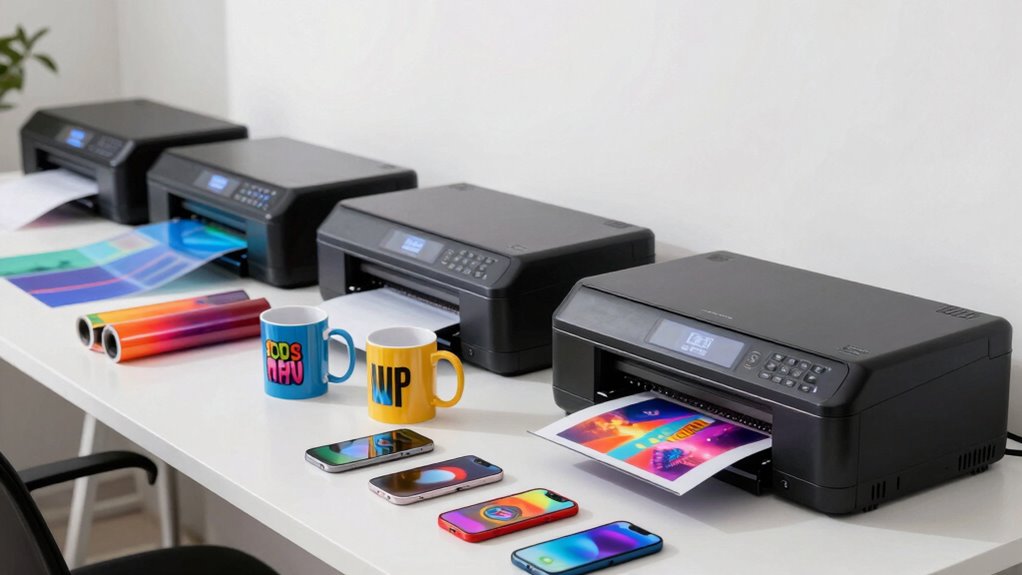

Finding the right commercial sublimation printer for small businesses can be challenging, as options vary widely in features, quality, and price. The Sawgrass SG500 stands out as the best overall pick thanks to its reliable performance and excellent print quality. For those on a tighter budget, the Brother SP-1 Deluxe Bundle offers great value with included accessories and a straightforward setup. Meanwhile, the Epson SureColor F570 appeals to businesses needing larger format printing. Readers should weigh factors like print size, ink compatibility, and initial investment against their specific needs. Continue reading for a full breakdown of each option and what makes them suitable for small business use.

Get business pricing on office and shipping supplies
- Business-only prices and quantity discounts
- Tax-exempt purchasing
- Multiple users, one account, clear invoices
Key Takeaways
- The Sawgrass SG500 offers the best balance of ease of use, print quality, and support, making it ideal for most small businesses.
- Bundles that include ink, transfer sheets, and blanks provide better value and faster setup for newcomers to sublimation printing.
- Larger format printers like the Epson F570 are best suited for businesses with higher volume or larger product needs, but come with higher price tags.
- Print speed and ink efficiency are often tradeoffs, with premium models providing faster turnaround times at a higher cost.
- Compatibility with various substrates and transfer papers can significantly affect the versatility and future-proofing of your investment.
| Sawgrass SG500 Sublimation Printer with 4 Pack of 31 mL SubliJet UHD Inks and TruePix Paper Bundle |  | Best Overall for Small Business Owners Seeking Reliability and Quality | Inks: 4 pack of 31 mL SubliJet UHD inks | Paper: TruePix sublimation paper | Print Size: up to 8.5″ x 14″ (media), up to 8.5″ x 51″ (bypass tray) | VIEW ON AMAZON | See Our Full Breakdown |
| Brother SP-1 Sublimation Printer Deluxe Bundle with Full Ink Set, 310 Sublimation Transfer Sheets, 50 Blanks, Tape and More |  | Best Value Bundle for Small-Scale Production and Hobbyists | Printer Model: Brother SP-1 | Inks: Full set of CMYK, 47ml each | Sublimation Sheets: 310 sheets | VIEW ON AMAZON | See Our Full Breakdown |
| Epson SureColor F170 Dye-Sublimation Printer with Ink and Starter Kit |  | Best for High-Quality, Professional Results in Small-Scale Production | Print Technology: Dye-Sublimation | Print Head: PrecisionCore | Included Ink: Full set of OEM Epson sublimation ink | VIEW ON AMAZON | See Our Full Breakdown |
| Brother SP-1 Sublimation Printer Starter Bundle with Full Ink Set, 160 Sublimation Transfer Sheets, 50 Blanks, Tape and More |  | Best Starter Kit for Entry-Level Small Business and Hobby Use | Printer Type: Dye-Sublimation | Inks: CMYK, 47ml each | Sublimation Paper: 160 sheets + 10 sheets | VIEW ON AMAZON | See Our Full Breakdown |
| Epson SureColor F170 Dye-Sublimation Printer |  | Best Compact, High-Quality Printer for Small-Scale Business | Printer Format: 8.5″ x 11″ | Ink Technology: Epson dye-sublimation ink | Connectivity: Wi-Fi, USB | VIEW ON AMAZON | See Our Full Breakdown |
| Epson SureColor F570 Bundle 24″ Desktop Sublimation Printer |  | Best Overall for Versatile Small Business Printing | Print Width: 24 inches | Media Support: rolls and sheets | Included Inks: T49M inks | VIEW ON AMAZON | See Our Full Breakdown |
| Epson SureColor F170 Dye-Sublimation Printer |  | Best Compact Choice for Hobbyists and Small-Scale Crafters | Printer Type: Dye-Sublimation | Print Size: 8.5 x 11 inches | Media Support: auto-feed tray, dust-resistant closed tray | VIEW ON AMAZON | See Our Full Breakdown |
| commercial sublimation printer for small businesse | Connectivity |
|---|---|
| Sawgrass SG500 Sublimation Pri | Wi-Fi |
| Brother SP-1 Sublimation Print | Wi-Fi & Ethernet |
| Epson SureColor F170 Dye-Subli | — |
| Brother SP-1 Sublimation Print | Wi-Fi & Ethernet |
| Epson SureColor F170 Dye-Subli | Wi-Fi, USB |
| Epson SureColor F570 Bundle 24 | Requires a valid phone number for delivery |
| Epson SureColor F170 Dye-Subli | Mac & Windows compatible |
More Details on Our Top Picks
Sawgrass SG500 Sublimation Printer with 4 Pack of 31 mL SubliJet UHD Inks and TruePix Paper Bundle
This option stands out for its professional-grade output in a compact design, making it ideal for small businesses that prioritize quality and consistency. Compared with the Epson SureColor F170, the Sawgrass SG500 offers more user-friendly software and auto-maintenance, reducing downtime and learning curves. Its limited media size of 8.5″ x 14″ is a tradeoff for its reliable performance and vibrant color reproduction, which is critical for creating high-impact products like apparel and signage. However, the need for specific inks and paper adds ongoing costs, and its size restricts larger-format jobs. It’s best suited for businesses that want dependable, high-quality sublimation with minimal fuss.
Pros:- High-quality, vibrant sublimation output suitable for various products
- Compact design fits well on a desktop without sacrificing performance
- User-friendly software with templates and precise color control
- Reliable with auto-maintenance and Wi-Fi connectivity
Cons:- Limited media size of 8.5″ x 14″ restricts larger projects
- Requires specific sublimation inks and paper, increasing ongoing costs
Best for: Small business owners who need reliable, high-quality sublimation printing with easy software and maintenance
Not ideal for: Hobbyists or startups on a tight budget who might find the upfront costs and media size limitations restrictive
- Inks:4 pack of 31 mL SubliJet UHD inks
- Paper:TruePix sublimation paper
- Print Size:up to 8.5″ x 14″ (media), up to 8.5″ x 51″ (bypass tray)
- Connectivity:Wi-Fi
- Warranty:3 years
- Voltage:110/120V US
Our verdict“This printer is best for small businesses seeking a dependable, high-quality sublimation solution with straightforward operation.”
Brother SP-1 Sublimation Printer Deluxe Bundle with Full Ink Set, 310 Sublimation Transfer Sheets, 50 Blanks, Tape and More
This pick makes the most sense for hobbyists and small businesses that want an all-in-one package, offering a high volume of supplies for ongoing projects. Compared with the Epson SureColor F170, the Brother SP-1 bundle includes a substantial supply of transfer sheets and blanks, reducing the need for immediate reordering. Its compatibility with both Windows and Mac, along with Wi-Fi and Ethernet, offers flexible setup options. The tradeoff lies in its setup complexity and higher initial price, which might be overwhelming for absolute beginners or casual users. Overall, this bundle provides a comprehensive start for those committed to expanding their sublimation offerings over time.
Pros:- Complete bundle with inks, sheets, blanks, and accessories
- High-quality, vibrant sublimation printing
- Compatible with multiple devices and operating systems
- Flexible connectivity options
Cons:- Higher initial investment may deter small-scale or casual users
- Requires some setup and learning curve for optimal use
Best for: Hobbyists or small entrepreneurs seeking an all-in-one sublimation setup with plentiful supplies
Not ideal for: Casual users or those with minimal production needs, due to higher upfront costs and setup effort
- Printer Model:Brother SP-1
- Inks:Full set of CMYK, 47ml each
- Sublimation Sheets:310 sheets
- Blanks:50 sublimation blanks
- Additional Supplies:Heat resistant tape, design software, 100 sublimation designs
- Connectivity:Wi-Fi & Ethernet
Our verdict“This bundle is ideal for small businesses and hobbyists ready to commit to consistent sublimation production with a comprehensive starter kit.”
Epson SureColor F170 Dye-Sublimation Printer with Ink and Starter Kit
This model excels in producing crisp, detailed images thanks to Epson’s PrecisionCore technology, making it suitable for businesses prioritizing print clarity. Compared to the Sawgrass SG500, the Epson F170 offers larger paper capacity (up to 150 sheets) and dust-resistant handling, which benefits high-volume workflows. The included OEM ink and starter kit simplify initial setup but require compatible sublimation materials for best results, and the learning curve can be steep for newcomers unfamiliar with Epson’s ecosystem. It’s a solid option for those focused on high-end, professional-quality outputs, though it may be less beginner-friendly than some alternatives.
Pros:- High-quality image output with PrecisionCore printhead
- Includes a full set of sublimation ink and transfer paper
- Large auto-feed tray for efficient, high-volume printing
- Dust-resistant paper handling for cleaner results
Cons:- Requires compatible sublimation materials for optimal results
- Steep learning curve for beginners
Best for: Small businesses aiming for high-detail, professional-grade sublimation printing with larger batch capacity
Not ideal for: Beginners or hobbyists seeking an easy, plug-and-play solution, due to its complexity and initial setup
- Print Technology:Dye-Sublimation
- Print Head:PrecisionCore
- Included Ink:Full set of OEM Epson sublimation ink
- Paper Sizes:8.5″ x 11″ & 8.5″ x 14″
- Paper Capacity:150 sheets
- Additional Accessories:User guide, AC power cable, thermal tape, sublimation starter kit
Our verdict“Best suited for small businesses seeking a professional-quality printer capable of handling larger volumes with exceptional detail.”
Brother SP-1 Sublimation Printer Starter Bundle with Full Ink Set, 160 Sublimation Transfer Sheets, 50 Blanks, Tape and More
This pick offers a balanced entry-point for newcomers who want a complete, ready-to-use sublimation setup. Compared to the Brother SP-1 Deluxe Bundle, this starter kit includes slightly fewer sheets but still provides a comprehensive set of inks, blanks, and software, making it a practical choice for those new to sublimation. Its wireless and Ethernet connectivity offers flexible printing options, and the high-quality color output supports a range of materials. The main drawback is the higher cost relative to simpler hobbyist printers, and some setup is necessary to achieve optimal results. It makes the most sense for entrepreneurs planning to scale up gradually.
Pros:- Complete starter bundle with inks, paper, blanks, and software
- Vibrant color output suitable for various projects
- Wireless connectivity for easy setup
- Supports multiple operating systems
Cons:- Higher cost for casual or occasional use
- Requires setup and some learning to optimize results
Best for: Beginner entrepreneurs or hobbyists seeking an all-in-one starter package with good print quality
Not ideal for: Those with very limited budgets or only occasional sublimation needs, due to cost and setup requirements
- Printer Type:Dye-Sublimation
- Inks:CMYK, 47ml each
- Sublimation Paper:160 sheets + 10 sheets
- Blanks:50 sublimation blanks
- Heat Resistant Tape:4 rolls, various widths
- Connectivity:Wi-Fi & Ethernet
Our verdict“Ideal for beginners wanting a full starter kit that balances ease of use and quality for small-scale sublimation projects.”
Epson SureColor F170 Dye-Sublimation Printer
This model emphasizes high-quality, detailed outputs in a compact form factor, making it suitable for small businesses with limited space but demanding print clarity. Compared with the Epson F170 with a starter kit, this version is a more streamlined, standalone unit, ideal for businesses that already have or plan to acquire sublimation supplies separately. Its quiet operation and dust-resistant tray support efficient workflows, but it lacks the included starter kit, meaning additional setup time and costs. It’s best for those who prioritize professional results without needing a large-format or high-volume capacity.
Pros:- High-quality image clarity with PrecisionCore printhead
- Includes a full set of sublimation ink and accessories
- Supports wireless and USB connectivity
- Dust-resistant closed tray for cleaner prints
Cons:- No included starter kit, increasing initial setup costs
- Limited to small-format printing
Best for: Small businesses that need high-detail sublimation prints in a compact, space-saving design
Not ideal for: Beginners or those requiring large-volume printing, due to limited paper capacity and no included starter kit
- Printer Format:8.5″ x 11″
- Ink Technology:Epson dye-sublimation ink
- Connectivity:Wi-Fi, USB
- Auto-feed Tray:150 sheets
- Included Accessories:Full set of ink, user guide, AC power cable
Our verdict“Best for small-scale businesses seeking high-quality, detailed sublimation in a compact, easy-to-integrate printer.”
Epson SureColor F570 Bundle 24″ Desktop Sublimation Printer
The Epson SureColor F570 stands out for its professional-grade output and ability to handle a wide range of media, including fabrics and ceramics. Compared with the F170, it offers a larger 24-inch print width, making it ideal for producing larger products like banners or framed art. Its use of PrecisionCore MicroTFP technology ensures high-resolution, vibrant images, a key advantage over entry-level options. However, the F570’s need for a valid phone number during setup and its LTL freight shipping requirement can complicate logistics, especially for smaller operations. This model is better suited to small businesses that require high-quality, large-format sublimation printing and are prepared for a slightly more complex delivery process. It’s less ideal for those seeking quick, local shipping or minimal setup hassles.
Pros:- High print quality with PrecisionCore MicroTFP technology
- Supports media up to 24 inches wide, including rolls and sheets
- Includes a full set of inks and professional software
Cons:- Requires a valid phone number for delivery scheduling, which can be inconvenient
- Limited to LTL freight shipping, potentially delaying delivery and increasing costs
Best for: Small businesses needing high-resolution, large-format sublimation printing on diverse media
Not ideal for: Crafters or startups that prioritize quick, local delivery and simple logistics over large-format capabilities
- Print Width:24 inches
- Media Support:rolls and sheets
- Included Inks:T49M inks
- Auto-feed Tray:50 sheets
- Connectivity:Requires a valid phone number for delivery
- Shipping:LTL freight
Our verdict“This printer makes the most sense for small businesses that need high-quality, large-format sublimation prints and can handle more complex logistics.”
Epson SureColor F170 Dye-Sublimation Printer
The Epson SureColor F170 offers a compact, space-saving design that is ideal for small-scale sublimation tasks like mugs, small fabrics, or personal projects. It’s a strong contender against larger models like the F570, especially for those who prioritize ease of setup and operation. Its use of PrecisionCore printhead technology produces high-quality images with vibrant color accuracy, and the included full set of OEM sublimation inks plus accessories make it a ready-to-go solution for hobbyists and small business owners. However, its limited print size of 8.5 x 11 inches and exclusive focus on sublimation mean it’s not suitable for larger or multi-media projects. This makes it a good choice for those who want a straightforward, space-efficient sublimation printer for smaller items, but not for high-volume or large-format printing.
Pros:- Compact, space-saving footprint
- High-quality output with PrecisionCore technology
- Includes full set of OEM sublimation inks and accessories
- User-friendly setup for Mac and Windows
Cons:- Limited to sublimation printing only, restricting media versatility
- Maximum print size of 8.5 x 11 inches, unsuitable for larger projects
Best for: Crafters, hobbyists, or small businesses focused on small items like mugs, apparel, or accessories
Not ideal for: Businesses needing larger print formats or multi-media versatility, as it’s limited to 8.5 x 11 inches
- Printer Type:Dye-Sublimation
- Print Size:8.5 x 11 inches
- Media Support:auto-feed tray, dust-resistant closed tray
- Included Inks:Full set of OEM Epson sublimation inks
- Connectivity:Mac & Windows compatible
- Additional Features:PrecisionCore printhead, auto-stop ink bottles
Our verdict“This printer works best for small-scale, high-quality sublimation projects and is ideal for hobbyists or small businesses with space constraints.”

How We Picked
These products were evaluated based on a combination of performance, reliability, ease of setup, and overall value. Priority was given to printers that deliver consistent, high-quality prints suitable for small business needs, including product customization and bulk orders. Portability and maintenance ease also played roles, as small business owners often prefer straightforward, low-maintenance equipment. The ranking reflects a balance between initial cost, ongoing operational expenses, and long-term durability, ensuring the options cater to different levels of experience and business scales.| commercial sublimation printer for small businesse | Connectivity |
|---|---|
| Sawgrass SG500 Sublimation Pri | Wi-Fi |
| Brother SP-1 Sublimation Print | Wi-Fi & Ethernet |
| Epson SureColor F170 Dye-Subli | — |
| Brother SP-1 Sublimation Print | Wi-Fi & Ethernet |
| Epson SureColor F170 Dye-Subli | Wi-Fi, USB |
| Epson SureColor F570 Bundle 24 | Requires a valid phone number for delivery |
| Epson SureColor F170 Dye-Subli | Mac & Windows compatible |
Factors to Consider When Choosing Commercial Sublimation Printer For Small Businesses
Choosing the right sublimation printer involves considering several key factors that directly impact your business operations. Beyond initial cost, it’s essential to evaluate print size, ink compatibility, and ease of use to ensure the equipment aligns with your production volume and product offerings. Avoiding common pitfalls like underestimating ongoing ink costs or overestimating required print sizes can save money and frustration. This guide will walk you through the critical considerations to help you make an informed decision tailored to your small business’s growth and product needs.Print Size and Volume
Assess whether your business needs small, medium, or large-format printing capabilities. Larger printers like the Epson F570 can handle bigger designs, but they often come with higher price tags and maintenance needs. Smaller models may suffice for personalized items like mugs or t-shirts, but could limit your product range. Consider your typical order size and future growth plans to choose a machine that matches your expected volume without overextending your budget.
Ink Compatibility and Costs
Ink costs and compatibility are significant ongoing expenses. Some printers, like those from Sawgrass, use proprietary inks that may be more expensive but ensure consistent quality. Others, like Epson models, support third-party inks, reducing costs but possibly affecting reliability or warranty. Balancing upfront savings with long-term operational costs is key—cheaper inks might save money initially but could lead to print quality issues or maintenance headaches over time.
Ease of Use and Maintenance
Small business owners benefit from user-friendly interfaces and straightforward maintenance routines. Automatic cleaning cycles and easy access to print heads can reduce downtime. Avoid models with complicated setups or those requiring frequent calibration, especially if you lack technical expertise. A reliable support network and quality customer service can also prevent costly delays.
Budget and Total Cost of Ownership
Focus on understanding the total cost—initial purchase price plus ongoing expenses like inks, transfer sheets, and maintenance supplies. Cheaper printers might seem appealing but could incur higher operational costs or shorter lifespans. Investing in a slightly more expensive device with lower maintenance needs and better durability often pays off over time, especially for small businesses aiming for consistent quality and efficiency.
Versatility and Future Scalability
Consider whether the printer can handle different substrates and sizes to expand your product line later. Some models support a variety of materials, while others are specialized. Additionally, check if the printer can accommodate higher volumes as your business grows. Picking a versatile, scalable model now can prevent costly upgrades down the line, providing flexibility for future expansion.
Frequently Asked Questions
Can I use third-party inks with these sublimation printers?
Many sublimation printers support third-party inks, which can significantly reduce ongoing costs. However, compatibility varies between models, and using non-proprietary inks may affect warranty coverage or print consistency. It’s important to verify with the manufacturer or supplier before switching to third-party inks, and always test for color accuracy and durability to ensure your products meet quality standards.
What is the typical lifespan of a sublimation printer for small business use?
The lifespan of a sublimation printer depends on usage, maintenance, and build quality. Most reliable models can last 3-5 years with proper care, but high-volume or intensive use might require earlier parts replacement or upgrades. Investing in a well-rated, durable model and following recommended maintenance routines can extend its useful life, making it a more cost-effective choice over time.
Is it better to buy a bundled package or assemble my own setup?
Bundles that include ink, transfer sheets, and blanks often offer better value and quicker setup, especially for newcomers. They simplify the purchasing process and ensure compatibility. However, assembling your own setup might allow for customization and potential cost savings if you already have some supplies. For small businesses starting out, bundles typically reduce hassle and help you hit the ground running.
How important is print speed for small business operations?
Print speed can influence overall productivity, especially if you handle large orders or multiple products daily. Faster printers reduce turnaround times but often come with higher price tags. If your volume is moderate or your focus is on quality rather than speed, a slower but more cost-effective model might suffice. For high-volume needs, investing in a quicker machine can improve efficiency and customer satisfaction.
What should I consider regarding maintenance and support?
Regular maintenance, like cleaning print heads and replacing parts, is essential to keep a sublimation printer running smoothly. Choosing a model with accessible components and comprehensive customer support can prevent costly downtime. It’s wise to review warranty options and support channels before making a purchase, ensuring prompt assistance in case of technical issues, especially as your business scales.
Conclusion
For small business owners seeking a reliable, easy-to-use solution, the Sawgrass SG500 offers an excellent balance of quality and support, making it the best overall choice. Budget-conscious entrepreneurs will find the Brother SP-1 Deluxe Bundle provides great value with its included accessories. Those planning to expand or handle larger formats should consider the Epson SureColor F570 for its size and scalability. Beginners should prioritize bundled options that simplify setup, while established businesses with higher volume needs benefit from investing in faster, more durable printers. Tailoring your choice to your current needs and future growth ensures a smart investment in your sublimation business.
Fall Picks
fall essentials
As an affiliate, we earn on qualifying purchases.