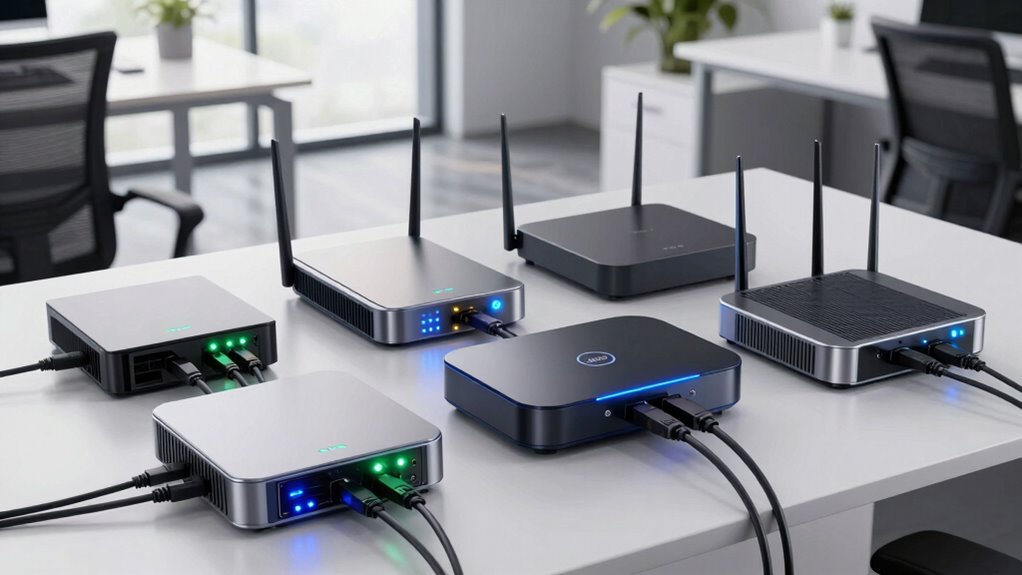

If you’re searching for the best business-grade routers for small offices in 2026, I recommend considering options like the ASUS ExpertWiFi EBG15, TP-Link ER605 V2, GL.iNet Flint 3, TP-Link ER7206, and D-Link routers. These models offer great security, scalability, multiple WAN ports, and support for advanced features like VPN and VLANs. Each is designed to handle growing network demands reliably. Keep going to discover more details about how these routers can meet your business needs.
Key Takeaways
- Look for routers with multiple WAN ports and load balancing to ensure reliable internet connectivity for small offices.
- Prioritize security features like advanced firewalls, VPN support, VLAN segmentation, and threat protection for business data safety.
- Choose scalable models that support increasing device counts, multiple SSIDs, and network segmentation for future growth.
- Opt for routers with centralized management and SDN integration for simplified control across expanding office networks.
- Ensure compatibility with VPN protocols (IPsec, OpenVPN) and hardware acceleration to maintain secure, high-speed remote access.
| ASUS ExpertWiFi EBG15 Gigabit VPN Router |  | Best Business Security | WAN Ports: Up to 3 Gigabit Ethernet WAN ports | VPN Support: Built-in VPN, secure remote access | Security Features: Layer 7 firewall, ASUS AiProtection Pro | VIEW LATEST PRICE | See Our Full Breakdown |
| TP-Link ER605 V2 Gigabit VPN Router with Load Balance | 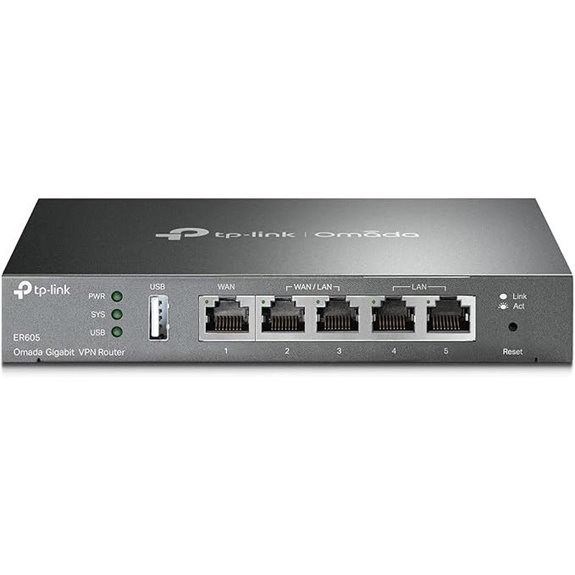 | Reliable Load Balancer | WAN Ports: 1 WAN, 2 WAN/LAN, 1 USB WAN | VPN Support: Multiple VPN protocols, up to 16 OpenVPN/L2TP/PPTP | Security Features: Firewall, DoS defense, filtering | VIEW LATEST PRICE | See Our Full Breakdown |
| GL.iNet Flint 3 Tri-Band WiFi 7 Router | 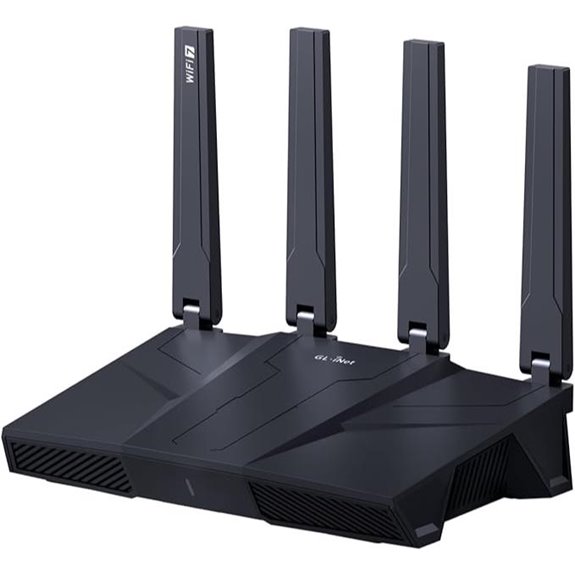 | High-Speed Connectivity | WAN Ports: 1 10GbE SFP WAN, 1 Gigabit WAN | VPN Support: High-speed VPN protocols (Wireguard, OpenVPN) | Security Features: AdGuard DNS filtering, parental controls | VIEW LATEST PRICE | See Our Full Breakdown |
| TP-Link ER7206 Multi-WAN VPN Router | 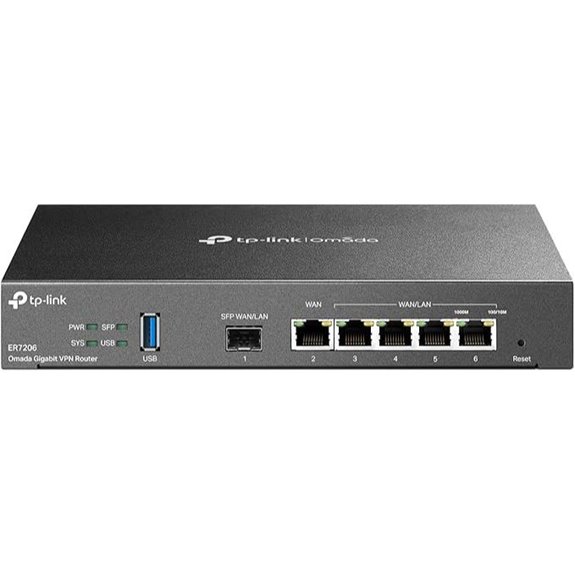 | Enterprise-Grade Management | WAN Ports: 1 Gbps SFP WAN, 1 Gbps WAN | VPN Support: Up to 50 VPN connections (OpenVPN, L2TP, IPsec) | Security Features: Firewall, DoS mitigation, filtering | VIEW LATEST PRICE | See Our Full Breakdown |
| D-Link Gigabit VPN Router with Failover & Security | 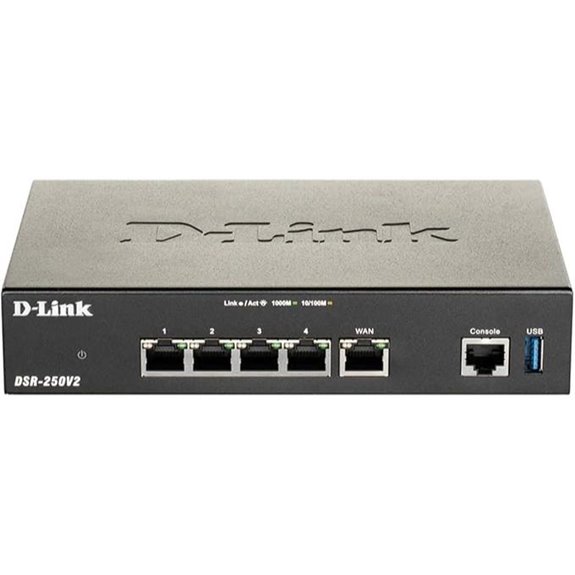 | Robust Failover Solution | WAN Ports: 1 Gbps WAN, 3 Gbps LAN, 1 Gbps LAN port | VPN Support: Up to 950 Mbps firewall throughput with VPN tunnels | Security Features: IPSec, encryption, firewall | VIEW LATEST PRICE | See Our Full Breakdown |
| ASUS ExpertWiFi AX3000 Business WiFi Router | 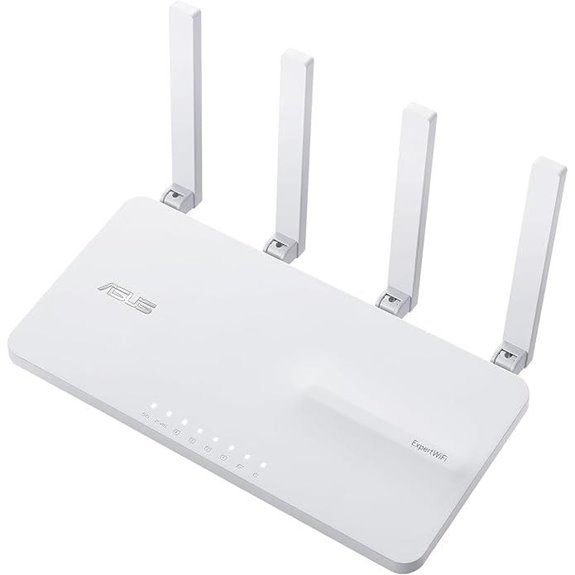 | Scalable Network Power | WAN Ports: 1 Gbps WAN, 3 Gbps LAN | VPN Support: Support for IPsec, OpenVPN, L2TP, PPTP | Security Features: AiProtection Pro, safe browsing, VLAN | VIEW LATEST PRICE | See Our Full Breakdown |
More Details on Our Top Picks
ASUS ExpertWiFi EBG15 Gigabit VPN Router
The ASUS ExpertWiFi EBG15 Gigabit VPN Router is an excellent choice for small offices that need a secure and reliable network. Setting it up is simple—just use a web browser or the ASUS ExpertWiFi app with Bluetooth, making installation quick and hassle-free. It offers multiple WAN ports, including a gigabit port and two combo ports, with load balancing to optimize bandwidth. The USB port provides a backup connection via mobile hotspot, ensuring uninterrupted internet. With advanced security features like a Layer 7 firewall, ASUS AiProtection Pro, and VLAN support, it keeps your network safe from threats and unauthorized access.
- WAN Ports:Up to 3 Gigabit Ethernet WAN ports
- VPN Support:Built-in VPN, secure remote access
- Security Features:Layer 7 firewall, ASUS AiProtection Pro
- Management Options:Web, mobile app, remote management
- Load Balancing/Failover:Load balancing across multiple WANs
- Device Capacity:Suitable for business, multiple VLANs
- Additional Feature:Bluetooth setup via mobile app
- Additional Feature:VLAN support per Ethernet port
- Additional Feature:Business-oriented security features
TP-Link ER605 V2 Gigabit VPN Router with Load Balance
If you’re looking for a reliable router that combines multiple WAN options with strong security features, the TP-Link ER605 V2 Gigabit VPN Router with Load Balance is an excellent choice for small offices. It offers five Gigabit ports—including one WAN, two WAN/LAN, and two LAN ports—plus support for up to three WAN connections for maximum bandwidth use. Its advanced firewall, DoS defense, and VPN pass-through protect your network and data. With support for 20 LAN-to-LAN IPsec VPNs, as well as OpenVPN, L2TP, and PPTP, it ensures secure remote access. Plus, Omada SDN integration simplifies centralized management, making it a versatile and secure networking solution.
- WAN Ports:1 WAN, 2 WAN/LAN, 1 USB WAN
- VPN Support:Multiple VPN protocols, up to 16 OpenVPN/L2TP/PPTP
- Security Features:Firewall, DoS defense, filtering
- Management Options:Omada SDN, centralized management
- Load Balancing/Failover:Load balancing, WAN backup
- Device Capacity:Supports many clients, SDN integration
- Additional Feature:Omada SDN integration
- Additional Feature:Lightning protection
- Additional Feature:Supports multiple VPN types
GL.iNet Flint 3 Tri-Band WiFi 7 Router
For small offices seeking reliable, high-speed connectivity, the GL.iNet Flint 3 Tri-Band WiFi 7 Router stands out thanks to its support for the Wi-Fi 7 standard, delivering speeds up to 9 Gbps. It offers extensive coverage of up to 2,000 square feet, ensuring strong signals throughout your space. With advanced features like MLO technology, OFDMA, and 4K QAM, it provides ultra-low latency and reduced interference, even in dense environments. Supporting over 100 devices simultaneously, it’s perfect for busy offices. Easy to set up and manage via web or Ethernet, it also includes security tools like ad-blocking and parental controls, making it a versatile, high-performance choice.
- WAN Ports:1 10GbE SFP WAN, 1 Gigabit WAN
- VPN Support:High-speed VPN protocols (Wireguard, OpenVPN)
- Security Features:AdGuard DNS filtering, parental controls
- Management Options:Web admin, firmware updates
- Load Balancing/Failover:Not explicitly specified
- Device Capacity:Supports over 100 devices, extensive connectivity
- Additional Feature:Supports Wi-Fi 7 standard
- Additional Feature:Extensive device support (100+)
- Additional Feature:Parental controls with Bark
TP-Link ER7206 Multi-WAN VPN Router
Designed for small offices needing high bandwidth and reliable security, the TP-Link ER7206 Multi-WAN VPN Router stands out with its multiple WAN ports, allowing seamless load balancing and failover. It offers a Gigabit SFP WAN port, a Gigabit WAN port, two Gigabit WAN/LAN ports, and a LAN port, supporting up to four WAN connections for maximum bandwidth management. With the capacity to handle up to 150,000 clients, it scales well for growing teams. Its SDN integration with Omada enables centralized control, either via cloud or standalone. Enhanced security features, including firewalls, filtering, and DoS protection, combined with VPN support for remote access, make it a robust choice.
- WAN Ports:1 Gbps SFP WAN, 1 Gbps WAN
- VPN Support:Up to 50 VPN connections (OpenVPN, L2TP, IPsec)
- Security Features:Firewall, DoS mitigation, filtering
- Management Options:Cloud, local, SNMP, standalone
- Load Balancing/Failover:Multiple WAN ports, load balancing
- Device Capacity:150,000 clients, 700 devices
- Additional Feature:Centralized SDN management
- Additional Feature:Supports standalone operation
- Additional Feature:Remote cloud management
D-Link Gigabit VPN Router with Failover & Security
Looking for a router that keeps your small office connected and secure even during internet outages? The D-Link Gigabit VPN Router with Failover & Security offers an all-in-one VPN solution, extending your network to remote and hybrid workers effortlessly. It supports multiple VPN protocols like IPSec, OpenVPN, and SSL, ensuring strong encryption and compliance with industry standards. Its dual WAN failover keeps your connection stable during outages, while load balancing optimizes bandwidth for smooth operations. Easy to manage via a user-friendly web interface, this router combines reliability, security, and flexibility, backed by D-Link’s decades of expertise and a lifetime warranty.
- WAN Ports:1 Gbps WAN, 3 Gbps LAN, 1 Gbps LAN port
- VPN Support:Up to 950 Mbps firewall throughput with VPN tunnels
- Security Features:IPSec, encryption, firewall
- Management Options:Web interface, SNMP, dynamic routing
- Load Balancing/Failover:Dual WAN failover, load balancing
- Device Capacity:Supports 75 VPN tunnels, up to 50 clients
- Additional Feature:Dual WAN failover
- Additional Feature:Supports 75 VPN tunnels
- Additional Feature:Government-compliant encryption
ASUS ExpertWiFi AX3000 Business WiFi Router
The ASUS ExpertWiFi AX3000 Business WiFi Router stands out with its robust network segmentation and security features, making it an excellent choice for small offices that need to safeguard sensitive data while maintaining flexible device management. It supports up to five SSIDs to separate and prioritize devices for different business needs, backed by enterprise-grade security with free ASUS AiProtection Pro and safe browsing. The customizable guest portal allows branding adjustments, and the backup WAN feature guarantees reliable connectivity by using a USB phone hotspot if the primary connection fails. Easy to manage through the ASUS ExpertWiFi app, it also scales with ASUS AiMesh, supporting WiFi 6, VPN, VLAN, and remote management.
- WAN Ports:1 Gbps WAN, 3 Gbps LAN
- VPN Support:Support for IPsec, OpenVPN, L2TP, PPTP
- Security Features:AiProtection Pro, safe browsing, VLAN
- Management Options:Mobile app, remote management, SDN
- Load Balancing/Failover:Backup WAN via USB, reliable connectivity
- Device Capacity:Over 100 devices, scalable for small offices
- Additional Feature:Supports up to five SSIDs
- Additional Feature:Customizable guest portal
- Additional Feature:Scalable with AiMesh
Factors to Consider When Choosing a Business-Grade Router for Small Offices

When selecting a business-grade router for a small office, I focus on security features, connection reliability, and how easy it is to manage. It’s also important to take into account whether the router can scale with your growth and if it supports VPN connections. These factors help ensure your network stays secure, stable, and adaptable to future needs.
Security Features
Choosing a business-grade router for a small office means prioritizing security features that protect your network from evolving threats. I look for routers with advanced protections like Layer 7 firewalls, intrusion prevention systems, and deep packet inspection to catch and block malicious traffic before it causes harm. Support for VLAN segmentation is essential, as it isolates sensitive data and separates user groups, reducing risks. Built-in VPN capabilities enable secure remote access for employees, ensuring data stays protected over public networks. Features like DoS attack mitigation and IP, MAC, or URL filtering help prevent unauthorized access and cyberattacks. Regular firmware updates and subscription-based security services are vital, keeping defenses current against emerging vulnerabilities and ensuring long-term network safety.
Connection Reliability
Ensuring a stable and reliable internet connection is essential for small offices, especially when your business depends on consistent network performance. A good business-grade router should have automatic failover capabilities, switching seamlessly between primary and backup connections to prevent downtime. Multiple WAN ports and load balancing features help distribute bandwidth effectively, reducing congestion and ensuring smooth operation. Advanced hardware protections against electrical surges and network disruptions support consistent connection stability. Quality of Service (QoS) settings prioritize critical applications, maintaining stable connectivity during peak times. Built-in security protocols and remote management tools enable quick troubleshooting and maintenance, preventing interruptions. These features collectively ensure your network remains reliable, so your team can work efficiently without disruptions or delays.
Management Complexity
While high performance and connection reliability are essential, managing a business-grade router can be complex, especially for small office setups with limited technical staff. Many routers feature centralized management interfaces that can be intimidating for non-technical users. Advanced management options like VLAN configuration, VPN setup, and load balancing often require specialized knowledge, making ongoing administration challenging. Some models offer remote management via cloud or app platforms, which simplifies oversight but adds layers of configuration. Integrating multiple network functions into a single device can also increase the learning curve for troubleshooting and maintenance. Additionally, firmware updates and security patches might demand technical expertise to implement properly without risking network stability. Considering these factors is vital to guarantee that management doesn’t become a bottleneck in your small office network.
Scalability Options
As small offices grow, their network infrastructure must expand seamlessly to support more devices and users. Scalability options are vital; look for routers that allow adding access points, switches, or modules to increase coverage and capacity without replacing hardware. Support for multiple SSIDs and VLANs helps segment networks, making management easier as user groups and devices multiply. A future-proof router should feature modular hardware or firmware that can be upgraded, ensuring it keeps pace with growth. Compatibility with centralized management platforms simplifies controlling an expanding network. Additionally, multi-gigabit ports and load balancing are essential to handle rising bandwidth demands efficiently. These features enable your network to grow smoothly, avoiding bottlenecks and reducing the need for frequent hardware upgrades.
VPN Support
When selecting a business-grade router for a small office, supporting reliable VPN features is a top priority. Look for a router that supports multiple VPN protocols like IPsec, OpenVPN, L2TP, and PPTP to meet various remote access needs. It’s also important to check how many VPN tunnels the device can handle simultaneously, especially if you have many remote users or multiple site-to-site connections. Hardware acceleration for VPN encryption guarantees high speeds and low latency during secure connections. Compatibility with your preferred VPN clients and management tools simplifies setup and control. Finally, choose routers with VPN pass-through and strong security features to protect your remote connections from potential threats. These factors ensure secure, flexible, and efficient remote access for your business.
Frequently Asked Questions
How Do Business Routers Handle Network Congestion During Peak Hours?
Business routers handle network congestion during peak hours by prioritizing traffic through Quality of Service (QoS) settings, ensuring critical applications get bandwidth first. They also use advanced algorithms to distribute bandwidth efficiently, minimizing slowdowns. Some models automatically detect congestion and adjust traffic flow, preventing bottlenecks. I’ve found that investing in a high-quality router with these features keeps my network running smoothly, even during busy times.
Can These Routers Integrate Seamlessly With Existing Office Security Systems?
Seamless security system synchronization is straightforward with the right business routers. I’ve found that many modern routers feature built-in compatibility with popular security platforms, making integration intuitive and instant. They often support standard protocols and APIs, allowing smooth synchronization without sacrificing security or speed. So, whether you’re upgrading or starting fresh, these routers effortlessly align with your existing security systems, ensuring your office stays safe, secure, and smoothly connected.
What Is the Typical Lifespan of a Business-Grade Router?
A business-grade router typically lasts around 3 to 5 years. I find that with proper maintenance and firmware updates, I can extend its lifespan slightly. However, technology advances quickly, so I usually plan for upgrades within that timeframe to guarantee maximum security and performance. If your network demands high reliability, staying on top of hardware refreshes helps keep your office running smoothly.
Do These Routers Support Remote Management and Troubleshooting?
Think of these routers as digital command centers—they absolutely support remote management and troubleshooting. I’ve seen them act like a control tower, allowing me to monitor, adjust settings, and fix issues from anywhere. This feature is a game-changer for small offices, ensuring smooth operations without needing to be physically present. So, yes, they’re designed for seamless remote oversight, making your network management efficient and hassle-free.
Are Firmware Updates Included for Security Patches and Feature Enhancements?
Yes, firmware updates are typically included for security patches and feature enhancements. I recommend regularly checking the manufacturer’s website or enabling automatic updates if available. Staying current guarantees your router stays protected from vulnerabilities and benefits from new features. I always prioritize routers that offer seamless, automatic updates to keep my network secure and up-to-date without hassle.
Conclusion
Choosing the right business-grade router can substantially boost your small office’s efficiency. Did you know that businesses upgrading their network infrastructure see an average productivity increase of 20%? With options like VPN support, load balancing, and WiFi 7, you’re set to stay ahead. Remember, investing in a reliable router isn’t just about speed; it’s about ensuring your team stays connected and secure. Make the right choice today for a smoother, more productive tomorrow.