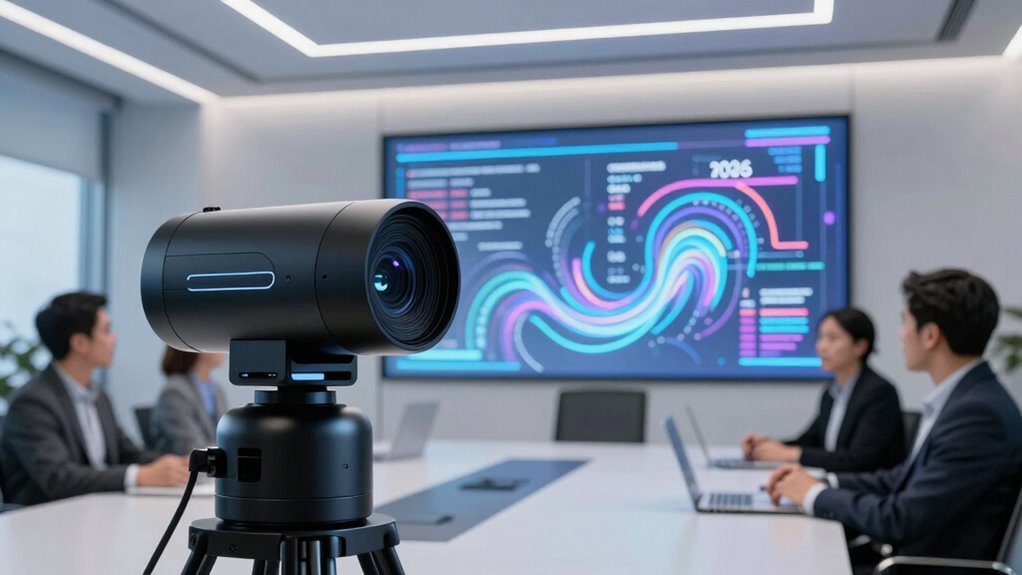

When searching for an ai camera for meeting transcripts, your main goal is to find a device that captures clear video and accurate audio, enabling reliable transcription. The OBSBOT Meet 2 stands out as the best overall choice for its combination of AI framing, autofocus, and high frame rate, ensuring crisp recordings. For those on a tighter budget, the OBSBOT Meet SE offers solid features at a lower price, though with slightly fewer advanced AI capabilities. Meanwhile, the Owl Labs Meeting Owl 3 is ideal for larger conference rooms with its 360° coverage and AI-driven speaker tracking. The main tradeoffs involve balancing video quality, AI tracking sophistication, microphone range, and price. Continue reading for a detailed breakdown of each option and how they compare.
Complete the kit



Key Takeaways
- AI tracking and framing significantly enhance meeting transcript accuracy by keeping speakers in focus.
- Higher resolution webcams (4K) generally improve transcription clarity but come at a higher cost and bandwidth demand.
- Microphone quality and pickup range are critical for capturing clear audio, directly affecting transcript precision.
- Versatile AI features like gesture control and voice isolation add value but may increase complexity and price.
- Size and setup flexibility vary widely; compact models suit personal desks, while panoramic cameras excel in large rooms.


| ai camera for meeting transcript | Sensor | Connectivity | Resolution |
|---|---|---|---|
| OBSBOT Meet Flip Foldable 4K W | 1/2" CMOS | USB plug and play | 4K |
| EMEET PIXY Dual-Camera AI-Powe | 1/2.55” Sony | — | — |
| Insta360 WaveLink Pro | 1/1.3" | USB-C | — |
| OBSBOT Meet 2 4K Webcam for PC | 1/2" CMOS | USB-C | 4K UHD |
| Owl Labs Meeting Owl 3 | — | USB plug-and-play | — |
| PANOCORE360 All-in-One Meeting | — | — | 1080P |
| OBSBOT Meet SE 1080P 100FPS We | 1/2.8" Stacked CMOS | USB-C | 1080P |
More Details on Our Top Picks
OBSBOT Meet Flip Foldable 4K Webcam for Laptop with AI Framing and Dual Microphones
This webcam stands out for its blend of high-resolution 4K HDR video and a foldable, compact design, making it ideal for professionals on the move. Unlike the OBSBOT Meet 2, which emphasizes ultra-fast 60 FPS and slightly higher flexibility, the Meet Flip prioritizes portability without sacrificing image quality. Its AI auto framing and gesture control offer hands-free operation, but the lack of a built-in privacy shutter and limited info on software compatibility may give some pause. The dual microphones ensure clear audio, complementing its visual prowess for seamless meetings. While its advanced features justify a higher price, the limited software details might be a drawback for some users needing more customization.
Pros:- High-quality 4K HDR video for vibrant visuals
- Foldable design for portability and storage
- AI auto framing and gesture control for hands-free use
- Dual microphones deliver clear, natural audio
Cons:- Limited compatibility info with some software platforms
- No built-in privacy shutter
Best for: Traveling professionals and remote workers who need a portable, high-quality camera for frequent meetings
Not ideal for: Users seeking a budget-friendly or stationary solution with extensive software customization
- Sensor:1/2″ CMOS
- Resolution:4K
- Weight:37.7g
- Features:AI auto framing, PDAF autofocus, dual microphones, gesture control, HDR, beauty mode
- Connectivity:USB plug and play
- Design:Foldable, all-in-one with integrated stand
Our verdict“This pick is perfect for mobile professionals prioritizing top-tier video quality and portability over extensive software features.”
EMEET PIXY Dual-Camera AI-Powered 4K PTZ Webcam with Tripod and AI Tracking
The EMEET PIXY Kit excels in delivering versatile, professional-quality streaming with its dual-camera setup, surpassing the single-lens OBSBOT Meet 2 in multi-angle flexibility. Its advanced AI tracking and tripod adjustability make it suitable for content creators and streamers who want smooth, dynamic footage. The 4K resolution and fast autofocus ensure sharp images, but its complex setup could be intimidating for beginners, and the higher price point reflects its premium features. The triple-mic array enhances audio clarity, making it suitable for engaging live streams or presentations. If you need a flexible, multi-angle solution with robust AI tracking, this model is a top contender, though casual users might find it overkill.
Pros:- High-quality 4K dual-camera with fast autofocus
- AI tracking for dynamic, hands-free operation
- Adjustable tripod for flexible angles
- Excellent audio with triple-mic array
Cons:- Setup may be complex for less experienced users
- Premium price limits accessibility for casual users
Best for: Streamers, content creators, and professionals needing versatile, multi-angle video with advanced AI features
Not ideal for: Casual users seeking simple, plug-and-play webcams or those on a tight budget
- Camera Resolution:4K
- Sensor:1/2.55” Sony
- Focus:PDAF & AI Autofocus
- Field of View:Adjustable in 1080P&2K 30FPS; locked in 4K 30FPS & 1080P 60FPS
- Pan/Tilt:310°/180°
- Tripod Height Range:6.7–18.5 inches
Our verdict“This webcam suits creators and professionals who prioritize multi-angle versatility and AI tracking, accepting a steeper learning curve and cost.”
Insta360 WaveLink Pro – 4K Conference Room Speakerphone and Camera with AI Features
The Insta360 WaveLink Pro integrates 4K video with AI-powered transcription and summaries, making it a comprehensive choice for hybrid meetings. Its 8-microphone array and 16-foot voice pickup outshine many single-mic webcams like the OBSBOT Meet Flip, especially in larger rooms. The AI-generated meeting summaries add an extra layer of productivity, but the reliance on USB-C may limit compatibility on some older devices, and its higher cost could be a hurdle for smaller teams. The HDR-enabled video performs well in varied lighting, and plug-and-play setup simplifies deployment. For organizations seeking an all-in-one conference solution with AI-driven features, this model offers considerable value despite its price.
Pros:- High-quality 4K HDR video in varied lighting conditions
- AI meeting summaries and transcription features
- Powerful 8-mic array with 16-foot pickup range
- Simple USB-C plug-and-play setup
Cons:- Requires USB-C connection, might need adapters
- Higher price point for advanced AI features
Best for: Medium to large conference rooms needing integrated AI transcription and comprehensive audio-visual coverage
Not ideal for: Small offices or home setups where budget constraints or limited hardware connections exist
- Sensor:1/1.3″
- Video Resolution:4K with HDR
- Microphone Array:8 microphones
- Voice Pickup Range:16 ft
- Connectivity:USB-C
- Platform Compatibility:Zoom, Teams, Google Meet
Our verdict“Ideal for organizations seeking an all-in-one, AI-enhanced conference device that combines video, audio, and transcription capabilities.”
OBSBOT Meet 2 4K Webcam for PC with AI Framing, Autofocus, Gesture Control, HDR, Dual Microphones, 60 FPS
This webcam combines 4K resolution with 60 FPS, making it ideal for fast-moving content like gaming or lively meetings. Compared to the OBSBOT Meet Flip, which focuses more on portability, the Meet 2 emphasizes higher frame rate performance for smoother motion. Its AI auto framing, autofocus, and gesture control ensure sharp, well-composed images with minimal effort. However, extended use may cause it to heat up, and the lack of adjustable mounting options limits flexibility for different setups. Its plug-and-play USB-C connection supports easy use across devices. This model appeals to users needing fluid motion and AI features, but those with limited desk space or seeking a budget option should look elsewhere.
Pros:- High-resolution 4K with smooth 60 FPS video
- AI auto framing and autofocus for optimal image quality
- Gesture control for contactless operation
- Compact, lightweight design
Cons:- May overheat during long sessions
- Limited mounting and adjustable options
Best for: Users needing high-frame-rate, smooth video for streaming, gaming, or lively meetings
Not ideal for: Users seeking a budget-friendly or stationary webcam with extensive software options
- Sensor:1/2″ CMOS
- Resolution:4K UHD
- Frame Rate:60 FPS
- Connectivity:USB-C
- Microphones:Dual omni-directional noise-canceling
- Features:AI framing, autofocus, gesture control, HDR
Our verdict“This webcam is well-suited for users prioritizing high-motion smoothness and AI features in a portable design.”
Owl Labs Meeting Owl 3 – 360° 1080p HD Conference Room Camera with AI-Driven Speaker-Tracking and 18-Foot Microphone Pickup
The Meeting Owl 3 offers a comprehensive 360° video and audio experience, making it ideal for larger conference rooms. Its AI-driven speaker-tracking ensures active speakers stay in focus, surpassing single-lens webcams like the OBSBOT Meet Flip in room coverage. Its 1080p HD video and 18-foot mic range support seamless hybrid collaboration, but the higher price and possible need for additional mics in bigger spaces might be drawbacks. Setup is straightforward via USB, and its compatibility with major platforms adds convenience. This device excels for teams requiring broad room coverage and automatic speaker focus, though smaller or budget-conscious setups might find it excessive.
Pros:- 360° video captures entire rooms in HD
- AI speaker-tracking enhances active speaker focus
- Easy plug-and-play USB setup
- Compatible with all major video conferencing platforms
Cons:- Additional mics may be needed for larger rooms
- High price for smaller teams or personal use
Best for: Medium to large conference rooms requiring full-room coverage and automatic speaker focus
Not ideal for: Small offices or individuals needing personal webcams without room-scale coverage
- Video Resolution:1080p HD
- Audio Pickup Range:18 feet
- Field of View:360°
- Connectivity:USB plug-and-play
- Compatibility:Zoom, Teams, Google Meet, Cisco Webex
- Special Features:AI speaker-tracking, automatic focus
Our verdict“This device is perfect for larger rooms and hybrid teams that need automatic focus and full-room coverage, accepting a higher investment.”
PANOCORE360 All-in-One Meeting Camera – 360° Conference Camera for PC & Mac with AI Voice Isolation and 1080P Output
The PANOCORE360 stands out for delivering comprehensive room coverage with its 360° video capture and adaptive dual vision modes, making it ideal for small to medium conference rooms. Unlike the OBSBOT Meet SE, which focuses on high-frame-rate streaming and AI framing, this model emphasizes full-room visibility and AI-enhanced voice clarity, which is crucial for larger group interactions. The inclusion of local recording via MicroSD and plug-and-play compatibility with major platforms simplifies setup, but its design limits it to smaller spaces, and its multiple features can make configuration complex. This pick is best suited for teams that need a complete view of their environment with clear audio, but not for large-scale conference halls where more extensive coverage is required.Pros:- Provides full 360° room coverage with adaptive dual vision modes
- High-quality 1080P output with AI auto-framing and auto-focus
- Built-in microphone and speaker with AI voice isolation for clear audio
- Supports local recording via MicroSD card
Cons:- Designed primarily for smaller rooms, limiting its use in larger spaces
- Requires USB power, which could restrict placement options
- Setup can be complex due to multiple advanced features
Best for: Small to medium-sized teams seeking full-room coverage with integrated audio enhancement.
Not ideal for: Large conference venues or organizations needing extensive room coverage beyond 360°, due to its limited field of view.
- Resolution:1080P
- Field of View:360°
- Microphone Range:10 ft (3 m)
- Power Supply:5V / 1.67A USB
- Compatibility:Webex, Zoom, Teams, Meet
- Recording:MicroSD (TF) card
- Platform Support:Driver-free
Our verdict“This camera is ideal for small to medium teams that need comprehensive room coverage and clear audio, but not for large conference halls.”
OBSBOT Meet SE 1080P 100FPS Webcam for PC, AI Framing Streaming Camera, Space Grey
The OBSBOT Meet SE excels in delivering ultra-smooth video with its 100FPS capability, making it perfect for dynamic presentations and fast-paced discussions. Its AI-powered framing and gesture control outperform the PANOCORE360 in terms of focus on individual speakers during video calls, especially in personal or small group settings. The high frame rate ensures smoother motion, which benefits live streaming, but this comes at a higher cost and requires compatible software to access full features. Compared to the PANOCORE360, which offers broad room coverage, this webcam is better suited for individual use or small groups where sharp, fluid video is paramount. Its limited color options and potential software dependencies are tradeoffs that users should consider.Pros:- High frame rate of 100FPS for exceptionally smooth video
- AI-powered framing and gesture controls enhance interaction
- Excellent low-light performance with HDR
- Easy plug-and-play setup
Cons:- Requires compatible software for full feature access
- Limited color options (Space Grey only)
- Higher price point compared to standard webcams
Best for: Content creators, educators, or small teams who prioritize high-quality, smooth video with AI framing and gesture controls.
Not ideal for: Large conference rooms or organizations requiring room-wide coverage, as its focus is on individual framing and streaming quality.
- Resolution:1080P
- Frame Rate:100FPS
- Sensor:1/2.8″ Stacked CMOS
- Color:Space Grey
- Connectivity:USB-C
- Features:AI Framing, Gesture Control, Beauty Mode, HDR
Our verdict“This webcam makes sense for users needing ultra-smooth, AI-framed video in small settings, but less so for larger rooms or basic streaming needs.”

How We Picked
These products were evaluated based on their video quality, AI-powered features, audio clarity, ease of use, build quality, and value for money. We prioritized devices with reliable AI tracking, high-resolution output, and strong microphone performance, as these directly impact the accuracy of meeting transcripts. Devices that offered a good balance of advanced features without excessive complexity or cost ranked higher. Our goal was to identify options that serve a range of needs — from small team calls to large conference rooms — while maintaining consistent performance standards.| ai camera for meeting transcript | Connectivity |
|---|---|
| OBSBOT Meet Flip Foldable 4K W | USB plug and play |
| EMEET PIXY Dual-Camera AI-Powe | — |
| Insta360 WaveLink Pro | USB-C |
| OBSBOT Meet 2 4K Webcam for PC | USB-C |
| Owl Labs Meeting Owl 3 | USB plug-and-play |
| PANOCORE360 All-in-One Meeting | — |
| OBSBOT Meet SE 1080P 100FPS We | USB-C |
Factors to Consider When Choosing Ai Camera For Meeting Transcripts
Choosing the right AI camera for meeting transcripts involves more than just resolution or AI features. It’s important to consider how well the camera integrates with your existing setup, the quality of audio capture, and the level of AI automation. Additional factors like ease of installation, compatibility with conferencing platforms, and future-proofing should influence your decision. Being aware of common pitfalls, such as overpaying for unnecessary features or opting for low-quality microphones, helps ensure you make a smart investment.Video Quality and Resolution
High-resolution video, such as 4K, can significantly improve the clarity of transcripts, especially when they include detailed visuals or multiple speakers. However, 4K streams demand more bandwidth and processing power, which might impact performance on lower-end computers or networks. For typical meeting recordings, 1080p may suffice, offering a good balance between quality and performance. Consider your existing hardware and network capacity before choosing a resolution, and remember that higher resolution doesn’t automatically guarantee better transcripts if audio quality is lacking.
AI Tracking and Framing Capabilities
AI-driven features like auto-framing, speaker tracking, and gesture control greatly reduce manual adjustments during meetings, helping to keep speakers centered and in focus. Devices with more advanced AI can differentiate between multiple speakers and follow the active one, which improves transcript accuracy. But, more sophisticated AI often comes at a higher cost and can sometimes misfire in crowded or dynamic environments. Think about the size of your meeting room and typical speaker movement when evaluating these features.
Audio Capture and Microphone Range
Clear audio is fundamental for accurate transcripts. Cameras with built-in microphones or compatible external mics should offer sufficient pickup range for your meeting space. Larger rooms require microphones with broader pickup patterns or multiple microphones to avoid missed speech. Low-quality or poorly positioned microphones can cause transcription errors, even if video quality is excellent. Always verify the microphone specifications and consider whether the device supports noise suppression or voice isolation features.
Ease of Use and Integration
Intuitive interfaces and seamless integration with popular video conferencing platforms like Zoom, Teams, or Webex make setup and daily use much smoother. Devices with straightforward controls and minimal setup requirements reduce frustration and technical issues. Compatibility with existing software ecosystems is key, especially if you rely on specific meeting management tools. Look for products that offer user-friendly apps or plug-and-play features to avoid complicated configurations that could delay meetings.
Build Quality and Future-Proofing
Durable, well-designed devices tend to last longer and resist wear and tear. Features like adjustable mounts, compact form factors, and sturdy construction matter if the camera will be used frequently or in different locations. Additionally, consider whether the device supports firmware updates and upcoming AI advancements, which can extend its useful life. Investing in a higher-end model with more upgrade options may cost more upfront but can save money over time by remaining compatible with evolving meeting tech.
Frequently Asked Questions
Can these AI cameras automatically transcribe meetings without additional software?
While many AI cameras include features like AI framing and speaker tracking, they usually require compatible transcription or conferencing software to generate meeting transcripts. Some models may integrate directly with platforms like Zoom or Teams, which have built-in transcription services, but often you’ll need dedicated transcription tools or cloud services. Always check whether the camera’s AI features are compatible with your preferred transcription solution or if additional setup is necessary.
How important is 4K resolution for accurate meeting transcripts?
Higher resolution can improve the visual clarity of recorded meetings, especially when visual cues are part of the transcript or if visuals need to be reviewed later. However, for purely audio-based transcripts, 1080p often suffices, as the primary factor is sound quality. 4K cameras tend to be more expensive and require better network and processing capabilities, so unless visual details are critical, 1080p models typically offer better value for transcript accuracy.
Do I need a camera with a wide field of view for good transcripts in large rooms?
Yes, a wider field of view helps capture all speakers in larger or more dynamic meeting environments, reducing the chance of missing speech. Cameras with 360° or panorama capabilities are particularly useful in these settings, as they provide comprehensive coverage without needing multiple devices. However, wider angles can sometimes compromise image quality or focus, so consider models with AI tracking that can adapt to speaker movement and room layout.
Are external microphones necessary if I buy an AI camera?
External microphones are often recommended for larger rooms or situations where capturing clear audio from multiple speakers is essential. Built-in microphones may suffice for small, quiet spaces, but their pickup range is limited. External mics with noise cancellation and voice isolation can significantly improve transcript accuracy, especially in noisy environments or when multiple people speak from different locations within the room.
How often should I expect firmware updates or AI improvements for these devices?
Many reputable AI camera manufacturers release firmware updates periodically to enhance AI capabilities, fix bugs, and add new features. Devices with active support and upgrade paths tend to stay relevant longer, providing better value over time. When choosing a device, consider whether the manufacturer has a clear update policy, as this can impact the longevity and performance of your investment in meeting transcription technology.
Conclusion
For most users, the OBSBOT Meet 2 offers the best overall balance of AI features, video quality, and ease of use, making it ideal for small to medium-sized teams. If you prioritize affordability and solid core features, the OBSBOT Meet SE is a smart choice. For larger conference rooms or those needing 360° coverage, the Owl Labs Meeting Owl 3 provides comprehensive room capture with AI-driven speaker tracking.
Budget-conscious buyers should focus on models with reliable audio and basic AI framing, while tech-heavy users seeking future-proofing may prefer premium options with firmware support and advanced AI capabilities. Ultimately, your choice hinges on meeting room size, desired AI sophistication, and budget constraints.