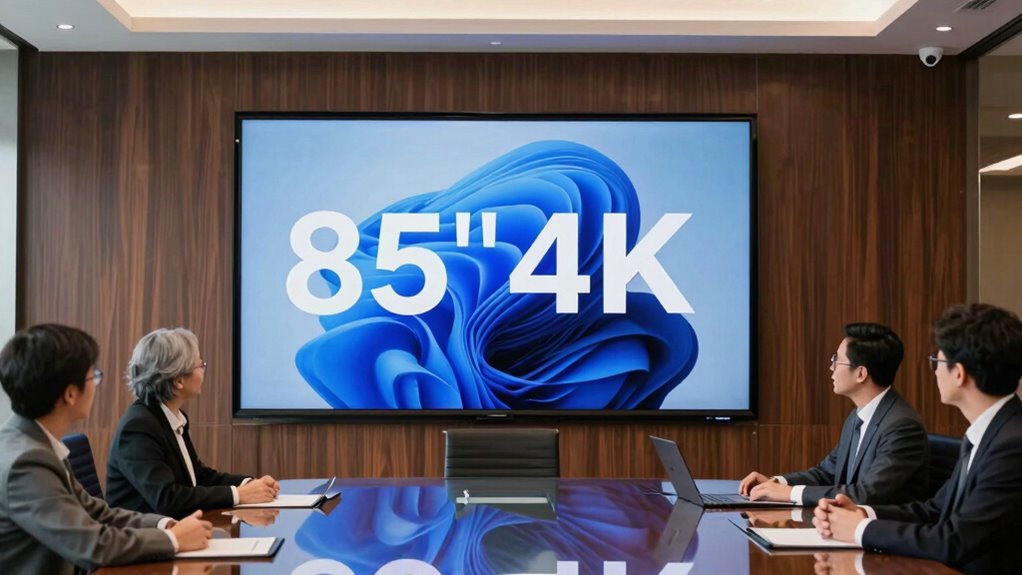

For an 85-inch 4K TV in a presentation room, my best overall pick is the LG UR340C because its commercial focus better matches shared workplace use than a typical home TV. The Samsung QN70F is a strong alternative for rooms where bright, detailed visuals matter, while the TCL QM64L brings Mini LED contrast and a smart platform to teams seeking a feature-rich display. The main tradeoffs are commercial controls versus home-TV features, screen visibility in bright rooms, and how much you need to spend on picture performance. I compare all 14 options by room fit, usability, connectivity, and practical drawbacks. Continue reading for the full breakdown and guidance on choosing a screen your team can use comfortably.

Get business pricing on office and shipping supplies
- Business-only prices and quantity discounts
- Tax-exempt purchasing
- Multiple users, one account, clear invoices
Key Takeaways
- The LG UR340C is the lineup’s clearest workplace-oriented choice; its commercial identity gives it a different role from the many consumer smart TVs.
- Mini LED models such as the Samsung QN70F and TCL QM64L are the more compelling direction for bright rooms or presentations with fine visual detail, but their picture hardware may be more than a basic slide room needs.
- The lineup spans several smart platforms—Fire TV, Google TV, Roku, and Samsung and LG systems—so ease of use depends partly on what presenters already know and how the display will be managed.
- An 85-inch screen is not automatically the right fit: room depth, seating spread, wall support, and viewing angles can matter more than moving up from standard LED to a premium panel.
- These options are primarily large TVs, not necessarily full meeting-room systems; buyers should check their required input, wireless sharing, device management, and conferencing workflow before choosing.
| Toshiba M450 Series 85-Inch QLED 4K UHD Smart Fire TV |  | Best for Fire TV Simplicity | Screen size: 84.5 inches; 85-inch class | Display: QLED | Resolution: 4K UHD | VIEW ON AMAZON | See Our Full Breakdown |
| Samsung 85-Inch Neo QLED QN70F 4K Mini LED Smart TV (2025) |  | Best for Bright, High-Detail Rooms | Screen size: 85 inches | Display: Neo QLED with Mini LED lighting | Resolution: 4K | VIEW ON AMAZON | See Our Full Breakdown |
| TCL T7 Series 85-Inch 4K QLED Smart Google TV (85T7) |  | Best for Mixed Presentation and Motion Content | Screen size: 85 inches | Display: QLED | Resolution: 4K UHD | VIEW ON AMAZON | See Our Full Breakdown |
| Sony BRAVIA 3 85-Inch 4K HDR LED Smart TV (K-85S30) |  | Best for Google and Apple Device Sharing | Screen size: 85 inches | Display: LED | Resolution: 4K Ultra HD | VIEW ON AMAZON | See Our Full Breakdown |
| TCL QM64L 85-Inch QD-Mini LED 4K Smart Fire TV |  | Best for Built-In Audio and Contrast | Screen size: 85 inches | Display: QD-Mini LED | Resolution: 4K | VIEW ON AMAZON | See Our Full Breakdown |
| Sony BRAVIA 3 II 85-Inch 4K HDR LED Google TV (K-85XR30M2) |  | Best for Mixed Presentation and Media Rooms | Screen size: 85 inches | Resolution: 4K | Display technology: LED | VIEW ON AMAZON | See Our Full Breakdown |
| LG UR340C 86-inch 4K UHD Commercial Smart LED TV |  | Best for Managed Multi-Room Installations | Screen size: 86 inches | Resolution: 3840 × 2160 (4K UHD) | Display technology: LED | VIEW ON AMAZON | See Our Full Breakdown |
| Samsung 85-Inch Class U8000H Series Crystal UHD 4K Smart TV (2026) |  | Best for Straightforward, Lower-Motion Rooms | Screen size: 85 inches | Resolution: 4K | Display technology: Crystal UHD | VIEW ON AMAZON | See Our Full Breakdown |
| LG 85-Inch QNED84B Mini LED 4K Smart TV (2026) |  | Best for High-Detail Presentation and Motion | Screen size: 85 inches | Resolution: 4K | Display technology: Mini LED | VIEW ON AMAZON | See Our Full Breakdown |
| Samsung 85-Inch M70H Series 4K Mini LED Smart TV (2026) |  | Best for Bright-Room Media Playback | Screen size: 85 inches | Resolution: 4K | Display technology: Mini LED | VIEW ON AMAZON | See Our Full Breakdown |
| LG 85-Inch Class Nano AI 4K NU85 Series Smart TV (2026) |  | Best for Mixed-Quality Presentation Sources | Screen size: 85 inches | Resolution: 4K | Display technology: LED with Direct LED backlight | VIEW ON AMAZON | See Our Full Breakdown |
| TCL 85-Inch R7D Series 4K UHD HDR Roku Smart TV |  | Best for Simple Roku-Based Room Use | Screen size: 85 inches | Resolution: 4K UHD (3840 x 2160) | Display technology: QLED | VIEW ON AMAZON | See Our Full Breakdown |
| TCL 85-Inch QM6K Series Mini LED QLED 4K HDR Smart Google TV |  | Best for Bright, Motion-Heavy Rooms | Screen size: 85 inches | Resolution: 4K UHD | Display technology: Mini LED, QLED | VIEW ON AMAZON | See Our Full Breakdown |
| Samsung 85-Inch M80H Series Mini LED 4K Smart TV (2026) |  | Best for PC-Centric Presentation Rooms | Screen size: 85 inches | Resolution: 4K | Display technology: Mini LED | VIEW ON AMAZON | See Our Full Breakdown |
| inch 4k office tv for presentation rooms buyer guide | Screen size | Resolution | Refresh rate | Display technology |
|---|---|---|---|---|
| Toshiba M450 Series 85-Inch QL | 84.5 inches; 85-inch class | 4K UHD | 60 Hz | — |
| Samsung 85-Inch Neo QLED QN70F | 85 inches | 4K | 120 Hz | — |
| TCL T7 Series 85-Inch 4K QLED | 85 inches | 4K UHD | Native 144 Hz | — |
| Sony BRAVIA 3 85-Inch 4K HDR L | 85 inches | 4K Ultra HD | 60 Hz | — |
| TCL QM64L 85-Inch QD-Mini LED | 85 inches | 4K | Native 144 Hz | — |
| Sony BRAVIA 3 II 85-Inch 4K HD | 85 inches | 4K | 120 Hz | LED |
| LG UR340C 86-inch 4K UHD Comme | 86 inches | 3840 × 2160 (4K UHD) | 60 Hz | LED |
| Samsung 85-Inch Class U8000H S | 85 inches | 4K | — | Crystal UHD |
| LG 85-Inch QNED84B Mini LED 4K | 85 inches | 4K | 120 Hz | Mini LED |
| Samsung 85-Inch M70H Series 4K | 85 inches | 4K | 60 Hz; DLG up to 120 Hz | Mini LED |
| LG 85-Inch Class Nano AI 4K NU | 85 inches | 4K | 60 Hz | LED with Direct LED backlight |
| TCL 85-Inch R7D Series 4K UHD | 85 inches | 4K UHD (3840 x 2160) | 60 Hz | QLED |
| TCL 85-Inch QM6K Series Mini L | 85 inches | 4K UHD | — | Mini LED, QLED |
| Samsung 85-Inch M80H Series Mi | 85 inches | 4K | 120 Hz, up to 144 Hz for compatible PC games | Mini LED |
More Details on Our Top Picks
Toshiba M450 Series 85-Inch QLED 4K UHD Smart Fire TV
The Toshiba M450 suits presentation rooms where a large, straightforward screen also needs to handle break-time streaming. Its 85-inch QLED 4K display gives slides and shared documents ample viewing area, while Fire TV and Alexa voice control make it easy to find content without adding a separate streaming box. Four HDMI inputs leave room for a laptop, conferencing hardware, and other sources. Compared with the TCL T7, the Toshiba is the more modest motion option: its 60 Hz refresh rate is fine for presentations and video, but it lacks the TCL’s 144 Hz advantage for fast-moving content. Dolby Vision, HDR10+ Adaptive, and Dolby Atmos broaden its entertainment appeal, though room layout still matters: the large panel needs substantial wall or stand space, and Wi-Fi is the only listed connectivity detail.
Pros:- Large 84.5-inch QLED 4K screen gives presentations room to be seen across a meeting space.
- Fire TV and Alexa voice control simplify app access and content search.
- Four HDMI ports can accommodate multiple presentation and media sources.
- Dolby Vision, HDR10+ Adaptive, and AirPlay support add flexibility for video and device sharing.
Cons:- The 60 Hz refresh rate is less suited to fast-moving content than the TCL T7 or TCL QM64L.
- Its 74.4-inch width calls for substantial wall or stand space.
- The supplied connectivity details list Wi-Fi but do not specify Ethernet.
Best for: Teams wanting an 85-inch presentation display with built-in Fire TV, Alexa control, and several HDMI inputs for shared office devices.
Not ideal for: Buyers showing frequent fast-motion content or needing a documented high-refresh display; its refresh rate is 60 Hz.
- Screen size:84.5 inches; 85-inch class
- Display:QLED
- Resolution:4K UHD
- Refresh rate:60 Hz
- Operating system:Fire TV
- HDMI ports:4
- HDR and audio:Dolby Vision, HDR10+ Adaptive, Dolby Atmos
- Dimensions:3.1 × 74.4 × 42.8 inches (D × W × H)
Our verdict“Choose the Toshiba for a large presentation-and-streaming screen with Alexa and Fire TV, but favor a higher-refresh model for motion-heavy material.”
Samsung 85-Inch Neo QLED QN70F 4K Mini LED Smart TV (2025)
The Samsung QN70F is the strongest fit here for rooms where presentations must remain legible under bright lighting. Its Mini LED backlighting and listed maximum brightness of 2000 nits give it a more presentation-focused brightness profile than the standard LED Sony BRAVIA 3, while the NQ4 AI Gen2 processor can upscale lower-resolution material toward 4K. That can help when a meeting mixes modern laptops with older video sources. Samsung also supports motion up to 4K 144 Hz for compatible PC gaming, but that capability matters less for ordinary slide decks than dependable source connections and room placement. The listed dimensions include a 14.4-inch depth, so I would check the mounting setup before choosing it. Smart features may also depend on a Samsung account and internet access.
Pros:- Mini LED backlighting and up to 2000 nits listed brightness suit brighter rooms.
- AI upscaling can improve the appearance of compatible lower-resolution sources.
- Motion support up to 4K 144 Hz gives compatible PCs room for smoother motion.
- 85-inch 4K screen provides a large shared viewing area.
Cons:- 144 Hz support depends on compatible PC hardware and supported content, so it adds little to static slides.
- Some smart features and streaming services require a Samsung Account and internet connection.
- The listed 14.4-inch depth may complicate flush or space-constrained installation.
Best for: Meeting rooms with strong ambient light that show a mix of sharp slides, streamed video, and occasional PC-driven motion content.
Not ideal for: Offices seeking a simple, account-independent display or buyers who only need presentations and do not value the higher motion capability.
- Screen size:85 inches
- Display:Neo QLED with Mini LED lighting
- Resolution:4K
- Refresh rate:120 Hz
- Motion enhancement:Motion Xcelerator up to 144 Hz
- Maximum display brightness:2000 nits
- Processor:NQ4 AI Gen2
- Dimensions:14.4 × 74.9 × 45 inches (D × W × H)
Our verdict“Pick the Samsung when bright-room visibility and source upscaling matter more than keeping the setup as simple as the Sony BRAVIA 3.”
TCL T7 Series 85-Inch 4K QLED Smart Google TV (85T7)
The TCL T7 earns its place for offices that use the big screen for more than static decks. Its native 144 Hz refresh rate and MEMC motion enhancement make fast-moving demonstrations, sports, and video playback a stronger match than the 60 Hz Toshiba M450 or Sony BRAVIA 3. For presentations, the 85-inch 4K QLED panel and four HDMI inputs provide a roomy screen and practical source flexibility; one HDMI input includes eARC for compatible audio equipment. Google TV and voice control add a familiar streaming interface, and support for Dolby Vision, HDR10, HDR10+, and HLG covers a broad range of video formats. The tradeoff is that its motion advantage may be unnecessary in a slide-first room, while Wi-Fi 5 and its large physical footprint are worth checking against the office’s network and installation plan.
Pros:- Native 144 Hz refresh rate is better suited to fast motion than the 60 Hz Toshiba M450 and Sony BRAVIA 3.
- Four HDMI inputs allow several office devices to stay connected.
- Supports Dolby Vision, HDR10, HDR10+, and HLG for varied video sources.
- Google TV, voice control, Ethernet, and Bluetooth provide flexible smart and connection options.
Cons:- The high refresh rate offers limited value for mostly static slides and spreadsheets.
- Its 85-inch size requires substantial wall or stand space.
- Wi-Fi 5 is specified, so buyers with newer wireless infrastructure should check whether that meets their needs.
Best for: Teams that alternate between presentations, video demonstrations, and other motion-heavy content, and want several HDMI-connected sources.
Not ideal for: Slide-only rooms seeking a basic display; the 144 Hz capability may be more than needed, and the large set still requires substantial space.
- Screen size:85 inches
- Display:QLED
- Resolution:4K UHD
- Refresh rate:Native 144 Hz
- HDR formats:Dolby Vision, HDR10, HDR10+, HLG
- Operating system:Google TV
- HDMI and USB:4 HDMI (one with eARC); 2 USB
- Dimensions and weight:2.5 × 74.4 × 42.8 inches (D × W × H); 66.8 pounds
Our verdict“Choose the TCL T7 if your presentation room also handles fast-motion video; for mostly slides, the simpler 60 Hz options may be a closer fit.”
Sony BRAVIA 3 85-Inch 4K HDR LED Smart TV (K-85S30)
The Sony BRAVIA 3 is a practical pick for offices already built around Google or Apple devices. Google TV, Chromecast, and AirPlay 2 give staff several routes to share or access content, while Google Assistant voice control makes app and content searches straightforward. Its 85-inch 4K screen and Dolby Vision support suit presentation rooms that regularly show video alongside slides, but its 60 Hz refresh rate places it behind the TCL T7 and QM64L for fast motion. Triluminos Pro color adds an entertainment-oriented strength, though the supplied details do not identify a QLED or Mini LED panel like those TCL and Samsung alternatives use. At 99.6 pounds and 18 inches deep, installation deserves advance planning; its PlayStation 5 features will matter more to gaming rooms than to most office meetings.
Pros:- AirPlay 2 and Chromecast support sharing from Apple and Google devices.
- Google TV and Google Assistant provide an established smart interface and voice search.
- Dolby Vision and Triluminos Pro color support presentation breaks with video content.
- Auto HDR Tone Mapping and Auto Genre Picture Mode add PlayStation 5-specific features.
Cons:- The 60 Hz refresh rate trails the TCL T7 and TCL QM64L for fast-moving content.
- At 99.6 pounds, installation may call for stronger mounting hardware or additional help.
- The listed 18-inch depth may not suit shallow wall-mount setups.
Best for: Offices where staff use a mix of Apple and Google devices and need multiple familiar options for screen sharing and streaming.
Not ideal for: Rooms showing fast-motion content regularly, or installations with strict weight and depth limits; this is a 60 Hz set weighing 99.6 pounds.
- Screen size:85 inches
- Display:LED
- Resolution:4K Ultra HD
- Refresh rate:60 Hz
- HDR formats:Dolby Vision, HDR10, HLG
- Operating system:Google TV
- Sharing features:AirPlay 2, Chromecast
- Dimensions and weight:18 × 74.63 × 46.38 inches; 99.6 pounds
Our verdict“Choose the Sony BRAVIA 3 for broad Apple and Google sharing support, not for high-refresh motion or a lightweight installation.”
TCL QM64L 85-Inch QD-Mini LED 4K Smart Fire TV
The TCL QM64L is the most self-contained entertainment option in this group: its QD-Mini LED panel with up to 500 local dimming zones is designed to separate bright and dark parts of an image, while an Onkyo 2.1 system with a 20W subwoofer provides more built-in audio detail than a basic TV speaker setup. That combination can help a presentation room double as a video space without immediately adding a separate sound system. Its native 144 Hz refresh rate, VRR, and ALLM also outpace the Toshiba M450 and Sony BRAVIA 3 for motion-heavy material. Fire TV with Alexa+ rounds out the built-in setup. The main qualification is that the supplied product data is incomplete, so buyers should verify installation dimensions and connection details before specifying it for a fixed room.
Pros:- Up to 500 local dimming zones support more controlled contrast than a basic LED design.
- Native 144 Hz, VRR, and ALLM suit fast-motion video and compatible gaming sources.
- Onkyo 2.1 audio with a 20W subwoofer offers a more substantial built-in sound setup.
- Fire TV with Alexa+ and multiple HDR formats support a flexible shared-use room.
Cons:- The supplied product details are incomplete, leaving installation dimensions and some connection information unspecified.
- Its motion and audio features may be unnecessary for rooms used mainly for slide presentations.
- The listed feature set does not provide a specific maximum brightness figure for comparison.
Best for: Presentation rooms that also host video sessions and want stronger built-in sound, contrast-focused lighting, and high-refresh motion support.
Not ideal for: Buyers who need complete installation and connectivity specifications before procurement, or rooms showing only static slides where its extra picture and audio features may go unused.
- Screen size:85 inches
- Display:QD-Mini LED
- Resolution:4K
- Local dimming zones:Up to 500
- Refresh rate:Native 144 Hz
- HDR formats:Dolby Vision, HDR10+, HDR10, HLG
- Audio:Onkyo 2.1 with 20W subwoofer
- Smart platform:Fire TV with Alexa+
Our verdict“Pick the TCL QM64L when built-in sound and contrast matter alongside presentations, but confirm the missing installation details before ordering.”
Sony BRAVIA 3 II 85-Inch 4K HDR LED Google TV (K-85XR30M2)
I’d put the Sony BRAVIA 3 II on the shortlist for a room that alternates between slide decks and video. Its 85-inch 4K screen gives presentations room-filling scale, while Dolby Vision support and Sony’s XR Processor also suit polished video playback after meetings. The listed 120Hz refresh rate and four HDMI ports offer more headroom for connected sources and motion-heavy content than the 60Hz Samsung U8000H. That flexibility is useful if a room doubles as a conference space and an entertainment area, but gaming features matter less for a presentation-first setup. Unlike the commercial LG UR340C, this Sony lacks the listed scheduling, screen-message, and multi-display management tools. Its broad smart-TV feature set may be unnecessary for a room that only needs reliable wired presentations, and the large screen calls for careful placement and mounting planning.
Pros:- 85-inch 4K screen provides a large canvas for shared presentations and video
- Dolby Vision, HDR10, and HLG support a range of HDR video sources
- Four HDMI ports make it easier to connect room equipment without frequent cable swaps
- 120Hz refresh rate and HDMI 2.1 gaming features add flexibility for motion-heavy sources
Cons:- No listed commercial signage or centralized multi-display management features
- The 85-inch screen requires substantial wall space and careful installation planning
- Smart-TV and gaming capabilities may add complexity for rooms used only for presentations
Best for: Teams using one large room for presentations, video playback, and occasional gaming or other motion-heavy content, especially when multiple HDMI devices need to stay connected.
Not ideal for: Organizations outfitting several rooms that need signage scheduling, USB cloning, or centralized display management; the LG UR340C is a closer fit for those workflows.
- Screen size:85 inches
- Resolution:4K
- Display technology:LED
- Refresh rate:120 Hz
- HDR formats:Dolby Vision, HDR10, HLG
- Processor:XR Processor
- HDMI ports:4
- Dimensions (D × W × H):17.69 × 74.5 × 45.5 inches
Our verdict“Choose the BRAVIA 3 II if your presentation room also needs a flexible, high-refresh screen for video and other connected media.”
LG UR340C 86-inch 4K UHD Commercial Smart LED TV
The LG UR340C is the purpose-built choice here for offices managing displays as part of a repeatable setup, rather than treating each screen like a home TV. Its SuperSign Control support can manage up to 100 displays, while scheduling, screen messages, and USB data cloning help standardize updates across rooms. Those tools make it a stronger fit than the Sony BRAVIA 3 II when signage and fleet control matter more than entertainment features. The 86-inch 4K panel, 400-nit brightness, and wide viewing angle also suit shared meeting spaces, though the glossy finish can reflect windows or overhead lights. Its 60Hz refresh rate is adequate for decks and ordinary video but less suited to fast motion than the Sony or LG QNED84B. I’d also verify the listed USB configuration with the seller, since the supplied port counts conflict.
Pros:- SuperSign Control supports remote management of up to 100 displays
- Scheduling and customizable screen messages support managed office use
- USB data cloning can simplify repeating a setup across multiple screens
- 86-inch 4K panel with 400-nit brightness and 178-degree viewing angle
Cons:- Glossy screen finish can reflect windows and room lighting
- 60Hz refresh rate is less suited to fast-moving content than higher-refresh options
- Provided USB port descriptions are inconsistent and should be confirmed before ordering
Best for: Facilities and IT teams standardizing presentation or signage screens across multiple rooms and needing scheduling, USB cloning, and remote display control.
Not ideal for: Buyers in bright rooms with direct window reflections, or teams prioritizing high-refresh playback and entertainment features over commercial management tools.
- Screen size:86 inches
- Resolution:3840 × 2160 (4K UHD)
- Display technology:LED
- Refresh rate:60 Hz
- Brightness:400 nits
- HDR formats:HDR10, HLG
- HDMI ports:3
- Warranty:3-year limited warranty
Our verdict“Choose the UR340C when centralized control and repeatable commercial workflows matter more than high-refresh entertainment performance.”
Samsung 85-Inch Class U8000H Series Crystal UHD 4K Smart TV (2026)
The Samsung U8000H is the simpler fit for a room where the main job is displaying slides, dashboards, and standard video rather than demanding commercial control or premium motion handling. Its 85-inch 4K display and Crystal Processor upscaling can make lower-resolution material more presentable on a large screen, which helps when teams share older clips or mixed-quality sources. Samsung TV Plus adds optional content outside meetings, but that is a secondary perk rather than a presentation advantage. Compared with the commercial LG UR340C, the supplied information doesn’t list scheduling or multi-display management; compared with the Sony BRAVIA 3 II, its motion performance tops out at 4K 60Hz. That is a sensible ceiling for ordinary presentations, but not the pick for fast-moving visuals or a room that needs a detailed port and installation plan—the available specs don’t provide port counts or dimensions.
Pros:- 85-inch 4K screen gives presentations and shared content substantial viewing area
- Crystal Processor upscaling can improve the appearance of lower-resolution material
- Motion Xcelerator supports motion handling up to 4K 60Hz
- Samsung TV Plus provides built-in streaming options beyond meeting use
Cons:- Motion performance is limited to up to 4K 60Hz, below the listed rates of the Sony BRAVIA 3 II and LG QNED84B
- Provided product data does not list commercial scheduling or centralized display-management tools
- Provided product data does not specify port counts, brightness, or dimensions for room planning
Best for: Small offices or meeting rooms that need a large 4K screen for slides and typical video, with optional built-in streaming but no stated need for fleet management.
Not ideal for: Teams showing fast-motion content, requiring specified commercial signage controls, or needing confirmed connection counts and physical dimensions before installation.
- Screen size:85 inches
- Resolution:4K
- Display technology:Crystal UHD
- Series:U8000H
- Model year:2026
- Motion performance:Up to 4K 60Hz
- Processor:Crystal Processor
- Free content:Samsung TV Plus, including subscription-free channels
Our verdict“Choose the U8000H for straightforward slides and standard video when a 60Hz screen and built-in streaming are enough.”
LG 85-Inch QNED84B Mini LED 4K Smart TV (2026)
For rooms where clear, vivid content and fluid motion matter alongside presentations, the LG QNED84B brings a higher-performance picture package than the more office-oriented UR340C. Its Mini LED backlighting, QNED color, and α8 AI processor are geared toward enhancing image detail and color, while VRR, FreeSync Premium, and up to 144Hz support make it better suited to fast-moving visuals than the 60Hz Samsung U8000H. Those capabilities can benefit technical demos, animation, and shared video—not just gaming. The tradeoff is that its strengths lean toward advanced media playback rather than office administration: the supplied data does not list signage scheduling or centralized management like the LG UR340C. The glossy finish can also pick up room reflections, and smart services need internet access, with some features requiring subscriptions or compatible hardware. I’d choose it for demanding visual content, not a basic slide-only room.
Pros:- Mini LED backlighting and QNED color target vivid, detailed 4K images
- Up to 144Hz gaming refresh rate with VRR and AMD FreeSync Premium for compatible sources
- Filmmaker Mode offers a picture mode designed to preserve intended film presentation
- webOS provides streaming apps, LG Channels, and cloud gaming access
Cons:- Glossy screen finish can reflect bright windows and overhead lighting
- No commercial scheduling or multi-display management is listed, unlike the LG UR340C
- Some smart and gaming features depend on internet, subscriptions, or compatible hardware
Best for: Teams presenting animation, detailed visual material, or motion-heavy demonstrations and also wanting a high-refresh screen for compatible connected devices.
Not ideal for: Offices that need commercial signage scheduling and centralized control, or rooms where a glossy screen will face strong reflections.
- Screen size:85 inches
- Resolution:4K
- Display technology:Mini LED
- Refresh rate:120 Hz
- Gaming refresh rate:Up to 144 Hz
- HDR formats:HDR10, HLG
- Processor:α8 AI Processor 4K Gen3
- Smart platform:webOS
Our verdict“Choose the QNED84B when visual richness and high-refresh motion matter more than commercial display-management tools.”
Samsung 85-Inch M70H Series 4K Mini LED Smart TV (2026)
The Samsung M70H is the lineup’s brightness-focused option for rooms where presentations are regularly followed by video or other colorful media. Its Mini LED backlighting and listed maximum brightness of 1,000 nits are more compelling for bright-room viewing than the supplied Samsung U8000H details, which don’t state a brightness figure or Mini LED panel. HDR10+ adds another format for compatible content. For office presentations, though, the important limitation is its 60Hz native refresh rate; the DLG mode can reach 120Hz but may reduce image sharpness, so I wouldn’t treat it as equivalent to the Sony BRAVIA 3 II’s listed 120Hz rate. Gaming Hub and streaming services are extras, not management tools. Samsung Account and internet access may be needed for some smart features, and the glossy screen can reflect lights despite the brightness advantage.
Pros:- Mini LED display with a listed maximum brightness of 1,000 nits
- HDR10+ support for compatible video sources
- Gaming Hub and motion features provide uses beyond slide presentations
- Samsung TV Plus and other streaming services add built-in media options
Cons:- Native refresh rate is 60Hz; DLG up to 120Hz can reduce image sharpness
- Glossy screen finish may reflect overhead lighting and windows
- Some smart features require a Samsung Account and internet connection
Best for: Teams using a bright meeting room for presentations and HDR video, especially when strong screen brightness and built-in entertainment features are priorities.
Not ideal for: Buyers who need consistently sharp high-refresh output, commercial signage controls, or a matte screen to limit reflections.
- Screen size:85 inches
- Resolution:4K
- Display technology:Mini LED
- Refresh rate:60 Hz; DLG up to 120 Hz
- HDR format:HDR10+
- Maximum brightness:1,000 nits
- Screen finish:Glossy
- Dimensions:12.8 × 74.4 × 44.6 inches
Our verdict“Choose the M70H for a bright room that also plays HDR video, but not when sharp, sustained high-refresh output is a requirement.”
LG 85-Inch Class Nano AI 4K NU85 Series Smart TV (2026)
I’d choose the LG NU85 for rooms where presentations arrive from a mix of newer laptops, older media players, and streaming sources. Its α7 AI Processor 4K Gen9 is designed to upscale lower-resolution content, which can make older slides and video look cleaner on an 85-inch screen. AirPlay and Google Cast give presenters more than one wireless sharing route, while three HDMI inputs cover common fixed connections. Compared with the TCL QM6K, the LG has a lower 60 Hz refresh rate and lacks Mini LED local dimming, so it is less suited to motion-heavy use or rooms prioritizing advanced display hardware. Its webOS 26 features also rely on internet access, and some services may require subscriptions. I’d favor it for flexible source handling, not gaming-focused rooms.
Pros:- AI processor is designed to upscale lower-resolution content for a large 4K screen
- AirPlay and Google Cast offer flexible wireless presentation options
- Three HDMI inputs support several permanently connected sources
- HDR10 Pro and Filmmaker Mode add picture options for video content
Cons:- 60 Hz refresh rate is less suited to fast motion than the TCL QM6K or Samsung M80H
- Only one USB port limits connections for USB-based media or peripherals
- Some streaming and smart features need internet access or a subscription
Best for: Office teams that present from a mix of older HDMI devices and Apple or Google casting devices, and want picture processing to help with lower-resolution material.
Not ideal for: Teams showing fast-moving content or seeking Mini LED local dimming and a refresh rate above 60 Hz; the TCL QM6K is a stronger fit for those priorities.
- Screen size:85 inches
- Resolution:4K
- Display technology:LED with Direct LED backlight
- Refresh rate:60 Hz
- HDR format:HDR10
- HDMI ports:3
- USB ports:1
- Screen mirroring:AirPlay, Google Cast
- VESA mount:400 x 400 mm
Our verdict“Choose the LG NU85 if your presentation room needs versatile casting and processing for mixed-quality sources more than high-refresh or Mini LED performance.”
TCL 85-Inch R7D Series 4K UHD HDR Roku Smart TV
The TCL R7D makes sense when a room needs a large display with a straightforward streaming interface and familiar device sharing. Roku OS keeps app and channel access easy to organize, while Google Cast and AirPlay 2 give guests two common ways to send content. Its QLED panel and support for HDR10, HDR10+, and HLG also make it capable of handling video material alongside slides. Compared with the LG NU85, its listed specifications emphasize Roku and smart-home compatibility rather than AI upscaling; compared with the TCL QM6K, it gives up Mini LED local dimming and the higher native refresh rate. The 60 Hz panel is a real limit for fast-motion content, and three HDMI inputs can feel tight if the room has several fixed sources.
Pros:- Roku OS offers a straightforward platform for streaming and live channels
- Google Cast and AirPlay 2 support common wireless sharing methods
- QLED display supports HDR10, HDR10+, and HLG
- Smart-home compatibility includes Alexa, Google Home, and Apple HomeKit
Cons:- 60 Hz refresh rate is less capable for fast motion than the TCL QM6K and Samsung M80H
- Three HDMI inputs may not accommodate multiple fixed room sources
- Listed specifications do not provide the same Mini LED local dimming hardware as the TCL QM6K
Best for: Small businesses and shared meeting rooms that want a familiar Roku interface, common casting options, and a large screen for presentations plus video.
Not ideal for: Rooms with several permanently connected presentation devices or frequent high-frame-rate content; its three HDMI inputs and 60 Hz refresh rate are limiting beside the TCL QM6K.
- Screen size:85 inches
- Resolution:4K UHD (3840 x 2160)
- Display technology:QLED
- Refresh rate:60 Hz
- HDR formats:HDR10, HDR10+, HLG
- Operating system:Roku OS
- HDMI inputs:3, including ARC/eARC
- Casting:Google Cast, Apple AirPlay 2
- Weight:58.4 pounds
Our verdict“Pick the TCL R7D for a shared room that values Roku simplicity and broad casting support over higher refresh rates and Mini LED contrast control.”
TCL 85-Inch QM6K Series Mini LED QLED 4K HDR Smart Google TV
For presentation rooms that also show fast-moving video or connect to gaming PCs, the TCL QM6K has the strongest motion-focused specification set in this group. Its 144 Hz native refresh rate and Mini LED local dimming give it a clear hardware advantage over the 60 Hz LG NU85 and TCL R7D. The listed 1,000-nit maximum brightness and broad HDR support suit video playback, though HDR formats matter less for everyday slides than consistent sizing, input access, and room setup. Google TV and an Onkyo 2.1-channel system add entertainment convenience, but those features do not replace checking the room’s connection needs. At 73.4 pounds, this set is also heavier than the R7D, so wall mounting and installation call for more planning. I’d choose it for performance headroom, not simplicity.
Pros:- 144 Hz native refresh rate supports smoother compatible PC and gaming content
- Mini LED QLED panel includes local dimming
- Up to 1,000 nits of listed brightness and support for Dolby Vision and other HDR formats
- Onkyo 2.1-channel audio system includes a built-in subwoofer
Cons:- At 73.4 pounds, it may require more help and planning for installation than the TCL R7D
- Large 85-inch dimensions require substantial wall or stand space
- Its motion and home-theater features may be excessive for rooms used mainly for static slides
Best for: Organizations that use an 85-inch screen for presentations, high-motion video, and compatible gaming or PC content, and can accommodate a heavier installation.
Not ideal for: Teams seeking a basic presentation-only screen or an easy solo installation; the higher-end motion and audio features may be unnecessary, and its listed weight is substantial.
- Screen size:85 inches
- Resolution:4K UHD
- Display technology:Mini LED, QLED
- Native refresh rate:144 Hz
- Maximum display brightness:1,000 nits
- HDR formats:Dolby Vision, HDR10+, HDR10, HLG
- Operating system:Google TV
- Audio:Onkyo 2.1-channel system with built-in subwoofer
- Weight:73.4 pounds
Our verdict“Choose the TCL QM6K when smooth high-frame-rate content and Mini LED local dimming matter enough to justify a heavier, more feature-rich installation.”
Samsung 85-Inch M80H Series Mini LED 4K Smart TV (2026)
The Samsung M80H is the clearest match here for rooms that connect a compatible PC and want a display that can also handle high-frame-rate content. Its 120 Hz refresh rate, with support up to 144 Hz for compatible PC games, gives it more motion headroom than the 60 Hz LG NU85 or TCL R7D. Mini LED and AI picture processing are aimed at improving clarity, color, and contrast, while automatic SDR-to-HDR remastering can alter the look of ordinary content; for presentation work, teams may prefer checking output settings so slides remain as intended. The three HDMI ports are workable but not generous, and a single USB port narrows peripheral options. Unlike the TCL QM6K, this Samsung’s listed details do not specify Dolby Vision or built-in subwoofer audio.
Pros:- Mini LED display pairs with AI processing for picture clarity, color, contrast, and motion
- 120 Hz refresh rate supports up to 144 Hz with compatible PC games and graphics hardware
- Automatic SDR-to-HDR remastering is available for supported content
- Includes Wi-Fi, Ethernet, Bluetooth 5.3, and built-in Alexa support
Cons:- 144 Hz support depends on a compatible PC game and graphics card
- One USB port limits connected storage and peripherals
- Network-based smart features require internet access and a Samsung account
Best for: Teams that use a compatible PC as a presentation source and also want a high-refresh Mini LED display for motion-heavy content.
Not ideal for: Rooms that need several USB-connected devices, many fixed HDMI sources, or a simple setup without Samsung account and internet requirements for network-based smart features.
- Screen size:85 inches
- Resolution:4K
- Display technology:Mini LED
- Refresh rate:120 Hz, up to 144 Hz for compatible PC games
- HDR format:HDR10+
- HDMI ports:3
- USB ports:1
- Connectivity:Bluetooth 5.3, HDMI, USB, Wi-Fi, Ethernet
- VESA mount:400 x 300 mm
Our verdict“Choose the Samsung M80H for a PC-centric room that values Mini LED and high-refresh capability, provided its limited USB connectivity fits your setup.”

How We Picked
I ranked these 14 models around the demands of an office presentation room, rather than treating home entertainment features as the main goal. I weighed workplace suitability, 4K clarity for charts and text, expected visibility in rooms with ambient light, ease of access to presentation sources, and whether the product’s stated category points toward shared commercial use. I also considered practical ownership factors such as platform familiarity, installation needs, and the risk of paying for advanced picture hardware that a slide-focused room may not use.
The ranking favors models with a clearer fit for regular shared use and strong presentation visibility, then balances those strengths against flexibility and setup effort. That puts the LG UR340C first for its commercial orientation, with bright-room and Mini LED alternatives close behind for buyers whose needs differ. Consumer models can still make sense, but I rank them lower when their advantages are less directly tied to workplace use or when buyers may need to supply separate room-control and content-sharing solutions. Specifications and available features can vary by region, so verify the exact model and connection requirements before purchase.
| inch 4k office tv for presentation rooms buyer guide | HDR formats | Display technology |
|---|---|---|
| Toshiba M450 Series 85-Inch QL | — | — |
| Samsung 85-Inch Neo QLED QN70F | — | — |
| TCL T7 Series 85-Inch 4K QLED | Dolby Vision, HDR10, HDR10+, HLG | — |
| Sony BRAVIA 3 85-Inch 4K HDR L | Dolby Vision, HDR10, HLG | — |
| TCL QM64L 85-Inch QD-Mini LED | Dolby Vision, HDR10+, HDR10, HLG | — |
| Sony BRAVIA 3 II 85-Inch 4K HD | Dolby Vision, HDR10, HLG | LED |
| LG UR340C 86-inch 4K UHD Comme | HDR10, HLG | LED |
| Samsung 85-Inch Class U8000H S | — | Crystal UHD |
| LG 85-Inch QNED84B Mini LED 4K | HDR10, HLG | Mini LED |
| Samsung 85-Inch M70H Series 4K | — | Mini LED |
| LG 85-Inch Class Nano AI 4K NU | — | LED with Direct LED backlight |
| TCL 85-Inch R7D Series 4K UHD | HDR10, HDR10+, HLG | QLED |
| TCL 85-Inch QM6K Series Mini L | Dolby Vision, HDR10+, HDR10, HLG | Mini LED, QLED |
| Samsung 85-Inch M80H Series Mi | — | Mini LED |
Factors to Consider When Choosing 85 Inch 4k Office Tv For Presentation Rooms Buyer Guide
Choosing a large office screen means matching the display to the room and the way people present, not simply choosing the most advanced panel. I would settle the room layout, connection plan, and management expectations before comparing picture technologies.
Match Screen Size to Room Geometry
An 85-inch screen can make small labels easier to read across a conference table, but it can also dominate a shallow room. Measure the wall and the distance from the screen to the farthest regular seat before ordering. Check viewing angles too, since people seated far to either side may see less consistent contrast than those directly in front. A wall mount needs to support the display’s size and weight, with enough clearance for cables and ventilation. A common mistake is selecting by diagonal size alone and discovering that the screen crowds the room or leaves no sensible place for the camera. If most attendees sit close, a smaller screen positioned well may serve them better than a larger panel at an awkward height.
Plan for Ambient Light and Content Type
Room lighting affects presentation legibility as much as headline picture technology. Sunlight or bright overhead fixtures can wash out dark diagrams, so assess the display wall at the times meetings usually occur. High brightness and Mini LED control can help when a room cannot be darkened, while ordinary slide decks may not benefit enough to justify premium picture features. Glossy screens can also reflect windows and ceiling lights, so check the placement and finish rather than assuming brightness solves every reflection problem. For spreadsheets and fine text, test representative content at the back of the room before finalizing the setup. If presenters mainly show slides, prioritize readability and reflections over cinematic color features.
Map Every Presentation Source Before Buying
List the devices presenters will connect, including laptops, room PCs, conferencing appliances, and any wireless presentation hardware. Count the required ports and check whether the chosen inputs support the video modes your devices use. Wireless casting can reduce cable clutter, but it may depend on network access, compatible devices, or software approval from IT. A built-in smart platform is not a substitute for a managed meeting-room sharing system. Decide whether visitors need a simple plug-in path and whether staff can switch inputs without searching through consumer menus. This planning avoids a common failure: buying a capable screen and later discovering that the room’s actual sharing workflow needs extra adapters or equipment.
Decide Whether Commercial Controls Matter
A TV used by one household and a display used by many teams have different support needs. For shared rooms, ask whether the screen should start on a chosen input, limit access to streaming apps, recover cleanly after power interruptions, or support centralized management. Commercially oriented models may better fit these expectations, while consumer sets can offer familiar streaming platforms and a wider range of entertainment features. Confirm the exact control and warranty terms rather than inferring them from a product label. If the display will be used for scheduled meetings every day, predictable startup and support can matter more than extra picture modes. For a lightly used room with an assigned owner, a consumer model may be a reasonable, simpler choice.
Set the Right Picture and Accessibility Priorities
For presentations, readable text, stable image settings, and clear audio for video clips are often more useful than advanced motion processing. Ask presenters to use high-contrast slides and large type, since no TV can repair a poorly designed deck at the far end of a room. Check whether the display can retain a consistent picture mode between meetings and whether captions are easy to enable for recorded material. If the room uses external speakers or a conferencing system, verify audio outputs and control compatibility before relying on the TV’s built-in sound. Accessibility also includes the remote and on-screen menus: a shared room should not require one specialist to change basic settings. Paying for premium picture hardware makes most sense when the room’s lighting or visual content genuinely calls for it.
Frequently Asked Questions
Is a commercial TV a better choice than a consumer TV for a conference room?
It can be, especially when many teams use the room and staff need predictable startup, restricted settings, or centralized control. The LG UR340C is the lineup’s clearest commercial-oriented option, while consumer models may provide more familiar streaming features or platform choices. A commercial label alone does not tell you whether the set supports your exact management workflow, so confirm control, warranty, and operating requirements. For a room used occasionally by a small team, a consumer TV may be adequate. Choose based on how the display will be managed, not on the label alone.
Will an 85-inch 4K TV make presentation text readable from the back of the room?
It gives you a large image, but readability still depends on viewing distance, font size, contrast, and the audience’s angle to the screen. Before purchase, display a typical slide or spreadsheet at the intended resolution and view it from the farthest seat. If small labels remain difficult to read, revise the presentation layout or reconsider the room arrangement rather than assuming a larger TV will solve everything. A 4K panel provides detail, but the source content must contain enough resolution and use legible design. Screen placement at a comfortable height also affects how easily people can follow material.
Should I pay extra for Mini LED for a presentation room?
Mini LED is most relevant when the room stays bright or when presentations include detailed images that benefit from stronger contrast. It may be less useful for simple slides in a room with controllable lighting, where a well-positioned standard 4K display can do the job. The Samsung QN70F and TCL QM64L illustrate the lineup’s Mini LED direction, but their picture capabilities do not replace a reliable connection and sharing plan. Compare the added panel capability with the hours the screen will be used and the room’s lighting conditions. If reflections are the real problem, changing the display location or controlling light may help more than upgrading the panel.
Can a smart TV replace a wireless presentation system?
Not automatically. A TV’s built-in platform and casting features may support some devices, but workplace networks and device policies can limit what presenters can connect. Check compatibility with company laptops, guest devices, and the network rules before relying on wireless sharing. A dedicated room system can provide a more consistent handoff between presenters, even when the TV itself has smart features. Keep a wired connection available as a fallback for important meetings. Decide who will maintain the sharing method and handle software or adapter issues.
What should I verify before mounting an 85-inch TV in a meeting room?
Confirm the wall structure, mount rating, mounting pattern, display weight, and clearance for power and signal cables. Plan for ventilation and access to ports, since a flush installation can make troubleshooting difficult. Check that the screen will not sit too high for people at the conference table or face direct window glare. Also coordinate power, cable routing, and any camera or speaker placement before the installer fixes the mount position. A full-size cardboard outline can help teams judge screen scale and sightlines in the actual room.
Conclusion
For most dedicated presentation rooms, I would start with the LG UR340C as the best overall because its commercial orientation aligns most directly with shared workplace use. For a bright room where image clarity takes priority, the Samsung QN70F is my premium-leaning pick, while the TCL QM64L suits buyers who want a Mini LED alternative with a smart-TV platform. For best value, compare the TCL T7 and TCL R7D against your connection and room-control needs rather than paying for picture features you may not use. Beginners who want a familiar, straightforward smart-TV setup can start with a platform they already know, such as Roku, Google TV, or Fire TV, and verify sharing compatibility first. If your specific need is centralized workplace control, favor the commercial LG; if it is better visibility under bright lighting, focus on the Mini LED options. My final recommendation is to confirm screen fit, input workflow, and support requirements before choosing among them.
Fall Picks

Samsung Essential S3 27-Inch Curved FHD Monitor
As an affiliate, we earn on qualifying purchases.