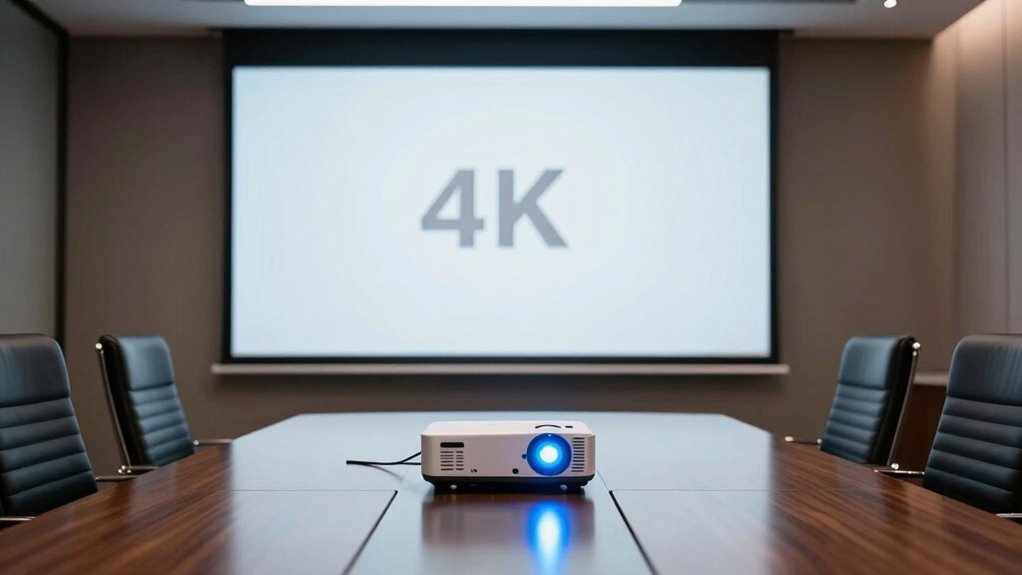

Choosing a 4K projector for high-end presentations means balancing sharp detail against the realities of the room: ambient light, screen size, throw distance, and the presentation signals your equipment can accept. My strongest fits for demanding rooms are the BenQ LK936ST for short-throw placement, the ViewSonic LS740-4K for bright, flexible 4K projection, and the LG ProBeam BU50NST for built-in wireless features and presentation connections.

Get business pricing on office and shipping supplies
- Business-only prices and quantity discounts
- Tax-exempt purchasing
- Multiple users, one account, clear invoices
Those strengths do not make the models interchangeable. Epson’s PowerLite L890U is the brightest option listed, but it displays at WUXGA rather than native 4K. The Epson LS11000 brings sophisticated HDR and lens controls but has less brightness for rooms with light on. I rank these picks by how well their stated capabilities suit a premium presentation setting, with particular attention to readable detail, light output, installation needs, and connectivity. The key tradeoff is clear: prioritize true 4K detail, room-filling brightness, or installation flexibility, because no single model leads in all three.
Key Takeaways
- Best short-throw 4K fit: BenQ LK936ST combines 5,100 ANSI lumens, native 4K UHD, and a 0.81–0.89 throw ratio for rooms where the projector must sit close to the screen.
- Best balanced fixed installation: ViewSonic LS740-4K pairs 5,000 ANSI lumens and native 4K with a 1.6x optical zoom and flexible image adjustment.
- Best presentation connectivity: LG ProBeam BU50NST offers Wi-Fi, a web browser, HDBaseT, and two HDMI inputs, but its 22-pound chassis is not a grab-and-go choice.
- Brightest listed option is not native 4K: Epson PowerLite L890U supplies 8,000 lumens and accepts up to 4K signals, while its displayed resolution is 1920 × 1200.
- Best for controlled-light rooms and cinematic detail: Epson LS11000 offers 4K, strong HDR support, powered lens controls, and 120 Hz, but its 2,500 lumens make room lighting a bigger factor.
| BenQ LK936ST 4K Ultra HD Short-Throw Laser DLP Projector |  | Best Short-Throw 4K Projector | Native resolution: 3840 × 2160 | Brightness: 5,100 ANSI lumens | Throw ratio: 0.81–0.89 | VIEW ON AMAZON | See Our Full Breakdown |
| ViewSonic LS740-4K 4K UHD Laser Projector |  | Best Overall for Flexible Fixed Rooms | Native resolution: 3840 × 2160 | Brightness: 5,000 ANSI lumens | Light source: Laser phosphor | VIEW ON AMAZON | See Our Full Breakdown |
| LG ProBeam BU50NST 4K UHD Laser Projector, 5,000 ANSI Lumens |  | Best for Built-In Wireless and Room Integration | Native resolution: 3840 × 2160 | Brightness: 5,000 ANSI lumens | Display type: DLP | VIEW ON AMAZON | See Our Full Breakdown |
| Epson Home Cinema LS11000 4K HDR Laser Projector |  | Best for HDR Detail in Controlled Lighting | Resolution: 4K; 8.29 million pixels | Color brightness: 2,500 lumens | White brightness: 2,500 lumens | VIEW ON AMAZON | See Our Full Breakdown |
| Epson PowerLite L890U 3LCD Projector – 21:9 – Wall Mountable, Ceiling Mountable – White – 1920 x 1200 – Front, Rear, Ceiling – 20000 Hour Normal Mode – WUXGA – 5,000,000:1 – 8000 lm – HDMI – USB – Wireless |  | Best for Maximum Brightness and Wide-Format Rooms | Native resolution: 1920 × 1200 WUXGA | Brightness: 8,000 lumens, color and white | Display technology: 3LCD | VIEW ON AMAZON | See Our Full Breakdown |
| 4k projector for high end presentation | Native resolution | Brightness |
|---|---|---|
| BenQ LK936ST 4K Ultra HD Short | 3840 × 2160 | 5,100 ANSI lumens |
| ViewSonic LS740-4K 4K UHD Lase | 3840 × 2160 | 5,000 ANSI lumens |
| LG ProBeam BU50NST 4K UHD Lase | 3840 × 2160 | 5,000 ANSI lumens |
| Epson Home Cinema LS11000 4K H | — | — |
| Epson PowerLite L890U 3LCD Pro | 1920 × 1200 WUXGA | 8,000 lumens, color and white |
More Details on Our Top Picks
BenQ LK936ST 4K Ultra HD Short-Throw Laser DLP Projector
The BenQ LK936ST is my first pick when a presentation room cannot accommodate a projector far from the screen. Its 0.81–0.89 short-throw ratio allows a large image from a nearer position, which can reduce shadows from presenters and avoid running a long throw across a conference room. At 5,100 ANSI lumens and native 4K UHD, it pairs the room-filling brightness and fine image detail that the L890U cannot provide together: Epson is brighter, but its actual display resolution is WUXGA.
Its installation connections make the BenQ more adaptable than a simple short-throw label suggests. The listed lens shift, keystone correction, dual HDMI, DisplayPort, and HDBaseT support a range of fixed setups and signal sources. Compared with the ViewSonic LS740-4K, the BenQ’s defining advantage is placement close to the screen; ViewSonic instead lists a 1.6x zoom and 360-degree projection, which suit broader mounting flexibility. The supplied maximum image-size details are inconsistent, so I would confirm the desired screen size and throw calculation with the manufacturer before planning a room.
The tradeoff is that this specialized placement is not automatically the best fit for a room with an existing long-throw mount. Its listed light-source life is up to 20,000 hours, shorter than ViewSonic’s stated 30,000 hours, and the product details do not list Wi-Fi or built-in audio. I would choose it for a high-end presentation room where close mounting, 4K detail, and bright output matter more than wireless convenience.
Pros:- Native 3840 × 2160 resolution with 5,100 ANSI lumens
- 0.81–0.89 short-throw ratio helps keep the projector near the screen
- Lens shift and keystone correction support installation adjustment
- HDMI, DisplayPort, and HDBaseT provide several listed signal paths
Cons:- Its short-throw design may not suit rooms with distant projector mounts
- Listed laser life is 20,000 hours, below ViewSonic’s 30,000-hour rating
- Wireless connectivity is not listed, and image-size information should be confirmed
Best for: Presentation teams needing native 4K and high brightness in a room where the projector must sit close to the screen.
Not ideal for: Buyers with a long-throw installation already in place, or those who need confirmed built-in wireless presentation features.
- Native resolution:3840 × 2160
- Brightness:5,100 ANSI lumens
- Throw ratio:0.81–0.89
- Light source life:Up to 20,000 hours
- Lens adjustment:Horizontal ±23%; vertical ±60%
- Video connections:Dual HDMI 2.0b, DisplayPort, HDBaseT
- Contrast ratio:3,000,000:1
Our verdict“I rank the BenQ first for presentation rooms where close placement, native 4K, and bright output need to work together.”
ViewSonic LS740-4K 4K UHD Laser Projector
The ViewSonic LS740-4K is my most balanced choice for a fixed presentation installation that needs native 4K and 5,000 ANSI lumens. Those specifications make it a more direct presentation fit than the Epson LS11000 when the room cannot be fully darkened, while its 4K output keeps detailed slides and fine on-screen labels sharper than the WUXGA PowerLite L890U. Its 1.6x optical zoom gives an installer room to adjust image size without relying only on digital correction.
Flexible mounting is the ViewSonic’s strongest distinction from the LG ProBeam. It lists 360-degree projection, portrait mode, H/V keystone, and four-corner adjustment, so it can serve unusual mounting orientations as well as a conventional ceiling setup. Its dust-sealed IP6X optical engine and laser light source rated up to 30,000 hours are also useful for installations where routine access and maintenance are inconvenient. Golf Mode is a specialized extra, but the more relevant presentation advantage is that the installation tools may help fit the projector into an existing room layout.
This is still a stationary projector designed for mounting, not a portable unit for presenters who move between offices. The listed connections are HDMI, USB, and a 3.5 mm jack; unlike the LG, built-in Wi-Fi is not specified. I would select the ViewSonic over the LG when mounting flexibility and longer stated laser life matter more than a web browser or wireless networking, and over the BenQ when the room does not call for a short-throw lens.
Pros:- Native 4K UHD with 5,000 ANSI lumens
- 1.6x optical zoom and 360-degree projection support flexible mounting
- H/V keystone and four-corner adjustment help correct image geometry
- IP6X sealed optical engine and laser life rated up to 30,000 hours
Cons:- Designed as a stationary mounted projector rather than a portable presentation unit
- Built-in Wi-Fi is not listed
- The BenQ has a more suitable short-throw design for close-to-screen placement
Best for: Organizations installing a bright, native-4K projector in a fixed room with varied mounting or image-position requirements.
Not ideal for: Presenters who need a lightweight mobile projector or want built-in wireless connectivity as a stated feature.
- Native resolution:3840 × 2160
- Brightness:5,000 ANSI lumens
- Light source:Laser phosphor
- Optical zoom:1.6x
- Throw ratio:1.4–2.24
- Image size:30–300 inches
- Laser life:Up to 30,000 hours
- Connections:HDMI, USB, 3.5 mm jack
Our verdict“I recommend the ViewSonic as the strongest all-round fixed installation when bright native 4K matters more than built-in wireless presentation tools.”
LG ProBeam BU50NST 4K UHD Laser Projector, 5,000 ANSI Lumens
The LG ProBeam BU50NST is the easiest option here to shortlist when a presentation room benefits from built-in Wi-Fi alongside wired integration. It offers native 4K UHD and 5,000 ANSI lumens, matching the headline brightness of the ViewSonic while adding a web browser, Wi-Fi, HDBaseT, two HDMI inputs, and two USB ports. That combination can reduce dependence on a single presentation computer or separate wireless accessory, though buyers should check how their organization manages network access and content sharing.
Compared with the BenQ LK936ST, LG’s advantage is its listed network and browser features; BenQ is the more purpose-built answer when the screen sits close to the projector. The LG’s 12-point warping offers image adjustment for less conventional surfaces, while the supplied throw distance of 9.4–15.2 feet makes it a more conventional placement proposition than the BenQ’s short-throw lens. HDR10 and built-in 5W speakers add useful versatility, but I would treat the speakers as a convenience for small rooms rather than a replacement for dedicated sound in a large presentation space.
At 22 pounds, this model is not especially convenient to carry between rooms. Its light source is listed for 20,000 hours, again below ViewSonic’s 30,000-hour figure, and maximum image size is listed as 100 inches. I would favor it over ViewSonic when integrated Wi-Fi and web access are the bigger priorities; I would skip it if portability or a particularly large image is central to the brief.
Pros:- Native 4K UHD with 5,000 ANSI lumens
- Wi-Fi, web browser, HDBaseT, dual HDMI, and dual USB are listed
- 12-point warping supports image adjustment
- HDR10 and built-in speakers add flexibility for mixed uses
Cons:- At 22 pounds, it is less convenient to move regularly
- Listed laser life is 20,000 hours, shorter than ViewSonic’s rating
- Maximum image size is listed as 100 inches
Best for: Teams seeking native 4K, bright output, and integrated wireless and wired presentation options in a permanent room.
Not ideal for: Frequent travelers, buyers seeking a lightweight projector, or installations that need a verified image larger than 100 inches.
- Native resolution:3840 × 2160
- Brightness:5,000 ANSI lumens
- Display type:DLP
- HDR:HDR10
- Light source life:20,000 hours
- Throw distance:9.4–15.2 feet
- Connectivity:Wi-Fi, HDBaseT, HDMI, USB
- Weight:22 pounds
Our verdict“I would choose the LG over the ViewSonic when built-in network features matter more than lighter handling or a longer stated laser life.”
Epson Home Cinema LS11000 4K HDR Laser Projector
The Epson LS11000 is the pick I would make when presentation content includes rich imagery, video, or detailed visuals and the room can be kept relatively dim. It offers 4K resolution, 2,500 lumens of color and white brightness, and support for HDR10+, HDR10, and HLG. Its 120 Hz refresh rate and under-20-ms input lag are more directly relevant to interactive or gaming use than conventional slide decks, but they signal a broader focus on smooth, high-quality moving images.
Its installation system is notably more accommodating than the LG ProBeam’s listed fixed throw range: the Epson has powered zoom and focus plus wide motorized lens shift, with ±47% horizontal and ±96% vertical adjustment. That can help align the image with a screen without shifting the projector itself. Compared with the bright ViewSonic LS740-4K and BenQ LK936ST, though, its 2,500-lumen output gives less headroom in a room with overhead lights or substantial daylight. Those models are better presentation choices when keeping charts readable in brighter conditions takes priority.
The LS11000 is not the straightforward answer for every corporate room. Its relatively lower stated brightness calls for careful screen and lighting planning, and it has no built-in speaker system, so external audio is needed for video presentations. I rank it below the brighter 4K models for typical meeting rooms, but it becomes more compelling for a controlled-light boardroom or executive space where HDR handling and powered image positioning count more than maximum light output.
Pros:- 4K resolution with HDR10+, HDR10, HLG, and 10-bit processing
- Motorized zoom, focus, and wide lens shift simplify precise positioning
- 2,500 lumens of both color and white brightness are specified
- 120 Hz refresh rate and under-20-ms input lag support responsive motion
Cons:- 2,500 lumens are substantially below the 5,000-plus-lumen presentation models
- No built-in speaker system is listed
- Its HDR and gaming strengths may matter less for slide-focused rooms
Best for: Buyers with controlled room lighting who value HDR-capable 4K visuals and extensive motorized lens adjustment.
Not ideal for: Bright rooms, large venues, or users who need built-in audio and prioritize maximum presentation brightness.
- Resolution:4K; 8.29 million pixels
- Color brightness:2,500 lumens
- White brightness:2,500 lumens
- Dynamic contrast ratio:1,200,000:1
- HDR support:HDR10+, HDR10, HLG
- Lens shift:±47% horizontal; ±96% vertical
- Refresh rate:120 Hz
- Connectivity:Dual HDMI; one with eARC
Our verdict“I recommend the LS11000 for carefully lit rooms where HDR presentation quality and powered lens control outrank high ambient-light brightness.”
Epson PowerLite L890U 3LCD Projector – 21:9 – Wall Mountable, Ceiling Mountable – White – 1920 x 1200 – Front, Rear, Ceiling – 20000 Hour Normal Mode – WUXGA – 5,000,000:1 – 8000 lm – HDMI – USB – Wireless
The PowerLite L890U is the brightest projector in this comparison, with 8,000 lumens of equal color and white brightness. That makes it the most persuasive choice for large or brightly lit presentation spaces where keeping a projected image visible is the primary concern. Its 3LCD system and support for 16:10, 16:6, and 21:9 formats also make it a distinctive option for wide-format displays or multi-projector environments, particularly when matching the screen shape matters more than native 4K output.
The key qualification is resolution: this model’s native output is 1920 × 1200 WUXGA. It accepts up to a 4K signal, but that does not mean it displays native 4K detail. Buyers comparing it with the BenQ, ViewSonic, or LG should decide whether more brightness is worth giving up the finer displayed resolution of those 4K projectors. For presentations built around large text, maps, or fine data visualizations, the difference may matter; for a bright, expansive venue, the L890U’s light output may take priority.
Its installation and integration options are extensive: 1.6x optical zoom, wide horizontal and vertical lens shift, 360-degree mounting, Wi-Fi 6/6E, HDBaseT, and multiple HDMI connections are listed. Optional PixAlign camera support adds tools for multi-projector matching and blending. In exchange, it is a larger-installation product with listed 470-watt consumption, and its native resolution makes it a poor match for buyers whose brief strictly requires 4K presentation output. I place it fifth only because this roundup centers on 4K, not because its brightness is modest.
Pros:- 8,000 lumens of equal color and white brightness
- Accepts up to 4K signal input and displays at WUXGA
- Supports 16:10, 16:6, and 21:9 formats
- Wi-Fi 6/6E, HDBaseT, lens shift, and 360-degree mounting are listed
Cons:- Native resolution is 1920 × 1200, not 4K
- Listed power draw is 470 watts
- Its brightness advantage may not compensate for the resolution tradeoff in detail-focused presentations
Best for: Venues that prioritize very high brightness, wide-format projection, or multi-projector installation over native 4K resolution.
Not ideal for: Buyers who specifically need native 4K output for fine detail, or who do not need 8,000-lumen-class brightness.
- Native resolution:1920 × 1200 WUXGA
- Brightness:8,000 lumens, color and white
- Display technology:3LCD
- Maximum supported input:Up to 4K signal
- Image size:Up to 500 inches
- Optical zoom:1.6x
- Wireless:Wi-Fi 6/6E
- Light-source life:Up to 30,000 hours in Extended Mode
Our verdict“I would select the L890U for a bright, wide-format venue only when WUXGA resolution meets the presentation brief.”

How We Picked
I ranked these projectors around the demands of high-end presentations, rather than treating every 4K-capable device as an equal match. I looked at stated native resolution first: accepting a 4K input is not the same as displaying a 4K image, a distinction that changes how fine text, charts, and detailed visuals appear. That is why the PowerLite L890U’s excellent brightness does not place it ahead of the native-4K models for buyers who specifically need 4K output.
Next, I compared brightness and room suitability. More lumens can help preserve legibility in brighter spaces, but brightness alone cannot make up for a resolution mismatch or awkward installation. I also weighed throw ratio, optical zoom, lens adjustment, and image correction, since a premium projector still needs to fit the room without blocking sightlines or forcing an impractical mount. Connectivity mattered as well: HDBaseT, Wi-Fi, HDMI, and other listed inputs can simplify integration, while buyers should verify that the model has the exact connections and wireless functions their signal chain requires.
Finally, I treated each model’s drawbacks as part of the ranking. The ViewSonic and LG are bright native-4K choices, but the LG is heavy and ViewSonic’s listing does not specify built-in wireless. The BenQ is a strong answer to short-throw constraints, not a universal installation solution. The Epson LS11000 gives more room to adjust the lens and handle HDR, but less brightness than the presentation-focused choices. My ordering reflects those distinct strengths, not a claim that every specification matters equally in every room.
Factors to Consider When Choosing 4k Projector For High End Presentations
I would start with the room and the source signal, then decide which projector features actually solve a presentation problem. A 4K label alone does not tell me whether the image will remain readable under lights or whether the projector can be installed at the available distance.
Native 4K or a 4K input?
Check the projector’s native output resolution, not only the input formats it accepts. The BenQ LK936ST, ViewSonic LS740-4K, and LG ProBeam BU50NST list 3840 × 2160 resolution. The PowerLite L890U accepts up to a 4K signal but displays at 1920 × 1200 WUXGA, so it belongs on a shortlist for brightness and wide-format installation rather than strict native-4K requirements. For small fonts, dense spreadsheets, maps, and detailed graphics, native resolution is especially relevant.
Match brightness to the room
For rooms with daylight or overhead lights, the stated output of the 5,000-lumen-class projectors is a more direct fit than the LS11000’s 2,500 lumens. The L890U goes furthest on brightness at 8,000 lumens, but the buyer trades native 4K for that output. Actual results also depend on screen size, surface, and light falling on the screen; do not treat lumens as a substitute for testing the planned setup or controlling glare.
Measure throw distance before choosing
Throw ratio determines how far the projector must sit from the screen to create a given image width. The BenQ LK936ST’s 0.81–0.89 ratio makes it the clearest choice for close placement. ViewSonic’s 1.4–2.24 range and 1.6x optical zoom suit a broader set of fixed rooms, while the Epson LS11000’s motorized lens controls help position the image without moving the chassis. Confirm the projected image size and mounting location against manufacturer calculations before installation.
Separate useful connectivity from convenience features
For a room tied into installed AV equipment, HDBaseT and multiple HDMI inputs can be more useful than wireless projection alone. LG lists Wi-Fi, a browser, HDBaseT, HDMI, and USB; ViewSonic lists HDMI, USB, and a 3.5 mm jack but does not list Wi-Fi. Epson’s L890U adds Wi-Fi 6/6E and HDBaseT. Check compatibility with corporate network security, laptops, adapters, and the room’s control system rather than assuming every wireless feature will work with every device.
Plan for mounting, maintenance, and audio
Laser light sources reduce the lamp-replacement concerns associated with traditional lamp projectors, but stated lifespans differ: ViewSonic lists up to 30,000 hours, while LG and BenQ list 20,000 hours. Dust protection, mounting access, and ventilation still matter for long-running installations. The LS11000 has no built-in speaker system, while LG lists two 5W speakers; for a large presentation room, I would plan dedicated audio rather than relying on small integrated speakers.
Choose resolution and room fit before extras
HDR, high refresh rates, golf modes, browser access, and image warping can each be useful, but they should follow the core requirements. For ordinary slide presentations, I would prioritize native resolution, brightness, throw fit, and reliable source connections. Choose the LS11000 when HDR and smooth motion matter in a controlled-light room; choose the LG if built-in network features simplify the workflow. The right extras are those that remove a real room or operating constraint.
Frequently Asked Questions
Which projector in this roundup has native 4K resolution?
The BenQ LK936ST, ViewSonic LS740-4K, LG ProBeam BU50NST, and Epson LS11000 are listed as 4K projectors. The Epson PowerLite L890U is different: it accepts up to a 4K signal but its native resolution is 1920 × 1200 WUXGA. If native 4K output is a firm requirement, I would not treat those two Epson specifications as equivalent.
Which model is best for a bright conference room?
The PowerLite L890U has the highest stated brightness at 8,000 lumens, making it a candidate for a venue where light output matters most. It is not native 4K, though. Among the native-4K options, the BenQ LK936ST lists 5,100 ANSI lumens, while the ViewSonic and LG each list 5,000 ANSI lumens. Room lighting, screen size, and ambient light on the screen still affect readability.
Which projector should I choose when the projector must sit close to the screen?
The BenQ LK936ST is the clearest match because its 0.81–0.89 throw ratio is specifically short-throw. That can help keep the projector out of a presenter’s path and reduce shadows. I would still verify the proposed screen width and actual mounting distance with a throw calculation before buying, since a short-throw lens is tied to a particular range of room layouts.
Is the LG ProBeam BU50NST portable?
The LG weighs 22 pounds, so I would treat it as a projector for a fixed room or occasional relocation rather than a convenient travel unit. It does list Wi-Fi and multiple wired connections, which can help with presentation flexibility, but those features do not make the chassis lightweight. Buyers who regularly carry equipment between sites should compare the physical dimensions and weight with their transport needs.
Is the Epson LS11000 a good choice for slide presentations?
It can suit a presentation room where lighting is controlled and the material benefits from its 4K resolution, HDR support, and motorized lens controls. Its 2,500 lumens are well below the brighter ViewSonic, LG, and BenQ models, so I would be cautious about choosing it for a space that stays brightly lit. It also has no built-in speaker system, making external audio necessary for presentations with sound.
Conclusion
For most fixed rooms that need a bright native-4K image, I would start with the ViewSonic LS740-4K; its 5,000 ANSI lumens, zoom, mounting flexibility, and stated 30,000-hour laser life create a balanced presentation package. If the projector must sit close to the screen, choose the BenQ LK936ST instead. If built-in Wi-Fi and browser access are central to the room’s workflow, the LG ProBeam BU50NST is the more connected choice, with its 22-pound weight as a practical drawback.
For a bright venue where maximum light output outranks native 4K, consider the Epson PowerLite L890U only after confirming WUXGA resolution is acceptable. For a controlled-light room focused on HDR imagery and powered lens adjustment, the Epson LS11000 is the better fit. My final recommendation is to measure the screen and throw distance, confirm the source connections, and choose the resolution and brightness your room actually needs before paying for secondary features.
Columbus Day / Indigenous Peoples' Day Picks
long weekend sales
As an affiliate, we earn on qualifying purchases.