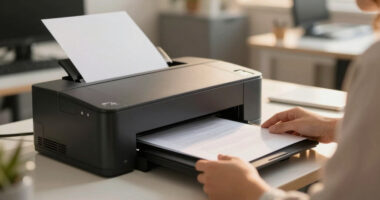
Finding a secure laser printer suited for a legal office involves balancing high-level data protection with fast, reliable printing. The Brother HL-6210DW stands out for its advanced security features and high-speed output, making it ideal for sensitive legal documents. The Brother MFC-L8930CDW offers comprehensive security alongside versatile color printing, perfect for multi-function needs. Meanwhile, the HP Laserjet MFP M140w caters to smaller teams with easy setup and essential security. The main tradeoffs in this category include balancing security features against speed and cost—sometimes sacrificing convenience for tighter data protection. Continue reading for a detailed breakdown of these top options and how they compare for your legal office needs.
Key Takeaways
- Security features like encrypted printing and user authentication are essential for legal offices handling confidential data.
- High-speed output reduces wait times but may come at a higher price or larger footprint, which could be a concern in smaller offices.
- Multi-function capabilities (print, scan, copy) add convenience but often come with increased complexity and cost.
- Wireless connectivity enhances flexibility but can introduce additional security vulnerabilities if not properly configured.
- Cost of consumables and maintenance can significantly impact overall value, especially for high-volume legal printing environments.


More Details on Our Top Picks
Brother HL-L6210DW High-Speed Monochrome Laser Printer with Advanced Security and Wireless Networking
This Brother model stands out for its impressive speed of 50 ppm, large paper capacity, and robust security features, making it ideal for busy legal offices handling large volumes of confidential documents. Unlike the Brother HL-L2460DW, which is more suited to small teams, the HL-6210DW’s expandable paper trays and high-yield toner options support sustained high-volume output with minimal downtime. The advanced Triple Layer Security ensures sensitive legal documents stay protected during transmission and printing—an essential feature in a legal environment. Its dual-band wireless and Gigabit Ethernet facilitate seamless integration into complex office networks. The tradeoff is that this model is larger, heavier, and has a higher initial cost, which might be less appealing for smaller setups or budget-conscious buyers.
Pros:- Fast printing speed of 50 ppm for high-volume tasks
- Large expandable paper capacity up to 1,660 sheets
- Advanced Triple Layer Security for data protection
- High-yield toner cartridges reduce operational costs
Cons:- Bulkier size and heavier weight may be difficult to move or fit in small offices
- Higher purchase price compared to basic models
- Limited to monochrome printing, unsuitable for color needs
Best for: Legal offices with high-volume printing needs, requiring advanced security and reliable network integration.
Not ideal for: Small legal practices or remote solo practitioners who need a lightweight, budget-friendly printer for infrequent use.
- Print Speed:50 ppm
- Paper Capacity:520 sheets standard, expandable to 1,660
- Security Features:Triple Layer Security
- Connectivity:Gigabit Ethernet, Dual Band Wireless
- Toner Yield:Up to 18,000 pages
- Dimensions:15.3″D x 14.7″W x 11.4″H
Bottom line: This printer makes the most sense for large, security-conscious legal offices that need fast, high-capacity monochrome printing with reliable network security.
Brother HL-L2460DW Wireless Monochrome Laser Printer with Duplex and Mobile Printing
This Brother HL-L2460DW excels at delivering reliable, crisp monochrome output at a very affordable price point, making it perfect for small legal practices or solo attorneys. Compared to the high-volume HL-L6210DW, this model offers a lower initial cost and is more compact, ideal for limited office space. Its automatic duplex printing saves paper, which is both environmentally friendly and cost-effective over time. The built-in Wi-Fi and mobile printing capabilities facilitate flexible, on-the-go document handling—important for lawyers working remotely or in multiple locations. However, it lacks the automatic two-sided print feature found in some higher-end models like the Epson WF-7310, and the paper capacity is limited to 250 sheets, which might require frequent refills during busy periods. The monochrome-only output limits its use for color-sensitive legal exhibits.
Pros:- Affordable price with reliable monochrome output
- Automatic duplex printing reduces paper costs
- Wireless and mobile printing support for flexible workflows
- 250-sheet paper tray minimizes refills
Cons:- Limited paper capacity for high-volume printing
- No color printing capabilities
- Lacks auto-duplex feature for 2-sided printing
Best for: Small legal practices or solo attorneys needing dependable monochrome printing with mobile connectivity on a budget.
Not ideal for: Large law firms with high print volumes or those requiring color printing for evidentiary exhibits.
- Print Speed:36 ppm
- Paper Capacity:250 sheets
- Duplex Printing:Automatic
- Connectivity:Wi-Fi, USB
- Toner Yield:Up to 3,000 pages
- Dimensions:14.2″D x 14″W x 7.2″H
Bottom line: This printer suits small, budget-conscious legal offices that need dependable monochrome printing with mobile connectivity and duplexing features.
Epson Workforce Pro WF-7310 Wireless Wide-Format Inkjet Printer
This Epson WF-7310 is a strong choice for legal professionals who require high-quality color printing, especially for detailed exhibits, charts, or presentations. Unlike the monochrome laser options like Brother HL-L2405W, this model offers vivid, sharp color output with a maximum resolution of 4800×2400 dpi, making it ideal for color-sensitive legal evidence. Its wide-format capability supports printing up to 13″ x 19″, useful for large documents or posters. The 500-sheet capacity and fast print speeds support heavy workloads, and the smart panel app enables remote management, which is beneficial for busy attorneys. The tradeoff is that inkjet printers generally have higher consumable costs, and this model’s size and weight are larger, requiring more space. Also, inkjet printing can be less durable for legal documents stored long-term compared to laser prints.
Pros:- Vivid, high-resolution color printing up to 13″ x 19″
- High paper capacity of 500 sheets
- Fast print speeds for large jobs
- Smart Panel app for remote operation
Cons:- Higher consumable costs due to inkjet technology
- Larger footprint requiring more space
- Less durable for long-term legal storage compared to laser prints
Best for: Legal offices needing high-quality, color-rich prints for exhibits and presentations, with high-volume capacity.
Not ideal for: Practices that primarily print in monochrome or are concerned about long-term document durability and ink costs.
- Print Speed:12 ppm color, 25 ppm B&W
- Maximum Media Size:13″ x 19″
- Resolution:4800 x 2400 dpi
- Paper Capacity:500 sheets
- Connectivity:Wi-Fi, USB
- Dimensions:20.3″D x 34.9″W x 17.6″H
Bottom line: This wide-format inkjet is ideal for legal teams that need vibrant, detailed color prints for visual exhibits and presentations, despite higher ongoing costs.
Brother DCP-L2640DW Wireless Monochrome Multi-Function Laser Printer
This Brother DCP-L2640DW combines printing, scanning, and copying in one compact device, making it well-suited for small legal practices needing all-in-one functionality. Compared to the simpler Brother HL-L2405W, this model offers a 50-page auto document feeder and faster scan speeds, streamlining multi-page document handling, essential for legal discovery and record keeping. Its security features and network options support confidentiality and networked environments. The 36 ppm print speed and 250-sheet tray are adequate for moderate workloads, but it lacks duplex scanning and automatic two-sided printing, which could be limiting for larger offices. Its size and multi-function capabilities mean it’s more costly than single-purpose printers, but the convenience of scanning and copying justifies the investment for small firms.
Pros:- All-in-one functionality including print, scan, and copy
- 50-page auto document feeder for efficiency
- Secure, network-ready with wireless and Ethernet
- Fast print speed of 36 ppm
Cons:- No automatic duplex scanning or printing
- Limited to monochrome output
- Higher cost than single-function printers
Best for: Small law practices needing a reliable all-in-one monochrome laser device with high-quality scanning and copying features.
Not ideal for: Large offices with high-volume printing or those requiring color or automatic duplex scanning for large document sets.
- Print Speed:36 ppm
- Paper Capacity:250 sheets
- Auto Document Feeder:50 pages
- Connectivity:Wi-Fi, Ethernet, USB
- Maximum Copy Resolution:4800 x 1200 dpi
- Dimensions:20.3″D x 17.6″W x 17.6″H
Bottom line: This multifunction device is perfect for small legal offices that need reliable, space-efficient printing, scanning, and copying with secure network access.
Brother MFC-L8930CDW Business Color Laser All-in-One Printer with Duplex Print, Scan, Copy, Low-Cost Printing, and Advanced Security Features
This model stands out for its combination of high-quality color output and advanced security features that are essential for legal offices handling sensitive documents. Compared to the Brother HL-L2460DW, it offers color printing and a larger touchscreen, but at a higher cost and size. The duplex speed of 33ppm boosts productivity, while the security options—including a badge reader—provide triple-layer protection, making it ideal for firms prioritizing data integrity. However, its larger footprint and higher price may deter smaller practices. This pick makes the most sense for legal teams needing reliable, secure, high-volume color printing with multifunction capabilities.
Pros:- Advanced security features including badge authentication
- High-quality color and black printing with sharp detail
- Fast duplex printing at 33ppm boosts productivity
- Built-in value with high-yield toner cartridges
Cons:- Larger footprint may be unsuitable for tight spaces
- Higher purchase cost compared to monochrome-only models
- Complex setup for security features might require IT support
Best for: Legal offices requiring secure, high-volume color printing with scanning and copying features.
Not ideal for: Small sole practitioners or firms with minimal color printing needs, due to size and cost.
- Print Speed B&W Pages per Minute:33 ppm
- Print Resolution:1200 x 1200 dpi
- Duplex Printing:Yes
- Security Features:Triple Layer Security, NFC badge reader
- Connectivity:Wireless, Ethernet
- Touchscreen:7-inch color
Bottom line: This printer is best for large legal teams needing secure, high-quality color output with multifunction capabilities.
Brother Professional Laser Printer All-in-One with Scanner and Copier, High-Speed 50 ppm Monochrome Printing, Wireless Network Ready, Dual-Band WiFi, Auto 2-Sided Print (MFC-L5915DW)
This pick excels in speed and low-cost monochrome output, making it ideal for busy legal offices with high document throughput. Compared to the Brother MFC-L8930CDW, it offers faster print speeds of 50ppm and a more streamlined, compact design, but lacks color capabilities. Its triple-layer security and flexible connectivity support secure, seamless workflow integration, while the 70-page auto document feeder enhances productivity for scanning large batches. The main tradeoff is the absence of color printing, which might limit its use for certain client presentations or documents needing visual emphasis. This model makes the most sense for firms prioritizing speed, security, and cost-efficiency in black-and-white printing.
Pros:- Impressive print speed of 50ppm
- Triple Layer Security for sensitive documents
- Auto 2-sided printing reduces paper use
- Wireless dual-band WiFi for flexible setup
Cons:- No color printing limits visual document options
- Higher initial cost than smaller mono models
- Complex setup may need IT assistance
Best for: High-volume legal offices needing fast, secure monochrome printing and scanning.
Not ideal for: Practices that require color printing for client presentations or detailed exhibits.
- Print Speed B&W Pages per Minute:50 ppm
- Print Resolution:1200 x 1200 dpi
- Duplex Printing:Yes
- Security Features:Triple Layer Security
- Connectivity:Wi-Fi, Ethernet
- Auto Document Feeder:70 pages
Bottom line: This printer is best for high-volume, secure monochrome printing in busy legal environments.
Xerox B230/DNI Printer – 36 ppm Black and White Laser, Wireless
This model offers a compact size and reliable wireless connectivity, perfect for small legal practices with limited space. Compared to the Brother MFC-L3720CDW, it provides wireless support and simple setup, but with a slightly slower speed of 36ppm and fewer multifunction options. Its built-in security features protect sensitive legal documents, while automatic 2-sided printing saves paper. The main tradeoff is its limited media handling features—lacking a document feeder—making it less suitable for bulk scanning or copying. This pick makes the most sense for small teams or solo practitioners needing secure, space-efficient printing.
Pros:- Compact, space-saving design
- Wireless support with simple setup
- Secure printing features
- Automatic duplex printing
Cons:- No automatic document feeder for scanning or copying
- Limited media capacity for large jobs
- No color printing capabilities
Best for: Small legal offices or solo practitioners needing secure, wireless monochrome printing in tight spaces.
Not ideal for: Practices with high-volume scanning or color print needs.
- Print Speed B&W Pages per Minute:36 ppm
- Print Resolution:2400 x 600 dpi
- Duplex Printing:Yes
- Connectivity:Wireless, USB
- Media Size:up to 8.5 x 14 inch
- Weight:16.1 pounds
Bottom line: Ideal for small legal offices seeking reliable, secure wireless monochrome printing in confined spaces.
Brother MFC-L3720CDW Wireless Color Laser Printer with Scanner, Copier and Fax | Auto Duplex and 250-Sheet Capacity | Includes Refresh Subscription Trial(1). Amazon Dash Replenishment Ready
This model makes a strong case for small legal practices that need color printing, scanning, copying, and fax, with auto duplex for efficiency. Compared to the Xerox B230, it offers color capabilities and a multifunction suite, but weighs more and is slightly less space-efficient. Its easy wireless setup and 3.5-inch touchscreen simplify daily use, and the 250-sheet tray reduces refill needs. The main drawback is its lower print speed of 19ppm, which could be limiting during high-demand periods. This pick is perfect for firms requiring multifunction color printing with secure features for legal documents.
Pros:- Color printing for visual documents
- All-in-one functions including fax
- Large 250-sheet capacity
- Easy wireless and touchscreen operation
Cons:- Slower print speed of 19ppm
- Heavier and larger footprint
- Higher ongoing toner costs for color
Best for: Small legal practices needing multifunction, color-capable, secure printing solutions.
Not ideal for: Very high-volume or monochrome-only users who prioritize speed over color.
- Print Speed Color Pages per Minute:19 ppm
- Print Resolution:2400 x 600 dpi
- Duplex Printing:Auto
- Connectivity:Wireless, USB, Ethernet
- Paper Capacity:250 sheets
- Fax Functionality:Yes
Bottom line: Best suited for small firms needing versatile, secure, color multifunction printing in limited space.
HP Laserjet MFP M140w Wireless Black & White Printer, Print, scan, Copy, Fast speeds, Easy Setup, Mobile Printing, Best-for-Small Teams
This model offers a compact footprint and reliable wireless monochrome printing and scanning, ideal for small legal teams or solo practitioners. Its print speeds of 21ppm and quick start-up time make it suitable for routine office tasks. Compared to the Brother HL-L2405W, it provides more scanning features and mobile printing support, but with a slightly higher price. Its easy setup and mobile app integration streamline daily workflows, although it lacks duplex printing, which increases paper use. This choice is best for firms that prioritize space efficiency, ease of use, and secure wireless printing for black-and-white documents.
Pros:- Very compact and lightweight
- Wireless support with mobile printing
- Fast print start-up and output
- Simple setup with easy-to-use interface
Cons:- No duplex printing option
- Limited media handling for large batches
- Basic scanner features without automatic document feeder
Best for: Small legal teams or solo practitioners needing space-efficient, secure monochrome printing and scanning.
Not ideal for: High-volume or color printing needs, or firms requiring duplex functionality.
- Print Speed B&W Pages per Minute:21 ppm
- Print Resolution:600 x 600 dpi
- Scanner Type:Flatbed
- Connectivity:Wireless, USB
- Size:10.4 x 14.2 x 7.8 inches
- Weight:11.9 pounds
Bottom line: Ideal for small legal practices seeking space-saving, secure monochrome printing and scanning solutions.
How We Picked
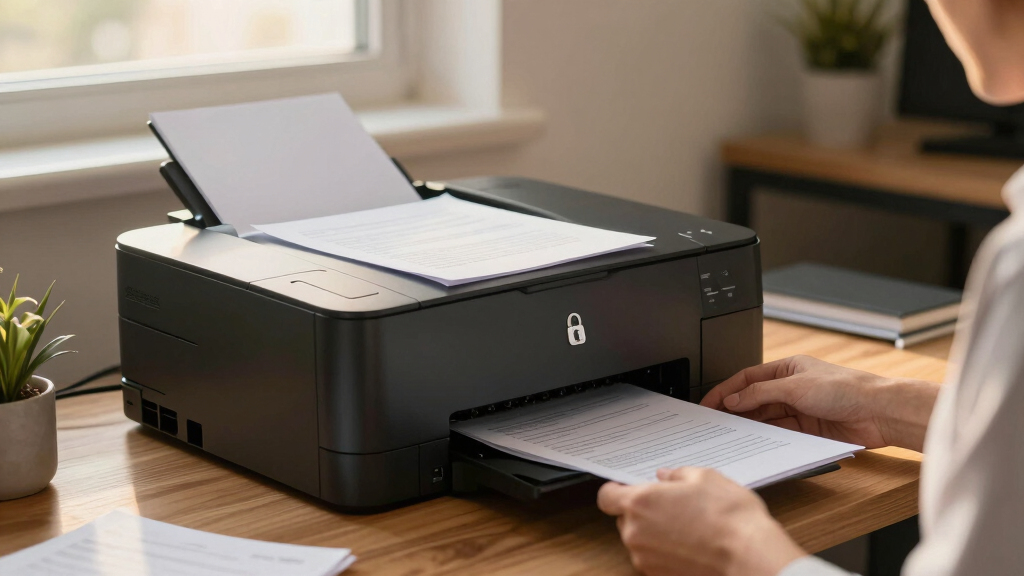
Our evaluation focused on printers that combine robust security features with reliable, high-speed monochrome laser printing suitable for legal offices. We prioritized models that offer encryption, secure user authentication, and data protection capabilities, ensuring sensitive documents stay safe. Usability was another key factor—printers needed to be straightforward to operate, with manageable maintenance and minimal downtime. We also considered versatility, such as multi-function options, and value, balancing price against security and performance. The ranking reflects a combination of these factors, emphasizing security as a top priority for legal professionals, while also accounting for speed and user-friendliness.Factors to Consider When Choosing Secure Laser Printer For Legal Office
When selecting a secure laser printer for a legal office, it’s important to think beyond basic features. Security is paramount, but compatibility with existing networks, ease of use, and total cost of ownership also matter. A printer that integrates seamlessly into your workflow can save time and prevent costly errors. Here are key factors to consider to make an informed choice:Security Features
Legal offices handle sensitive client data, so look for printers with advanced security options such as encrypted printing, user authentication, and secure network protocols. Some models also offer features like secure boot and firmware validation to prevent tampering. Choosing a printer with these capabilities helps prevent unauthorized access and data breaches, which can have serious legal and financial consequences.
Speed and Volume
High-speed printers reduce waiting times, especially in busy legal environments with frequent document needs. Consider models that can handle large volumes efficiently—look for pages per minute (PPM) ratings that match your office’s workload. Keep in mind that faster printers often come with a higher purchase price, so balance your volume needs against your budget.
Multi-Function Capabilities
Many legal offices benefit from all-in-one printers that combine printing, scanning, copying, and sometimes faxing. This versatility saves space and simplifies workflows. However, multi-function devices tend to be more complex and may require more maintenance. Assess whether your office truly needs all functions frequently or if a dedicated printer with security features suffices.
Connectivity and Network Security
Wireless connectivity offers convenience but can introduce vulnerabilities if not secured properly. Choose models with strong Wi-Fi security options like WPA3 and support for VPNs or secure tunnels. Wired connections are inherently more secure but less flexible. Evaluate your network environment and choose accordingly to mitigate risks.
Cost of Ownership
Initial purchase price is just part of the equation. Consider ongoing costs for toner, maintenance, and potential upgrades. High-capacity toner cartridges can lower cost per page but may be more expensive upfront. Also, factor in the longevity of security updates and firmware support, especially for long-term security compliance.
Frequently Asked Questions
Can I upgrade the security features on my existing laser printer?
While some security features can be enhanced through firmware updates or network configurations, most hardware-level security features are built into the device at the time of purchase. Upgrading security usually involves replacing the device with a model that has more advanced capabilities. It’s advisable to select a printer with comprehensive security from the start to ensure your legal documents are protected without gaps.
How do I ensure my wireless printer remains secure in a legal office?
Securing a wireless printer involves multiple steps: use strong Wi-Fi passwords, enable WPA3 encryption if available, and restrict access via network segmentation. Regular firmware updates fix vulnerabilities and improve security. Additionally, disable unnecessary features like remote management and keep the default credentials changed. Proper network security practices are essential to prevent unauthorized access to sensitive legal documents.
Is it worth paying extra for a multi-function printer with security features?
Investing in a multi-function printer with security features can be worthwhile if your legal office requires scanning, copying, and faxing regularly. These models reduce the need for multiple devices, saving space and simplifying security management. However, they often come at a higher initial cost and can be more complex to maintain. Weigh the convenience and security benefits against your specific workflow needs and budget.
What should I look for in a secure printer for high-volume legal printing?
For high-volume legal printing, focus on models with high ppm ratings, large toner capacity, and durable build quality. Security features like encrypted printing, user authentication, and audit logs are vital to protect confidential documents. Also, consider the cost per page to keep long-term expenses manageable. A robust device with good customer support will ensure consistent performance under heavy workloads.
Are wireless printers less secure than wired ones for legal offices?
Wireless printers can be just as secure as wired models if properly configured. The key is implementing strong Wi-Fi security protocols, network segmentation, and regular firmware updates. Wired connections inherently offer fewer vulnerabilities, but wireless provides flexibility that many legal offices need. Proper security measures mitigate most risks associated with wireless printing, making it a viable option for secure legal document handling.