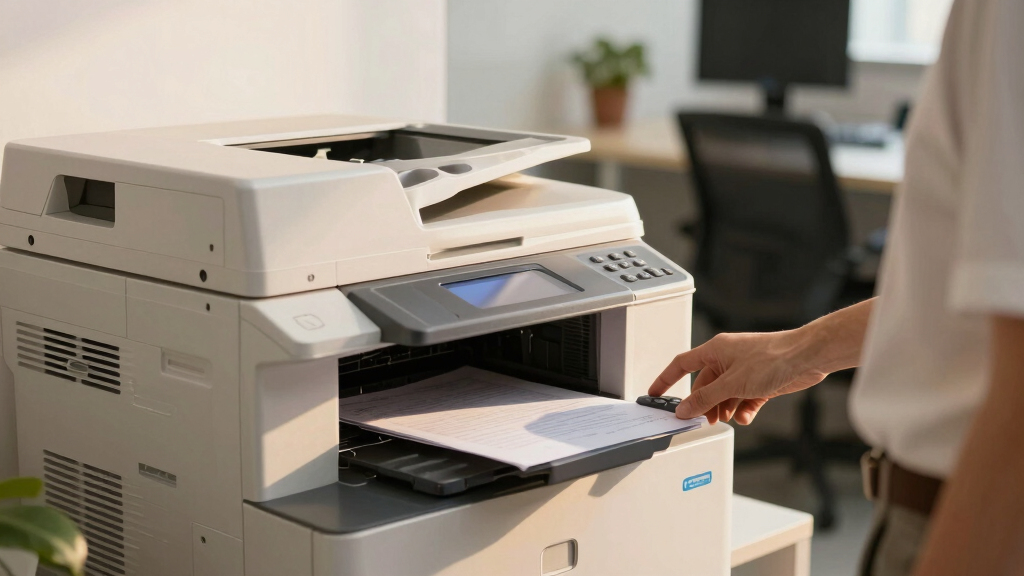

Starting a new business requires reliable office equipment that can handle printing, copying, and scanning without breaking the bank. The best overall pick is the HP OfficeJet Pro 9125e, known for its versatile features and robust performance. For smaller spaces, the Brother DCP-L2640DW offers a compact, monochrome solution with excellent cost efficiency. Keep in mind, the tradeoffs often involve balancing speed, feature set, and initial cost. Continue reading for a detailed breakdown of the top options and what makes each suitable for different startup needs.
Key Takeaways
- The top models balance multifunctionality with ease of use, making them suitable for busy startup environments.
- Color inkjet printers tend to offer better photo quality and versatility, but monochrome laser options excel in speed and lower running costs.
- Subscription trials and ink or toner costs significantly impact the long-term value of these devices.
- Wireless connectivity and mobile printing features are essential for flexible office workflows.
- Compact designs are available but often come with tradeoffs in speed and paper capacity, so size should align with workload demands.




More Details on Our Top Picks
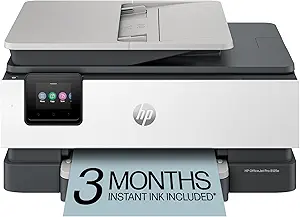
HP OfficeJet Pro 8125e Wireless All-in-One Color Inkjet Printer, Print, scan, Copy, ADF, Duplex Printing Best-for-Home Office, 3 Month Instant Ink Trial Included, AI-Enabled (405T6A)
This model stands out for its combination of fast color printing, large paper capacity, and AI-enabled print optimization, making it ideal for small home offices that need professional-quality documents without fuss. Compared to the Brother DCP-L2640DW, it offers superior color accuracy and wireless flexibility, but at the expense of higher ink costs and slightly larger footprint. The 225-sheet input and duplex printing support busy workflows, while the HP app simplifies mobile printing. The three-month Instant Ink trial adds value, though ongoing subscription costs can be a consideration. The AI features help streamline formatting, especially for web content, enhancing productivity. However, ink refills tend to be more expensive than toner for laser options. Nonetheless, this printer makes the most sense for users prioritizing high-quality color output and versatile functionality in a compact, secure package.
Pros:- Fast color printing up to 10 ppm with crisp resolution
- 225-sheet paper capacity supports high-volume printing
- AI-enabled document formatting reduces waste and improves quality
- Wireless dual-band Wi-Fi with reliable connection
Cons:- Higher ongoing ink costs compared to laser printers
- Larger footprint than compact laser models
- Initial setup complexity for some users unfamiliar with smart features
Best for: Small business owners or remote workers needing reliable, high-quality color printing with minimal hassle.
Not ideal for: Budget-conscious users who want to minimize ongoing costs, since ink can be pricier than toner over time.
- Printer Type:Inkjet
- Print Speed:10 ppm color, 20 ppm black
- Input Capacity:225 sheets
- Print Resolution:up to 4800 x 1200 dpi
- Connectivity:Wi-Fi, Ethernet, USB
- Dimensions:13.29″D x 18.11″W x 9.17″H
Bottom line: This printer suits startups needing flexible, high-quality color printing with advanced workflow features, despite higher ink costs.
Brother DCP-L2640DW Wireless Compact Monochrome Multi-Function Laser Printer with Copy and Scan, Duplex, Mobile, Black & White | Includes Refresh Subscription Trial(1), Works with Alexa
This pick makes the most sense for startups focused on economical, high-speed monochrome output, with an emphasis on efficiency and ease of use. It surpasses the HP DeskJet 2855e in print speed and cost per page, offering 36 ppm and a 250-sheet paper tray, which minimizes refills during heavy workloads. The 50-page auto document feeder streamlines copying and scanning, while the built-in Wi-Fi and Ethernet provide flexible connection options. Its straightforward setup and reliable wireless connectivity make it a good fit for office environments lacking tech support. The 2.7″ touchscreen simplifies operation, especially with cloud apps. The Refresh subscription trial helps control toner costs, but the initial purchase is for monochrome only, limiting versatility. Overall, this laser printer excels for startups prioritizing fast, economical B&W printing in a compact form.
Pros:- High-speed printing up to 36 ppm for bulk tasks
- Large 250-sheet paper capacity reduces refills
- Auto document feeder speeds up multi-page work
- Reliable Wi-Fi and Ethernet connectivity
Cons:- Limited to monochrome output, no color printing
- Initial cost higher than basic inkjet models
- Requires toner subscription for optimal cost control
Best for: Small startups that need high-volume, low-cost black and white printing, scanning, and copying.
Not ideal for: Teams requiring color printing or multifunctionality beyond monochrome documents, as it lacks color output.
- Printer Type:Laser
- Print Speed:36 ppm black & white
- Input Capacity:250 sheets
- Scan Speed:up to 23.6/7.9 ipm
- Connectivity:Wi-Fi, Ethernet, USB
- Dimensions:15.7″D x 16.1″W x 12.5″H
Bottom line: This laser multifunction is ideal for startups needing fast, economical monochrome printing without fuss.
HP OfficeJet Pro 9135e Wireless All-in-One Color Inkjet Printer, Print, scan, copy, fax, ADF, Duplex printing best-for-office, 3 month Instant Ink trial included, AI-enabled (404M0A)
This model is tailored for small to medium office settings, offering a comprehensive suite of functions including fax, which the Brother MFC-L2820DW lacks. It provides faster black-and-white printing at 25 ppm and color at 20 ppm, with two 250-sheet trays supporting large workloads. The auto duplex, ADF, and fax capabilities streamline daily tasks, while its wireless connection and HP app make mobile management straightforward. Compared to laser options, this inkjet provides richer color quality for presentations and marketing materials. The 3-month Instant Ink trial adds value, yet ongoing ink costs can be more significant than toner over time. Its security features and easy setup make it a strong choice for busy offices needing versatility in a compact design.
Pros:- Includes fax and duplex printing for comprehensive office needs
- Fast print speeds for both black and color documents
- Dual 250-sheet trays support large volumes
- Smart app and wireless for easy mobile printing
Cons:- Higher ongoing ink costs compared to laser printers
- Inkjet technology less durable for long-term high-volume use
- Size slightly larger than laser counterparts
Best for: Small office teams requiring a multifunction device with fax, color, and wireless features.
Not ideal for: Startups with strictly limited budgets, due to higher ink costs and subscription fees over time.
- Printer Type:Inkjet
- Print Speed:20 ppm color, 25 ppm black
- Input Capacity:500 sheets (2 trays)
- Resolution:up to 4800 x 1200 dpi
- Connectivity:Wi-Fi, Ethernet, USB
- Dimensions:16″D x 15″W x 11″H
Bottom line: This all-in-one inkjet is well-suited for offices needing rich color output and multifunctionality, despite higher running costs.
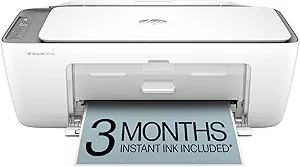
HP DeskJet 2855e Wireless All-in-One Color Inkjet Printer, Scanner, Copier, Best-for-home, 3 month Instant Ink trial included. This printer is only 2.4 ghz capable. (588S5A)
This compact inkjet is tailored for casual home users, delivering reliable color printing, scanning, and copying with a 60-sheet input tray. It’s ideal for printing simple documents, recipes, or personal projects, and the AI-enabled formatting ensures neat outputs. Compared to the laser-focused Brother MFC-L2820DW, it offers less speed (5.5 ppm color), but its small size and straightforward wireless setup make it accessible for non-technical users. The 3-month Instant Ink trial adds convenience, although ongoing ink costs can add up. Its 2.4 GHz-only Wi-Fi limits network flexibility, which may be a concern for more connected households or small offices. This printer’s friendly design makes it perfect for light, occasional printing at home.
Pros:- Compact and lightweight for small spaces
- Affordable initial cost and included ink trial
- AI-enabled formatting for neat printouts
- Simple Wi-Fi setup
Cons:- Limited to 2.4 GHz Wi-Fi, reducing network flexibility
- Slow print speed (5.5 ppm color)
- Small input tray limits frequent refills
Best for: Home users or students needing simple color printing and scanning without high volume or speed demands.
Not ideal for: Busy startups or offices requiring fast, high-volume, or duplex printing—it’s best for light, occasional use.
- Printer Type:Inkjet
- Print Speed:5.5 ppm color
- Input Capacity:60 sheets
- Resolution:4800 x 1200 dpi
- Connectivity:Wi-Fi 2.4 GHz only
- Dimensions:11.97″D x 16.7″W x 6.06″H
Bottom line: This inkjet is a good fit for casual home environments with light printing needs and limited space.
Brother MFC-L2820DW Wireless Compact Monochrome All-in-One Laser Printer with Copy, Scan and Fax, Duplex, Black & White | Includes Refresh Subscription Trial(1), Works with Alexa
This laser multifunction makes a strong case for small offices that need fast, reliable black-and-white output, with multifunction features including fax that the HP OfficeJet Pro 9135e lacks. It produces high-quality text at 34 ppm and handles high-volume tasks efficiently, with a 250-sheet tray and 50-page ADF. The 2.7″ touch screen simplifies operation, while Wi-Fi, Ethernet, and USB ensure flexible connectivity. Its compact size and energy-efficient design are ideal for tight spaces and eco-minded startups. The ongoing subscription for toner (TN830) helps keep costs predictable, but it’s limited to monochrome, which may be a drawback for those needing color. Overall, this device offers a strong blend of speed, security, and affordability for startups with simple document needs.
Pros:- Fast printing at 34 ppm with crisp text quality
- Large 250-sheet capacity reduces refilling
- Includes fax and duplex printing for efficiency
- Compact footprint suitable for small spaces
Cons:- Limited to monochrome output, no color capability
- Requires toner subscription for minimal operational costs
- Basic display with limited interface options
Best for: Startups or small offices needing reliable, high-speed monochrome printing and multi-functionality at an affordable price.
Not ideal for: Teams requiring color printing or multifunctions like fax or photo printing, since it handles only black-and-white documents.
- Printer Type:Laser
- Print Speed:34 ppm black & white
- Input Capacity:250 sheets
- Scan Speed:up to 23.6/7.9 ipm
- Connectivity:Wi-Fi, Ethernet, USB
- Dimensions:15.7″D x 16.1″W x 12.5″H
Bottom line: This laser multifunction printer is a cost-effective, high-speed choice for startups focusing on monochrome document workflows.
Canon PIXMA TS6520 Wireless Color Inkjet Printer Duplex Printing, White – Home Printer with Copier/Scanner, 1.42” OLED Display, Intuitive Control Panel, Compact Design
This model stands out for its balance of affordability and functionality, making it ideal for families and students who need reliable printing, copying, and scanning without the complexity of higher-end office devices. Compared with the HP OfficeJet Pro 9125e, the Canon offers a more compact footprint and a simple OLED display, though it lacks automatic document feeding for multi-page scans. Its high-quality color output and duplex printing save time and paper, perfect for school projects and casual home use. The main tradeoff is that it doesn’t support high-volume office tasks or advanced features like fax. Its easy setup and wireless connectivity make it user-friendly for non-technical users, but it’s better suited for occasional rather than heavy-duty printing.
Pros:- Compact and stylish design fits seamlessly into home spaces
- Excellent print quality for photos and documents
- Automatic 2-sided printing reduces paper use
- Simple OLED display for easy monitoring
Cons:- Lacks an automatic document feeder for multi-page scans or copies
- Limited duty cycle, not suited for high-volume printing
- No fax functionality
Best for: Families and students seeking a budget-friendly, easy-to-use device for occasional printing and scanning
Not ideal for: Small offices or workgroups needing high-volume, multi-user, or multi-page document handling
- Printer Type:Inkjet
- Display Type:1.42” OLED
- Print Resolution:Up to 1200 x 1200 dpi
- Duplex Printing:Automatic
- Connectivity:Wi-Fi, Mobile Print
- Item Weight:15.7 Pounds
- Maximum Media Size:8.5 x 11 inches
- Media Support:Photos, documents
Bottom line: This printer makes the most sense for households or students who need reliable, vibrant printing on a budget without advanced office features.
HP OfficeJet Pro 9125e Wireless All-in-One Color Inkjet Printer, Print, scan, copy, fax, ADF, Duplex printing best-for-office, 3 month Instant Ink trial included, AI-enabled (403X0A)
This pick makes the most sense for small teams needing fast, professional-quality color documents, combining speed and versatility. Compared with the Canon PIXMA TS6520, the HP OfficeJet Pro 9125e offers higher print speeds (up to 18 ppm color) and a built-in fax, making it better suited for busy office environments. Its auto document feeder and duplex printing help streamline workflows, but it’s bulkier and more expensive upfront. The AI-powered printing features improve layout and content accuracy, especially for reports and presentations. While the device is reliable for daily use, it’s heavier and consumes more energy, which might be a concern in small, space-limited offices. Setup is straightforward, and wireless security features add peace of mind.
Pros:- Fast print speeds for busy environments
- Includes fax, scan, copy, and duplex functions
- Auto document feeder for multi-page scans and copies
- AI-enabled printing for precise layouts
Cons:- Relatively large footprint and heavier weight
- Higher initial cost compared to basic models
- Requires more space and power supply
Best for: Small office teams or remote workgroups needing fast, high-quality color printing and multifunction capabilities
Not ideal for: Home users or solo workers who primarily print infrequently and prefer compact devices
- Printer Type:Inkjet
- Print Speed:Up to 18 ppm color
- Maximum Print Resolution:4800 x 1200 dpi
- Duplex Printing:Automatic
- Connectivity:Wireless, Ethernet, USB
- Item Weight:20.48 Pounds
- Maximum Media Size:8.5 x 11.7 inches
- Additional Functions:Fax, Scan, Copy
Bottom line: This printer is best for small teams that need quick, professional color output combined with multifunction features and reliable security.
HP LaserJet Pro MFP 3101fdw Wireless Black & White All-in-One Laser Printer, Scanner, Copier, Fax, Best-for-Office (3G628F)
This model is ideal for small teams that primarily print high-volume black-and-white documents, offering fast speeds and strong security. Compared with the HP OfficeJet Pro 9125e, the LaserJet Pro 3101fdw provides significantly higher pages per minute (up to 35 ppm single-sided) and a laser printing technology that’s more durable for daily, heavy-duty tasks. Its network security features with HP Wolf Pro Security make it suitable for sensitive business environments. The device also includes auto double-sided printing and a 250-sheet paper tray to handle large workloads efficiently. However, it’s limited to monochrome output, so it’s not suitable for color reports or presentations. Its bulk and higher price point are tradeoffs for its impressive speed and reliability in high-volume settings.
Pros:- Extremely fast printing speeds (up to 35 ppm)
- High paper capacity with 250-sheet tray
- Includes fax, scan, copy, and security features
- Auto duplex printing saves time and paper
Cons:- Limited to black-and-white output
- Heavier and larger than inkjet multifunctions
- Higher upfront cost
Best for: Small teams or offices that need fast, reliable black-and-white document printing with robust security and high capacity
Not ideal for: Offices requiring color printing or multifunction features like photo printing or scanning beyond document copies
- Printer Type:Laser
- Print Speed:Up to 35 ppm B&W
- Maximum Print Resolution:1200 x 1200 dpi
- Duplex Printing:Automatic
- Connectivity:Wireless, Ethernet, USB
- Item Weight:26.2 Pounds
- Maximum Media Size:8.5 x 14 inches
- Additional Functions:Scan, Copy, Fax
Bottom line: This laser multifunction printer is best for small offices prioritizing high-volume black-and-white printing with speed and security features for professional documents.
How We Picked
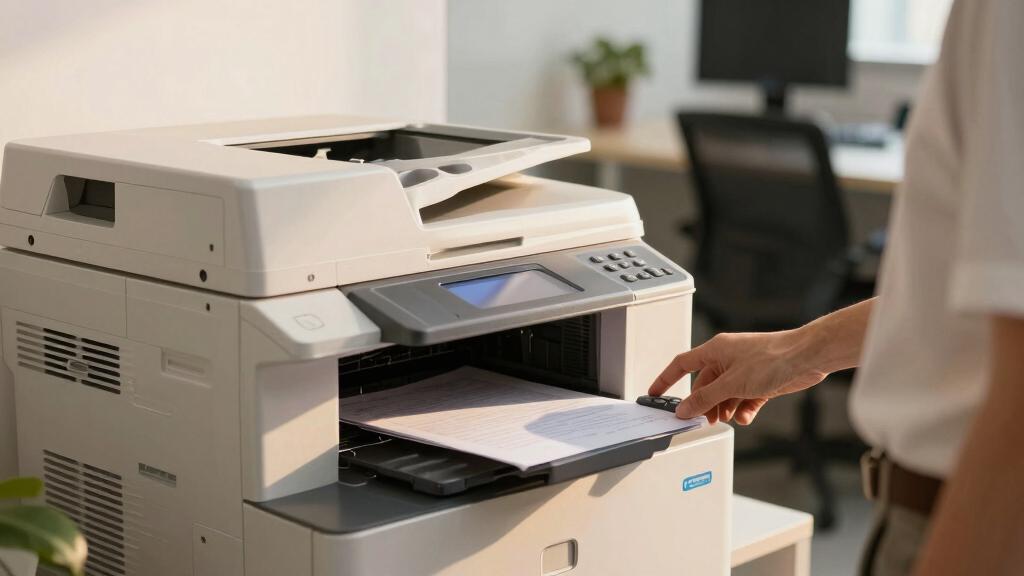
These products were evaluated based on their performance, ease of use, build quality, and overall value for startups. Priority was given to models that combine printing, scanning, and copying in a compact, cost-effective package. Additional considerations included connectivity options, subscription costs, and user interface simplicity. The ranking reflects a balance between initial purchase price and ongoing operational costs, ensuring each option fits different startup scenarios—from home offices to small dedicated workspaces.Factors to Consider When Choosing Office Copier Printer Scanner For Startup
Choosing the right office copier, printer, and scanner for a startup involves understanding your specific workflow needs and budget. While some models offer extensive features, others prioritize simplicity and affordability. It’s important to consider not just upfront costs but also ongoing expenses like ink or toner replacement, subscription plans, and maintenance. The right device should enhance productivity without adding unnecessary complexity or cost. Below are key factors to guide your decision-making process.Performance and Speed
Speed matters when you need quick turnarounds on large print jobs or multiple copies. Monochrome laser printers usually outperform inkjets in speed and volume, making them ideal for high-demand environments. However, if color printing is essential for your startup, look for models with higher ppm (pages per minute) ratings. A slower device can create bottlenecks, especially during busy periods, so prioritize speed that aligns with your daily workload.
Cost of Operation
Initial purchase price is only part of the equation. Ink and toner costs, subscription plans, and maintenance can significantly impact your budget over time. Some printers come with trial periods or included supplies, but these are often temporary. Consider models with cost-effective consumables or features like high-yield cartridges to lower ongoing expenses. A device with lower operational costs will offer better value for a startup aiming for sustainability.
Connectivity and Compatibility
Wireless connectivity, mobile printing, and cloud integration are features that can streamline your workflow. They allow multiple team members to print or scan from various devices without fuss. Compatibility with your existing operating systems and apps also matters. Skipping these features might save upfront costs but could hinder efficiency, especially if your team works remotely or on multiple platforms.
Size and Design
Space is often limited in startup environments, so a compact, space-saving device can be advantageous. However, smaller models may have lower paper capacities or slower speeds. Evaluate your typical print volume and choose a size that balances footprint with performance. A bulky machine might be unnecessary if your workload is light, but a too-small device could cause frequent refills and delays.
Ease of Use and Maintenance
An intuitive interface with straightforward setup and controls saves time and reduces frustration. Features like automatic document feeders and user-friendly touchscreens are beneficial. Maintenance costs and procedures should also be considered; models with easily accessible toner or ink cartridges and simple cleaning routines can save you headaches later. Startups benefit most from models that minimize downtime and technical issues.
Frequently Asked Questions
Is it better to get a color or monochrome printer for my startup?
Choosing between color and monochrome depends on your specific needs. Color printers are advantageous if your business requires marketing materials, presentations, or color-coded documents. However, they typically have higher operational costs due to color ink or toner. Monochrome printers excel in speed and cost efficiency for text-heavy documents, making them suitable for most administrative tasks. Consider your long-term printing volume and budget when making this choice.
How important is wireless connectivity for a startup printer?
Wireless connectivity is often essential for startups, as it allows multiple team members to print from various devices without physical connections. It also enables remote printing and integration with cloud services, which can streamline workflows and reduce clutter. If your team uses mobile devices or remote work is common, prioritize models with robust wireless features to enhance flexibility and productivity.
Are subscription plans for ink or toner worth it?
Subscription plans can offer predictable costs and ensure you always have supplies on hand, reducing downtime. They are especially beneficial if your startup has high printing volumes. However, it’s important to compare the total cost over time with single-purchase options. Some plans include added services like recycling or replenishment, which can further save hassle and expense. Always evaluate the cost per page and the flexibility of the subscription terms before committing.
What should I consider about the size of the device?
The size of your printer should align with your available workspace and expected workload. Compact models are suitable for small offices or home setups but may have lower paper capacity or slower speeds. Larger, more durable units can handle higher volumes but take up more space. Measure your workspace and estimate your printing needs carefully to ensure you choose a device that fits comfortably and performs reliably without unnecessary bulk.
Is it better to choose a laser or inkjet multifunction printer for startups?
Laser printers generally offer faster printing speeds, higher page yields, and lower per-page costs, making them a strong choice for high-volume tasks. Inkjet printers are often less expensive initially and excel at color photo printing, which might be useful for specific startup needs. For most typical office tasks involving documents and copies, a laser multifunction device tends to be more cost-effective and reliable over the long term, especially for startups with steady workloads.