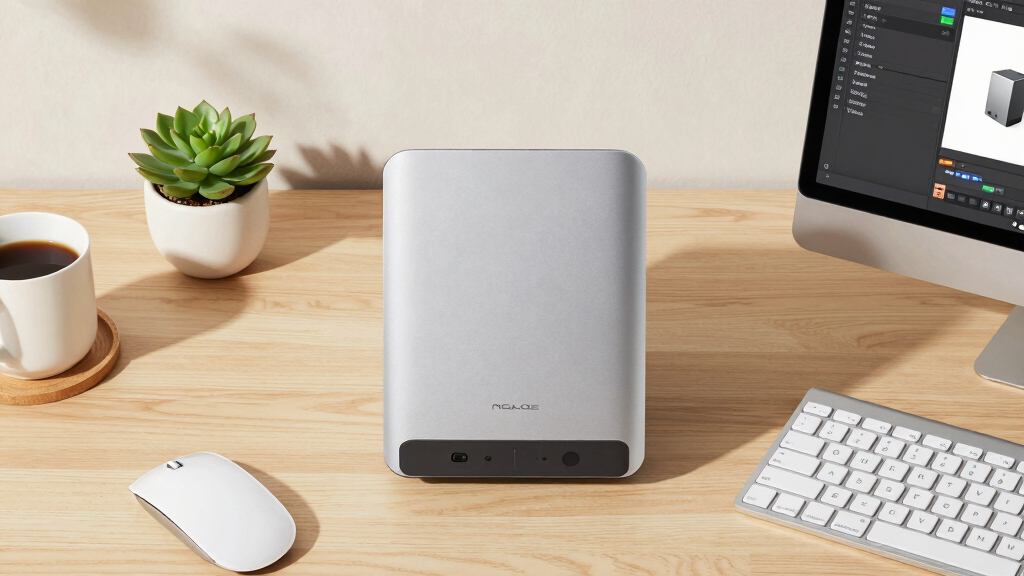

Choosing a Multimedia NAS for a design studio means balancing high-performance storage with fast data access and reliable connectivity. The QNAP TBS-h574TX-i3-12G-US stands out as the overall best for its powerful processor and extensive connectivity options. For more budget-conscious setups, the TERRAMASTER F4-425 offers solid performance without breaking the bank, while the TERRAMASTER F8 SSD NAS provides blazing-fast SSD storage for demanding workflows. The main tradeoffs involve balancing cost against speed, scalability, and ease of setup. Keep reading for a detailed breakdown of each option and how to choose the best fit for your studio needs.
Key Takeaways
- High-performance multi-bay NAS units with advanced processors are best suited for intensive creative workflows.
- Speed and connectivity options like 10GbE and Thunderbolt significantly impact data transfer times for large design files.
- More bays and SSD support offer increased scalability, but often come with higher costs and complexity.
- Budget-friendly options can deliver good value for smaller teams or less demanding tasks, but may lack advanced features.
- Ease of setup and management varies widely; professional-grade units typically require more technical knowledge.


More Details on Our Top Picks
QNAP TBS-h574TX-i3-12G-US 5 Bay High-Performance E1.S All-Flash NASbook with Intel® Core™ Processor, Thunderbolt 4 and 10GbE (5G/2.5G/1G/100M/10M) Network Connectivity (Diskless)
This model stands out for its combination of high-performance hardware and versatile connectivity tailored to media professionals. Compared with TERRAMASTER F4-425, it offers faster Thunderbolt 4 and 10GbE interfaces, which are essential for real-time 4K editing and large file transfers. However, its all-flash NVMe storage, while blazing fast, comes with a significant cost tradeoff, making capacity expansion expensive. Its compact diskless design allows custom configuration, perfect for small studios needing speed without sacrificing flexibility. The onboard Intel Core i3 processor combined with 12GB RAM ensures robust multitasking for media workflows. This pick makes the most sense for creative teams prioritizing speed and seamless collaboration over raw storage capacity, accepting the higher cost for performance.
Pros:- Blazing fast Thunderbolt 4 and 10GbE connectivity for real-time editing
- Powerful Intel Core i3 processor with 12GB RAM supports multitasking
- Supports up to 15mm NVMe SSDs for maximum performance
Cons:- High cost of enterprise-grade NVMe SSDs limits capacity expansion
- Limited onboard RAM non-expandable, restricting future upgrades
Best for: Small media studios and content creators needing ultra-fast editing and transfer speeds
Not ideal for: Budget-conscious users needing large storage at a lower cost or for long-term archival
- Processor:Intel Core i3-1320PE
- RAM:12GB DDR4
- Network Connectivity:10GbE and Thunderbolt 4
- Drive Bays:5 x E1.S NVMe SSD
- Video Output:HDMI 1.4b, 4K@30Hz
- Dimensions:15.98 x 11.18 x 2.8 inches
- Weight:4.9 pounds
- Operating System:Mac OS, Windows
Bottom line: This is ideal for creative professionals demanding top-tier speed and collaboration features, with a willingness to invest in high-performance storage.
USB Microphone, MAONO 192KHZ/24Bit Plug & Play PC Computer Podcast Condenser Cardioid Metal Mic Kit with Professional Sound Chipset for Recording, Gaming, Singing, YouTube (AU-A04)
This pick makes the most sense for newcomers and casual streamers who want good audio quality without complex setup. Compared to high-end studio mics like the Boytone BT-68SM, it offers easier plug-and-play functionality with no external audio interfaces needed. Its 192kHz/24-bit sampling rate delivers crisp, detailed voice recordings suited for podcasts, YouTube, and gaming streams. The included metal shock mount, pop filter, and boom arm make it a complete starter kit, reducing extra purchases. Despite its excellent value, it’s not designed for professional studio recording or loud sound sources, where higher SPL handling and XLR connectivity are preferred. It’s ideal for those seeking simple, reliable audio for online content creation at an affordable price.
Pros:- Plug & Play with no extra drivers needed for quick setup
- High-resolution 192kHz/24-bit audio for clear voice recordings
- Includes comprehensive accessories like shock mount and pop filter
Cons:- Limited to cardioid pattern, not suitable for multi-directional recording
- Not designed for loud sound sources or professional studio use
Best for: Beginners, podcasters, and YouTubers seeking an easy-to-use, high-quality microphone
Not ideal for: Professional musicians or voice-over artists requiring XLR connections and higher SPL handling
- Sampling Rate:192kHz/24Bit
- Frequency Response:30Hz-16kHz
- Connectivity:USB 2.0
- Polar Pattern:Cardioid
- Dimensions:17.13 x 8.07 x 3.54 inches
- Weight:350 grams
- Power Requirements:USB powered
- Warranty:1 year
Bottom line: This microphone offers excellent value and ease of use for content creators stepping into audio recording without the need for complex gear.
TERRAMASTER F4-425 4-Bay NAS Storage – Intel x86 Quad-Core CPU, 4GB RAM, 2.5GbE LAN, Network Attached Storage Multimedia Server for Home Users (Diskless)
This model is better suited for users needing reliable, straightforward NAS storage for multimedia and backups at an affordable price. It offers a balanced combination of Intel quad-core processing and 4GB RAM, making it capable of handling 4K transcoding with Plex or Emby, unlike the QNAP TBS-h574TX, which emphasizes raw speed over capacity. Its 2.5GbE LAN port supports fast file transfers, while the tool-free drive trays simplify setup. However, its 4GB RAM limits the number of concurrent users and future expansion, and it lacks the high-speed Thunderbolt or NVMe options of premium models. It’s perfect for small households or low-demand environments that prioritize ease of use and reliable media streaming without breaking the bank.
Pros:- Affordable price point with reliable 4K media support
- Easy tool-free HDD installation
- Decent performance with Intel quad-core processor
Cons:- Limited 4GB RAM restricts multitasking and future upgrades
- No Thunderbolt or high-speed NVMe support
Best for: Home users and small teams looking for dependable multimedia streaming and backups
Not ideal for: Media professionals requiring ultra-fast editing workflows or high-end performance
- Processor:Intel x86 Quad-Core
- RAM:4GB
- Network:2.5GbE LAN
- Drive Bays:4 x HDD
- Maximum Storage:120TB
- Dimensions:8.74 x 7.05 x 6.06 inches
- Weight:1.9 kg
- Supported Apps:Plex, Emby, Jellyfin
Bottom line: This NAS provides solid multimedia streaming capabilities for home users at an accessible price, with some hardware limitations for demanding tasks.
TERRAMASTER F4-425 Plus NAS Storage – 4Bay Intel N150 Quad-Core CPU, 16GB RAM DDR5, 5GbE LAN x 2, M.2 Slot x 3, Network Attached Storage for Teamwork, Multimedia Server (Diskless)
This pick makes the most sense for professionals and teams needing rapid data access and flexible storage options. Compared with TERRAMASTER F4-425, it offers DDR5 RAM and dual 5GbE ports supporting link aggregation, enabling higher throughput and better multitasking. Its triple M.2 SSD slots provide versatile caching or independent storage pools, ideal for demanding workflows like video editing or virtualization. The extensive 144TB capacity supports large projects, while TerraMaster’s TRAID technology ensures data redundancy and protection for critical work. The aluminum chassis and hot-swap drives make maintenance and long-term reliability straightforward. It’s perfect for creative professionals, small businesses, or serious hobbyists who need speed and capacity without the high cost of enterprise hardware, though the higher price reflects those advanced features.
Pros:- Powerful DDR5 16GB RAM for heavy multitasking
- Dual 5GbE ports with link aggregation for high throughput
- Triple M.2 slots for caching or independent pools
Cons:- Higher cost due to advanced hardware and features
- Requires familiarity with RAID configurations for optimal use
Best for: Creative teams, small businesses, and professionals managing large data and high-speed workflows
Not ideal for: Casual users or those with limited budgets seeking basic storage solutions
- Processor:Intel N150 Quad-Core
- RAM:16GB DDR5
- Network:Dual 5GbE LAN
- Drive Bays:4 x HDD + 3 x M.2 SSD
- Maximum Storage:144TB
- Form Factor:4-Bay
- Dimensions:Unknown
- Supported Apps:Virtualization, multimedia
Bottom line: Ideal for demanding data-heavy workflows requiring speed, capacity, and expandability, suited for professional environments.
Boytone, Professional Studio Recording Podcast Condenser, Metal Shock Mount, Anti-Wind Cap (BT-68SM)
This microphone makes the most sense for serious voice-over artists, podcasters, and studio professionals requiring XLR connectivity and high SPL handling. Compared with the MAONO AU-A04, it offers professional-grade XLR connection and a more robust build, making it suitable for long-term studio use. Its large diaphragm and cardioid pattern provide smooth, natural sound with low noise, ideal for vocal recordings. Its aluminum construction ensures durability, and the included shock mount helps reduce vibration noise. However, it’s less convenient for plug-and-play setups, requiring phantom power and an external audio interface, making it less suitable for casual streamers or beginners. This microphone elevates studio quality but demands additional equipment and technical knowledge, making it best for dedicated audio professionals.
Pros:- XLR connection for professional-grade audio quality
- Large diaphragm for smooth, natural sound
- Heavy-duty aluminum construction for durability
Cons:- Requires external audio interface and phantom power
- Less portable and more complex setup than USB mics
Best for: Professional voice-over artists, studio producers, and serious content creators needing high-fidelity XLR microphones
Not ideal for: Casual streamers or those seeking simple USB plug-and-play solutions
- Type:XLR Condenser
- Polar Pattern:Cardioid
- Frequency Response:20Hz-20kHz
- Impedance:200 Ohms
- Sensitivity:-29dB
- Max SPL:126dB
- Weight:Unknown
- Build Material:Aluminum
Bottom line: This microphone is perfect for professionals demanding studio-quality sound and willing to manage extra equipment and setup complexity.
TERRAMASTER F8 SSD NAS Storage – 8Bay All SSD NAS Server N95 QuadCore CPU, 8GB DDR5 RAM, 10GbE Port, 8 Heat Sinks Included, Palm-Sized Powerful Network Attached Storage (Diskless)
This F8 SSD NAS stands out for delivering exceptional transfer speeds thanks to its 10GbE port and all-SSD architecture, making it ideal for design studios that demand rapid access to large multimedia files. Compared with the TERRAMASTER F4-425, which offers more bays but relies on traditional HDDs, the F8 provides superior read/write speeds at the cost of higher SSD pricing and limited capacity per drive. Its compact, palm-sized form factor ensures it can fit into tight spaces, an advantage over bulkier models. However, the long setup times for RAID configuration and the premium price for SSDs are notable tradeoffs. This pick makes the most sense for teams requiring blazing-fast data access in a small footprint, willing to invest in high-performance SSD storage.
Pros:- Lightning-fast transfer speeds up to 1024MB/s with 10GbE port
- Ultra-compact design fits easily into tight workspaces
- Supports eight M.2 NVMe SSDs, up to 8TB each, with easy tool-free installation
- Quiet operation with advanced heat sinks and convection cooling
Cons:- High cost due to all-SSD configuration and premium components
- Long RAID setup times can slow initial deployment
- Limited total capacity compared to HDD-based NAS solutions
Best for: Designers and media professionals who need rapid access to large files and have limited space.
Not ideal for: Small studios on a tight budget or those needing extensive storage capacity at a lower cost.
- Processor:N95 4-core, 3.4GHz
- Memory:8GB DDR5 4800MHz
- Network:10GbE port
- Storage Bays:8 M.2 NVMe SSDs
- Maximum SSD Capacity:8TB per SSD
- Size:6.9 x 5.91 x 2.17 inches
- Weight:0.6 kg
- Cooling:Heat sinks on each SSD + silent fans
- Warranty:2 Years
Bottom line: This NAS is perfect for high-performance, space-conscious studios prioritizing speed over maximum storage capacity.

How We Picked
These products were evaluated based on performance, connectivity, expandability, build quality, and overall value. Priority was given to units with fast data transfer options, reliable hardware, and features that support large multimedia files common in design workflows. We also considered ease of setup and management, especially for creative teams that need straightforward solutions. The ranking reflects a balance between high-end features and practical usability, helping different types of studios find suitable options within their budgets and technical comfort levels.Factors to Consider When Choosing Multimedia NAS For Design Studio
When selecting a Multimedia NAS for a design studio, it’s vital to focus on several key factors that directly impact your workflow. These include performance capabilities, connectivity options, scalability, and ease of use. Understanding these elements can help avoid costly mistakes and ensure your storage solution grows with your studio’s needs.Performance and Processing Power
For handling large multimedia files, look for NAS units with powerful processors like Intel Xeon or Core i-series chips. Faster CPUs reduce file transfer bottlenecks and improve multitasking, especially when multiple users access the system simultaneously. Skimping on processor strength might save money initially but can lead to sluggish workflows as your project sizes grow.
Connectivity Features
High-speed network connections such as 10GbE or Thunderbolt 4 are essential for quick access to large files. If your studio relies on real-time editing or frequent large transfers, prioritize NAS units with these options. Conversely, standard Gigabit Ethernet may suffice for smaller teams but can bottleneck larger data transfers and slow down productivity.
Scalability and Storage Capacity
Consider how much storage your studio needs now and in the future. Units with more bays or support for M.2 SSDs offer room to grow without replacing the entire system. However, increased scalability often comes with higher costs and complexity, so balance current requirements with projected growth to avoid over-investing or under-provisioning.
Ease of Setup and Management
Navigation and management interfaces vary widely. Some units offer intuitive apps and plug-and-play features, ideal for teams without dedicated IT support. Others require more technical expertise, which might delay deployment or complicate ongoing maintenance. Make sure to choose a system that aligns with your team’s technical skills.
Cost and Value
While premium models offer advanced features, they may exceed your budget if you only need basic storage and sharing. Conversely, cheaper units might lack speed or expandability for demanding projects. Identify your core needs and select a model that provides the best performance-per-dollar ratio, factoring in future growth plans.
Frequently Asked Questions
Is it better to get a NAS with SSD or HDD drives for a design studio?
For a design studio, SSDs generally outperform HDDs in speed, reducing the time spent waiting on file transfers and rendering. This makes SSDs especially valuable when working with large multimedia files or real-time editing workflows. However, SSDs are more expensive per gigabyte, so many studios opt for a hybrid approach—using SSDs for active projects and HDDs for archival storage. The right choice depends on your budget, performance needs, and storage volume.
How important is connectivity speed for my multimedia NAS?
Connectivity speed is critical when working with large files daily. 10GbE or Thunderbolt connections drastically cut down transfer times compared to standard Gigabit Ethernet, making a significant difference in productivity. If your team frequently shares or edits large design files, investing in higher-speed ports makes sense. For smaller teams or less demanding workflows, Gigabit Ethernet may suffice, but it can become a bottleneck as project sizes grow.
Can I start with a smaller NAS and upgrade later?
Yes, many units support expansion through additional bays or external drives, making it possible to start small and scale up. However, consider whether your initial NAS supports the latest connectivity and storage technologies—upgrades can be limited if your base system is outdated. Choosing a unit with modular components or multiple expansion options can save time and money in the long run.
What’s the biggest mistake to avoid when choosing a multimedia NAS?
The most common mistake is prioritizing cost over performance and future-proofing. Selecting a NAS that’s too slow or lacks expandability can hinder your studio’s growth and increase long-term costs through replacements or upgrades. Conversely, over-investing in features you don’t need can strain your budget. Aim for a balanced approach, matching the system’s capabilities to your current workload and anticipated growth.
How much should I budget for a high-quality multimedia NAS?
Prices vary widely based on performance, capacity, and features. Expect to spend from around $1,000 for basic models with four bays to over $5,000 for high-end units with advanced connectivity and SSD support. Consider this an investment in your studio’s productivity; the right system can save hours each week and prevent workflow bottlenecks. It’s wise to allocate a budget that aligns with your current needs and future expansion plans.
Conclusion
For small studios or those just starting out, the TERRAMASTER F4-425 offers excellent value with reliable performance. Larger teams or professionals working with massive files should consider the QNAP TBS-h574TX-i3-12G-US for its superior processing power and connectivity options. Those seeking the fastest workflows will find the TERRAMASTER F8 SSD NAS indispensable, especially if SSD speed is non-negotiable. Budget-conscious users should aim for models that balance essential features with affordability, while larger studios should prioritize expandability and high-speed interfaces to keep up with demanding creative tasks. Ultimately, your choice depends on your current needs and growth plans—select accordingly to ensure seamless, efficient workflows.