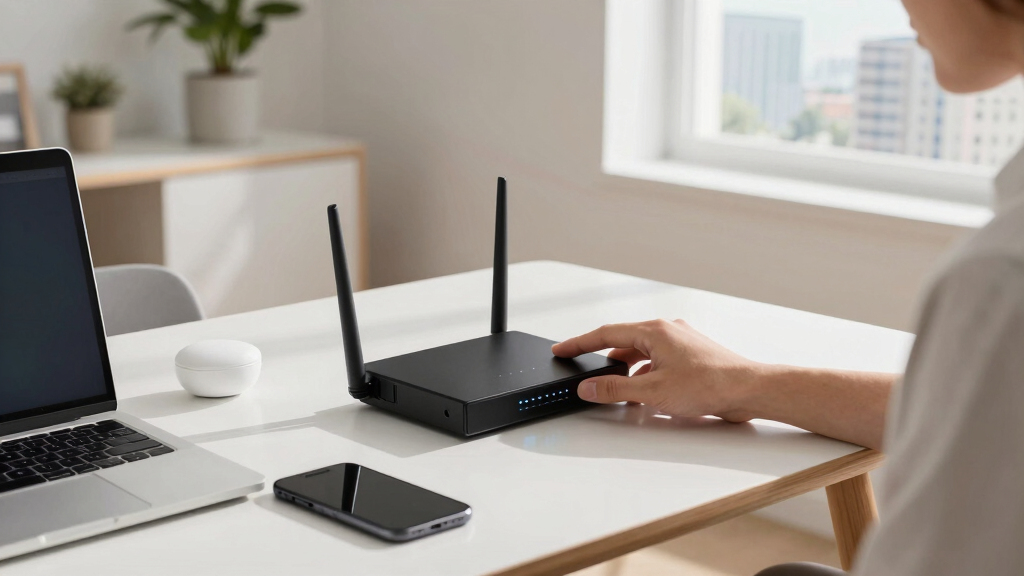

Choosing the right office networking router for hybrid work involves balancing speed, coverage, and security. The TP-Link BE6500 stands out for high-speed WiFi 7 support and extensive device handling, making it ideal for busy offices. The NETGEAR Nighthawk BE9300 offers blazing-fast speeds and broad coverage, perfect for power users. Meanwhile, the GL.iNet Flint 3e provides a compact, versatile option for small teams or remote setups. As you evaluate options, consider tradeoffs like coverage versus complexity, security features versus ease of setup, and price versus future-proofing. Keep reading for a detailed breakdown to help you find the best fit for your hybrid work environment.
Key Takeaways
- Top routers combine high wireless speeds, often WiFi 6E or WiFi 7, with extensive device capacity to support multiple users in hybrid setups.
- Security features like VPN support, WPA3, and enterprise-grade encryption are increasingly standard and crucial for hybrid work environments.
- Coverage area varies significantly; high-end models often cover larger spaces but come with higher price tags, whereas compact models suit small offices or remote workers.
- Ease of setup and management, including app-based controls and mesh compatibility, are key for non-technical users or quick deployment.
- Price often correlates with future-proofing: investing in newer standards (WiFi 6E, WiFi 7) can extend the lifespan of your network infrastructure.


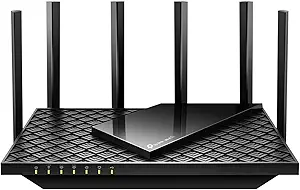


More Details on Our Top Picks
TP-Link BE6500 Dual-Band WiFi 7 Router (BE400) – Dual 2.5Gbps Ports, USB 3.0, Covers up to 2,400 sq. ft., 90 Devices, Quad-Core CPU, HomeShield, Private IoT, Free Expert Support
This Wi-Fi 7 router stands out for its cutting-edge Multi-Link Operation (MLO), enabling simultaneous multi-band data streams, which provides a significant boost over Wi-Fi 6 options like the TP-Link AX1800. Compared to traditional routers, the BE400 offers full Wi-Fi 7 compatibility, supporting speeds up to 6.5 Gbps, making it ideal for high-bandwidth tasks like 4K/8K streaming or AR/VR gaming. Its robust coverage of 2,400 sq. ft. and support for 90 devices ensure reliable performance in busy home offices, especially when paired with TP-Link’s EasyMesh for seamless whole-home coverage. However, its advanced features come with a higher price and a more complex setup process, which might be overwhelming for less tech-savvy users. Still, for those wanting a future-ready, high-performance network with strong security via HomeShield, this pick is well worth the investment.
Pros:- Supports Wi-Fi 7 with speeds up to 6.5 Gbps for demanding tasks
- Large coverage area of up to 2,400 sq. ft. with 90 device capacity
- Advanced security features including HomeShield and private IoT support
- Multi-Link Operation (MLO) technology for lower latency and more reliable connections
Cons:- Higher price point compared to Wi-Fi 6 routers
- Setup can be complex for non-technical users
- Limited compatibility with older devices that do not support Wi-Fi 7
Best for: Tech-savvy professionals and households demanding the latest Wi-Fi 7 technology with extensive device support.
Not ideal for: Users seeking a simple plug-and-play setup or on a tight budget, as setup complexity and cost are higher.
- Wi-Fi Technology:Wi-Fi 7
- Max Speed:6.5 Gbps
- Coverage Area:Up to 2,400 sq. ft.
- Device Capacity:90 devices
- Ethernet Ports:Dual 2.5Gbps ports, 3x 1Gbps LAN
- Security:HomeShield, WPA3
Bottom line: Ideal for those seeking a future-proof, high-speed network with extensive device support and robust security features.
TP-Link AX1800 WiFi 6 Router (Archer AX21 V5) – Dual Band Wireless Internet, Gigabit, Easy Mesh, Works with Alexa – A Certified for Humans Device, Free Expert Support
Compared to Wi-Fi 7 options like the TP-Link BE400, the AX1800 offers reliable Wi-Fi 6 performance with speeds up to 1.8 Gbps, making it a solid choice for most home offices and smaller households. Its dual-band design, with a focus on efficiency and reduced congestion, supports multiple devices simultaneously via OFDMA technology, which outperforms older Wi-Fi 5 routers. Setup is straightforward, especially with the Tether app, and its coverage of around 1,500 sq. ft. is sufficient for typical homes, including support for EasyMesh for seamless expansion. The main tradeoff is that it doesn’t support Wi-Fi 7 speeds or features like MLO, limiting future bandwidth potential. Nonetheless, for users needing a dependable, budget-friendly upgrade with security support like WPA3, this router is a smart choice.
Pros:- Affordable upgrade to Wi-Fi 6 with speeds up to 1.8 Gbps
- Supports MU-MIMO and OFDMA for multiple device handling
- EasyMesh compatible for whole-home coverage
- Simple setup with dedicated app and Alexa integration
Cons:- Limited to Wi-Fi 6, not supporting Wi-Fi 7 speeds
- Smaller coverage area of 1,500 sq. ft. may require extenders for larger homes
- No multi-gig Ethernet ports
Best for: Small to medium households or remote workers seeking an affordable, easy-to-set-up Wi-Fi 6 upgrade.
Not ideal for: Power users or households planning to future-proof with Wi-Fi 7, as this device lacks the latest speed and feature set.
- Wi-Fi Technology:Wi-Fi 6 (802.11ax)
- Max Speed:1.8 Gbps
- Coverage Area:Up to 1,500 sq. ft.
- Device Capacity:Multiple devices
- Ethernet Ports:4 Gigabit
- Security:WPA3
Bottom line: A reliable, cost-effective Wi-Fi 6 router suitable for smaller or budget-conscious hybrid workspaces.
GL.iNet GL-BE6500 (Flint 3e) WiFi 7 Router, High-Speed WiFi Router for Wireless Internet w/VPN, 5 x 2.5G Ethernet Port for Fiber Optic Modem, Long Range Large Home, Business & Gaming Computer Routers
This Wi-Fi 7 router excels in delivering ultra-fast speeds up to 6.5 Gbps, with extensive coverage for large homes or business environments, thanks to its advanced MLO and 4K-QAM technologies. Unlike the NETGEAR R6700AX or TP-Link AC1200, the Flint 3e supports VPN protocols like OpenVPN and Wireguard at speeds up to 680 Mbps, ideal for privacy-conscious users or remote workers. Its five 2.5G Ethernet ports make it suitable for fiber connections and high-bandwidth wired devices. While setup may be complex for some, its dedicated VPN support, long-range capabilities, and support for multiple simultaneous devices make it perfect for gamers, streamers, and small businesses. The main downside is its higher price and potential overkill for average users.
Pros:- Supports Wi-Fi 7 with speeds up to 6.5 Gbps
- Includes 5 x 2.5G Ethernet ports for fiber or high-speed wired devices
- VPN support with OpenVPN and Wireguard at high speeds
- Long-range coverage suitable for large homes or offices
Cons:- Higher price compared to Wi-Fi 6/5 routers
- Setup complexity may be daunting for non-technical users
- Overkill for basic home networking needs
Best for: Tech-savvy users, gamers, or small businesses requiring high-speed VPN, extensive wired options, and long-range Wi-Fi coverage.
Not ideal for: Casual users or those seeking a simple setup, as the initial configuration is more technically involved.
- Wi-Fi Technology:Wi-Fi 7
- Max Speed:6.5 Gbps
- Coverage Area:Large homes
- Ethernet Ports:5 x 2.5Gbps
- VPN Support:OpenVPN, Wireguard
- Security:VPN, WPA3
Bottom line: Best suited for power users and professionals who need maximum speed, VPN privacy, and extensive wired options.
NETGEAR WiFi 6 Router 4-Stream (R6700AX) – Router Only, AX1800 Wireless Speed (Up to 1.8 Gbps), Covers up to 1,500 sq. ft., 20 Devices – Free Expert Help, Dual-Band
Compared to higher-end Wi-Fi 6 routers like the TP-Link AX1800, the NETGEAR R6700AX offers a straightforward, reliable performance with speeds up to 1.8 Gbps and coverage of about 1,500 sq. ft. making it suitable for small households or apartments. Its dual-band setup efficiently handles multiple devices, including streaming and work-related tasks, with a simple setup supported by the Nighthawk app. However, it lacks multi-gig Ethernet ports and does not support Wi-Fi 7 or advanced features like MLO, limiting its future scalability. Its affordability and ease of use make it ideal for users wanting dependable Wi-Fi without the need for extensive configuration or coverage.
Pros:- Reliable Wi-Fi 6 performance up to 1.8 Gbps
- Covers up to 1,500 sq. ft. with multiple devices
- Easy setup via Nighthawk app
- Supports MU-MIMO and dual-band operation
Cons:- Limited to Wi-Fi 6, no Wi-Fi 7 support
- No multi-gig Ethernet ports
- Smaller coverage area for larger homes
Best for: Small households or remote workers who need reliable Wi-Fi 6 coverage with a straightforward setup.
Not ideal for: Power users or future-proofing enthusiasts seeking Wi-Fi 7 or higher data rates.
- Wi-Fi Technology:Wi-Fi 6 (802.11ax)
- Max Speed:1.8 Gbps
- Coverage Area:Up to 1,500 sq. ft.
- Device Capacity:20 devices
- Ethernet Ports:4 Gigabit
- Security:WPA3
Bottom line: A dependable, easy-to-use Wi-Fi 6 router ideal for small homes or office setups without future-proofing needs.
GL.iNet GL-BE6500 (Flint 3e) WiFi 7 Router, High-Speed WiFi Router for Wireless Internet w/VPN, 5 x 2.5G Ethernet Port for Fiber Optic Modem, Long Range Large Home, Business & Gaming Computer Routers
The GL.iNet Flint 3e supports Wi-Fi 7, delivering speeds of up to 6.5 Gbps with advanced features like MLO and 4K-QAM, making it ideal for demanding gaming, streaming, or business environments. Its five 2.5G Ethernet ports provide extensive wired connectivity, especially valuable for fiber optic setups. VPN support for OpenVPN and Wireguard at speeds up to 680 Mbps enhances privacy, a feature often limited in standard routers like the NETGEAR R6700AX. Its long-range coverage and ability to handle numerous devices make it perfect for large homes or small offices. The complexity of setup and higher cost are the primary tradeoffs, but for power users needing high bandwidth, VPN options, and reliable coverage, this router offers unmatched capabilities.
Pros:- Supports Wi-Fi 7 with speeds up to 6.5 Gbps
- Includes 5 x 2.5G Ethernet ports for fiber or high-speed wired devices
- VPN support with OpenVPN and Wireguard at high speeds
- Long-range, high-capacity coverage for large areas
Cons:- Higher price point and complex setup process
- Overkill for basic internet needs
- Potentially intimidating for less technical users
Best for: Remote workers, gamers, and small businesses prioritizing VPN privacy, high speeds, and extensive wired options.
Not ideal for: Average users or those seeking a simple, plug-and-play Wi-Fi 5/6 device, due to setup difficulty and cost.
- Wi-Fi Technology:Wi-Fi 7
- Max Speed:6.5 Gbps
- Coverage Area:Large spaces
- Ethernet Ports:5 x 2.5Gbps
- VPN Support:OpenVPN, Wireguard
- Security:VPN, WPA3
Bottom line: Best for advanced users and businesses seeking top-tier speeds, VPN privacy, and extensive wired connectivity.
TP-Link AC1900 Smart WiFi Router (Archer A8) -High Speed MU-MIMO Wireless Router, Dual Band Router for Wireless Internet, Gigabit, Supports Guest WiFi
This TP-Link Archer A8 stands out for its reliable dual-band performance and straightforward setup, making it ideal for small to medium home offices. Compared with the more advanced TP-Link AXE5400, it lacks WiFi 6E and higher speeds but offers solid coverage up to 1,200 sq. ft. with beamforming technology. Its MU-MIMO and gigabit ports support multiple devices efficiently, though the absence of a USB port limits local storage options. The router’s performance is sufficient for standard hybrid work tasks like video calls and file sharing, but it may struggle under heavy simultaneous device loads or high-bandwidth streaming. The simple setup via the Tether App makes it accessible for less tech-savvy users, but those needing VPN support or future mesh expansion might find it limiting. Overall, this model suits users seeking dependable, easy-to-use WiFi for everyday hybrid work without advanced networking features.
Pros:- Simple, quick setup with the Tether App
- Reliable dual-band performance with MU-MIMO
- Full gigabit ports for wired connections
- Beamforming technology enhances focused signal
Cons:- No USB port limits local media sharing
- Lacks VPN support and WiFi 6E compatibility
- Coverage limited to 1,200 sq. ft., less ideal for larger spaces
Best for: Small business owners or remote workers in homes up to 1,200 sq. ft. seeking reliable dual-band WiFi with easy setup.
Not ideal for: Power users requiring VPN support, USB storage, or extensive device management, as these features are missing.
- Frequency Band:Dual-Band
- Data Transfer Rate:1900 Megabits per second
- Number of Ports:5
- Coverage Area:1200 sq. ft.
- Antenna Count:3
- Wireless Standard:802.11ac
Bottom line: This router makes the most sense for users needing dependable, straightforward WiFi in smaller home offices without advanced features.
TP-Link AXE5400 Tri-Band WiFi 6E Router (Archer AXE75), 2025 PCMag Editors’ Choice, Gigabit Internet for Gaming & Streaming, New 6GHz Band, 160MHz, OneMesh, Quad-Core CPU, VPN & WPA3 Security
This TP-Link Archer AXE75 stands out for its cutting-edge WiFi 6E technology, offering up to 5400 Mbps across three bands, including the new 6 GHz for ultra-fast, low-latency connections. Compared with the TP-Link AC1900, it provides a significant leap in speed, capacity, and future-proofing, supporting more devices simultaneously with OFDMA and 160 MHz channels. Its quad-core CPU and 512 MB RAM ensure smooth handling of demanding tasks like high-quality video conferencing and large file transfers. The inclusion of WPA3 security and VPN support delivers enterprise-grade protection suitable for hybrid work environments. However, its higher price point and potentially overkill features may not appeal to casual users or those with smaller networks. This router is best suited for tech-savvy professionals or small teams needing robust, multi-device performance and advanced security.
Pros:- Supports WiFi 6E with new 6 GHz band for faster speeds
- Tri-band design with OFDMA for many simultaneous devices
- Powerful quad-core CPU and 512 MB RAM for demanding tasks
- WPA3 security and VPN support for enterprise-grade protection
Cons:- Higher price may deter casual users
- Overkill for small, simple networks
- Requires compatible devices to fully leverage WiFi 6E benefits
Best for: Tech-savvy remote teams or small businesses demanding maximum speed, capacity, and security in a hybrid work setting.
Not ideal for: Less experienced users or small households with basic internet needs, due to complexity and cost.
- Speed:5400 Mbps
- Frequency Bands:2.4 GHz, 5 GHz, 6 GHz
- Ports:4 Gigabit Ethernet
- Coverage Area:2500 sq. ft.
- Antenna Count:4
- Security Protocol:WPA3
Bottom line: This router is ideal for organizations needing top-tier speed, security, and capacity, though it may be more than necessary for casual or smaller setups.
NETGEAR Nighthawk Modem Router Combo (CAX30) DOCSIS 3.1 Cable Modem and WiFi 6 Router – AX2700 2.7 Gbps – Compatible with Xfinity, Spectrum, Cox, and More – Gigabit Wireless Internet
This NETGEAR Nighthawk CAX30 combines DOCSIS 3.1 cable modem with WiFi 6 router, delivering up to 2700 Mbps and simplifying your setup by eliminating separate equipment. Compared with standalone routers like the TP-Link AXE75, it offers a convenient, space-saving solution suitable for cable users seeking fast, reliable WiFi across approximately 2,000 sq. ft. with support for 25 devices. Its dual-band WiFi 6 and gigabit ports ensure sufficient performance for most hybrid work tasks, including streaming and video conferencing. The integrated modem reduces clutter and rental fees, and NETGEAR Armor adds security protections. However, it lacks WiFi 6E, limiting future speed boosts, and is incompatible with DSL or fiber-only providers. This device is best for cable subscribers wanting an all-in-one, easy-to-manage solution for home or small office networks.
Pros:- All-in-one cable modem and WiFi 6 router
- Supports up to 25 devices over 2,000 sq. ft.
- Eliminates rental fees and clutter
- Supports multiple wired and wireless devices
Cons:- Limited to cable internet providers, no fiber or DSL support
- No WiFi 6E or higher speeds
- Less suitable for very large or highly demanding networks
Best for: Cable internet users seeking a combined modem/router with reliable WiFi 6 performance for hybrid work from a single device.
Not ideal for: Fiber or DSL users, or those seeking WiFi 6E speeds and future-proofing beyond 2.7 Gbps.
- Speed:2700 Mbps
- Coverage Area:2000 sq. ft.
- Number of Devices:25
- Wireless Standard:WiFi 6
- Ports:4 Gigabit Ethernet
- Cable Compatibility:DOCSIS 3.1
Bottom line: This combo offers a simple, efficient solution for cable subscribers wanting fast WiFi with minimal equipment fuss.
NETGEAR Nighthawk WiFi 7 Router (BE9300) – Router Only, 9.3Gbps Wireless Speed, 2.5 Gigabit Internet Port, Tri-Band for Gaming, Covers 2,500 sq. ft., 100 Devices, VPN – Free Expert Help
This NETGEAR Nighthawk BE9300 leverages WiFi 7 technology to deliver blazing speeds up to 9.3 Gbps across three bands, ideal for high-demand hybrid work, gaming, and streaming. It surpasses WiFi 6E routers like the AXE75 in raw speed and device capacity, supporting up to 100 devices over 2,500 sq. ft. with a 2.5 Gbps port for multi-gig wired connections. Its advanced tri-band setup and WiFi 7 features reduce interference and latency, making it suitable for demanding tasks such as 4K/8K video conferencing and large data transfers. Security features include VPN support and robust WPA3 encryption. The main tradeoff is the higher cost and the need for compatible client devices to realize WiFi 7’s full benefits. This router fits best for tech-forward workplaces or households with high bandwidth needs looking to future-proof their network.
Pros:- Supports WiFi 7 with speeds up to 9.3 Gbps
- Tri-band design with 2.5 Gbps Ethernet port
- Covers 2,500 sq. ft. with strong signal
- Supports up to 100 devices simultaneously
Cons:- Higher cost may be prohibitive for casual users
- Requires compatible client devices to leverage WiFi 7 speeds
- No built-in modem; separate modem needed
Best for: High-performance hybrid work environments and gaming setups demanding maximum speed, capacity, and future-ready technology.
Not ideal for: Casual users or small households with basic internet needs, due to higher price and advanced feature set.
- Speed:9.3 Gbps
- Coverage Area:2500 sq. ft.
- Device Capacity:100 devices
- WiFi Standard:WiFi 7
- Ports:1 2.5Gbps Ethernet
- Bands:Tri-band
Bottom line: This router is best suited for future-proofing large, high-demand hybrid networks that need ultimate speed and capacity.
D-Link Gigabit VPN Router —Perfect for Remote and Hybrid Work —4 Port Gigabit Dual WAN Failover —Enterprise-Grade Encryption —Follows TAA/NDAA—Limited Lifetime Protection (DSR-250V2)
This D-Link DSR-250V2 router excels in security and reliability, making it ideal for small businesses and organizations needing enterprise-grade encryption and VPN capabilities. Its dual WAN failover ensures uninterrupted connectivity, supporting remote and hybrid work environments that require consistent network access. Compared with consumer-oriented routers like the TP-Link AC1900, it offers advanced features such as load balancing, up to 75 VPN tunnels, and dynamic routing, making it suitable for more complex network setups. Its TAA/NDAA compliance adds trust for government or regulated industries. However, its higher complexity and cost make it less appealing for casual or home users, and it may be overkill for small, simple home offices. This router is best for organizations prioritizing security, continuous uptime, and remote access capabilities.
Pros:- Enterprise-grade encryption and VPN support
- Dual WAN failover with load balancing
- Supports up to 75 VPN tunnels and dynamic routing
- Follows TAA/NDAA standards for trust
Cons:- Complex setup requiring technical expertise
- Higher cost compared to typical home routers
- Designed for business, not casual use
Best for: Small businesses or government agencies needing secure, reliable hybrid work networks with enterprise-level VPN and failover.
Not ideal for: Individual remote workers or households with basic internet needs, as it’s designed for more complex, security-focused environments.
- WAN Ports:2
- LAN Ports:4
- VPN Tunnels:75
- Firewall Throughput:950 Mbps
- Security:Enterprise-grade encryption
- Coverage Area:Not specified
Bottom line: This router provides robust, enterprise-grade security and failover features for organizations with critical hybrid work needs, though overkill for casual users.
TP-Link ER605 V2 Wired Gigabit VPN Router, Up to 3 WAN Ethernet Ports + 1 USB WAN, SPI Firewall SMB Router, Omada SDN Integrated, Load Balance, Lightning Protection
This router stands out for its flexible WAN options, including up to 3 Ethernet ports and a USB WAN port for cellular backup, making it ideal for small offices needing reliable, load-balanced internet. Compared to more consumer-focused options like the TP-Link Archer AX55, the ER605 V2 prioritizes security and multi-WAN management, but this added complexity means a steeper learning curve and less emphasis on Wi-Fi speed. Its advanced firewall, VPN support, and Omada SDN integration make it perfect for businesses that need secure, centralized control, but it isn’t designed for high-speed Wi-Fi or simple home use. The tradeoff is between network security and ease of setup versus consumer Wi-Fi performance. This pick makes the most sense for small businesses seeking robust security and multiple internet sources, not for those wanting quick Wi-Fi setup for casual home use.
Pros:- Supports up to 3 WAN connections for load balancing and redundancy
- Comprehensive security features including SPI firewall and DoS defense
- Omada SDN integration for centralized management
Cons:- Limited Wi-Fi capabilities, not suitable for high-speed wireless needs
- Steeper learning curve due to advanced configuration options
- Lacks built-in Wi-Fi or mesh features
Best for: Small business owners or IT managers needing secure, load-balanced WAN connections with VPN support
Not ideal for: Home users seeking high-speed Wi-Fi or simple plug-and-play setup, as the configuration is more complex
- Number of WAN Ports:3
- USB WAN Port:Yes
- Firewall Security:SPI Firewall, DoS Defense
- VPN Support:20 LAN-to-LAN IPsec, 16 OpenVPN, 16 L2TP, 16 PPTP
- Speed:N/A (routing/security focused)
- Standards and Protocols:IEEE 802.3, 802.3u, 802.3ab, 802.3x, IEEE 802.1q
Bottom line: This router is ideal for small offices prioritizing security and multiple WAN management over Wi-Fi speed or simplicity.
TP-Link Dual-Band AX3000 Wi-Fi 6 Router Archer AX55 | Wireless Gigabit Internet Router for Home | EasyMesh Compatible | VPN Clients & Server | HomeShield, OFDMA, MU-MIMO | USB 3.0 | Secure by Design
This model makes the most sense for users upgrading from older routers like the NETGEAR R6700AX who want faster Wi-Fi speeds, better coverage, and security. It supports Wi-Fi 6 with speeds up to 2402 Mbps on 5 GHz, and features like MU-MIMO and OFDMA improve overall responsiveness, especially with multiple devices. Compared to the TP-Link BE3600 Wi-Fi 7 Router, AX55 offers a simpler, more reliable experience for typical residential setups, but it lacks the ultra-high speeds and future-proofing of Wi-Fi 7. Its security features, including WPA3 and HomeShield, bolster security for hybrid work environments, but it may not fully exploit Wi-Fi 7’s potential. The tradeoff involves choosing between proven Wi-Fi 6 stability and security versus the cutting-edge but less mature Wi-Fi 7 technology. This pick is best suited for small offices or homes that prioritize security, coverage, and ease of use over the latest wireless standards.
Pros:- Supports Wi-Fi 6 with speeds up to 2402 Mbps on 5 GHz
- MU-MIMO and OFDMA improve multi-device responsiveness
- Includes HomeShield security suite and parental controls
Cons:- Limited future-proofing compared to Wi-Fi 7 routers like the BE230
- No multi-Gig Ethernet ports, only Gigabit LAN
- Smart Connect feature may cause device bouncing between bands
Best for: Home users or small offices needing reliable Wi-Fi 6 coverage with strong security features
Not ideal for: Environments demanding the latest Wi-Fi 7 speeds or for users comfortable with complex advanced configurations
- Max Speed:2402 Mbps (5 GHz)
- Number of Antennas:4
- Security Protocol:WPA3, HomeShield
- USB Ports:1x USB 3.0
- Wi-Fi Generation:Wi-Fi 6
- Coverage:Up to 2,000 sq ft
Bottom line: This router provides a balanced combination of speed, security, and ease for home and small office users upgrading from older standards.
TP-Link Dual-Band BE3600 Wi-Fi 7 Router Archer BE230 | 4-Stream | 2×2.5G + 3×1G Ports, USB 3.0, 2.0 GHz Quad Core, 4 Antennas | VPN, EasyMesh, HomeShield, MLO, Private IOT | Free Expert Support
This router is designed for those who want to maximize Wi-Fi 7’s capabilities, making it ideal for tech-savvy users and large households needing ultra-fast, reliable wireless. It surpasses Wi-Fi 6 routers like the TP-Link AX55 in speed, capacity, and new features such as Multi-Link Operation and 4K-QAM, ensuring minimal latency and high throughput. Its 2.4 GHz and 5 GHz bands reach speeds up to 688 Mbps and 2882 Mbps, respectively, and the 4 antennas help extend coverage. Compared to the NETGEAR Nighthawk RS90, it offers more advanced Wi-Fi 7 features but at a potentially higher cost and complexity. The 2×2.5G ports support multi-Gigabit internet plans, making it suitable for future-proofing, but it requires compatible devices for full benefit. This pick is best for users wanting cutting-edge Wi-Fi technology, large data transfers, and smart home integration, not for those on a tight budget or with simple needs.
Pros:- Supports Wi-Fi 7 with speeds up to 2882 Mbps (5 GHz)
- Multi-Link Operation for enhanced reliability and speed
- Four high-gain antennas and extensive coverage
Cons:- Requires compatible Wi-Fi 7 devices to maximize benefits
- Higher price point compared to Wi-Fi 6 equivalents
- Limited availability of Wi-Fi 7 devices currently
Best for: Enthusiasts, large households, or hybrid work setups demanding the highest wireless speeds and future-proof features
Not ideal for: Casual users or small offices without compatible Wi-Fi 7 devices, due to cost and complexity
- Max Speed:2882 Mbps (5 GHz)
- Number of Ports:3×1G, 2×2.5G
- Security Features:VPN, HomeShield, MLO
- Antenna Count:4
- Wi-Fi Generation:Wi-Fi 7
- Coverage:Up to 2,400 sq ft
Bottom line: This router is perfect for early adopters and power users seeking the latest Wi-Fi 7 technology and top-tier performance.
NETGEAR Nighthawk Dual-Band WiFi 7 Router (RS90) – Router Only, BE3600 Wireless Speed (up to 3.6 Gbps) – Covers up to 2,000 sq. ft., 50 Devices – 2.5 Gig Internet Port – Free Expert Help
This router offers impressive Wi-Fi 7 speeds up to 3.6 Gbps and is suited for households or hybrid work environments needing extensive coverage and high device capacity. It outperforms many Wi-Fi 6 alternatives like the TP-Link AX55 in raw speed, handling demanding tasks such as 4K streaming, gaming, and video conferencing more smoothly. Its dual-band setup with dedicated 2.4 GHz and 5 GHz bands, plus a 2.5 Gbps internet port, makes it ready for multi-gig internet plans. Compared to the TP-Link BE230 Wi-Fi 7 Router, it offers a simpler setup with a focus on high capacity and coverage. The 50-device support and 2,000 sq ft coverage are ideal for large homes or small offices, but it’s less suited for users with limited internet plans or those prioritizing mesh flexibility. The tradeoff is between maximum performance and higher cost versus basic coverage needs.
Pros:- Supports Wi-Fi 7 with speeds up to 3.6 Gbps
- Covers up to 2,000 sq ft and supports 50 devices
- Includes a 2.5 Gbps multi-Gig port for fast internet plans
Cons:- Higher price compared to Wi-Fi 6 routers for similar coverage
- Requires compatible Wi-Fi 7 devices to realize full speed
- No built-in mesh or expandability features
Best for: Large households, hybrid workplaces, or gamers needing high-performance Wi-Fi 7 with extensive coverage
Not ideal for: Small apartments or budget-conscious users who don’t need multi-Gig speeds or high device counts
- Max Speed:3.6 Gbps
- Coverage:Up to 2,000 sq ft
- Device Support:Up to 50 devices
- Ports:1×2.5G, 4×1G
- Wi-Fi Generation:Wi-Fi 7
- Security:WPA3, VPN
Bottom line: This router is an excellent choice for users with demanding bandwidth needs and large coverage areas seeking the latest Wi-Fi technology.

How We Picked
I evaluated these routers based on their performance in supporting hybrid work environments, including speed, device capacity, and coverage. Usability was a key factor, emphasizing simple setup, management, and compatibility with mesh systems. Build quality and security features, such as VPN support and encryption, were also critical. I prioritized models that balance value with advanced features, ensuring they meet both current demands and future needs. The ranking reflects a combination of technical specs, user experience, and overall reliability in a hybrid office setting.Factors to Consider When Choosing Office Networking Router For Hybrid Work
When selecting an office router for hybrid work, it’s important to consider several key factors beyond just raw speed. The right device should provide enough coverage for your workspace, support multiple devices without slowdown, and include security features to protect sensitive data. Additionally, ease of management and future-proofing through newer WiFi standards can save headaches later. Be wary of choosing a router solely based on initial specs—compatibility with your existing network setup and scalability are equally vital. Here are the main factors to weigh in your decision.Performance and Speed
High wireless speeds, such as WiFi 6 or WiFi 7, are essential for smooth video calls, large file transfers, and streaming. However, the actual speed experienced depends on your internet plan and device compatibility. Prioritize routers with multi-gig ports and support for the latest standards to future-proof your setup. Keep in mind that more speed isn’t always necessary for small teams but becomes significant in busy or tech-heavy environments.
Coverage Area and Scalability
Coverage is often overlooked but critical in hybrid workspaces that include multiple rooms or floors. Larger coverage areas require high-power antennas, mesh compatibility, or multiple access points. For smaller offices or remote workers, compact routers may suffice, but larger setups benefit from models that support mesh networking. Investing in a scalable system can prevent future bottlenecks as your team grows or your needs change.
Security Features
With hybrid work, data security must be a top priority. Look for routers supporting WPA3 encryption, VPN integration, and enterprise-grade security protocols. Some models include parental controls or device management features that help monitor network activity. Avoid routers with limited security options, especially if sensitive information is transmitted or stored across your network.
Ease of Use and Management
In a hybrid setup, quick setup and simple management are essential. Routers with mobile apps, intuitive dashboards, and easy firmware updates reduce downtime and technical frustration. Mesh compatibility also simplifies expanding coverage without complicated wiring. Consider your comfort level with technology—more advanced features often come with a steeper learning curve but provide more control and flexibility.
Price and Future-Proofing
Price varies widely, often reflecting the latest standards and features. Investing in WiFi 6E or WiFi 7 routers might cost more but can extend the lifespan of your network as technology advances. Cheaper models may save money upfront but could quickly become obsolete, requiring replacement sooner. Balance your current needs with anticipated future demands to maximize your investment.
Frequently Asked Questions
How do I know if my current internet plan can support a high-speed router?
To ensure your internet plan can fully utilize a high-speed router, check your current broadband speed tier. Routers like WiFi 6E and WiFi 7 are designed to support multi-gig speeds, but your internet connection must deliver comparable speeds to benefit. Contact your provider to verify your plan’s maximum speed and consider upgrading if you need higher bandwidth for multiple users or data-heavy tasks.
Is mesh networking necessary for a small home office?
Mesh networking can be beneficial even for small offices if coverage is a concern, such as multiple rooms or thick walls obstructing signals. It provides seamless coverage without dead zones and simplifies management as you expand. However, for a small, open-plan workspace, a high-quality single router with strong coverage might suffice. Consider your space size and future needs before opting for a mesh system.
What security features should I prioritize in an office router?
Prioritize routers with WPA3 encryption, built-in VPN support, and enterprise-grade security features. Management tools that allow for device monitoring and access controls also add layers of protection. Avoid models with limited security features, especially if your team handles sensitive information, as robust security helps prevent breaches and unauthorized access.
How much should I expect to pay for a reliable office router with future-proof features?
Prices can range from around $150 to over $500 depending on features. Budget models may provide basic performance but lack the latest standards like WiFi 6E or WiFi 7. Investing in a higher-end model typically offers better speeds, security, and scalability, which can reduce costs from upgrades later. For most hybrid offices, allocating around $300-$400 balances features and longevity well.
Can I upgrade my existing network with a new router without replacing everything?
Yes, most modern routers are designed to be compatible with existing setups, especially those supporting common standards like WiFi 6 or WiFi 6E. You can often add a mesh node or upgrade your router alone to improve speed and coverage. However, ensure your modem and internet plan are compatible with the new router’s capabilities, and consult with your provider if necessary to avoid bottlenecks.
Conclusion
If you need a router that balances speed, coverage, and security for a growing hybrid workspace, the TP-Link BE6500 offers excellent performance with WiFi 7 support and high device capacity, making it the best overall pick. For those prioritizing value without sacrificing future-proofing, the NETGEAR Nighthawk BE9300 delivers top-tier speeds and broad coverage at a competitive price. Beginners or small setups should consider the TP-Link AX1800 for simplicity and reliability. For power users demanding enterprise-grade security and extensive device handling, models like the D-Link VPN Router or TP-Link ER605 are worth the investment. Tailor your choice based on your workspace size, security needs, and budget to optimize your hybrid work experience.