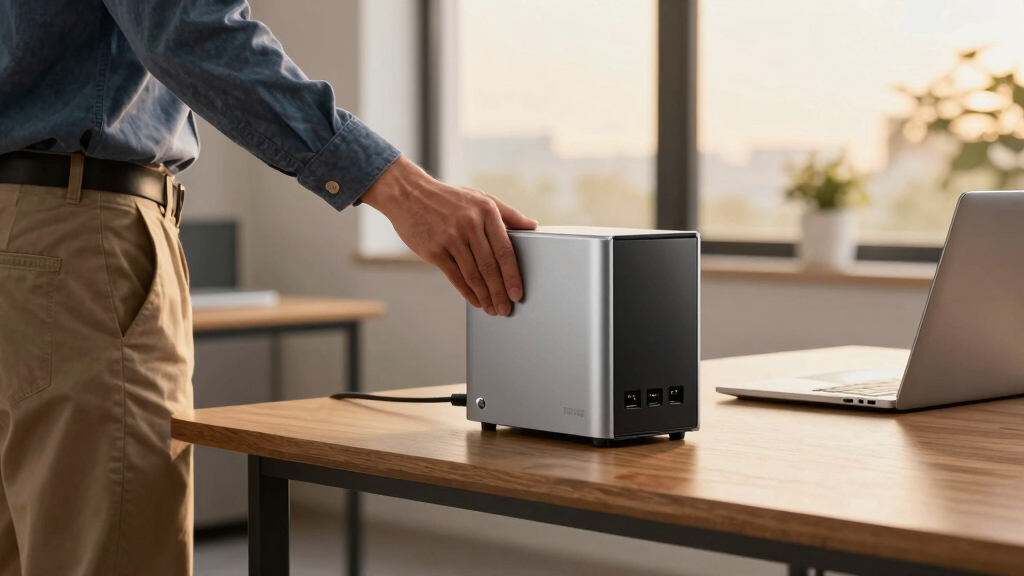

For small businesses, reliable data backup is essential, and a Network Attached Storage (NAS) device offers a centralized solution. The best NAS for small business backup combines ease of use, scalability, and security without overcomplicating operations. The Synology DiskStation DS225+ stands out for its balance of features and affordability, while the UGREEN NAS DH4300 Plus excels in beginner friendliness and expandability. However, tradeoffs often involve choosing between advanced features and simplicity, or cost and capacity. Keep reading to see which options best match your business needs and budget.
Key Takeaways
- Higher-capacity NAS models like the UGREEN NAS DH4300 Plus deliver extensive storage but come with higher costs and complexity.
- Two-bay NAS devices such as the Synology DS225+ strike a good balance between ease of setup and expandability, ideal for small teams.
- Entry-level options like the BUFFALO LinkStation series provide affordability but may lack advanced features needed for larger or more security-conscious businesses.
- Diskless models offer flexibility but require purchasing and installing drives separately, adding to initial setup time and cost.
- Features like remote access, hardware transcoding, and multiple USB ports are common differentiators that enhance utility based on specific business workflows.







More Details on Our Top Picks
UGREEN NAS DH4300 Plus 4-Bay Desktop NASync, Support Capacity 128TB (Diskless), Remote Access, AI Photo Album, Beginner Friendly, 8GB LPDDR4X RAM, 2.5GbE, 4K HDMI, Network Attached Storage (Diskless)
This UGREEN NAS stands out for its user-friendly setup, powerful hardware, and versatile connectivity options, making it a compelling choice over more complex or expensive NAS units like the Synology DS223+. Its support for Docker, 4K HDMI output, and AI photo management adds value for small business owners seeking multimedia and private cloud capabilities without the steep learning curve. Compared to the Synology DS124, it offers more raw power and easier remote access, though it sacrifices some enterprise features and drive flexibility. The tradeoff is that this model is more geared toward beginners and multimedia enthusiasts rather than technical users needing extensive customization or enterprise-grade redundancy.
Pros:- Beginner-friendly setup with detailed manual and video guides
- Supports Docker and 4K HDMI for media output
- High-performance processor and 8GB RAM ensure smooth multitasking
- Remote access from multiple OS devices without complicated setup
Cons:- Does not support virtual machines or RAID configurations beyond basic RAID 0/1
- Wired Ethernet only; no Wi-Fi option
- Noise level can be noticeable with enterprise drives
Best for: Small businesses seeking an easy-to-manage, multimedia-capable NAS with high capacity and remote access.
Not ideal for: Businesses requiring enterprise-level data protection, virtual machine support, or complex network configurations.
- Total Capacity:128TB (diskless, expandable)
- Network Ports:2.5GbE
- RAM:8GB LPDDR4X
- Video Output:4K HDMI
- Processor:High-performance multi-core
- Support for Docker:Yes
Bottom line: Ideal for small business owners who want an accessible, multimedia-rich NAS with ample storage and remote capabilities without enterprise complexity.
Synology 2-Bay DiskStation DS225+ (Diskless)
This Synology DS225+ excels in its robust software environment, offering intuitive DSM interface and extensive management tools that surpass the UGREEN’s ease of use, especially for those familiar with network management. It supports up to 40TB, making it suitable for small business data storage needs, and its stable throughput ensures reliable backups and file sharing. Compared to the DS124, it provides a more refined management experience and better integration with surveillance and backup solutions. The key tradeoff is that it lacks the multimedia output features of the UGREEN NAS and has a slightly higher learning curve, making it less ideal for users seeking plug-and-play media functions.
Pros:- User-friendly DSM interface with extensive management options
- Supports multi-platform file sharing and backup solutions
- Reliable performance with high throughput capabilities
- Backed by a 3-year warranty with ongoing firmware updates
Cons:- No HDMI or multimedia output options
- Setup and management require some familiarity with network concepts
- Limited to 2 drive bays, may require expansion or replacement for larger needs
Best for: Small business owners prioritizing stable, software-driven data management and multi-platform access.
Not ideal for: Users primarily looking for multimedia output or plug-and-play setups with minimal configuration.
- Total Capacity:Up to 40TB
- Throughput:Supports 282/217 MB/s
- Drive Bays:2
- Warranty:3 years
- Supported OS:Multi-platform
- Additional Features:Data protection, surveillance options
Bottom line: Best suited for small businesses needing dependable, manageable data storage with rich software tools and stable performance.
Synology BeeStation Plus 8TB Personal Cloud Storage Device (BST170-8T)
This BeeStation Plus offers a straightforward alternative for those transitioning from Time Capsule or basic external drives, with easy setup and integrated Plex support. Its 8TB capacity is ideal for simple backups, media storage, and personal cloud use, making it more accessible than traditional NAS systems like the DS124 or DS225+. Compared to the DS124, it sacrifices some advanced features but gains ease of use and a focus on personal cloud solutions, especially for users unfamiliar with network setup. The main tradeoff is that it offers less expandability and fewer enterprise features, making it less suitable for larger or more complex business environments.
Pros:- Quick, easy setup for personal cloud and backups
- Supports automatic phone photo backups and AI photo management
- Built-in Plex media server for streaming
- Full control over data with local storage
Cons:- Limited to 8TB, less suitable for larger data needs
- No multiple drive bays or RAID support
- Less flexible for enterprise or multi-user environments
Best for: Home users or small businesses needing a simple, reliable personal cloud with media and backup support.
Not ideal for: Organizations requiring scalable storage, advanced management, or multi-user access with complex permissions.
- Storage Capacity:8TB
- Connectivity:Ethernet, USB
- Supported Backup:Phone Photos, Files
- Media Server:Plex included
- Warranty:3 years
- Ease of Setup:Very simple
Bottom line: Perfect for individuals or small businesses seeking hassle-free private cloud and media storage with minimal setup.
Synology 1-Bay DiskStation DS124 (Diskless)
The DS124 delivers a compact, cost-effective storage solution that excels in simple data centralization and sharing, similar in concept to the DS223 but with more expandability for small business use. Its 2.8-inch form factor makes it ideal for tight spaces, and it is suitable for basic backups, file sharing, and small surveillance setups. Unlike the DS225+, it supports only one drive, which limits redundancy options but keeps the system straightforward for users who need minimal fuss. Compared with larger NAS units, its smaller size and lower cost come with reduced scalability and fewer advanced features, making it best for small-scale, low-complexity environments.
Pros:- Compact size fits easily into tight spaces
- Simple setup with basic network sharing
- Affordable for small-scale needs
- Supports multi-platform file access
Cons:- Limited to a single drive, no redundancy or RAID
- Limited expandability and advanced features
- No multimedia output or surveillance functions
Best for: Small businesses or remote offices needing a simple, space-saving storage device for basic data sharing and backups.
Not ideal for: Businesses requiring RAID, high redundancy, or advanced media management.
- Drive Bays:1
- Form Factor:Compact 2.8 inches
- Supported OS:Multi-platform
- Warranty:2 years
- Primary Use:Basic storage and sharing
- Supported Features:File sharing, simple backups
Bottom line: Best suited for small offices or remote sites with basic data sharing and minimal complexity requirements.
Synology 2-Bay DiskStation DS223j (Diskless)
The DS223j provides a reliable and affordable NAS solution with two bays suitable for small business backups, especially for those on a tight budget. Its simple setup and Synology’s DSM interface make it accessible for users familiar or new to NAS management. Although it doesn’t support enterprise features or extensive multimedia output, it offers enough performance for routine backups and file sharing. Compared to the DS124, it supports more advanced features like multi-user access and better software ecosystem integration, while still remaining cost-effective. The main drawback is its limited scalability and potential performance constraints under heavy loads, which small businesses can usually work around.
Pros:- Affordable price point for small business backups
- Easy to set up and manage with DSM interface
- Supports multiple users and shared folders
- Reliable performance for routine backups
Cons:- Limited to 2 drive bays, no RAID support
- No HDMI or multimedia output options
- Performance may lag under heavy workloads
Best for: Start-up or small business owners needing a low-cost, dependable backup system with easy management.
Not ideal for: Organizations needing high scalability, virtual machine support, or multimedia transcoding.
- Drive Bays:2
- Supported Capacity:Up to 32TB
- Software:DSM
- Warranty:2 years
- Network Speed:Gigabit Ethernet
- Main Use:Backup & sharing
Bottom line: Great for budget-conscious small businesses requiring straightforward backup and file sharing solutions.
UGREEN NAS DXP2800 2-Bay Desktop All-Round Ideal for Content Creators and Enthusiasts, Intel N100 Quad-core CPU, 8GB DDR5 RAM, 2.5GbE, 2X M.2 NVMe Slots, 4K HDMI, Network Attached Storage (Diskless)
This Ugreen NAS DXP2800 stands out for its combination of user-friendly setup and powerful hardware, making it a top choice for small businesses that need reliable, scalable storage. Compared to the Asustor Drivestor 2, it offers a more modern CPU, faster transfer speeds, and integrated AI-powered photo organization, though it involves a higher cost and slightly more complexity for beginners. Its massive capacity of up to 80TB and support for Docker and virtual machines create a flexible environment for various business needs. The built-in 4K HDMI and multi-device access ensure multimedia and remote capabilities are seamless, but the advanced features may be overwhelming for those new to NAS management. Overall, it’s ideal for small teams seeking a balance of performance, security, and expandability, willing to handle a steeper learning curve.
Pros:- Powerful Intel N100 quad-core CPU with fast data transfer speeds
- User-friendly app with AI-powered photo organization and secure encryption
- Supports Docker, virtual machines, and extensive multimedia features
Cons:- Higher price point may be prohibitive for very small budgets
- Complex initial setup could challenge beginners
Best for: Small business owners who want a high-performance, expandable NAS with multimedia capabilities and are comfortable with a slightly complex setup.
Not ideal for: Beginners or businesses seeking a plug-and-play solution with minimal configuration, as the system’s advanced features can be intimidating.
- Processor:Intel N100 Quad-core
- RAM:8GB DDR5
- Network:2.5GbE
- Storage Capacity:Up to 80TB
- Connectivity:2x M.2 NVMe Slots, HDMI 4K
- Form Factor:Desktop
Bottom line: This pick is perfect for small businesses that prioritize robust performance and scalability over simplicity.
Asustor Drivestor 2 Gen 2 AS1202T, 2 Bay NAS, Quad-Core 1.7GHz CPU, 2.5GbE Port, 1GB DDR4, 3 USB 3.0, Network Attached Storage for Personal and Home Cloud Backup (Diskless)
This Asustor AS1202T offers a straightforward, reliable solution for those new to NAS, with a quick setup process and comprehensive tutorials. It’s a more accessible option than the UGREEN DXP2800, providing solid performance suitable for small-scale backups and media sharing, though it lacks the same level of hardware power and expandability. Its 1GB DDR4 RAM and simple interface make it ideal for less tech-savvy users who want a secure private cloud without fuss. However, the lower hardware specs mean it’s less suited for intensive tasks like virtualization or large-scale media transcoding. Still, it’s an excellent starter NAS for small offices or home-based businesses prioritizing ease of use over raw power.
Pros:- Simple, quick setup with comprehensive tutorials
- Three USB ports and hardware encryption for security
- Supports 4K transcoding and private cloud with no subscription fees
Cons:- Limited hardware power with only 1GB RAM and basic CPU
- Less suitable for intensive virtualization or large data workloads
Best for: Small businesses or home users seeking an easy-to-manage NAS with reliable backup and media sharing capabilities.
Not ideal for: Tech-savvy users or growing businesses that need high performance or extensive expansion options, as the hardware might become a limiting factor.
- Processor:Realtek RTD1619B 1.7GHz quad-core
- RAM:1GB DDR4
- Network:2.5GbE
- Drive Bays:2
- Connectivity:3x USB 3.0
- Supports:4K transcoding, private cloud
Bottom line: Ideal for beginners or small businesses that want an intuitive, secure NAS with basic multimedia and backup features.
BUFFALO LinkStation 210 4TB 1-Bay NAS Network Attached Storage with HDD Hard Drives Included NAS Storage that Works as Home Cloud or Network Storage Device for Home
The Buffalo LinkStation 210 provides a simple, affordable way for small businesses to centralize data, with hard drives included for immediate setup. It’s less feature-rich than the UGREEN DXP2800 or Asustor AS1202T, focusing on basic file sharing and backup, making it suitable for small-scale needs. Its straightforward design and included drives make it a plug-and-play option, but limited performance and scalability could be concerns for growing businesses. The built-in RAID offers data redundancy, yet its single bay restricts expansion and advanced functionalities. For a tight budget and minimal tech requirements, this NAS offers reliable basic storage, but it falls short if you need more speed or features.
Pros:- HDDs included for immediate use
- Affordable, user-friendly setup
- Supports RAID for data protection
Cons:- Limited to 4TB capacity with one drive bay
- Basic performance suitable only for small-scale use
Best for: Small home-based businesses or individuals seeking a cost-effective, straightforward NAS for basic backup and sharing.
Not ideal for: Businesses planning to expand or needing high-speed, multi-user performance, as its single bay and hardware limitations restrict growth.
- Drive Capacity:4TB
- Drive Bays:1
- Connectivity:Ethernet
- Performance:Moderate transfer speeds
- Included Drives:Yes
- Form Factor:Desktop
Bottom line: Best for small-scale, budget-conscious users wanting simple file sharing and backup without extra features.
Portable NAS, M.2 NVMe & SD Card Slots, Up to 8TB Capacity (Diskless), One-Click Backup, Wi-Fi 6 Support, LCD Display & App Control, Dual 3200mAh Batteries for Outdoor Use
This Portable NAS offers exceptional flexibility with M.2 NVMe, SD card slots, and Wi-Fi 6 support, making it ideal for on-the-go professionals like photographers and vloggers. It surpasses traditional NAS options like the Buffalo LinkStation 210 in mobility and battery life, with dual 3200mAh batteries providing up to six hours of continuous use. Its LCD display and app control enable easy management even in low-light outdoor environments. However, it is less suited for continuous, high-volume business backups or multi-user environments due to its limited storage expansion and basic hardware. Its focus on portability and outdoor resilience makes it perfect for remote work, fieldwork, or outdoor content creation, but it’s not a primary data center solution.
Pros:- Supports up to 8TB with expansion to 16TB via Dock
- Dual batteries with long battery life for outdoor use
- Wi-Fi 6, LCD display, and app control for easy management
Cons:- Limited storage capacity for large business backups
- No wired Ethernet connection in standalone mode
Best for: Content creators, outdoor professionals, and mobile workers needing a compact, durable backup device with wireless and SD card capabilities.
Not ideal for: Businesses or users requiring large-scale, high-speed network storage or extensive expansion, as the device is designed mainly for portability and moderate data loads.
- Max Capacity:8TB (expandable to 16TB)
- Batteries:Dual 3200mAh
- Connectivity:Wi-Fi 6, App Control
- Form Factor:Portable
- Supported Storage:M.2 NVMe, SD cards
- Display:LCD
Bottom line: Excellent for mobile professionals needing a rugged, wireless backup solution with moderate storage capacity.
BUFFALO LinkStation 210 2TB 1-Bay NAS Network Attached Storage with HDD Hard Drives Included NAS Storage that Works as Home Cloud or Network Storage Device for Home
This model stands out for its straightforward setup and reliable performance, making it an excellent choice for small homes or users new to NAS technology. Unlike the more advanced Synology DS223, the Buffalo LS210 offers a plug-and-play experience with minimal configuration required, which is ideal for users seeking ease over extensive features. While it provides RAID for data redundancy, it lacks the advanced management options of Synology, limiting customization. The included hard drive simplifies initial setup but may restrict flexibility for future upgrades. Compared to the Buffalo LinkStation 700, this pick is less feature-rich but also less complex to operate, making it perfect for those prioritizing simplicity. Its 2TB capacity is suitable for basic backup needs but might be insufficient for larger data volumes. The device is built with quality Japanese components and offers 24/7 US-based support, adding peace of mind. However, its performance is slower than the LS700 series, and it supports only older macOS versions, limiting compatibility.
Pros:- Simple, fast setup with included HDD
- RAID support for data security
- 24/7 US-based support and 2-year warranty
Cons:- Limited to 2TB capacity, restricting future growth
- Performance is slower compared to higher-end NAS models
Best for: Home users or small office environments seeking a hassle-free, subscription-free network storage solution.
Not ideal for: Tech-savvy users or businesses requiring extensive customization, scalability, or higher capacity.
- Storage Capacity:2TB
- Number of Bays:1
- Included Drives:HDD included
- RAID Support:Yes
- Compatibility:Windows, macOS*
- Warranty:2 years
Bottom line: A solid pick for users wanting reliable, straightforward home backup without complex management features.
Synology 2-Bay NAS DS223 (Diskless)
This pick makes the most sense for small businesses or advanced home users who want a flexible, powerful NAS with extensive software options. Compared to the Buffalo LinkStation 210, the Synology DS223 offers diskless flexibility, allowing you to choose your drives and upgrade capacity over time. While the DS223 requires more setup and familiarity with network configurations, its DSM operating system provides a highly customizable environment with built-in apps for backup, collaboration, and surveillance. The ability to support multiple drives and integrate with cloud services like Dropbox and OneDrive positions it as a future-proof choice for expanding needs. However, the initial setup is more complex and may require technical knowledge or assistance. Its 2-year warranty and excellent user reviews highlight reliability, but it’s more expensive upfront and may be overkill for basic backup tasks. This NAS is ideal for users willing to invest time in configuration for long-term scalability and advanced features.
Pros:- Flexible diskless setup for future expansion
- Powerful DSM operating system with extensive apps
- Supports multi-platform sharing and cloud integration
Cons:- Requires more technical setup and network knowledge
- Higher initial cost compared to simple NAS solutions
Best for: Small businesses or tech-savvy users seeking a scalable, versatile backup system with advanced management tools.
Not ideal for: Individuals or small offices requiring a simple, plug-and-play solution with minimal setup effort.
- Number of Bays:2
- Diskless:Yes
- Supported Cloud Services:Dropbox, OneDrive, Azure
- Warranty:2 years
- Supported OS:Windows, macOS, Linux
- Connectivity:Ethernet, USB
Bottom line: Ideal for users looking for a customizable, scalable NAS that can grow with their business needs.
Western Digital 6TB My Book Desktop External Hard Drive, USB 3.0, External HDD with Password Protection and Auto Backup Software – WDBBGB0060HBK-NESN
This drive makes a compelling choice for small businesses needing massive storage with simple backup features. Unlike NAS devices, the WD My Book is a straightforward external drive, perfect for quick, reliable backups of large data sets without network configuration. Its 6TB capacity allows for extensive storage of videos, photos, and documents, and it integrates seamlessly with Windows Backup and macOS Time Machine. The hardware encryption and password protection provide peace of mind for sensitive data. While it lacks the multi-user management and remote access capabilities of NAS devices like the Synology DS223, it’s far easier to set up and operate, especially for smaller teams or individual entrepreneurs. Its main tradeoff is that it’s not network-attached, so sharing data across multiple devices requires physically connecting the drive or additional configuration. Nonetheless, it offers excellent value for simple, high-capacity backups.
Pros:- Massive 6TB capacity for extensive backups
- Hardware encryption and password protection
- Easy setup with automatic backup software
Cons:- No network capabilities; requires physical connection for sharing
- Less scalable than NAS solutions for growing data needs
Best for: Small businesses or individuals needing a large-capacity, easy-to-use external backup drive.
Not ideal for: Organizations requiring multi-user access, remote management, or centralized network storage.
- Capacity:6TB
- Connection Type:USB 3.0
- Encryption:Hardware AES-256
- Compatibility:Windows, macOS
- Included Software:Backup tools
- Warranty:2 years
Bottom line: A reliable, high-capacity external drive perfect for straightforward backups without network complexity.
BUFFALO LinkStation 710 4TB 1-Bay NAS Network Attached Storage with HDD Hard Drives Included NAS Storage that Works as Home Cloud or Network Storage Device for Home
This model is geared toward users wanting a balance of simple setup and advanced features, including cloud support and faster performance than basic NAS options. Compared to the Buffalo LinkStation 210, the LS710 provides a higher 4TB capacity and improved cloud capabilities, making it suitable for small offices or tech-savvy home users. It supports MacOS 26 and offers the ability to sync with cloud services like Dropbox, Azure, and OneDrive, creating a hybrid cloud environment. Its built-in HDD simplifies deployment, and the device is built with quality Japanese components, backed by Buffalo’s US-based support. However, while it offers more features, it’s also slightly more complex to set up and configure, especially for users unfamiliar with networked storage. Its 4TB capacity may be limiting for larger data sets, but it strikes a good balance for small-scale backup and media sharing. Its faster performance and cloud connectivity make it a compelling choice for those seeking flexibility without enterprise-level complexity.
Pros:- Supports cloud sync with Dropbox, Azure, OneDrive
- Faster performance than basic NAS models
- HDD included for quick deployment
Cons:- Limited to 4TB capacity, which may be insufficient long-term
- Setup and management are more involved than simple external drives
Best for: Small offices or tech-savvy home users needing a reliable NAS with enhanced cloud integration.
Not ideal for: Complete beginners or users needing very high capacity without additional complexity.
- Capacity:4TB
- Number of Bays:1
- Cloud Support:Dropbox, Azure, OneDrive
- Included Drives:HDD included
- Warranty:2 years
- Build Material:Metal
Bottom line: A good choice for users wanting a NAS with better cloud features and faster performance for small-scale backup needs.

How We Picked
These products were evaluated based on their performance, ease of setup, scalability, security features, and overall value for small business backup needs. Priority was given to models offering reliable data protection, simple management interfaces, and future-proof features. Cost-effectiveness was also considered, balancing features against price. The ranking reflects how well each device meets the typical demands of small businesses, including data security, ease of use, and expandability, while avoiding overly complex or underpowered options.Factors to Consider When Choosing NAS Device For Small Business Backup
Choosing the right NAS device for your small business involves understanding several key factors that influence long-term usability and security. Beyond initial features, it’s essential to consider how the device will grow with your business, how much technical effort is required to maintain it, and what security measures are built-in to protect sensitive data. Making informed tradeoffs between cost, capacity, and advanced features can prevent costly upgrades later. Here are the main considerations to guide your decision.Storage Capacity and Scalability
Determining your current storage needs and future growth is fundamental. A small business should opt for a NAS that offers enough space for daily backups and occasional expansion. Models with multiple drive bays allow for RAID configurations, which improve redundancy and data security. Be aware that choosing a diskless NAS can save money upfront but requires additional investment in drives and setup time. Planning for scalability from the start can prevent needing a costly replacement or upgrade in the near future.
Ease of Use and Management
For small teams without dedicated IT staff, a user-friendly interface is critical. Devices like Synology’s DiskStations tend to offer intuitive management dashboards and simplified setup processes. Conversely, more advanced models can become complex to manage, especially if they include features like hardware transcoding or extensive network configurations. It’s important to evaluate your team’s technical comfort level and choose a device that balances functionality with simplicity, avoiding unnecessary complexity that can lead to setup errors or maintenance headaches.
Performance and Connectivity
Performance factors such as processor speed, RAM, and network interfaces greatly influence backup speeds and data accessibility. For small businesses with frequent large file transfers or remote access needs, a NAS with 2.5GbE or even 10GbE ports can substantially reduce bottlenecks. Additionally, features like hardware transcoding or multiple USB ports can enhance media serving or local backups. However, higher performance hardware often comes with increased cost and complexity, so matching performance to actual workflow needs helps optimize investment.
Security and Data Protection
Data security features like encryption, user access controls, and automatic backups are vital for safeguarding sensitive business information. Look for NAS devices with built-in VPN support, multi-factor authentication, and reliable RAID options. Overlooking security can expose your business to data breaches or loss, especially if remote access is enabled. Investing in a device with robust security features often justifies the higher initial cost by protecting your data integrity and compliance requirements.
Budget and Total Cost of Ownership
While budget constraints are real, choosing the cheapest option can lead to higher costs later due to limited features or frequent upgrades. Consider the total cost, including drives, potential expansion, and ongoing maintenance. Devices with higher initial investments, like those from Synology or Asustor, often provide better longevity and feature sets, reducing long-term expenses. Balance your immediate budget with anticipated growth and security needs to avoid premature obsolescence or gaps in data protection.
Frequently Asked Questions
Can I use a consumer-grade NAS for small business backup?
While consumer-grade NAS devices can handle basic backups, they often lack the advanced security, redundancy, and scalability features needed for small business environments. These models may also have limited user management and remote access options, which are essential for business continuity. For reliable, secure, and scalable backup solutions, a business-grade NAS provides more comprehensive features, ensuring your data remains protected and accessible as your business grows.
Is a two-bay NAS sufficient for my small business backup needs?
A two-bay NAS can meet the needs of small businesses with moderate data volume and backup frequency, especially if configured with RAID for redundancy. However, as your data grows or if you require more complex backup strategies, additional bays or a more scalable solution might be necessary. Two-bay models offer a good balance of simplicity and performance but consider future expansion to avoid hardware replacements later.
Should I choose a diskless NAS or one with pre-installed drives?
Choosing a diskless NAS provides flexibility in selecting drives that match your capacity and performance needs, often at a lower initial cost. However, it adds setup time and requires purchasing drives separately. Pre-installed drives simplify setup but limit customization and may be more expensive upfront. Your choice depends on your technical comfort and whether you want tailored storage or a plug-and-play solution.
How important are remote access features for small business backup NAS?
Remote access features are increasingly vital for small businesses, enabling employees to access data securely from anywhere and facilitating off-site backups. Look for NAS devices with built-in VPN support, secure web portals, or mobile apps. However, enabling remote access also introduces security risks, so ensure the device supports strong encryption and user management. Properly configured, remote access significantly enhances flexibility and disaster recovery options.
Is it worth investing in a high-performance NAS with hardware transcoding for a small business?
Hardware transcoding is most beneficial for small businesses involving media streaming or editing workflows, as it speeds up media processing and sharing. For general backup purposes, this feature may not justify the extra cost. If your business relies on multimedia content or requires quick local access to large files, investing in a NAS with hardware transcoding can improve productivity. Otherwise, a simpler, cost-effective model may be sufficient.