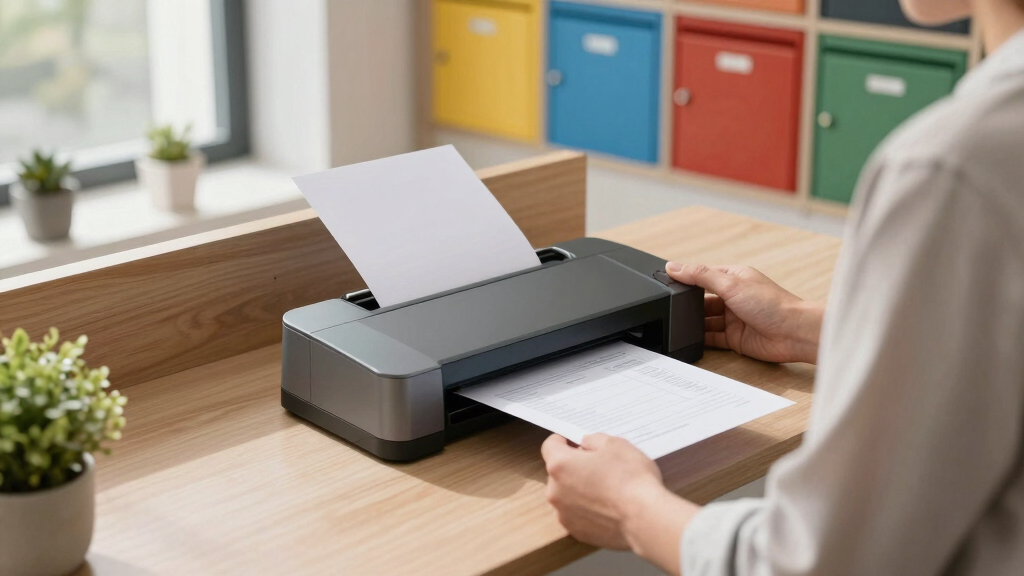
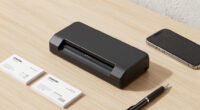
Finding the best mailroom scanners for shared offices involves balancing speed, connectivity, and ease of use. The Epson Workforce ES-580W stands out for its wireless flexibility, making it ideal for collaborative environments. For high-volume needs, the Fujitsu fi-8170 offers impressive speed and durability, though it comes at a higher price. Shared office setups demand scanners that can handle multiple users efficiently without sacrificing reliability. The main tradeoffs include choosing between advanced features and affordability, or between compact size and high performance. Continue reading for a detailed breakdown of the top options to help you make the right choice.

Get business pricing on office and shipping supplies
- Business-only prices and quantity discounts
- Tax-exempt purchasing
- Multiple users, one account, clear invoices
Key Takeaways
- Wireless connectivity is a defining feature for shared office scanners, enabling multiple users to access the device easily.
- Speed and duty cycle are critical for high-volume mailrooms but often come with increased costs or larger form factors.
- Automatic document feeders (ADFs) with duplex scanning save time and reduce manual handling in busy environments.
- Build quality and reliability are vital, as shared offices require durable equipment that can withstand frequent use.
- Balancing advanced features with budget constraints is the key challenge, with some models offering enterprise-level performance at a premium.
| Epson RapidReceipt RR-620W Wireless & USB High-Speed Color Duplex Receipt & Document Scanner |  | Best Overall for High-Speed, AI-Ready Office Scanning | Scanning Speed: 45 ppm | Auto Document Feeder: 100 pages | Touchscreen: 4.3 inches | VIEW LATEST PRICE | See Our Full Breakdown |
| Epson Workforce ES-580W Wireless Color Duplex Desktop Document Scanner |  | Best Value for Wireless, High-Capacity Office Scanning | Scanner Type: Desktop Document Scanner | Connectivity: Wireless, USB | Maximum Resolution: 1200 dpi | VIEW LATEST PRICE | See Our Full Breakdown |
| Fujitsu fi-8170 Professional High-Speed Color Duplex Document Scanner |  | Best for High-Volume, Enterprise-Level Office Use | Scanning Speed: 70 ppm | Document Types: Various, including thick documents | Connectivity: USB 3.2, Ethernet | VIEW LATEST PRICE | See Our Full Breakdown |
| Epson WorkForce ES-400 II High-Speed Color Duplex Desktop Document Scanner |  | Best for Desktop Use with Seamless Cloud Integration | Auto Document Feeder: 50 sheets | Double Feed Detection: Ultrasonic | Connectivity: TWAIN driver, cloud | VIEW LATEST PRICE | See Our Full Breakdown |
| Epson DS-530X Color Duplex Desktop Document Scanner |  | Best for Versatile, High-Speed Document Handling | Scan Speed: 45 ppm | Automatic Document Feeder: 100 pages | Maximum Document Length: 240 inches | VIEW LATEST PRICE | See Our Full Breakdown |
| RICOH fi-8170 USB 3.2 Gigabit Ethernet LED Workgroup Scanner with ADF, Duplex, A4, 70ppm/140ipm |  | Best Overall for High-Volume Office Use | Connectivity: USB 3.2, Gigabit Ethernet | Scanning Speed: 70 pages per minute / 140 images per minute | Supported Sizes: A4, A5, A6, B5, B6, business card, postcard, letter, legal | VIEW LATEST PRICE | See Our Full Breakdown |
| Canon imageFORMULA DR-C225 II Office Document Scanner |  | Best for Space-Conscious Offices with Moderate Volume | Scan Speed: 25 pages per minute | Automatic Document Feeder: 30 sheets | Connectivity: Supports Windows and Mac | VIEW LATEST PRICE | See Our Full Breakdown |
| Canon imageFORMULA R40II Office Document Scanner |  | Best for Color, High-Speed Duplex Scanning in Growing Offices | Scanning Speed: 45 pages per minute | Automatic Feeder Capacity: 60 sheets | Connectivity: USB-C | VIEW LATEST PRICE | See Our Full Breakdown |
| Epson WorkForce ES-500W II Wireless Color Duplex Desktop Document Scanner |  | Best Wireless, Cloud-Ready Scanner for Agile Offices | Scan Speed: 35 ppm / 70 ipm | Auto Document Feeder: 50 sheets | Connectivity: Wireless, USB, Cloud | VIEW LATEST PRICE | See Our Full Breakdown |
| ScanSnap iX2500 Wireless or USB High-Speed Document Scanner, Black |  | Best for User-Friendly, High-Speed Document Management | Connectivity: Wi-Fi 6, USB-C | Scanning Speed: 45 ppm double-sided | Document Feeder Capacity: 100 sheets | VIEW LATEST PRICE | See Our Full Breakdown |
| HP ScanJet Enterprise Flow 9000 s1 Scanner |  | Best for High-Volume Office Environments | Scan Speed: 80 ppm / 160 ipm | Document Feeder Capacity: 100 pages | Maximum Document Size: A3 / ledger | VIEW LATEST PRICE | See Our Full Breakdown |
| Brother ADS-4300N Professional Desktop Scanner with Fast Scan Speeds, Duplex, and Networking |  | Best for Network-Integrated, Mid-Size Offices | Scan Speed: 40 pages per minute | Duplex: Yes | Auto Document Feeder Capacity: 80 pages | VIEW LATEST PRICE | See Our Full Breakdown |
| Brother ADS-4900W Professional Desktop Scanner with Fast Scan Speeds, Duplex, Wireless, and Large Touchscreen |  | Best for Tech-Savvy, High-Volume Teams | Scan Speed: 60 pages per minute | Auto Document Feeder Capacity: 100 pages | Connectivity: Wireless, Ethernet, USB | VIEW LATEST PRICE | See Our Full Breakdown |
| mailroom scanners for shared office | Connectivity | Scan Speed |
|---|---|---|
| Epson RapidReceipt RR-620W Wir | Wi-Fi, USB | — |
| Epson Workforce ES-580W Wirele | Wireless, USB | — |
| Fujitsu fi-8170 Professional H | USB 3.2, Ethernet | — |
| Epson WorkForce ES-400 II High | TWAIN driver, cloud | High-speed |
| Epson DS-530X Color Duplex Des | USB | 45 ppm |
| RICOH fi-8170 USB 3.2 Gigabit | USB 3.2, Gigabit Ethernet | — |
| Canon imageFORMULA DR-C225 II | Supports Windows and Mac | 25 pages per minute |
| Canon imageFORMULA R40II Offic | USB-C | — |
| Epson WorkForce ES-500W II Wir | Wireless, USB, Cloud | 35 ppm / 70 ipm |
| ScanSnap iX2500 Wireless or US | Wi-Fi 6, USB-C | — |
| HP ScanJet Enterprise Flow 900 | USB 3.0 | 80 ppm / 160 ipm |
| Brother ADS-4300N Professional | Ethernet, Wi-Fi | 40 pages per minute |
| Brother ADS-4900W Professional | Wireless, Ethernet, USB | 60 pages per minute |
More Details on Our Top Picks
Epson RapidReceipt RR-620W Wireless & USB High-Speed Color Duplex Receipt & Document Scanner
The Epson RapidReceipt RR-620W stands out for its impressive 45 pages per minute duplex scanning speed, making it ideal for busy shared office environments. Its AI-ready capabilities set it apart from models like the Epson Workforce ES-580W, which, while also fast, lacks integrated AI features for smart data extraction. The large 4.3-inch color touchscreen simplifies operation, especially for users handling high volumes of receipts and documents. However, the advanced features and AI integration come with a higher price and a steeper learning curve, which may challenge beginners. Compared to simpler scanners, it offers superior automation but may be overkill for occasional use. This scanner is best suited for offices prioritizing speed and smart data processing, willing to invest in future-proof technology.
Pros:- High-speed duplex scanning at 45 ppm for quick throughput
- AI-ready technology for smart data extraction and automation
- Large, intuitive 4.3-inch color touchscreen for easy operation
- Wireless and USB connectivity options for flexible setup
Cons:- Relatively high price, reflecting advanced features
- May be complex for users unfamiliar with AI or advanced scanning systems
Best for: Offices that need rapid, AI-enabled digitization of receipts and documents, and have staff comfortable with more complex setups
Not ideal for: Small teams or casual users seeking a budget-friendly, straightforward scanner without AI features
- Scanning Speed:45 ppm
- Auto Document Feeder:100 pages
- Touchscreen:4.3 inches
- Connectivity:Wi-Fi, USB
- Document Type:Receipts, documents
- AI-Ready:Yes
Our verdict“This pick is ideal for tech-savvy offices needing fast, AI-enhanced scanning capabilities to streamline document workflows.”
Epson Workforce ES-580W Wireless Color Duplex Desktop Document Scanner
The Epson Workforce ES-580W offers reliable duplex scanning at 35 pages per minute, with a strong focus on wireless connectivity and high capacity, making it suitable for shared offices that prioritize mobility and ease of use. Unlike the Epson DS-530X, which emphasizes high-speed throughput and document versatility, the ES-580W excels in cloud integration and platform support, including iOS and Android devices. Its 100-sheet auto document feeder and advanced OCR capabilities support efficient digitization of varied office paperwork. However, the setup may be challenging for less tech-savvy users, and the wireless connection relies heavily on stable internet, which can be a limitation in some office environments. This model is best for teams needing flexible wireless operation with solid image quality, but it’s less suited for those with unreliable internet or simpler workflows.
Pros:- Wireless connectivity to multiple devices and cloud services
- High-capacity 100-sheet auto document feeder for efficient batch scanning
- Supports duplex scanning and advanced image correction
- Compatible with Windows, Mac, iOS, and Android platforms
Cons:- Setup can be complex for less experienced users
- Dependent on stable internet for cloud features, which may cause issues in some environments
Best for: Teams requiring wireless, cloud-connected scanning with high capacity, especially in dynamic shared office spaces
Not ideal for: Offices with unreliable internet or users seeking a plug-and-play, wired-only device
- Scanner Type:Desktop Document Scanner
- Connectivity:Wireless, USB
- Maximum Resolution:1200 dpi
- Input Capacity:100 sheets
- Scanning Speed:35 ppm
- Features:Auto Document Feeder, Duplex, OCR, Cloud Support
Our verdict“This scanner is well-suited for offices that value wireless flexibility and cloud integration over raw speed or simplicity.”
Fujitsu fi-8170 Professional High-Speed Color Duplex Document Scanner
The Fujitsu fi-8170 is tailored for demanding environments, offering an exceptional 70 pages per minute duplex speed, making it ideal for high-volume shared offices. Its ability to handle thick documents like ID cards and passports adds versatility that models such as the Epson DS-530X cannot match. The scanner’s robust build and reliable performance make it suitable for continuous daily use, especially in enterprise settings. However, its complexity and over-specification may overwhelm small teams or low-volume users, and setup can require technical knowledge. Compared with the Epson WorkForce ES-400 II, which emphasizes user-friendliness, the Fujitsu excels in speed but sacrifices some ease of use. This model is best for offices with large document loads and a need for dependable, high-speed operation.
Pros:- Blazing fast scanning at 70 pages per minute
- Handles thick documents like ID cards and passports
- Easy integration with enterprise content systems
- User-friendly software for efficient operation
Cons:- Overkill for low-volume or casual use
- Requires setup and technical familiarity for optimal use
Best for: High-volume offices that need fast, reliable scanning with support for a wide variety of document types
Not ideal for: Small offices or casual users with low scanning needs who prefer plug-and-play simplicity
- Scanning Speed:70 ppm
- Document Types:Various, including thick documents
- Connectivity:USB 3.2, Ethernet
- Included Software:PaperStream ClickScan
- Warranty:1 Year
- Document Handling:Supports thick and thin documents
Our verdict“This scanner is perfect for large, busy offices with high-volume scanning demands and enterprise integration needs.”
Epson WorkForce ES-400 II High-Speed Color Duplex Desktop Document Scanner
The Epson WorkForce ES-400 II offers a compelling combination of high-speed duplex scanning at 50 pages per minute and user-friendly software, making it a practical choice for shared offices needing quick digitization of everyday documents. Its 50-sheet auto document feeder and ultrasonic double feed detection improve workflow efficiency, with OCR capabilities that produce searchable PDFs and editable files. Unlike the Epson DS-530X, which emphasizes versatility with larger document handling, the ES-400 II prioritizes ease of use and cloud connectivity. Setup can be somewhat complex for beginners, especially in configuring cloud workflows. It’s best suited for teams looking for a reliable, fast desktop scanner that integrates smoothly with cloud services but is less ideal for those requiring handling of very thick or long documents.
Pros:- Fast scanning at 50 ppm for efficient throughput
- Intuitive software with OCR for searchable and editable files
- Supports seamless cloud and software integration
- Reliable double feed detection
Cons:- Setup may be challenging for beginners
- Limited to standard document sizes, less ideal for oversized documents
Best for: Small to medium teams seeking fast, reliable desktop scanning with straightforward cloud integration
Not ideal for: Offices with complex workflows requiring handling of oversized or thick documents
- Auto Document Feeder:50 sheets
- Double Feed Detection:Ultrasonic
- Connectivity:TWAIN driver, cloud
- Scan Speed:High-speed
- Supported File Formats:Searchable PDFs, Word, Excel
- Document Size Limit:Standard sizes
Our verdict“This scanner is best for teams that need quick, reliable desktop scanning with simple cloud connectivity and OCR features.”
Epson DS-530X Color Duplex Desktop Document Scanner
The Epson DS-530X offers a solid 45 pages per minute duplex scanning speed, with a 100-page ADF and support for long documents up to 240 inches. Its ability to handle diverse document types, including ID cards and large sheets, makes it a flexible choice for shared offices with varied scanning needs. Compared with the Fujitsu fi-8170, which is faster and handles thicker documents better, the DS-530X is more budget-friendly and easier to set up for smaller teams. Its lack of wireless connectivity limits mobility, but its high duty cycle of 7,000 sheets per day ensures durability for high-volume use. This model is ideal for offices needing a dependable, versatile scanner without enterprise-level speed but requires wired operation.
Pros:- Fast scanning speeds of 45 ppm
- High-capacity 100-page ADF for batch processing
- Supports long documents and a variety of sizes
- Includes TWAIN and ISIS drivers for easy integration
Cons:- No wireless connectivity, limiting mobility
- Potentially higher cost for advanced features
Best for: Offices needing versatile document handling with high speed, but not requiring wireless features
Not ideal for: Teams looking for wireless operation or ultra-high-volume enterprise use
- Scan Speed:45 ppm
- Automatic Document Feeder:100 pages
- Maximum Document Length:240 inches
- Maximum Document Size:11″ x 17″
- Duty Cycle:7,000 sheets/day
- Connectivity:USB
Our verdict“This scanner suits offices that need versatile, high-speed document handling with wired connections and durable performance.”
RICOH fi-8170 USB 3.2 Gigabit Ethernet LED Workgroup Scanner with ADF, Duplex, A4, 70ppm/140ipm
The RICOH fi-8170 stands out for its exceptional speed, supporting 70 pages per minute, making it ideal for busy offices with high scanning demands. Its support for multiple document sizes, including passports and business cards, extends its versatility beyond typical paper scans. Compared with the ScanSnap iX2500, which offers a larger touchscreen and advanced features, the fi-8170 focuses on raw throughput, though it sacrifices some user interface ease. The absence of detailed resolution or OCR specifics might concern those needing precise image quality or advanced text recognition, but for sheer volume, this model offers a clear advantage. Its dual connectivity options—USB 3.2 and Gigabit Ethernet—ensure fast data transfer in networked environments. The main tradeoff is its bulkiness, which could limit placement in smaller shared spaces.
Pros:- High-speed scanning at 70 ppm for fast throughput
- Supports a wide range of document sizes including passports
- Dual connectivity options for flexible network integration
- Robust build suited for high-volume use
Cons:- Bulky design may not fit in tight spaces
- Lack of detailed resolution and OCR features may limit document quality control
Best for: Large shared offices with high scanning throughput needs and a dedicated IT setup
Not ideal for: Small teams or offices with limited space, due to its size and basic feature set
- Connectivity:USB 3.2, Gigabit Ethernet
- Scanning Speed:70 pages per minute / 140 images per minute
- Supported Sizes:A4, A5, A6, B5, B6, business card, postcard, letter, legal
- Features:ADF, duplex scanning
- Resolution:Not specified
- OCR:Not specified
Our verdict“Best suited for high-volume, networked office environments where speed and durability are priorities.”
Canon imageFORMULA DR-C225 II Office Document Scanner
The Canon imageFORMULA DR-C225 II excels in compact design, making it perfect for shared offices where space is limited. Its 25 pages per minute duplex speed is slower than larger models like the RICOH fi-8170, but it offers reliable performance for moderate volumes. Its upright, top-feed design simplifies setup and minimizes desk clutter, unlike bulkier scanners. While it supports a broad range of file types and cloud services, it doesn’t include wireless connectivity, which may be a drawback for mobile or flexible workflows. The three-year support adds peace of mind for ongoing office use. Overall, this model prioritizes ease of use and space efficiency over raw speed, making it a strong choice for smaller teams.
Pros:- Compact, space-efficient upright design
- Supports diverse file formats and cloud services
- Includes bundled software for PDF editing and business card management
- Three-year support for durability
Cons:- Limited to 25 ppm, less suitable for high-volume tasks
- No wireless or network connectivity options
Best for: Small to medium-sized offices needing space-saving, reliable scanning
Not ideal for: High-volume environments where speed and throughput are critical
- Scan Speed:25 pages per minute
- Automatic Document Feeder:30 sheets
- Connectivity:Supports Windows and Mac
- Supported File Formats:Searchable PDF, JPG, others
- Design:Upright, space-saving
- Warranty:Three years
Our verdict“Ideal for smaller offices needing a reliable scanner that fits into tight spaces with moderate scanning needs.”
Canon imageFORMULA R40II Office Document Scanner
The Canon imageFORMULA R40II offers a significant speed boost over entry-level models, capable of scanning 45 pages per minute in color. Its 60-sheet automatic feeder handles large batches efficiently, making it suitable for offices with moderate to high document flow. The USB-C connection ensures quick setup and data transfer, while its bundled CaptureOnTouch software simplifies operation and supports a variety of file formats. Compared with the Canon imageFORMULA DR-C225 II, which focuses on space-saving, the R40II emphasizes speed and color quality, though it lacks support for TWAIN or ISIS drivers, limiting integration with some third-party software. The one-year warranty is standard, but ongoing costs for consumables and software updates should be considered.
Pros:- Fast duplex scanning at 45 ppm in color
- Easy USB-C connection for quick setup
- Handles a variety of document types and sizes
- Includes user-friendly CaptureOnTouch software
Cons:- Lacks TWAIN and ISIS driver support
- Limited to one-year warranty
Best for: Growing offices needing fast, color duplex scanning with reliable software support
Not ideal for: Offices requiring extensive driver compatibility or minimal setup complexity
- Scanning Speed:45 pages per minute
- Automatic Feeder Capacity:60 sheets
- Connectivity:USB-C
- Supported Drivers:Canon CaptureOnTouch
- Supported File Formats:PDF, JPG, others
- Warranty:1 year
Our verdict“Great for offices seeking quick, high-quality color scans without complex driver requirements.”
Epson WorkForce ES-500W II Wireless Color Duplex Desktop Document Scanner
The Epson WorkForce ES-500W II shines in flexible office environments that prioritize wireless and cloud scanning. Its 35 pages per minute duplex speed is solid for general office workflows, and the 50-sheet automatic feeder handles everyday batch tasks comfortably. Unlike wired-only models, this scanner supports wireless sharing, making it ideal for offices with multiple users needing quick access from smartphones or tablets. Its image correction features improve digital document quality, and the software suite supports OCR and cloud integration. However, mobile scanning requires downloading an app, which could slow down quick tasks. The absence of detailed price information makes it harder to gauge its value, but its connectivity versatility is appealing for dynamic shared spaces.
Pros:- Wireless and cloud connectivity for flexible sharing
- Supports multiple device types including smartphones
- Includes OCR and image correction features
- Good speed for a wireless scanner at 35 ppm
Cons:- Requires app download for mobile device use
- Wireless data usage may incur costs
- Price details are not specified
Best for: Offices emphasizing wireless and cloud-based document sharing among multiple users
Not ideal for: Teams with very high-volume scanning needs or those without reliable Wi-Fi
- Scan Speed:35 ppm / 70 ipm
- Auto Document Feeder:50 sheets
- Connectivity:Wireless, USB, Cloud
- Maximum Scan Length:240 inches
- Software:Epson ScanSmart, OCR, image correction
- Supported Devices:Smartphones, tablets, PCs, Macs
Our verdict“Perfect for offices that need quick, wireless, cloud-ready scanning with moderate volume demands.”
ScanSnap iX2500 Wireless or USB High-Speed Document Scanner, Black
The ScanSnap iX2500 offers a user-friendly experience with its large touchscreen and automatic features, making it ideal for busy shared offices that want efficient document management. Its impressive 45 pages per minute duplex speed rivals larger, more expensive models, while the 100-sheet feeder minimizes interruptions. Support for Wi-Fi 6 and USB-C provides flexible connectivity options, ensuring fast data transfer and seamless integration. The automatic optimizations streamline workflows, but the scanner’s complexity could pose a learning curve for first-time users. Its higher price reflects its advanced features, which may not be necessary for smaller teams with simpler needs. Overall, this model balances speed, ease of use, and connectivity for efficient document handling.
Pros:- Fast double-sided scanning at 45 ppm
- Large touchscreen for easy operation
- Supports Wi-Fi 6 and USB-C for flexible connectivity
- Automatic document optimizations
Cons:- May be complex for first-time users
- Higher price point for advanced features
Best for: Offices seeking an intuitive, fast scanner with modern connectivity
Not ideal for: Small teams or offices with limited budgets or simpler scanning needs
- Connectivity:Wi-Fi 6, USB-C
- Scanning Speed:45 ppm double-sided
- Document Feeder Capacity:100 sheets
- Features:Touchscreen, automatic optimizations
- Supported Cloud Services:Various, including Dropbox and Google Drive
- Paper Jam Prevention:Yes
Our verdict“Ideal for offices that prioritize speed, ease of use, and modern connectivity in document management.”
HP ScanJet Enterprise Flow 9000 s1 Scanner
The HP ScanJet Enterprise Flow 9000 s1 stands out for its ability to handle large volumes quickly, making it ideal for busy mailrooms in shared offices. Its impressive scan speed of 80 ppm and 100-page auto document feeder ensure rapid throughput, especially when compared to the Brother ADS-4300N, which offers slightly slower speeds but more straightforward network setup. While the HP model excels in processing large documents up to A3 size and provides built-in OCR for editable text, its bulkier size and higher price tag might be overkill for smaller teams. This scanner is best suited for organizations with high scanning demands and dedicated space, but less so for casual or small-office users who need something more compact and budget-friendly.
Pros:- High-speed duplex scanning up to 80 ppm
- Large auto document feeder with 100-page capacity
- Supports a variety of document sizes including A3
- Built-in OCR for editable text
Cons:- Primarily designed for office use, overkill for casual users
- Bulkier size requiring dedicated space
- Price not specified, potentially expensive
Best for: Large shared offices with high daily volumes and dedicated scanning space
Not ideal for: Small teams or offices with limited space and lower throughput needs
- Scan Speed:80 ppm / 160 ipm
- Document Feeder Capacity:100 pages
- Maximum Document Size:A3 / ledger
- Daily Volume:up to 30,000 pages
- Connectivity:USB 3.0
- Security Features:HP Secure Boot, firmware code-signing
Our verdict“This high-capacity, fast scanner suits large offices needing rapid, high-volume document processing, but may be too bulky and costly for smaller setups.”
Brother ADS-4300N Professional Desktop Scanner with Fast Scan Speeds, Duplex, and Networking
The Brother ADS-4300N makes a strong case for offices that prioritize network flexibility and security, with its fast 40 ppm duplex scan rate and 80-page auto feeder. Compared to the HP 9000 s1, it offers lower maximum speed but simplifies integration with existing network infrastructure via Ethernet and Wi-Fi, making setup more manageable for teams without dedicated IT support. Its support for multiple drivers and cloud services enhances workflow integration, although the reliance on a network connection for full functionality can be a limitation. This model is ideal for offices that need reliable, secure scanning accessible to multiple users but aren’t necessarily handling the highest daily volumes.
Pros:- Fast duplex scanning up to 40 ppm
- Large 80-page auto document feeder
- Versatile scan-to options including cloud and network sharing
- Robust security with triple-layer protection
Cons:- Requires network connection for full features
- Setup can be complex for some users
- Higher price for professional-grade features
Best for: Mid-sized offices requiring network sharing and security features
Not ideal for: Very high-volume mailrooms or offices without reliable network infrastructure
- Scan Speed:40 pages per minute
- Duplex:Yes
- Auto Document Feeder Capacity:80 pages
- Connectivity:Ethernet, Wi-Fi
- Security:Triple Layer Security
- Supported Drivers:TWAIN, WIA, ISIS, SANE
Our verdict“Ideal for offices needing networked, secure scanning with good speed, though setup complexity and reliance on network are considerations.”
Brother ADS-4900W Professional Desktop Scanner with Fast Scan Speeds, Duplex, Wireless, and Large Touchscreen
The Brother ADS-4900W offers a blend of speed, advanced features, and user-friendly design, making it suitable for busy offices that value efficiency and ease of use. Its rapid duplex scan rate of 60 ppm and large 100-page auto feeder support high-volume workflows, while the 4.3-inch color touchscreen allows quick customization and operation without deep technical knowledge. Compared to the Brother ADS-4300N, it adds wireless connectivity and a more modern interface, but at a higher price point. The device also supports a wide range of workflows with cloud, email, and SharePoint integration. It’s best for teams that want a robust, versatile scanner that can integrate seamlessly with various digital systems but may be too bulky or expensive for small or low-volume environments.
Pros:- Fast duplex scanning up to 60 ppm
- Large 100-page auto document feeder
- Intuitive 4.3-inch color touchscreen with shortcuts
- Wireless, Ethernet, USB connectivity for versatile setup
Cons:- Can be costly for smaller or casual offices
- Setup complexity for non-technical users
- Bulkier footprint requiring dedicated space
Best for: Tech-savvy teams with high scanning demands and workflow integration needs
Not ideal for: Small offices or teams with limited space and lower volume requirements
- Scan Speed:60 pages per minute
- Auto Document Feeder Capacity:100 pages
- Connectivity:Wireless, Ethernet, USB
- Touchscreen:4.3-inch color
- Security:Triple Layer Security
- Supported Protocols:TWAIN, WIA, ISIS, SANE
Our verdict“This model serves high-volume, tech-oriented teams needing fast, flexible scanning with a user-friendly interface, though it comes with a higher cost and space requirement.”

How We Picked
These scanners were selected based on their performance, usability, build quality, and value specifically within shared office environments. Priority was given to models offering high speed, reliable duplex scanning, and robust connectivity options such as Ethernet and wireless. Ease of setup and maintenance, as well as durability for frequent use, also played a significant role. The ranking reflects a balance between advanced features and affordability, ensuring options for different budget levels and operational needs. Our goal was to identify scanners that streamline mailroom workflows while minimizing downtime and user frustration.Factors to Consider When Choosing Best Mailroom Scanners For Shared Offices
Choosing the right mailroom scanner for a shared office involves understanding several key factors. Not all devices are created equal, and selecting one that matches your workflow can save time, reduce errors, and improve overall efficiency. Consider the environment, user volume, and required features to make an informed decision that balances performance and cost.Connectivity Options
Shared offices benefit most from scanners with versatile connectivity, including wireless, Ethernet, and USB. Wireless models allow multiple users to scan without plugging in, reducing clutter and setup time. Ethernet connectivity is crucial for centralized workflows, ensuring stable and fast data transfer in busy environments. Avoid models limited to USB if multiple users need simultaneous access, as this can create bottlenecks and frustration.
Speed and Duty Cycle
High-speed scanning and a strong duty cycle are vital for managing large volumes efficiently. Look for models capable of scanning at least 30 pages per minute, with duty cycles exceeding 1,000 pages daily. Cheaper or slower scanners tend to jam or wear out quickly under heavy use, leading to downtime. Balance speed with reliability, especially if your office handles frequent document processing.
Automatic Document Feeders (ADF)
An ADF with duplex scanning capability is a game-changer in a shared environment. It allows multiple pages to be scanned at once, saving time and reducing manual handling. For offices with mixed document sizes, choose models with adjustable ADFs that handle different paper types smoothly. Avoid ADFs that struggle with thicker or damaged documents, as this can cause delays and jams.
Build Durability and Ease of Maintenance
Durability matters in shared offices where equipment faces frequent use. Look for scanners with sturdy construction and easy-to-access parts for cleaning and maintenance. Features like automated cleaning cycles or user-replaceable parts can extend the lifespan and reduce downtime. Cheaper models might save money upfront but often require more repairs or replacements over time.
Cost and Feature Tradeoffs
Higher-end scanners offer faster speeds, better build quality, and more advanced features, but at a premium. Budget models can be sufficient for low-volume or infrequent use but may struggle under continuous, high-volume demands. Prioritize features based on your office’s volume and complexity—sometimes investing more upfront reduces long-term frustrations and costs.
Frequently Asked Questions
Can I use a mailroom scanner for both receipts and larger documents?
Yes, many mailroom scanners are designed to handle a range of document sizes, from receipts to legal-sized papers. When choosing a scanner, verify the maximum document size it supports to ensure it meets your needs. Devices with adjustable paper guides and an ADF capable of handling various sizes will provide greater versatility in a shared office setting.
How important is wireless connectivity in a shared mailroom environment?
Wireless connectivity is highly beneficial in shared offices because it allows multiple users to scan from different locations without the need for physical connections. This flexibility reduces clutter and setup time, especially when multiple users need access throughout the day. However, ensure your network is secure and stable to prevent interruptions during scanning tasks.
What’s the typical lifespan I should expect from a high-quality mailroom scanner?
With proper maintenance, a well-built scanner can last between 5 to 10 years, especially models designed for high-volume use. Regular cleaning, software updates, and timely replacement of consumables like rollers help extend the device’s lifespan. Investing in a durable, enterprise-grade model often pays off in reduced downtime and repair costs over time.
Are there specific features I should prioritize for a low-budget shared office scanner?
For budget-conscious setups, focus on essential features like reliable duplex scanning, decent speed, and basic connectivity options such as USB or Wi-Fi. Avoid overly complex models with advanced features that may not be used frequently, as these can increase the total cost of ownership. Opting for a well-reviewed, simple device with good durability can provide reliable service without overspending.
Should I consider a scanner with document management integration?
Integrating your scanner with document management systems can streamline filing, sharing, and archiving processes. For shared offices handling large volumes, this feature can significantly improve workflow efficiency. However, ensure your team has the technical support and infrastructure needed to leverage such integrations effectively, and consider whether the added complexity justifies the cost.
Conclusion
For most shared office environments, the Epson Workforce ES-580W offers a balanced mix of wireless flexibility, speed, and ease of use, making it the best overall choice. The Fujitsu fi-8170 suits high-volume, demanding mailrooms that require durability and top-tier performance, though at a higher price point. Budget-conscious offices will find the Canon imageFORMULA R40II or Brother ADS-4300N to be reliable yet affordable options. For those seeking a premium, feature-rich device, the Brother ADS-4900W provides advanced capabilities and a large touchscreen. Ultimately, the best scanner depends on your office’s size, volume, and budget — choose accordingly to streamline your mailroom operations in 2026.
Fall Picks
fall essentials
As an affiliate, we earn on qualifying purchases.