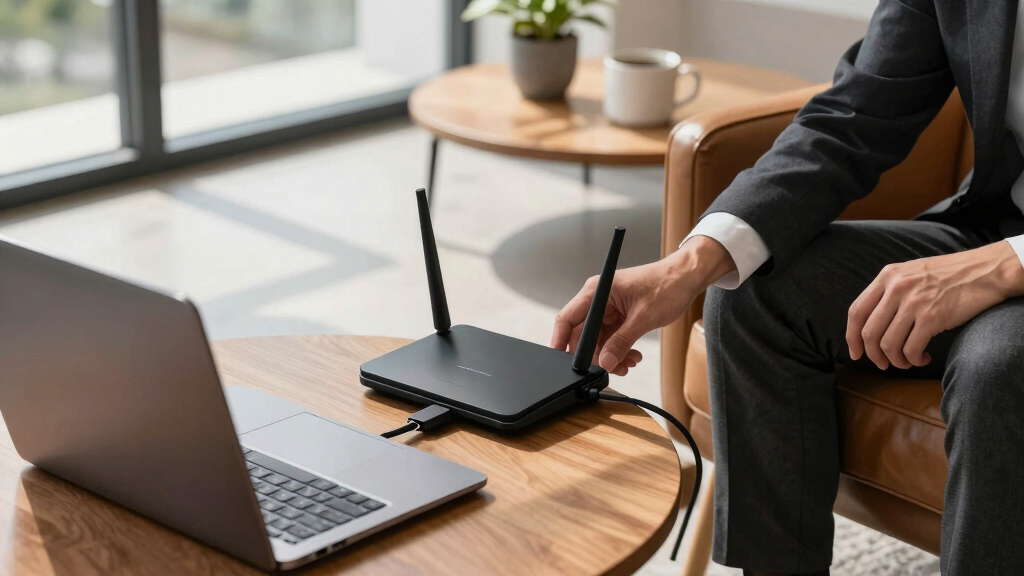

Choosing the right business router can significantly impact your company’s network stability, security, and scalability. The best options balance high performance, advanced security features, and ease of management. The TP-Link Tri-Band BE9700 WiFi 7 Router stands out as the overall best for its impressive speed and extensive device support. Meanwhile, the NETGEAR Nighthawk WiFi 7 Router (BE17000) offers top-tier wireless speed for demanding environments, and the TP-Link ER7206 is ideal for multi-site setups. Each has tradeoffs—like cost, complexity, or coverage—so understanding your specific needs is key. Keep reading for a detailed breakdown of these top picks and how to choose the right business router for you.
Key Takeaways
- High-speed WiFi 7 routers dominate for large teams and high-bandwidth tasks, but come at a premium cost.
- Multiple Ethernet ports and multi-WAN support are essential for redundancy and wired backbone connections.
- Security features like VPN, firewall, and IoT segmentation are critical for protecting business data.
- Ease of management and scalability often influence the choice for small vs. large enterprises.
- Price often reflects performance, security, and future-proofing; premium options deliver more longevity.





More Details on Our Top Picks
TP-Link Tri-Band BE9700 WiFi 7 Router (Archer BE600) – 10G Port, 2.5G Port, 3× 2.5G LAN, 320MHz Channel, Covers up to 2,600 sq. ft., 120 Devices, VPN, HomeShield Security
This router stands out for its comprehensive support for WiFi 7, including Multi-Link Operation, 320 MHz channels, and multi-gigabit wired ports, making it a top choice for large homes and demanding networks. Compared to the TP-Link BE3600, the BE9700 offers significantly faster speeds and broader coverage, but this comes with a higher price and more complex setup. Its 10 Gbps WAN port and three 2.5 Gbps LAN ports provide future-proof wired connectivity, ideal for multi-device households or small businesses needing reliable, fast connections. The 6 antennas and Beamforming technology improve coverage and signal focus, minimizing dead zones. Additionally, the security features via HomeShield and VPN support enhance privacy, a major plus over less security-focused models. However, its advanced features may be overkill for smaller spaces or less tech-savvy users, and its premium price point might be a barrier for budget-conscious buyers. This pick makes the most sense for large households, smart homes, or small offices needing high-speed, secure, multi-device connectivity.
Pros:- Supports the latest WiFi 7 technologies like Multi-Link Operation and 320 MHz channels for maximum speed.
- Includes a 10 Gbps WAN port and three 2.5 Gbps LAN ports for future-proof wired connections.
- Strong coverage with six antennas and Beamforming technology for large or complex layouts.
Cons:- High price point may be prohibitive for casual or budget buyers.
- Complex setup and management might be overwhelming for non-technical users.
Best for: Large homes or small businesses requiring extensive WiFi coverage with multi-gigabit wired options.
Not ideal for: Small apartments or users with limited tech expertise who need simple plug-and-play solutions.
- WiFi Technology:Wi-Fi 7
- Max Speed:9.7 Gbps
- Coverage:up to 2,600 sq. ft.
- Ports:1x 10 Gbps WAN, 1x 2.5 Gbps WAN, 3x 2.5 Gbps LAN
- Antennas:6 internal antennas
- Security:HomeShield, VPN support
Bottom line: Ideal for tech-savvy users needing maximum speed, coverage, and security in large or complex environments.
TP-Link Dual-Band BE3600 Wi-Fi 7 Router Archer BE230 | 4-Stream | 2×2.5G + 3×1G Ports, USB 3.0, 2.0 GHz Quad Core, 4 Antennas | VPN, EasyMesh, HomeShield, MLO, Private IOT | Free Expert Support
This router offers solid WiFi 7 features like Multi-Link Operation and 4K-QAM, delivering speeds up to 2882 Mbps on the 5 GHz band, making it a great choice for users wanting high performance without the premium cost of the BE9700. Compared to the GL.iNet Flint 2, it provides better coverage and more wired ports, but it doesn’t support WiFi 6E or the ultra-high speeds of WiFi 7’s top models. Its dual 2.5 Gbps ports and three gigabit LAN ports allow for fast wired connections, suitable for streaming, gaming, and smart home devices. The inclusion of VPN and HomeShield security features adds privacy and parental controls, rivaling more expensive options. While it lacks WiFi 7’s cutting-edge multi-gigabit wired speeds, it balances performance and affordability well. However, its coverage is slightly limited compared to higher-end routers, and it doesn’t support WiFi 6E for even faster wireless speeds. This makes it perfect for users seeking a capable, future-ready router on a budget, especially in medium-sized homes or small offices.
Pros:- Supports WiFi 7 with Multi-Link Operation and 4K-QAM for higher speeds and capacity.
- Includes two 2.5 Gbps ports for fast wired connections and USB 3.0 for device sharing.
- Features VPN, HomeShield, and EasyMesh for enhanced security and flexible coverage.
Cons:- Limited coverage of up to 2,000 sq. ft., less suited for very large homes.
- Lacks WiFi 6E support, which could limit future wireless speed potential.
Best for: Budget-conscious users wanting a reliable, future-proof dual-band WiFi 7 router with strong security features.
Not ideal for: Large households requiring extensive coverage or ultra-high wired speeds, or tech enthusiasts seeking WiFi 6E support.
- WiFi Technology:Wi-Fi 7
- Max Speed:2882 Mbps
- Coverage:up to 2,000 sq. ft.
- Ports:2x 2.5 Gbps, 3x 1 Gbps
- Antennas:4 internal antennas
- Security:HomeShield, VPN
Bottom line: A reliable, cost-effective WiFi 7 router ideal for small to medium-sized homes with security needs.
TP-Link BE6500 Dual-Band WiFi 7 Router (BE400) – Dual 2.5Gbps Ports, USB 3.0, Covers up to 2,400 sq. ft., 90 Devices, Quad-Core CPU, HomeShield, Private IoT, Free Expert Support
This router strikes a good balance with WiFi 7 features like Multi-Link Operation and 6 streams, providing speeds up to 5764 Mbps on the 5 GHz band, making it suitable for busy households with multiple streaming and gaming devices. Compared to the TP-Link BE9700, it offers slightly less coverage but at a more accessible price point, still supporting up to 90 devices. Its dual 2.5 Gbps ports allow for high-speed wired connections, and the Quad-Core CPU ensures smooth performance. The router’s coverage of 2,400 sq. ft. is ample for most medium-sized homes, and its security features like HomeShield and VPN support protect your network. The four antennas and beamforming technology help improve signal strength and coverage, but it’s not ideal for very large or multi-story homes. Its straightforward setup and reliable performance make it a solid choice for families and small offices wanting high-speed WiFi without the highest price tag.
Pros:- Supports WiFi 7 with 6 streams and Multi-Link Operation for high throughput.
- Includes dual 2.5 Gbps ports for fast wired connectivity and USB 3.0.
- Covers up to 2,400 sq. ft. with good device support and security features.
Cons:- Coverage may be insufficient for large or multi-story homes.
- No WiFi 6E support, limiting future wireless speed potential.
Best for: Medium-sized households or small offices needing fast WiFi with reliable coverage and security.
Not ideal for: Very large homes or users seeking WiFi 6E or ultra-high wired speeds for demanding professional setups.
- WiFi Technology:Wi-Fi 7
- Max Speed:5764 Mbps
- Coverage:up to 2,400 sq. ft.
- Ports:2x 2.5 Gbps, 1x USB 3.0
- Antennas:4
- Security:HomeShield, VPN
Bottom line: A dependable mid-range WiFi 7 router offering solid performance and security for medium homes.
TP-Link AX1800 WiFi 6 Router (Archer AX21 V5) – Dual Band Wireless Internet, Gigabit, Easy Mesh, Works with Alexa – A Certified for Humans Device, Free Expert Support
This router offers reliable WiFi 6 performance with speeds up to 1200 Mbps on 5 GHz and a broad coverage thanks to Beamforming and four external antennas. Compared with the GL.iNet Flint 2, it is more user-friendly with a simple setup process and device management via the app or web browser, making it ideal for less tech-savvy users. Its compatibility with Alexa and EasyMesh allows for easy voice control and mesh expansion, ensuring stable coverage in typical homes. It supports WPA3, providing modern security, and its gigabit ports make wired connections straightforward. However, it doesn’t support WiFi 6E or the latest WiFi 7 features, which could limit speed growth in future-proof setups. Its coverage, while sufficient for average homes, may fall short in large, multi-story environments. This router is perfect for users seeking straightforward, reliable WiFi 6 with smart home compatibility.
Pros:- Supports WiFi 6 with speeds up to 1200 Mbps and EasyMesh for seamless coverage.
- Compatible with Alexa and includes voice control features.
- Simple setup via app or web, ideal for less technical users.
Cons:- Limited to WiFi 6, missing out on WiFi 6E or WiFi 7 speeds.
- Coverage may be less in large or multi-story homes without mesh extenders.
Best for: Home users prioritizing easy setup, device compatibility, and reliable WiFi 6 performance.
Not ideal for: Large households or tech enthusiasts wanting WiFi 6E or WiFi 7 features for future-proofing.
- WiFi Technology:Wi-Fi 6
- Max Speed:1200 Mbps
- Coverage:Broad, suitable for average-sized homes
- Ports:4x Gigabit Ethernet
- Security:WPA3
- Smart Home:Alexa compatible
Bottom line: A user-friendly WiFi 6 router with smart home integration, suited for typical home environments.
GL.iNet GL-MT6000 (Flint 2) WiFi 6 High Speed Gaming Routers for Wireless Internet, 2 x 2.5G Ethernet Ports for Fiber Optic Modem, Long Range Computer VPN WiFi Router, Home & Business
The GL.iNet Flint 2 excels with WiFi 6 speeds up to 6 Gbps, boasting dual 2.5 Gbps Ethernet ports for fiber and high-speed wired connections. Compared to the TP-Link BE9700, it offers comparable wireless speeds but with a focus on gaming and VPN support, making it ideal for power users or small offices. The built-in VPN support (Wireguard and OpenVPN) delivering speeds up to 900 Mbps and 880 Mbps respectively gives users full control over privacy, while the 8-stream WiFi 6 ensures smooth gameplay and streaming even with many devices connected. Its long-range antennas and efficient heat dissipation keep signals strong across larger homes or offices. The device’s advanced security features like AdGuard Home and VPN support make it suitable for privacy-focused users. However, its setup might be more technical, and coverage, while extensive, may need additional extenders in very large spaces. Best suited for gamers, remote workers, or privacy-conscious small business owners.
Pros:- Supports WiFi 6 with speeds up to 6 Gbps for smooth gaming and streaming.
- Dual 2.5 Gbps Ethernet ports for fiber and high-speed wired connections.
- Built-in VPN (Wireguard, OpenVPN) with high-speed support for privacy.
Cons:- Setup can be more complex for less experienced users.
- Coverage might require extenders in very large or multi-story buildings.
Best for: Power users, gamers, or small offices needing high-speed WiFi and VPN capabilities.
Not ideal for: Large multi-story homes or users seeking plug-and-play simplicity without VPN features.
- WiFi Technology:Wi-Fi 6
- Max Speed:6 Gbps
- Coverage:Extended, suitable for larger spaces
- Ethernet Ports:2x 2.5 Gbps, 2x 1 Gbps
- VPN:Wireguard, OpenVPN
- Security:AdGuard, VPN support
Bottom line: A high-performance, security-focused router perfect for gaming, VPN use, and demanding small office setups.
ASUS RT-BE58U WiFi 7 BE3600 AiMesh Extendable Router, 4K-QAM, MLO, AI Detection 2.5G Port, Four 1G Ports, Commercial-Grade Network Security, Parental Control, IoT Network, Kid’s Network, VPN Network
This ASUS model stands out for its WiFi 7 (802.11be) speeds up to 3600 Mbps, making it ideal for busy offices with multiple high-demand devices. Its Multi-link operation (MLO) ensures stable, lag-free connectivity, surpassing many WiFi 6 options. The inclusion of AI Detection and Smart Home Master features simplifies managing IoT devices, while commercial-grade security provides peace of mind. Compared with the NETGEAR BE9300, this router offers more advanced mesh extendability and multi-SSID support, but it involves a steeper learning curve for setup and configuration. Tradeoffs include higher complexity and cost versus simpler, less feature-rich models.
Pros:- Supports WiFi 7 for maximum speed and efficiency
- Extendable AiMesh functionality for scalable networks
- Commercial-grade Trend Micro security for robust protection
- Multi-link operation ensures stable, high-speed connections
Cons:- Higher price point compared to WiFi 6 routers
- Setup and management can be complex for non-technical users
Best for: Small to medium-sized businesses looking for a future-proof, extendable WiFi 7 setup with comprehensive security.
Not ideal for: Very small offices or home users who don’t need advanced mesh or security features and prefer plug-and-play simplicity.
- WiFi Standard:WiFi 7 (802.11be)
- Max Speed:3600 Mbps
- Ports:1x 2.5G, 4x 1G
- Security:AiProtection Pro, Trend Micro
- Multi-Link Operation:Yes
- Smart Home Master:Yes
Bottom line: This pick is best suited for IT-focused businesses seeking a highly capable, expandable WiFi 7 router with enterprise-grade features.
NETGEAR Nighthawk WiFi 7 Router (BE17000) – Router Only, 17 Gbps Wireless Speed, 10 Gig Internet Port, Tri-Band for Gaming, Covers 3,300 sq. ft., 150 Devices, VPN – Free Expert Help
This router excels with up to 17 Gbps speeds that support intensive gaming, 4K/8K streaming, and AR/VR applications, making it a top choice for large homes or offices with many devices. Its tri-band setup reduces interference, while the 10 Gigabit port ensures future-proof wired connectivity. Compared with the ASUS BE3600, it offers more raw speed and a larger coverage area, but it may be more power-hungry and less flexible in mesh expansion. Tradeoffs include higher cost and power consumption for maximum performance.
Pros:- Exceptional speed up to 17 Gbps
- Large coverage area of 3,300 sq. ft.
- Supports up to 150 devices simultaneously
- 10 Gigabit WAN port for ultra-fast wired connections
Cons:- Relatively high price and power consumption
- Complex setup for non-technical users
Best for: Gamers, creative professionals, and tech-heavy offices needing ultra-fast speeds over large areas with many simultaneous devices.
Not ideal for: Small offices or users with modest internet needs who might find this router’s capabilities excessive and complex to manage.
- Wireless Speed:17 Gbps
- Coverage:3300 sq. ft.
- Number of Devices:150
- Ports:1x 10G, 4x 1G
- Tri-Band:Yes
- Security:VPN, WPA3
Bottom line: Ideal for demanding environments where maximum speed and coverage outweigh cost and simplicity considerations.
TP-Link ER7206 Multi-WAN Professional Wired Gigabit VPN Router Increased Network Capacity SPI Firewall Omada SDN Integrated Load Balance Lightning Protection
This TP-Link router is designed for large, multi-site networks with its up to 4 WAN ports and support for 150,000 clients. Its Omada SDN integration provides centralized control, ideal for network administrators managing multiple locations. Compared with the NETGEAR BE9300, it offers more flexible port configurations and advanced load balancing for optimal bandwidth usage, but it may require more technical expertise to set up and manage. The security features like DoS defense and URL filtering are comprehensive, making it suitable for enterprise environments, though it lacks the highest wireless speeds of WiFi 7 routers.
Pros:- Supports up to four WAN connections for load balancing
- High client capacity (150,000 clients)
- Omada SDN platform for centralized management
- Advanced security features including DoS defense
Cons:- Requires technical knowledge for optimal setup
- Limited wireless capabilities compared to WiFi 7 routers
Best for: IT managers and network administrators overseeing multi-site, high-capacity wired networks needing centralized control.
Not ideal for: Small businesses or remote workers who need simple WiFi solutions without complex management features.
- WAN Ports:4 (including 1x SFP)
- Client Capacity:150,000
- Firewall:SPI, DoS defense
- Management:Omada SDN
- VPN Support:Yes
- Lightning Protection:Yes
Bottom line: Best for organizations needing scalable, multi-WAN wired networks with centralized control and security.
TP-Link ER707-M2 | Omada Multi-Gigabit VPN Router | Dual 2.5Gig WAN Ports | High Network Capacity | SPI Firewall | Omada SDN Integrated | Load Balance | Lightning Protection
This TP-Link ER707-M2 is tailored for high-performance small business or advanced home networks with dual 2.5G WAN ports supporting multi-gig speeds. Its up to 1000+ clients and 500,000 sessions make it suitable for demanding environments. The Omada SDN platform allows centralized management, similar to the ER7206 but with a focus on multi-gigabit throughput. Compared to the NETGEAR BE9300, it offers more flexible port options and supports USB LTE backup, but it lacks WiFi capabilities, making it less suitable for wireless environments. The lightning protection enhances reliability in challenging electrical conditions.
Pros:- Dual 2.5Gb WAN ports support multi-gig internet
- Supports up to 1000 clients and 500,000 sessions
- Omada SDN for centralized network management
- USB LTE backup support for redundancy
Cons:- No built-in WiFi, limiting wireless flexibility
- More complex setup compared to consumer routers
Best for: Tech-savvy small business owners or advanced home users needing fast wired connections and centralized control.
Not ideal for: Users seeking integrated WiFi coverage or simple plug-and-play setups without management complexity.
- WAN Ports:2x 2.5G
- Client Capacity:1000+
- Sessions:500,000
- Firewall:SPI
- Management:Omada SDN
- Lightning Protection:Yes
Bottom line: A solid choice for high-speed wired networks requiring advanced management and redundancy features.
NETGEAR Nighthawk WiFi 7 Router (BE9300) – Router Only, 9.3Gbps Wireless Speed, 2.5 Gigabit Internet Port, Tri-Band for Gaming, Covers 2,500 sq. ft., 100 Devices, VPN – Free Expert Help
This NETGEAR BE9300 offers up to 9.3 Gbps speeds, making it well-suited for gaming, streaming, and smart home devices in residences up to 2,500 sq. ft. with around 100 devices. Its tri-band configuration reduces congestion, and the 2.5 Gigabit port supports multi-gig internet plans. Compared with the higher-speed BE17000, it’s more affordable and consumes less power, but it doesn’t support as many devices or as extensive coverage. Setup is straightforward using the Nighthawk app, though advanced features require some familiarity with networking.
Pros:- Fast speeds up to 9.3 Gbps
- Covers 2,500 sq. ft. with good range
- Supports up to 100 devices
- Includes 2.5G Ethernet port for multi-gig wired connectivity
Cons:- Limited device capacity compared to larger enterprise routers
- Designed primarily for residence use, less scalable for large offices
Best for: Small to medium households or small offices needing fast WiFi with reliable coverage and straightforward management.
Not ideal for: Large enterprises or users with very high device counts or those requiring extensive mesh network capabilities.
- Wireless Speed:9.3 Gbps
- Coverage:2500 sq. ft.
- Device Support:100
- Ports:1x 2.5G Ethernet
- Tri-Band:Yes
- Security:VPN, WPA3
Bottom line: A reliable, high-speed WiFi 7 router suitable for households and small offices with moderate device loads.
TP-Link ER605 V2 Wired Gigabit VPN Router, Up to 3 WAN Ethernet Ports + 1 USB WAN
This router stands out for its robust multi-WAN capabilities, supporting up to three Ethernet WAN ports and a USB WAN for cellular backup, making it ideal for businesses that need reliable, load-balanced internet connections. Compared with the GL.iNet GL-BE6500, which excels in WiFi speed and range, the ER605 prioritizes wired stability and centralized management, especially suited for larger networks with multiple access points. Its advanced security features, including SPI firewall and VPN support, provide enterprise-grade protection without overwhelming small office setups. The main tradeoff is a focus on wired connections over wireless performance, which makes it less suitable for environments relying heavily on WiFi. Overall, this router offers a solid foundation for SMBs aiming for high reliability and security in their internet connectivity.
Pros:- Supports up to 3 WAN ports plus USB WAN for flexible internet failover
- Seamless integration with Omada SDN for centralized network management
- Robust security features including SPI firewall and multiple VPN protocols
Cons:- Primarily wired-focused, with limited wireless capabilities for mobile devices
- Complex setup process may be overwhelming for less tech-savvy users
Best for: Small to medium business owners managing multi-location or multi-site networks with demanding uptime requirements.
Not ideal for: Home users seeking a simple, plug-and-play WiFi solution, as its configuration complexity and wired focus may be overkill.
- Number of Ports:5 Gigabit ports (1 WAN + 2 WAN/LAN + 2 LAN)
- WAN Support:Up to 3 Ethernet WAN + 1 USB WAN
- VPN Support:Up to 20 LAN-to-LAN IPsec, 16 OpenVPN, 16 L2TP, 16 PPTP
- Security Features:SPI Firewall, DoS Defense, filtering
- Management:Omada SDN integration
- Power Voltage:100-240V
Bottom line: This router is ideal for SMBs that prioritize reliable, load-balanced internet connections and network security over wireless flexibility.
GL.iNet GL-BE6500 (Flint 3e) WiFi 7 Router, High-Speed WiFi Router for Wireless Internet w/VPN, 5 x 2.5G Ethernet Port for Fiber Optic Modem
This WiFi 7 router makes the most sense for households or small offices demanding ultra-fast wireless speeds, with Wi-Fi 7 standard speeds up to 6.5 Gbps and extensive coverage up to 2,500 square feet. Unlike the TP-Link ER605, which excels in wired multi-WAN setups, the Flint 3e emphasizes high-speed wireless connectivity, making it ideal for streaming 4K/8K content and low-latency gaming. Its advanced features, including MLO and OFDMA, enable efficient handling of many devices simultaneously, perfect for tech-heavy environments. A notable advantage is built-in support for VPNs with fast Wireguard and OpenVPN speeds, plus parental controls and ad blocking via AdGuard Home. The main tradeoff is its focus on wireless performance at the expense of wired network management, which might be a downside for enterprise setups. This router is best for homes or small offices seeking top-tier WiFi performance and extensive device support.
Pros:- Wi-Fi 7 standard with speeds up to 6.5 Gbps for fast wireless performance
- Supports over 100 devices with strong, reliable coverage
- Fast VPN speeds with Wireguard and OpenVPN up to 680 Mbps
Cons:- Focus on wireless may limit wired network management for larger infrastructure
- Higher price point compared to basic WiFi 6 routers
Best for: Tech-savvy households or small offices that prioritize high-speed WiFi, gaming, and streaming over wired network complexity.
Not ideal for: Large enterprises or SMBs with complex multi-site wired networks requiring centralized control, where the TP-Link ER605 would be more appropriate.
- WiFi Standard:Wi-Fi 7
- Maximum Speed:Up to 6.5 Gbps
- Ethernet Ports:5 x 2.5G Ethernet ports
- Coverage:Up to 2,500 sq ft
- VPN Speed:Up to 680 Mbps
- Parental Controls:Yes
Bottom line: This router is best suited for households or small offices needing cutting-edge WiFi 7 speeds and extensive device support for streaming and gaming.

How We Picked
These routers were evaluated based on performance metrics such as maximum throughput, coverage, and device capacity, ensuring they meet demanding business needs. Usability factors like setup complexity, management features, and remote control capabilities were considered to gauge ease of use. Build quality and security features, including VPN support, firewalls, and IoT integration, played a key role. Lastly, value was assessed by weighing features against price, with a focus on long-term reliability and future-proofing. The ranking reflects a balance between high-end performance and practical deployment for various business sizes and types.Factors to Consider When Choosing Business Router
When selecting a business router, it’s important to consider your current network demands and future growth. The right device should support your number of users, devices, and data throughput needs, while offering robust security. Cost is a factor, but sacrificing essential features for a lower price can lead to issues down the line. Compatibility with existing infrastructure, ease of management, and scalability are also critical. Understanding these factors helps avoid common pitfalls like underestimating network load or overpaying for features you won’t use.Performance and Speed
Performance is foundational in a business router, especially for tasks like large file transfers, video conferencing, and cloud applications. Look for routers supporting WiFi 6 or WiFi 7 for faster speeds and better device handling. Consider your bandwidth requirements—if you have high-speed internet plans, ensure the router supports multi-Gig ports and high throughput. Overestimating your needs can lead to unnecessary expenses, but underestimating can cause congestion and slowdowns during peak times.
Security Features
Business routers should include advanced security features like VPN support, SPI firewalls, and IoT segmentation. These protect sensitive data and prevent unauthorized access. Some models also offer parental controls and network monitoring, which can be useful for mixed-use environments. Failing to prioritize security can leave your network vulnerable to cyber threats, especially as remote work and IoT devices become more common.
Scalability and Management
As your business grows, your network needs to expand too. Routers with cloud management, remote setup, and multi-site support make scaling easier. Enterprise-grade management tools allow for detailed analytics and centralized control, saving time and reducing errors. Small businesses might prioritize plug-and-play models, but larger organizations should invest in scalable solutions to avoid costly upgrades later.
Number of Ports and Connectivity Options
Wired connections remain vital for stability and speed in business environments. Look for routers with multiple Gigabit or multi-Gig ports, especially if you rely on wired devices or need to connect to fiber modems. Multi-WAN ports provide redundancy, ensuring your network stays online during outages. Overlooking port requirements can bottleneck your network or limit future expansion, so plan ahead based on your current setup and future needs.
Cost and Long-Term Value
While high-end routers cost more upfront, they often include features that reduce the need for additional hardware or upgrades. Conversely, budget models might lack security or performance features, leading to higher costs over time. Investing in a router with future-proof features like WiFi 7 or multi-gig ports can extend its usefulness and protect your investment. Balance your budget with your needs to avoid paying for capabilities you won’t use or missing out on critical features.
Frequently Asked Questions
Can a business router support remote management and monitoring?
Yes, most modern business routers include remote management features, allowing IT staff to oversee and configure the network from anywhere. This capability is especially valuable for businesses with multiple locations or remote teams. Look for routers with cloud-based management platforms, which simplify updates, monitoring, and troubleshooting. Not having remote access can lead to delayed responses during network issues, impacting productivity.
How many devices can a typical business router handle simultaneously?
The capacity varies widely depending on the model. High-end routers support hundreds of devices, which is essential for busy offices, cafes, or retail environments. Smaller models may handle fewer than 50 devices comfortably. Overloading a router with more devices than it can support can cause slowdowns and dropped connections. Always choose a router with a capacity that exceeds your current needs to accommodate future growth.
Is WiFi 6 or WiFi 7 necessary for my business?
WiFi 6 offers significant improvements over previous standards, including higher speeds and better device capacity, making it a good choice for most small to medium-sized businesses. WiFi 7, however, provides even faster speeds and lower latency, which benefits high-bandwidth activities like video conferencing and large data transfers. If your network demands are high or you plan for future upgrades, investing in WiFi 7 now can provide longer-term benefits, though it may come at a higher cost.
Should I prioritize security features over speed?
Security should be a primary consideration in a business environment, but it doesn’t mean sacrificing speed. Many routers offer a balance, with high-performance hardware that also includes advanced security features like VPN support, firewalls, and threat detection. The key is to choose a model that aligns with your security requirements without overly compromising on speed or ease of use. Neglecting security can expose your business to data breaches and cyberattacks, which often outweigh the benefits of marginal speed gains.
How important is scalability when choosing a business router?
Scalability is vital if you anticipate growth or plan to expand your network infrastructure. Routers with cloud management, multi-site support, and modular port configurations allow you to adapt without replacing hardware. Choosing a scalable device helps protect your investment and simplifies future upgrades, reducing downtime and operational disruptions. Ignoring scalability can lead to frequent hardware updates and increased long-term costs as your network demands increase.
Conclusion
For small businesses or startups with limited budgets, the TP-Link AX1800 WiFi 6 Router offers a solid balance of performance and affordability. Larger enterprises or those needing high throughput and extensive device handling should consider the NETGEAR Nighthawk WiFi 7 Router (BE17000) or TP-Link Tri-Band BE9700 for their speed and coverage. If security and management are top priorities, the TP-Link ER7206 provides robust features at a competitive price. Newcomers or less tech-savvy buyers will benefit from models with simplified setup, while power users should focus on scalable, enterprise-grade solutions. Ultimately, matching your specific network size, security needs, and future plans will guide you to the best choice.