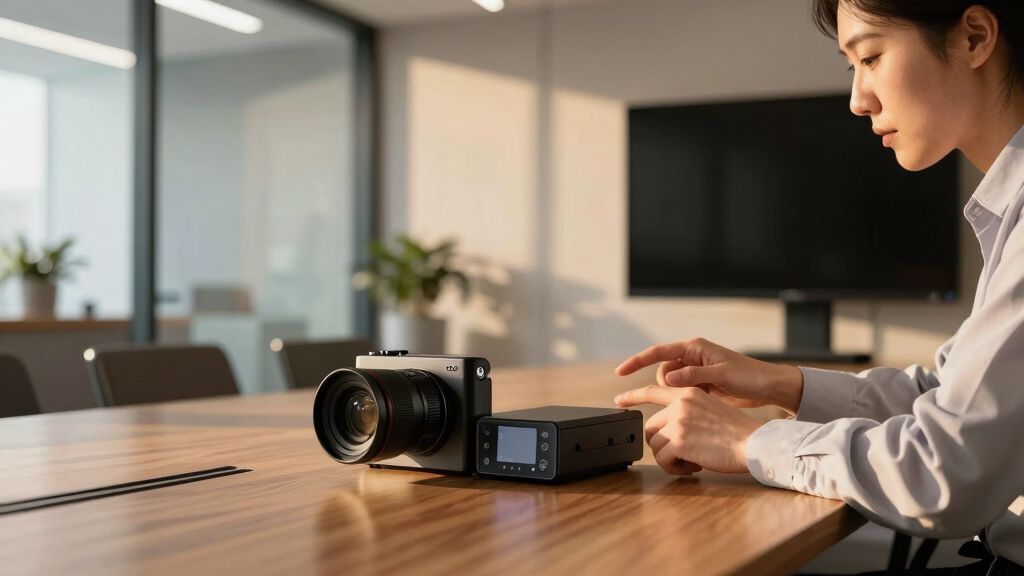

Choosing an all-in-one conference room camera system involves balancing video quality, audio clarity, ease of use, and compatibility. The Logitech MeetUp stands out for its ultra HD 4K resolution and wide field of view, making it ideal for small to medium rooms. The PANOCORE360 offers 360° coverage with AI voice isolation, perfect for collaborative environments. One common tradeoff is that more comprehensive systems tend to come at a higher price or require more setup time. Keep reading for a detailed breakdown of the best options suited to different needs and budgets.
Key Takeaways
- Most top systems integrate both high-quality video and advanced audio features in a single package, simplifying setup.
- AI-driven auto-tracking and speaker focus are common in premium models, enhancing remote meeting engagement.
- Field of view and zoom capabilities are key factors, especially for larger rooms or varied layouts.
- Compatibility with leading conferencing platforms like Zoom, Teams, and Webex is standard but always verify before purchase.
- Price often correlates with features like 4K video, AI tracking, and multi-microphone arrays; balance these against your room size and use case.


More Details on Our Top Picks
Bose Professional VB-S, All-in-one Video Conference HD Camera, Noise-reducing Mic, and Hi-Fidelity Bluetooth Speaker for Home, Office, or Classroom
This Bose model stands out for combining superior audio and 4K video in a sleek, user-friendly package, making it ideal for those who prioritize clarity in both sound and picture. Unlike the Logitech MeetUp, which excels in wide-angle coverage but lacks advanced audio features, the VB-S offers noise-reducing microphones and Bluetooth streaming for a richer experience. Its digital PTZ and auto-framing ensure the camera follows the speaker, but the setup is less flexible than more modular systems. The included remote and customizable presets make it accessible even for non-technical users. However, it’s less suited for large conference rooms due to its compact size and limited zoom range. This pick is perfect for small to medium rooms where sound quality is as important as video clarity.
Pros:- Exceptional sound clarity with noise-reducing microphones
- 4K Ultra-HD video with digital PTZ and auto-framing
- Bluetooth streaming for calls and music
- Easy mounting and user-friendly remote control
Cons:- Limited zoom and field of view compared to larger PTZ systems
- Higher price point for all-in-one device
Best for: Small to medium conference rooms where integrated high-fidelity audio and video are essential.
Not ideal for: Large rooms or situations requiring extensive zoom or multiple camera angles, due to its limited zoom range.
- Sensor Type:CMOS
- Connectivity Technology:Bluetooth
- Display Resolution:Maximum 4K UHD
- Lens Maximum Focal Length:8
- Water Resistance Level:Not Water Resistant
- Effective Video Resolution:2160 Pixels
Bottom line: Ideal for small to medium rooms where top-tier audio and video quality are a priority, with easy setup and use.
Logitech MeetUp Video Conferencing System, Ultra HD 4K/1080p/720p, 3 Microphones/Adjustable Speakers, Wide Field of View 120°, PC/Mac/Laptop/MacBook/Tablet – Black
Logitech MeetUp is tailored for small huddle and conference rooms, offering a wide 120° field of view and flexible mounting options like wall or TV mounts, making it highly adaptable. Compared to the Yealink UVC34, which emphasizes AI features, MeetUp excels in plug-and-play simplicity and broad platform compatibility. Its motorized pan/tilt enhances room coverage without manual adjustments, but it does not include an expansion microphone, which could limit audio pickup in larger spaces. The video quality up to 4K ensures clear visuals, but the system’s built-in audio might struggle in noisier environments. This device is perfect for small teams needing quick setup and reliable performance across multiple platforms.
Pros:- 120° wide-angle lens captures entire room
- Flexible wall or credenza mounting options
- Motorized pan/tilt for broad room coverage
- Compatible with multiple UC platforms
Cons:- No included expansion mic, limiting audio coverage
- Limited AI features compared to competitors like BizEye
Best for: Small team meetings or huddle rooms needing flexible mounting and straightforward operation.
Not ideal for: Large conference rooms or environments requiring advanced AI framing or speaker tracking.
- Video Resolution:Ultra HD 4K
- Field of View:120°
- Microphones:3 beamforming
- Connectivity Technology:USB
- Water Resistance Level:Not Water Resistant
- Zoom:5x digital
Bottom line: Perfect for small rooms seeking ease of use with versatile mounting and wide-angle coverage, but limited in AI functionality.
Yealink 4K USB Video Conference Camera – 120° Wide Angle, Microphone, Speaker, Auto Framing, for PC Meetings, Microsoft Teams & Zoom
This Yealink model offers a robust 4K resolution combined with AI-powered auto framing and face enhancement, making it ideal for dynamic meeting environments. It outperforms the Logitech MeetUp in auto framing and AI features, especially suited for hybrid settings. Its 120° wide-angle lens and 5x digital zoom ensure flexible room coverage, but it has a slightly heavier build at 1620 grams, which might affect mounting options. The camera’s compatibility with a range of platforms like Microsoft Teams, Zoom, and Webex makes it highly versatile. However, its focus on AI features may come at a higher cost compared to simpler webcams. This is a smart choice for those wanting intelligent framing and broad platform support in a single device.
Pros:- 4K video at 30FPS with AI face enhancement
- Auto Framing and Presenter Tracking
- Wide 120° lens with 5x digital zoom
- Compatible with major UC platforms
Cons:- Heavier weight may complicate mounting
- Higher price due to AI features
Best for: Teams or hybrid environments requiring AI-driven auto framing and broad platform compatibility.
Not ideal for: Large conference rooms needing multiple cameras or extensive zoom capabilities.
- Video Resolution:4K 30FPS
- Lens Maximum Focal Length:8
- Field of View:120°
- Focus Type:Auto
- Water Resistance Level:Not Water Resistant
- Effective Still Resolution:8 MP
Bottom line: Excellent for small to medium rooms that benefit from AI auto-framing and broad platform support, but less suited for large rooms without multiple cameras.
PANOCORE360 All-in-One Meeting Camera – 360° Conference Cam for PC Mac, Speaker & Mic Array, Auto Speaker Focus, 1080P Output, AI Voice Isolation, Local Recording,Compatible with Webex/Zoom/Teams/Meet
PANOCORE360 offers a comprehensive 360° panoramic view with integrated mic and speaker arrays, making it ideal for small to medium rooms that need full coverage. Compared to the BizEye, which emphasizes AI auto framing, this model excels in local recording and complete room capture. Its automatic speaker focus and AI voice isolation enhance clarity in noisy environments. While it provides full 4K stitching into 1080p output, the resolution is slightly lower than premium PTZ options, but this tradeoff supports its local recording feature. It’s lightweight at just 10 ounces, making it highly portable, but it might lack the precision of dedicated PTZ systems for large or complex rooms. This product suits those wanting a simple, all-in-one panoramic solution with local storage options.
Pros:- Full 360° panoramic view with dual modes
- Local recording via MicroSD card
- AI voice isolation and speaker focus
- Plug-and-play compatibility with major platforms
Cons:- Lower resolution compared to premium PTZ systems
- Limited optical zoom capabilities
Best for: Small to medium rooms needing full 360° coverage with local recording capabilities.
Not ideal for: Large rooms requiring multiple camera angles or high zoom levels.
- Video Resolution:1080P
- Focus Type:Auto
- Microphone:Omnidirectional, 3-mic array
- Lens Type:Dual lenses, 120° & 110°
- Memory:Micro SD slot
- Water Resistance Level:Not Water Resistant
Bottom line: Ideal for small to medium rooms seeking comprehensive coverage and local recording, but not suited for large or complex spaces.
All-in-One Conference System: 4K AI PTZ Webcam with Dual Lens + Wireless USB/Bluetooth Speakerphone, AI Framing & Presenter Tracking, 15x Zoom, 360° Mic, Zoom/Teams/Webex Compatible for Meeting Room
This all-in-one system combines a 4K PTZ camera with dual lenses, AI auto-framing, and a wireless speakerphone, making it an excellent choice for active, hybrid environments. Its 15x optical zoom and AI presenter tracking outperform simpler webcams like the Yealink UVC34, especially in rooms with varying participant arrangements. The 360° mic array and noise reduction deliver clear audio, even in lively spaces. Its plug-and-play design and compatibility with Zoom, Teams, and Webex make setup straightforward. However, its higher price and increased complexity may be overkill for small, static rooms. This system is perfect for rooms that need flexibility, mobility, and advanced AI features for engaging meetings.
Pros:- 4K dual-lens camera with AI auto-framing
- 15x optical zoom and presenter tracking
- 360° microphone array with noise reduction
- Wireless speakerphone with long battery life
Cons:- Higher cost compared to single-camera solutions
- Requires more space for optimal positioning
Best for: Small to medium rooms with active presenters and hybrid participants needing AI tracking and flexible coverage.
Not ideal for: Large rooms or setups requiring multiple fixed cameras and extensive audio zones.
- Video Resolution:4K
- Zoom:15x optical
- Field of View:110° + 120° panoramic
- Microphone:360° omnidirectional
- Compatibility:Zoom, Teams, Webex
- Battery Life:Up to 10 hours
Bottom line: Excellent for active, dynamic meetings in small to medium spaces that require AI automation and flexible coverage, but may be too complex for static rooms.
COOLPO Camera 360, 4K Video Conference Room Camera, Webcam, AI Driven Speaker Tracking, Noise Cancellation, Works with Zoom, Google Meet, Teams and More, Meeting, AI Huddle Pana
This camera stands out for its 360-degree view and 4K resolution, which provide an immersive experience that makes remote participants feel as if they are physically in the room. Compared with the Meeting Owl 3, the COOLPO offers local edge computing that enhances privacy, as data processing stays on the device, eliminating external data transfer concerns. Its AI-driven speaker tracking intelligently follows active speakers, reducing manual camera adjustments, but this may sometimes misidentify focus during dynamic conversations. The plug-and-play USB connection simplifies setup, making it ideal for teams that prioritize security and ease of use. However, the absence of zoom or pan features limits flexibility for larger rooms or specific framing needs. This pick is best for small to medium rooms where privacy and straightforward deployment matter most.
Pros:- All-in-one 360° view with 4K resolution for immersive meetings
- AI-driven speaker tracking for active focus
- Secure USB plug-and-play connection with local data processing
- 8 high-quality microphones for clear audio
Cons:- Limited zoom and pan capabilities for larger rooms
- No manual controls for framing or focus adjustments
- No built-in speaker system—relies on room audio
Best for: Small organizations or teams prioritizing privacy and simple, secure setup.
Not ideal for: Large conference rooms or those needing detailed zoom and framing controls.
- Video Resolution:4K
- View Angle:360°
- Microphones:8 high-quality microphones
- Connection:USB plug-and-play
- AI Features:Voice tracking, edge computing
- Compatibility:Zoom, Google Meet, Teams
Bottom line: Ideal for small teams seeking privacy-focused, easy-to-deploy all-in-one camera system.
20x Zoom Conference Room Camera System TONGVEO All-in-1 Video and Audio Conferencing System 20X Optical Zoom USB3.0 HDMI PTZ Camera and Conference speaker with microphone Bundle for large Meeting Room
This system excels with its 20x optical zoom and professional PTZ capabilities, making it suitable for larger conference rooms where detailed framing is essential. Unlike the Logitech MeetUp, which offers a wider field of view but less zoom, the TONGVEO provides crisp 1080p video at 60fps and flexible HDMI/USB outputs for seamless integration with various devices. Its 360° omnidirectional microphone ensures clear voice pickup within 20 feet, but the wired PTZ camera might limit placement options in some setups. The bundle includes a Bluetooth speakerphone with long battery life (17 hours), offering a comprehensive all-in-one solution for mid-sized meetings. However, the system’s reliance on wired connections for the camera could be less flexible compared to wireless models. This solution is best for organizations needing detailed zoom, flexible connectivity, and room-filling audio.
Pros:- 20x optical zoom for detailed framing in large rooms
- Full HD 1080p video at 60fps with HDMI and USB outputs
- 360° omnidirectional microphone with 20 ft pickup
- Comprehensive bundle including speakerphone and long battery life
Cons:- Wired PTZ camera limits flexible placement
- Lack of wireless or IP-based streaming options
- Requires multiple cables for full setup
Best for: Medium to large conference rooms needing detailed zoom and versatile connectivity.
Not ideal for: Small rooms or spaces where wireless setup is preferred for minimal cabling.
- Video Resolution:1080p 60fps
- Optical Zoom:20x
- Connectivity:USB3.0, HDMI
- Microphone Range:20 ft
- Audio System:Bluetooth speakerphone
- Field of View:Wide-angle
Bottom line: Perfect for medium to large meeting rooms that need high zoom detail and flexible connectivity options.
TONGVEO All-in-One Conference Room Video Camera System Al Auto-Tracking HD1080P 60fps 3X Optical Zoom USB3.0 HDMI PTZ Camera and Bluetooth Conference Speakerphone with Microphones
This system offers HD 1080p auto-tracking with 3x optical zoom, making it ideal for small to medium-sized rooms where automatic framing and tracking reduce manual adjustments. The AI auto-tracking technology is improved over earlier models, seamlessly following speakers and maintaining focus, similar to the Meeting Owl 3 but with more adjustable zoom. The USB3.0 and HDMI outputs enable quick connection to laptops and displays, while the Bluetooth speakerphone with a 16.4 ft pickup ensures clear audio for everyone. The system’s simplicity and reliability are praised by users, but the wired camera limits placement flexibility, and the 60fps frame rate, while sufficient, isn’t as smooth as 4K options. This system is best for small to medium rooms needing reliable auto-tracking and plug-and-play ease.
Pros:- HD 1080p auto-tracking with improved AI
- 3x optical zoom for flexible framing
- Plug-and-play USB3.0 and HDMI outputs
- Bluetooth speakerphone with 16.4 ft mic pick-up
Cons:- Wired PTZ limits placement options
- No 4K resolution or higher frame rate
- Requires cable management for setup
Best for: Small to medium conference rooms requiring auto-tracking and straightforward setup.
Not ideal for: Large spaces or settings needing extensive zoom or wireless flexibility.
- Video Resolution:1080p 60fps
- Optical Zoom:3x
- Connectivity:USB3.0, HDMI
- Auto-Tracking:Enhanced AI
- Microphone Range:16.4 ft
- Frame Rate:60 fps
Bottom line: Best suited for small to medium rooms where intelligent auto-tracking simplifies operation.
TONGVEO 4K PTZ Conference Room Camera System AI Auto-Tracking 20x Zoom 4K PTZ Camera USB3.0 HDMI LAN outputs and Bluetooth Speakerphone with Microphone for Large Remote Meeting
This system combines 4K ultra HD resolution and 20x optical zoom, making it a top choice for large rooms or live streaming environments that demand high image quality. Unlike the 1080p models, the 8.29 MP sensor captures finer details, ideal for remote presentations or large audiences. Its AI auto-tracking with improved facial and humanoid recognition ensures the active speaker remains in frame, similar to the Meeting Owl 3 but with sharper clarity. The flexible outputs—including USB3.0, HDMI, LAN, and POE—support various streaming and recording needs, while the Bluetooth speakerphone with 5m mic pickup covers larger spaces. The system’s 6-8 hour battery life for the microphone adds flexibility, but the wired camera setup might be less convenient for some room configurations. This is perfect for large rooms or streaming-focused setups.
Pros:- 4K Ultra HD 30fps with 20x optical zoom
- AI auto-tracking with facial and humanoid recognition
- Multiple output options including LAN/POE
- High detail for streaming or recording
Cons:- Wired camera limits flexible placement
- Complex setup with multiple outputs
- Higher cost compared to 1080p options
Best for: Large conference rooms or streaming environments needing high-resolution video and flexible outputs.
Not ideal for: Small rooms or environments where wireless setup and minimal cabling are preferred.
- Video Resolution:4K UHD
- Optical Zoom:20x
- AI Tracking:Humanoid & facial recognition
- Connectivity:USB3.0, HDMI, LAN, POE
- Microphone:Bluetooth with 6-8 hours battery
- Frame Rate:30 fps
Bottom line: Best for large or streaming-focused spaces demanding ultra-high resolution and versatile connectivity.
Owl Labs Meeting Owl 3 – 360° 1080p HD Conference Room Camera, AI-Driven Speaker-Tracking, 18-Foot Mic Pickup – Certified for Microsoft Teams – Works with Zoom, Google Meet – Plug & Play Setup
The Meeting Owl 3 is a standout for its 360-degree video and audio capabilities, which foster active engagement in hybrid environments. Its automatic focus on speakers and AI-driven intelligence make it simple to operate—users report that it effectively tracks multiple speakers across the room, similar to the Meeting Owl 2 but with improved clarity and stability. The device’s plug-and-play USB setup enables quick deployment, ideal for organizations that want minimal fuss. The 18-foot microphone pickup ensures everyone in the room is heard, and the inclusion of built-in speakers enhances audio clarity. While the system excels in small-to-medium rooms, its fixed 1080p resolution and lack of optical zoom limit detailed framing options for larger spaces. This is best for small to medium rooms prioritizing user engagement and easy setup.
Pros:- 360° HD video and audio for complete room coverage
- AI-driven speaker-tracking enhances engagement
- Plug-and-play setup, certified for Microsoft Teams
- Built-in speaker system for clearer audio
Cons:- Fixed resolution at 1080p limits detail in large rooms
- No optical zoom or manual framing controls
- Limited room size for larger setups
Best for: Small to medium rooms seeking an easy-to-use, all-in-one hybrid meeting device.
Not ideal for: Large conference spaces where higher resolution or zoom control is needed.
- Video Resolution:1080p HD
- 360° Coverage:Yes
- Microphone Range:18 ft
- AI Features:Speaker-tracking
- Compatibility:Microsoft Teams, Zoom, Google Meet
- Setup:Plug & Play USB
Bottom line: Ideal for small to medium rooms looking for engaging, easy-to-deploy hybrid conferencing.
Yealink A10-020 All-in-One Video Conferencing System 4K Conference Room Camera Android Meeting Bar A10 with CTP18 Touch Panel for Small Rooms Certified by Microsoft Teams Room, Zoom Room
The Yealink A10-020 stands out for its comprehensive all-in-one design, combining a 4K camera, microphones, speaker, and computing unit into a compact package ideal for small meeting spaces. Unlike larger systems like the 20x Zoom Conference Room Camera, this model prioritizes simplicity and ease of deployment, making it perfect for environments that need quick setup without sacrificing quality. Its AI features, including auto-framing and speaker tracking, elevate the user experience, but the integrated Android OS limits customization compared to open-platform options. The inclusion of a dedicated touch panel simplifies control, yet the device’s reliance on Wi-Fi can introduce connectivity issues in crowded networks, and its performance may not match more advanced PTZ systems in larger rooms. Overall, this pick balances ease of use, quality, and affordability for small rooms or home offices.
Pros:- All-in-one design simplifies deployment and reduces clutter
- 4K resolution with AI auto-framing and speaker tracking enhances video quality
- Certified for Teams and Zoom ensures seamless compatibility
- Includes dedicated touch control panel for intuitive meeting management
Cons:- Limited customization due to Android OS and integrated hardware
- Connectivity can be unreliable if Wi-Fi is weak or crowded
- Less suitable for large rooms requiring advanced PTZ capabilities
Best for: Small meeting rooms or home offices needing a plug-and-play, certified solution with intuitive control.
Not ideal for: Larger conference rooms or users requiring extensive customization and advanced PTZ features.
- Resolution:4K
- Microphones:8 MEMS
- Operating System:Android
- Control Panel:8-inch touch
- Connectivity:Wi-Fi, Ethernet, HDMI
- Certification:Microsoft Teams, Zoom
Bottom line: This system is ideal for small rooms or home offices seeking an easy-to-use, integrated video conference solution.
TONGVEO 4K Conference Room Camera System with Gesture Control, AI Auto-Tracking PTZ Camera 5X Digital Zoom with Speakerphone Set 120° Wide-Angle USB3.0 for Remote Meetings Zoom Teams OBS and More
The TONGVEO 4K Conference Room Camera System offers impressive flexibility with AI auto-tracking, gesture controls, and 5X digital zoom, making it well-suited for rooms where active speaker focus and movement are common. Compared to the Yealink A10-020, which emphasizes simplicity and integrated hardware, this system provides extensive PTZ capabilities and remote control options, ideal for larger or more dynamic environments. Its wide 120° field of view and 350° horizontal rotation ensure comprehensive coverage, but this increased functionality comes with a higher complexity and potentially steeper learning curve. The gesture controls and manual preset management allow precise camera positioning, yet the system’s bulk and multiple components might be cumbersome for small setups. Overall, it excels in environments that need adaptable, high-quality video with active participant tracking.
Pros:- AI auto-tracking with gesture and remote control options
- High-resolution 4K with 5X digital zoom and wide 120° field of view
- 360° pan and 180° tilt for complete room coverage
- Supports multiple control interfaces including remote, joystick, and software presets
Cons:- More complex setup and configuration process
- Larger footprint and multiple components may be cumbersome in small spaces
- Higher price point compared to simpler all-in-one systems
Best for: Medium to large conference rooms requiring advanced auto-tracking, wide coverage, and flexible control options.
Not ideal for: Small rooms or users seeking a simple, all-in-one plug-and-play system without extensive configuration.
- Resolution:4K UHD
- Optical Zoom:None, digital 5X
- Field of View:120°
- Pan/Tilt:350°/180°
- Connectivity:USB3.0, RS232/RS485
- Control:Gesture, Remote, Presets
Bottom line: This system is best suited for larger or more active meeting environments where flexibility and coverage are priorities.
How We Picked
These products were selected based on their all-in-one design, balancing video and audio quality with ease of use and integration capabilities. Priority was given to systems that combine camera, microphone, and speaker in a single package, reducing the need for multiple devices. We also considered build quality, platform compatibility, and user-friendly features like auto-tracking and AI framing. The ranking reflects a mix of performance, versatility, and value, ensuring options suit various room sizes and budgets while avoiding overly complex setups or limited functionality.Factors to Consider When Choosing All In One Conference Room Camera System
When selecting an all-in-one conference room camera system, it’s important to consider factors that impact overall meeting quality, ease of use, and future-proofing. The right system should seamlessly blend high-quality video with clear audio, while fitting your specific room size and meeting style. Here are key considerations to help guide your decision beyond just feature lists.Room Size and Layout
The size and layout of your conference space influence the type of camera and microphone array you need. Smaller rooms benefit from compact systems with wide-angle lenses, like the Logitech MeetUp, which covers up to 120°. Larger rooms require cameras with zoom capabilities, such as 20x optical zoom, to ensure everyone remains visible. Avoid systems that lack sufficient coverage or zoom if your space is expansive, as they can leave participants out of frame and hinder engagement.
Video Quality and Resolution
High-resolution video, especially 4K, provides clearer images that are vital for professional presentations and remote participants. However, 4K streams demand more bandwidth and processing power, which can introduce latency or hardware strain. Consider your network capacity and processing setup; in smaller rooms, 1080p may suffice, while larger or more formal environments justify investing in 4K for sharper visuals.
Audio Quality and Microphone Coverage
Audio clarity is often overlooked but is equally important. Look for systems with multiple microphones or beamforming technology that can isolate voices and reduce background noise. Some models include noise cancellation, which enhances speech intelligibility, especially in noisy environments. Avoid systems with limited microphone pickup or poor speaker quality, as poor audio can undermine the entire meeting experience.
Ease of Setup and Use
Systems that integrate all components and are compatible with popular platforms like Zoom or Teams simplify deployment. Features like plug-and-play setup, auto-framing, and remote management reduce setup time and ongoing maintenance. Beware of overly complex systems that require extensive configuration or proprietary software that may limit flexibility or complicate updates.
Platform Compatibility and Integration
Ensure the system supports your preferred conferencing platform and hardware environment. Many products advertise compatibility with Zoom, Microsoft Teams, Webex, and others, but verify specific integration features such as native app support or driver requirements. Compatibility issues can cause delays, additional costs, or compromised functionality, so align your choice with existing infrastructure.
Frequently Asked Questions
Can I use an all-in-one conference camera system for hybrid meetings?
Absolutely. Most modern all-in-one conference room camera systems are designed with hybrid meetings in mind, offering features like auto-tracking, high-resolution video, and clear audio pickup to accommodate both in-room and remote participants. While some models excel in small spaces, others with larger zoom ranges and AI-driven framing are better suited for bigger rooms. Confirm the system’s compatibility with your conferencing platform and ensure it supports remote control and easy integration for seamless hybrid setups.
What’s the benefit of AI auto-tracking in these systems?
AI auto-tracking helps keep the speaker centered in the frame automatically, reducing the need for manual camera adjustments. This feature ensures remote viewers see the presenter clearly, maintaining engagement and professionalism. It also allows multiple participants to move freely without losing focus, which is especially useful in collaborative or dynamic meetings. However, AI tracking can sometimes be sensitive to environmental factors or multiple speakers, so check reviews for accuracy in your typical meeting environment.
Is 4K video necessary for my conference room?
The necessity of 4K depends on your meeting size and presentation needs. For small rooms or casual meetings, 1080p often provides sufficient clarity. Larger conference rooms or high-stakes presentations benefit from 4K, which offers sharper images and better detail. Keep in mind that 4K requires more bandwidth and capable hardware to process smoothly, so evaluate your network and system capabilities before investing. If budget is a concern, a high-quality 1080p system can still deliver excellent results in most scenarios.
How important is microphone coverage in an all-in-one system?
Microphone coverage is vital for capturing voices clearly across the entire room. Systems with multiple microphones or beamforming technology can isolate speakers and reduce background noise, enhancing overall audio quality. In larger rooms, inadequate microphone pickup can result in distant voices being inaudible, reducing meeting effectiveness. Always check the microphone range and whether the system supports multiple participants speaking from different locations within the space.
Should I prioritize higher resolution or better audio in my purchase?
Both are important, but the choice depends on your primary needs. Clear video enhances visual communication, especially for detailed presentations or large audiences. High-quality audio ensures everyone can hear and be heard, which is fundamental for effective communication. For most professional environments, a balanced system offering both HD or 4K video and premium audio features provides the best experience. If you must prioritize, consider your room size and typical meeting format—large, collaborative spaces benefit from strong audio and flexible video, while smaller rooms may focus more on video quality.
Conclusion
For small to medium rooms where ease of use and reliable video are key, the Logitech MeetUp offers a well-rounded, affordable choice. Larger or more dynamic environments should consider options like the 20x Zoom TONGVEO or AI-driven models that provide extensive zoom and auto-tracking. The Owl Labs Meeting Owl 3 is excellent for those seeking plug-and-play simplicity with 360° coverage. Budget-conscious buyers should prioritize systems with solid audio and basic HD or 4K video, while premium buyers may prefer integrated AI features and larger zoom ranges. Ultimately, the best system aligns with your room size, technical setup, and meeting style.