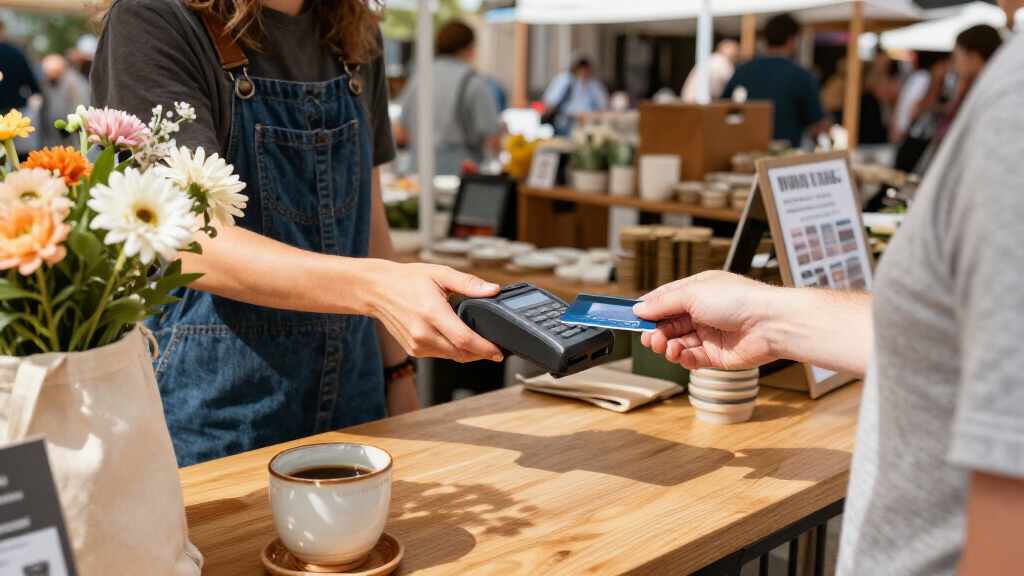

For most small businesses, I’d start with the Square Reader for Contactless and Chip (2nd Generation): it keeps checkout compact and supports common tap and chip payments through a phone or tablet. The SumUp Solo + Printer Bundle stands out when you need a stand-alone touchscreen and printed receipts, while the Square Handheld suits businesses that need a more capable mobile POS. The main tradeoff is simplicity versus independence: phone-connected readers are easier to carry, but a built-in screen, printer, or POS tools can reduce reliance on another device. I compare all 11 options by payment workflow, portability, and fit for small-business needs below.

Get business pricing on office and shipping supplies
- Business-only prices and quantity discounts
- Tax-exempt purchasing
- Multiple users, one account, clear invoices
Key Takeaways
- Square Reader for Contactless and Chip is the most straightforward portable starting point in this lineup, but it depends on a compatible phone or tablet for checkout.
- SumUp Solo + Printer Bundle is the clearest choice for sellers who want a touchscreen reader and printed receipts in one package, at the cost of carrying more equipment.
- The Square and Clover phone-connected readers prioritize light, simple setups; the Square Terminal and Square Handheld add more independent checkout capability.
- Square Register is less suited to roaming transactions than handheld options, while the Verifone VX520 is a more traditional machine than a modern mobile-first reader.
- The Square Reader for Magstripe (USB-C) handles a narrower payment method than contactless-and-chip readers, so buyers should check whether its supported transactions match their customers.
| SumUp Solo + Printer Bundle – Credit Card Payment Card Reader with Full Touch-Screen and Thermal Printer |  | Best for Printed Receipts on the Go | Payment types: Chip, contactless, and mobile payments | Printer type: Thermal, monochrome | Display and control: Full touchscreen | VIEW LATEST PRICE | See Our Full Breakdown |
| P5: Compact Mobile Card Reader POS – Touchscreen Checkout & Barcode Scanner |  | Best for Mobile Retail with Barcode Scanning | Model: Dejavoo P5 | Operating platform: Android | Connectivity: 4G LTE, 5G, Wi-Fi, and Bluetooth | VIEW LATEST PRICE | See Our Full Breakdown |
| SumUp Plus Card Reader, Bluetooth – NFC RFID Credit Card Reader for Smartphone |  | Best Compact Phone-Paired Reader | Connectivity: Bluetooth | Compatible operating systems: iOS and Android | Compatible device: Smartphone | VIEW LATEST PRICE | See Our Full Breakdown |
| Square Register (2nd Generation) |  | Best for a Fixed, High-Volume Checkout | Generation: 2nd Generation | Weight: 12.5 pounds | Power source: Corded electric | VIEW LATEST PRICE | See Our Full Breakdown |
| Square Terminal – Credit Card Machine to Accept All Payments | Mobile POS |  | Best Portable All-in-One Checkout | Dimensions: 5.6 x 3.4 x 2.5 inches | Weight: 14.7 ounces | Battery: One included lithium-ion battery | VIEW LATEST PRICE | See Our Full Breakdown |
| Clover Go Bluetooth Reader, 3rd Gen, Portable Payment Solution, No Merchant Account Required |  | Best for Simple Bluetooth Setup | Connectivity: Bluetooth | Package dimensions: 4.5 x 3.5 x 3.5 inches | Item weight: 8 ounces | VIEW LATEST PRICE | See Our Full Breakdown |
| Square Reader for Magstripe (USB-C) |  | Best for Magstripe-Only Simplicity | Connectivity technology: USB Type-C | Compatible devices: Apple and Android devices with USB Type-C | Operating systems: iOS, Android | VIEW LATEST PRICE | See Our Full Breakdown |
| Verifone VX520 Dual Communication Credit Card Machine with Smart Card Reader |  | Best for a Fixed Counter with Flexible Connections | Model: M252-753-03-NAA-3 | Weight: 2.5 pounds | Dimensions: 9 x 6 x 3 inches | VIEW LATEST PRICE | See Our Full Breakdown |
| Clover GO (3rd Generation) Mobile POS System |  | Best for Mobile Service Businesses | Connectivity: Bluetooth, Wi-Fi | Compatibility: iOS, Android | Security protocol: WPA2, WPA3 | VIEW LATEST PRICE | See Our Full Breakdown |
| Square Reader for Contactless and Chip (2nd Generation) |  | Best Overall for Versatile Mobile Payments | Payment methods: Contactless and chip cards, Apple Pay, Google Pay | Compatible devices: Android, iPhone | Connectivity: Bluetooth | VIEW LATEST PRICE | See Our Full Breakdown |
| Square Handheld Portable POS Credit Card Machine for Restaurants, Retail, Beauty, and Services |  | Best for Tableside and On-the-Go Selling | Product dimensions: 7.04 x 3.12 x 0.62 inches | Item weight: 2.11 ounces | Manufacturer: Square | VIEW LATEST PRICE | See Our Full Breakdown |
| portable card readers for small businesse | Connectivity | Weight |
|---|---|---|
| SumUp Solo + Printer Bundle | Wi-Fi; free unlimited data stated in product description | 16 ounces |
| P5: Compact Mobile Card Reader | 4G LTE, 5G, Wi-Fi, and Bluetooth | 408 g |
| SumUp Plus Card Reader | Bluetooth | 142 g |
| Square Register | Bluetooth, USB cable, and Wi-Fi | 12.5 pounds |
| Square Terminal | — | 14.7 ounces |
| Clover Go Bluetooth Reader | Bluetooth | — |
| Square Reader for Magstripe | — | — |
| Verifone VX520 Dual Communicat | Dial, Ethernet, optional GPRS | 2.5 pounds |
| Clover GO | Bluetooth, Wi-Fi | 4 ounces |
| Square Reader for Contactless | Bluetooth | — |
| Square Handheld Portable POS C | — | — |
More Details on Our Top Picks
SumUp Solo + Printer Bundle – Credit Card Payment Card Reader with Full Touch-Screen and Thermal Printer
The SumUp Solo + Printer Bundle suits small businesses that need to hand customers a paper receipt without carrying a separate printer. Its touchscreen reader and thermal printer combine checkout and monochrome receipt printing in one portable setup, while the included free unlimited data is intended to support transactions and reporting away from a fixed counter. It accepts chip, contactless, and mobile payments, giving it broader payment coverage than a basic phone-dependent reader such as the SumUp Plus Card Reader.
The tradeoff is that the Plus is lighter and simpler if you only need a reader paired with a smartphone. This bundle also depends on the SumUp app for full functionality, and the supplied details do not specify battery life, so I would not choose it for long shifts far from charging. Its printer is useful for receipts, not color documents or general-purpose printing.
Pros:- Accepts chip, contactless, and mobile payments
- Combines a touchscreen payment reader with a lightweight thermal printer
- Inkless monochrome printing avoids carrying printer ink
- Includes free unlimited data for mobile transactions and reporting
Cons:- Full functionality requires the SumUp mobile app
- Thermal printer is monochrome and intended for receipts, not color output
- Battery life is not specified
Best for: Market sellers, mobile service businesses, and pop-up retailers who want to issue printed receipts without bringing a separate printer.
Not ideal for: Businesses that rely on a phone-free checkout, need color printing, or work long shifts where unspecified battery life is a concern.
- Payment types:Chip, contactless, and mobile payments
- Printer type:Thermal, monochrome
- Display and control:Full touchscreen
- Connectivity:Wi-Fi; free unlimited data stated in product description
- Weight:16 ounces
- Print resolution:300 x 300 dpi
- Maximum media size:4 x 6 inches
- Compatible devices:Smartphones
Our verdict“Choose this bundle if printed receipts are part of your mobile checkout, but pick the smaller SumUp Plus if you only need a phone-connected reader.”
P5: Compact Mobile Card Reader POS – Touchscreen Checkout & Barcode Scanner
The P5 is the most retail-oriented handheld in this group: its integrated barcode scanner can make item lookup faster than a reader-only device such as the SumUp Plus Card Reader. The touchscreen and Android platform also give it a more self-contained checkout format, while 4G LTE, Wi-Fi, and Bluetooth offer several ways to connect for deliveries, curbside sales, or a shop floor away from the main register. At 408 g, it remains portable enough for staff to carry between customers.
That flexibility comes with limits. The listed 1GB RAM and 8GB storage leave little room for demanding software or extensive local data, and battery life is not provided. Unlike the Square Terminal, the supplied details do not mention receipt printing. I would favor the P5 when scanning products matters more than having a clearly documented all-in-one receipt workflow.
Pros:- Integrated barcode scanner supports quicker product lookup
- Touchscreen Android POS format is more self-contained than a phone-dependent reader
- 4G LTE, Wi-Fi, and Bluetooth provide multiple connection options
- Portable 408 g design for curbside and mobile checkout
Cons:- Only 8GB of internal storage and 1GB RAM are listed
- Battery life is not specified
- Product details do not mention a built-in receipt printer
Best for: Small retailers and delivery teams that need a handheld Android checkout with an integrated barcode scanner and multiple connection options.
Not ideal for: Businesses that need documented receipt printing, ample onboard storage, or confirmed battery endurance for full-day use.
- Model:Dejavoo P5
- Operating platform:Android
- Connectivity:4G LTE, 5G, Wi-Fi, and Bluetooth
- Processor:Quad-core 2.0GHz
- Memory:1GB RAM
- Storage:8GB ROM
- Weight:408 g
- Dimensions:2 x 4 x 10 inches
- Warranty:1-year manufacturer’s warranty
Our verdict“Choose the P5 when scanning stock during mobile checkout is a priority; choose the Square Terminal instead if built-in receipt printing matters more.”
SumUp Plus Card Reader, Bluetooth – NFC RFID Credit Card Reader for Smartphone
The SumUp Plus Card Reader is the simplest carry option here: at 142 g, it pairs with an iOS or Android phone over Bluetooth rather than asking a small business to carry a standalone POS terminal. That makes it a sensible fit for appointments, occasional markets, and staff who already use a smartphone to manage sales. Compared with the SumUp Solo + Printer Bundle, it sheds the touchscreen and receipt printer in favor of a lighter, less elaborate kit.
The cost of that compactness is dependence on a separate device and the SumUp app; it is not a self-contained checkout station. The product listing says it accepts major credit and debit cards, but does not spell out a detailed card-reading interface or battery life. I would also check the current processing terms for my business rather than treating the listed transaction fee as universal. Businesses needing printed receipts or standalone operation should look at the Solo bundle or Square Terminal instead.
Pros:- Lightweight 142 g reader is easy to carry between appointments
- Works with both iOS and Android smartphones
- Bluetooth pairing supports mobile checkout
- Accepts major credit and debit cards according to the product description
Cons:- Requires a smartphone or tablet and the SumUp app
- No built-in display or receipt printer is listed
- Battery life and warranty specifics are not detailed
Best for: Solo service providers and occasional market vendors who already carry an iOS or Android phone and want a compact Bluetooth payment reader.
Not ideal for: Retailers seeking a standalone POS, built-in receipt printing, or checkout that does not depend on a smartphone and app.
- Connectivity:Bluetooth
- Compatible operating systems:iOS and Android
- Compatible device:Smartphone
- Weight:142 g
- Color:White
- Payment acceptance:Major credit and debit cards
- Warranty:Contact manufacturer
Our verdict“Pick the SumUp Plus if portability and phone-based checkout matter more than standalone operation or printed receipts.”
Square Register (2nd Generation)
The Square Register (2nd Generation) is the strongest choice here for a busy shop counter, not for a genuinely portable setup. Its dual touchscreens let staff operate checkout while customers view their side, and built-in POS software covers sales, inventory, and customer management. That is a more complete counter system than the handheld Square Terminal, which is designed to move around and process payments on battery power.
The difference matters for small businesses that need a dependable central checkout but also reveals the Register’s main compromise: it weighs 12.5 pounds and requires corded power. Spill- and dust-resistant construction is useful around a busy retail counter, but does not make the unit portable for curbside transactions. The listed compatibility and approval can also vary by region, so I would confirm local support before choosing it. For mobile sales, the Terminal or a phone-paired reader is a better fit.
Pros:- Dual touchscreens support cashier and customer interaction
- Built-in POS software includes sales, inventory, and customer management
- IP54-rated design resists everyday spills and dust
- Bluetooth, USB, and Wi-Fi connectivity options are listed
Cons:- Corded power limits use away from a fixed counter
- At 12.5 pounds, it is substantially heavier than the portable Square Terminal
- Hardware approval and availability can vary by region
Best for: Small retail shops with a fixed checkout counter, multiple staff, and a need for customer-facing payment interaction and built-in POS tools.
Not ideal for: Market vendors, mobile service businesses, and retailers that need to take payments away from a powered counter.
- Generation:2nd Generation
- Weight:12.5 pounds
- Power source:Corded electric
- Connectivity:Bluetooth, USB cable, and Wi-Fi
- Displays:Dual touchscreens
- POS software:Built-in; sales, inventory, and customer management
- Durability:IP54-rated spill and dust resistance
- Model number:A-SKU-0908
Our verdict“Choose the Register for a durable, feature-rich shop counter, not if your definition of portable means taking checkout to the customer.”
Square Terminal – Credit Card Machine to Accept All Payments | Mobile POS
The Square Terminal offers a useful middle ground between a tiny phone-paired reader and a fixed register. It combines payment processing and receipt printing in one device, and its built-in rechargeable battery lets staff bring checkout to a customer rather than keeping every sale at the counter. That makes it more self-contained than the SumUp Plus Card Reader, which requires a phone or tablet, while being far easier to move than the corded Square Register.
Its all-in-one design still ties the business to the Square ecosystem, and the product details do not specify screen size or connectivity options. The battery supports cordless use, but the supplied information does not state runtime, so I would not assume it will cover every long shift without charging. The Terminal is a practical fit for salons, service desks, and small retailers that want a handheld checkout with receipts, but less suitable for owners seeking an open-ended hardware setup.
Pros:- Built-in rechargeable battery supports cordless checkout
- Combines payment processing and receipt printing
- Accepts major credit and debit cards
- Compact 14.7-ounce design is easier to move than the Square Register
Cons:- Limited to Square’s payment and service ecosystem
- Screen size and connectivity details are not provided
- Battery runtime is not specified
Best for: Small retailers and service businesses that want a rechargeable, receipt-printing checkout device they can carry to customers.
Not ideal for: Businesses that want to avoid the Square ecosystem, need clearly documented connectivity or battery runtime, or prefer a minimal phone-paired reader.
- Dimensions:5.6 x 3.4 x 2.5 inches
- Weight:14.7 ounces
- Battery:One included lithium-ion battery
- Power operation:Cordless operation with built-in rechargeable battery
- Payment acceptance:Major credit and debit cards
- Receipt printing:Built-in receipt printing
- Chip processing:Product description states two-second chip processing
Our verdict“Choose the Square Terminal if you want a movable, receipt-printing checkout in one device, and are comfortable using Square’s ecosystem.”
Clover Go Bluetooth Reader, 3rd Gen, Portable Payment Solution, No Merchant Account Required
Bluetooth pairing and a lightweight build make this Clover Go a straightforward fit for vendors who want to take payments with a compatible phone or tablet. Its stated lack of a merchant account requirement may simplify getting started compared with solutions that require a separate merchant account, though the listing does not explain the processing arrangement or associated terms. Unlike the Square Reader for Contactless and Chip (2nd Generation), this listing does not specify support for chip or contactless payments, so I would not choose it for customers who expect to tap or insert a card. The product data also leaves payment methods and processing details unclear, and its listed availability date warrants verification before purchase. I see it as a compact, basic option—not a fully documented checkout system.
Pros:- Compact, lightweight form is suited to carrying between customer locations.
- Bluetooth connectivity avoids a wired connection to the phone or tablet.
- The listing says no merchant account is required, which may reduce setup steps.
- Aims to serve pop-ups, mobile vendors, and other small businesses.
Cons:- Payment methods beyond the stated mobile payment use are not detailed.
- Processing, pricing, and subscription terms are not provided.
- Compatibility depends on a Bluetooth-enabled device, and the listed availability date should be checked.
Best for: Pop-up sellers and mobile service providers who already use a Bluetooth-enabled phone or tablet and want a compact reader with a simpler stated onboarding requirement.
Not ideal for: Businesses that need confirmed chip or contactless acceptance, clear processing terms, or a terminal that works without a compatible mobile device.
- Connectivity:Bluetooth
- Package dimensions:4.5 x 3.5 x 3.5 inches
- Item weight:8 ounces
- Merchant account:Listing states no merchant account required
- Manufacturer:Swyftpay
- Date first available:May 20, 2026
Our verdict“Choose this Clover Go only if Bluetooth portability and its stated merchant-account arrangement fit your needs and you can confirm payment support and terms before buying.”
Square Reader for Magstripe (USB-C)
For a small business whose customers still pay by swipe, this reader keeps the setup minimal: plug-in USB-C connectivity and processing through the Square Point of Sale app. It weighs just 6.53 g, making it easy to keep with a phone for occasional mobile sales or a compact counter setup. The tradeoff is substantial: this is magstripe only, with no chip or contactless support listed. That makes it less versatile than the Square Reader for Contactless and Chip (2nd Generation), which accepts tap and chip payments without relying on a card swipe. USB-C also rules out devices without that port, while the Square app is required. I would treat this as a narrowly useful reader for swipe-based transactions, not as a flexible primary terminal for a business serving varied payment preferences.
Pros:- Direct USB-C connection avoids Bluetooth pairing.
- Very light at 6.53 g and easy to carry with a compatible device.
- Works with the Square Point of Sale app for mobile or counter transactions.
- Listed compatibility includes Apple and Android devices with USB-C.
Cons:- Accepts magstripe cards only; chip and contactless payments are not supported.
- Requires a compatible USB-C device, limiting use with older or differently ported hardware.
- Payment processing depends on the Square Point of Sale app.
Best for: Square POS users with USB-C iOS or Android devices who need a tiny reader for customers paying by magnetic-stripe card.
Not ideal for: Businesses that need chip, contactless, Apple Pay, or Google Pay acceptance, or that use phones and tablets without USB-C.
- Connectivity technology:USB Type-C
- Compatible devices:Apple and Android devices with USB Type-C
- Operating systems:iOS, Android
- Payment method:Magstripe
- Item dimensions:4.5 x 0.62 x 4.5 inches
- Item weight:6.53 g
- Model number:A-SKU-0862
- Color:White
Our verdict“Pick this reader for a Square-based setup that specifically needs lightweight magstripe acceptance, but choose the Square contactless-and-chip reader for broader payment coverage.”
Verifone VX520 Dual Communication Credit Card Machine with Smart Card Reader
The VX520 is the outlier in this portable-reader group: at 2.5 pounds and with dimensions of 9 x 6 x 3 inches, it is better suited to a small-business counter than to a vendor carrying a reader all day. Its strength is connectivity flexibility: dial and Ethernet are listed, with GPRS optional, which can help a business choose a connection suited to its location. The description mentions an integrated smart card reader, but also says contactless is not included in the standard model, so I would verify the exact configuration before buying. Compared with the pocketable Square Reader for Contactless and Chip (2nd Generation), the Verifone is a more substantial, traditional terminal and needs external power. Its listed security features and upgradeable memory may appeal to established operations, but the portability promise is limited by its size and power needs.
Pros:- Offers dial and Ethernet connectivity, with optional GPRS listed.
- Includes a smart card reader according to the product description.
- Lists PCI PED 2.0 and VeriShield Protect encryption security features.
- Memory is upgradeable beyond the listed 128/32 MB configuration.
Cons:- At 2.5 pounds, it is substantially less portable than phone-paired readers.
- Requires external power and a battery for mobility.
- Standard-model contactless support is not included according to the listing, so configuration needs verification.
Best for: Small retailers or service businesses that want a dedicated counter terminal and need dial or Ethernet connectivity rather than a phone-paired reader.
Not ideal for: Market sellers, delivery businesses, and mobile service providers who need a lightweight, battery-powered reader for frequent travel.
- Model:M252-753-03-NAA-3
- Weight:2.5 pounds
- Dimensions:9 x 6 x 3 inches
- Memory:128/32 MB (Dial/ETH), upgradeable to over 500 MB
- Connectivity:Dial, Ethernet, optional GPRS
- Security:PCI PED 2.0, optional PCI PTS 3.0, VeriShield Protect encryption
- Battery:1 lithium-ion battery required
- Color:Grey
Our verdict“Choose the VX520 for a small-business counter that benefits from varied connection options, not for frequent on-the-go checkout.”
Clover GO (3rd Generation) Mobile POS System
This Clover Go listing makes a stronger case for day-to-day mobile selling than the more minimally documented Clover Go Bluetooth Reader: it specifies iOS and Android compatibility, customizable tips and taxes, paperless receipts, and end-to-end security. At 4 ounces, it is easy to carry between appointments or around a market stall, while tip and tax controls suit service providers and food sellers who need to adjust a checkout quickly. The main limitation is the stated reliance on SwyftPAY processing, which reduces flexibility for businesses committed to another processor. A dock is sold separately, and availability is limited to US-based businesses. Compared with the Square contactless-and-chip reader, this option emphasizes configurable checkout tools, but the supplied specs do not identify supported card-payment methods, so buyers should confirm those before relying on it as their only reader.
Pros:- Four-ounce weight suits mobile work and frequent carrying.
- Compatible with both iOS and Android devices.
- Customizable tips and taxes support service and food-business checkout needs.
- Paperless receipts and stated end-to-end security add useful mobile POS functions.
Cons:- Processing is stated to run through SwyftPAY, limiting processor choice.
- Dock is sold separately.
- Availability is limited to US-based businesses, and supported card-payment methods are not specified in the supplied data.
Best for: US-based mobile service providers, market vendors, and food businesses that want lightweight checkout with configurable tips, taxes, and paperless receipts.
Not ideal for: Businesses outside the US, sellers who need to use a different processor, or buyers who require verified chip and contactless support before purchase.
- Connectivity:Bluetooth, Wi-Fi
- Compatibility:iOS, Android
- Security protocol:WPA2, WPA3
- Frequency band:Single-band
- Weight:4 ounces
- Warranty:1 year
- Processing:SwyftPAY
- Business availability:US-based businesses
Our verdict“Choose this Clover Go for US-based mobile checkout with tips and tax controls, provided SwyftPAY processing and the unlisted payment methods suit your operation.”
Square Reader for Contactless and Chip (2nd Generation)
For a small business that needs one compact reader for common in-person payment methods, this Square model offers the clearest balance in the group: it accepts contactless and chip cards, including Apple Pay and Google Pay, and connects to an Android phone or iPhone over Bluetooth. That range makes it more adaptable than the Square Reader for Magstripe (USB-C), which is limited to swiped cards and a USB-C connection. Battery power supports checkout away from a counter, while the tradeoff is dependence on a paired device and Bluetooth; it is not a standalone terminal. The listing also specifies a limited one-year warranty and describes improved battery life and connectivity, but gives no runtime figure. I rank it ahead of the Clover Go options for payment-method clarity, though buyers should confirm their device and Square setup meet their needs.
Pros:- Accepts both contactless and chip card payments.
- Supports Apple Pay and Google Pay.
- Bluetooth connection and battery power suit mobile checkout.
- Compatible with Android devices and iPhone, with a limited one-year warranty listed.
Cons:- Requires a Bluetooth connection to a separate device.
- The listing provides no specific battery runtime.
- Battery-powered design may eventually require battery replacement.
Best for: Small retailers, market vendors, and mobile service providers who want a portable reader for chip and contactless payments paired with an iPhone or Android device.
Not ideal for: Businesses that need a standalone terminal, a direct wired connection, or a reader that operates without a phone or tablet.
- Payment methods:Contactless and chip cards, Apple Pay, Google Pay
- Compatible devices:Android, iPhone
- Connectivity:Bluetooth
- Power source:Battery powered
- Battery:1 lithium-ion battery required
- Warranty:Limited 1-year
- Generation:2nd generation
Our verdict“Choose this Square reader if you need mobile chip and tap acceptance with a phone, rather than the magstripe-only Square USB-C reader.”
Square Handheld Portable POS Credit Card Machine for Restaurants, Retail, Beauty, and Services
The Square Handheld stands out for small businesses that need more than a card reader: it combines payment acceptance with tableside ordering and barcode scanning in a portable device. Its long-lasting battery and ability to take payments offline can help staff keep serving customers when they move around a shop or lose internet access. Compared with the Square Reader for Contactless and Chip, this is a more self-contained option for mobile workflows, while that reader is the simpler choice for businesses already using a compatible phone or tablet. The tradeoff is limited detail in the supplied specifications, including no stated battery runtime or connectivity options. Some features still need internet, and no protective case is listed, so frequent daily travel may call for added protection.
Pros:- Portable design supports payments and orders away from a fixed checkout
- Long-lasting battery is intended to support a full day of work
- Offline payment capability can help keep sales moving during internet interruptions
- Supports major credit and debit cards, according to the product description
Cons:- Some features require an internet connection, limiting offline use
- The description does not provide detailed connectivity or battery-runtime specifications
- No protective case is listed for a device likely to move between staff and locations
Best for: Restaurant teams taking orders and payments at tables, and small retailers or service businesses that need barcode scanning away from a fixed counter
Not ideal for: Businesses seeking a basic, low-complexity reader to pair with a phone, or buyers who need clearly documented battery life and connectivity details before choosing
- Product dimensions:7.04 x 3.12 x 0.62 inches
- Item weight:2.11 ounces
- Manufacturer:Square
- ASIN:B0F6HQK29Q
- Date first available:May 13, 2025
- Listed uses:Payment acceptance, tableside ordering, and barcode scanning
- Offline payments:Supported
- Battery:Long-lasting; runtime not specified
- Card acceptance:Major credit and debit cards, according to the product description
Our verdict“Choose the Square Handheld if your staff need a portable, all-in-one checkout for tableside service or mobile selling; choose a simpler reader if you only need to accept payments through a phone or tablet.”

How We Picked
I ranked these readers around the needs that shape everyday small-business checkout: how easily a device travels, whether it works independently or relies on a phone, which payment methods it accepts, and how much checkout equipment it combines. I also considered the value of practical extras such as a touchscreen, barcode scanning, and receipt printing, along with the burden of carrying and maintaining a larger setup. Because product names alone do not establish compatibility, connectivity details, or account terms, buyers should verify those with the provider before ordering.
The top positions favor devices that offer a clear fit for common small-business situations without requiring a full counter system. Phone-connected readers rank well for compactness and straightforward mobile use; the Solo bundle, Terminal, and Handheld serve buyers who need more built-in checkout capability. Larger or more specialized choices rank lower for general portability, not because they cannot suit a business, but because they fit narrower workflows. The magstripe-only reader also ranks below a contactless-and-chip option for buyers who want broader payment acceptance.
Factors to Consider When Choosing Portable Card Readers For Small Businesses
Before choosing a reader, I’d map the checkout routine rather than shop by device size alone. The right fit depends on how customers pay, where transactions happen, and what staff need at the point of sale.
Match the device to where you take payments
A market stall, salon, delivery route, and busy counter place different demands on a reader. If you often move between customers, a compact phone-connected reader may be easier to carry than a terminal with a screen or printer. A fixed checkout can benefit from a larger interface even if it is less convenient to roam with. A common mistake is choosing the smallest unit without checking whether your phone, tablet, and app will be available at every sale. Think through a full shift, including where the device gets stored and charged between transactions. Choose portability that fits your actual route, not just the product photo.
Check payment methods against your customers
Contactless, chip, and magstripe support are not interchangeable, so confirm which methods a device accepts before buying. A reader built for tap and chip can cover more everyday checkout situations than a magstripe-focused option, while some customer groups may still ask to swipe. Ask your payment provider which card types and digital wallets are supported in your region; product names do not answer every acceptance question. Do not assume that an attachment or adapter adds payment methods the reader does not support. If you sell at events or serve visitors, broader acceptance can matter more than shaving a little bulk. Check any transaction and account requirements directly with the provider as well.
Decide whether you want a phone-dependent reader
A Bluetooth reader can keep the payment hardware small, but the phone or tablet becomes part of the checkout system. That means you should check device compatibility, battery habits, app availability, and the number of steps staff must follow to start a sale. An all-in-one unit reduces dependence on a separate screen, though it can be larger and may have its own software and connectivity requirements. Avoid buying a phone-connected reader for shared staff use until you know how each employee will access the app and transaction records. If your phone is also your business line, consider what happens when it needs charging or receives frequent interruptions. The lowest-friction setup is the one your team can operate consistently.
Weigh receipts and other built-in tools against carrying more
A printer, barcode scanner, or touchscreen can cut down on separate equipment and make certain checkout tasks easier. Those additions may be worthwhile for businesses that issue paper receipts often, scan stock, or need staff to work without a personal phone. They also add bulk, create more components to charge or maintain, and may be unnecessary for a service provider who mainly takes payment after an appointment. Before paying for integrated tools, list the tasks they will replace and how often they occur. Check the receipt options available, since digital receipts may suit some businesses while others need paper records. Buy extra hardware for a real workflow need, not simply because it is included.
Compare the full operating setup, not only the reader
The reader is only one part of a payment system: software, connectivity, account eligibility, and support can shape daily use just as much. Confirm whether your chosen device needs a specific merchant account, app, or compatible operating system, and ask about any ongoing service terms before committing. A traditional countertop machine may fit a stable checkout but offer less flexibility than a mobile-first setup. Small businesses should also plan for charging, secure storage, replacement procedures, and staff training. Do not assume two products from the same brand share identical features or account requirements. Compare the complete setup you will need to accept and manage payments, not the hardware name alone.
Frequently Asked Questions
Should I choose a phone-connected reader or an all-in-one portable terminal?
I’d choose a phone-connected reader if a compatible phone or tablet is already part of your checkout routine and keeping the payment device small matters most. An all-in-one terminal makes more sense when staff need a dedicated screen or you do not want every sale tied to a personal device. Compare the steps required to start and finish a transaction, not just the device size. Also check battery life, software compatibility, and whether the provider requires a particular account. If checkout must continue when a phone is unavailable, a separate terminal may better suit the workflow.
Is a magstripe-only reader enough for a small business?
It may be enough if your provider confirms that its supported method fits your customer base and the transactions you expect. However, the Square Reader for Magstripe in this lineup is narrower than contactless-and-chip options, so it is not the broadest choice for varied payment preferences. Check which card types and payment methods are accepted where you operate, rather than assuming all readers cover the same ground. Also verify whether an app, adapter, or separate device is required. If you want one reader for different settings, broader payment support can reduce the chance of needing another unit.
When does a built-in receipt printer justify carrying a larger reader?
A printer is useful when customers regularly request paper receipts or when your records and service process depend on printed copies. The SumUp Solo bundle pairs printing with a touchscreen, which can reduce the need to carry separate checkout gear. If most customers accept digital receipts, the added bulk may offer little day-to-day benefit. Think about paper storage, reloading, and charging alongside the printer’s convenience. I’d choose the bundle for a recurring paper-receipt workflow, not just as a backup option.
Can I use one portable card reader across multiple employees?
That depends on the provider’s account setup, app access, and staff-management features, so check those details before sharing hardware. A phone-connected reader can be easy to pass between employees, but each person may need access to the connected phone or an approved device and login. Dedicated terminals can simplify handoffs at a shared checkout, though they may be less convenient for staff who move around. Ask how sales are attributed, how permissions work, and what happens if a staff device is lost. A smooth handoff matters more than portability alone when several people take payments.
What should I verify before ordering a portable reader?
Confirm the supported payment methods, device compatibility, connectivity needs, account requirements, and the provider’s current terms for your location. Check whether the product includes the accessories you need, such as a charging cable or printer supplies, instead of assuming they come in the box. For a phone-connected model, confirm that your operating system and device are supported. If you need offline processing, staff accounts, or paper receipts, ask the provider whether the exact model supports those tasks. These checks help prevent a compact reader from becoming an incomplete checkout setup.
Conclusion
For a balanced mobile setup, I’d choose the Square Reader for Contactless and Chip as best overall, especially if you already have a compatible phone or tablet. The Square Reader for Magstripe is the simplest low-frills choice in this group, but only if its narrower payment support matches your needs; verify the provider’s current requirements before choosing it as a value pick. For a more self-contained premium setup, compare the SumUp Solo + Printer Bundle with the Square Handheld: pick SumUp for built-in receipt printing, or Square Handheld if its mobile POS approach better suits your workflow. Beginners who want a compact starting point can look at the contactless-and-chip Square Reader, while sellers who need barcode scanning should assess the P5 Compact Mobile Card Reader POS. Choose the Square Terminal for a more dedicated checkout device, and consider the Square Register or Verifone VX520 only when their more fixed or traditional setup matches your business. Before buying any model, confirm compatibility, payment acceptance, and account terms with its provider.