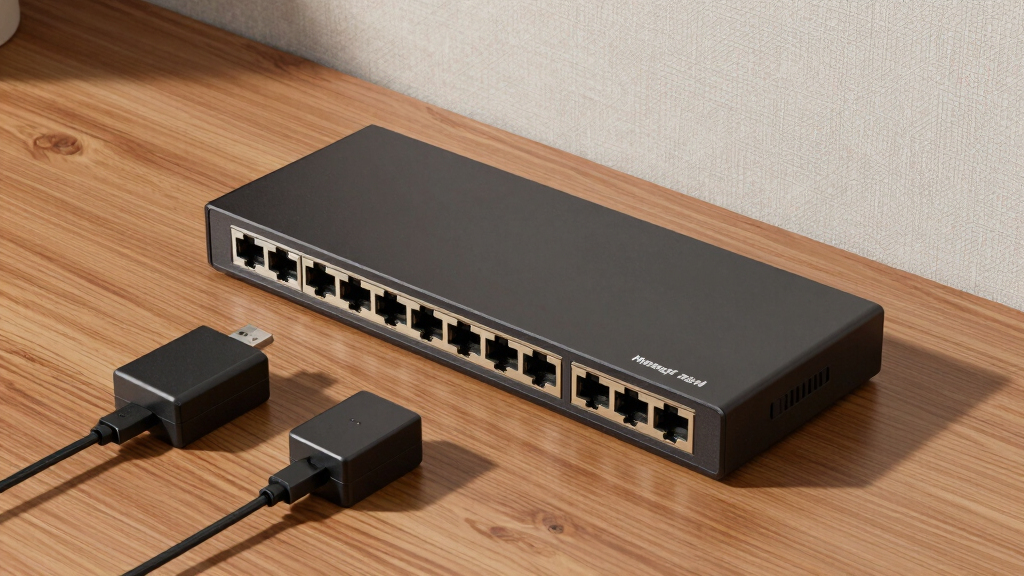
Finding the best managed switches for small business IT closets involves balancing performance, ease of management, and budget. The Cisco Catalyst 1200-8T-D stands out as the overall best for its reliability and feature set, while the TP-Link TL-SG116E offers a straightforward, budget-friendly option for smaller setups. Larger environments benefit from switches like the Zyxel GS1900-24 with higher port counts and advanced features, but these come with increased complexity and cost. Many buyers face tradeoffs between feature richness and simplicity—this guide helps clarify those choices. Continue reading for detailed insights into each model and what suits your specific needs.

Get business pricing on office and shipping supplies
- Business-only prices and quantity discounts
- Tax-exempt purchasing
- Multiple users, one account, clear invoices
Key Takeaways
- The top picks balance management features with ease of setup, making them suitable for small business environments.
- Higher port counts and advanced features often come with increased cost and complexity, which may not be necessary for smaller networks.
- PoE support is a key consideration if powering VoIP phones or Wi-Fi access points directly from the switch.
- Build quality and warranty support influence long-term reliability, especially in busy IT closets.
- Managed switches with user-friendly interfaces and good firmware support reduce ongoing maintenance headaches.




More Details on Our Top Picks
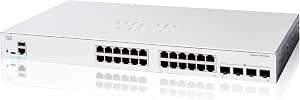
Cisco Catalyst 1200-8T-D Smart Switch, 8 Port GE, Ext PS, Desktop, Limited Lifetime Protection (C1200-8T-D)
This Cisco Catalyst model distinguishes itself with its straightforward management tools, including a web interface and Cisco Dashboard, making it accessible for small business owners without extensive network experience. Compared to the TP-Link TL-SG108E, this switch offers better security integrations like IEEE 802.1X port security and attack prevention, which are essential for protecting sensitive business data. However, it’s limited to only 8 ports, which could be restrictive as your network grows, and it lacks some advanced features like VLAN support. The fanless design ensures silent operation, a significant plus in quiet environments. Its simple setup and robust lifetime warranty make it ideal for small offices needing reliable, secure connectivity without complex configurations.
Pros:- Intuitive management via mobile app, web, and dashboard
- Built-in IEEE 802.1X security and attack prevention
- Fanless design for silent operation
- Limited lifetime hardware warranty
Cons:- Only 8 ports, limiting scalability
- Lacks VLAN and advanced Layer 2 features
Best for: Small business owners looking for a secure, easy-to-manage switch with a compact footprint.
Not ideal for: Growing businesses that anticipate needing more than 8 ports or advanced layer 2 features.
- Number of Ports:8
- Switch Type:Smart Managed
- Power Supply:External
- Management Interface:Web, Cisco Dashboard, Mobile App
- Security Features:IEEE 802.1X, DoS prevention, ACLs
- Operation Mode:Desktop
Bottom line: This switch is perfect for small offices prioritizing security and simplicity in a compact, silent device.
TP-Link 8 Port Gigabit Switch | Easy Smart Managed | Plug & Play | Desktop/Wall-Mount | Sturdy Metal w/ Shielded Ports | Support QoS, Vlan, IGMP and LAG (TL-SG108E)
This TP-Link TL-SG108E stands out for its straightforward setup, managed features like VLAN and QoS, and durable metal case, making it suitable for small businesses new to network management. Compared with the Cisco Catalyst 1200-8T-D, it offers a more affordable entry point with a similar port count but less emphasis on security features. Its web interface simplifies configuration, and the support for VLAN and IGMP Snooping helps segment traffic effectively. The energy-efficient design reduces power costs, and its Plug & Play nature minimizes setup time. However, it doesn’t have advanced security options or extensive Layer 2 features, making it less suitable for networks with higher security needs.
Pros:- Easy to set up with web management interface
- Supports VLAN, QoS, IGMP Snooping, and LAG
- Sturdy metal housing with shielded ports
- Energy-efficient, saving power costs
Cons:- Limited to 8 ports, not ideal for future scalability
- Basic security features, lacks advanced protections
Best for: Small businesses seeking an affordable, manageable switch with basic network segmentation features.
Not ideal for: Organizations needing high security or extensive Layer 2 capabilities beyond VLAN and QoS.
- Number of Ports:8
- Switch Type:Easy Smart Managed
- VLAN Support:Yes
- QoS Support:Yes
- Energy Efficiency:Yes
- Mounting Options:Desk, Wall
Bottom line: This switch makes a great choice for small businesses with limited network management experience and modest security needs.
TP-Link 16 Port Gigabit Switch | Easy Smart Managed | Plug & Play | Limited Lifetime Protection | Desktop/Wall-Mount | Support QoS, Vlan, IGMP and LAG (TL-SG116E)
The TL-SG116E offers a significant step up in port count, supporting 16 ports along with VLAN, QoS, and advanced management features, making it suitable for small businesses expanding their network. Its plug-and-play design simplifies deployment, similar to the 8-port models but with added capacity. Compared to the 8-port TP-Link TL-SG108E, it provides more flexibility for future growth, though it still lacks some enterprise security features. The durable metal case and support for LAG and IGMP Snooping enable more complex network setups. Its energy-efficient design helps manage operational costs, and the web management interface makes configuration accessible for non-experts. However, it’s not ideal for large enterprise environments, and the price reflects its increased capability.
Pros:- Supports 16 ports for greater expansion
- Advanced Layer 2 features including VLAN, QoS, IGMP, and LAG
- Plug-and-play with web management interface
- Durable metal construction
Cons:- No Layer 3 routing capabilities
- Higher cost compared to smaller models
Best for: Small but expanding businesses needing more ports and Layer 2 features without complex setup.
Not ideal for: Highly security-sensitive networks requiring advanced protections beyond VLAN and QoS.
- Number of Ports:16
- Switch Type:Easy Smart Managed
- VLAN Support:Yes
- QoS Support:Yes
- LAG Support:Yes
- Operation Mode:Desktop/Wall-Mount
Bottom line: This switch is ideal for growing small networks that need more ports and manageable Layer 2 features without enterprise complexity.
Zyxel GS1900-24 24 Port Ethernet Switch | Smart Managed Gigabit Network Switch | 24x GbE RJ-45 Ports + 2X GbE SFP Slots | 52 Gbps Switching Capacity | Rack Mount Kit Included | Fanless | GS1900-24
This Zyxel GS1900-24 provides a robust 24-port gigabit solution with advanced management features like VLAN, QoS, IGMP, and SNMP, making it suitable for small businesses with larger network demands. Its fanless design ensures silent operation in office environments, and the inclusion of SFP slots allows for fiber uplinks, offering flexibility in network architecture. Compared with the 8-port TP-Link TL-SG108E, it supports a much larger network footprint while maintaining ease of management through web GUI. The energy-efficient IEEE 802.3az EEE reduces operational costs, and its sturdy metal case supports rack mounting for organized deployments. The only drawback may be the higher price point and potentially more complex configuration for non-technical users.
Pros:- 24 ports for extensive network expansion
- Supports VLAN, QoS, IGMP, SNMP, and LACP
- Fanless, silent operation
- Supports fiber uplink via SFP slots
Cons:- More complex setup for non-technical users
- Higher initial cost compared to smaller switches
Best for: Small enterprises aiming for scalable, high-capacity wired networks with advanced management features.
Not ideal for: Very small offices or start-ups that only need minimal connectivity and simple management.
- Number of Ports:24
- Switch Type:Smart Managed
- SFP Slots:2
- Switching Capacity:52 Gbps
- Operation Mode:Rack Mount
- Energy Efficiency:IEEE 802.3az
Bottom line: This switch is suited for small businesses planning long-term growth requiring high port density and advanced network features.
Cisco Catalyst 1200-24T-4G Smart Switch, 24 Port GE, 4x1GE SFP, Limited Lifetime Protection (C1200-24T-4G)
The Cisco Catalyst 1200-24T-4G offers a comprehensive feature set, including 24 Gigabit ports, 4 SFP uplinks, and advanced security measures like IEEE 802.1X and ACLs, making it ideal for small businesses needing enterprise-grade protection. Compared to the Zyxel GS1900-24, it provides more extensive security options and Cisco’s renowned reliability, though it comes at a higher cost and a more complex management interface. Its web and mobile management tools are user-friendly enough for small business owners without deep networking expertise, especially with step-by-step setup instructions. The limited lifetime hardware warranty and energy-efficient design add value, but the higher price may be a barrier for very budget-conscious startups.
Pros:- 24 Gigabit ports + 4 SFP uplinks for scalability
- Advanced security: IEEE 802.1X, ACLs, attack prevention
- User-friendly web and mobile management
- Limited lifetime hardware warranty
Cons:- Higher price point
- Management complexity may be overkill for very small networks
Best for: Small businesses requiring enterprise-level security, reliability, and scalability in their network infrastructure.
Not ideal for: Start-ups on a tight budget or those with minimal IT management resources needing simple, unmanaged solutions.
- Number of Ports:24
- Uplink Ports:4 SFP
- Security Features:IEEE 802.1X, ACLs
- Management:Web, Mobile App
- Warranty:Limited Lifetime
- Operation Mode:Desktop, Rack-Mount
Bottom line: This switch is best suited for small businesses that value security, scalability, and Cisco’s trusted performance in their network.
NETGEAR 16-Port PoE Gigabit Ethernet Easy Smart Essentials Switch (GS316EP) – Managed, with 15 x PoE+ @ 180W, 1 x 1G SFP Port, Desktop or Wall Mount
This NETGEAR GS316EP stands out for providing a straightforward managed switch with robust PoE+ capabilities, making it ideal for small offices deploying VoIP, IP cameras, or wireless access points. Compared to the unmanaged TP-Link TL-SG116, it offers basic management features and PoE support but at a higher price point, with the tradeoff being slightly more complexity and cost. The inclusion of a 1G SFP uplink port enhances its flexibility for future expansion or fiber connectivity, which isn’t available on the unmanaged TP-Link. However, the software interface is limited to basic management, lacking advanced features like VLAN segmentation or QoS, which a more enterprise-focused switch would provide. This pick makes the most sense for small businesses prioritizing PoE and simple management without needing extensive network segmentation. Priced around $130–$160, it balances affordability with essential managed features, though it might be overkill for very basic setups. Ideal for small offices needing PoE management but not suited for large-scale or highly segmented networks.
Pros:- Powerful PoE+ support with 180W total budget
- Easy-to-use smart management interface
- Compact desktop or wall-mount design
Cons:- Limited to basic management features, lacking VLAN or advanced QoS
- Higher price compared to unmanaged alternatives
Best for: Small businesses requiring PoE+ support with basic management capabilities, such as deploying IP cameras or VoIP phones.
Not ideal for: Businesses needing advanced Layer 3 features or extensive VLAN configuration—this switch offers only basic management functions.
- Ports:15 PoE+ ports, 1 G SFP uplink
- Total Power Budget:180W
- Management:Managed, Easy Smart
- Form Factor:Desktop or Wall Mount
- Warranty:3-year limited
- Energy Efficiency:IEEE802.3az compliant
Bottom line: A solid choice for small offices needing PoE+ with simple, manageable network expansion.
NETGEAR S350 Series 10-Port Gigabit Ethernet PoE+ Smart Managed Essentials Switch – 8 x 1G PoE+ @ 55W, 2 x 1G Dedicated SFP – Desktop or Wall-Mount (GS310TPv2)
This NETGEAR GS310TPv2 offers a step up in management features and PoE capacity, making it suitable for small businesses expanding their network with VoIP, cameras, and access points. Compared with the basic TP-Link TL-SG116, it provides VLAN support, QoS, and a more intuitive web GUI, though it still lacks full Layer 3 routing. The 55W PoE budget across 8 ports enables powering multiple devices simultaneously, a significant advantage over unmanaged switches. Its rugged metal case and flexible mounting options suit small office environments. However, the management interface, while more capable than simple unmanaged switches, isn’t as advanced as Cisco’s Layer 3 options, limiting some enterprise features. It’s best for small but growing setups that need remote management and PoE power, at a price point around $170–$200. Ideal for SMBs needing managed PoE with scalability but not suited for complex enterprise networks requiring full Layer 3 routing.
Pros:- 8 PoE+ ports with 55W budget for multiple PoE devices
- User-friendly web management interface
- Includes 2 dedicated SFP fiber ports for uplinks
Cons:- Limited Layer 3 routing capabilities, no advanced enterprise features
- Relatively higher cost for SMB segment
Best for: Small to medium-sized businesses planning network growth with PoE devices and requiring manageable network control.
Not ideal for: Organizations requiring full Layer 3 routing or enterprise-grade security features, which this device does not provide.
- Ports:8 PoE+ ports, 2 SFP
- PoE Budget:55W
- Management:Web GUI, CLI (Lite)
- Form Factor:Desktop or Wall Mount
- Warranty:3-year limited
- Energy Efficiency:IEEE802.3az compliant
Bottom line: A versatile, manageable PoE switch ideal for SMBs ready to expand their network with remote control capabilities.
D-Link 24-Port Gigabit Smart Managed Switch | Web Managed | Cable Diagnostics | NDAA Compliant – (DGS-1100-24V2)
This D-Link DGS-1100-24V2 provides a dense 24-port Gigabit switch with fanless operation, making it ideal for compact offices or small retail environments needing high port density without noise. Compared to the TP-Link TL-SG116E, it offers more ports and supports cable diagnostics, VLANs, QoS, and IGMP Snooping for multimedia management. Its web-based GUI is straightforward for small business IT staff, and it’s NDAA compliant, appealing to government or regulated industries. While it lacks Layer 3 routing, the switch’s simplicity and reliability are standout features. The fanless design, however, means less airflow for high-temperature environments, and its management features, although sufficient for SMBs, aren’t as comprehensive as high-end enterprise switches like Cisco Catalyst. Priced around $250–$280, it’s a good option for dense, noise-sensitive setups that need basic management. Ideal for small offices with high port requirements and noise restrictions but not for advanced routing or large-scale enterprise networks.
Pros:- 24 Gigabit ports for high-density connectivity
- Fanless, silent operation suitable for quiet environments
- Cable diagnostics and VLAN support
Cons:- No Layer 3 routing capabilities
- Higher price point compared to unmanaged switches with similar port counts
Best for: Small business environments with high port density needs in noise-sensitive spaces, such as retail or office floors.
Not ideal for: Businesses requiring Layer 3 features or complex network segmentation beyond VLANs, as this switch offers only basic management.
- Ports:24 Gigabit Ethernet
- Management:Web GUI, Cable Diagnostics
- Form Factor:Fanless, Desktop or Rackmount
- Compliance:NDAA
- Warranty:Lifetime
- Temperature Rating:35°C
Bottom line: A reliable, high-density switch perfect for noise-sensitive environments needing managed network control.
TP-Link Omada SG3428 | 24 Port Gigabit Switch, 4 SFP Slots | Omada SDN Integrated | L2+ Smart Managed | IPv6 | Static Routing | L2/L3/L4 QoS, IGMP & LAG | 3 Year Manufacturer Warranty
The TP-Link Omada SG3428 combines 24 Gigabit ports and 4 SFP slots with advanced Layer 2+ and Layer 3 features, making it suitable for SMBs that need more control over their traffic management and future scalability. Compared to the NETGEAR GS310TPv2, it adds static routing, IPv6, and L2/L3 QoS, providing greater flexibility for network segmentation and security. Its SDN integration via Omada enables centralized cloud management, ideal for multi-site small businesses. The web interface is feature-rich but may be complex for novice users, requiring some learning curve. It also supports LAG, VLAN, and IGMP, making it suitable for multimedia-heavy environments. The 3-year warranty and support make it a dependable choice at around $250–$300. The main tradeoff is the increased complexity, which might be unnecessary for very basic setups. This switch is best for SMBs seeking enterprise-level features without the high cost of full enterprise hardware. Ideal for SMBs needing Layer 3 functionality and centralized management but not for those requiring plug-and-play simplicity.
Pros:- Layer 2+ and Layer 3 static routing support
- Omada SDN cloud management for centralized control
- IPv6 support and advanced QoS features
Cons:- More complex setup and management interface
- Higher cost compared to basic switches
Best for: Small businesses with growing networks wanting Layer 3 features and centralized SDN management.
Not ideal for: Very small or basic setups where simple unmanaged switches suffice, as the complexity may be unnecessary.
- Ports:24 Gigabit + 4 SFP
- Management:Omada SDN, Web GUI, CLI
- Layer 3 Features:Static Routing, IPv6
- QoS:L2/L3/L4
- Warranty:3 years
- Form Factor:Desktop or Rackmount
Bottom line: A powerful Layer 2+/Layer 3 switch suitable for SMBs aiming for scalable, centrally managed networks.
TP-Link 24 Port Gigabit Switch Easy Smart Managed Plug & Play Desktop/Rackmount Sturdy Metal w/ Shielded Ports Support QoS, Vlan, IGMP & LAG (TL-SG1024DE)
This TP-Link TL-SG1024DE stands out for offering a comprehensive set of managed features at a competitive price point, making it ideal for small businesses aiming to expand without switching hardware. Its 24 gigabit ports support large data transfers efficiently, and features like VLAN segmentation and QoS help prioritize traffic, unlike simpler unmanaged switches. Compared with the NETGEAR GS308E, it offers more ports and advanced capabilities, though it involves a slightly more complex setup process. The switch’s sturdy metal housing and fanless design ensure reliability and silent operation, critical for office environments. The main tradeoff is that firmware updates are manual, requiring some extra steps, which may bother less technical users. Overall, this switch makes the most sense for small businesses needing scalable managed features without a hefty price tag.
Pros:- Supports VLANs, QoS, IGMP, and LAG for flexible network management
- Sturdy metal housing with fanless, silent operation
- Plug-and-play setup with web-based management interface
Cons:- Firmware updates are manual and require extracting ZIP files
- Discovery tool is Windows-only, limiting cross-platform ease
Best for: Small business IT managers looking for a reliable, feature-rich switch that can support network growth and segmentation.
Not ideal for: Small offices that prefer plug-and-play simplicity or have a very limited budget, as the setup and management require some configuration.
- Number of Ports:24
- Switch Type:Managed
- Data Transfer Rate:1 Gigabits Per Second
- Build Material:Sturdy Metal
- Mounting Options:Desktop/Rackmount
- QoS Support:Yes
- VLAN Support:Yes
- IGMP Support:Yes
- LAG Support:Yes
Bottom line: This switch offers a balanced mix of manageability and performance, ideal for small businesses planning future network expansion.
NETGEAR 8-Port Gigabit Ethernet Easy Smart Managed Essentials Switch (GS308E) – Desktop or Wall Mount, Home Network Hub, Office Ethernet Splitter, Silent Operation
The NETGEAR GS308E makes this list as an accessible, no-fuss managed switch suitable for smaller setups or less complex network environments. Its 8 gigabit ports support basic managed features that are easy for beginners to navigate, such as traffic monitoring and basic security, which makes it a good alternative to the more feature-heavy TP-Link TL-SG1024DE. It’s particularly well-suited for home offices or small teams seeking a quiet, wall-mountable device that simply works without requiring extensive configuration. Compared to the TP-Link switch, it offers fewer ports and fewer advanced features, but its simplicity is a major advantage for users unfamiliar with managed switches. The downside is its limited port count and basic feature set, which may restrict future growth or complex network segmentation. This pick is best for users who value silent operation and straightforward management over extensive features.
Pros:- Silent operation with fanless design
- Supports basic managed features via easy-to-use interface
- Supports desktop or wall mounting for flexible placement
Cons:- Limited to 8 ports, restricting scalability
- Fewer advanced features compared to larger switches like the TP-Link TL-SG1024DE
Best for: Small office environments or home offices that need a reliable, silent switch with basic managed capabilities.
Not ideal for: Growing small businesses or networks requiring advanced VLANs, LAG, or extensive traffic management, as it lacks those features.
- Number of Ports:8
- Switch Type:Managed
- Data Transfer Rate:1 Gigabits Per Second
- Mounting Options:Desktop/Wall Mount
- Fanless Design:Yes
- Warranty:5-year limited
Bottom line: This switch is ideal for small offices or home setups prioritizing silence and simplicity over extensive network management features.

How We Picked
This lineup was evaluated based on performance, ease of management, build quality, and value. Priority was given to models that offer a balance of features suitable for small business use—such as VLAN support, QoS, PoE, and remote management—without overwhelming complexity. Cost-effectiveness was also considered, ensuring options cater to different budget levels. Each switch was ranked by how well it meets these criteria while remaining straightforward enough for small IT teams or even non-technical staff to operate reliably. The goal was to identify models that provide solid performance today and support future growth without unnecessary expense.Factors to Consider When Choosing Best Managed Switches For Small Business IT Closets
Choosing the right managed switch for a small business involves understanding several key factors. Beyond basic port count, consider how manageable the device is for your team, whether it supports necessary features like PoE or VLANs, and how future-proof it is. Making the wrong tradeoff—such as opting for a cheaper model lacking essential features or overpaying for capabilities you won’t use—can lead to frustration and costly upgrades later. Here are the main considerations to guide your decision.Port Count and Network Growth
Start by assessing your current number of devices and plan for future expansion. Small businesses typically need between 8 to 24 ports; choosing a switch with more ports than immediately necessary can save hassle down the line. However, larger switches tend to be more expensive and complex, so balance your growth expectations with your budget and management capacity.
Management Features and Ease of Use
Managed switches offer VLAN segmentation, QoS, and remote management, which are useful for prioritizing traffic and isolating devices. But more advanced features can add complexity, especially if your team isn’t technically inclined. Look for switches with intuitive interfaces and solid firmware updates, which reduce ongoing maintenance and troubleshooting efforts.
PoE Support
If your setup includes VoIP phones, wireless access points, or IP cameras, PoE support becomes a major consideration. PoE switches eliminate the need for separate power supplies, simplifying wiring and reducing clutter. However, PoE switches generally cost more, and selecting the right power budget is essential to support all your devices without overpaying for unused capacity.
Build Quality and Reliability
In a small business environment, a switch’s durability and warranty support directly impact uptime. Look for models with sturdy metal enclosures and comprehensive warranties, which indicate a manufacturer’s confidence in their product. Fanless designs help reduce noise and dust ingress, especially in quieter office settings, but may have limitations in thermal management.
Future-Proofing and Compatibility
Ensure your chosen switch supports standards like IPv6, L2/L3 routing, and SFP ports if you anticipate expanding your network or integrating new technology. Compatibility with existing infrastructure and ease of firmware updates also matter; investing in a switch that can adapt to evolving needs prevents costly replacements later.
Frequently Asked Questions
Is managed switching necessary for a small business?
Managed switches are not always essential for very small setups, especially if you have only a handful of devices and minimal network segmentation needs. However, they become increasingly valuable as your network grows or if you need features like VLANs, QoS, or remote management. Managed switches provide better control, security, and scalability, making them a worthwhile investment for most small businesses aiming for reliable, organized networks.
How important is PoE support in small business switches?
PoE support is highly beneficial if you plan to power devices such as VoIP phones, wireless access points, or security cameras directly through your switch. It simplifies wiring and reduces clutter, especially in tight spaces. However, PoE switches tend to be more expensive, and buying a model with more PoE power than needed can lead to unnecessary costs. Balance your current device requirements with potential future expansion to choose the right PoE capacity.
Should I prioritize port count or speed when selecting a switch?
For small business setups, port count often takes precedence over speed, as it determines how many devices can connect directly. Gigabit speed is standard and sufficient for most applications, but ensure your switch supports at least 1G ports for future-proofing. If you expect higher data transfer needs or plan to connect high-bandwidth devices, look for switches with SFP or multi-gig ports to avoid bottlenecks.
What’s the benefit of choosing a fanless switch?
Fanless switches operate silently and generate less dust, making them ideal for quiet office environments or small IT closets where noise is a concern. They also tend to have fewer moving parts, which can increase longevity. The tradeoff is that fanless models may have thermal limitations, potentially reducing performance under heavy loads or in warm environments. Consider your usage patterns and environment before opting for a fanless design.
How often should I update the firmware on my managed switch?
Regular firmware updates are vital for maintaining security, stability, and compatibility with new technology. Manufacturers often release updates to fix bugs, add features, and patch vulnerabilities. Checking for updates at least every few months and applying them promptly helps ensure your network remains secure and functions smoothly. Many switches support automatic updates or notifications, simplifying ongoing maintenance.
Conclusion
For small business owners seeking a straightforward, reliable setup, the Cisco Catalyst 1200-8T-D offers a balanced mix of manageability and performance. Those prioritizing budget and simplicity might lean toward the TP-Link TL-SG116E for its plug-and-play ease. Businesses with larger, more complex networks should consider the Zyxel GS1900-24 or TP-Link Omada SG3428 for future growth and advanced features. For newcomers or minimal setups, a simple unmanaged or easy-managed switch like the NETGEAR GS308E can suffice. Your choice depends on your current needs and plans for expansion.Fall Picks
fall essentials
As an affiliate, we earn on qualifying purchases.