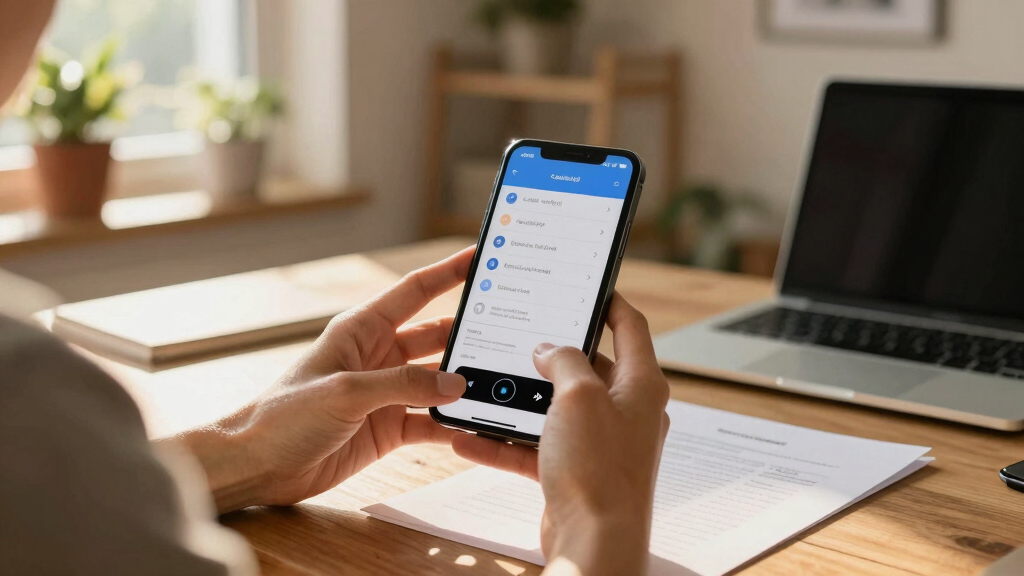
Finding the right cloud document scanner for remote work can greatly improve your productivity and workflow flexibility. The Epson Workforce ES-C220 stands out as the best overall with its reliable duplex scanning and compatibility across devices. For portability, the Epson Workforce ES-60W offers a compact design perfect for on-the-go scanning, while the ScanSnap iX2500 provides a seamless cloud experience with a large touchscreen. The main tradeoffs in this market often involve balancing scanning speed, portability, and price. Continue reading for a detailed breakdown of these top picks and what makes each suitable for different remote work needs.
Key Takeaways
- Top scanners combine high-speed duplex scanning with cloud integration, streamlining remote workflows.
- Portability varies; portable models excel for mobile professionals but may sacrifice some features or speed.
- Touchscreen and user interface quality significantly impact ease of use, especially for non-technical users.
- Auto document feeders (ADF) are common but vary in capacity, affecting batch scanning efficiency.
- Price points reflect tradeoffs: more expensive models often offer faster, more durable features, while budget options focus on portability and basic functionality.


More Details on Our Top Picks
Epson Workforce ES-C220 Compact Desktop Document Scanner with 2-Sided Scanning and Auto Feeder (ADF) for PC as Well as Mac
This model stands out for its combination of speed, multi-page capacity, and advanced image adjustments, making it ideal for remote workers who need reliable, high-quality scans. Compared with the ScanSnap iX1300, it offers more robust batch handling with a 20-page ADF and versatile document types, though it’s less portable. The intelligent image processing, including auto-cropping and dirt detection, ensures crisp results without requiring manual editing, which is essential for professional documentation. The included Epson ScanSmart software simplifies workflows, especially for users managing large document volumes. However, its size, while compact, is less portable than handheld options and may require a dedicated workspace. The tradeoff for superior quality and batch capacity is a slightly larger footprint and higher price point. This pick makes the most sense for professionals working remotely who value speed, versatility, and image quality.Pros:- Fast two-sided scanning at 30 ppm/60 ipm
- Robust 20-page auto feeder for batch scanning
- Excellent image processing with auto-cropping and dirt detection
- Versatile document handling from cards to passports
Cons:- Relatively larger size, less portable than handheld scanners
- Higher price compared to entry-level portable options
Best for: Remote professionals handling diverse document types and batch processing needs.
Not ideal for: Casual users or those with minimal scanning requirements who prefer ultra-portable solutions.
- Scanner Type:Desktop, duplex
- Connection Type:USB, Mac/PC compatible
- Resolution:1200 dpi
- Media Size:216 x 356 mm
- Sheet Capacity:20 pages
- Light Source:LED
Bottom line: This scanner is best suited for users who need high-capacity, high-quality scans in a dedicated workspace.
ScanSnap iX2500 Wireless or USB High-Speed Cloud Enabled Document, Photo & Receipt Scanner with Large 5″ Touchscreen and 100 Page Auto Document Feeder for Mac or PC, White
This pick is ideal for remote workers seeking seamless cloud connectivity and user-friendly operation, thanks to its large touchscreen and automatic profile management. Compared to the Epson ES-60W, it offers faster duplex scanning at 45 ppm and a substantially larger 100-sheet feeder, making it suitable for higher-volume tasks. The intuitive touchscreen allows quick access to personalized profiles and direct uploads to cloud services, streamlining workflows for non-technical users. Its wireless and USB connectivity supports flexible setups, especially in shared home offices. However, it’s bulkier and more expensive than portable models, which may be a drawback for those with limited space or infrequent scanning needs. The tradeoff is the high level of automation and cloud support at a higher cost. This scanner makes the most sense for those who prioritize ease, speed, and cloud integration over portability.Pros:- Fast duplex scanning at 45 ppm
- Large 5-inch touchscreen for quick profile access
- Supports cloud, PC, Mac, and mobile device uploads
- Automatic profile selection and file naming
Cons:- Heavier and bulkier than portable options
- Higher price point for advanced features
Best for: Remote workers who need fast, high-volume scans with simple cloud sharing.
Not ideal for: Occasional scanners or those with very limited desk space who prefer compact, standalone devices.
- Scanner Type:Desktop, duplex
- Connection Type:Wi-Fi, USB-C
- Resolution:1200 dpi
- Media Size:A4
- Sheet Capacity:100 pages
- Light Source:LED
Bottom line: This scanner is best for users who want fast, automated scans with direct cloud connectivity and minimal manual setup.
ScanSnap iX1300 Compact Wireless or USB Double-Sided Color Document, Photo & Receipt Scanner with Auto Document Feeder and Manual Feeder for Mac or PC, White
This model makes a compelling case for those with tight workspace constraints, offering duplex color scanning at 30 ppm and simple plug-and-play operation. Compared with the Epson ES-60W, it provides slightly slower duplex speeds but excels in compactness, fitting easily into small desks or portable bags. Its intuitive one-touch operation and automatic image adjustments make it suitable for users new to scanning or those who prefer minimal setup. The inclusion of both auto and manual feeders accommodates various document types, including thicker items. Its main tradeoff is its lower batch capacity, which may hinder high-volume tasks. The focus on simplicity and size means less advanced image correction compared to larger models. This pick is ideal for remote workers who prioritize space and ease for daily document scans.Pros:- Compact, space-saving design
- Fast duplex color scanning at 30 ppm
- Simple one-touch operation with automatic adjustments
- Supports both auto and manual feeders
Cons:- Limited batch capacity (generally fewer pages)
- Slower than larger, dedicated office scanners
Best for: Remote workers with limited desk space needing quick, straightforward duplex scans.
Not ideal for: High-volume environments or users needing advanced image correction, who should consider larger models.
- Scanner Type:Portable, duplex
- Connection Type:Wi-Fi, USB
- Resolution:1200 dpi
- Media Size:Letter
- Sheet Capacity:1 sheet
- Light Source:LED
Bottom line: This scanner is perfect for those who need reliable, space-efficient duplex color scans for everyday use in a small workspace.
Epson Workforce ES-60W Wireless Portable Sheet-fed Document Scanner for PC and Mac 10.7″ by 1.9″ by 1.4″
This ultra-lightweight scanner excels in portability, fitting easily into bags and capable of scanning a single sheet in just 4 seconds wirelessly. Compared with the Plustek S410 Plus, it offers wireless convenience but handles only one sheet at a time, making it less ideal for batch processing. Its simple, button-free operation appeals to users who need quick, on-demand scans without fuss. The scanner’s size and wireless function are perfect for remote workers traveling or working from multiple locations. However, the single-sheet capacity limits its use for high-volume tasks, and it requires a USB connection for initial setup or charging, which could be a minor inconvenience. The main tradeoff is speed versus portability—perfect for quick tasks but not for large batches. This makes sense for mobile professionals or those who prioritize size and wireless convenience.Pros:- Extremely lightweight and compact
- Wireless scanning with a quick 4-second per page speed
- Supports scanning to PC, Mac, iOS, and Android devices
- Includes Nuance OCR for searchable PDFs
Cons:- Handles only one page at a time, limiting batch throughput
- Requires USB connection for initial charging or setup
Best for: Remote workers who need quick, portable scans during travel or in flexible workspaces.
Not ideal for: High-volume scanning or users needing multi-page batch processing, who should opt for larger, wired scanners.
- Scanner Type:Portable, single-sheet
- Connection Type:Wi-Fi, USB
- Resolution:1200 dpi
- Media Size:Letter
- Sheet Capacity:1 sheet
- Light Source:LED
Bottom line: This scanner is ideal for remote workers needing instant, portable scans from anywhere, especially when on the move.
Plustek Mobile Scanner S410 Plus – Portable Sheet-Fed Document Scanner – for Windows 7 / 8 / 10 / 11, Featuring Button-Free Scanning with Included OCR Software
This scanner offers an affordable, lightweight solution for mobile scanning needs, with automatic, button-free operation and OCR software for converting documents into editable files. Compared to the Epson ES-60W, it lacks wireless capabilities but compensates with easy plug-and-play USB connectivity. Its simple operation suits users who want quick scans without complex settings, especially for documents, receipts, and IDs. The main limitation is its single-sheet capacity and slower speed of roughly 4 seconds per page, which is acceptable for occasional use but less suitable for bulk tasks. The OCR software enhances productivity by enabling searchable PDFs and editable documents. Tradeoffs include its reliance on USB and limited batch size, but overall, it provides excellent value for casual or budget-conscious remote workers.Pros:- Very lightweight and portable, under 1 lb
- Automatic, button-free scanning process
- Includes OCR software for editable files
- Supports a variety of document types including IDs and receipts
Cons:- Limited to single-page scans at a time
- No wireless connectivity, relies on USB
Best for: Budget-conscious remote workers who need portable, quick scans with OCR capabilities for occasional use.
Not ideal for: High-volume or professional environments requiring fast batch processing and wireless connectivity, better suited to larger scanners.
- Scanner Type:Portable, single-sheet
- Connection Type:USB
- Resolution:600 dpi
- Media Size:A4, ID cards
- Sheet Capacity:1 sheet
- Light Source:LED
Bottom line: This scanner provides a cost-effective, portable scanning solution with OCR for users with light, on-the-go needs.
Epson WorkForce ES-50 Portable Sheet-Fed Document Scanner for PC and Mac
This ultra-lightweight and compact scanner stands out for its portability, making it ideal for remote workers who need quick, reliable scans anywhere. Compared to the ScanSnap iX1300, the ES-50 is smaller and USB-powered, eliminating the need for batteries or external power, but it lacks duplex scanning and a built-in feeder, which the iX1300 offers for higher-volume tasks. Its fast 5.5-second scan speed per page suits those who prioritize speed for single sheets, like receipts or ID cards. The included Epson ScanSmart software simplifies organization, but the device handles only single sheets at a time, which can be a drawback for bulk scanning. This pick makes the most sense for travelers or field workers needing quick, on-demand scans without bulk processing capabilities.
Pros:- Extremely portable and lightweight, easy to carry in a bag
- USB-powered, no external power source needed
- Fast single-sheet scan speed of 5.5 seconds
Cons:- Limited to single-sheet scanning, not suitable for bulk jobs
- No duplex or multi-page feeding capability
Best for: Freelancers and remote workers who frequently scan single documents or IDs on the move
Not ideal for: Offices or teams needing duplex scanning or high-volume batch processing
- Scan Speed:5.5 seconds per page
- Connectivity:USB powered
- Paper Handling:Single sheet only
- Compatibility:Windows and Mac
- Document Size:up to 8.5 x 72 inches
- Software:Epson ScanSmart with OCR
Bottom line: This scanner is perfect for remote workers who need fast, single-page scans while traveling or in the field.
ScanSnap iX1300 Compact Wireless or USB Double-Sided Color Document, Photo & Receipt Scanner with Auto Document Feeder and Manual Feeder for Mac or PC, Black
This compact scanner is a standout for its fast duplex scanning at 30ppm, ideal for busy remote offices or individuals with high-volume needs. Compared to the Brother DS-640, the iX1300 offers a larger 50-sheet auto document feeder, Wi-Fi connectivity, and a user-friendly touchscreen, but it is bulkier and more expensive. Its reliable automatic de-skew, blank page removal, and color optimization streamline workflows, especially when managing diverse document types, including photos. The included ScanSnap Home software consolidates management, but the device’s size and cost might be overkill for those only scanning occasional documents. This model makes sense for remote teams or solo professionals processing large stacks of documents regularly.
Pros:- Fast duplex scanning at 30 pages per minute
- Large 50-sheet auto feeder reduces reloads
- Wi-Fi and USB connectivity for flexible placement
Cons:- Larger footprint compared to portable scanners
- Higher price point for occasional use
Best for: Small business owners or remote teams needing efficient, high-volume document scanning
Not ideal for: Travelers or individuals with minimal scanning needs due to its size and cost
- Scan Speed:30ppm duplex
- Sheet Capacity:50 sheets
- Connectivity:Wi-Fi and USB
- Resolution:600 dpi
- Media Type:Documents, photos, cards
- Software:ScanSnap Home with OCR
Bottom line: This scanner is well-suited for remote teams or small offices with high-volume scanning requirements in a compact form factor.
ScanSnap iX2500 Wireless or USB High-Speed Cloud Enabled Document, Photo & Receipt Scanner with Large 5″ Touchscreen and 100 Page Auto Document Fewer for Mac or PC, Black
This high-capacity scanner excels at processing large batches with its impressive 45ppm speed and 100-page automatic feeder, making it ideal for remote organizations managing extensive document flows. Unlike the Plustek PS186, which is more manual and suited for smaller tasks, the iX2500 offers a sleek design, a large touchscreen for easy operation, and support for cloud services directly from the device. Its robust build and fast throughput are ideal for teams scanning hundreds of pages weekly, but the higher price and larger size might be unnecessary for occasional users. The device’s ability to automatically sort, name, and send documents to cloud services streamlines remote work, especially in collaborative environments.
Pros:- Fast 45 pages per minute duplex scanning
- Large 5-inch touchscreen for easy control
- 100-sheet automatic document feeder
Cons:- Relatively large and less portable
- Higher cost compared to basic models
Best for: Remote teams or small offices with heavy scanning and cloud integration needs
Not ideal for: Solo users with light scanning tasks or limited desk space
- Scan Speed:45ppm duplex
- Sheet Capacity:100 pages
- Connectivity:Wi-Fi 6 and USB-C
- Resolution:600 dpi
- Media Type:Documents, photos
- Software:ScanSnap Cloud with OCR
Bottom line: This scanner is best for remote teams requiring high-volume, cloud-ready scanning with minimal manual intervention.
Plustek PS186 Desktop Document Scanner, with 50-Pages Auto Document Feeder (ADF). for Windows 7/8 / 10/11 (Intel/AMD only)
Compared to premium models like the ScanSnap iX2500, the PS186 offers good value for its 50-sheet ADF and decent speed, making it a solid choice for organizations with tight budgets that still require bulk scanning. Its support for OCR and ability to convert documents into searchable files makes it suitable for remote offices digitizing large stacks of paper. However, its software setup can be cumbersome, and the lack of wireless connectivity limits flexibility, especially for remote work environments where Wi-Fi is preferred. The device’s build quality is more utilitarian, but for those who prioritize function over form, it performs reliably within its scope.
Pros:- Supports up to 50 pages with auto feeder
- Supports OCR for searchable PDFs
- Affordable for high-volume scanning
Cons:- No wireless or Wi-Fi connectivity
- Setup can be complicated due to limited instructions
Best for: Cost-conscious remote offices needing bulk document scanning
Not ideal for: Travelers or users who require wireless or portable scanning
- Sheet Capacity:50 pages
- Connectivity:USB only
- Resolution:600 dpi
- Supported OS:Windows 7/8/10/11
- Media Type:Documents
- OCR:Yes
Bottom line: This model is a practical option for remote offices focused on cost-effective, high-volume document digitization.
Brother DS-640 Compact Mobile Document Scanner, (Model: DS640)
The Brother DS-640 is a highly portable scanner that fits easily into a pocket or bag, making it ideal for remote workers who need quick scans in varied locations. Its blazing fast 16ppm speed and support for both Windows and Mac via TWAIN/WIA/ICA drivers make it versatile for different setups. Unlike the larger ScanSnap iX1300, the DS-640’s compact size sacrifices some capacity and advanced features, but it remains reliable for scanning up to legal-sized documents, especially when mobility is a priority. Its automatic color detection and image optimization features help produce clear scans, though its lack of wireless connectivity means it’s best paired with a laptop or portable device connected via USB.
Pros:- Extremely compact and lightweight, fits in a pocket
- Fast scanning speeds of up to 16ppm
- Supports multiple platforms via TWAIN/WIA/ICA
Cons:- Limited to 8.5 x 14 inch documents
- No wireless or cloud connectivity
Best for: Travelers and remote workers needing a lightweight, portable scanner
Not ideal for: Offices requiring high-volume scanning or wireless capabilities
- Scan Speed:16ppm
- Document Size:Up to 8.5 x 14 inches
- Connectivity:USB
- Compatibility:Windows, Mac
- Sensor Technology:CIS
- Resolution:600 dpi
Bottom line: This device is perfect for mobile professionals who need quick, reliable scans in a small package.
Epson Workforce ES-400 II Color Duplex Desktop Document Scanner for PC and Mac with Auto Doc Feeder (ADF), Image Adjustment Tools
The WorkForce ES-400 II stands out for its rapid 35 pages per minute duplex scanning and intuitive software, making it suitable for busy home offices or small teams needing quick, reliable digitization. Unlike the ScanSnap iX1300, which offers a more compact design, this Epson model provides a larger sheet capacity and more straightforward integration with various workflows. The auto crop, blank page skip, and OCR features ensure high-quality, searchable PDFs, but the device’s size (14.5″ D x 10″ W x 11.25″ H) and weight (3.7 kg) make it less ideal for tight spaces or portable needs. It excels at handling larger stacks of documents efficiently, though it may be overkill for occasional scanning tasks. Compared to the Epson ES-C220, which is smaller and more portable, the ES-400 II offers faster throughput but sacrifices portability. This pick makes the most sense for users who prioritize speed, volume, and seamless software compatibility over space-saving design.
Pros:- Fast 35 pages per minute duplex scanning for efficient workflows
- Intuitive Epson ScanSmart software with preview, email, and cloud upload options
- Excellent image adjustment tools like auto crop and background removal
- Seamless integration via TWAIN driver with most document management systems
Cons:- Relatively large footprint makes it less suitable for tight spaces
- Lacks wireless connectivity—requires USB connection
- Higher price point might be a barrier for budget-conscious users
Best for: Small business owners or remote workers with high-volume scanning needs who require fast, reliable performance.
Not ideal for: Those with limited desk space or needing a portable scanner for on-the-go use, as its size and weight are less convenient.
- Scanner Type:Color Duplex Desktop
- Connection Type:USB
- Resolution:300 dpi
- Color Depth:8 bpp
- Sheet Capacity:50
- Media Size:8.5 x 11 inches
- Item Dimensions:14.5″ D x 10″ W x 11.25″ H
- Item Weight:3.7 Kilograms
- Warranty:1-year limited
Bottom line: This device is ideal for users who need high-volume, quick, and easy document scanning directly into cloud or searchable formats, willing to compromise on portability.
How We Picked
The products in this roundup were evaluated based on multiple criteria relevant to remote work scenarios. Performance factors included scanning speed, duplex capabilities, and cloud connectivity. Usability considerations covered ease of setup, interface quality, and portability. Build quality and durability were assessed for long-term reliability, especially for frequent use outside a fixed office. Value was measured by balancing features against price, ensuring options suit different budgets without sacrificing core needs. We prioritized models with strong cloud integration, user-friendly interfaces, and flexible connectivity options, ranking them to reflect the best overall balance of these factors.Factors to Consider When Choosing Cloud Document Scanner For Remote Work
Choosing a cloud document scanner for remote work involves more than just looking at specs. It’s important to consider how well the device integrates with your existing workflow, especially in a cloud environment. Factors like portability are vital if you often work outside your home or office. Ease of use can make or break your experience, particularly if multiple users will operate the scanner. Price also plays a role, but investing in a higher-quality model can save time and frustration in the long run. Keep these considerations in mind to select a device that truly enhances your remote productivity.Connectivity and Cloud Integration
For remote work, seamless cloud integration is essential. Look for scanners that connect via Wi-Fi, USB, or Ethernet with native cloud app support. This reduces manual file transfers and simplifies workflow automation. Devices that support popular cloud services like Dropbox, Google Drive, or OneDrive make collaboration much easier. Beware of models that require complex setup or proprietary software, as these can hinder quick deployment and daily use. Prioritize compatibility with your preferred cloud storage and team collaboration tools to maximize efficiency.
Portability and Size
If your remote work involves frequent travel or working from multiple locations, portability becomes a key factor. Compact, lightweight scanners like the Epson ES-60W or Brother DS-640 are designed for easy transport. However, smaller devices often have lower capacity or slower speeds. Larger, desktop models may offer faster, more reliable scanning but are less practical outside a fixed workspace. Consider your typical work environment and balance portability with performance to avoid frustration or workflow bottlenecks.
Speed and Batch Processing
Scanning speed and automatic document feeder (ADF) capacity directly impact productivity, especially when dealing with large volumes. For remote workers handling multiple documents daily, a scanner with a high page-per-minute rate and a large ADF (100+ pages) can save significant time. Cheaper models might only handle smaller batches or require manual feeding, which slows down workflow. Think about your typical scanning volume and choose a model that can keep up without constant intervention, thus maintaining your efficiency.
Ease of Use and User Interface
An intuitive interface, preferably with a touchscreen, reduces setup time and minimizes user errors. For non-technical users, complex software or confusing controls can be a barrier, especially in a home or shared environment. Many models now include guided workflows and cloud connectivity prompts that simplify operation. Prioritize devices with clear instructions and robust support resources to ensure smooth daily use, particularly if multiple team members need to operate the scanner.
Price and Long-Term Value
Budget constraints are common, but a lower upfront cost may mean sacrificing durability, speed, or cloud features. Investing a bit more in a higher-quality scanner often results in better reliability, faster processing, and easier maintenance. Consider the total cost of ownership, including replacement parts, software updates, and potential service needs. For occasional use, a basic model might suffice, but for regular remote workers, a mid-range or premium device can provide a more seamless, frustration-free experience.
Frequently Asked Questions
Can I use these scanners with my Mac and Windows devices?
Most scanners in this list support both Mac and Windows operating systems, often through dedicated drivers or cloud-compatible applications. Compatibility is usually clearly specified in product specs. It’s advisable to verify that the scanner’s software options support your OS version before purchasing. Cloud integration features tend to be platform-agnostic, making these devices versatile for mixed device environments typical in remote work setups.
Do I need special software to scan directly to cloud services?
Many modern scanners include built-in support for popular cloud services or come with companion apps that facilitate direct uploads. This eliminates the need for manual file transfers and simplifies workflows. However, some budget models may require additional steps or third-party software, which can introduce complexity. Always check whether the scanner’s native app or firmware supports your preferred cloud platform to avoid workflow disruptions.
Are portable scanners durable enough for frequent travel?
Portable scanners like the Epson ES-60W or Brother DS-640 are designed for mobility, often featuring sturdy, lightweight construction. They are generally built to withstand regular handling, but their longevity depends on care and usage conditions. If you plan to travel frequently, look for models with protective cases and good reviews on durability. Keep in mind that portable devices may have slower speeds or smaller ADFs compared to desktop counterparts, which can influence your overall workflow efficiency.
What should I consider about scanning speed for remote work?
Scanning speed becomes important when you handle large batches of documents regularly. Faster devices, often measuring pages per minute, reduce wait times and streamline large projects. However, higher speed models tend to be more expensive and larger. If your workload involves occasional scanning, a moderate-speed model might suffice. For daily high-volume tasks, investing in a faster scanner can save hours over time, making your remote workflow more efficient.
Is auto document feeder (ADF) capacity worth paying extra for?
Yes, higher-capacity ADFs significantly improve efficiency by allowing batch scanning without frequent manual intervention. For remote workers who digitize multiple pages daily, a large ADF (100+ pages) minimizes disruptions and keeps the workflow smooth. Cheaper models often have smaller capacities, requiring manual feeding and slowing down the process. Consider your typical scanning volume to determine whether the additional investment in a higher-capacity ADF provides value for your needs.