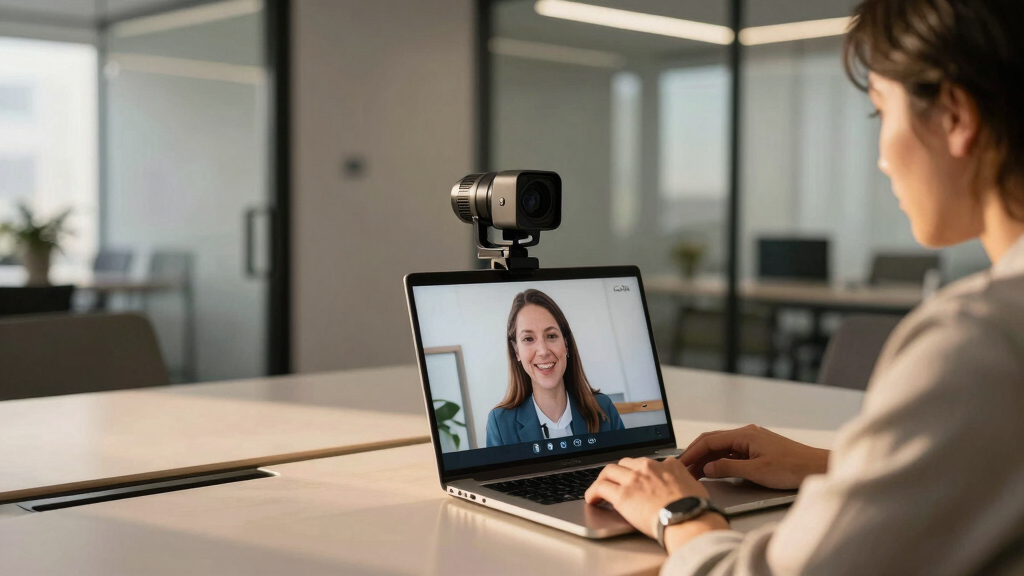

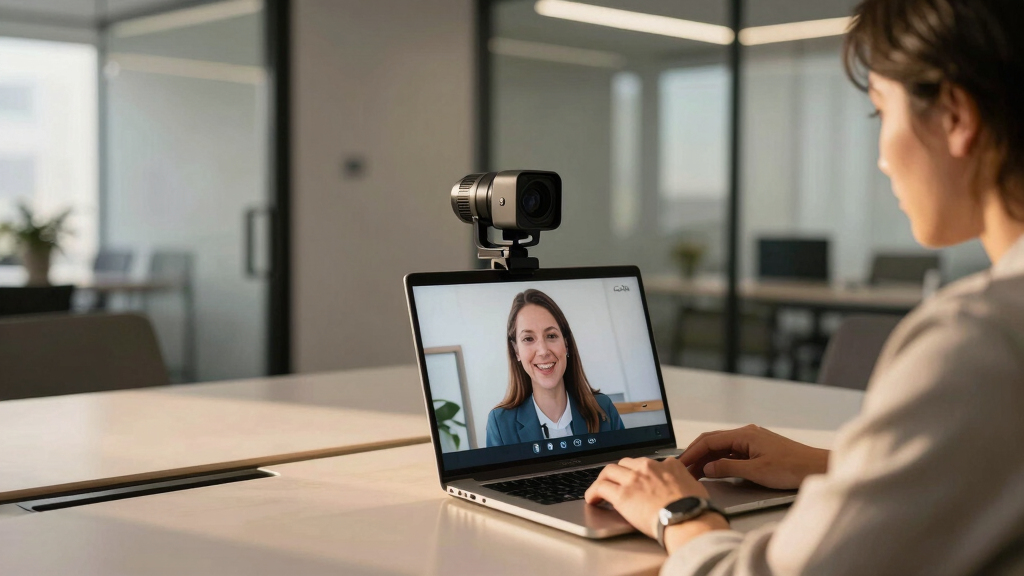
Matching the right auto framing camera to your Zoom room can dramatically improve your virtual meetings. The best models automatically adjust framing to keep you in focus, even as you move around, creating a more natural and engaging experience. Among these, the AV Access 4K Conference Room Camera stands out for its gesture control and presenter tracking, while the WYRESTORM 4K AI Tracking Conference Webcam offers reliable AI-based auto framing for larger rooms. On the premium side, the All-in-One Conference System combines multiple features into a single package, but it comes at a higher price. Each option involves tradeoffs between affordability, features, and ease of use. Continue reading for a detailed breakdown of these models and how to choose the best fit for your Zoom room setup.
Key Takeaways
- Auto framing accuracy varies significantly, with AI-driven models generally providing more reliable tracking in larger or more dynamic rooms.
- Higher-priced options tend to offer more seamless integration, better build quality, and additional features like presenter tracking and gesture control.
- Compact webcams with auto framing are suitable for small rooms or personal offices, but may lack the robustness needed for larger conference spaces.
- Ease of setup and user interface are often overlooked but critically impact daily usability, especially for non-technical users.
- Tradeoffs between price and performance are common; investing in a top-tier model can reduce frustration but isn’t necessary for all environments.


More Details on Our Top Picks
EMEET C60E Dual-Camera 4K Webcam for Streaming, Wide-Angle and Telephoto Cameras, Max 11X Hybrid Zoom & PDAF Autofocus, Remote Control, RGB Lighting, 2 Mics, Ideal for Livestreaming and Online Meeting
This webcam stands out by offering a unique dual-camera setup, combining a wide-angle panoramic lens with a telephoto zoom, unlike most single-lens webcams like the AV Access BizEye 90. The 4K clarity and 11X hybrid zoom provide impressive detail shifts, ideal for presentations or teaching where different views are needed. However, zoom is unsupported in 4K at 60FPS or YUY2 modes, which is a limitation for high-frame-rate streaming. The remote and studio controls deliver flexible, real-time framing adjustments, surpassing typical webcams that lack remote operation. The RGB lighting adds personality and visibility, but might be distracting in professional settings. With plug-and-play compatibility and dual omnidirectional mics, it covers both video and audio well. This pick makes the most sense for streamers or educators needing dynamic framing, but less so for those requiring high FPS in all modes.
Pros:- Dual-camera system for versatile views
- Up to 11X hybrid zoom with PDAF autofocus
- Remote and studio control options for flexible framing
- Vibrant RGB lighting for visual cues
Cons:- Zoom not supported in 4K 60FPS or YUY2 modes
- Limited zoom support during high FPS streaming
- RGB lighting may be distracting in formal meetings
Best for: Content creators, online educators, and live streamers needing flexible, multi-view framing.
Not ideal for: Users who prioritize high-frame-rate streaming or simple setup without advanced controls.
- Resolution:4K
- Zoom:11X hybrid
- Autofocus:PDAF
- Microphone:2 omnidirectional
- Compatibility:Windows 10/11, macOS
- Lighting:RGB accents
Bottom line: This webcam offers excellent multi-view flexibility for content creators who need both wide and close-up shots but sacrifices some zoom compatibility in high-performance modes.
AV Access 4K Conference Room Camera – Gesture Control, Auto Framing, Presenter Tracking, Individuals Gallery, Dual Noise-Canceling Mics, Privacy Cover, 120° FOV, ePTZ 5X Zoom Webcam for Teams, Zoom
Compared to simpler webcams like the 4K Video Conference System, the AV Access BizEye 90 excels with AI auto framing, presenter tracking, and a wide 120° field of view, making it ideal for small to medium conference rooms. Its gesture control and ePTZ 5X zoom enable hands-free operation and fine framing adjustments, a step above basic plug-and-play webcams. The dual noise-canceling mics and privacy cover enhance privacy and audio clarity, but the camera’s fixed focus and lack of optical zoom limit flexibility during close-up shots. Compatibility with major platforms and plug-and-play setup make it accessible for most users. This model is better suited for dynamic meetings where automatic framing and participant focus are priorities, though it may fall short in high-zoom scenarios or large rooms.
Pros:- AI auto framing and presenter tracking
- Gesture control with easy adjustments
- 120° wide-angle lens for inclusive framing
- Plug-and-play USB compatibility
Cons:- No optical zoom, limited to 5X digital zoom
- Fixed focus, less ideal for close-ups
- May struggle with very large rooms
Best for: Small to medium conference rooms needing AI auto framing and simple setup.
Not ideal for: Large rooms or users requiring optical zoom or high fps for fast-paced presentations.
- Resolution:4K
- FOV:120°
- Zoom:5X ePTZ
- Microphones:Dual noise-canceling
- Compatibility:Windows, macOS, platforms
- Focus:Fixed
Bottom line: This camera is ideal for small conference rooms that value automation and wide coverage over extreme zoom capabilities.
4K Video Conference Room Camera System with Remote Control, AI Auto Framing&Focus, Speaking Tracking, Digital Zoom, Webcam with Microphone and Speaker for Windows TV/PC/Laptop/Zoom/Teams/Skype
This all-in-one system combines a 4K camera, high-fidelity microphone, and speaker into a compact package, offering a simple yet powerful alternative to separate webcams like the WYRESTORM 4K Webcam. Its AI auto framing and speaker tracking ensure focused views on active speakers, which is especially useful for small meetings or training sessions. The included remote control simplifies operation, including zoom and preset views, making it accessible for users who prefer remote management. However, it is less flexible in larger rooms or rapid multi-speaker scenarios due to its fixed wide-angle lens and moderate zoom. Its integrated audio system provides clear sound, but it may not match dedicated audio equipment in larger or acoustically challenging spaces. This system makes sense for those seeking a streamlined, all-in-one solution for small to medium rooms.
Pros:- All-in-one design with camera, mic, and speaker
- AI auto framing and speaker tracking
- Remote control for easy operation
- 4K resolution for sharp video
Cons:- Limited zoom range for large rooms
- Fixed wide-angle lens may not suit big spaces
- Audio quality may be insufficient for large venues
Best for: Small conference rooms and trainers needing integrated audio-visual with AI auto framing.
Not ideal for: Large conference halls or users requiring high optical zoom and advanced audio setups.
- Resolution:4K
- Focus:Auto
- Zoom:Digital 4X
- Microphone & Speaker:Built-in
- Compatibility:Windows, TV, PC, Laptop
- Field of View:94°
Bottom line: This system is ideal for small to medium rooms seeking a compact, easy-to-use AI-powered video conferencing solution with integrated audio.
WYRESTORM 4K AI Tracking Conference Webcam, Auto Framing & Presenter Tracking, 120° Wide Angle, Dual Noise Cancelling Mics, Privacy Cover, USB Plug & Play, Zoom Certified for Teams Meeting Rooms
Designed specifically for small meeting spaces, this webcam offers 4K resolution with AI auto framing and presenter tracking, surpassing basic webcams like the 4K Conference System. The 120° wide angle ensures comprehensive room coverage, while dual noise-canceling mics improve audio clarity. It’s simple to set up with USB plug-and-play, and the physical privacy cover adds security for shared environments. However, its fixed wide angle and limited optical zoom might be restrictive for larger rooms or those requiring close-up detail. Compatibility with platforms like Teams and Zoom makes it versatile, but the focus is on automatic framing rather than zoom flexibility. This camera suits offices needing reliable AI framing and tracking without complex controls, but may not fit larger or zoom-intensive scenarios.
Pros:- AI auto framing and presenter tracking
- 120° wide-angle coverage
- Plug-and-play simplicity
- Physical privacy cover
Cons:- No optical zoom, limited to 4X digital zoom
- Focus fixed, not suitable for close-ups
- Limited room size for optimal coverage
Best for: Small conference rooms or shared office spaces needing AI auto framing and privacy features.
Not ideal for: Large rooms or scenarios requiring high optical zoom or fast multi-person transitions.
- Resolution:4K
- FOV:120°
- Zoom:Digital 4X
- Audio:Dual noise-canceling mics
- Compatibility:USB, Zoom, Teams
- Focus:Fixed
Bottom line: This webcam is perfect for small, secure meeting rooms that want AI-driven auto framing and easy setup without zoom flexibility.
TONGVEO 3-in-1 4K Webcam with Microphones and Speaker, AI Auto-Tracking 5X Digital Zoom Webcam 4K Adjustable Field of View Remote Control Works with Microsoft Teams, Zoom, Google Meet, PC Mac Laptop
Compared to standalone webcams like the 4K Conference System, the Tongveo 3-in-1 offers a comprehensive package with integrated microphones, speakers, and a remote control, making it a flexible choice for varied room sizes. Its AI auto framing and voice tracking ensure the camera follows active speakers and keeps everyone centered, which is beneficial for dynamic meetings or content creation. The 5X digital zoom and adjustable FOV (118°, 100°, 88°) give users control over framing, suitable for both wide group views and close-ups. However, the focus is fixed, and zoom is digital, which may not suffice for very large rooms or fast scene changes. Compatibility with Zoom, Teams, and Google Meet makes it versatile. This pick suits users needing an all-in-one, adaptable camera with AI features, but not those requiring optical zoom for large spaces.
Pros:- AI auto framing and voice tracking
- Adjustable FOV with remote control
- Built-in microphones and speaker
- 3-year manufacturer warranty
Cons:- Digital zoom only, no optical zoom
- Fixed focus, limited for close-up shots
- Potentially limited in very large spaces
Best for: Small to medium rooms needing flexible FOV, AI auto framing, and integrated audio.
Not ideal for: Large conference halls or scenarios demanding high optical zoom and ultra-fast focus adjustments.
- Resolution:4K
- FOV:118°, 100°, 88°
- Zoom:Digital 5X
- Audio:Built-in mic & speaker
- Compatibility:Windows, Mac
- Focus:Fixed
Bottom line: This webcam excels for versatile, small to medium rooms where AI auto framing and remote control provide easy, adaptable coverage.
4K Pro Audio and Video Conference Room Camera with Remote Control for Windows TV, AI-Powered HD Webcam with Microphone & Speaker for Desktop Computer/PC/Monitor/Laptop/Teams/Zoom/Skype
This all-in-one webcam stands out for consolidating 4K video, high-quality audio, noise-canceling microphones, and remote control into a single device, making it ideal for cluttered or space-limited setups. Compared with the Yealink UVC34, it offers more comprehensive hardware with integrated speakers and microphones, but its audio performance can be inconsistent, as some users report static and choppy sound, especially over time. Its AI-powered auto framing and presenter tracking are effective at maintaining focus on active speakers, which is critical for dynamic meetings. However, the device has limited details on specs, and the need for a remote might be inconvenient for some users. This pick makes the most sense for teams that want an all-in-one package that reduces desk clutter and supports versatile conference apps, accepting some tradeoffs in long-term audio reliability.
Pros:- Integrated 4K camera, microphone array, and speaker for a clutter-free setup
- AI-powered auto framing and presenter tracking to keep focus on active speakers
- Remote control allows easy adjustments from a distance
- Plug-and-play compatibility with most conferencing apps
Cons:- Audio quality can be inconsistent, with reports of static and choppy sound
- Limited technical specifications provided, making long-term reliability uncertain
Best for: Medium to large teams that need a space-saving, all-in-one conferencing solution with AI auto framing and speaker tracking.
Not ideal for: Users prioritizing crystal-clear audio over video quality, as some reports indicate inconsistent microphone performance.
- Video Resolution:4K
- Field of View:94°
- Microphone:Microphone array with noise cancellation
- Speaker:High-fidelity speaker
- Zoom:5X digital zoom
- Compatibility:Zoom, Skype, Teams, OBS
Bottom line: This device is best suited for teams seeking an all-in-one, space-efficient conferencing system willing to accept some audio drawbacks.
4K Webcam Conference Call TV Room Web Camera with Dual Microphones &Speaker, | All-in-One USB Video Camera, 116° Wide Angle, AI Auto Framing | Compatible with Zoom, OBS
This webcam excels at capturing large groups with its 116° wide-angle lens and 4K resolution, making it a strong choice for conference rooms or streaming on platforms like Zoom and OBS. Compared to the Yealink UVC34, it offers a broader field of view but lacks the same level of AI face tracking and presenter following, which might limit its effectiveness in dynamic meetings. The dual omnidirectional microphones and built-in high-fidelity speaker enable decent audio, but they are less sophisticated than dedicated microphone arrays. Its plug-and-play USB-C setup ensures quick deployment, and the camera’s sharp image quality is suitable for professional presentations. However, user reviews mention occasional video freezes and choppy performance over time, which could be a concern for long-term reliability. It makes the most sense for users who need a wider shot and high resolution but can tolerate some stability issues.
Pros:- 116° wide-angle lens captures more participants in a single frame
- Stunning 4K Ultra HD resolution with vibrant color reproduction
- Dual noise-reducing microphones and built-in speaker for decent audio
- Simple plug-and-play setup with USB-C connection
Cons:- Lacks AI auto framing and speaker tracking for dynamic meetings
- Reported issues with video freezing and inconsistent performance over time
Best for: Small to medium-sized conference rooms or streaming setups needing expansive coverage and 4K clarity.
Not ideal for: Teams requiring active speaker tracking or presenter following, as this model lacks those AI features.
- Video Resolution:4K
- Field of View:116°
- Microphones:Dual omnidirectional
- Connectivity:USB-C
- Zoom:No AI tracking
- Compatibility:Zoom, OBS, WebEx
Bottom line: Ideal for users prioritizing wide coverage and high resolution over dynamic auto-framing features.
Yealink UVC34 4K Conference Room Camera System 10 Microphone 8 MP All-in-One Video Conferencing System AI Auto Framing 120° Field of View Microsoft Teams Certified Webcam Zoom Rooms USB-A
This camera is a solid choice for small to medium rooms, offering AI auto framing, a 120° wide-angle lens, and built-in microphones and speakers, all certified for Microsoft Teams and Zoom Rooms. Compared to the Tongveo models, it provides a more streamlined, certified experience with easier management and setup, especially suitable for Teams-only environments. Its 8 MP sensor captures sharp video at 4K, while AI auto framing ensures participants stay centered, which is especially useful in hybrid meetings. The integrated microphones and 5W speaker deliver clear audio, but some users note that audio performance can still be improved in noisy environments. Its plug-and-play USB-A connection simplifies deployment, and the electric lens cap ensures privacy. However, the 120° field of view might be limiting in larger rooms, and the device is slightly heavier, requiring a stable mount. This makes it ideal for users needing certified, easy-to-manage hardware for small to medium rooms.
Pros:- Microsoft Teams certified with seamless Zoom Rooms integration
- AI auto framing and face enhancement for focused video
- 120° wide-angle lens captures entire room participants
- Plug-and-play USB-A connection for quick setup
Cons:- Audio quality, while good, may be insufficient in noisy settings
- Limited to 120° FOV, which may be restrictive for larger spaces
Best for: Organizations needing a certified, easy-to-deploy system for small conference rooms or huddle spaces.
Not ideal for: Large rooms or environments demanding extensive field of view or advanced audio processing beyond built-ins.
- Video Resolution:4K
- Field of View:120°
- Microphones:10 microphones
- Compatibility:Microsoft Teams, Zoom Rooms
- Connectivity:USB-A
- Sensor:8 MP CMOS
Bottom line: Best suited for small to medium rooms requiring certified, easy-to-use auto-framing solutions with reliable Microsoft Teams support.
TONGVEO 4K Conference Room PTZ Camera AI Auto Tracking 3X Optical Zoom HDMI/USB3.0 Wide-Angle Video Conference Camera for Church Worship Live Streaming Meeting with Zoom YouTube OBS and More
This PTZ camera offers smooth AI auto-tracking, a 3X optical zoom, and wide-angle coverage, making it ideal for dynamic environments like churches or large conference rooms. Compared to the Yealink UVC34, it provides more advanced pan-tilt-zoom functionality with 350° horizontal rotation and 180° tilt, plus the ability to store up to 255 presets for various angles, facilitating quick focus shifts during live streams or meetings. Its 4K output via HDMI is perfect for professional streaming, and the plug-and-play USB 3.0 ensures compatibility with most platforms, including OBS and YouTube. The camera’s focus and lighting auto-adjust features help maintain image quality, but users report a learning curve in dialing in optimal focus and lighting conditions. Its physical size and weight also make it less discreet than smaller webcams. This makes it ideal for users needing precise, automated control in larger, active environments.
Pros:- AI auto-tracking supports single and multi-person framing
- 350° pan and 180° tilt with silent movement
- Stores up to 255 presets for quick angle changes
- 4K HDMI output for professional streaming
Cons:- Size and weight may be less suitable for discreet placement
- Learning curve in setting optimal focus and lighting conditions
Best for: Churches, large conference rooms, or live streaming setups requiring precise auto-tracking and flexible preset management.
Not ideal for: Small rooms or users needing a compact, lightweight device, as this model is bulkier and more complex to set up.
- Video Resolution:4K
- Optical Zoom:3X
- Pan/Tilt:350°/180°
- Presets:255
- Connectivity:HDMI, USB 3.0
- Field of View:Wide-angle
Bottom line: Most suited for larger, active environments where automated tracking and multiple preset angles are essential.
TONGVEO Conference Room PTZ Camera System with 20X Optical Zoom, AI Auto Tracking 1080P 60fps HDMI USB Webcam for Church Streaming Online Video Conference,Compatible with Zoom, OBS Easy Setup
This budget-friendly PTZ camera features 20X optical zoom, AI auto tracking, and 1080P resolution at 60fps, making it a versatile choice for church streaming and online meetings. Compared to higher-end 4K options like the Yealink UVC34, it offers less resolution but benefits from a powerful zoom capability and smooth motion, suitable for capturing distant subjects or large groups. Its plug-and-play HDMI and USB connectivity facilitate quick setup for platforms like Zoom and OBS. The camera’s auto-tracking supports single-person framing, but multi-person tracking is not specified, which may limit its use in larger or more complex environments. Users report that it’s easy to use and performs well in live streaming, though some note the auto-focus and lighting adjustments take time to dial in properly. This makes it a smart choice for those who want strong zoom and tracking features without the higher price of 4K models.
Pros:- 20X optical zoom for close-up detail from a distance
- AI auto-tracking supports single-person framing
- 60fps for smooth motion
- Easy HDMI and USB plug-and-play setup
Cons:- Limited to 1080P resolution, less sharp than 4K models
- Auto-focus and lighting adjustments can require fine-tuning
Best for: Religious institutions or small to medium conference rooms needing high zoom capability on a budget.
Not ideal for: Large, multi-person rooms requiring wide-angle coverage or 4K resolution, as this model focuses more on zoom and tracking.
- Video Resolution:1080P
- Optical Zoom:20X
- Frame Rate:60fps
- Connectivity:HDMI, USB
- AI Tracking:Single-person
- Field of View:Wide
Bottom line: Best for budget-conscious users who need strong zoom and auto-tracking in medium-sized rooms.
All-in-One Conference System: 4K AI PTZ Webcam with Dual Lens + Wireless USB/Bluetooth Speakerphone, AI Framing & Presenter Tracking, 15x Zoom, 360° Mic, Zoom/Teams/Webex Compatible for Meeting Room
This all-in-one setup excels in delivering a seamless, plug-and-play experience for small to medium conference rooms, especially when compared with more modular webcams like the AV Access 4K Conference Room Camera. Its dual-lens design and AI-powered features, including auto framing and presenter tracking, make it easy to keep participants engaged without manual adjustments. The built-in microphone array and 360° pickup ensure clear audio, though the included speakerphone’s sound quality falls short, which may lead some users to consider an upgrade. Compared to standalone webcams, this kit’s integrated design reduces clutter and setup complexity, making it ideal for users who want a comprehensive, ready-to-use package. However, its AI gallery technology is best suited for small teams, as larger groups might require more extensive zoom or multiple cameras. The device’s compatibility with popular platforms like Zoom, Teams, and Webex provides flexible deployment options, and control via remote or web UI simplifies operation. Still, the 15x zoom may not satisfy those needing high-end, long-range zoom capabilities for larger rooms. Overall, this pick makes the most sense for teams valuing a straightforward, all-in-one conferencing tool with reliable auto framing and decent audio coverage.
Pros:- Seamless plug-and-play setup with no IT required
- AI-powered auto framing and presenter tracking for dynamic meetings
- Integrated 4K camera with dual lenses for versatile coverage
- 360° omnidirectional microphone with noise reduction
Cons:- Speakerphone audio quality is average, may need upgrade
- Zoom range limited to 15x, not suitable for large rooms
Best for: Small to medium-sized teams seeking an easy, integrated video and audio conferencing system with AI framing.
Not ideal for: Larger conference rooms or users requiring high-end audio quality and extensive zoom range, who may find the built-in speakerphone and 15x zoom limiting.
- Resolution:4K
- Optical Zoom:3x
- Digital Zoom:5x
- FOV:110° + 120° panoramic
- AI Features:Auto Framing, Presenter Tracking, Gallery View
- Microphone Coverage:360°
- Connectivity:USB, Bluetooth
- Compatibility:Zoom, Teams, Webex
- Weight:1.88 kg
Bottom line: This all-in-one system is ideal for small to medium teams prioritizing ease of use and AI features over extensive zoom or premium audio quality.
How We Picked
I evaluated these products based on their auto framing performance, integration with Zoom, ease of use, build quality, and value for money. Models were compared on how reliably they tracked and framed subjects, especially in dynamic meeting scenarios. I also considered additional features like microphone quality, remote control, and compatibility with various room sizes. The ranking reflects a balance between affordability and advanced capabilities, prioritizing models that deliver consistent auto framing with minimal setup fuss. Only products with positive user reviews and proven performance in typical conference settings made it into this list.Factors to Consider When Choosing Auto Framing Camera For Zoom Rooms
Selecting the right auto framing camera for your Zoom room involves weighing several factors beyond just camera quality. The size of your meeting space, the number of participants, and your budget all influence which features matter most. A camera with excellent auto framing in a small office might be overkill for a large conference room, and vice versa. Understanding these broader considerations helps ensure you choose a device that enhances your meetings without adding unnecessary complexity or cost.Room Size and Coverage
The size of your meeting space determines the type of auto framing needed. Small rooms or personal offices benefit from webcams with narrower fields of view and simpler auto framing, while larger conference rooms require cameras with wide-angle lenses and advanced AI tracking. Overestimating room size can lead to underperforming auto framing, so measure your space carefully. In big rooms, cameras with pan, tilt, and zoom (PTZ) capabilities become more valuable, even if they cost more.
Auto Framing Precision and Reliability
The core feature of these cameras is their ability to automatically adjust framing as participants move. Not all models handle this equally well; some rely on basic face detection, while others use sophisticated AI to track multiple people or presenters. For high-stakes meetings, investing in a camera with proven reliable auto framing can prevent awkward framing slips. Keep in mind that performance can vary depending on lighting conditions and room layout, so look for reviews that specify these scenarios.
Ease of Setup and Use
A camera that’s difficult to install or configure can frustrate users and diminish its benefits. Features like remote control, simple mounting options, and intuitive software interfaces make a big difference. For non-technical users, plug-and-play models with minimal setup are ideal, even if they lack some advanced features. Conversely, more complex systems may require professional installation but offer greater customization for larger or more demanding rooms.
Additional Features and Compatibility
Features like gesture control, presenter tracking, multiple microphones, and remote operation add value but also increase cost. Compatibility with your existing conferencing platforms, especially Zoom, is essential to ensure seamless integration. Cameras with USB or HDMI outputs offer flexible deployment options, but check whether your setup can support these connections. Consider whether extra features will genuinely improve your meetings or if they are simply bells and whistles.
Budget and Long-term Value
Auto framing cameras come in a wide range of prices. While cheaper models may seem attractive initially, they often sacrifice auto framing quality and reliability. Investing in a higher-quality model can reduce frustration and the need for frequent replacements or adjustments. Think about your long-term needs—if your room setup may change or expand, a scalable, more capable system might be worth the extra upfront cost.
Frequently Asked Questions
Will a higher-priced auto framing camera really improve my Zoom meetings?
Generally, yes. More expensive models tend to feature better AI algorithms, more precise tracking, and easier integration, which collectively lead to more reliable auto framing. They are especially beneficial in larger or more dynamic rooms where standard webcams struggle to keep participants centered. However, for small, stable environments, mid-range options often provide sufficient performance without the premium price.
Can I use a regular webcam with auto framing for Zoom rooms?
Most standard webcams lack true auto framing capabilities and rely on fixed fields of view. While some may have basic face detection, they won’t dynamically adjust as participants move. To achieve reliable auto framing, you need a camera specifically designed with AI-based tracking or auto framing features. Otherwise, you’ll likely need to manually reposition the camera or use digital zoom, which can introduce latency or reduce image quality.
Are auto framing cameras compatible with all video conferencing platforms?
Most auto framing cameras are designed to work with common platforms like Zoom, Teams, and Skype through standard USB or HDMI connections. However, some advanced features, like gesture control or AI tracking, may require specific software or driver support. Always verify compatibility before purchasing, especially if you’re using proprietary or less common conferencing solutions. Ensuring your system recognizes the camera as a standard video device is also key.
Do I need a PTZ camera for auto framing in large rooms?
Yes, for larger rooms, PTZ (pan-tilt-zoom) cameras offer the flexibility needed to cover wide areas and track multiple participants. They provide greater control and can be remotely operated to adjust framing on the fly. However, they are often more complex and costly than fixed or simple auto framing webcams. If your room is small, a fixed wide-angle camera with auto framing may suffice, saving you money and setup complexity.
What common mistakes should I avoid when choosing an auto framing camera?
A common mistake is prioritizing features over performance—buying a camera with lots of bells and whistles but poor auto framing accuracy. Another is underestimating room size or lighting, which can impair tracking. Also, neglecting compatibility with your conferencing platform or overlooking setup complexity can lead to frustration. Careful measurement, reading reviews, and understanding your room’s needs help avoid these pitfalls.