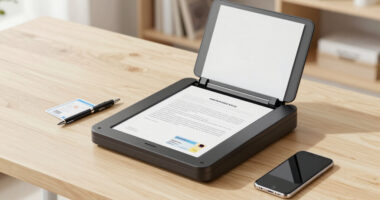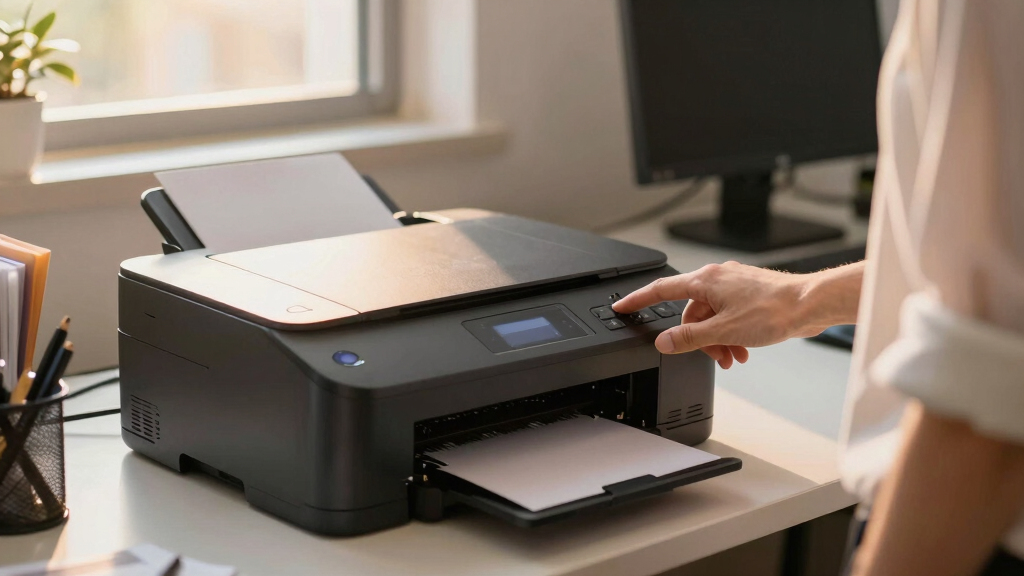

When searching for an office printer with low-cost toner, the goal is to balance affordability with reliable performance. The HP Color LaserJet Pro MFP 3301sdw stands out as the overall best choice due to its versatile all-in-one features and cost-efficient toner usage. Brother HL-L8430CDW offers excellent color printing at a lower operating cost, making it ideal for small teams. Meanwhile, the Brother HL-L2405W is perfect for those new to laser printing, offering straightforward setup and low running costs. Buyers often face a tradeoff between initial purchase price, ongoing toner costs, and multifunctionality. Keep reading to see how these options compare and which one suits your office best.
Key Takeaways
- The best overall printer balances high performance with low toner costs, exemplified by the HP Color LaserJet Pro MFP 3301sdw.
- Color laser printers tend to have higher upfront costs but offer more affordable toner per page, making them better for color-heavy offices.
- Compact monochrome models like the Brother HL-L2405W excel in simplicity and low ongoing costs, ideal for small or home offices.
- Multifunction features such as scanning and copying can increase initial costs but reduce the need for multiple devices, saving space and money.
- Toner yield and cartridge prices are the most significant factors influencing long-term savings, so compare cost-per-page carefully.


More Details on Our Top Picks
HP Color LaserJet Pro MFP 3301sdw Wireless All-in-One Color Laser Printer, Office Printer, Scanner, Copier, ADF, Duplex, Best-for-Office (499Q3F)
This HP model stands out for delivering vibrant color output and a suite of productivity features ideal for small teams. Compared to the Brother HL-L8430CDW, it offers better color fidelity and integrated scanning, but it involves higher toner replacement costs. Its automatic duplex and 250-sheet input tray keep workflow efficient, and the wireless setup is straightforward. The performance is consistent for daily office tasks, making it reliable for busy environments. However, the initial toner cartridges aren’t long-lasting, leading to frequent replacements, and the premium price reflects its advanced features. This pick makes the most sense for offices needing high-quality color documents without sacrificing speed and reliability.
Pros:- Vivid, professional-quality color printing
- All-in-one functionality with scan and copy
- Auto duplex and 250-sheet tray improve efficiency
- Wireless and Ethernet connectivity for easy sharing
Cons:- High ongoing toner costs due to HP cartridges
- Relatively large footprint at 16.46 x 13.44 x 16.5 inches
- Toner cartridges have limited yield, requiring frequent replacements
Best for: small office teams requiring professional color output with scanning and copying capabilities
Not ideal for: home users or single-person offices who only need basic black-and-white printing and want to minimize toner costs
- Print Speed Black/Color:26 ppm
- Input Tray Capacity:250 sheets
- Print Resolution:1200 x 1200 dpi
- Connectivity:Wireless, Ethernet
- Maximum Copy Speed:26 ppm
- Weight:37.7 pounds
Bottom line: Ideal for small offices prioritizing vibrant color and multifunctionality, accepting higher toner costs for quality and speed.
Brother HL-L8430CDW Business Color Laser Printer with Low-Cost Printing and Wireless Networking
This Brother model excels at balancing low-cost printing with professional color output, making it ideal for high-demand workgroups. Compared to the HP 3301sdw, it offers a larger toner yield—up to 7,500 pages with the TN635XXL—and expandable paper capacity up to 1,340 sheets, reducing refill frequency. Its fast print speeds of 33 ppm and robust security features support busy offices. The easy-to-navigate 2.7″ color touchscreen simplifies operations. While it delivers excellent volume and cost efficiency, it is heavier at 46.3 pounds and has a slightly slower initial print time of 9.9 seconds. This printer suits larger teams seeking cost-effective, high-volume color printing without sacrificing speed or security.
Pros:- Exceptional toner yield and low cost per page
- Expandable paper capacity supports large print jobs
- Fast print speed of 33 ppm
- Strong security features and mobile printing options
Cons:- Heavy and bulky at over 46 pounds
- Initial setup may be complex for non-tech-savvy users
- Photos show some banding, indicating slight color consistency issues for photo printing
Best for: medium to large-sized workgroups focused on reducing printing costs for high-volume color jobs
Not ideal for: small home offices or individuals with low print volume needs, due to its weight and size
- Print Speed Color:33 ppm
- Maximum Paper Capacity:1340 sheets
- Print Resolution:2400 x 600 dpi
- Connectivity:Wi-Fi, Ethernet
- Maximum Copy Resolution:1200 x 1200 dpi
- Weight:46.3 pounds
Bottom line: Best suited for high-volume offices needing reliable, low-cost color printing with top-tier security features.
Brother Color Laser Printer with Wireless Printing Fast 19 PPM Output, Duplex Feature, Mobile Device Compatible, 250-Sheet Paper Tray for Professional Home Office Printing (HL-L3220CDW)
This Brother HL-L3220CDW is a compact, affordable option that handles professional-quality color printing at a steady 19 ppm. Compared to the HL-L8430CDW, it’s slower but more suited to smaller spaces and lower volume. Its 250-sheet tray and duplex printing help keep operating costs down, and wireless connectivity ensures easy printing from mobile devices. The print quality is adequate for reports and graphics, though not as vibrant as more expensive models. Its smaller footprint and lower price point make it an attractive choice for home offices or small teams. However, its slower speed and limited capacity may frustrate busy environments with large print demands. It’s best for users who need reliable color printing without high volume requirements.
Pros:- Compact size fits small spaces
- Affordable price point
- Wireless and mobile device compatibility
- Automatic duplex printing reduces paper use
Cons:- Slower print speed at 19 ppm
- Limited toner yield compared to larger office models
- Photos may have slight color dullness, not suitable for high-quality photo printing
Best for: small home offices or individuals needing reliable, low-cost color printing for occasional or moderate use
Not ideal for: large offices or teams with high-volume printing needs, due to slower speeds and limited capacity
- Print Speed Black/Color:19 ppm
- Input Tray Capacity:250 sheets
- Print Resolution:2400 x 600 dpi
- Connectivity:Wireless, USB
- Maximum Copy Resolution:1200 x 1200 dpi
- Weight:29.8 pounds
Bottom line: Perfect for small home offices seeking dependable color output at a reasonable price, with moderate volume capacity.
Brother HL-L6210DW (Wireless) Model Series HL-L6200DW with High-Speed 50 ppm Monochrome Printing
This Brother HL-L6210DW is tailored for offices needing rapid black-and-white output, with a blazing 50 ppm speed and large capacity. It surpasses the Brother HL-L8930CDW in speed and volume, making it ideal for demanding workflows. Its 520-sheet main tray combined with high-yield toner cartridges supports large, continuous print jobs at minimal cost per page. The device offers advanced security and seamless wireless and wired connectivity. Its 1-year warranty and energy-efficient features add to its appeal. The tradeoff is that it only prints in monochrome, which limits its versatility, and its high power consumption at 680 watts may increase operating costs. This model is best for high-volume monochrome environments where speed and low-cost operation are priorities.
Pros:- Exceptional speed of 50 ppm
- Huge 520-sheet paper capacity
- Ultra high-yield toner supports up to 18,000 pages
- Secure with advanced security features
Cons:- Limited to monochrome output
- High power consumption at 680 watts
- Relatively heavy at nearly 30 pounds, less portable
Best for: large offices or workgroups that require fast monochrome printing with high capacity and security
Not ideal for: small offices or users with occasional printing needs who prefer color output or lower initial investment
- Print Speed Black/Color:50 ppm
- Maximum Paper Capacity:520 sheets
- Print Resolution:1200 x 1200 dpi
- Connectivity:Wi-Fi, Ethernet
- Maximum Copy Resolution:1200 x 1200 dpi
- Weight:29.8 pounds
Bottom line: Best for high-volume monochrome printing in large offices, prioritizing speed, capacity, and security over color versatility.
Brother MFC-L5915DW All-in-One with Scanner and Copier, High-Speed 50 ppm Monochrome Printing, Wireless Network Ready
This Brother MFC-L5915DW combines high-speed printing and copying with multifunction capabilities suitable for fast-paced offices. It matches the HL-L6210DW in print speed at 50 ppm but adds scanning and copying, making it more versatile. Its 70-page automatic document feeder and large 520-sheet tray support high-volume workflows efficiently. Wireless and Ethernet connectivity, along with advanced security, make it a flexible, secure choice. The cost per page remains low with high-yield toner, and its automatic duplex enhances efficiency. However, it is heavy and bulkier, with a higher initial cost, and solely monochrome, which may limit its appeal for teams needing color. It’s ideal for large, high-output workgroups focused on monochrome speed and multifunctionality.
Pros:- High-speed output up to 50 ppm
- Multi-functionality with scan and copy
- Automatic duplex printing saves time and paper
- Large 70-page ADF for high-volume scanning
Cons:- Only monochrome printing, limiting versatility
- Heavy and less portable
- Higher initial investment compared to basic printers
Best for: large office teams needing fast, reliable monochrome printing, scanning, and copying
Not ideal for: small offices or users requiring color printing or occasional use due to bulk and cost
- Print Speed Black/Color:50 ppm
- Maximum Paper Capacity:520 sheets
- Print Resolution:1200 x 1200 dpi
- Connectivity:Wi-Fi, Ethernet
- Maximum Copy Resolution:1200 x 1200 dpi
- Weight:approximately 30 pounds
Bottom line: Best suited for large offices needing rapid monochrome print, scan, and copy with high capacity and security features.
Brother MFC-L8930CDW Business Color Laser All-in-One Printer with Duplex Print, Scan, Copy, Low-Cost Printing, and Advanced Security Features
This model stands out for its professional color output and fast speeds of up to 33ppm, making it ideal for busy offices needing high-quality printing with low costs. Compared to the Brother HL-L8430CDW, it offers more advanced scanning features like high-speed duplex scanning and searchability, but it comes with a larger footprint and higher initial cost. Its included high-yield toner cartridges deliver up to 7,500 pages black and 6,500 color, helping significantly lower per-page costs. The 7-inch touchscreen and flexible connectivity options (Wi-Fi, Ethernet, NFC) boost productivity, while security features protect sensitive documents. The main tradeoff is the higher price point and larger size, which may be less suitable for small or space-constrained environments. Overall, this is perfect for medium to large offices prioritizing low-cost color printing and security.Pros:- High-quality, sharp color and black printing
- Fast speeds up to 33ppm
- Includes high-yield toner cartridges for lower running costs
- Advanced scanning with searchable PDFs
Cons:- Larger footprint may not fit small spaces
- Higher initial purchase cost
- No auto-duplex printing
Best for: Medium to large businesses needing reliable, high-volume color printing with security features.
Not ideal for: Small home offices with limited space and lower printing volume needs.
- Printer Type:Laser All-in-One
- Print Speed:Up to 33 ppm
- Toner Yield:Black: 7,500 pages, Color: 6,500 pages
- Connectivity:Wi-Fi, Ethernet, NFC
- Display:7-inch color touchscreen
- Security Features:Triple Layer Security, Badge Authentication
Bottom line: This printer is best suited for offices requiring high-volume, economical color printing with security and scanning features.
Brother DCP-L2640DW Wireless Compact Monochrome Multi-Function Laser Printer with Copy and Scan, Duplex, Mobile, Black & White | Includes Refresh Subscription Trial
This compact, monochrome all-in-one delivers print speeds of 36ppm and versatile mobile connectivity, making it suitable for startups or small offices. Compared to the Brother HL-L2405W, it offers faster printing and a built-in duplexer for two-sided printing, which the smaller model lacks, though it’s slightly larger. Its 50-page auto document feeder simplifies multi-page copying and scanning, and the device is easy to set up via Wi-Fi or USB. The Refresh subscription helps manage toner costs, providing up to 50% savings on genuine cartridges. The notable tradeoff is that it only prints in black and white, so color needs are not addressed, and its all-in-one features are basic. It’s an excellent choice for users prioritizing affordability, ease, and low-cost toner management.Pros:- Fast print speeds of 36ppm
- Built-in duplexer for double-sided printing
- Auto document feeder for copying multiple pages
- Includes Refresh subscription trial for savings
Cons:- Monochrome only, no color printing
- Larger than basic models, less portable
Best for: Small business owners or home users needing reliable monochrome printing with easy setup and mobile access.
Not ideal for: Users who require color printing or high-volume document production.
- Printer Type:Monochrome Laser All-in-One
- Print Speed:Up to 36 ppm
- Automatic Duplexing:Yes
- Scanner Capacity:50-page ADF
- Connectivity:Wi-Fi, Ethernet, USB
- Toner Included:Standard yield
Bottom line: Ideal for small offices needing fast, reliable monochrome printing with straightforward toner management.
Brother HL-L2405W Wireless Compact Monochrome Laser Printer with Mobile Printing, Black & White Output | Includes Refresh Subscription Trial
This small, dependable laser printer is perfect for home or light office use, offering print speeds of 30ppm and reliable wireless connectivity. Unlike the DCP-L2640DW, it omits the duplex feature but compensates with a more compact size, ideal for tight spaces. Its 250-sheet paper tray minimizes refills, and setup via mobile app or Wi-Fi is quick, making it user-friendly. The inclusion of a Refresh trial ensures cost-effective toner replenishment, saving up to 50%. However, it lacks a scanner or copier, and its paper handling capacity is modest at 250 sheets, which may limit high-volume users. This pick makes the most sense for individuals or small teams prioritizing straightforward black-and-white printing in a compact footprint.Pros:- Compact, space-saving design
- Wireless mobile printing support
- 250-sheet paper tray reduces refills
- Includes toner subscription trial
Cons:- No scanning or copying functions
- No duplex printing
Best for: Home users or small teams needing reliable monochrome printing with minimal space requirements.
Not ideal for: Offices that require scanning or duplex printing capabilities.
- Printer Type:Monochrome Laser Printer
- Print Speed:30 ppm
- Paper Capacity:250 sheets
- Wireless:Yes
- Duplex Printing:No
- Toner:Refresh trial included
Bottom line: This printer suits small-scale monochrome printing needs where space and simplicity are priorities.
HP LaserJet M110w Wireless Black & White Printer, Print, Fast speeds, Easy Setup, Mobile Printing, Best-for-Small Teams
This HP LaserJet M110w combines compact size and reliable wireless printing with a speed of 21ppm, making it ideal for small teams or personal use. Its straightforward setup, especially via the HP app, appeals to users who want quick, hassle-free installation. Compared to Brother’s models, it offers slightly slower print speeds but makes up for it with easy mobility and a small footprint suitable for tight spaces. The paper tray handles about 150 sheets, which suffices for light to moderate printing. A key advantage is its quiet operation and energy-efficient design. The main limitation is the lower page yield and slower speed compared to larger office models like the Brother HL-L2460DW. It makes a solid choice for those who need dependable, space-efficient printing with minimal fuss.Pros:- Compact and lightweight design
- Wireless printing support
- Easy setup with mobile app
- Quiet operation and energy-efficient
Cons:- Lower page capacity (150 sheets)
- Slower speed at 21ppm
- Limited to black and white output
Best for: Small teams or individuals in tight spaces needing quick, reliable monochrome printing.
Not ideal for: High-volume or color printing tasks, or larger offices with extensive scanning needs.
- Printer Type:Laser Printer
- Print Speed:21 ppm
- Paper Capacity:150 sheets
- Wireless:Yes
- Color Output:Black & White
- Toner:Pre-installed black toner
Bottom line: This printer is ideal for small teams or personal use where space and ease of use are top priorities.
Brother HL-L2460DW Wireless Compact Monochrome Laser Printer with Duplex, Mobile Printing, Black & White Output
This Brother HL-L2460DW excels at producing crisp black-and-white documents at speeds of 36ppm, with automatic duplexing that reduces paper waste. Compared to the HL-L2405W, it offers faster speeds and duplex printing, making it better suited for higher volume needs. Its 250-sheet tray minimizes reloads, and the wireless setup via mobile app or Ethernet makes it versatile for different workspace configurations. The device’s reliable print quality and low-cost toner options make it a cost-effective choice for frequent printing. A tradeoff is its slightly larger size and higher price, which might be less appealing for very small or space-constrained environments. Overall, it’s an excellent fit for users who need efficient, high-volume monochrome printing without sacrificing space or budget.Pros:- Fast printing at 36ppm
- Automatic duplexing reduces paper use
- 250-sheet paper tray for less refilling
- Wireless and Ethernet connectivity
Cons:- Larger footprint than basic models
- Higher cost compared to simpler printers
- No color printing capabilities
Best for: Home offices or small teams with high-volume monochrome printing needs and a bit more space.
Not ideal for: Light users or those requiring color or scanning functions.
- Printer Type:Laser Monochrome
- Print Speed:Up to 36 ppm
- Paper Capacity:250 sheets
- Duplex Printing:Automatic
- Connectivity:Wi-Fi, Ethernet
- Toner:Compatible with Brother TN830/XL
Bottom line: This printer is best for users needing fast, high-volume monochrome output with duplex and network features.
How We Picked
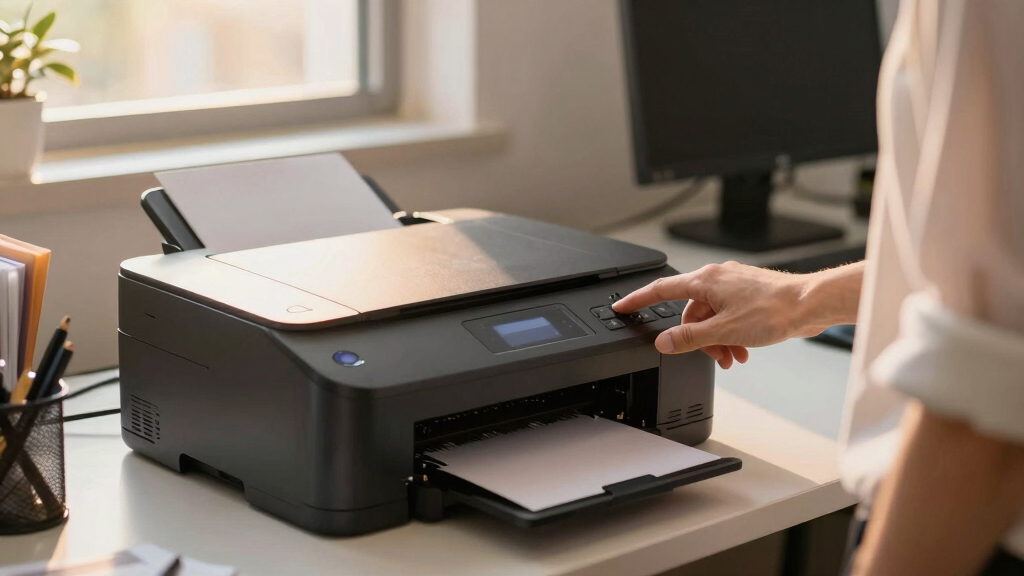
These printers were selected based on their balance of initial price, toner costs, print quality, and additional features. We prioritized models widely recognized for their low-cost toner consumables and efficiency, ensuring they are suitable for office environments. Devices with high page yields per cartridge, reliable performance, and user-friendly interfaces ranked higher. We also considered compatibility with mobile devices and network features essential for modern offices. The ranking reflects a combination of value, performance, and versatility, helping buyers identify options that deliver long-term savings without sacrificing productivity.
Factors to Consider When Choosing Office Printer With Low Cost Toner
Choosing the right office printer with low-cost toner involves several key considerations. Beyond sticker price, understanding operational costs, features, and compatibility can make a significant difference in overall value. Here are the main factors to keep in mind to make an informed decision.Toner Cost and Yield
Long-term savings depend heavily on toner prices and how many pages each cartridge can print. Look for models with high-yield cartridges or the ability to buy compatible or remanufactured toner at lower prices. Comparing the cost-per-page, rather than just the cartridge price, reveals true ongoing expenses and helps prevent surprises down the line.
Print Volume and Speed
Assess your typical monthly print volume and choose a model that can handle it comfortably. For high-volume offices, speed and duty cycle are critical to prevent long wait times and equipment strain. Conversely, for small teams, slower yet more affordable models might suffice.
Multifunctionality
If your office requires scanning, copying, or faxing, selecting a multifunction printer can be more cost-effective than multiple single-function devices. However, these models often come with higher initial costs and slightly increased toner consumption, so weigh the benefits against your actual needs.
Connectivity and Usability
Wireless, mobile printing, and easy setup features save time and improve workflow. Ensure the printer supports your office’s devices and network setup, and consider models with intuitive controls and management options to reduce downtime and frustration.
Initial Cost vs. Operating Cost
While a lower purchase price is attractive, it might come with higher toner costs or fewer features. Conversely, investing in a slightly more expensive model with cheaper toner can lower your total cost of ownership. Balance upfront expenses with long-term savings based on your office’s printing habits.
Frequently Asked Questions
How do I calculate the true cost per page for a laser printer?
To determine the real cost per page, divide the price of a toner cartridge by its estimated page yield. This figure helps you compare different models accurately, considering both initial toner costs and how many pages you can print before replacing the cartridge. Keep in mind, some cartridges may have a lower upfront price but a higher cost per page due to lower yields, so always compare the long-term expenses for each option.
Are color laser printers with low-cost toner worth it for small offices?
Color laser printers with low-cost toner can be a smart choice for small offices that require frequent color printing, as they balance initial investment with ongoing savings. However, they tend to have higher upfront costs than monochrome models. For offices that print mostly black and white documents, monochrome options usually provide better value. Consider your typical print needs and compare toner prices to see if a color model makes financial sense.
Can I use compatible or remanufactured toner cartridges to save money?
Many offices successfully use compatible or remanufactured toner cartridges to lower operating costs, but it’s important to choose reputable suppliers to avoid quality issues. Cheaper cartridges may sometimes produce lower print quality or damage the printer over time. Always check your printer’s warranty conditions, as some manufacturers restrict or void coverage if third-party cartridges cause issues. Weigh the potential savings against possible risks to maintain consistent print quality.
How often will I need to replace toner cartridges in a low-cost model?
High-yield cartridges significantly extend the time between replacements, which reduces downtime and operational interruptions. The frequency depends on your print volume; higher volume users will replace cartridges more often, so choosing models with larger yields makes sense. For low to moderate volume offices, standard-yield cartridges might suffice, but always compare the estimated page yields to determine the best fit for your workload.
Is it better to buy a new printer or lease one for low-cost toner management?
Leasing can simplify budgeting and maintenance, often including toner replacements and repairs, which might lower overall costs for some offices. However, purchasing a printer with low-cost toner options often results in lower long-term expenses if you plan to keep it for several years. Evaluate your office’s print volume, budget, and preference for ownership versus service agreements before making a decision.
Conclusion
For small offices or home setups, the Brother HL-L2405W offers straightforward, low-cost monochrome printing with minimal fuss. Larger or color-heavy offices will benefit from the HP Color LaserJet Pro MFP 3301sdw for its multifunctionality and efficient toner use. Budget-conscious buyers should prioritize models with high page yields and compatible toner, while those seeking premium features may consider higher-end options with advanced security and connectivity. Ultimately, your choice should align with your print volume, color needs, and long-term cost considerations.