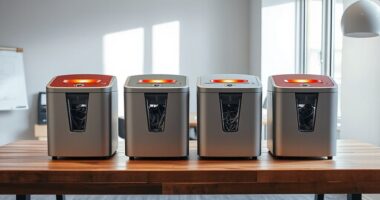
Choosing the right network appliance for a branch office involves balancing security, performance, and manageability. The SonciWall TZ270 Gen7 Firewall stands out as the best overall, offering robust security features with SD-WAN capabilities. For small offices seeking simplicity and reliable performance, the FortiGate-40F excels with its 5 Gigabit Ethernet ports. Meanwhile, the WatchGuard Firebox T45 models provide advanced security and VPN options suitable for growing teams. The main challenge lies in selecting a device that balances budget constraints with security needs and scalability. Continue reading to explore detailed reviews and help you find the ideal solution for your branch office.
Key Takeaways
- The top picks combine high security with easy management, making them suitable for varied branch office sizes.
- Performance metrics like firewall throughput and threat prevention speed are key differentiators among models.
- The inclusion of SD-WAN features is increasingly common, adding value for remote connectivity.
- More advanced security features often come with higher costs and complexity, which might overwhelm smaller teams.
- Compatibility with existing network infrastructure influences overall value and ease of deployment.


More Details on Our Top Picks
SonicWall TZ270 Gen7 Firewall | Compact SMB Security Appliance with 2 Gbps Firewall Throughput, 750 Mbps Threat Prevention, Up to 64 VLANs, and SD-WAN Capability (02-SSC-2821)
This SonicWall TZ270 stands out for its reliable gigabit performance combined with robust enterprise-grade security features, making it ideal for small offices with tight budgets. Compared with the more feature-rich WatchGuard T45-PoE, the TZ270 offers comparable throughput but at a more affordable price, though it lacks some of the advanced cloud management options. Its support for up to 64 VLANs and SD-WAN simplifies network segmentation and bandwidth optimization, critical for hybrid work environments. The appliance’s easy Zero-Touch deployment reduces IT overhead, which is a major advantage for smaller teams. However, it does not include a subscription service, so ongoing threat intelligence requires separate licensing, which could add to costs. This pick makes the most sense for small businesses seeking enterprise security without complex management needs.
Pros:- Affordable price point with enterprise-grade security features
- Supports up to 64 VLANs and SD-WAN for flexible network segmentation
- Easy Zero-Touch deployment reduces IT workload
- High firewall throughput (2 Gbps) suitable for small offices
Cons:- Lacks integrated subscription services for threat updates, increasing ongoing costs
- Limited management features compared to higher-end models
Best for: Small businesses needing affordable, enterprise-level security with simple deployment.
Not ideal for: Large enterprises requiring extensive customization and advanced cloud management features.
- Firewall Throughput:2 Gbps
- Threat Prevention:750 Mbps
- VLAN Support:Up to 64
- SD-WAN:Yes
- Number of Ports:8 Gigabit Ethernet
- Concurrent Connections:750,000
Bottom line: Ideal for small offices seeking reliable security performance at a budget-friendly price.
FortiGate-40F Firewall Appliance – 5 Gigabit Ethernet RJ45 Ports, Ideal for Small Businesses (Appliance Only, No Subscription) (FG-40F)
The FortiGate 40F excels at delivering high-performance security with up to 1 Gbps IPS throughput and 600 Mbps threat protection, making it perfect for small to mid-sized branch offices. Compared with the SonicWall TZ270, it offers similar gigabit speeds but benefits from Fortinet’s AI-powered threat detection, which adds an extra layer of security intelligence. Its compact, fanless design ensures quiet operation in sensitive environments like retail or office spaces. The device’s simplified management console and tight integration with Fortinet’s Security Fabric make deployment and ongoing maintenance straightforward for limited IT teams. A notable tradeoff is that it does not include subscription services; users must purchase licenses separately for ongoing updates. This model suits buyers who prioritize performance and security simplicity without ongoing costs.
Pros:- High IPS throughput (1 Gbps) with strong threat detection capabilities
- Compact, fanless, quiet operation suitable for sensitive environments
- Easy management console and integration with Fortinet Security Fabric
- No subscription costs included, flexible licensing
Cons:- Requires separate purchase for security licenses and updates
- Limited port count (5 ports) may constrain larger setups
Best for: Small to mid-sized offices needing high-performance security with easy management.
Not ideal for: Organizations requiring integrated VPN or advanced cloud management out of the box.
- IPS Throughput:1 Gbps
- Threat Protection Throughput:600 Mbps
- Number of Ports:5 Gigabit Ethernet
- Form Factor:Compact, fanless
- Security Features:AI-powered threat detection
- Management:Simplified console
Bottom line: Best suited for small offices that need robust security and performance without ongoing subscription fees.
WatchGuard Firebox T45-PoE Network Security/Firewall Appliance
The Firebox T45-PoE offers up to 3.94 Gbps firewall throughput, making it a powerful option for small offices and retail environments seeking enterprise-grade security features. Compared with the SonicWall TZ270, the T45 includes integrated Wi-Fi 6 and 5G options, providing more flexible connectivity options, especially for retail or mobile deployments. Its cloud-based setup and configuration significantly reduce on-premise management complexity, ideal for teams with limited onsite IT. The appliance supports up to 30 VPNs, suitable for multi-tenant or branch scenarios. Its multi-layer security features include AI-powered anti-malware, DNS filtering, and threat correlation, making it a comprehensive UTM solution. A notable drawback is the higher cost, and for some, the reliance on cloud management might be less appealing than on-premise controls. This makes it a good fit for retail chains or small offices looking for enterprise features with minimal local management.
Pros:- High firewall throughput (up to 3.94 Gbps) for demanding environments
- Integrated Wi-Fi 6 and optional 5G for flexible connectivity
- Cloud-based deployment simplifies management
- Supports up to 30 VPNs for multi-site connectivity
Cons:- Higher price point compared to basic firewalls
- Cloud management dependency may not suit all security policies
- Limited to small and retail environments; not ideal for larger networks
Best for: Retail or small office environments needing high throughput and cloud-managed security.
Not ideal for: Small businesses preferring traditional on-premise management and lower-cost devices.
- Firewall Throughput:3.94 Gbps
- VPN Support:Up to 30 VPNs
- Wireless Compatibility:Wi-Fi 6
- Form Factor:Desktop
- Connectivity:PoE, Ethernet, optional 5G
- Security Features:AI anti-malware, DNS filtering
Bottom line: Best for retail or small offices seeking high throughput with cloud-based security management.
WatchGuard Firebox T45-PoE Network Security Appliance with 1 Year Basic Security Suite License – Advanced Firewall, VPN, Intrusion Prevention (WGT47031-US)
The Firebox T45-PoE combines high throughput (up to 3.94 Gbps) with comprehensive security features like intrusion prevention, VPN, and AI-powered anti-malware, making it suitable for small offices with demanding security requirements. Compared to the SonicWall TZ270, it offers better integrated wireless options and a more extensive suite of security services, including URL filtering and application control, all managed via cloud-based tools. Its PoE capability simplifies deployment of connected devices like IP cameras or VoIP phones. The device’s cloud management and zero-touch setup allow quick deployment, reducing onsite IT needs. A notable tradeoff is its higher price and the necessity of a subscription for full feature updates after the first year. This model fits buyers who want enterprise-grade security with minimal management complexity in small to medium environments.
Pros:- High throughput (up to 3.94 Gbps) for demanding applications
- PoE ports for easy device deployment
- Comprehensive security suite with AI-powered threat detection
- Cloud-based, zero-touch deployment
Cons:- Costly subscription after the first year for full features
- Limited to small office environments
- Higher initial investment compared to basic firewalls
Best for: Small offices needing high security, PoE support, and cloud management.
Not ideal for: Organizations requiring extensive on-premise control or larger network capacities.
- Firewall Throughput:3.94 Gbps
- VPN Support:Unlimited VPNs
- PoE Ports:Yes
- Security Features:Intrusion prevention, AI anti-malware
- Management:Cloud-based, zero-touch
- Wireless Compatibility:802.11ax
Bottom line: Best suited for small offices that need enterprise-level security with PoE and easy cloud deployment.
Sonicwall TZ80 Secure Upgrade Plus – 3 Year Secure Connect Edition (03-SSC-2847) | TZ80 Network Security Appliance with 3 Year Secure Connect | Next-Generation Firewall
The SonicWall TZ80 offers 750 Mbps firewall throughput and next-generation protection, making it suitable for small to branch offices that need strong security and future-proof features. Compared with the SonicWall TZ270, the TZ80 provides slightly lower throughput but includes a 3-year Secure Connect license, offering longer-term security updates and support, which reduces ongoing management costs. Its 8 ports and SFP interface provide flexible connectivity options, and it supports WPA3 for modern wireless security. The device’s SonicOS platform offers good management tools, though it is less user-friendly than some competitors. The main tradeoff is that it is primarily designed for smaller environments and may lack some advanced features found in larger enterprise firewalls. It’s ideal for buyers who prioritize security longevity and future-proofing in a small office setting.
Pros:- Next-generation security features with 750 Mbps throughput
- Includes 3-year Secure Connect license, reducing upgrade costs
- Flexible connectivity with 8 ports and SFP support
- Supports WPA3 for modern wireless security
Cons:- Lower throughput compared to the TZ270
- Less intuitive management platform
- Designed mainly for small environments, limited scalability
Best for: Small to branch offices seeking future-proof security with long-term support.
Not ideal for: Large enterprises or networks requiring extensive scalability and advanced management features.
- Firewall Throughput:750 Mbps
- Security Suite:3-year Secure Connect
- Number of Ports:8 Gigabit Ethernet, SFP
- Wireless Protocol:WPA3
- Management Platform:SonicOS
- Additional Features:Future-proofing, long-term support
Bottom line: Best for small offices wanting long-term security support and future-proof features.
6U Professional Wall Mount Network Server Cabinet Enclosure 19-Inch Server Network Rack Low-Profile Black
This wall-mount cabinet stands out for its sturdy welded steel frame, generous 132 lbs load capacity, and flexible installation options—wall or floor standing—making it ideal for organized network setups in small to medium branch offices. Compared to the compact Appliance Extension Cord with Individual Switches, this enclosure offers a secure housing for all standard 19″ devices, ensuring data safety and proper cooling with optional fan installation. Its reversible lockable tempered glass door enhances security while allowing quick access, and removable side panels simplify maintenance. The main tradeoff is the larger footprint, which might be excessive for very tight spaces, and the need for assembly can be a drawback for those seeking plug-and-play solutions. This pick is suited for IT teams needing a durable, ventilated, and flexible rack enclosure for multiple devices.
Pros:- Durable welded steel frame with powder-coated finish ensures longevity.
- Reversible, lockable tempered glass door provides security and easy access.
- Excellent ventilation design with space for case fans improves airflow.
Cons:- Relatively heavy at nearly 19 kg, making installation more labor-intensive.
- Requires assembly, which might be inconvenient for quick setups.
Best for: IT professionals managing multiple rack-mount devices in a branch office with space to spare.
Not ideal for: Small offices with very limited space or users seeking a simple, ready-to-use device without assembly.
- Dimensions:14.5″H x 23.5″W x 17.3″D
- Load Capacity:132 lbs
- Material:Alloy Steel
- Mounting Options:Wall or Floor
- Door Type:Tempered Glass, Reversible
- Ventilation:Top and bottom panels with space for fans
Bottom line: This cabinet is ideal for IT teams needing a secure and ventilated rack for multiple devices in a spacious branch office.
Appliance Extension Cord with Individual Switches on Off – 6 FT, 14 Gauge Heavy Duty Extension Cord with 4 AC Outlets, Wall Mountable, High Wattage for Microwave Workbench Garage Must Have, ETL Listed
This power strip excels in providing independent control over each outlet, which is highly useful in branch offices needing to power multiple devices while minimizing energy waste. Unlike the WatchGuard Firebox T45-PoE appliances, which focus on network security, this cord offers physical power management, with UL/ETL safety approval, surge protection, and overload cutoff, making it a practical addition to network or server setups. Its wall-mount capability and slim profile make it easy to place in tight spaces, and individual switches allow for simple, targeted power control. However, the main tradeoff is that it doesn’t provide any network or security features—it’s purely a power management device—and it’s limited to a maximum wattage of 1875W, which may be insufficient for high-power devices. This product is best for branch offices needing reliable, independent power control of multiple devices.
Pros:- Individually switchable outlets for precise power control.
- ETL listed with surge, overload, and fireproof protections.
- Wall-mountable design with a slim, space-saving profile.
Cons:- Limited to 6 feet length, which may restrict placement options.
- No network security or data management features included.
Best for: Facilities managers or IT staff needing to control multiple power outlets in a branch office or workshop.
Not ideal for: Offices seeking integrated network security or data management solutions, as this is solely a power device.
- Length:6 ft
- Gauge:14 AWG
- Maximum Wattage:1875W
- Number of Outlets:4
- Protection Features:Surge, Overload, Fireproof
- Mounting:Wall-mountable
Bottom line: Ideal for branch office environments needing flexible, safe power control for multiple devices without network features.
Elite CAT5E Riser (CMR), 1000ft, UTP 24AWG, Solid Bare Copper, 350MHz, UL Certified, Easy to Pull (Reelex II) Box, Bulk Ethernet Cable, Green
This bulk Ethernet cable provides 1000 feet of high-quality, UL-certified Cat5e riser-rated cable, supporting gigabit speeds and 350MHz bandwidth—making it suitable for extensive branch office wiring. While the WatchGuard Firebox T45 offers advanced security features, this cable ensures reliable, high-speed data transfer over long distances, especially in in-wall or riser applications where fire safety ratings matter. The Reelex II pull box design simplifies installation and reduces cable tangling, which is a significant advantage during large deployments. However, it lacks any network security or device management features, so it’s purely a physical infrastructure component. This product is best for network administrators needing durable, UL-rated cabling for branch office setups requiring long cable runs.
Pros:- UL Certified riser-rated cable for safe in-wall use.
- Supports gigabit Ethernet and 350MHz bandwidth.
- Reelex II reel makes pulling and handling easy.
Cons:- No integrated security or data management features.
- Bulk cable requires proper termination and installation knowledge.
Best for: Network engineers or IT teams installing or upgrading branch office cabling infrastructure.
Not ideal for: Small offices or users solely interested in network security appliances, as this is a physical cabling product.
- Length:1000 ft
- Gauge:24 AWG
- Bandwidth:350 MHz
- Certification:UL
- Type:Riser-rated (CMR)
- Construction:Solid Bare Copper
Bottom line: Perfect for deploying reliable, long-distance network cabling in branch offices with extensive wiring needs.
WatchGuard Firebox T45-PoE Network Security Appliance with 1 Year Standard Support License – Advanced Firewall, VPN, Intrusion Prevention
This security appliance combines high throughput of 3.94 Gbps with enterprise-grade features like AI-powered anti-malware, VPN, and intrusion prevention, making it a strong contender in small office security. Compared to the FortiGate-40F, which offers similar port flexibility, the Firebox T45 emphasizes ease of deployment with zero-touch configuration and cloud management, ideal for branch offices lacking dedicated IT staff. Its integrated Wi-Fi 6 and SD-WAN support provide modern connectivity options, while the 5 ports streamline network setup. Its main tradeoff is the higher price point and potential overkill for very small or simple environments, as it targets comprehensive security. This makes it a go-to for branch offices seeking robust, scalable protection without complex setup.
Pros:- High firewall throughput of nearly 4 Gbps for fast performance.
- Includes AI-powered malware detection and intrusion prevention.
- Zero-touch deployment with cloud-based management simplifies setup.
Cons:- Higher cost compared to entry-level security appliances.
- Requires ongoing support/license renewal after the first year.
Best for: Small to medium branch offices needing a secure, scalable, and easy-to-manage network security solution.
Not ideal for: Very small offices with minimal security needs or those on a tight budget, as this appliance is feature-rich and pricier.
- Firewall Throughput:3.94 Gbps
- Ports:5 x 1Gb
- Support:1 Year Standard
- Features:AI malware, intrusion prevention, VPN
- Wi-Fi:Wi-Fi 6
- SD-WAN:Supported
Bottom line: This device is suited for branch offices that require enterprise-level security with minimal management effort.
WatchGuard Firebox T45 Network Security Appliance 5 YR Basic Security – Advanced Firewall, VPN, Intrusion Prevention
The Firebox T45 offers enterprise-grade security features like a 3.94 Gbps firewall throughput, VPN, and intrusion prevention, packaged with 5 years of Basic Security support—eliminating renewal hassles. Compared to the WatchGuard Firebox T45-PoE, this model focuses on delivering protection for up to 20 users at a significantly lower ongoing cost, making it ideal for budget-conscious branch offices. The five-year support plan simplifies budgeting and ensures continuous security coverage without renewal headaches. The main tradeoff is the absence of Wi-Fi 6 and SD-WAN features present in the PoE variant, limiting connectivity options. This appliance is perfect for small offices needing reliable security without recurring renewal costs.
Pros:- Five-year security coverage included, no renewal required.
- High performance with 3.94 Gbps firewall throughput.
- Supports up to 20 users with enterprise features.
Cons:- No Wi-Fi or SD-WAN support in this model.
- Limited to 5 ports, less flexible for complex networks.
Best for: Budget-conscious branch offices seeking long-term security without renewal complexities.
Not ideal for: Offices needing integrated Wi-Fi or SD-WAN features, which are absent here.
- Firewall Throughput:3.94 Gbps
- Support Duration:5 Years
- User Capacity:Up to 20
- Ports:5
- Security Features:Firewall, VPN, IPS
- Additional:No Wi-Fi or SD-WAN
Bottom line: This is an excellent long-term security investment for small offices on a fixed budget.

How We Picked
Our selection process focused on evaluating performance, security features, ease of use, scalability, and value. We prioritized appliances that offer robust security without excessive complexity, ensuring they fit the typical needs of branch offices ranging from small setups to growing teams. Devices with proven reliability, user-friendly management, and good integration options ranked higher. We also considered the balance between cost and features, avoiding models that either underperform or overspend on unnecessary capabilities. The ranking reflects a combination of technical specs, user reviews, and industry reputation to recommend the best overall options.Factors to Consider When Choosing Network Appliance For Branch Office
When choosing a network appliance for a branch office, it’s important to look beyond basic specs and consider how the device will support your specific operational needs. Factors like security, performance, scalability, and ease of management influence the long-term value and effectiveness of your investment. Being aware of common pitfalls, such as overpaying for features you won’t use or choosing devices that don’t scale with your growth, can save you time and money. The following sections highlight key considerations to help you make a well-informed decision.Security and Threat Prevention
Security is the primary reason for deploying a network appliance. Look for models with advanced threat prevention, intrusion detection, and VPN capabilities. Devices with integrated SD-WAN features provide additional flexibility for remote branch connectivity. However, be wary of overly complex security suites that may require extensive management or come with hidden costs. The goal is to find a balance where security features protect your network without impeding performance or usability.
Performance and Throughput
Performance metrics such as firewall throughput and threat prevention speed directly impact your network’s responsiveness. For busy branch offices, higher throughput ensures smooth operations, especially during peak usage. However, higher performance often comes with increased costs and complexity. Consider your current and future bandwidth needs to select a device that can handle your data flow without bottlenecks, but avoid over-specifying for small setups that won’t utilize those capabilities.
Ease of Management
An appliance that’s simple to configure and monitor reduces operational overhead. Features like centralized management, intuitive interfaces, and automation tools help IT teams maintain security and performance without extensive training. For less experienced staff or smaller teams, a device with straightforward setup is crucial. Conversely, more complex appliances may offer advanced features but require dedicated personnel to manage effectively.
Scalability and Future Growth
Choosing an appliance that can scale with your business prevents costly upgrades later. Look for models supporting additional VLANs, VPN tunnels, and higher throughput as your needs grow. Some devices also offer modular options or firmware upgrades, extending their lifespan. Failing to consider future expansion can lead to network bottlenecks or the need for early replacement, so assess your growth trajectory before committing.
Cost and Total Cost of Ownership
While initial purchase price is important, consider the total cost of ownership, including licensing, support, and maintenance. Devices with subscription-based security updates or add-on features can inflate long-term expenses. Conversely, investing in a higher-quality appliance upfront may reduce downtime and management costs. Align your budget with your security requirements and growth plans to find a device that offers the best value over time.
Frequently Asked Questions
Should I prioritize security features or performance for my branch office appliance?
Both security and performance are vital, but your focus depends on your specific needs. For branches handling sensitive data or regulatory compliance, security features like intrusion prevention and VPN are critical. If your branch hosts bandwidth-intensive applications, performance takes precedence. Ideally, choose a device that balances both, but if forced to prioritize, secure your network first to prevent data breaches and downtime.
Can I upgrade a network appliance later if my needs grow?
Yes, many appliances support modular upgrades or firmware enhancements that extend their capabilities. However, not all devices are designed with future growth in mind, so selecting a scalable model from the start helps avoid costly replacements. Consider appliances with support for additional VLANs, VPN tunnels, or higher throughput as your network expands, ensuring your investment remains relevant for years to come.
Is SD-WAN a necessary feature for a branch office?
SD-WAN can significantly improve connectivity reliability and optimize bandwidth usage across multiple links. For remote offices with multiple internet sources or links prone to instability, SD-WAN provides resilience and cost savings. However, for smaller or simpler setups, traditional VPN and firewall features may suffice. Evaluate your connectivity needs and growth plans to determine if SD-WAN adds meaningful value.
How important is management interface usability in choosing a network appliance?
An intuitive management interface reduces deployment time and ongoing maintenance effort. For teams with limited networking expertise, a user-friendly dashboard and automation features are invaluable. More complex appliances with advanced options often require specialized knowledge, which could lead to errors or delays. Prioritize devices that align with your team’s technical skills to ensure smooth operation.
Should I consider devices with built-in Wi-Fi or separate access points?
Most branch office appliances focus on wired security and routing, with Wi-Fi often provided via separate access points. Combining the functions can simplify setup but may limit flexibility or performance. If wireless connectivity is a priority, look for appliances with integrated Wi-Fi or plan for high-quality standalone access points. Balancing wired security and wireless coverage is key to supporting all user needs.
Conclusion
For small, security-conscious offices seeking simplicity, the FortiGate-40F offers excellent value with robust features. Larger or security-heavy operations will benefit from the SonciWall TZ270 for its advanced threat prevention and SD-WAN. Those new to network management should consider appliances with intuitive interfaces like the WatchGuard Firebox T45, while growing enterprises aiming for scalability should prioritize devices supporting future upgrades. Ultimately, your choice hinges on your specific security, performance, and budget priorities—match the appliance to your current and anticipated needs for best results.