Key Takeaways
- Speed is a key factor; high-volume environments benefit from faster scanners like the Ambir nScan 690gt-AS.
- Compatibility with operating systems and onboarding software impacts ease of integration.
- Portability matters for mobile or remote onboarding, making standalone models more attractive.
- Price varies widely; balancing budget with necessary features is crucial for ROI.
- Security features like age verification and ID authenticity checks are increasingly important for compliance.
| Ambir ImageScan Pro 687-AS Duplex Card Scanner for Windows PC and MAC |  | Best Overall for Versatile Client Onboarding | Scanner Type: Flatbed Duplex | Connection Type: USB | Resolution: 600 dpi | VIEW LATEST PRICE | See Our Full Breakdown |
| Ambir nScan 690gt-AS High-Speed Vertical Card Scanner for Windows PC and MAC |  | Best for Space-Constrained High-Speed Scanning | Scanner Type: Vertical ID Card Scanner | Connection Type: USB | Resolution: 600 dpi | VIEW LATEST PRICE | See Our Full Breakdown |
| Duplex Driver License Scanner with Age Verification (w/Scan-ID Full Version, for Windows) |  | Best for Age Verification and Driver License Data Extraction | Scanner Type: Duplex USB Driver License Scanner | Connection Type: USB | Resolution: 600 dpi | VIEW LATEST PRICE | See Our Full Breakdown |
| Ambir Technology PS667 Simplex A6 Card Scanner |  | Best Budget for Basic Client ID Capture | Scanner Type: Simplex ID Card Scanner | Connection Type: USB | Resolution: 600 dpi | VIEW LATEST PRICE | See Our Full Breakdown |
| Swish S1 Medical Insurance Card and Photo ID Scanner (w/Scan-ID LITE for Windows) |  | Best for Simple, Drop-and-Scan ID Collection | Scanner Type: Camera-based ID Scanner | Connection Type: USB | Resolution: High-res (unspecified) | VIEW LATEST PRICE | See Our Full Breakdown |
| ViAge Solutions ID Scanner, Drivers License Scanner for Age Verification and ID Checking, Portable, Stand Alone, Simple Swipe, Magnetic Stripe Reader, CAV2000 Model |  | Best Value for Magnetic Stripe ID Reading | Batteries: 2 AA | Weight: 0.64 Kilograms | Compatibility: 8 states, magnetic stripe cards only | VIEW LATEST PRICE | See Our Full Breakdown |
| IDVisor Smart V2 ID Scanner – Drivers License and Passport Age Verification & Customer Management + Charger Cradle, Hand Strap & More |  | Best for Comprehensive ID and Customer Data Management | Scan Speed: 1 second | Battery Life: 12+ hours | Memory: 50,000+ records | VIEW LATEST PRICE | See Our Full Breakdown |
| Duplex Medical Insurance Card and ID Card Scanner (w/Scan-ID LITE, for Windows) |  | Best for Dual-Sided Medical ID Scanning on a Budget | Scanner Type: Single-sided, duplex capable | Resolution: 300 dpi | Size: Compact | VIEW LATEST PRICE | See Our Full Breakdown |
| Driver License Scanner with Age Verification (w/Scan-ID Full Version, for Windows) |  | Best for Driver License Data Capture & Age Verification | Scan Speed: 2 seconds | Resolution: up to 600 dpi | Compatibility: Windows only | VIEW LATEST PRICE | See Our Full Breakdown |
| 687 Duplex Card Scanner (DP687) |  | Best Compact ID Card Scanner for Limited Space | Scanner Type: Business Card, ID Card | Connection Type: USB | Resolution: 600 dpi | VIEW LATEST PRICE | See Our Full Breakdown |
More Details on Our Top Picks
Ambir ImageScan Pro 687-AS Duplex Card Scanner for Windows PC and MAC
This model stands out for its ability to handle a wide variety of ID and insurance cards rapidly and with high accuracy. Compared with the Swish S1, the ImageScan Pro 687 offers duplex scanning of both sides in one pass, saving time when processing multiple documents, though it is slightly bulkier and less portable. Its industry-standard TWAIN driver ensures broad software compatibility, making it suitable for detailed onboarding workflows. The included AmbirScan software supports saving in multiple formats and integrates with cloud services, plus Zapier webhook support enables automation—an edge over simpler scanners that lack automation features. However, its higher cost and larger footprint may deter those needing a lightweight or budget-friendly solution. This pick makes the most sense for organizations requiring high-volume, multi-card processing with automation and robust software support.
Pros:- Fast duplex scanning of both sides in under three seconds
- Supports a wide range of cards including embossed, laminated, and thick IDs
- Includes flexible capture software with cloud and workflow integrations
- Industry-standard TWAIN driver ensures compatibility with most onboarding software
Cons:- Relatively larger and less portable than compact models like the Swish S1
- Higher price point may be prohibitive for small scale use
- Requires more desk space due to its size
Best for: Medium to large onboarding teams needing fast, duplex, multi-format scanning with automation capabilities.
Not ideal for: Small offices or mobile professionals who prefer compact, lightweight scanners with basic features.
- Scanner Type:Flatbed Duplex
- Connection Type:USB
- Resolution:600 dpi
- Color Depth:48-bit
- Media Type:ID Card, Insurance Card, Driver License
- Measurements:6.6″W x 3.3″D x 5″H
- Weight:1.33 pounds
Bottom line: Ideal for organizations that need rapid, reliable, multi-card onboarding with automation and software flexibility.
Ambir nScan 690gt-AS High-Speed Vertical Card Scanner for Windows PC and MAC
This scanner excels in compactness and speed, making it ideal for crowded desktops or tight client onboarding stations. It outperforms the Ambir ImageScan Pro 687-AS in size, with a tiny footprint and front-facing ejection, simplifying workflow in limited spaces. Its duplex capability allows quick scanning of both sides in a single pass, similar to the DP687, but it is more portable and easier to store. The included AmbirScan software supports various formats and cloud storage, while webhook automation via Zapier is also available for seamless workflows. A tradeoff is that, compared to the DP687, it may have a slightly lower scan resolution (600 dpi max) and fewer advanced features. This makes it perfect for small offices that need speed and efficiency without sacrificing quality.
Pros:- Ultra-compact footprint fits small or cluttered spaces
- Front-facing eject simplifies process and reduces contact
- Supports duplex scanning of both sides in one pass
- Compatible with thousands of applications via TWAIN driver
Cons:- Maximum resolution of 600 dpi may be insufficient for detailed document needs
- Limited card size capacity (4.10 x 10 inches) could restrict some use cases
- Less suitable for processing large volumes due to size
Best for: Small clinics or mobile onboarding setups where desk space is limited but high throughput is necessary.
Not ideal for: Organizations requiring extensive multi-format or duplex scanning beyond basic ID and insurance cards.
- Scanner Type:Vertical ID Card Scanner
- Connection Type:USB
- Resolution:600 dpi
- Color Depth:48-bit
- Media Type:ID, Insurance, Driver License
- Measurements:3.3″D x 6.6″W x 5″H
- Weight:1.33 pounds
Bottom line: A perfect choice for small, space-limited environments that need quick, duplex ID scanning with automation support.
Duplex Driver License Scanner with Age Verification (w/Scan-ID Full Version, for Windows)
This scanner specializes in reading the barcode data from U.S. and Canadian driver licenses, making it ideal for age verification during onboarding. Compared with the Ambir DP687, the DX1210 automatically reads barcode data and manages a database, streamlining identity validation and age checks. Its duplex scanning capability is effective, but it is limited to driver licenses only, requiring manual data entry for other cards, which reduces flexibility. The high-resolution scans (up to 600 dpi) and automatic age validation are significant advantages for onboarding processes needing compliance checks. Yet, it is Windows-only, unlike some Ambir models that support Mac. This is best suited for institutions prioritizing driver license data extraction and age verification over multi-card versatility.
Pros:- Reads barcode data from US and Canadian driver licenses automatically
- Includes age verification and flagging features for compliance
- High-resolution scans up to 600 dpi
- Full TWAIN compatibility for integration with onboarding software
Cons:- Limited to driver licenses, requiring manual input for other documents
- Windows-only support restricts use for Mac users
- No support for thick or laminated cards beyond driver licenses
Best for: Businesses or government agencies conducting age verification with driver licenses during client onboarding.
Not ideal for: Organizations needing to scan a variety of card types or with cross-platform requirements (Windows and Mac).
- Scanner Type:Duplex USB Driver License Scanner
- Connection Type:USB
- Resolution:600 dpi
- Color Depth:24-bit
- Max Card Size:4.3″ x 2.6″
- Media Type:Driver License, ID Card
- Weight:1.9 ounces
Bottom line: A focused scanner ideal for age verification and driver license data extraction in Windows-based onboarding workflows.
Ambir Technology PS667 Simplex A6 Card Scanner
This compact and affordable scanner delivers reliable single-sided ID and insurance card scans, making it suitable for low-volume onboarding needs. Compared with the Ambir DP687, the PS667 is less versatile—it handles only simplex scanning and does not support duplex or automatic data extraction. Its simplicity and lightweight design (under one pound) make it ideal for mobile or temporary setups, although it lacks advanced automation or integration features. The 600 dpi resolution ensures clear images, but it’s primarily a basic scanner that demands manual data entry and limited format support. This device is well-suited for small teams or startups with minimal scanning requirements and tight budgets.
Pros:- Compact, lightweight, easy to transport
- Affordable price point for small-scale use
- High-quality imaging with 600 dpi resolution
- Supports a wide range of card types including laminated IDs
Cons:- Limited to single-sided scanning; no duplex support
- No automatic data extraction or workflow integration
- Fewer customization options for automation
Best for: Startups or small offices needing basic, affordable ID scanning for occasional onboarding tasks.
Not ideal for: High-volume or automated onboarding processes that require duplex scanning and integration.
- Scanner Type:Simplex ID Card Scanner
- Connection Type:USB
- Resolution:600 dpi
- Color Depth:24-bit
- Media Type:ID, Insurance Card
- Measurements:4.5″W x 4.5″D x 1.5″H
- Weight:14 ounces
Bottom line: A practical, cost-effective choice for basic ID capture in low-volume or temporary onboarding scenarios.
Swish S1 Medical Insurance Card and Photo ID Scanner (w/Scan-ID LITE for Windows)
This camera-based scanner offers a straightforward, no-frills solution for capturing high-resolution images of insurance cards and IDs. Compared with the Ambir DP687 or DP690, the Swish S1 does not scan both sides automatically but excels in ease of use and minimal handling, making it ideal for quick onboarding checks. Its drop-and-scan approach reduces damage risk for fragile cards and simplifies workflow, especially in environments where manual data entry is acceptable. The image quality is excellent, but it does not read barcodes or extract data automatically, limiting its use for automated validation. It’s best suited for small clinics or agencies that prioritize simplicity over automation.
Pros:- High-resolution camera captures clear images quickly
- Drop-and-scan design minimizes damage to fragile cards
- Supports thick or bent cards up to 0.5 inches
- Compact and easy to set up
Cons:- Does not support barcode reading or data extraction
- Limited to manual entry of card details
- No duplex or automatic data management features
Best for: Small healthcare clinics or agencies needing quick, high-quality ID images without complex automation or data extraction.
Not ideal for: High-volume onboarding or scenarios requiring barcode reading and automated data processing.
- Scanner Type:Camera-based ID Scanner
- Connection Type:USB
- Resolution:High-res (unspecified)
- Color Depth:24-bit
- Max Card Size:4.3″ x 2.6″
- Media Type:ID Card, Insurance Card
- Weight:14 ounces
Bottom line: Perfect for small-scale, manual ID capture where ease and image quality matter most over automation.
ViAge Solutions ID Scanner, Drivers License Scanner for Age Verification and ID Checking, Portable, Stand Alone, Simple Swipe, Magnetic Stripe Reader, CAV2000 Model
This standalone magnetic stripe ID scanner excels for users who need quick, simple age verification from magnetic stripe cards, especially if they operate in a limited state set. Compared to the IDVisor Smart V2, it doesn’t read barcodes or newer IDs, but its simplicity and portability make it ideal for basic age checks. Its double-beep alert and backlit LCD provide clear immediate feedback, though it cannot handle barcode IDs or newer card formats, limiting its future-proofing. The device’s no-data-retention policy enhances privacy, but it requires compatible state IDs and manual operation. This pick makes the most sense for small offices or security personnel needing a straightforward magnetic stripe reader without extensive features.
Pros:- Simple one-swipe operation for quick age verification
- Operates standalone with batteries or adapter, no extra software needed
- Backlit LCD with clear age/dob display and alert system
Cons:- Limited to magnetic stripe ID cards, excludes barcode IDs and newer formats
- Does not retain any ID data, limiting record-keeping
Best for: Small security teams or age verification stations needing quick magnetic stripe reading in limited states.
Not ideal for: Organizations requiring barcode ID scans or future ID format compatibility, as it only reads magnetic stripe cards.
- Batteries:2 AA
- Weight:0.64 Kilograms
- Compatibility:8 states, magnetic stripe cards only
- Display:Backlit LCD
- Operation:Simple swipe, standalone
- Alert System:Double beep for expired IDs
Bottom line: This scanner suits buyers needing basic magnetic stripe ID verification without complex features or data storage.
IDVisor Smart V2 ID Scanner – Drivers License and Passport Age Verification & Customer Management + Charger Cradle, Hand Strap & More
The IDVisor Smart V2 is a robust, multi-function scanner capable of reading IDs from all US states, Canadian provinces, and military IDs, making it highly suitable for venues that require detailed customer management. It reads both passports and licenses in under a second, with a long battery life and the ability to store over 50,000 customer records, including photos, notes, and visit data. Compared to the Duplex Medical scanner, it offers advanced features like GPS tracking, cloud upload, and CRM functions, but its complexity and price are higher. Its challenge questions and customizable age verification make it ideal for regulated environments like bars or clubs. This pick is perfect for enterprises seeking detailed customer data collection and ongoing client management.
Pros:- Reads all US and Canadian IDs, passports, and military IDs
- Stores over 50,000 customer records with photos and notes
- Includes GPS tracking and cloud upload capabilities
Cons:- Higher price and complexity compared to basic ID scanners
- Requires maintenance of a database and user training
Best for: Bars, clubs, or event venues needing detailed customer ID data, photos, and loyalty management.
Not ideal for: Small offices or low-volume verification needs, as its extensive features may be excessive and costly.
- Scan Speed:1 second
- Battery Life:12+ hours
- Memory:50,000+ records
- ID Compatibility:All 50 states, Canadian provinces, military IDs, passports
- Additional Features:GPS, cloud upload, CRM
- Software:Lifetime updates
Bottom line: Ideal for high-volume venues that need detailed customer ID management and extensive record-keeping.
Duplex Medical Insurance Card and ID Card Scanner (w/Scan-ID LITE, for Windows)
This compact dual-sided scanner is tailored for medical offices or insurance providers needing to digitize insurance cards and laminated IDs efficiently. Unlike the Ambir ImageScan Pro, it only scans one side at a time and lacks driver license reading, but it offers full duplex scanning for thick and laminated cards, which makes it reliable for healthcare environments. Its TWAIN compliance allows integration with various medical management software, though manual data entry remains necessary. Its small footprint and easy mounting options suit busy medical reception areas, but the manual input requirement can slow workflows. This device makes sense for clinics prioritizing simple insurance card digitization over advanced ID reading capabilities.
Pros:- Compact, space-saving design
- Fully TWAIN compliant for software integration
- Full duplex scanning for thick cards
Cons:- Only scans one side at a time, not suitable for two-sided IDs
- Requires manual data entry of card info
Best for: Medical clinics or insurance offices that need easy, reliable one-side scanning of insurance and laminated cards.
Not ideal for: Organizations requiring full driver license data capture or barcode reading, since it only scans one side and does not read barcodes.
- Scanner Type:Single-sided, duplex capable
- Resolution:300 dpi
- Size:Compact
- Compatibility:Windows, TWAIN
- Weight:1.3 pounds
- Use Case:Insurance cards, laminated IDs
Bottom line: Best suited for clinics needing simple, single-sided insurance card digitization without driver license reading.
Driver License Scanner with Age Verification (w/Scan-ID Full Version, for Windows)
This single-side USB scanner is designed specifically for reading driver licenses, including the 2D barcode on most US and Canadian licenses, making it ideal for age-restricted sales or access control. Its fast 2-second scan speed and high resolution up to 600 dpi ensure crisp image capture, outperforming the Duplex Medical scanner in speed and detail. Unlike the ViAge CAV2000, it reads only driver licenses, not other ID types, but it automates age verification and flags underage IDs, streamlining compliance workflows. Its compatibility with TWAIN software broadens integration options, though it is Windows-only and limited to driver licenses. This device is perfect for retail or hospitality environments focusing on quick, reliable license data reading and age verification.
Pros:- Fast 2-second scan speed
- High resolution up to 600 dpi
- Automated age verification with flags for underage IDs
Cons:- Limited to driver licenses, no barcode ID reading
- Windows-only support, no Mac compatibility
Best for: Retailers, bars, or clubs requiring fast driver license scans and automatic age verification.
Not ideal for: Offices or agencies needing multi-ID format compatibility or barcode IDs beyond driver licenses.
- Scan Speed:2 seconds
- Resolution:up to 600 dpi
- Compatibility:Windows only
- ID Type:Driver licenses only
- Card Size:Up to 4×9 inches
- Features:Age verification, high speed
Bottom line: This scanner is well-suited for high-turnover retail or hospitality venues requiring quick license validation and age checks.
687 Duplex Card Scanner (DP687)
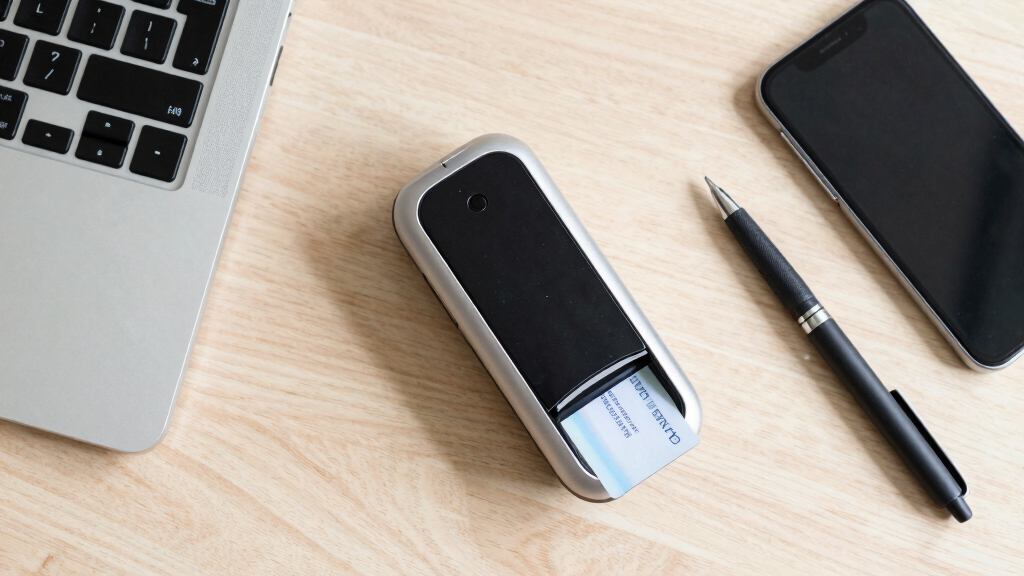
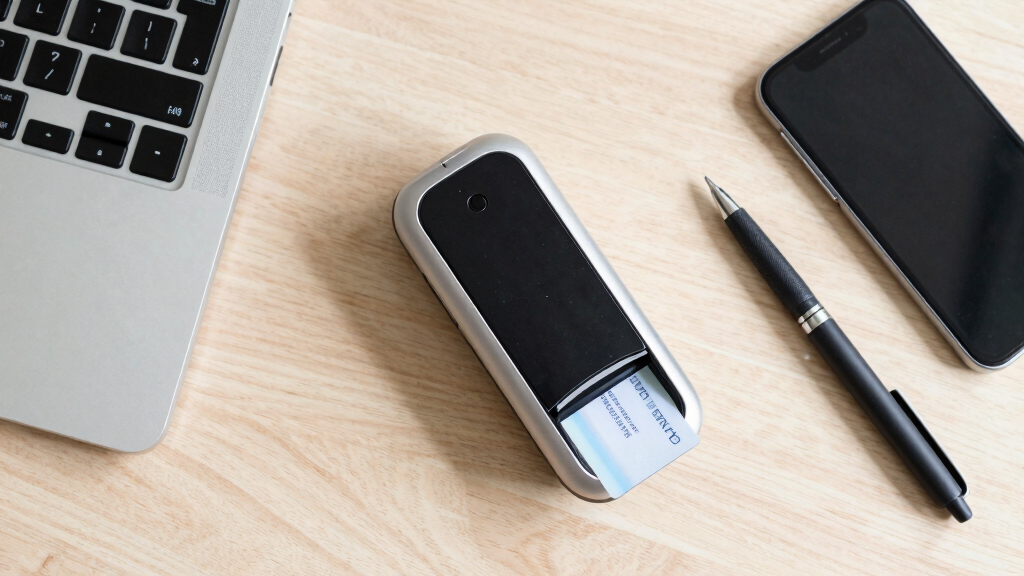
The DP687 Duplex Card Scanner stands out for its ultra-compact size, roughly the footprint of a stapler, making it ideal for crowded desks or mobile setups where space is at a premium. Unlike larger flatbed scanners, this model requires minimal surface area, and its USB-powered design eliminates the need for bulky adapters, adding to its portability. It scans both sides of ID cards and embossed cards in a single pass at up to 600 dpi, which suffices for clear digital copies in client onboarding. Compared to the Ambir ImageScan Pro 687-AS, which offers more versatility for high-volume environments, the DP687 trades some capacity for size and convenience. However, its small size means it might lack the durability or speed needed for heavy daily use. The included DocketScan software enables direct PDF scans, streamlining onboarding workflows. This scanner makes the most sense for small offices, mobile professionals, or environments where desk space is tightly constrained. Its tradeoff is that it might not handle high-volume scanning or rugged daily use as effectively as larger, more robust models.
Pros:- Extremely compact footprint fits in tight spaces
- USB-powered eliminates need for external power source
- Dual-sided scanning in one pass speeds up onboarding process
- Compatible with a wide range of software via TWAIN driver
Cons:- Limited sheet capacity and slower throughput for high volumes
- Less durable for intensive, daily heavy use
- Lacks advanced features like document feeding or larger document handling
Best for: Small offices, mobile professionals, or onboarding setups with limited desk space
Not ideal for: High-volume environments or heavy daily scanning needs, where durability and speed are critical
- Scanner Type:Business Card, ID Card
- Connection Type:USB
- Resolution:600 dpi
- Color Depth:48-bit
- Media Type:Embossed Card, Photo, Receipt
- Item Weight:0.66 Pounds
- Standard Sheet Capacity:1
- Wattage:2 watts
- Warranty:1 year
Bottom line: This pick is ideal for those who prioritize portability and space-saving design in client onboarding tasks, but it’s less suited for high-volume or rugged use.