
TL;DR

Get business pricing on office and shipping supplies
- Business-only prices and quantity discounts
- Tax-exempt purchasing
- Multiple users, one account, clear invoices
The build-vs-buy debate for AI workstations has shifted. Rising component costs and supply chain issues make prebuilt systems often comparable or even cheaper. Your choice depends on how much control, customization, and speed you need, not just price.
Deciding whether to build or buy your AI workstation feels like choosing between a custom suit and a ready-to-wear jacket. But in 2026, that choice is more nuanced than ever. The days when building was always cheaper? They’re gone.
Now, with component shortages and skyrocketing prices, prebuilt systems often match or beat DIY costs. The real question is: do you want control and customization, or a faster, less headache-prone setup? This article cuts through the noise and helps you make the right call for your AI needs.
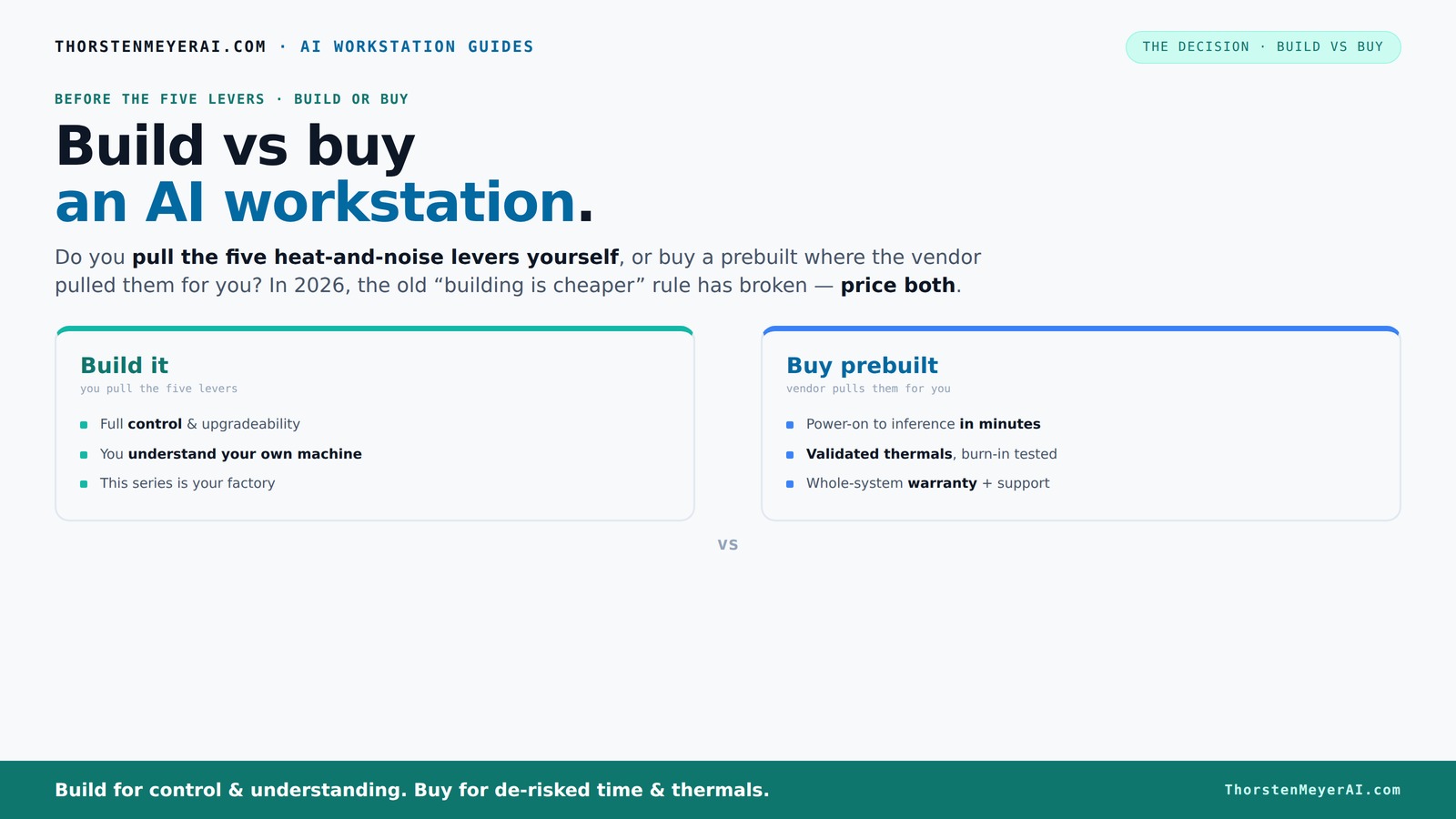
Build vs buy
an AI workstation.
The real question behind this whole series: do you pull the five heat-and-noise levers yourself, or buy a prebuilt where the vendor pulled them for you? And in 2026, the old “building is cheaper” rule has broken. Match your situation in Part 3.
Why 2026 Changes Everything for Building vs Buying
Building your own AI workstation used to be a no-brainer for saving money. But in 2026, the landscape shifted. Supply chain disruptions, high demand, and component shortages have pushed prices for GPUs, DDR5 RAM, and SSDs sky-high. A build that once cost under $1,000 now easily exceeds $1,250, sometimes more. Learn more about the build vs buy debate.
Meanwhile, big vendors like Lambda and BIZON bought components in bulk before prices spiked. Their prebuilt systems often come at prices that are tough to beat, especially when you factor in time and risk. The old rule — "build is cheaper" — no longer holds without a careful price check.
So, if you’re still relying on the assumption that DIY is always cheaper, it’s time to recheck your math. Sometimes, buying a prebuilt is your best move, especially if you value speed and reliability over tinkering.
Understanding this shift is crucial because it changes the fundamental calculus of cost. When component prices soar, the advantage of building diminishes, and the value of vendor support, validation, and time savings increases. This tradeoff can mean the difference between a project that’s affordable and one that’s delayed or over budget.
As an affiliate, we earn on qualifying purchases.
The Five Levers: Who Pulls Them — You or the Vendor?
A high-power AI workstation is a heat and noise furnace. Making it run smoothly depends on five levers: undervolting the GPU, matching the cooler, optimizing airflow, tuning fans, and positioning the machine.
When you buy prebuilt, the vendor pulls these levers. They validate thermals, run burn-in tests, and tune everything for you. Want a quieter, cooler system? They’ve already engineered it. Explore more about prebuilt AI workstations.
Build it yourself, and you become the thermal engineer. You pick the GPU, cooler, case, and fans. You tune the airflow and undervolt the GPU. It’s a hands-on process, but it’s also a chance to tailor your setup perfectly.
In essence, buying shifts the complexity to the vendor, while building puts it in your hands. Which path suits your skills and patience?
This distinction matters because thermal management directly impacts system stability, noise levels, and longevity. Vendors often optimize these factors for you, reducing the risk of overheating or throttling. Conversely, DIY builders have the opportunity to push hardware to its limits or create ultra-quiet setups, but they must accept the added complexity and potential trial-and-error involved in tuning.
When Buying a Prebuilt Makes Sense — Fast, Reliable, and Hassle-Free
If your time is money, buying a prebuilt can be a huge win. Systems from vendors like Puget or Lambda arrive ready to run. They come with software stacks (CUDA, PyTorch, Docker) preinstalled, so you can start training or inference in minutes. Learn more about prebuilt AI systems.
Plus, they’re validated for thermals and stability. You get a warranty that covers failures, reducing downtime and stress. For multi-GPU setups, this is especially valuable — cooling and power delivery are complex, and vendors have already solved those puzzles.
For example, a Lambda system with four RTX 4090s costs around $12,000 but has undergone 48-hour burn-in testing, ensuring it won’t throttle under heavy loads. That peace of mind can justify the premium for many professionals.
If quick deployment, reliability, and support matter more than tweaking every component, a prebuilt is often the smarter choice.
Choosing a prebuilt system means trusting the vendor’s expertise to ensure your hardware is configured optimally for AI workloads. This can save you hours or even days of troubleshooting and tuning, especially when dealing with complex multi-GPU environments. The validation and testing process reduces risks of hardware failure or underperformance, which can be costly and time-consuming to fix later.
When Building Yourself Is Still the Best Move
If you enjoy hands-on work or want maximum control, building your own AI workstation remains attractive. The process lets you select the exact GPU (like an RTX 4090 or A100), CPU, RAM, and SSDs tailored for your workload. See how to decide between building and buying.
It’s also a way to learn — understanding how each part affects heat, noise, and performance. Plus, if you’re on a tight budget, sourcing parts individually can sometimes save money, especially if you catch deals or secondhand parts.
For example, a hobbyist who spends weekends tinkering might build a machine with a quiet Noctua cooler, undervolt the GPU, and optimize airflow for near-silent operation. That control is priceless for some.
However, this path demands time, patience, and technical skill. If you’re comfortable troubleshooting and tuning, building lets you customize everything — at the cost of effort and potential delays. The tradeoff is that you gain a system perfectly aligned with your preferences, but you must accept the upfront investment of time and the risk of misconfigurations or hardware incompatibilities.
Comparison Table: Build vs Buy — Which Fits Your Needs?
| Feature | Build It Yourself | Buy Prebuilt |
|---|---|---|
| Cost (2026) | Often similar or higher, due to supply shortages | Often comparable or lower, thanks to bulk buying |
| Speed to Deployment | Weeks to months, depending on parts and assembly | Days to a few weeks, ready to run |
| Control & Customization | Full control over hardware, cooling, and tuning | Limited to vendor-configured options |
| Reliability & Support | Depends on your skill; no formal support | Validated, with warranties and expert support |
| Learning & Satisfaction | High — hands-on, deep understanding | Moderate — plug-and-play convenience |
| Upgrade Flexibility | High — replace or upgrade parts easily | Limited — often fixed configurations |
Key Takeaways for Making the Right Choice
- Component costs are inflated in 2026: Always price out both options; prebuilt can be surprisingly competitive.
- Speed and support matter: Prebuilts get you online faster with validated thermals and warranty coverage.
- Control and customization: Building offers full control, ideal for tuning and learning — but demands time and skill.
- Multi-GPU setups favor vendors: They handle cooling, power, and stability, reducing your headache.
- Hybrid approaches are common: Buy the base system, then customize or upgrade as needed.
Your Next Step: Decide Based on Your Goals, Not Just Cost
The choice isn’t just about saving money. It’s about what you want from your AI workstation — control, speed, reliability, or learning. If you need a machine that’s ready to go, a prebuilt often offers better value.
If you enjoy tinkering, want maximum control, or are building a specialized system, DIY can still be rewarding. Just remember: in 2026, the smart move depends on your specific needs, not outdated assumptions.
Picture a sleek, quiet, perfectly tuned workstation humming under your fingertips — whether built or bought, your AI journey starts with understanding what matters most to you.
Conclusion
As we’ve seen, the traditional wisdom of always building your own AI workstation no longer applies in 2026. Market conditions, component costs, and vendor efficiencies have shifted the landscape, making prebuilt systems more competitive than ever. The key is to align your choice with your specific needs—whether that’s control, speed, reliability, or a learning experience.
If you prioritize quick deployment, proven stability, and support, a prebuilt system is often the smarter move. On the other hand, if customization and learning are your priorities, building your own can be incredibly rewarding—albeit with more effort and time investment.
Ultimately, the decision should reflect your goals, skills, and budget. By understanding the current market dynamics, you can make an informed choice that delivers the best value and performance for your AI projects. Remember: in 2026, there’s no one-size-fits-all answer—only the right answer for you.
Frequently Asked Questions
Is a prebuilt AI workstation better than a custom build?
It depends on your priorities. Prebuilts offer faster setup, validated thermals, and support, making them ideal for quick deployment and reliability. Custom builds give you control over every component and tuning but require more time and expertise.When does buying make more sense than building?
Buying makes sense when you value speed, support, and proven stability—especially for complex multi-GPU setups or if you don’t enjoy tinkering. If your budget is tight or you want maximum customization, building might still be better.What is the true cost difference over three years?
In 2026, component prices and shortages have blurred the cost gap. A prebuilt can sometimes be cheaper overall because it includes testing, support, and warranty, saving you time and potential troubleshooting costs in the long run.How much VRAM and RAM do I need for AI workloads?
For most local inference and fine-tuning, 24-48GB of VRAM is a good starting point. RAM should match your dataset size and workload, typically 64GB or more for heavy AI tasks. Check your specific model and workload requirements.Can I upgrade a prebuilt system later?
Many prebuilt systems allow upgrades for RAM, storage, and sometimes GPUs. However, some configurations are more fixed. Always verify upgrade paths before purchasing, especially for CPU or power supply limitations.Fall Picks
fall essentials
As an affiliate, we earn on qualifying purchases.