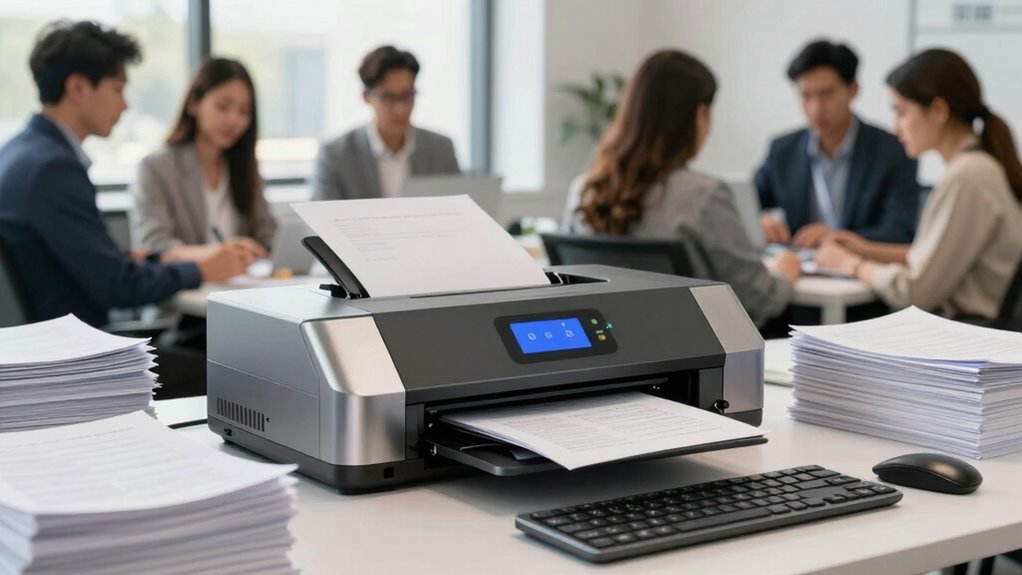

When choosing a network document scanner for your growing team, look for models that offer seamless cloud integration, enabling you to easily store, access, and share files from anywhere. Prioritize security features like encryption and user authentication to protect sensitive data. Ease of use and fast performance are also essential to boost efficiency. Scanners with scalability options will grow with your team’s needs. Keep exploring to discover the best options tailored for your expanding workflow.

Get business pricing on office and shipping supplies
- Business-only prices and quantity discounts
- Tax-exempt purchasing
- Multiple users, one account, clear invoices
Key Takeaways
- Prioritize scanners with seamless cloud integration for easy access and sharing across team members.
- Ensure robust security features like encryption and user access controls to protect sensitive documents.
- Choose models with intuitive interfaces and automation to minimize training and streamline workflows.
- Opt for high-speed, reliable scanners with duplex and high-volume capabilities to handle growing team demands.
- Select scalable scanners that support future upgrades and increased user capacity for long-term investment.
In today’s fast-paced work environments, having a reliable network document scanner is essential for teams that need to share and manage paperwork efficiently. As your team grows, so does the volume of documents requiring quick, secure access. The best network scanners seamlessly integrate with cloud platforms, enabling you to store, access, and share files from anywhere. Cloud integration is a game-changer, allowing your team to streamline workflows and eliminate the bottleneck of physical file transfers. When selecting a scanner, ensure it can connect directly to popular cloud services like Google Drive, Dropbox, or OneDrive. This integration reduces manual steps and keeps your team’s productivity high.
Security is another critical factor. You handle sensitive documents daily, and safeguarding that data is non-negotiable. Look for scanners that support robust security protocols, such as encrypted data transmission and user authentication. These features help prevent unauthorized access during scanning, transmission, and storage. Some models offer user-specific access controls, so only authorized team members can retrieve or modify scanned files. This added layer of security ensures compliance with data privacy standards and helps protect your organization from potential breaches. Additionally, choosing a model with regular firmware updates can help ensure ongoing security enhancements and compatibility with evolving standards. security protocols are crucial in protecting your organization’s data integrity and privacy.
Ease of use is equally important. You want a scanner that’s intuitive, with straightforward setup and management. Many models feature user-friendly interfaces and quick-start guides, minimizing downtime during installation. Additionally, the ability to scan to multiple destinations—such as email, network folders, or cloud services—enhances versatility. This flexibility allows your team to adapt workflows quickly, whether you’re digitizing receipts, contracts, or internal memos. Reliable customer support and comprehensive documentation also contribute to a smoother onboarding experience. It’s also beneficial to consider user-friendly interfaces that reduce training time and errors, especially in busy office environments. Incorporating automation features can further streamline repetitive tasks, boosting overall efficiency.
Speed and reliability also matter. Choose a scanner capable of handling high-volume tasks without sacrificing quality. Look for features like automatic document feeders, duplex scanning (double-sided pages), and fast scan speeds. These attributes ensure your team can process large batches efficiently, saving time and reducing frustration. Coupled with durable hardware and quality imaging, these features make daily operations smoother and more dependable. Investing in models with scalability options can help future-proof your setup, accommodating increased workload demands as your team expands.
Finally, consider scalability. As your team expands, your scanning needs will grow. Opt for models that support future upgrades, additional users, or higher processing capacities. This foresight saves you from frequent replacements and ensures your scanning infrastructure can evolve with your organization. Additionally, understanding the importance of biodiversity and conservation can inspire eco-friendly choices in your office equipment, such as energy-efficient scanners or environmentally responsible manufacturing practices. In sum, the ideal network document scanner combines strong cloud integration, robust security protocols, ease of use, speed, reliability, and scalability. With the right choice, you empower your team to work smarter, faster, and more securely in today’s competitive landscape.
Products Worth Considering
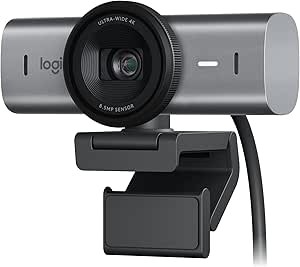
Logitech MX Brio Ultra HD 4K Webcam, Graphite

Apple MacBook Air 13.6-inch with M5 Chip, 16GB Memory, 512GB SSD, Sky Blue

Apple MacBook Neo 13-inch Laptop with A18 Pro Chip, 8GB Memory, 512GB SSD, Liquid Retina Display, and Touch ID (Blush)
As an affiliate, we earn on qualifying purchases.
Frequently Asked Questions
Can Network Scanners Integrate With Existing Team Collaboration Tools?
Yes, network scanners can integrate with your team collaboration tools. They often offer cloud integration, allowing seamless sharing and storage of scanned documents. You can also set user permissions to control access, ensuring sensitive information stays protected. This integration streamlines workflows, making it easy for your team to collaborate efficiently. By choosing scanners with these features, you enhance productivity and maintain security within your existing collaboration environment.
What Security Features Are Essential for Team Network Scanners?
Think of your team’s network scanner as a vault safeguarding your treasures. Essential security features include robust data encryption, which locks your sensitive information tightly, and user authentication, ensuring only authorized team members access the scanner. These features act as the key and lock, protecting your data from breaches and unauthorized access. By prioritizing these, you keep your team’s documents secure, maintaining trust and peace of mind.
How Scalable Are These Network Scanners for Expanding Teams?
These network scanners are highly scalable, supporting your team’s growth with minimal scalability challenges. They easily accommodate additional users and increased document volume through expansion strategies like upgrading hardware, integrating cloud storage, or optimizing network bandwidth. As your team expands, you can quickly adapt by adjusting configurations or adding new devices, ensuring seamless scalability without disrupting workflows. This flexibility makes them ideal for growing teams aiming for efficient, future-proof document management.
What Is the Typical Setup Time for a Team Network Scanner?
Imagine your team’s scanner humming softly as it connects wirelessly, ready to share files seamlessly. Typically, setup takes about 30 minutes, including configuring wireless connectivity and user authentication. You’ll need to connect the device to your network, input credentials, and guarantee smooth access for all team members. Once done, your scanner becomes an efficient hub, ready to streamline document sharing without complicated wiring or lengthy installations.
Are There Any Ongoing Maintenance Costs for These Scanners?
Yes, there are ongoing maintenance costs for team network scanners. These costs include regular maintenance schedules, such as cleaning and software updates, which help prevent issues and guarantee smooth operation. You should consider cost considerations like replacement parts, service contracts, and potential upgrades over time. Staying on top of maintenance schedules reduces downtime and prolongs the scanner’s lifespan, ultimately saving you money in the long run.
Conclusion
Choosing the right network document scanner keeps your team running smoothly, like a well-oiled machine in a bustling office. With options that cater to different needs, you’ll find one that fits perfectly into your workflow. Remember, a good scanner is like the trusty steed of medieval times—reliable and ready to carry your documents into the future. Invest wisely, and you’ll turn chaos into clarity, ensuring your team’s productivity stays atop the tower of success.