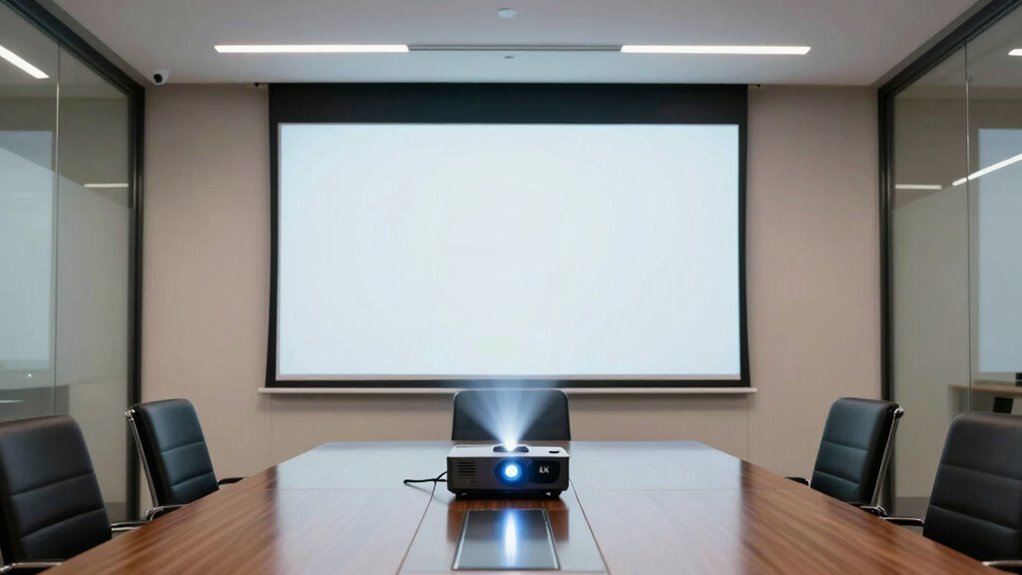

For conference rooms where sharp text and detailed charts matter, the ViewSonic LS740-4K is my best overall pick: it combines 4K UHD resolution with 5,000 lumens. The Epson Pro EX11000 is a strong alternative for teams that value a laser light source and wireless presentation, while the ViewSonic LS740HD offers laser performance without native 4K. The main tradeoff is between resolution, brightness, connectivity, and the room conditions that determine how well a projected image can be seen. Some listed models are 1080p or SVGA, and the HAPPRUN offers 4K decoding rather than native 4K projection. Continue reading for the full breakdown and guidance on matching a projector to your room.

Get business pricing on office and shipping supplies
- Business-only prices and quantity discounts
- Tax-exempt purchasing
- Multiple users, one account, clear invoices
Key Takeaways
- The ViewSonic LS740-4K leads this group for detail and brightness, pairing 4K UHD with 5,000 lumens for rooms where small text and charts need to remain legible.
- Resolution claims are not interchangeable: the HAPPRUN decodes 4K input, but its 2,000 ANSI lumens and portable design make it a different fit from the native 4K ViewSonic.
- Laser models suit frequent meeting use, with the LS740HD and Epson Pro EX11000 offering laser light sources while giving up native 4K resolution.
- The 1080p ViewSonic PA503HD is a more meeting-focused compromise than the SVGA PA503S, whose lower resolution is a real limitation for detailed slides and spreadsheets.
- Room conditions can outweigh a spec-sheet win: projector brightness, screen size, ambient light, placement, and the content shown all affect whether attendees can read the image.
| ViewSonic LS740HD 1080p Laser Projector |  | Best for Bright, Fixed Conference Rooms | Native resolution: 1920 × 1080 | Brightness: 5,500 ANSI lumens | Display type: Laser | VIEW ON AMAZON | See Our Full Breakdown |
| Epson Pro EX11000 1080p Wireless Laser Projector |  | Best for Flexible Hybrid Meetings | Native resolution: 1920 × 1080 | Display technology: 3-chip 3LCD laser | Brightness: 4,600 lumens | VIEW ON AMAZON | See Our Full Breakdown |
| ViewSonic PA503HD 1080p Full HD DLP Projector | 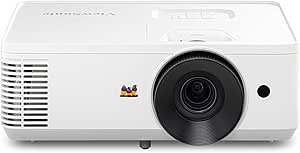 | Best for Straightforward Full HD Rooms | Native resolution: 1920 × 1080 | Display type: DLP | Brightness: 4,000 ANSI lumens | VIEW ON AMAZON | See Our Full Breakdown |
| ViewSonic PA503S SVGA DLP Projector, 4,000 Lumens |  | Best for Basic, Low-Detail Presentations | Native resolution: 800 × 600 | Display type: DLP | Brightness: 4,000 ANSI lumens | VIEW ON AMAZON | See Our Full Breakdown |
| HAPPRUN 2000 ANSI Portable Projector with 4K Decoding, Wi-Fi 6, Bluetooth 5.2, and Auto Focus |  | Best for Portable Setup Convenience | Native resolution: 1920 × 1080 | Maximum display resolution: 1920 × 1080 | Brightness: 2,000 ANSI lumens | VIEW ON AMAZON | See Our Full Breakdown |
| ViewSonic LS740-4K 4K UHD Laser Projector, 5,000 Lumens |  | Best for Bright, Permanent Meeting Rooms | Native resolution: 3840 x 2160 | Brightness: 5,000 ANSI lumens | Throw ratio: 1.4–2.24 | VIEW ON AMAZON | See Our Full Breakdown |
| 4k projectors for conference room | Native resolution | Brightness | Optical zoom | Connectivity |
|---|---|---|---|---|
| ViewSonic LS740HD 1080p Laser | 1920 × 1080 | 5,500 ANSI lumens | 1.3× | 2 × HDMI 1.4, USB Type-A, RS232, 3.5 mm audio out |
| Epson Pro EX11000 1080p Wirele | 1920 × 1080 | 4,600 lumens | 1–1.6× | Ethernet, HDMI, USB, VGA, Wi-Fi, Miracast |
| ViewSonic PA503HD 1080p Full H | 1920 × 1080 | 4,000 ANSI lumens | 1.1× | 2 × HDMI, USB-A, 3.5 mm audio |
| ViewSonic PA503S SVGA DLP Proj | 800 × 600 | 4,000 ANSI lumens | 1.1× | HDMI, Mini USB Type B, VGA |
| HAPPRUN 2000 ANSI Portable Pro | 1920 × 1080 | 2,000 ANSI lumens | — | — |
| ViewSonic LS740-4K 4K UHD Lase | 3840 x 2160 | 5,000 ANSI lumens | 1.6x | HDMI, USB 2.0 Type-A, 3.5 mm audio |
More Details on Our Top Picks
ViewSonic LS740HD 1080p Laser Projector
High brightness and laser longevity make the LS740HD a strong fit for a permanently installed meeting-room projector, where presentations need to remain visible with lights on. Its 5,500 ANSI lumens exceed the Epson Pro EX11000’s 4,600 lumens, while the 1.3x optical zoom and extensive positioning adjustments give installers more placement flexibility than the PA503HD’s 1.1x zoom. The tradeoff is resolution: this is native 1080p, not 4K, so fine spreadsheets and dense diagrams will look less crisp than on the ViewSonic LS740-4K. Its ceiling-mount orientation and stationary design also make it a poor choice for teams that move the projector between rooms. I’d choose it when room brightness and installation flexibility matter more than true 4K detail.
Pros:- 5,500 ANSI lumens help presentations stay visible in brighter rooms.
- Laser light source is rated for 20,000 hours, with up to 30,000 hours in Dynamic Eco mode.
- H/V keystone, four-corner adjustment, portrait mode, and 360-degree projection support flexible installation.
- Projects images from 30 to 300 inches.
Cons:- Native 1920 × 1080 resolution falls short of the roundup’s true 4K option.
- Stationary, ceiling-oriented design is less convenient for shared rooms or portable use.
- Dual HDMI ports are HDMI 1.4 rather than a newer stated standard.
Best for: Organizations installing a bright, fixed projector in a conference room with ambient light and a large screen.
Not ideal for: Teams that need native 4K detail, a portable projector, or frequent room-to-room setup.
- Native resolution:1920 × 1080
- Brightness:5,500 ANSI lumens
- Display type:Laser
- Image size:30–300 inches
- Optical zoom:1.3×
- Throw ratio:1.13–1.47
- Light source life:20,000 hours; up to 30,000 hours in Dynamic Eco mode
- Connectivity:2 × HDMI 1.4, USB Type-A, RS232, 3.5 mm audio out
- Built-in speaker:15 W
Our verdict“Choose the LS740HD for a bright, long-life fixed installation, but pick the LS740-4K when detailed 4K presentation content is the priority.”
Epson Pro EX11000 1080p Wireless Laser Projector
The Pro EX11000 is the most adaptable choice here for teams that alternate between laptops, wired room systems, and wireless screen sharing. Its 3-chip 3LCD laser system, 4,600 lumens, and built-in Wi-Fi with Miracast make it better suited to hybrid meeting setups than the wired-only ViewSonic LS740HD. It is also portable and tabletop-oriented, so it can move between rooms without committing to a ceiling installation. Against the LS740HD, it gives up some brightness and installation-specific adjustment features; against the HAPPRUN, it offers a stronger stated brightness figure and business-oriented connections such as Ethernet and VGA. The main limitation is shared across most options here: native resolution is Full HD, not 4K. Wireless mirroring also depends on a suitable network connection.
Pros:- 4,600 lumens of color and white brightness suit presentations in well-lit rooms.
- Laser light source is rated for up to 20,000 hours without lamp replacement.
- Wi-Fi, Miracast, Ethernet, HDMI, USB, and VGA accommodate varied meeting-room devices.
- Portable form and 1–1.6× optical zoom ease use across different rooms.
Cons:- Native 1920 × 1080 resolution does not deliver 4K detail.
- Brightness is lower than the ViewSonic LS740HD’s 5,500 ANSI lumens.
- Wireless screen mirroring requires a network connection of at least 5 Mbps.
Best for: Hybrid teams that need a portable Full HD projector with both wireless mirroring and a broad selection of wired connections.
Not ideal for: Buyers requiring native 4K, a permanent high-brightness installation, or wireless use without a dependable network.
- Native resolution:1920 × 1080
- Display technology:3-chip 3LCD laser
- Brightness:4,600 lumens
- Maximum image size:310 inches
- Optical zoom:1–1.6×
- Light source life:Up to 20,000 hours
- Connectivity:Ethernet, HDMI, USB, VGA, Wi-Fi, Miracast
- Built-in speaker:16 W
- Form factor:Portable, tabletop
Our verdict“Pick the Pro EX11000 for portable hybrid meetings that benefit from wireless mirroring and flexible connections, not for native 4K projection.”
ViewSonic PA503HD 1080p Full HD DLP Projector
For a conference room that needs clear Full HD slides without laser-projector complexity, the PA503HD is a practical middle ground. Its 4,000 ANSI lumens and native 1080p resolution provide more useful detail than the SVGA PA503S, while two HDMI inputs make it simple to connect common meeting devices. Compared with the Epson Pro EX11000, it lacks wireless mirroring and a laser light source, but it does offer a straightforward ceiling-mount setup and a stated 120 Hz refresh rate with 16 ms input latency for smoother motion. The key compromise is lamp life: its listed 4,000 hours is far below the laser-based LS740HD and Pro EX11000, which can mean more frequent maintenance in a heavily used room. It makes most sense when native 4K is not required and simplicity outweighs long-term light-source life.
Pros:- Native 1920 × 1080 resolution provides clearer text and graphics than the PA503S’s SVGA image.
- 4,000 ANSI lumens suit rooms with moderate ambient light.
- Two HDMI ports and USB-A power output support common presentation setups.
- Automatic vertical keystone correction and 1.1× optical zoom help with basic alignment.
Cons:- Listed light-source life is 4,000 hours, much shorter than the laser models in this roundup.
- No wireless connectivity is specified.
- Native resolution is Full HD rather than 4K.
Best for: Small businesses and schools seeking a ceiling-mounted Full HD projector with HDMI inputs for routine slide presentations.
Not ideal for: Organizations with daily, long-hour use that want a long-life laser light source, or teams that need wireless sharing or 4K detail.
- Native resolution:1920 × 1080
- Display type:DLP
- Brightness:4,000 ANSI lumens
- Contrast ratio:22,000:1
- Refresh rate:120 Hz
- Input latency:16 ms
- Optical zoom:1.1×
- Connectivity:2 × HDMI, USB-A, 3.5 mm audio
- Light source life:4,000 hours
Our verdict“Choose the PA503HD for uncomplicated Full HD presentations and HDMI connectivity, but favor a laser model for heavier use or a longer service life.”
ViewSonic PA503S SVGA DLP Projector, 4,000 Lumens
The PA503S is the budget-minded basic presentation pick, but its place in a conference-room roundup is narrow: it works best for large text and simple visuals, not detailed spreadsheets or fine-print slides. Its 4,000 ANSI lumens can help maintain visibility in moderately lit spaces, and HDMI plus VGA provide a useful mix for newer and older sources. Still, the 800 × 600 SVGA resolution is a major step down from the PA503HD’s 1080p image, making the PA503HD the better match for typical business documents. The PA503S does offer an energy-saving mode rated for up to 15,000 hours of lamp life, but that figure applies in Super Eco mode. I’d choose it only when content is simple and resolution demands are low; it is not a substitute for a 4K conference projector.
Pros:- 4,000 ANSI lumens help presentations remain visible in moderately lit rooms.
- HDMI and VGA support both newer devices and older presentation equipment.
- 1.1× optical zoom and vertical keystone correction assist with basic setup.
- Super Eco mode is rated to extend lamp life to as much as 15,000 hours.
Cons:- 800 × 600 native resolution is substantially less detailed than the PA503HD’s 1080p.
- Limited resolution makes small text and dense conference materials harder to read.
- No wireless connectivity is specified.
Best for: Organizations presenting large text, basic charts, or training material in rooms where Full HD detail is not necessary.
Not ideal for: Teams displaying spreadsheets, small text, detailed diagrams, video, or content that benefits from 4K or Full HD sharpness.
- Native resolution:800 × 600
- Display type:DLP
- Brightness:4,000 ANSI lumens
- Contrast ratio:22,000:1
- Throw ratio:1.9–2.1
- Optical zoom:1.1×
- Image size:30–300 inches
- Connectivity:HDMI, Mini USB Type B, VGA
- Lamp life:Up to 15,000 hours in Super Eco mode
Our verdict“Pick the PA503S only for simple, large-format presentations where low cost of setup matters more than document detail or 4K capability.”
HAPPRUN 2000 ANSI Portable Projector with 4K Decoding, Wi-Fi 6, Bluetooth 5.2, and Auto Focus
The HAPPRUN emphasizes quick setup and wireless convenience rather than conference-room brightness or true 4K projection. Autofocus, auto keystone correction, obstacle avoidance, and auto screen alignment can reduce fiddling when the projector is moved between rooms, while Wi-Fi 6 and two HDMI ports give teams several ways to connect. Its “4K decoding” label needs context: the listed native and maximum display resolution are both 1920 × 1080, so it does not show a 4K image. At 2,000 ANSI lumens, it is also less suited to bright rooms than the PA503HD or LS740HD. Compared with the portable Epson Pro EX11000, it offers more automated image adjustments but fewer business-focused connections such as Ethernet and VGA. It fits occasional, controlled-light meetings better than a permanent boardroom installation.
Pros:- Autofocus and automatic alignment features can speed up setup in changing locations.
- Wi-Fi 6 and Bluetooth 5.2 provide wireless connection options.
- Two HDMI ports, two USB ports, AV, and headphone output offer varied device connections.
- Flexible ceiling, tripod, tabletop, wall, and floor mounting options.
Cons:- Native and maximum display resolution are 1920 × 1080; 4K decoding does not make it a native 4K projector.
- 2,000 ANSI lumens are below the brightness of the ViewSonic PA503HD, LS740HD, and Epson Pro EX11000.
- Autofocus may fail when the projector angle exceeds 15 degrees.
Best for: Small teams that move a projector between rooms and prioritize automatic setup and wireless connections over high brightness.
Not ideal for: Bright conference rooms, fixed installations with heavy daily use, or buyers who need native 4K image detail.
- Native resolution:1920 × 1080
- Maximum display resolution:1920 × 1080
- Brightness:2,000 ANSI lumens
- Display type:LCD
- Wireless connectivity:Wi-Fi 6, Bluetooth 5.2
- Image size:50–300 inches
- Ports:2 × HDMI, 2 × USB, AV, 3.5 mm headphone jack
- Light source life:100,000 hours
- Adjustment features:Autofocus, 6D auto keystone correction, obstacle avoidance, auto screen alignment
Our verdict“Choose the HAPPRUN for portable meetings where automatic setup matters and room lighting can be controlled, not for a bright-room or native 4K installation.”
ViewSonic LS740-4K 4K UHD Laser Projector, 5,000 Lumens
The LS740-4K earns its place for conference rooms where fine detail and strong light output matter together. Its 3840 x 2160 resolution gives dense spreadsheets, diagrams, and small text more definition than the 1080p ViewSonic LS740HD, while 5,000 ANSI lumens suit rooms that cannot always be darkened. The 1.6x optical zoom, four-corner adjustment, and 360-degree projection help adapt the image to varied ceiling placements without relying on digital correction alone. A sealed, IP6X-rated optical engine is another practical advantage for a permanently installed unit. The tradeoff is flexibility: unlike the portable HAPPRUN, this is a ceiling-mount-oriented projector, and its light-source life is listed at 20,000 hours despite the description’s separate claim of up to 30,000 hours. I would choose it for a fixed room, not for frequent relocation.
Pros:- 4K UHD resolution and 5,000 ANSI lumens support detailed presentations in rooms with ambient light.
- 1.6x optical zoom and image adjustment features accommodate a range of fixed installation positions.
- IP6X-rated sealed optical engine helps limit dust exposure in a permanent installation.
- Laser light source avoids routine lamp replacement.
Cons:- Stationary, ceiling-mount-oriented design is less practical for shared use across multiple rooms.
- The listed 20,000-hour light-source life conflicts with the description’s claim of up to 30,000 hours.
- Its HDMI, USB-A, and 3.5 mm audio connections are relatively limited for modern wireless meeting setups.
Best for: Organizations installing a fixed projector in a bright conference or training room where 4K detail, high brightness, and flexible ceiling placement are priorities.
Not ideal for: Teams that need a lightweight projector to carry between rooms, or buyers who require an unambiguous light-source lifespan specification.
- Native resolution:3840 x 2160
- Brightness:5,000 ANSI lumens
- Throw ratio:1.4–2.24
- Optical zoom:1.6x
- Image size:30–300 inches
- Light source:Laser phosphor; listed operating life: 20,000 hours
- Connectivity:HDMI, USB 2.0 Type-A, 3.5 mm audio
- Installation features:Ceiling mount, H/V keystone, four-corner adjustment, 360-degree projection, portrait mode
- Optical engine protection:IP6X-rated sealed optical engine
Our verdict“Choose the LS740-4K for a bright, permanent conference room that benefits from 4K detail; skip it if portability or wireless connectivity is a priority.”

How We Picked
I ranked these projectors around common conference-room needs: legible text, usable brightness, practical setup, and suitability for repeated presentations. Resolution and brightness mattered most, but I also considered light-source type, wireless features, portability, and whether a model’s stated capabilities match the job implied by its design. A projector that can accept a 4K signal is not automatically a native 4K projector, and that distinction matters when fine detail is a priority.
The ViewSonic LS740-4K ranks first because it is the only listed model with 4K UHD projection and it pairs that detail with 5,000 lumens. The laser 1080p models follow for buyers who place more weight on frequent use or wireless presentation than on native 4K. The PA503HD is a simpler Full HD alternative, while the lower-resolution PA503S and portable HAPPRUN rank lower for typical fixed-room presentation work: the former offers less detail, and the latter is better suited to flexible, smaller-scale use than a demanding meeting room.
| 4k projectors for conference room | Display type |
|---|---|
| ViewSonic LS740HD 1080p Laser | Laser |
| Epson Pro EX11000 1080p Wirele | — |
| ViewSonic PA503HD 1080p Full H | DLP |
| ViewSonic PA503S SVGA DLP Proj | DLP |
| HAPPRUN 2000 ANSI Portable Pro | LCD |
| ViewSonic LS740-4K 4K UHD Lase | — |
Factors to Consider When Choosing 4k Projectors For Conference Rooms
Choosing a conference-room projector starts with the room and the way people present, not with the resolution label alone. I would check these factors before deciding whether native 4K, a laser light source, or a simpler Full HD model earns a place in your meeting space.
Match Resolution to the Content You Present
Native 4K can make small text and detailed graphics clearer, especially on a large screen or when attendees sit far from the image. For ordinary slides with large headings, a well-matched 1080p projector may be adequate and can leave more room in the budget for brightness or installation. Check whether a model projects at 4K or only decodes a 4K source; those descriptions do not mean the same thing. A common mistake is choosing by the input format while overlooking the projector’s actual display resolution. If your meetings rely on spreadsheets, engineering drawings, or fine labels, prioritize projected detail and test your usual content at the intended screen size.
Size Brightness to the Room and Screen
Ambient light, screen size, and seating distance all affect readability, so a lumen figure cannot be judged in isolation. A bright room with uncovered windows may need more output than a smaller room where lights can be dimmed. Increasing screen size spreads the projected light across a larger area, which can make an image seem less vivid. Before buying, note the room’s lighting during actual meetings and the screen dimensions you plan to use. Avoid paying for brightness your room does not need, but do not assume a high resolution will compensate for a washed-out image.
Choose a Light Source for Meeting Frequency
Laser models can be appealing for rooms used throughout the workweek, where dependable, repeatable setup matters more than a low-use home presentation. A lamp-based projector may still suit a room that hosts occasional meetings, but ownership includes keeping track of lamp life and replacement needs. Consider who handles maintenance and how disruptive downtime would be if the projector needs attention. Compare the light-source choice alongside brightness and resolution rather than treating it as a standalone upgrade. For a shared room with many presenters, straightforward operation and predictable upkeep can matter as much as image specifications.
Plan Placement Before You Buy
Throw distance and mounting position determine whether a projector fits the room, regardless of how strong its image looks on paper. Measure the distance from the planned projector location to the screen and check that the projected image can reach your intended size. A ceiling mount may free table space, while a portable unit offers flexibility if rooms change. Do not assume digital correction can fix every placement problem without affecting the image. Confirm the room layout, cable paths, and presenter position before choosing a model or installation plan.
Treat Wireless Features as a Workflow Choice
Wireless presentation can reduce cable clutter, but it is only useful if it works with the devices and meeting habits in your organization. Find out whether presenters need to connect laptops, phones, or a dedicated room computer, and check any network or adapter requirements. A wireless projector should not be selected on connectivity claims alone if your organization restricts devices on its network. For meetings where a cable connection is reliable and familiar, a simpler setup may mean fewer interruptions. Decide which connection methods your team will actually use, then verify them before installation.
Spend on the Constraint You Cannot Fix Later
Room conditions are often harder to change than projector features, so spend first on the limitation that most affects your meetings. If attendees need to read dense material, resolution may deserve priority; if the room stays bright, usable brightness may matter more. A projector cannot make an oversized image look bright without sufficient output, and added resolution does not improve poor source material. Check the screen, lighting controls, mounting options, and typical audience size before moving up a product tier. This approach can prevent paying for a premium feature that your room or presentation format will rarely use.
Frequently Asked Questions
Does a conference-room projector need native 4K?
Native 4K is most useful when presentations contain small labels, dense spreadsheets, or detailed diagrams, particularly on a large screen. For slides built around large text and simple graphics, Full HD may be sufficient for many rooms. Check the projector’s actual display resolution rather than relying on a 4K input or decoding claim. In this lineup, the ViewSonic LS740-4K is the native 4K option, while the HAPPRUN’s 4K decoding does not make it a native 4K projector. Let your content and screen size set the requirement.
Can a 2,000-lumen portable projector work in a meeting room?
It may suit a small, controlled-light room or occasional portable presentations, but it is a riskier choice for a bright room or a large screen. Room lighting, screen size, and distance from the image all affect how easy it is to read. If your meetings happen with windows uncovered or lights on, prioritize a model with stronger brightness suited to those conditions. Also check the portable projector’s resolution and connectivity against the content and devices your team uses. A compact design is useful only if the room can support its image output.
Is 1080p enough for conference-room slides?
1080p can be enough for standard slides with clear, large text, especially when the projected image is not unusually large. Fine spreadsheet cells, small footnotes, and detailed diagrams are more likely to show the limits of lower resolution. Before buying, test a representative slide at the planned screen size and viewing distance if possible. Also check brightness, since a sharp image is of little help if ambient light washes it out. In this group, the PA503HD is the more suitable Full HD choice than the SVGA PA503S for detail-heavy presentations.
Should I choose a laser projector for a shared meeting room?
A laser light source is worth prioritizing when the room sees frequent use or several people rely on it for presentations. It can simplify light-source maintenance compared with a lamp-based option, though it does not remove the need to check placement, connectivity, and room brightness. For an occasional-use room, a more basic projector may be a sensible fit if its image meets your needs. Compare the full operating setup rather than choosing based on light source alone. The LS740HD and Epson Pro EX11000 are laser options here, with different emphasis on resolution and wireless presentation.
What should I check before installing a projector in a conference room?
Measure the throw distance, screen size, and mounting location first, then note the room’s lighting during actual meetings. Check how presenters will connect, where cables can run, and whether people or doors will obstruct the beam. Confirm the projected image size and placement fit the room before arranging a permanent mount. Consider who will manage setup and maintenance in a shared space, since a complicated connection process can slow meetings. These checks often reveal a better-fit model than comparing resolution and brightness alone.
Conclusion
Best overall: I recommend the ViewSonic LS740-4K for rooms where native 4K detail and high brightness both matter. Best value: the ViewSonic PA503HD is the more practical Full HD choice when presentations do not need native 4K. Best premium alternative: choose the Epson Pro EX11000 if you prioritize a laser light source and wireless presentation over 4K resolution; for a brighter laser 1080p option, consider the LS740HD. Best for beginners: the PA503HD is the straightforward pick for basic slides, while the PA503S fits only when lower resolution is acceptable. Best for specific needs: the HAPPRUN makes more sense for portable, smaller-scale use than a fixed room expected to show detailed content. Match your choice to room lighting, image size, and the material people need to read.
Fall Picks
fall essentials
As an affiliate, we earn on qualifying purchases.