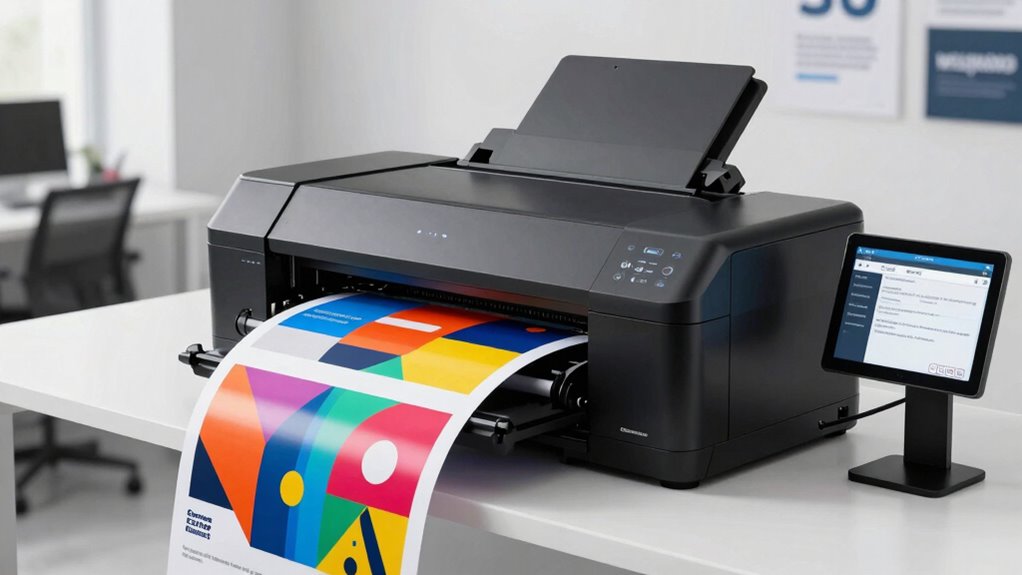
Choosing the right wide format printer for small business marketing involves balancing quality, cost, and ease of operation. The HP DesignJet T650 stands out as the best overall due to its reliability and support, while the Canon imagePROGRAF TM-240 offers excellent print quality for a smaller budget. For those new to large-format printing, the Epson Workforce Pro WF-7310 provides an accessible entry point with versatile features. The main tradeoffs in this category often come down to print speed versus cost, and simplicity versus advanced functionality. Keep reading for a detailed breakdown of these options to find the best fit for your marketing needs.

Get business pricing on office and shipping supplies
- Business-only prices and quantity discounts
- Tax-exempt purchasing
- Multiple users, one account, clear invoices
Key Takeaways
- The top picks balance print quality, speed, and ease of use, with the HP DesignJet T650 leading for overall reliability.
- Budget-friendly options like the Canon TM-240 deliver good quality but may lack speed and advanced features.
- Entry-level models such as Epson Workforce Pro WF-7310 are best for small-scale or infrequent use, not high-volume printing.
- Professional-grade printers like the HP DesignJet T650 often come with higher costs but offer better support and durability.
- Considering ongoing maintenance and ink costs is vital, as these can significantly affect total ownership expenses.
| HP DesignJet T650 Large Format 36-inch Plotter Printer with 2-Year Onsite Support |  | Best Overall for Technical and Professional Large Format Printing | Media Size: Up to 36-inch wide media rolls, 13×19-inch sheets | Media Handling: Sheet feed, roll feed, media bin, horizontal cutter | Connectivity: Gigabit Ethernet, Wi-Fi 802.11, USB 2.0 | VIEW ON AMAZON | See Our Full Breakdown |
| HP DesignJet T210 Large Format 24-inch Plotter Printer | | Best Value for Compact, Cost-Efficient Large Format Printing | Media Size: Up to 24-inch wide media rolls | Media Handling: Sheet feed, roll feed, automatic cutter | Connectivity: Ethernet, Wi-Fi 802.11, USB | VIEW ON AMAZON | See Our Full Breakdown |
| HP OfficeJet Pro 9720 Wide-Format Wireless All-in-One Color Inkjet Printer |  | Best for Versatile Office Use with Wide-Format Capabilities | Print Speed: 22 ppm black, 18 ppm color | Maximum Print Size: 11×17 inches | Input Tray Capacity: 250 sheets | VIEW ON AMAZON | See Our Full Breakdown |
| Canon imagePROGRAF TM-240 24-Inch Large Format Printer |  | Best for Outdoor and High-Resolution Professional Printing | Processor: L-COA PRO II | Print Speed: Up to 3.2 ppm | Maximum Resolution: 2400 x 1200 dpi | VIEW ON AMAZON | See Our Full Breakdown |
| Canon imagePROGRAF TC-21 24″ Large Format Printer, Poster & Plotter with Automatic Roll & Cut Sheet Paper Feeder |  | Best for Vibrant Posters and Versatile Media Handling | Print Width: 24 inches | Ink Capacity: 280 ml per color | Connectivity: USB, Ethernet, Wi-Fi | VIEW ON AMAZON | See Our Full Breakdown |
| Epson Workforce Pro WF-7310 Wireless All-in-One Wide-Format Inkjet Printer |  | Best Overall for Small Business Wide-Format Printing | Maximum Print Size: 13 x 19 inches | Print Speed: 25 black / 12 color ISO ppm | Paper Capacity: 500 sheets | VIEW ON AMAZON | See Our Full Breakdown |
| Epson Workforce Pro WF-7840 Wireless All-in-One Wide-Format Inkjet Printer |  | Best for High-Volume, Multi-Function Small Business Use | Maximum Print Size: 13 x 19 inches | Print Speed: 20 black / 10 color ISO ppm | Paper Capacity: 500 sheets | VIEW ON AMAZON | See Our Full Breakdown |
| Epson WorkForce Pro WF-7820 Wireless All-in-One Wide-Format Inkjet Printer |  | Best for Professional-Quality Wide-Format Prints | Maximum Print Size: 13 x 19 inches | Print Speed: 25 black / 12 color ISO ppm | Paper Capacity: 250 sheets | VIEW ON AMAZON | See Our Full Breakdown |
| Canon imagePROGRAF iPF770 Inkjet Large Format Printer – 36″ Color |  | Best for Large-Scale Professional Displays | Print Size: 36 inches (914.4 mm) | Print Speed: 2 D-size prints per minute | Warranty: 1 year on-site | VIEW ON AMAZON | See Our Full Breakdown |
| HP OfficeJet Pro 9730 Wide-Format Wireless All-in-One Color Inkjet Printer |  | Best for Versatile Office-Wide Format Needs | Maximum Print Size: 11 x 17 inches | Print Speed (Black): 22 ppm | Print Speed (Color): 18 ppm | VIEW ON AMAZON | See Our Full Breakdown |
| wide format printers for small business marketing | Connectivity | Print Speed | Maximum Print Size |
|---|---|---|---|
| HP DesignJet T650 Large Format | Gigabit Ethernet, Wi-Fi 802.11, USB 2.0 | Up to 25 seconds per page on A1/D size | — |
| HP DesignJet T210 Large Format | Ethernet, Wi-Fi 802.11, USB | Up to 59 pages per hour | — |
| HP OfficeJet Pro 9720 Wide-For | Wireless, dual-band Wi-Fi | 22 ppm black, 18 ppm color | 11×17 inches |
| Canon imagePROGRAF TM-240 24-I | — | Up to 3.2 ppm | — |
| Canon imagePROGRAF TC-21 24" L | USB, Ethernet, Wi-Fi | — | — |
| Epson Workforce Pro WF-7310 Wi | Wi-Fi, Wi-Fi Direct | 25 black / 12 color ISO ppm | 13 x 19 inches |
| Epson Workforce Pro WF-7840 Wi | Wi-Fi, Ethernet, Wi-Fi Direct | 20 black / 10 color ISO ppm | 13 x 19 inches |
| Epson WorkForce Pro WF-7820 Wi | Wi-Fi, Ethernet | 25 black / 12 color ISO ppm | 13 x 19 inches |
| Canon imagePROGRAF iPF770 Inkj | USB, Ethernet | 2 D-size prints per minute | — |
| HP OfficeJet Pro 9730 Wide-For | Wireless, dual-band Wi-Fi | — | 11 x 17 inches |
More Details on Our Top Picks
HP DesignJet T650 Large Format 36-inch Plotter Printer with 2-Year Onsite Support
The HP DesignJet T650 earns its top spot by offering precise, high-quality prints for architects, engineers, and professionals who need detailed technical drawings and posters. Unlike the smaller HP DesignJet T210, it supports media up to 36 inches wide, making it ideal for larger projects. Its cost-efficient ink system reduces ongoing expenses, and the workflow is simplified through HP Click software and mobile printing. However, its large size demands significant space, and the advanced features may be overwhelming for casual users. Compared with the T210, it’s better suited to professional environments where size and detail matter more than initial affordability. The T650 balances high performance with manageable operational costs, but it’s not ideal for small offices with limited space or budget constraints.
Pros:- High-quality, precise large format printing
- Cost-efficient ink consumption reduces long-term costs
- Supports a wide range of media sizes and types
- Easy workflow integration with mobile printing
Cons:- Large footprint requires ample space
- Higher initial investment may be prohibitive for casual users
- Advanced features can have a learning curve
Best for: Small businesses needing large, detailed prints regularly, such as architectural firms or signage companies
Not ideal for: Home-based businesses or startups with limited space and lower volume printing needs
- Media Size:Up to 36-inch wide media rolls, 13×19-inch sheets
- Media Handling:Sheet feed, roll feed, media bin, horizontal cutter
- Connectivity:Gigabit Ethernet, Wi-Fi 802.11, USB 2.0
- Print Speed:Up to 25 seconds per page on A1/D size
- Memory:1GB
- Included Ink:HP 712 Original Ink cartridges
Our verdict“This is a solid choice for professional environments demanding large, detailed, and reliable prints with ongoing support.”
HP DesignJet T210 Large Format 24-inch Plotter Printer
The HP DesignJet T210 provides a more affordable and space-friendly alternative to the T650, supporting media up to 24 inches wide. It’s designed for small businesses that need professional quality without the hefty price tag, making it a good fit compared to the larger T650. Its automatic media handling and efficient ink usage help reduce ongoing costs, though it requires an optional sheet feeder for full functionality. Print speeds are slower than the T650, which could be a bottleneck for high-volume shops, but for occasional large-format jobs, it balances quality and efficiency well. It’s less suitable for high-volume or highly detailed technical printing, but perfect for smaller projects or startups with limited space and budget constraints.
Pros:- Supports media up to 24 inches wide
- Highly cost-efficient with 95% less ink consumption
- Compact footprint suitable for small spaces
- User-friendly with HP Click software
Cons:- Requires optional sheet feeder for sheet printing
- Limited to 24-inch media width, less versatile for larger projects
- Slower print speeds compared to larger models
Best for: Small offices or startups needing reliable 24-inch print capacity on a budget
Not ideal for: High-volume professional printing environments or clients requiring 36-inch media support
- Media Size:Up to 24-inch wide media rolls
- Media Handling:Sheet feed, roll feed, automatic cutter
- Connectivity:Ethernet, Wi-Fi 802.11, USB
- Print Speed:Up to 59 pages per hour
- Memory:500MB
- Supported Ink:HP 712 and 713 cartridges
Our verdict“This printer offers excellent value for small businesses that need reliable, cost-effective large format printing on a smaller scale.”
HP OfficeJet Pro 9720 Wide-Format Wireless All-in-One Color Inkjet Printer
The HP OfficeJet Pro 9720 stands out for its versatility, combining wide-format printing up to 11×17 inches with multifunction features like scanning, copying, and faxing. This makes it a practical choice for offices that need an all-in-one solution, especially compared to dedicated plotters like the T210 or T650, which focus solely on printing. Its fast color printing and security features suit professional environments, but the subscription-based ink model and larger footprint can be drawbacks for small or budget-conscious businesses. While it doesn’t support media wider than 11×17 inches, its wireless and mobile capabilities make it easy to integrate into busy workspaces. It’s best suited for mixed-use environments that require occasional wide-format output alongside regular office tasks.
Pros:- High-quality wide-format color printing
- Wireless and mobile printing capabilities
- Large input tray with automatic duplex
- Secure with HP Wolf Pro Security
Cons:- Requires ongoing subscription for ink after trial
- Larger size may require dedicated space
- Limited to 11×17 inches maximum print size
Best for: Small to medium offices needing a multi-function device with occasional wide-format output
Not ideal for: Businesses with high-volume large-format printing needs or those needing 36-inch media support
- Print Speed:22 ppm black, 18 ppm color
- Maximum Print Size:11×17 inches
- Input Tray Capacity:250 sheets
- Touchscreen:2.7-inch color
- Connectivity:Wireless, dual-band Wi-Fi
- Included Trial:3 months of Instant Ink
Our verdict“This multifunction printer offers flexible, high-quality wide-format printing suitable for dynamic office environments needing more than just printing.”
Canon imagePROGRAF TM-240 24-Inch Large Format Printer
The Canon imagePROGRAF TM-240 excels in producing sharp, high-resolution images with a maximum of 2400 x 1200 dpi, making it ideal for outdoor signage and detailed, color-rich prints. Compared to the HP T210 or T650, its high-speed output of 3.2 ppm and water-resistant ink make it suitable for outdoor applications and professional signage. Its complex setup and larger size might challenge less experienced users, but for those needing outdoors durability and precise color accuracy, it’s unmatched. The TM-240’s water-resistant ink and high resolution come at a higher price point, and its professional focus means it’s less suited for casual or small-scale projects. It’s best for businesses that prioritize outdoor signage or detailed, vibrant prints over volume or ease of use.
Pros:- High-resolution, sharp images and text
- Water-resistant, outdoor-grade ink
- Fast printing speed for a professional environment
- Automatic calibration for color accuracy
Cons:- Expensive and complex setup process
- Large footprint requiring significant space
- Designed primarily for professional use, not casual or small-scale printing
Best for: Signage companies or outdoor signage projects requiring water-resistant, high-resolution prints
Not ideal for: Small businesses or hobbyists seeking simple or low-cost large-format printing
- Processor:L-COA PRO II
- Print Speed:Up to 3.2 ppm
- Maximum Resolution:2400 x 1200 dpi
- Nozzles:15,360
- Ink Type:5-color water-resistant ink
- Media Size:24 inches
Our verdict“This printer stands out for outdoor signage and high-quality, durable prints but demands a professional setup and investment.”
Canon imagePROGRAF TC-21 24″ Large Format Printer, Poster & Plotter with Automatic Roll & Cut Sheet Paper Feeder
The Canon imagePROGRAF TC-21 offers a user-friendly approach to large format printing with automatic roll and sheet feeding, ideal for producing vibrant posters and detailed images. Its 24-inch width makes it comparable to the Epson WF-7840 but with more straightforward media handling and setup. While it provides crisp, colorful output and an intuitive touchscreen interface, it’s limited to 24 inches, which could be restrictive for larger projects. The ink supply, at 280 ml per color, supports extended use, but replacement costs can add up. Compared to specialized professional printers like the TM-240, the TC-21 balances ease of use with quality, making it suitable for small businesses focused on posters, signage, or vibrant displays without the need for outdoor durability or ultra-high resolutions.
Pros:- Produces crisp, vibrant images on diverse media
- Includes large ink supply for extended use
- Easy setup with a touchscreen interface
- Wireless and wired connectivity
Cons:- Limited to 24-inch media width
- Potentially high ink replacement costs
- Large size still requires dedicated space
Best for: Small businesses producing posters, banners, or vibrant signage on a budget
Not ideal for: High-volume professional signage or outdoor applications requiring water-resistant ink
- Print Width:24 inches
- Ink Capacity:280 ml per color
- Connectivity:USB, Ethernet, Wi-Fi
- Media Types:Roll and sheet media
- Energy Rating:ENERGY STAR, EPEAT Gold
- Included Ink:Five colors
Our verdict“This printer offers a straightforward, vibrant solution for poster and display printing, ideal for small-scale, colorful projects without outdoor requirements.”
Epson Workforce Pro WF-7310 Wireless All-in-One Wide-Format Inkjet Printer
This model stands out for its combination of speed, large capacity, and reliable print quality, making it a versatile choice for small businesses that need to produce a variety of marketing materials. Its high-speed printing up to 13″ x 19″ with PrecisionCore Heat-Free Technology offers efficiency benefits over slower models like the Epson WF-7840, which, while more feature-rich, comes with a higher price and larger footprint. The 500-sheet capacity and dual trays support high-volume workflows, but it requires genuine Epson cartridges, adding ongoing costs. The 2.4″ color display and Epson Smart Panel app simplify control, especially compared to more basic printers. Overall, it’s ideal for businesses prioritizing consistent output and speed without needing the advanced features of higher-end models.
Pros:- Fast print speeds up to 13″ x 19″ with PrecisionCore Heat-Free Technology
- Large 500-sheet paper capacity reduces refilling frequency
- Simple wireless setup with Epson Smart Panel app
Cons:- Requires use of genuine Epson cartridges, increasing ongoing costs
- Limited to basic connectivity options—Wi-Fi and Wi-Fi Direct only
Best for: Small business owners seeking reliable, high-volume wide-format printing with ease of use.
Not ideal for: Businesses that want the absolute fastest print speeds or advanced connectivity options like Ethernet or Bluetooth.
- Maximum Print Size:13 x 19 inches
- Print Speed:25 black / 12 color ISO ppm
- Paper Capacity:500 sheets
- Display:2.4-inch color LCD
- Connectivity:Wi-Fi, Wi-Fi Direct
- Technology:PrecisionCore Heat-Free Inkjet
Our verdict“This printer is a balanced choice for small businesses that need dependable, high-volume wide-format printing without the complexity of premium features.”
Epson Workforce Pro WF-7840 Wireless All-in-One Wide-Format Inkjet Printer
The WF-7840 excels in combining multiple functions—print, copy, scan, fax—into one device with wide-format capability, making it suitable for busy offices. Compared to the WF-7310, it offers more versatile features like faxing and a robust wireless connection with Epson Connect, which supports remote printing from mobile devices. Its 500-sheet capacity and fast print speeds are comparable to the WF-7310, but it adds the benefit of a built-in scanner and fax. The main tradeoff involves its larger size and the need for genuine Epson cartridges, which can raise ongoing expenses. Its touchscreen and mobile apps facilitate smooth operation, especially for teams with multiple users. It’s a top pick for offices that need a feature-rich, all-in-one device with wide-format capability.
Pros:- All-in-one functionality including fax and scan
- High-capacity 500-sheet paper tray
- Wireless and mobile connectivity with Epson Connect
Cons:- Requires genuine Epson cartridges, adding to costs
- Larger footprint may not suit tight spaces
- Setup can be complex for non-technical users
Best for: Small offices that need multifunctionality with high-volume and wide-format printing capability.
Not ideal for: Small businesses with limited space or those seeking a budget-friendly, single-function printer.
- Maximum Print Size:13 x 19 inches
- Print Speed:20 black / 10 color ISO ppm
- Paper Capacity:500 sheets
- Display:4.3-inch color touchscreen
- Connectivity:Wi-Fi, Ethernet, Wi-Fi Direct
- Technology:PrecisionCore Heat-Free Inkjet
Our verdict“This printer is ideal for small teams demanding versatile, high-volume wide-format printing combined with multifunction features.”
Epson WorkForce Pro WF-7820 Wireless All-in-One Wide-Format Inkjet Printer
The WF-7820 is designed for professional output with high-speed color printing up to 13″ x 19″ and a 250-sheet paper capacity, making it well-suited for quality-critical marketing materials. It offers automatic duplex printing and a 4.3-inch touchscreen, streamlining workflow. Compared to the WF-7840, it has a slightly smaller paper capacity but focuses more on print speed and quality, with ISO speeds of 25 black and 12 color ppm. Its compatibility with wireless and Ethernet, along with automatic duplexing, makes it versatile in a busy office environment. The main drawback involves the need for genuine Epson cartridges, and its larger size may be less ideal for tight spaces. It’s a solid choice for those prioritizing professional print quality and speed over multifunction features.
Pros:- Fast, professional-quality color printing up to 13″ x 19″
- Automatic duplex printing increases efficiency
- Wireless and Ethernet connectivity for flexible setup
Cons:- Requires genuine Epson cartridges, increasing ongoing costs
- Relatively large footprint may not fit small offices
- Setup can be complex for less tech-savvy users
Best for: Small businesses needing high-quality, fast wide-format printing specifically for marketing materials.
Not ideal for: Businesses requiring multifunction features like scanning or faxing or those with limited workspace.
- Maximum Print Size:13 x 19 inches
- Print Speed:25 black / 12 color ISO ppm
- Paper Capacity:250 sheets
- Display:4.3-inch color touchscreen
- Connectivity:Wi-Fi, Ethernet
- Technology:PrecisionCore Heat-Free Inkjet
Our verdict“This printer suits small businesses focused on producing high-quality wide-format prints quickly and efficiently.”
Canon imagePROGRAF iPF770 Inkjet Large Format Printer – 36″ Color
The Canon iPF770 excels in producing large, high-quality prints at a rapid pace of 2 D-size prints per minute, making it ideal for professionals with demanding output needs. Its 36″ wide format allows for expansive marketing visuals, and the on-site 1-year warranty provides peace of mind. Unlike the Epson models, which focus on office versatility, the iPF770 is more specialized for large-format, high-volume production, especially where speed and size matter most. Its limited detailed resolution info is a tradeoff for its speed, but it remains a top option for print shops or large marketing departments. Its dedicated large-format design makes it less suitable for small-scale or multifunction needs.
Pros:- High-quality large-format output
- Fast production of 36″ prints
- Includes on-site warranty for peace of mind
Cons:- Limited to large format printing only
- No detailed resolution specs available
- Higher investment cost
Best for: Professional print shops or businesses with high-volume large-format display needs.
Not ideal for: Small businesses needing multifunctionality or compact printers for limited spaces.
- Print Size:36 inches (914.4 mm)
- Print Speed:2 D-size prints per minute
- Warranty:1 year on-site
- Technology:Inkjet
- Connectivity:USB, Ethernet
- Resolution:Not specified
Our verdict“This printer is best for professionals who need rapid, high-quality large-format prints without multifunction features.”
HP OfficeJet Pro 9730 Wide-Format Wireless All-in-One Color Inkjet Printer
The HP OfficeJet Pro 9730 offers a comprehensive suite of functions—from printing and scanning to copying and faxing—up to 11″ x 17″ (approaching A3 size). Its fastest black and color speeds (22 ppm and 18 ppm respectively) make it suitable for busy marketing teams requiring quick turnaround on promotional materials. Compared with the Epson WF-7840, it adds automatic duplexing and a large 4.3″ touchscreen, but its maximum print size is slightly smaller. Its wireless capabilities and security features like HP Wolf Pro Security make it a good fit for small offices handling sensitive documents. The downsides include ongoing ink subscription costs and potential size issues in small spaces. This model fits businesses needing a versatile, secure device for varied print tasks without the need for larger format sizes.
Pros:- Versatile multifunctionality including fax and scan
- Automatic duplex for efficiency
- Secure printing with HP Wolf Pro Security
Cons:- Ongoing subscription for ink can be costly
- Bulky for small or cluttered offices
- Setup may be complex for non-technical users
Best for: Small marketing teams needing a multifunction, secure wide-format printer for everyday office use.
Not ideal for: Businesses requiring true large-format (13″ x 19″) printing or high-volume production.
- Maximum Print Size:11 x 17 inches
- Print Speed (Black):22 ppm
- Print Speed (Color):18 ppm
- Input Trays:Two 250-sheet trays
- Display:4.3-inch color touchscreen
- Connectivity:Wireless, dual-band Wi-Fi
Our verdict“This printer suits small offices needing flexible, secure, and fast wide-format printing within office size constraints.”

How We Picked
These printers were evaluated based on performance, print quality, usability, build quality, and value for small business marketing. We prioritized models that offer reliable color accuracy, manageable operation, and cost-effective maintenance, especially for businesses that need consistent large-format output. The ranking reflects a balance between initial investment and ongoing costs, with extra weight given to support and durability because marketing materials often require frequent printing. Models were compared directly on features that impact day-to-day marketing tasks, emphasizing real-world usability over feature overload.Factors to Consider When Choosing Wide Format Printers For Small Business Marketing
When selecting a wide format printer for small business marketing, understanding key factors beyond just print size is crucial. Your choice impacts daily operations, budget, and the quality of your marketing materials. Consider these factors to make an informed decision that aligns with your business goals and capacity.Print Quality and Color Accuracy
For marketing purposes, vibrant, sharp images and accurate color reproduction are essential. Look for printers with high resolution and good color management features. Cheaper models may save money upfront but often compromise on color fidelity, which can diminish the quality of your marketing banners and posters. Investing in a slightly more expensive model with better color calibration can elevate your brand image significantly.
Printing Speed and Volume Capacity
Consider how often you’ll print and the typical size of your marketing materials. Faster printers with higher capacity feeders save time and reduce interruptions, especially if you’re producing large batches regularly. However, high-speed models tend to cost more and consume more ink, so balance your volume needs against your budget. For infrequent printing, a slower, more affordable model may suffice.
Ease of Use and Maintenance
Ease of setup and operation can make a big difference, especially if you lack dedicated technical staff. Look for intuitive interfaces and automated maintenance features. Keep in mind that some models require regular cleaning or ink system checks, which can add to downtime and costs. Choosing a model with good support and readily available replacement parts can help maintain productivity.
Cost of Consumables and Total Ownership
While initial purchase price is important, ongoing costs like ink, paper, and maintenance supplies often outweigh it. Some printers use proprietary inks that are expensive but provide better color and longevity, while others use more affordable options but may require more frequent replacements. Calculate your expected print volume to understand the long-term affordability of each model.
Size, Space, and Connectivity Options
Ensure the printer fits comfortably in your workspace and that its footprint is manageable within your office environment. Wireless connectivity and compatibility with your existing devices can streamline workflows, reducing the need for additional hardware. Also, check for features like automatic roll feed and cutting, which can save time during high-volume projects.
Frequently Asked Questions
Will a wide format printer be cost-effective for small marketing runs?
Yes, if your marketing materials are produced frequently or in large batches, a wide format printer can be cost-effective by reducing outsourcing costs and turnaround times. However, for infrequent or small-scale printing, the ongoing ink and maintenance costs might outweigh savings, making smaller or multifunction printers a better choice. Carefully estimating your print volume and material costs helps determine if a wide format printer provides good value.
Can I print both banners and posters with the same wide format printer?
Many wide format printers are designed for versatile media types, allowing you to produce banners, posters, and even some signage. Check the media compatibility and maximum media thickness of the model you’re considering, as some are specialized for specific materials. Investing in a flexible printer can streamline your marketing efforts by reducing the need for multiple devices.
How important is color accuracy for small business marketing materials?
Color accuracy can significantly impact the professionalism and consistency of your brand image. For campaigns that rely on specific branding colors, a printer with good color management capabilities ensures your materials look uniform across different batches. Skimping on color fidelity might result in marketing collateral that looks off-brand or less vibrant, undermining your overall presentation.
Are wireless features worth paying extra for?
Wireless connectivity can greatly improve workflow by allowing multiple team members to print from various devices without physical connections. This flexibility can save time and reduce clutter, especially in a small office environment. However, ensure the wireless setup is reliable and secure to avoid interruptions or security risks, which might make wired options preferable for some users.
What is the typical lifespan of a wide format printer for small business use?
The lifespan of a wide format printer depends on usage intensity and maintenance quality, but most well-maintained models last between 3 to 7 years. Choosing a durable, supported model with readily available parts can extend its useful life. Investing in a higher-quality device may cost more upfront but can provide better performance and longer service life, making it worthwhile for ongoing marketing needs.