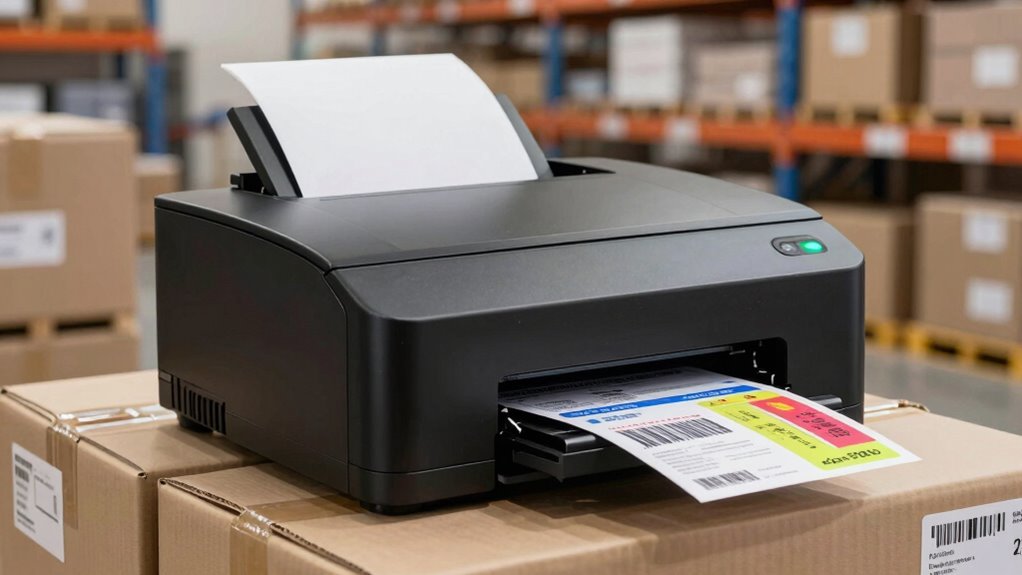

For high-volume shipping, I’d start with the Rollo USB 4×6 Thermal Shipping Label Printer for a straightforward, computer-led workflow, while the DYMO LabelWriter 4XL suits buyers who value a familiar label ecosystem and the MUNBYN Bluetooth Thermal Label Printer offers a wireless-oriented alternative. The main tradeoff is between dependable, simple USB printing and the flexibility of Bluetooth models, which can add setup and device-compatibility questions. Built-in label holders or bins may help keep a busy packing station organized, but they do not by themselves prove a printer is built for sustained commercial duty. I compare all 10 options by workflow fit, connection choices, label handling, usability, and the information available about their design. Continue reading for the full breakdown and help matching a printer to your daily shipping volume.

Get business pricing on office and shipping supplies
- Business-only prices and quantity discounts
- Tax-exempt purchasing
- Multiple users, one account, clear invoices
Key Takeaways
- Rollo USB stands out for a direct, computer-led setup: it is the clearest starting point in this lineup for buyers who want to avoid making Bluetooth part of every print session.
- Wireless choices are plentiful, but not interchangeable: several JADENS, Bluetooth, and wireless models broaden device options, so buyers should verify compatibility with their specific computer, phone, and shipping platform before purchasing.
- The DYMO 4XL offers a distinct ecosystem choice: it differs from the many generic 4×6 thermal options, making software and label-format fit a larger part of the decision.
- Built-in media storage is a workflow feature, not a capacity guarantee: the JADENS 168BT and Omezizy D450BT include a holder or bin, which may help with roll handling but does not establish a duty-cycle advantage.
- This roundup has limited evidence for ranking industrial endurance: listed connection and media features help distinguish workflow fit, but buyers running sustained commercial shifts should confirm duty-cycle, warranty, and support details directly.
| Rollo USB 4×6 Thermal Shipping Label Printer |  | Best Overall for USB-First High Volume Shipping | Print speed: Up to 1 label per second (150 mm/s) | Resolution: 203 × 203 DPI | Connectivity: USB 2.0 | VIEW ON AMAZON | See Our Full Breakdown |
| NULLTONEX 4×6 Thermal Shipping Label Printer with Bluetooth and USB |  | Best for Flexible Bluetooth or USB Printing | Print speed: Up to 150 mm/s | Resolution: 203 DPI | Connectivity: Bluetooth, USB | VIEW ON AMAZON | See Our Full Breakdown |
| DYMO LabelWriter 4XL Thermal Shipping Label Printer |  | Best for Fine, Detailed Label Output | Print format: 4 × 6-inch labels | Resolution: 300 dpi | Print speed: Up to 53 standard or 129 high-capacity 4-line address labels per minute | VIEW ON AMAZON | See Our Full Breakdown |
| JADENS 168BT Bluetooth Thermal Shipping Label Printer with Built-In Label Holder | 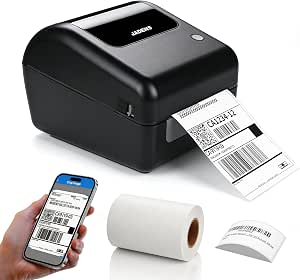 | Best for Roll-Label Convenience | Print speed: Up to 150 mm/s | Resolution: 203 × 203 DPI | Connectivity: Bluetooth, USB | VIEW ON AMAZON | See Our Full Breakdown |
| Westinghouse WHTP203E Thermal Shipping Label Printer, USB, 4 x 6 |  | Best for Ethernet and Broad OS Support | Maximum print speed: 6 inches per second | Resolution: 203 × 203 DPI | Connectivity: USB, Ethernet | VIEW ON AMAZON | See Our Full Breakdown |
| KNAON Bluetooth Thermal Shipping Label Printer, White |  | Best for Flexible Device Compatibility | Printer type: Thermal | Print output: Monochrome | Connectivity: Bluetooth via FlashLabel Pro app; USB | VIEW ON AMAZON | See Our Full Breakdown |
| MUNBYN Bluetooth Thermal Label Printer |  | Best for Frequent, Calibration-Sensitive Label Runs | Model: RW403B | Printer type: Thermal | Print output: Monochrome | VIEW ON AMAZON | See Our Full Breakdown |
| JADENS Bluetooth Thermal Shipping Label Printer |  | Best for Standard 4×6 Shipping Labels | Model: JD268BT | Printer type: Thermal | Resolution: 203 × 203 DPI | VIEW ON AMAZON | See Our Full Breakdown |
| Omezizy D450BT Bluetooth Thermal Shipping Label Printer with Built-In Label Bin |  | Best for Ready-to-Feed Batch Printing | Printer type: Thermal | Connectivity: Bluetooth, USB | Resolution: 203 DPI | VIEW ON AMAZON | See Our Full Breakdown |
| Hoorola Wireless Bluetooth Thermal Shipping Label Printer, 4×6 |  | Best Compact Pick with Extended Warranty | Model: BY-480BT | Printer type: Direct thermal | Print resolution: 203 dpi | VIEW ON AMAZON | See Our Full Breakdown |
| high volume shipping label printer | Connectivity | Print speed | Resolution | Dimensions |
|---|---|---|---|---|
| Rollo USB 4×6 Thermal Shipping | USB 2.0 | Up to 1 label per second (150 mm/s) | 203 × 203 DPI | 4 × 8 × 4 inches |
| NULLTONEX 4×6 Thermal Shipping | Bluetooth, USB | Up to 150 mm/s | 203 DPI | 8.08 × 4.73 × 6.9 inches |
| DYMO LabelWriter 4XL Thermal S | — | Up to 53 standard or 129 high-capacity 4-line address labels per minute | 300 dpi | 7 × 5.5 × 7.37 inches |
| JADENS 168BT Bluetooth Thermal | Bluetooth, USB | Up to 150 mm/s | 203 × 203 DPI | 10 × 7 × 7 inches |
| Westinghouse WHTP203E Thermal | USB, Ethernet | — | 203 × 203 DPI | 9.45 × 8.36 × 6.88 inches |
| KNAON Bluetooth Thermal Shippi | Bluetooth via FlashLabel Pro app; USB | Up to 180 mm/s | — | 7.3 × 2.56 × 3.15 inches |
| MUNBYN Bluetooth Thermal Label | Bluetooth, USB | — | — | — |
| JADENS Bluetooth Thermal Shipp | Bluetooth, USB 2.0 | — | 203 × 203 DPI | — |
| Omezizy D450BT Bluetooth Therm | Bluetooth, USB | Up to 72 labels per minute | 203 DPI | 7.3 × 6.3 × 5.35 inches |
| Hoorola Wireless Bluetooth The | Bluetooth and USB | Up to 150 mm/s; up to 72 4 × 6 labels per minute | — | — |
More Details on Our Top Picks
Rollo USB 4×6 Thermal Shipping Label Printer
For a busy shipping desk built around a computer, the Rollo USB is a strong all-round choice: it prints up to one 4×6 label per second and uses direct thermal media, so there is no ink or toner to replenish. Its support for Windows and Mac, common shipping platforms, and label widths from 1.57 to 4.1 inches makes it more flexible than a dedicated 4×6-only workflow. Compared with the NULLTONEX, it gives up Bluetooth and app-based printing, but avoids making a phone app part of the daily process. The tradeoff is a wired USB connection and monochrome output; buyers who need wireless printing or color graphics should choose differently. I rank it first for its combination of documented speed, broad computer compatibility, and straightforward high-volume workflow.
Pros:- Prints up to one 4×6 label per second for quick batch processing.
- Direct thermal printing avoids ink and toner replenishment.
- Compatible with Windows and Mac computers.
- Handles label widths from 1.57 to 4.1 inches, including 4×6 shipping labels.
Cons:- USB-only connectivity limits flexible placement and wireless sharing.
- Monochrome output cannot produce color labels or graphics.
- Limited 1-year warranty.
Best for: Small businesses and ecommerce sellers printing frequent batches from a Windows or Mac shipping workstation.
Not ideal for: Teams that need phone-based wireless printing, shared network access, or color labels.
- Print speed:Up to 1 label per second (150 mm/s)
- Resolution:203 × 203 DPI
- Connectivity:USB 2.0
- Label width:1.57–4.1 inches
- Compatible operating systems:Windows XP and newer; Mac 10.9 and newer
- Output:Monochrome
- Dimensions:4 × 8 × 4 inches
- Weight:2.2 pounds
- Warranty:Limited 1-year
Our verdict“Choose the Rollo if you want a fast, computer-connected printer for recurring shipping batches and do not need wireless printing.”
NULLTONEX 4×6 Thermal Shipping Label Printer with Bluetooth and USB
The NULLTONEX suits sellers who split label work between a computer and a mobile device. Its Bluetooth and USB connections offer more placement options than the USB-only Rollo, while its stated speed of up to 150 mm/s matches the Rollo’s listed rate. Bluetooth printing depends on the FlashLabel Pro app, though, so this is not a simple wireless printer for every workflow. The app’s templates and offline storage can help when preparing labels away from a shipping platform, and support for major marketplaces and carriers broadens its usefulness. Its 203 DPI monochrome output is typical for this group, not a step up in label detail. I place it behind the Rollo for high-volume desk use because mobile flexibility adds value, but also adds an app dependency.
Pros:- Bluetooth and USB provide two ways to connect.
- Prints at up to 150 mm/s without ink or toner.
- Supports 1.57–4.3-inch label widths and major shipping platforms.
- FlashLabel Pro offers templates and offline storage.
Cons:- Bluetooth printing requires the FlashLabel Pro app.
- Monochrome output cannot produce color labels.
- At 3 pounds, it is heavier than the Rollo USB.
Best for: Small online sellers who need to print from phones or tablets as well as a USB-connected computer.
Not ideal for: High-throughput teams that want a dedicated computer or network workflow without relying on a specific phone app.
- Print speed:Up to 150 mm/s
- Resolution:203 DPI
- Connectivity:Bluetooth, USB
- Label width:1.57–4.3 inches
- Compatible platforms:Amazon, Shopify, Etsy, USPS, UPS, FedEx, DHL
- Output:Monochrome
- Dimensions:8.08 × 4.73 × 6.9 inches
- Weight:3 pounds
- Included labels:25 sheets of 4 × 6-inch thermal labels
Our verdict“Pick the NULLTONEX if mobile Bluetooth printing matters more than keeping a high-volume workflow entirely computer-based.”
DYMO LabelWriter 4XL Thermal Shipping Label Printer
The DYMO LabelWriter 4XL stands apart from the 203 DPI Rollo and NULLTONEX with 300 dpi resolution, which can produce sharper small text and barcode edges when label detail matters. Its DYMO Connect software adds more than 60 templates, a useful advantage for businesses printing varied labels alongside shipping documents. The listed throughput is expressed in address labels per minute, rather than 4×6 shipping labels per second, so it is not directly comparable to the faster shipping-rate claims of the Rollo or Westinghouse. Another tradeoff is media preference: the product information says best performance requires authentic DYMO labels, which may constrain sourcing choices. I rank it for output clarity and template-based work, not as the clearest choice for the fastest large shipping batches.
Pros:- 300 dpi resolution supports crisp text and barcodes.
- Prints 4×6 shipping labels and other large-format labels.
- DYMO Connect includes over 60 templates.
- Direct thermal printing requires no ink or toner.
Cons:- Best performance requires authentic DYMO labels.
- Listed speed uses address-label formats, making 4×6 shipping throughput hard to compare.
- Monochrome output does not support color label designs.
Best for: Sellers who print shipping labels plus detailed address or custom labels and value higher resolution and ready-made templates.
Not ideal for: Warehouse teams prioritizing clearly specified 4×6 label speed or broad choice in compatible label stock.
- Print format:4 × 6-inch labels
- Resolution:300 dpi
- Print speed:Up to 53 standard or 129 high-capacity 4-line address labels per minute
- Software:DYMO Connect
- Output:Monochrome
- Compatible devices:Laptops, PC
- Dimensions:7 × 5.5 × 7.37 inches
- Weight:1.8 pounds
Our verdict“Choose the DYMO 4XL when sharper label detail and templates matter more than a clearly stated high-speed 4×6 batch rate.”
JADENS 168BT Bluetooth Thermal Shipping Label Printer with Built-In Label Holder
The JADENS 168BT is a practical fit for a shipping station that feeds labels from a roll: its built-in holder supports roll installation, and its stated 350-sheet capacity can reduce interruptions when using compatible media. Bluetooth printing works with iPhone, iPad, Android, and Windows devices, while Mac users must connect by USB. That makes it more accommodating for mixed-device teams than the Rollo USB, but less flexible for Mac users than its wireless support might suggest. The printer reaches 150 mm/s at 203 DPI, in line with the NULLTONEX’s stated speed, and includes 50 4×6 labels to get a station started. I rank it for roll handling and included supplies, not for wireless Mac workflows or color output.
Pros:- Built-in holder supports roll installation.
- Prints up to 150 mm/s at 203 × 203 DPI.
- Bluetooth works with iPhone, iPad, Android, and Windows devices.
- Includes 50 4×6-inch thermal labels.
Cons:- Mac connection requires USB rather than Bluetooth.
- Monochrome printing cannot produce color labels.
- The 10 × 7 × 7-inch body needs more desk space than the Rollo USB.
Best for: Small fulfillment teams that print batches from label rolls and use iOS, Android, or Windows devices.
Not ideal for: Mac-based teams that need Bluetooth printing, or businesses requiring color labels.
- Print speed:Up to 150 mm/s
- Resolution:203 × 203 DPI
- Connectivity:Bluetooth, USB
- Supported label width:1.57–4.1 inches
- Maximum label capacity:350 sheets
- Included labels:50 × 4 × 6-inch thermal labels
- Dimensions:10 × 7 × 7 inches
- Warranty:1 year
Our verdict“Choose the JADENS 168BT if roll feeding and mobile printing from non-Mac devices suit your shipping station.”
Westinghouse WHTP203E Thermal Shipping Label Printer, USB, 4 x 6
For a shared shipping station, the Westinghouse WHTP203E has a useful connection advantage over the Rollo and JADENS: Ethernet joins USB, and the printer supports Windows, macOS, and Linux. Its rated speed of up to 6 inches per second is expressed differently from the label-per-second figures of the Rollo and NULLTONEX, so buyers should not treat the numbers as a direct head-to-head comparison. Support for both fanfold labels and rolls, plus media widths from 0.78 to 4.6 inches, accommodates varied supply setups. The costs of that flexibility are a larger footprint and no Bluetooth; an Ethernet cable and USB-C cable or adapter are also sold separately. I rank it for wired multi-system stations, not mobile-first sellers.
Pros:- USB and Ethernet connectivity suit wired workstations.
- Supports Windows, macOS, and Linux.
- Accepts fanfold labels and rolls across a broad media-width range.
- Includes a label holder, starter labels, and setup accessories.
Cons:- Does not support Bluetooth printing.
- Ethernet cable and USB-C cable or adapter are sold separately.
- Its 9.45 × 8.36 × 6.88-inch dimensions take more space than the Rollo USB.
Best for: Small warehouses or shipping teams using Windows, macOS, or Linux that want Ethernet connectivity and flexible label loading.
Not ideal for: Mobile-first sellers who need Bluetooth, or compact desks with little room for a larger printer.
- Maximum print speed:6 inches per second
- Resolution:203 × 203 DPI
- Connectivity:USB, Ethernet
- Supported media width:0.78–4.6 inches
- Maximum printing width:4.25 inches
- Compatible operating systems:Windows, macOS, Linux
- Media formats:Fanfold labels and rolls
- Dimensions:9.45 × 8.36 × 6.88 inches
Our verdict“Pick the Westinghouse WHTP203E for a wired, multi-OS shipping station that benefits from Ethernet and both roll and fanfold media.”
KNAON Bluetooth Thermal Shipping Label Printer, White
The KNAON suits sellers who switch between a computer and a phone, pairing Bluetooth through the FlashLabel Pro app with USB support for Windows, macOS, ChromeOS, and Linux. Its stated speed of up to 180 mm/s is the highest speed figure among these five products, though actual throughput can vary with setup and label jobs. The compact body and included test papers make it easier to check layout before printing a batch. Compared with the Omezizy D450BT, KNAON offers broader stated paper-width flexibility at the upper end, but Omezizy has the more directly useful batch workflow feature: a built-in bin for up to 250 labels. KNAON’s main tradeoffs are app-dependent Bluetooth printing and monochrome output, so it is less suited to buyers who want phone printing without a dedicated app or color labels.
Pros:- Bluetooth and USB connections support mobile and desktop workflows
- Works with Windows, macOS, ChromeOS, and Linux
- Supports paper widths from 1.38 to 4.41 inches
- Compact design includes 20 test papers and template resources
Cons:- Bluetooth printing requires the FlashLabel Pro app
- Monochrome output cannot produce color labels
- No built-in label bin is specified for keeping a supply ready during batch work
Best for: Small online sellers who alternate between mobile devices and computers, need broad desktop OS support, and want to print several label formats.
Not ideal for: High-throughput shipping stations that want an integrated label supply bin, or users who want wireless printing without relying on the FlashLabel Pro app.
- Printer type:Thermal
- Print output:Monochrome
- Connectivity:Bluetooth via FlashLabel Pro app; USB
- Compatible operating systems:Windows 7 or later, macOS, ChromeOS, Linux
- Supported paper width:1.38–4.41 inches
- Print resolution:203 dpi
- Print speed:Up to 180 mm/s
- Dimensions:7.3 × 2.56 × 3.15 inches
Our verdict“Choose KNAON if you need compact printing across phones and multiple computer platforms; choose Omezizy instead if an onboard label bin matters more for batch shipping.”
MUNBYN Bluetooth Thermal Label Printer
MUNBYN is the practical pick for sellers who change label jobs and want automatic label calibration to help keep prints aligned. That can reduce wasted labels when switching between formats, a useful advantage for inventory and product labels alongside shipping batches. It connects over Bluetooth or USB and supports Android, iOS, Windows, Mac, and Chromebook. The stated capacity of up to 970,000 labels signals a high-volume design claim, but it is not a print-speed figure; buyers should not read it as a guarantee of daily throughput. Compared with the JADENS JD268BT, MUNBYN lists a wider maximum label size at 4.25 inches and includes a two-year warranty, while JADENS specifies a 4 × 6-inch maximum media size and a one-year warranty. MUNBYN remains monochrome-only and does not list a speed figure.
Pros:- Automatic calibration helps reduce label misalignment after media changes
- Bluetooth and USB support computer and mobile printing
- Compatible with Android, iOS, Windows, Mac, and Chromebook
- Two-year warranty is longer than the JADENS JD268BT’s stated one-year coverage
Cons:- Monochrome-only printing limits label design options
- Maximum label width is 4.25 inches
- No print-speed figure is provided for throughput planning
Best for: Small fulfillment teams and multichannel sellers who switch among shipping, inventory, and product labels and value automatic alignment help.
Not ideal for: Shippers who need a stated labels-per-minute rate to plan a timed packing line, or who require media wider than 4.25 inches.
- Model:RW403B
- Printer type:Thermal
- Print output:Monochrome
- Label width:1.57–4.25 inches
- Connectivity:Bluetooth, USB
- Compatible platforms:Android, iOS, Windows, Mac, Chromebook
- Noise level:60 dB
- Warranty:2 years
Our verdict“Pick MUNBYN for varied label jobs where automatic calibration and broad device support matter more than a published speed figure.”
JADENS Bluetooth Thermal Shipping Label Printer
The JADENS JD268BT keeps its proposition focused: 4 × 6-inch shipping labels, monochrome thermal output, and both Bluetooth and USB connections. At 203 × 203 DPI, it is built for typical barcode and address labels rather than detailed graphics, and thermal printing removes ink and toner from the replenishment routine. It supports fanfold and roll labels, which gives sellers flexibility in how they load supplies. Compared with the MUNBYN RW403B, JADENS has a narrower stated maximum width but names a 4 × 6-inch maximum media size and includes mobile printing through its own app. That app requirement adds a setup step for phone-based workflows, while changing label sizes calls for recalibration. Its one-year warranty is also shorter than MUNBYN’s two-year coverage, making it a straightforward standard-label choice rather than the strongest pick for frequent format changes.
Pros:- Supports standard 4 × 6-inch shipping labels
- Accepts both fanfold and roll labels
- Bluetooth and USB connections support mobile and computer workflows
- Thermal printing needs no ink or toner
Cons:- Mobile printing requires the JADENS Printer app
- Label size must be recalibrated when changing media
- One-year warranty is shorter than MUNBYN’s stated two-year warranty
Best for: Marketplace sellers who mainly print standard 4 × 6 shipping labels from Windows or Mac and sometimes send jobs from a phone.
Not ideal for: Teams that frequently switch label sizes and want to avoid recalibration, or buyers seeking a longer stated warranty.
- Model:JD268BT
- Printer type:Thermal
- Resolution:203 × 203 DPI
- Label width:1.57–4.1 inches
- Maximum media size:4 × 6 inches
- Connectivity:Bluetooth, USB 2.0
- Mobile printing:JADENS Printer app for Android and iOS
- Warranty:One year
Our verdict“Choose the JADENS JD268BT if your shipping station centers on standard 4 × 6 labels and you can work with app-based mobile printing.”
Omezizy D450BT Bluetooth Thermal Shipping Label Printer with Built-In Label Bin
For a busy packing bench, the Omezizy D450BT’s differentiator is not connectivity but its built-in bin for up to 250 labels. Keeping a stack of labels loaded and ready can simplify batch work compared with compact models such as the KNAON, which includes test papers but lists no integrated label bin. Omezizy also states a rate of up to 72 labels per minute, giving buyers a throughput reference that the MUNBYN and JADENS listings do not provide. The printer supports Bluetooth and USB, major operating systems and shipping platforms, and media widths from 1 to 4.6 inches. The tradeoffs are its monochrome-only output and reliance on thermal labels; the stated maximum rate may not reflect every job or setup. Its bin is useful for organized batches, but buyers should check that their preferred label supplies fit the stated range.
Pros:- Built-in bin holds up to 250 labels for a ready-to-feed workflow
- Stated speed of up to 72 labels per minute supports throughput comparisons
- Bluetooth and USB connections accommodate phones and computers
- Supports label widths from 1 to 4.6 inches
Cons:- Monochrome output does not support color-coded label designs
- Requires thermal labels rather than standard inkjet or laser media
- Maximum stated speed may vary with the job and setup
Best for: Small fulfillment rooms that print repeated shipping batches and want a built-in supply bin alongside a stated maximum print rate.
Not ideal for: Businesses that need color labels, or buyers who prefer a compact printer without a dedicated label bin taking up bench space.
- Printer type:Thermal
- Connectivity:Bluetooth, USB
- Resolution:203 DPI
- Print speed:Up to 72 labels per minute
- Supported label width:1–4.6 inches
- Label capacity:Up to 250 labels
- Dimensions:7.3 × 6.3 × 5.35 inches
- Weight:0.97 kg
Our verdict“Choose the Omezizy D450BT for batch shipping where a 250-label bin and stated per-minute rate are more useful than a smaller footprint.”
Hoorola Wireless Bluetooth Thermal Shipping Label Printer, 4×6
Hoorola combines a small listed footprint with support for Bluetooth and USB, making it a space-conscious option for a home shipping desk that still needs both mobile and computer connections. Its 203 dpi direct-thermal output and 1.54–4.1-inch media range cover standard 4 × 6 shipping labels and smaller formats. The listed maximum of up to 72 4 × 6 labels per minute gives a useful benchmark, though the product data notes that real speed can vary. Compared with the Omezizy D450BT, Hoorola is more compact and lists a two-year warranty, while Omezizy offers a built-in bin that holds up to 250 labels and a wider maximum media size. Hoorola is monochrome-only, and its top speed should not be treated as guaranteed sustained throughput. Its broad OS support is a plus, but buyers should verify their specific shipping workflow and label setup.
Pros:- Compact dimensions suit a crowded packing desk
- Bluetooth and USB connections cover wireless and wired workflows
- Supports iOS, Android, Windows, macOS, Linux, and Chrome OS
- Two-year manufacturer warranty
Cons:- Monochrome printing cannot produce color labels
- Maximum stated speed may vary during real shipping jobs
- No built-in label bin is listed, unlike the Omezizy D450BT
Best for: Home-based sellers with limited desk space who want Bluetooth and USB printing, broad OS compatibility, and a two-year warranty.
Not ideal for: High-volume teams that benefit from an integrated label bin or need media wider than 4.1 inches.
- Model:BY-480BT
- Printer type:Direct thermal
- Print resolution:203 dpi
- Print speed:Up to 150 mm/s; up to 72 4 × 6 labels per minute
- Connectivity:Bluetooth and USB
- Compatible operating systems:iOS, Android, Windows, macOS, Linux, Chrome OS
- Supported label width:1.54–4.1 inches
- Warranty:2 years
Our verdict“Choose Hoorola for a compact shipping station with broad device support; choose Omezizy if a built-in label bin is more valuable than desk space.”

How We Picked
I compared these 10 printers through the needs implied by high-volume shipping: a predictable printing workflow, straightforward setup, practical label handling, and a connection method that fits the devices already used at a packing station. I also looked at the differences visible in the product names and configurations, including USB-only listings, Bluetooth options, and models with a built-in holder or bin. A convenient feature can reduce daily friction, but it cannot substitute for confirmed information about operating limits or service support.
The ranking gives priority to workflow clarity and practical fit, then distinguishes wireless flexibility, media organization, and ecosystem considerations. Rollo leads as a simple USB-oriented pick; DYMO earns a separate place for buyers weighing an established label format and software path; Bluetooth models follow where their chief distinction is device flexibility or included media storage. Because the supplied product details do not establish comparative print speed, duty cycle, or long-run reliability, I do not treat those qualities as proven advantages. For demanding operations, verify those specifications and support terms before choosing.
| high volume shipping label printer | Print speed | Connectivity | Printer type |
|---|---|---|---|
| Rollo USB 4×6 Thermal Shipping | Up to 1 label per second (150 mm/s) | USB 2.0 | — |
| NULLTONEX 4×6 Thermal Shipping | Up to 150 mm/s | Bluetooth, USB | — |
| DYMO LabelWriter 4XL Thermal S | Up to 53 standard or 129 high-capacity 4-line address labels per minute | — | — |
| JADENS 168BT Bluetooth Thermal | Up to 150 mm/s | Bluetooth, USB | — |
| Westinghouse WHTP203E Thermal | — | USB, Ethernet | — |
| KNAON Bluetooth Thermal Shippi | Up to 180 mm/s | Bluetooth via FlashLabel Pro app; USB | Thermal |
| MUNBYN Bluetooth Thermal Label | — | Bluetooth, USB | Thermal |
| JADENS Bluetooth Thermal Shipp | — | Bluetooth, USB 2.0 | Thermal |
| Omezizy D450BT Bluetooth Therm | Up to 72 labels per minute | Bluetooth, USB | Thermal |
| Hoorola Wireless Bluetooth The | Up to 150 mm/s; up to 72 4 × 6 labels per minute | Bluetooth and USB | Direct thermal |
Factors to Consider When Choosing High Volume Shipping Label Printers
Choosing a printer for heavy shipping volume is less about collecting features and more about removing delays from the whole packing process. I’d check how labels move from shipping software to printer, how media is supplied, and what happens when something jams or a connection drops. These broader checks can matter more over a long workday than an extra connection option.
Match the printer to the devices that create labels
Start with the computer, phone, or tablet that actually runs your order and shipping software. A printer’s Bluetooth label does not guarantee that every operating system or app can send the required label format to it. For a fixed packing station, a direct USB workflow may be simpler to standardize across staff. Wireless can be useful when labels are initiated from mobile devices or when the printer must sit away from the computer. Before buying, check the manufacturer’s current compatibility list and test whether the shipping platform supports the printer directly. This prevents a common mistake: choosing based on connection type alone and discovering that printing requires an awkward workaround.
Treat duty cycle as a separate question from print speed
A printer may produce labels quickly in a short demonstration and still be a poor match for several hours of continuous work. Ask the manufacturer for a rated duty cycle or guidance on sustained daily output, plus any recommended cooling or pause intervals. Look for documentation on warranty coverage and the process for replacing worn parts. If those details are unavailable, avoid assuming that a thermal design automatically means commercial-grade endurance. Buyers with seasonal peaks should size for the busiest weeks, not the average day. This is one area where documented support can matter more than a small convenience feature.
Plan how labels will feed during a busy shift
Think through whether you’ll use fanfold labels, rolls, or both, and where those supplies will sit relative to the printer. A built-in holder or bin can keep a roll contained, but check its capacity and whether it supports the media you plan to buy. External holders may suit larger rolls or frequent media changes better, though they take up more bench space. Also leave room for labels to exit without catching on packing materials or the edge of a table. A poor feed path can create repeated stops even when the printer itself is functioning normally. Match media handling to your station layout before valuing a compact footprint.
Check label size, software, and carrier workflow together
Confirm the printer supports the label dimensions required by your carriers and marketplace, rather than relying only on a general 4×6 description. Some workflows also need smaller barcode, address, or product labels, so check whether a single printer can handle those formats without frequent recalibration. Review the software used to set label size and orientation, especially if multiple employees will use the device. A familiar label ecosystem may reduce setup effort, while a more open workflow can offer flexibility across services. Ask whether drivers are available for every computer that will print labels. Buying before confirming these details can turn a seemingly simple setup into recurring formatting adjustments.
Calculate the cost and effort of keeping the station running
Thermal printers do not use ink, but the complete operating cost still includes compatible labels, replacement supplies, cleaning, and any downtime while resolving feed or connection issues. Compare the availability of label sizes and roll formats from more than one supplier. Check how the printhead and feed path are cleaned and whether the manufacturer provides clear maintenance instructions. If several people share the station, a slightly less feature-rich model with a repeatable setup may save more time than a wireless option that needs regular reconnecting. Consider the cost of keeping a spare printer or critical supplies on hand if shipping cannot pause. These questions help separate an attractive purchase from a dependable day-to-day workflow.
Frequently Asked Questions
Is a USB printer or a Bluetooth printer better for a busy packing station?
For a fixed station with a dedicated computer, USB is often the simpler workflow because the printer stays paired to one host and avoids wireless connection troubleshooting. Bluetooth can make more sense when staff create labels from supported phones or tablets, or when the printer must be positioned away from a computer. The right choice depends on the software and operating systems in use, not just the connection listed on the box. Verify that your shipping platform can print the correct label format over the connection you plan to use. If reliability during peak periods is the priority, test the complete workflow before moving the printer into daily service.
How can I tell whether a thermal label printer can handle my daily shipping volume?
Look for manufacturer-published duty-cycle guidance, supported daily output, warranty coverage, and advice for continuous operation. A product listing that highlights 4×6 labels or a thermal print method does not establish that it can run through a full shift without pauses. If the manufacturer does not publish workload limits, ask support before buying and keep the answer in writing. Also consider how quickly you can clear a feed problem and return to printing, since interruptions affect throughput. For a business with sharp seasonal peaks, choose based on the busiest expected period rather than typical daily volume.
Do I need a built-in label holder or bin for high-volume shipping?
A holder or bin can keep a roll in place and reduce clutter, particularly when the printer sits on a crowded packing bench. It does not automatically mean the printer accepts larger rolls or supports more continuous output, so confirm capacity and media compatibility separately. If you use fanfold labels or large rolls, an external holder may fit your supply format better. Check that labels feed freely and do not rub against nearby boxes or equipment. Choose based on the labels and station layout you actually use, rather than treating a built-in bin as proof of higher capacity.
Will any 4×6 thermal printer work with my shipping software?
No: the label size alone does not guarantee that the printer, driver, operating system, and shipping app will work together. Check the printer’s supported operating systems and the software provider’s printer guidance before ordering. Confirm whether the app sends labels directly or depends on a driver, browser setting, or separate utility. If multiple computers are involved, verify compatibility on each one. A short test with the actual shipping workflow can reveal scaling, orientation, or barcode issues before they slow down a busy dispatch day.
When is it worth paying more for a different printer or support package?
Paying more can make sense when a model provides documented support for sustained use, a warranty suited to commercial operation, easier access to supplies, or a workflow that saves staff time every day. A premium label or feature set matters less if your software cannot use it or your volume is modest. Compare the total cost of labels, maintenance, downtime, and support rather than focusing on the printer alone. If the listing does not spell out duty-cycle or service details, ask the manufacturer before spending extra on assumed durability. For a high-throughput operation, confirmed support can justify the added expense more readily than an unverified speed claim.
Conclusion
For a fixed, computer-led shipping station, I’d choose the Rollo USB 4×6 as the best overall fit in this lineup because its straightforward connection makes the workflow easy to define. The best value depends on verified compatibility and the supplies you already use; compare the USB Rollo with the simpler JADENS Bluetooth model rather than paying for wireless features you will not use. For buyers who prefer a distinct label ecosystem, the DYMO LabelWriter 4XL is the premium-style alternative, but confirm its software and format fit first. Beginners who want a direct setup should lean toward USB, while mobile-first users should check the MUNBYN or other Bluetooth options against their exact devices. If a tidy media station is the specific need, compare the JADENS 168BT and Omezizy D450BT holder or bin design against your roll size. For any operation printing heavily through long shifts, make the final choice only after confirming duty-cycle guidance, warranty coverage, and support.