For business planning, the right digital flipchart needs to do more than replace markers: it should help a team shape ideas together, share source material, and leave with a useful record. I would start with the Samsung Flip 2 WM55R for a familiar, focused planning board with 4K detail and room for four writers. The HORION 86-inch Smart Whiteboard suits larger rooms where video meetings, broad collaboration, and AI meeting tools matter as much as writing. My ranking puts the Samsung first for its more manageable workshop format and straightforward planning role; the HORION takes the large-room, conferencing-heavy spot, with greater installation and cloud-dependence tradeoffs.

Get business pricing on office and shipping supplies
- Business-only prices and quantity discounts
- Tax-exempt purchasing
- Multiple users, one account, clear invoices
Key Takeaways
- I rank the Samsung Flip 2 first for planning sessions that need a clear writing surface without an 86-inch installation footprint.
- The HORION’s 86-inch anti-glare display and 50 touch points give larger groups more room to work on a plan together.
- Samsung supports up to four simultaneous writers, while HORION’s 50-point touch specification offers more touch capacity for crowded workshops.
- HORION adds an integrated camera, microphone array, and AI meeting features; Samsung’s listed specifications focus on writing and content sharing.
- Choose Samsung for a focused, in-room planning board; choose HORION when conferencing and a large shared canvas are central requirements.
| Samsung Flip 2 WM55R 55-Inch 4K UHD Interactive Display |  | Best Overall for Focused Planning Workshops | Display size: 55 inches | Resolution: 4K UHD (3840 × 2160) | Touchscreen: Yes | VIEW ON AMAZON | See Our Full Breakdown |
| HORION 86-Inch 4K AI Digital Smart Whiteboard |  | Best for Large Hybrid Planning Rooms | Screen size: 86 inches | Resolution: 4K | Touchscreen: 50-point, anti-glare; latency under 30ms | VIEW ON AMAZON | See Our Full Breakdown |
| digital flipcharts for business planning | Resolution | Touchscreen | Connectivity | Display size |
|---|---|---|---|---|
| Samsung Flip 2 WM55R 55-Inch 4 | 4K UHD (3840 × 2160) | Yes | Wi-Fi, NFC, screen mirroring, HDMI, USB | 55 inches |
| HORION 86-Inch 4K AI Digital S | 4K | 50-point, anti-glare; latency under 30ms | Dual-band Wi-Fi 6, Bluetooth 5.3, 65W USB-C | — |
More Details on Our Top Picks
Samsung Flip 2 WM55R 55-Inch 4K UHD Interactive Display
The Samsung Flip 2 makes the strongest general-purpose case for teams that want a dedicated planning surface without rebuilding the room around a very large display. Its 55-inch 4K touchscreen gives a group room to map priorities, sketch dependencies, or annotate a projected plan, while the resolution helps keep shared text and diagrams legible. Up to four people can write at once, a useful limit for a working session where a few participants contribute directly and the rest discuss.
Compared with the HORION, Samsung is the more contained choice: it gives up the expansive wall-filling canvas and extensive conferencing hardware, but its dimensions are easier to accommodate in a typical meeting room. That distinction matters for planning teams that mostly need a board for in-person collaboration rather than a full video-conference hub. Wi-Fi, NFC, screen mirroring, HDMI, and USB offer several ways to bring existing material onto the board, so facilitators can move between a prepared deck and live edits.
The tradeoff is that Samsung’s listed features center on writing and sharing. It does not list the HORION’s camera and microphone array or AI-generated meeting summaries, mind-maps, and translation. Its passive pen may also provide fewer functions than an active stylus, which could matter to users who expect advanced pen controls. I would choose it for a planning room built around hands-on discussion, and skip it if the brief calls for a large, integrated hybrid meeting system.
Pros:- 4K UHD resolution supports clear viewing of plans and shared content.
- Up to four people can write on the touchscreen simultaneously.
- Wi-Fi, NFC, screen mirroring, HDMI, and USB provide multiple content-sharing paths.
- Built-in speaker supports basic audio playback.
Cons:- The passive pen may have fewer capabilities than an active stylus.
- Its listed specifications do not include the integrated camera, microphone array, or AI meeting tools found on HORION.
Best for: Teams running in-person planning workshops in a meeting room that can accommodate a 55-inch display and need several people to write or annotate at once.
Not ideal for: Organizations that need a wall-sized canvas for large groups or want built-in video conferencing and AI meeting summaries as core parts of the board.
- Display size:55 inches
- Resolution:4K UHD (3840 × 2160)
- Touchscreen:Yes
- Simultaneous writers:Up to 4
- Audio:Built-in speaker
- Connectivity:Wi-Fi, NFC, screen mirroring, HDMI, USB
- Model:LH55WMRWBGCXZA
- Color:Light gray
Our verdict“I recommend the Samsung Flip 2 as the most balanced pick for focused planning workshops where clear writing, four-person input, and manageable room fit matter most.”
HORION 86-Inch 4K AI Digital Smart Whiteboard
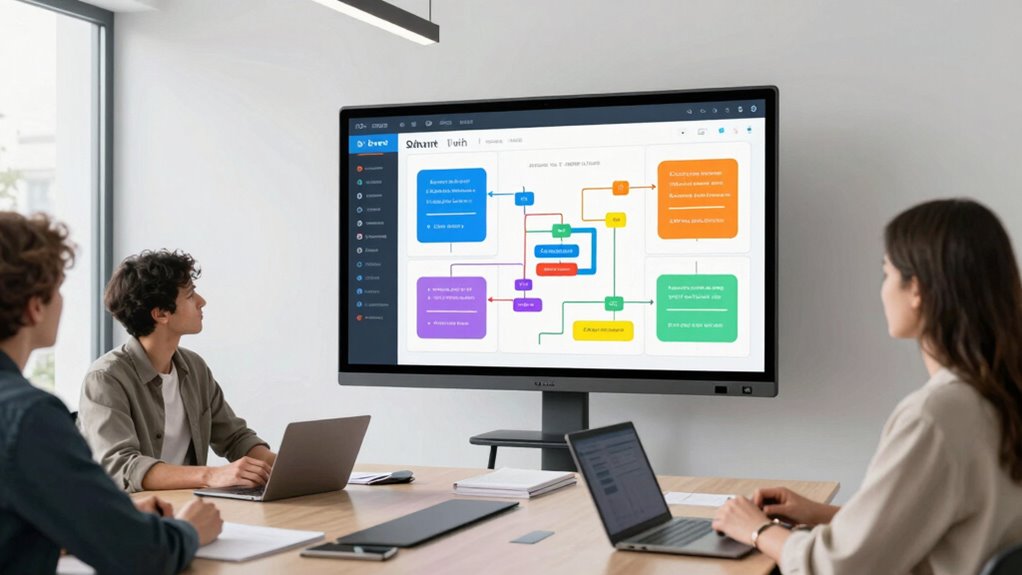
HORION is the more ambitious option for teams that want a planning board to serve as a shared room display and a video-conference endpoint. Its 86-inch 4K anti-glare screen gives a larger group space to view a roadmap and contribute without crowding around a smaller panel. The 50-point touchscreen and listed sub-30ms latency are aimed at responsive multi-user interaction, giving this pick a clear scale advantage over Samsung’s support for four simultaneous writers.
Its distinction goes beyond screen size. The 48MP quad-camera, eight-microphone array, and 60W total speaker output position HORION for rooms where remote colleagues join planning meetings. Android 14, Google EDLA certification, Wi-Fi 6, Bluetooth 5.3, and a 65W USB-C port add to its all-in-one setup. The AI assistant can create meeting summaries and mind-maps and provide real-time translation, which could help teams turn discussion into a record. Samsung is simpler and more focused on board work; HORION makes more sense when conferencing and meeting capture are part of the same workflow.
That breadth carries real constraints. An 86-inch display needs significant wall space and may be difficult to install or move, so room layout is a deciding factor rather than a minor detail. Its AI tools depend on Microsoft Azure cloud connectivity, a consideration for organizations with strict data handling needs or unreliable connections. I would pick HORION for a large, hybrid planning room whose team will use the conferencing and AI features; for a smaller workshop centered on writing and sharing, Samsung is the more restrained fit.
Pros:- 86-inch 4K anti-glare touchscreen offers a broad planning canvas.
- 50 touch points and low listed latency support multi-user interaction.
- Camera, microphone array, and speakers support video conferencing in the room.
- AI assistant offers meeting summaries, mind-maps, and translation.
Cons:- Its large size requires substantial wall space and can complicate installation or movement.
- AI features rely on Microsoft Azure connectivity, which may not suit every privacy or reliability requirement.
Best for: Businesses with a large meeting room where in-person groups and remote participants collaborate on plans, and where integrated conferencing and AI meeting support will be used.
Not ideal for: Small rooms, teams that need to move the board often, or organizations that cannot rely on cloud-connected AI services for meeting workflows.
- Screen size:86 inches
- Resolution:4K
- Touchscreen:50-point, anti-glare; latency under 30ms
- Camera and microphones:48MP quad-camera; 8-microphone array with AI noise reduction
- Speakers:3 × 20W
- Operating system:Android 14; Google EDLA certified
- Memory and storage:16GB RAM; 256GB storage
- Connectivity:Dual-band Wi-Fi 6, Bluetooth 5.3, 65W USB-C
- AI and conferencing:Azure / OpenAI assistant; Zoom and Teams compatible
Our verdict“I recommend HORION for large hybrid planning rooms that can accommodate its footprint and will make practical use of its conferencing and cloud-based AI tools.”

How We Picked
I compared these two boards against the needs of business planning sessions: readable workspace, multi-person input, ways to bring in existing material, and fit with the meeting room where planning happens. Those criteria favor different setups. Samsung’s 55-inch screen and support for four writers make it a practical match for smaller workshops and structured discussion. HORION’s 86-inch panel and 50 touch points are better suited to larger groups that need to see and edit a shared plan from across the room.
I also considered how much of the meeting each product supports beyond writing. Samsung lists Wi-Fi, NFC, screen mirroring, HDMI, USB, and a built-in speaker, giving teams several routes to put content on the board. HORION goes further into video meetings with its 48MP camera, eight microphones, and integrated speakers, alongside AI functions for summaries, mind-maps, and translation. I treat those additions as advantages only for teams that will use them and can accept cloud-dependent features. The supplied product details do not establish every software workflow or deployment requirement, so buyers should match those points to their own setup.
The order reflects planning-room versatility and practical fit, not a claim that the larger board is less capable. Samsung earns the overall pick because it combines a substantial 4K writing surface, simultaneous writing for four people, and multiple sharing options in a less demanding size. HORION earns the large-room pick by providing a much bigger collaborative surface and conferencing hardware in one device. Its size and reliance on cloud services make it a more specific choice.
| digital flipcharts for business planning | Connectivity |
|---|---|
| Samsung Flip 2 WM55R 55-Inch 4 | Wi-Fi, NFC, screen mirroring, HDMI, USB |
| HORION 86-Inch 4K AI Digital S | Dual-band Wi-Fi 6, Bluetooth 5.3, 65W USB-C |
Factors to Consider When Choosing Digital Flipcharts For Business Planning
I would choose a digital flipchart by starting with the planning work and room, then checking how the board will connect to the team’s meeting habits.Match the screen to the room and group
A plan is useful only if everyone in the room can read and contribute to it. Samsung’s 55-inch display is the more contained fit for a focused workshop or smaller meeting room. HORION’s 86-inch canvas serves a larger group that needs to see a shared roadmap from farther away, but first check the wall area and installation plan. Screen size affects room layout as well as visibility: a board that dominates a small room can make collaborative movement awkward.
Check who needs to write at once
Think about the actual rhythm of a planning session. Samsung lists up to four simultaneous writers, which can support a facilitator and a few contributors editing a plan together. HORION lists 50 touch points, giving it the higher stated capacity for multi-user input. That headroom can help in a large workshop, though the number alone does not determine whether the board will suit your facilitation style. Decide whether the group will edit in parallel or take turns presenting ideas.
Decide whether conferencing belongs on the board
Samsung provides several ways to share material, including Wi-Fi, NFC, screen mirroring, HDMI, and USB. That makes it a good match when participants bring plans from laptops or phones and the board mainly supports in-room work. HORION adds a camera, microphone array, and speakers for video meetings, so it has an advantage when remote colleagues join the planning process. If your room already has a conferencing setup, consider whether those integrated components add useful simplicity or duplicate equipment you already rely on.
Treat AI features as a workflow and policy choice
HORION’s AI assistant can produce meeting summaries and mind-maps and provide translation, potentially helping teams capture decisions and share them across language groups. Its listed cloud dependence matters: check that Azure-connected processing fits your organization’s data policies and meeting practices. Samsung’s supplied details do not list comparable AI functions, which keeps its planning role more focused on the live board. Consider how meeting notes are currently approved and stored before making AI-generated records part of the process.
Plan for the equipment around the board
Connectivity and room setup shape how quickly a session can begin. Samsung offers HDMI and USB alongside wireless sharing options, while HORION lists Wi-Fi 6, Bluetooth 5.3, and 65W USB-C. Compare those ports and wireless methods with the devices your team brings. For either model, confirm mounting, power, network access, and placement before the room is rearranged. HORION deserves extra attention because its size makes installation and future movement more involved than a 55-inch board.
Frequently Asked Questions
Which digital flipchart is better for business planning?
I would pick the Samsung Flip 2 for most focused, in-person planning workshops because it pairs a 55-inch 4K touchscreen with support for four simultaneous writers and multiple content-sharing options. HORION is the better fit when the room is large and the team needs its integrated video conferencing or AI meeting features. The right choice depends on whether a planning board or a broader meeting system is the main need.
Is the HORION large enough for a big planning group?
Its 86-inch screen and 50-point touchscreen are designed for a larger shared workspace than Samsung’s 55-inch display. Those specifications make HORION the stronger option when participants need a broad canvas and several people may interact at once. The room still needs enough wall space and a suitable installation, so I would measure the intended location and plan seating before choosing it.
Can the Samsung Flip 2 support collaborative workshops?
Yes. The Flip 2 supports up to four people writing on the touchscreen simultaneously, and its 4K display can show plans and other shared material. Wi-Fi, NFC, screen mirroring, HDMI, and USB provide several ways to bring in content. For a group that regularly needs more than four people to work directly on the board at once, HORION lists a higher touch-point capacity.
What should I know about HORION’s AI features?
The listed AI assistant can create meeting summaries and mind-maps and provide real-time translation. These functions may help teams capture and share planning discussions, but they depend on Microsoft Azure cloud connectivity. I would check organizational privacy rules, network reliability, and how AI-generated notes will be reviewed before relying on those features for business records.
Which board is easier to fit into an existing meeting room?
Samsung’s 55-inch screen is generally the more manageable starting point for an existing room, while HORION’s 86-inch panel needs more wall area and can be harder to install or move. Room fit also depends on viewing distance, mounting, power, and network access. I would map those practical constraints before buying, especially for HORION, whose large format is one of its central strengths and limitations.
Conclusion
For teams that want a dependable shared writing surface for structured workshops, I recommend the Samsung Flip 2: its 55-inch 4K screen, four-person writing support, and range of sharing options make it the most balanced fit in this comparison. For businesses with a large room and regular hybrid planning sessions, the HORION 86-inch board is the better choice when its conferencing hardware and AI functions will be used and its cloud requirements fit policy. Pick Samsung for a focused planning board; pick HORION for a large, connected meeting room built around shared collaboration.
Halloween Picks
halloween
As an affiliate, we earn on qualifying purchases.