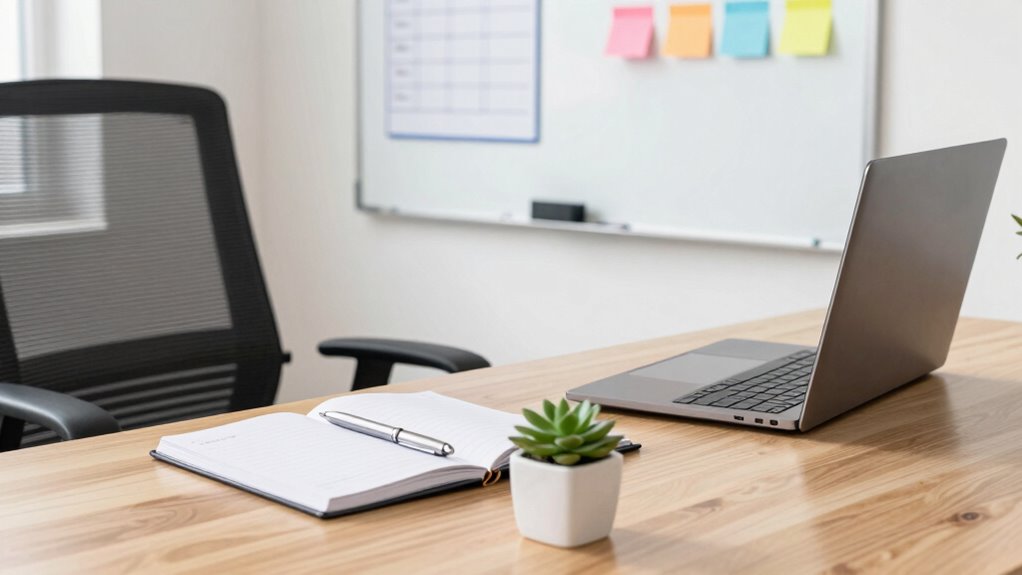

To set up a functional first office space, focus on ergonomic essentials like adjustable chairs and proper desk height to stay comfortable. Keep tech organized with cable clips, storage for devices, and a USB hub to boost efficiency. Position your router centrally for reliable internet, use natural light and task lamps to reduce eye strain, and arrange furniture for easy movement. If you want tips on creating a workspace that works seamlessly, keep exploring these key areas.
Key Takeaways
- Prioritize ergonomic essentials like adjustable chairs and proper desk height to promote comfort and reduce fatigue.
- Use cable management solutions and designated storage to keep your workspace organized and clutter-free.
- Position your router centrally and ensure reliable internet with wired connections for consistent productivity.
- Maximize natural light and incorporate task lighting to reduce eye strain and enhance focus.
- Arrange furniture for easy movement and create a tidy, efficient workspace to boost overall productivity.

Setting up your first office space can feel overwhelming, but having a clear checklist guarantees you don’t forget essential items. As you begin, focus on creating a workspace that promotes productivity and comfort. Start with ergonomic essentials—think adjustable chairs, proper desk height, and supportive accessories like wrist rests. These items might seem simple, but they make a huge difference in preventing strain and fatigue during long work hours. Prioritizing ergonomic essentials helps you maintain comfort and efficiency throughout your workday.
Creating a comfortable, ergonomic workspace is essential for lasting productivity and well-being.
Next, turn your attention to tech organization. A cluttered desk can hinder efficiency, so invest in cable management solutions like clips or sleeves to keep cords tidy. Use designated storage for devices, chargers, and accessories to prevent everything from getting lost or tangled. Consider a multi-port USB hub or a desktop organizer to streamline your tech setup, ensuring everything is within easy reach. Clear, organized tech zones help you work faster and minimize distractions caused by clutter. Proper cable management is crucial for maintaining a tidy workspace and preventing accidental disconnections.
As you assemble your office, don’t forget the importance of a reliable internet connection. Position your router in a central location and keep it free of obstructions for maximum speed. If you work with multiple devices, a wired connection can provide more stability than Wi-Fi, especially during important video calls or data transfers. Additionally, set up a dedicated space for your printer or scanner, making sure it’s accessible but not cluttering your main workspace. Ensuring your internet setup is optimal can greatly improve your overall productivity.
Lighting is another essential element. Natural light is ideal, so position your desk near a window if possible. Complement this with task lighting, like a desk lamp, to reduce eye strain during late hours. Good lighting improves focus, mood, and overall comfort. Take the time to arrange your furniture so you have enough space to move freely, and keep common areas clear of unnecessary clutter. Incorporating proper lighting solutions can significantly enhance your workspace environment. Additionally, adding adjustable lighting can help you tailor illumination to different tasks and times of day.
ergonomic adjustable office chair
As an affiliate, we earn on qualifying purchases.
As an affiliate, we earn on qualifying purchases.
Frequently Asked Questions
How Do I Prioritize Essential Office Items on a Budget?
You should start by identifying your budget-friendly essentials, such as a desk, chair, and basic office supplies. Focus on office supply prioritization by choosing versatile, high-quality items that improve efficiency without overspending. Allocate funds to items you use daily, like a reliable printer or ergonomic accessories, and delay non-essential purchases. This approach guarantees you create a functional workspace while staying within your budget.
What Are the Best Ergonomic Accessories for a Small Office?
You should prioritize an ergonomic chair and an adjustable desk to optimize comfort in your small office. An ergonomic chair provides proper lumbar support, reducing strain during long hours. An adjustable desk allows you to switch between sitting and standing, promoting better posture and energy. These accessories are compact yet essential, making them perfect for small spaces while drastically improving your workspace ergonomics and overall productivity.
How Can I Optimize Space in a Tiny Office Setup?
To optimize space in your tiny office, focus on smart decor organization by using multi-functional furniture and vertical storage to maximize your area. Incorporate lighting strategies like wall-mounted lights or desk lamps to keep surfaces clear and brighten the space. Keep clutter minimal, use wall shelves for extra storage, and choose pieces that serve dual purposes, making your small office feel more open and efficient.
What Legal Permits or Regulations Are Needed for a Home Office?
You’ll need home office permits and business licensing to keep everything legit—because nothing screams professionalism like a legal stamp of approval. Skipping these might seem tempting, but local regulations demand you follow rules on zoning, safety, and taxes. Check with your city or county to verify you meet all legal requirements. After all, running a business without permits is like building a castle on quicksand—sure to sink sooner or later.
How Do I Ensure Cybersecurity in a New Office Space?
To guarantee cybersecurity in your new office space, implement strong cybersecurity protocols like using secure Wi-Fi networks, enabling firewalls, and keeping software updated regularly. Protect your data by using encryption, strong passwords, and multi-factor authentication. Educate your team about phishing scams and safe online practices. Regularly back up data and monitor network activity for suspicious behavior. These steps help safeguard your information and maintain a secure office environment.
Conclusion
Setting up your first office doesn’t have to feel overwhelming. With these simple checklists, you can create a functional, organized space that boosts your productivity and comfort. Remember, the key is to keep things practical and tailored to your needs. Are you ready to turn your new space into a seamless workspace that works for you? Take it step by step, and you’ll be surprised how quickly your office becomes a place you actually enjoy working in.