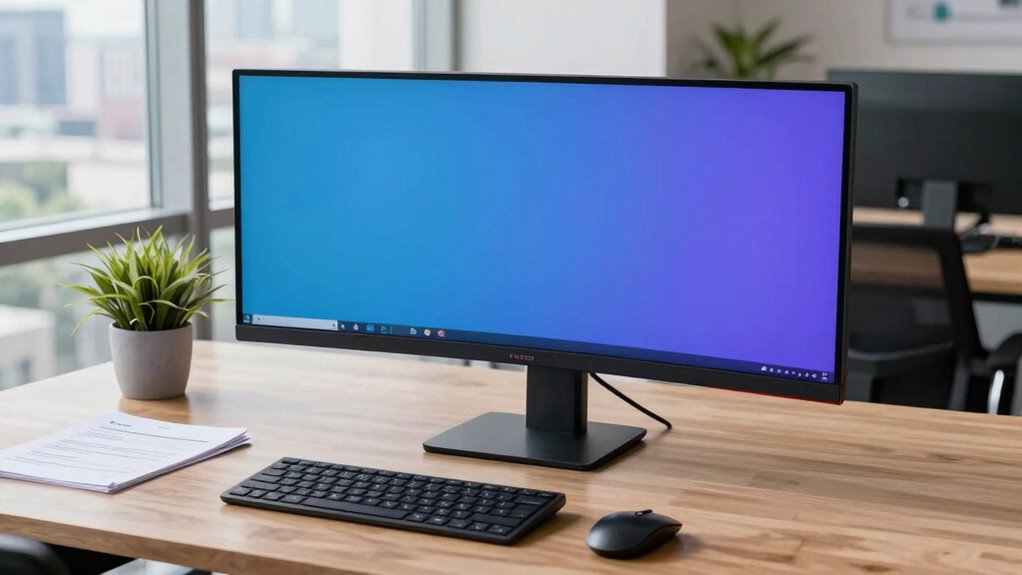

For most business owners, I’d start with the LG 34WN80C-B: its 34-inch WQHD IPS screen and USB-C connection make it a balanced choice for everyday office work. The Dell S3425DW stands out for owners who want a newer 34-inch curved display, while the LG 49WL95C-W suits workflows that benefit from a much wider dual-QHD workspace. The main tradeoff is between a manageable 34-inch screen that fits more desks and a 49-inch model that can replace a dual-monitor setup but asks for more space and budget. Connectivity, stand adjustment, and how your computer handles the display also matter as much as screen size. Read on for the full breakdown and recommendations by business need.

Get business pricing on office and shipping supplies
- Business-only prices and quantity discounts
- Tax-exempt purchasing
- Multiple users, one account, clear invoices
Key Takeaways
- The 34-inch WQHD models are the most practical starting point: they offer extra horizontal workspace without the desk footprint and setup demands of a 49-inch display.
- USB-C separates work-focused options from simpler screens: the LG 34WN80C-B, Dell S3425DW, and selected larger Samsung models can better suit laptop-centered offices, but check the exact connection and power-delivery details for your computer.
- 49-inch dual-QHD monitors serve a distinct role: the LG 49WL95C-W, HP Series 5 Pro 549pm, and Samsung LS49C954UANXZA make more sense for owners who routinely compare documents, dashboards, or applications side by side.
- The Samsung CH890 appears twice under different listing names: confirm the precise model number and specifications before choosing between those entries; the names alone do not establish a meaningful difference.
- Not every ultrawide prioritizes the same work needs: the HP 49-inch conferencing model emphasizes meeting use, while the Samsung ViewFinity S50GC is a more straightforward 34-inch option for buyers who do not need a large dock-style feature set.
| LG 34WN80C-B 34-Inch UltraWide Curved WQHD IPS Monitor |  | Best for Color-Focused Office Work | Screen size: 34 inches | Resolution: 3440 × 1440 | Aspect ratio: 21:9 | VIEW ON AMAZON | See Our Full Breakdown |
| Dell 34 Plus USB-C Curved Monitor S3425DW |  | Best for a Lively All-Purpose Office | Screen size: 34 inches | Resolution: 3440 × 1440 | Panel type: VA | VIEW ON AMAZON | See Our Full Breakdown |
| LG 49WL95C-W 49-Inch Curved Ultrawide Dual QHD Monitor |  | Best for Replacing a Dual-Monitor Desk | Screen size: 49 inches | Aspect ratio: 32:9 | Resolution: 5120 × 1440 | VIEW ON AMAZON | See Our Full Breakdown |
| Samsung CH890 34-Inch Curved WQHD Ultrawide Monitor |  | Best for Multi-Computer Desk Setups | Screen size: 34 inches | Resolution: 3440 × 1440 | Aspect ratio: 21:9 | VIEW ON AMAZON | See Our Full Breakdown |
| Samsung CH890 34-Inch WQHD Curved Ultrawide Business Monitor |  | Best for Ergonomic Desk Flexibility | Screen size: 34 inches | Resolution: 3440 × 1440 | Aspect ratio: 21:9 | VIEW ON AMAZON | See Our Full Breakdown |
| LG 34WR55QK-B 34-inch Curved UltraWide WQHD Monitor |  | Best for Two-Source Workflows | Screen size: 34 inches | Resolution: 3440 x 1440 (WQHD) | Aspect ratio: 21:9 | VIEW ON AMAZON | See Our Full Breakdown |
| LG 34U650A-B 34-Inch Curved UltraWide WQHD IPS Monitor |  | Best for Laptop-First Offices | Screen size: 34 inches | Display type: Curved IPS | Resolution: 3440 × 1440 (WQHD) | VIEW ON AMAZON | See Our Full Breakdown |
| HP Series 5 Pro 549pm 49-Inch DQHD Curved Conferencing Monitor |  | Best for Video-Heavy Executive Desks | Screen size: 49 inches | Resolution: 5120 × 1440 | Aspect ratio: 32:9 | VIEW ON AMAZON | See Our Full Breakdown |
| Samsung 49″ Curved Ultrawide Dual QHD Monitor with USB-C, HDMI, DisplayPort, 120 Hz, HDR400, Built-in Speakers, Adjustable Stand (LS49C954UANXZA) |  | Best for Spacious, Single-Screen Workstations | Screen size: 49 inches | Resolution: Dual QHD (5120 x 1440) | Aspect ratio: 32:9 | VIEW ON AMAZON | See Our Full Breakdown |
| Samsung 34-inch ViewFinity S50GC Ultra-WQHD Monitor |  | Best Value for a Straightforward Ultrawide Setup | Screen size: 34 inches | Aspect ratio: 21:9 | Resolution: Ultra-WQHD | VIEW ON AMAZON | See Our Full Breakdown |
| ultrawide monitors for business owner | Screen size | Resolution | Refresh rate | Aspect ratio |
|---|---|---|---|---|
| LG 34WN80C-B 34-Inch UltraWide | 34 inches | 3440 × 1440 | 60 Hz | 21:9 |
| Dell 34 Plus USB-C Curved Moni | 34 inches | 3440 × 1440 | 120 Hz | — |
| LG 49WL95C-W 49-Inch Curved Ul | 49 inches | 5120 × 1440 | 60 Hz | 32:9 |
| Samsung CH890 34-Inch Curved W | 34 inches | 3440 × 1440 | 100 Hz | 21:9 |
| Samsung CH890 34-Inch WQHD Cur | 34 inches | 3440 × 1440 | 100 Hz | 21:9 |
| LG 34WR55QK-B 34-inch Curved U | 34 inches | 3440 x 1440 (WQHD) | 100Hz | 21:9 |
| LG 34U650A-B 34-Inch Curved Ul | 34 inches | 3440 × 1440 (WQHD) | 100Hz | 21:9 |
| HP Series 5 Pro 549pm 49-Inch | 49 inches | 5120 × 1440 | 165Hz | 32:9 |
| Samsung 49" Curved Ultrawide D | 49 inches | Dual QHD (5120 x 1440) | 120Hz | 32:9 |
| Samsung 34-inch ViewFinity S50 | 34 inches | Ultra-WQHD | 100Hz | 21:9 |
More Details on Our Top Picks
LG 34WN80C-B 34-Inch UltraWide Curved WQHD IPS Monitor
I’d put the LG 34WN80C-B near the top for business owners who split their day between documents, dashboards, and color-sensitive creative tasks. Its 34-inch, 3440 × 1440 IPS screen gives you room for side-by-side windows, while 99% sRGB coverage is a useful fit for web graphics and client materials. USB-C simplifies connecting a compatible laptop, and the adjustable stand helps tune the screen to a long workday. Compared with the Dell S3425DW, this LG prioritizes IPS viewing and a straightforward office-and-creative setup over a faster refresh rate and stronger contrast. The tradeoff is a 60 Hz refresh rate, which feels less fluid for fast scrolling or motion-heavy work, and its listed maximum power consumption is 140 W. I’d skip it if gaming smoothness is a priority.
Pros:- 34-inch WQHD ultrawide workspace supports side-by-side business apps
- 99% sRGB coverage suits web graphics and presentation work
- USB-C connectivity can simplify a compatible laptop setup
- Height- and tilt-adjustable stand supports a more flexible desk position
Cons:- 60 Hz refresh rate is less fluid than the Dell S3425DW’s 120 Hz
- Maximum listed power consumption of 140 W may matter in power-conscious offices
Best for: Small-business owners who use a USB-C laptop and regularly prepare web graphics, presentations, or other sRGB-focused materials alongside office work.
Not ideal for: Owners who want a high refresh rate for fast-moving visuals, or who need a display suited to particularly bright rooms.
- Screen size:34 inches
- Resolution:3440 × 1440
- Aspect ratio:21:9
- Display type:Curved IPS LCD with LED backlight
- Refresh rate:60 Hz
- Color gamut:99% sRGB
- HDR:HDR10
- Connectivity:USB Type-C, 2 HDMI ports, 3 USB ports
Our verdict“Choose this LG if color-oriented office tasks and USB-C laptop connectivity matter more than a high refresh rate.”
Dell 34 Plus USB-C Curved Monitor S3425DW
The Dell S3425DW is my pick for owners who want an ultrawide for work but also care about smoother motion during presentations, media, or after-hours gaming. Its 120 Hz refresh rate is a clear step up from the 60 Hz LG 34WN80C-B, while the VA panel’s 3000:1 contrast ratio can make dark text and scenes look more distinct. USB-C delivers up to 65 W of power, which can reduce desk clutter for compatible laptops, and the listed color coverage spans 99% sRGB and 95% DCI-P3. That makes it more versatile than a basic office screen, though the VA panel is a different fit from the LG’s IPS approach for buyers focused on viewing angles. The 300-nit brightness may be modest in bright spaces, and its 20.7-pound weight makes moving or repositioning it less convenient.
Pros:- 120 Hz refresh rate supports smoother scrolling and motion than the 60 Hz LG 34WN80C-B
- USB-C provides up to 65 W power delivery for compatible laptops
- 3000:1 contrast ratio helps create defined dark and light areas
- 99% sRGB and 95% DCI-P3 coverage support varied visual work
Cons:- 300-nit brightness may be limiting in a bright office
- 20.7-pound weight makes moving the monitor less convenient
Best for: Business owners seeking one 34-inch display for spreadsheets, video calls, media, and occasional gaming, with a USB-C laptop connection.
Not ideal for: Owners working in sunlit offices who need higher brightness, or those who prioritize an IPS panel for shared viewing angles.
- Screen size:34 inches
- Resolution:3440 × 1440
- Panel type:VA
- Refresh rate:120 Hz
- Contrast ratio:3000:1
- Color gamut:99% sRGB, 95% DCI-P3
- USB-C power delivery:Up to 65 W
- Adaptive sync:AMD FreeSync Premium
Our verdict“Pick the Dell if you want a work-focused ultrawide with higher refresh and USB-C charging, and your office does not demand high brightness.”
LG 49WL95C-W 49-Inch Curved Ultrawide Dual QHD Monitor
For an owner who keeps several large applications open at once, the LG 49WL95C-W offers a different proposition from the 34-inch models: its 49-inch, 32:9 Dual QHD workspace can place multiple work areas across one continuous display. That can help keep a financial dashboard, email, and a working document visible without a center bezel between screens. It also has USB-C, an adjustable stand, and built-in 10 W stereo speakers, giving it a practical role in a central office setup. Compared with the Samsung CH890, it gives you substantially more horizontal room, but asks for much more desk space and has a 60 Hz refresh rate rather than 100 Hz. Its 33.5-pound weight and modest listed contrast ratio also make this a less flexible choice for compact or frequently rearranged workspaces.
Pros:- 49-inch Dual QHD screen offers a broad, continuous workspace
- USB-C supports a simpler connection to compatible computers
- Built-in 2 × 10 W stereo speakers reduce the need for separate desktop speakers
- Stand adjusts for height, tilt, and swivel
Cons:- Large footprint demands substantially more desk space than 34-inch options
- 60 Hz refresh rate is lower than the Samsung CH890’s 100 Hz
- At 33.5 pounds, it is less convenient to move or reposition
Best for: Business owners who routinely compare several wide spreadsheets, dashboards, or project windows and have a deep, spacious desk.
Not ideal for: Owners with limited desk width, frequent desk moves, or a preference for higher refresh rates for smoother motion.
- Screen size:49 inches
- Aspect ratio:32:9
- Resolution:5120 × 1440
- Refresh rate:60 Hz
- Brightness:350 cd/m²
- Color gamut:99% sRGB
- Speakers:2 × 10 W stereo speakers
- Connectivity:USB-C, 2 HDMI ports
Our verdict“Choose the LG 49WL95C-W if a very wide, single-screen workspace is worth the desk space and lower refresh rate.”
Samsung CH890 34-Inch Curved WQHD Ultrawide Monitor
The Samsung CH890 stands out for a business desk shared by multiple computers: its picture-by-picture support can show input from more than one source at once, while USB-C, HDMI, and DisplayPort offer several ways to connect equipment. At 34 inches and 3440 × 1440, it has the same broad work area as the LG 34WN80C-B, but its 100 Hz refresh rate makes scrolling and motion look smoother than that LG’s 60 Hz. The 3000:1 contrast ratio is another draw for owners who want defined dark areas. Compared with the Dell S3425DW, the Samsung has a slightly lower refresh rate and the provided listing does not specify USB-C power delivery. I’d also verify the warranty before buying: the supplied details conflict between one and three years.
Pros:- Picture-by-picture support suits a desk with multiple connected devices
- 100 Hz refresh rate is higher than the LG 34WN80C-B’s 60 Hz
- USB-C, HDMI, and DisplayPort provide varied connection options
- Height-adjustable stand and VESA compatibility support flexible placement
Cons:- Warranty information in the supplied listing is inconsistent
- USB-C power delivery wattage is not specified in the provided details
Best for: Owners who switch between a work laptop and another computer or device and want picture-by-picture viewing on one 34-inch screen.
Not ideal for: Buyers who need confirmed warranty terms, or who want a monitor with a clearly specified USB-C charging wattage.
- Screen size:34 inches
- Resolution:3440 × 1440
- Aspect ratio:21:9
- Screen curvature:1800R
- Refresh rate:100 Hz
- Contrast ratio:3000:1
- Connectivity:USB-C, HDMI, DisplayPort
- USB ports:3
Our verdict“Choose this Samsung for a multi-device office that benefits from picture-by-picture viewing, after confirming the warranty terms.”
Samsung CH890 34-Inch WQHD Curved Ultrawide Business Monitor
This Samsung CH890 listing is the most desk-setup-oriented option in the group. Its 34-inch WQHD panel supplies the same useful side-by-side workspace as the other 34-inch monitors, while the stand adjusts for height, tilt, and swivel; VESA compatibility gives owners another route if they prefer an arm. Picture-by-picture and split-screen modes support separating applications or connected sources, and the listed USB 2.0 and USB 3.0 ports add some peripheral access. Like the other CH890 listing, it has a 100 Hz refresh rate and broad USB-C, HDMI, and DisplayPort connectivity. Compared with the LG 49WL95C-W, it takes up less desk width but cannot match that model’s expansive Dual QHD canvas. Its 300-nit brightness is a weaker fit for bright rooms, and the 4 ms response time is not aimed at competitive gaming.
Pros:- Height, tilt, and swivel adjustments allow a tailored desk position
- VESA compatibility supports mounting on a monitor arm
- Picture-by-picture and split-screen modes aid multitasking
- 100 Hz refresh rate and AMD FreeSync support smoother visuals
Cons:- 300 cd/m² brightness may be limiting in bright workspaces
- 4 ms response time is less suited to competitive gaming
- 34-inch display offers less total workspace than the LG 49WL95C-W
Best for: Business owners setting up a fixed workstation who want an adjustable stand, VESA mounting, and a 34-inch screen for everyday multitasking.
Not ideal for: Owners who need a very wide canvas for many large windows, work in a bright room, or prioritize competitive gaming response.
- Screen size:34 inches
- Resolution:3440 × 1440
- Aspect ratio:21:9
- Panel type:VA LED
- Refresh rate:100 Hz
- Response time:4 ms
- Brightness:300 cd/m²
- Mounting:VESA compatible
Our verdict“Pick this CH890 listing for an adjustable 34-inch workstation with flexible mounting, rather than maximum screen width or gaming response.”
LG 34WR55QK-B 34-inch Curved UltraWide WQHD Monitor
The LG 34WR55QK-B suits owners who regularly compare information from separate computers or devices: its Picture-by-Picture mode can show two inputs side by side on a 34-inch, 21:9 canvas. The WQHD resolution gives office apps room to sit alongside reference material, while USB-C with up to 65W charging can reduce cable clutter for a compatible laptop. Compared with the LG 34U650A-B, it offers less USB-C charging power and fewer listed stand adjustments, but its two-source workflow is a clear business-oriented advantage. Height and tilt adjustment help with desk positioning, and Reader Mode may be useful for long document sessions. The tradeoff is that its 65W delivery may not keep higher-powered laptops charged under demanding workloads, and the listed port details do not include an Ethernet connection.
Pros:- Picture-by-Picture supports viewing two input sources at once
- 34-inch WQHD 21:9 screen accommodates multiple business windows
- USB-C handles display and provides up to 65W power delivery
- Height- and tilt-adjustable stand plus Reader Mode
Cons:- 65W USB-C charging may be insufficient for some high-performance laptops
- Stand adjustment is limited to height and tilt, unlike the LG 34U650A-B’s swivel adjustment
- No built-in webcam, microphone, or Ethernet connection is listed
Best for: Small-business owners who review figures on one computer while keeping a second device or source visible, and whose laptops can charge at up to 65W.
Not ideal for: Owners with power-hungry laptops needing higher-wattage USB-C charging, or teams that need an integrated webcam, microphone, or Ethernet port.
- Screen size:34 inches
- Resolution:3440 x 1440 (WQHD)
- Aspect ratio:21:9
- Refresh rate:100Hz
- USB-C power delivery:Up to 65W
- Ports:2 HDMI, 2 USB, DisplayPort, USB Type-C, headphone jack
- Stand adjustment:Height and tilt
- Display features:Picture-by-Picture, Reader Mode, OnScreen Control
Our verdict“Choose this LG if comparing two live sources matters more than higher-wattage laptop charging or built-in meeting hardware.”
LG 34U650A-B 34-Inch Curved UltraWide WQHD IPS Monitor
For a business owner who wants one cable to connect and charge a laptop, the LG 34U650A-B is the more capable 34-inch LG in this group: USB-C delivers up to 96W, compared with 65W on the LG 34WR55QK-B. Its 3440 × 1440 IPS display provides room for a spreadsheet and communication tools, while the 100Hz refresh rate keeps scrolling and everyday motion smooth. The stand adds height, tilt, and swivel adjustment, giving it more positioning flexibility than the 34WR55QK-B. Built-in speakers are handy for basic calls or alerts, though they are not a substitute for dedicated meeting audio. This model takes substantial desk space, and the listed port selection is less detailed than some alternatives; choose it for laptop charging and ergonomic adjustment, not for a built-in webcam or elaborate hub.
Pros:- USB-C supports display, data, and up to 96W laptop charging
- 34-inch 3440 × 1440 IPS screen supports multi-window office work
- Stand adjusts for height, tilt, and swivel
- 100Hz refresh rate and built-in speakers suit everyday office use
Cons:- The curved 34-inch screen takes substantial desk space
- Built-in speakers may not provide the clarity needed for frequent client calls
- The listed connectivity does not include an Ethernet port or integrated webcam
Best for: Laptop-based consultants and small-office owners who want a single USB-C connection, stronger charging capacity, and a stand with multiple adjustments.
Not ideal for: Owners with compact desks or those who need an integrated webcam, advanced source-management features, or a fully specified USB hub.
- Screen size:34 inches
- Display type:Curved IPS
- Resolution:3440 × 1440 (WQHD)
- Aspect ratio:21:9
- Curvature:3800R
- Refresh rate:100Hz
- USB-C charging:Up to 96W
- Stand adjustments:Tilt, swivel, and height
Our verdict“Pick the 34U650A-B for a laptop-centered desk where stronger USB-C charging and flexible positioning matter more than compact size.”
HP Series 5 Pro 549pm 49-Inch DQHD Curved Conferencing Monitor
The HP Series 5 Pro 549pm is the clearest fit here for owners who spend much of the workday in video meetings and want workspace for several applications beside them. Its 49-inch, 32:9 DQHD display can replace the visual span of a dual-monitor setup, while the 5MP pop-up webcam and noise-reducing microphones put conferencing hardware in the monitor. USB-C supplies up to 140W, well beyond the LG 34U650A-B’s 96W, making this a stronger match for power-hungry laptop setups. The 165Hz refresh rate is unusually high for office-focused use, though most business owners may value the meeting equipment and screen area more. The tradeoff is substantial: at nearly 47 inches wide and 58.8 pounds, it needs a sturdy, spacious desk, and its listed 5ms response time does not make it a specialist gaming display.
Pros:- 49-inch DQHD screen provides expansive room for concurrent applications
- Integrated 5MP pop-up webcam and dual microphones with noise cancellation
- USB-C delivers up to 140W power to a connected laptop
- Adjustable stand and low-blue-light features support extended desk sessions
Cons:- Large dimensions and 58.8-pound weight demand a spacious, sturdy desk
- 165Hz refresh rate may add little value for routine office workloads
- Warranty details are not specified in the supplied product information
Best for: Executives, agency owners, and remote business operators who hold frequent video calls, connect a high-power laptop, and need broad side-by-side workspace.
Not ideal for: Solo owners with small desks, limited room for a heavy display, or work that needs a compact setup rather than a large all-in-one conferencing station.
- Screen size:49 inches
- Resolution:5120 × 1440
- Aspect ratio:32:9
- Display type:VA LED
- Refresh rate:165Hz
- Webcam:5MP pop-up, tiltable
- USB-C power delivery:Up to 140W
- Connectivity:HDMI, DisplayPort, RJ45, USB 3.0, USB-C
- Weight:58.8 pounds
Our verdict“Choose the HP if video meetings and a high-powered laptop setup justify its large footprint and integrated conferencing hardware.”
Samsung 49″ Curved Ultrawide Dual QHD Monitor with USB-C, HDMI, DisplayPort, 120 Hz, HDR400, Built-in Speakers, Adjustable Stand (LS49C954UANXZA)
The Samsung 49-inch Dual QHD model gives owners a 32:9, 5120 × 1440 workspace for keeping several business applications visible without dividing work across separate monitors. It is a more focused productivity choice than the HP Series 5 Pro 549pm: Samsung offers 90W USB-C charging, built-in speakers, and a height-adjustable stand, while HP adds a webcam, noise-reducing microphones, and more charging power. The 120Hz refresh rate makes scrolling feel smooth, but the bigger business benefit is the continuous screen area. Its 1000R curve is pronounced, so the broad panel wraps toward the viewer; that can suit centered desk work but may be less comfortable for shared viewing or a shallow desk. HDR400 is listed, though this is not the pick for specialized color-grading work.
Pros:- 49-inch Dual QHD screen creates broad room for parallel business applications
- USB-C hub provides up to 90W charging
- 120Hz refresh rate supports smooth scrolling and motion
- Height-adjustable stand and built-in speakers reduce setup needs
Cons:- 49-inch size and 1000R curve require a spacious desk and may limit shared viewing
- DisplayHDR 400 is not aimed at demanding professional color-grading workflows
- No integrated webcam or microphone is listed, unlike the HP Series 5 Pro 549pm
Best for: Business owners with a deep, spacious desk who want one large screen for spreadsheets, dashboards, and communications, plus USB-C laptop charging.
Not ideal for: Owners who need integrated video-call hardware, professional color-grading features, or a smaller display that can fit a compact workstation.
- Screen size:49 inches
- Resolution:Dual QHD (5120 x 1440)
- Aspect ratio:32:9
- Curvature:1000R
- Refresh rate:120Hz
- HDR:VESA DisplayHDR 400
- USB-C power delivery:Up to 90W
- Ports:DisplayPort, 2 HDMI, USB, USB-C
- Stand adjustment:Height adjustable
Our verdict“Choose this Samsung for a large, uninterrupted work canvas, but favor the HP if built-in conferencing hardware is a priority.”
Samsung 34-inch ViewFinity S50GC Ultra-WQHD Monitor
The Samsung ViewFinity S50GC is the straightforward 34-inch choice for owners who want more room for everyday office windows without paying for features they may not use. Its 21:9 Ultra-WQHD display supports Picture-by-Picture and Picture-in-Picture, so a second source can stay visible alongside the main computer. Compared with the LG 34WR55QK-B, Samsung lists these multi-source modes too, but does not list USB-C, laptop charging, or height adjustment; that makes its setup less convenient for laptop-first desks. The 100Hz refresh rate and FreeSync support smoother motion, while Eye Saver Mode and Flicker Free address comfort during long work sessions. The 300 cd/㎡ typical brightness and lack of listed speakers make it a more basic office hub than the LG 34U650A-B, which adds USB-C charging and built-in audio.
Pros:- 21:9 Ultra-WQHD screen creates room for multiple business windows
- Picture-by-Picture and Picture-in-Picture support two video sources
- 100Hz refresh rate and AMD FreeSync support smoother motion
- Eye Saver Mode and Flicker Free are useful for extended office sessions
Cons:- USB-C and laptop charging are not listed, unlike on the LG 34U650A-B
- Height-adjustable stand and built-in speakers are not specified
- Connectivity lists only one DisplayPort input
Best for: Owners of desktop-based small businesses who want a 34-inch ultrawide with multi-source viewing and eye-care features, and do not need USB-C laptop charging.
Not ideal for: Laptop-first workers seeking a one-cable desk setup, buyers who need a height-adjustable stand or built-in speakers, and teams requiring more than one DisplayPort input.
- Screen size:34 inches
- Aspect ratio:21:9
- Resolution:Ultra-WQHD
- Refresh rate:100Hz
- Response time:5ms
- Typical brightness:300 cd/㎡
- Static contrast ratio:3000:1
- Inputs:2 x HDMI 2.2, 1 x DisplayPort 1.2
- Features:Picture-by-Picture, Picture-in-Picture, Eye Saver Mode, Flicker Free, AMD FreeSync
Our verdict“Pick the ViewFinity S50GC for desktop-based multitasking and two-source viewing when USB-C charging and integrated audio are not requirements.”
How We Picked
I ranked these monitors by how well their screen size, resolution, connectivity, and physical setup fit the daily realities of running a business. I gave greater weight to useful workspace and laptop-friendly connections than to headline features that may have little effect on spreadsheets, writing, calls, and multitasking. I also considered whether a monitor’s format is likely to suit a typical desk: 34-inch WQHD screens are easier to place, while 49-inch dual-QHD screens offer a broader workspace but demand more room.
The order reflects practical versatility rather than a claim that one screen is right for every office. The LG 34WN80C-B leads as a balanced 34-inch business choice; larger displays rank highly for owners whose work benefits from replacing two screens or adding conferencing tools. More basic and overlapping models rank lower when their listed details provide less reason to choose them over a more business-oriented alternative. Since the two Samsung CH890 entries have nearly identical names, I treat them as overlapping options and recommend verifying the exact model identifier before purchase.
Factors to Consider When Choosing Ultrawide Monitors For Business Owners
Choosing an ultrawide for a business is a desk-and-workflow decision, not just a screen-size decision. I’d map the monitor to the work you do, the computer and accessories you already own, and the space available before comparing feature lists.
Match Screen Size to Your Actual Work
A 34-inch ultrawide is often a sensible replacement for a single standard monitor when your work involves a document beside email, or a spreadsheet beside a browser. A 49-inch screen offers substantially more room, but it is most useful when you regularly keep several full-size windows visible at once. Before choosing the larger format, measure desk width and viewing distance rather than relying on the diagonal measurement alone. Consider whether you can comfortably scan the entire screen without frequent head movement. A wide display can reduce window shuffling, but it cannot make cramped software layouts or small text easier to read by itself. If your workload is mostly calls, writing, and routine administration, a 34-inch model may be the more comfortable and economical fit.
Check Resolution, Scaling, and Computer Support
Resolution affects how much information fits on screen and how legible that information remains at your chosen scaling setting. WQHD is common among the 34-inch models here, while dual-QHD panels offer a broader desktop across 49 inches. Do not assume that a computer can drive every ultrawide at its full resolution and refresh rate just because it has an HDMI or USB-C port. Check the computer’s graphics capabilities, operating system support, and the monitor’s connection requirements together. Scaling can make text easier to read, but it also reduces the usable workspace that a high-resolution display promises. For a business-critical setup, confirm compatibility before buying rather than discovering limits after installation.
Treat USB-C as a Workflow Feature, Not a Guarantee
USB-C can simplify a laptop desk by carrying video, data, and power through one cable, which may reduce daily plugging and unplugging. The label alone does not tell you how much power a monitor supplies or which ports remain available for peripherals. Compare the monitor’s power delivery with your laptop’s charging needs, especially if the computer is used for demanding work. If the display cannot supply enough power, you may still need the laptop’s charger on the desk. Owners using a desktop computer may gain less from USB-C and should prioritize the connections their system actually uses. Confirm the exact port layout and capabilities for the specific model number.
Plan the Desk, Stand, and Mounting Setup
An ultrawide takes more horizontal room than a conventional screen, and a 49-inch panel can dominate a small office desk. Measure the usable surface, including space for a keyboard, paperwork, and other equipment, before ordering. Check the stand’s height, tilt, and swivel adjustments against your seating position; a screen that cannot be placed comfortably can undermine the benefits of a larger workspace. If you plan to use an arm or wall mount, verify mounting compatibility and the display’s weight limits with the mount manufacturer. Curved screens can help bring the outer edges into view, but the curve does not remove the need for adequate viewing distance. A careful fit check can prevent a costly reshuffle of the office.
Decide Whether a Single Screen Can Replace Two
A 49-inch dual-QHD display can reduce the bezel gap between two monitors and create one continuous desktop, which can help with wide timelines, dashboards, and side-by-side documents. It may not replace every dual-monitor setup, particularly if you rely on separate screen orientations or want applications isolated on different physical displays. Check how your operating system handles window placement and whether your preferred video-call software works well alongside other tasks. A single wide panel also means one display connection and one large screen area to manage, rather than two independently positioned screens. Owners who mostly use two fixed applications may find a 34-inch monitor plus an existing screen more adaptable. Choose based on your real window layout, not the theoretical amount of desktop space.
Pay for Features That Match Your Office
Extra conferencing tools, built-in speakers, and higher refresh rates can be useful, but their value depends on how the monitor will be used. A conferencing-focused model may simplify a meeting-heavy office, while a separate webcam and headset can be easier to upgrade or replace. Speakers are convenient for occasional calls, though they may not suit a noisy workspace or frequent client meetings. A smoother refresh rate can make motion feel more fluid, but it should not take priority over screen fit, resolution, and dependable connectivity for typical administrative work. Compare the cost of bundled features with the accessories you would otherwise buy. Paying more makes sense when a feature removes a real daily inconvenience, not simply because it appears on the specification sheet.
Frequently Asked Questions
Should I choose a 34-inch ultrawide or a 49-inch model for a small business office?
I’d choose a 34-inch model if desk space is limited or your work usually involves two windows at a time. It offers a wider desktop than a standard screen without demanding as much room or placement flexibility as a 49-inch display. A 49-inch model is a stronger fit for owners who routinely compare multiple documents, track dashboards, or manage several applications side by side. Measure your desk and viewing distance before deciding, since the larger screen can crowd other work equipment. The right choice is the one that supports your actual window layout comfortably.
Can a USB-C ultrawide monitor charge my business laptop?
Some USB-C monitors can charge a connected laptop, but the connection does not guarantee enough power for every computer. Check the monitor’s stated power delivery and compare it with your laptop’s charging requirements. Also confirm that the USB-C port carries video, since port capabilities differ by model. If power delivery is limited, you may still need to connect the laptop’s own charger. Verify those details for the exact monitor version before relying on a single-cable desk setup.
Can a 49-inch ultrawide replace two monitors for business work?
It can replace two monitors for many workflows that depend on side-by-side windows, such as comparing documents or keeping a dashboard visible beside email. Its continuous screen area avoids the physical bezel gap between separate displays. However, it may not suit people who need portrait orientation, independent screen positioning, or separate displays for specific software. Check that your computer can drive the monitor at its full resolution and that your operating system supports the window arrangements you use. Try mapping your usual applications onto the screen dimensions before deciding to retire existing monitors.
Are the two Samsung CH890 listings different monitors?
The roundup includes two CH890 entries with closely overlapping names: one is labeled as a 34-inch curved WQHD ultrawide, and the other adds “Business Monitor” to its description. Those names alone do not confirm whether the listings refer to different specifications or simply use different wording. Compare the full model number, port list, stand features, and included accessories before choosing. If the identifiers match, treat them as the same monitor rather than separate alternatives. This check is especially useful when product pages use shortened or inconsistent naming.
What should I prioritize if employees use the monitor for video meetings and office work?
Start with a screen size and layout that let employees keep meeting content and work applications visible without awkward window changes. For meeting-heavy roles, check whether the monitor includes conferencing features you will actually use, then compare them with the flexibility of separate webcam and audio equipment. Confirm that the display connections work with company laptops and any docking setup. A built-in feature can simplify the desk, but replaceable accessories may be easier to maintain across a team. Also consider adjustability and available desk space, since employees may share workstations or use different seating positions.
Conclusion
For most owners seeking one dependable screen for everyday office work, I’d choose the LG 34WN80C-B as best overall. The Samsung 34-inch ViewFinity S50GC is my best value-style pick for buyers who want a more straightforward 34-inch ultrawide and do not need an expanded feature set; verify its exact connectivity against your setup. The LG 49WL95C-W is the best premium choice for workflows that genuinely use a broad dual-QHD desktop, while the LG 34WR55QK-B makes a sensible starting point for beginners who want a conventional 34-inch curved format. For meeting-focused offices, I’d look closely at the HP Series 5 Pro 549pm; for a laptop-centered desk, compare USB-C power and ports on the Dell S3425DW and compatible alternatives. Choose the screen that fits your desk, computer, and daily window layout—not simply the widest one.
Halloween Picks
halloween
As an affiliate, we earn on qualifying purchases.