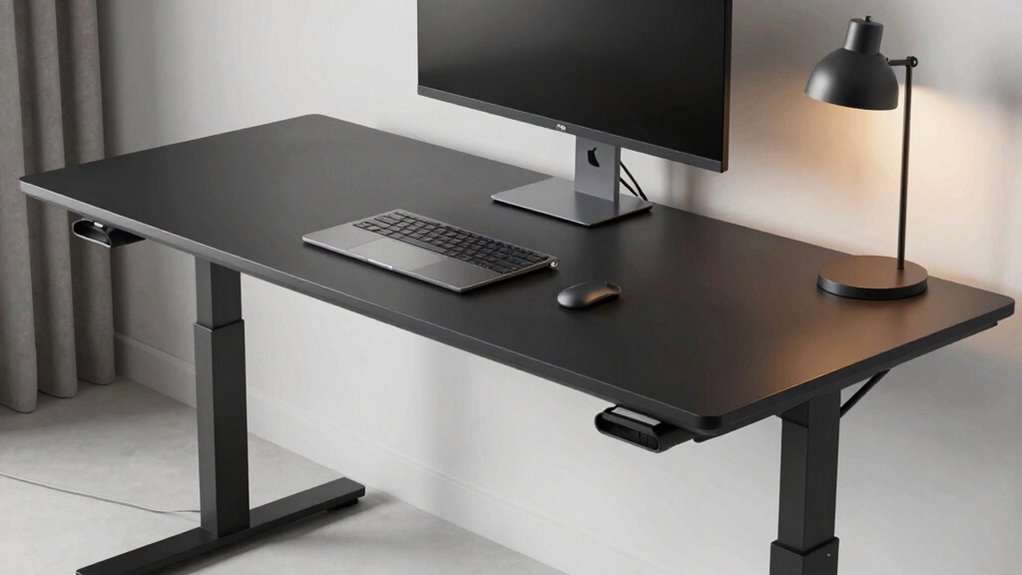

For a standing desk that keeps cords under control, I’d start with the FLEXISPOT EN2: its built-in power strip offers a direct way to connect desk accessories. The TIQLAB is a simpler choice for buyers who want a dedicated cable tray, while the SEDETA 71-inch L-shaped desk suits setups that need more surface area and storage. The main tradeoff is whether you value integrated power, a separate place to route cables, or room for a larger workstation. Desktop size, drawer placement, and the extra slack needed for a moving desk also affect how tidy a setup stays. Read on for how the nine options compare and which one fits your workspace.

Get business pricing on office and shipping supplies
- Business-only prices and quantity discounts
- Tax-exempt purchasing
- Multiple users, one account, clear invoices
Complete the kit



Key Takeaways
- Integrated power and cable routing solve different problems: the FLEXISPOT EN2 and SEDETA 55-inch desk add outlets, while the TIQLAB specifically lists a cable management tray.
- The TIQLAB is the clearest pick for a dedicated tray: its listed cable-control feature makes it a direct match for buyers who want a place to gather cords beneath the desktop.
- Large desktops create more setup freedom and more cable to manage: the 60 x 30-inch VIVO and flip-top model offer broad work surfaces, while compact 48 x 24-inch options take up less room.
- Storage-heavy designs can reduce desktop clutter: both SEDETA desks add storage, though drawers and an L-shaped footprint call for careful room and legroom checks.
- Many options share a compact electric-desk format: the SIAGO, FEZIBO, and TIQLAB are all around 48 inches wide, so their cable features and included accessories matter more than size alone.
| VIVO Electric Standing Desk, White, 60 x 30 in |  | Best Overall Cable Organization | Desktop dimensions: 59 x 29.5 in | Height range: 29–48.2 in | Weight capacity: 220 lbs | VIEW ON AMAZON | See Our Full Breakdown |
| FLEXISPOT EN2 55 x 28-Inch Electric Standing Desk with Power Strip, Black |  | Best for Built-In Charging | Desktop dimensions: 55 x 28 in | Desktop material: FSC-certified wood | Height range: 28.1–45.7 in | VIEW ON AMAZON | See Our Full Breakdown |
| FLEXISPOT 55-Inch RGB Electric Gaming Standing Desk with Magnetic Metal Desktop |  | Best for Gaming Setups | Desktop width: 55 in | Height range: 28.9–46.4 in | Lift system: Dual motor | VIEW ON AMAZON | See Our Full Breakdown |
| SEDETA 71-Inch L-Shaped Electric Standing Desk with Storage, Grey |  | Best for Storage-Rich Workspaces | Shape: L-shaped | Desktop dimensions: 71 x 27.6 in | Height range: 28.3–47.2 in | VIEW ON AMAZON | See Our Full Breakdown |
| SIAGO Electric Standing Desk, 48 x 24 Inches, Rustic Brown |  | Best Compact Pick | Desktop dimensions: 48 x 24 in | Color: Rustic Brown | Height range: 27.95–45.67 in | VIEW ON AMAZON | See Our Full Breakdown |
| FEZIBO Electric Standing Desk, 48 x 24 Inches, Black Walnut |  | Best for Simple Cable Organization | Dimensions: 48 x 24 inches | Color: Black Walnut | Height range: 28.3–46.5 inches | VIEW ON AMAZON | See Our Full Breakdown |
| TIQLAB Electric Standing Desk with Cable Management Tray, 47.2 x 23.6 in, Maple |  | Best for a Stated Load Limit | Dimensions: 47 x 24 inches | Height range: 28.3–45.6 inches | Top thickness: 15 mm | VIEW ON AMAZON | See Our Full Breakdown |
| 60 x 30 Inch Electric Standing Desk with Flip-Top Cable Management |  | Best for a Full Workstation | Desktop size: 60 x 30 inches | Height range: 27.7–45.5 inches | Weight capacity: 250 lbs | VIEW ON AMAZON | See Our Full Breakdown |
| SEDETA 55-Inch Electric Standing Desk with 6 Drawers and Power Outlets |  | Best for Storage and Built-In Charging | Desktop dimensions: 55.1 x 23.6 inches | Height range: 28.3–47.2 inches | Height presets: 3 | VIEW ON AMAZON | See Our Full Breakdown |
| standing desks with cable management | Height range | Weight capacity | Cable management | Desktop dimensions |
|---|---|---|---|---|
| VIVO Electric Standing Desk | 29–48.2 in | 220 lbs | 2 under-desk trays | 59 x 29.5 in |
| FLEXISPOT EN2 55 x 28-Inch Ele | 28.1–45.7 in | 176 lbs | — | 55 x 28 in |
| FLEXISPOT 55-Inch RGB Electric | 28.9–46.4 in | — | Magnetic organizers, hidden flip panel, and under-desk cable tray | — |
| SEDETA 71-Inch L-Shaped Electr | 28.3–47.2 in | 220 lbs | — | 71 x 27.6 in |
| SIAGO Electric Standing Desk | 27.95–45.67 in | 200 lbs | Cable tray and hooks | 48 x 24 in |
| FEZIBO Electric Standing Desk | 28.3–46.5 inches | — | Pegboard and magnetic cable track | — |
| TIQLAB Electric Standing Desk | 28.3–45.6 inches | — | Cable management tray | — |
| 60 x 30 Inch Electric Standing | 27.7–45.5 inches | 250 lbs | Flip-top cable panel and two storage baskets | — |
| SEDETA 55-Inch Electric Standi | 28.3–47.2 inches | 220 pounds (approximately 100 kg) | — | 55.1 x 23.6 inches |
More Details on Our Top Picks
VIVO Electric Standing Desk, White, 60 x 30 in
The VIVO pairs a 59 x 29.5-inch desktop with two under-desk cable trays, giving a multi-device setup room to spread out while keeping its wiring off the floor. Three flip-top covers offer access to the surface below, and the included microfiber pad adds a ready-made desk area. Compared with the FLEXISPOT EN2, which puts outlets and USB ports on the desktop, VIVO focuses more on routing and hiding cables than on bringing power within reach. Its four height presets make switching positions straightforward, and the 29–48.2-inch range reaches higher than the EN2’s listed maximum. The tradeoff is its three-piece desktop: seams may be more visible than on a one-piece surface, so it suits practical setups better than buyers prioritizing a seamless finish.
Pros:- Two under-desk trays provide separate space for routing cables
- Four memory presets make saved sitting and standing heights easy to select
- 59 x 29.5-inch desktop leaves room for monitors and accessories
- Steel frame has a stated 220-pound capacity
Cons:- Three desktop sections can leave more visible seams than a one-piece top
- No built-in power strip or USB charging ports are listed
Best for: People with several monitors and peripherals who want broad desk space and two dedicated cable trays.
Not ideal for: Buyers who want a seamless one-piece desktop or built-in outlets and USB ports on the work surface.
- Desktop dimensions:59 x 29.5 in
- Height range:29–48.2 in
- Weight capacity:220 lbs
- Height adjustment:Electric motor
- Controller:Push-button with 4 memory presets
- Cable management:2 under-desk trays
- Desktop:3-piece with 3 flip-top covers
- Included accessory:Microfiber desk pad
Our verdict“Choose the VIVO if you want a roomy electric desk with two dedicated cable trays and can live with a multi-piece top.”
FLEXISPOT EN2 55 x 28-Inch Electric Standing Desk with Power Strip, Black
The EN2 takes a power-at-hand approach to cable management: its removable strip adds three outlets and two USB ports right at the desk, reducing the need to reach for a wall socket. The one-piece FSC-certified wood desktop also avoids the visible joins of VIVO’s three-piece surface. That makes the EN2 a stronger fit for buyers who value a continuous work area and easy device charging, while VIVO’s two under-desk trays offer more explicit space for bundling and hiding cables. Four programmable presets and a motor rated below 50 dB support frequent height changes without making adjustments a major interruption. Its 45.7-inch maximum is lower than VIVO’s 48.2 inches, and the listed capacity is 176 pounds. It also arrives in two packages, and assembly may call for an electric drill that is not included.
Pros:- Removable power strip has 3 outlets and 2 USB ports
- One-piece, FSC-certified wood desktop provides a continuous surface
- Four programmable height presets
- Motor noise is listed below 50 dB
Cons:- 176-pound stated capacity is lower than the VIVO’s 220-pound capacity
- Ships in two separate packages
- Assembly may require an electric drill, which is not included
Best for: Home-office users who charge several devices at their desk and prefer a continuous one-piece work surface.
Not ideal for: People who need a higher maximum desk height, a higher stated load capacity, or under-desk trays for extensive cable bundles.
- Desktop dimensions:55 x 28 in
- Desktop material:FSC-certified wood
- Height range:28.1–45.7 in
- Weight capacity:176 lbs
- Height presets:4 programmable memory buttons
- Power strip:3 outlets and 2 USB ports
- Noise level:Less than 50 dB
- Frame material:Steel
- Warranty:5 years on frame, motor, and mechanical devices; 2 years on controller, switches, and electronics
Our verdict“Pick the EN2 if accessible charging and a one-piece top matter more to you than a dedicated under-desk cable tray.”
FLEXISPOT 55-Inch RGB Electric Gaming Standing Desk with Magnetic Metal Desktop
For a gaming rig, this FLEXISPOT makes cable control part of the desk’s setup: magnetic organizers attach to its metal surface, while a hidden flip panel and under-desk tray give cables more than one route. That combination is more adaptable around changing peripherals than the SIAGO’s listed cable tray and hooks, though the SIAGO has a simpler, smaller footprint. Dual motors lift the desk across a 28.9–46.4-inch range, and the magnetic desktop gives the organizers a surface they can grip. RGB lighting, including sound-reactive effects, makes the look distinctly gaming-focused. Those lights may feel out of place in a restrained office, and the supplied details do not state a weight capacity or noise level. It is a specialized choice: strong on configurable cable routing and atmosphere, less suited to buyers after a quiet-looking all-purpose workstation.
Pros:- Magnetic organizers work with the metal desktop for adjustable cable routing
- Hidden flip panel and under-desk tray add routing and concealment options
- Dual-motor lift adjusts from 28.9 to 46.4 inches
- Five-year coverage on the frame and motors is listed
Cons:- RGB lighting may clash with a simple office setup
- No weight capacity is provided in the supplied product details
- The gaming-focused styling is less versatile for shared or formal workspaces
Best for: PC gamers who use multiple peripherals and want flexible cable routing alongside customizable RGB lighting.
Not ideal for: Minimalist home offices or buyers who need a stated load capacity and a subdued desk appearance.
- Desktop width:55 in
- Height range:28.9–46.4 in
- Lift system:Dual motor
- Desktop material:Iron plate core with integrated magnetic layer
- Lighting:22 customizable RGB modes with sound-reactive effects
- Cable management:Magnetic organizers, hidden flip panel, and under-desk cable tray
- Coverage:5 years on frame and motors; 3 years on electronics and controller
Our verdict“Choose this FLEXISPOT for a gaming station where magnetic cable routing and RGB effects matter more than understated styling.”
SEDETA 71-Inch L-Shaped Electric Standing Desk with Storage, Grey
The SEDETA is the lineup’s most furniture-like solution: its L-shaped 71 x 27.6-inch work surface pairs with drawers, a file drawer, three cabinets, and integrated charging. A cable hole offers a route through the desk, while four outlets and two USB ports keep connections close. That built-in storage and power setup is more extensive than the FLEXISPOT EN2’s removable strip, though the EN2’s smaller, one-piece desktop asks less of the room. The SEDETA’s three height presets and 28.3–47.2-inch range cover sitting and standing adjustments; the motor is listed below 30 dB. A 220-pound capacity adds headroom for equipment. The cost in practical terms is its 145-pound weight and assembly demand: it is better for a dedicated office than a space where the desk must move often.
Pros:- L-shaped 71 x 27.6-inch surface provides separate work zones
- Drawers and cabinets offer substantial built-in storage
- Four outlets, two USB ports, and a cable hole support device organization
- 220-pound stated capacity and motor noise below 30 dB
Cons:- 145-pound item weight can make assembly and moving difficult
- L-shaped footprint may not fit compact rooms
- Requires assembly
Best for: People setting up a dedicated corner office who need storage, charging, and a broad L-shaped work area.
Not ideal for: Apartment movers or buyers with limited floor space who want a lightweight, straightforward desk.
- Shape:L-shaped
- Desktop dimensions:71 x 27.6 in
- Height range:28.3–47.2 in
- Weight capacity:220 lbs
- Item weight:145 lbs
- Height presets:3
- Storage:2 storage drawers, 1 file drawer, 3 cabinets, and 1 hook
- Charging and cable access:4 outlets, 2 USB ports, and a cable management hole
- Noise level:Below 30 dB
Our verdict“Pick the SEDETA when you have room for an L-shaped desk and want storage and charging built into the workstation.”
SIAGO Electric Standing Desk, 48 x 24 Inches, Rustic Brown
At 48 x 24 inches, the SIAGO is the compact option for a room where a larger top would crowd the layout. Its cable tray and hooks give common accessories and loose leads a place to go, while three presets and a child lock add useful controls for shared homes. Compared with the VIVO, it sacrifices desktop area and a second cable tray; compared with the gaming FLEXISPOT, it skips magnetic organizers and lighting in favor of a quieter, more restrained setup. The motor adjusts from 27.95 to 45.67 inches and is listed below 45 dB. Its 200-pound capacity is substantial for its footprint, but the supplied details list a one-year warranty and only one drawer. Buyers with a large monitor array or extensive peripherals may outgrow the surface quickly.
Pros:- Compact 48 x 24-inch desktop suits tighter work areas
- Cable management tray and hooks help keep accessories organized
- Three height presets and a child lock are included
- 200-pound stated capacity with motor noise under 45 dB
Cons:- Smaller surface offers less room than the 55-inch FLEXISPOT EN2 and 59-inch VIVO
- Only one drawer is listed
- One-year warranty is specified
Best for: People in small home offices who need electric height adjustment and basic cable storage without a wide desk.
Not ideal for: Users with several large monitors or extensive peripherals who need more surface area or multiple cable trays.
- Desktop dimensions:48 x 24 in
- Color:Rustic Brown
- Height range:27.95–45.67 in
- Weight capacity:200 lbs
- Item weight:44.5 lbs
- Motor noise:Under 45 dB
- Height presets:3
- Cable management:Cable tray and hooks
- Warranty:1 year
Our verdict“Choose the SIAGO if your room is tight and you want a compact electric desk with a tray and hooks for basic cable control.”
FEZIBO Electric Standing Desk, 48 x 24 Inches, Black Walnut
I’d choose the FEZIBO when keeping visible wires under control matters more than adding built-in power or extensive storage. Its pegboard and magnetic cable track give you separate ways to route and secure cords, while the 48-by-24-inch footprint suits a standard home office. Compared with the larger 60 x 30 Inch Electric Standing Desk, it takes up less room but doesn’t offer that model’s flip-top cable panel, baskets, or included power strip.
Three memory presets make regular height changes convenient, and the stated 28.3-to-46.5-inch range reaches higher than the TIQLAB desk’s 45.6-inch maximum. The L-shaped crossbar is designed to add stability, though the listing gives no lifting capacity or tabletop material. Most components arrive pre-assembled, but you’ll still need to finish setup.
Pros:- Pegboard and magnetic cable track offer two ways to route and organize wires
- Three memory presets simplify switching between preferred sitting and standing heights
- L-shaped crossbar is designed to improve stability
- Most components are pre-assembled, with setup estimated at about 30 minutes
Cons:- No lifting capacity or tabletop material is specified
- Still requires assembly
- Cable organizers do not include a built-in power strip
Best for: Home-office users with a modest equipment setup who want adjustable height and dedicated wire-routing accessories in a 48-inch footprint
Not ideal for: Buyers with heavy monitor or computer setups who need a stated lift capacity, or anyone who wants an integrated power strip and concealed cable compartment
- Dimensions:48 x 24 inches
- Color:Black Walnut
- Height range:28.3–46.5 inches
- Memory presets:3
- Cable management:Pegboard and magnetic cable track
- Motor noise:Under 45 dB
- Tested lift cycles:Up to 50,000
- Assembly:Most components pre-assembled; about 30 minutes
Our verdict“Choose the FEZIBO if you want dedicated cable-routing features in a compact desk and can live without a stated load limit or integrated power.”
TIQLAB Electric Standing Desk with Cable Management Tray, 47.2 x 23.6 in, Maple
The TIQLAB is a practical pick for buyers who want a straightforward cable tray and clearer workload figures. Its 176-pound lift capacity and 25 mm/s adjustment speed give more useful planning detail than the FEZIBO, whose listing does not state a load limit. The 47-by-24-inch maple desktop is slightly narrower than the FEZIBO’s 48-by-24-inch surface, so it suits a compact workstation rather than a sprawling multi-monitor setup.
Two memory presets cover a sitting and standing position, although the FEZIBO and the 60 x 30 Inch Electric Standing Desk both provide three. The scratch-resistant top and smooth edges address everyday wear and comfort, while the included tray helps keep cables off the floor. Its maximum height of 45.6 inches is lower than both of those alternatives, and assembly is required.
Pros:- Cable management tray helps collect and route workstation wires
- Stated 176-pound lift capacity and 25 mm/s adjustment speed
- Scratch-resistant maple desktop has smooth edges
- Two memory presets make common sitting and standing positions easy to recall
Cons:- Maximum height is 45.6 inches, below the FEZIBO and 60-inch desk
- Only two memory presets
- Assembly is required
Best for: Remote workers with a compact monitor-and-laptop setup who want a cable tray and a clearly stated desk capacity
Not ideal for: Taller users who need a higher standing position, or workstation owners who need three saved heights or a broad desktop
- Dimensions:47 x 24 inches
- Height range:28.3–45.6 inches
- Top thickness:15 mm
- Top material:Maple wood
- Lift capacity:176 lbs
- Adjustment speed:25 mm/s
- Memory presets:2
- Cable management:Cable management tray
- Operating noise:Under 45 dB
Our verdict“Pick the TIQLAB for a compact setup that benefits from a cable tray and a specified load limit, provided its height range fits you.”
60 x 30 Inch Electric Standing Desk with Flip-Top Cable Management
For a workstation with several devices, this 60 x 30-inch desk offers the most complete cable setup in this group. The flip-top cable panel gives access to the wiring area, while two baskets and a clamp-on power strip help keep accessories and plugs gathered at the desk. That’s a more integrated approach than the FEZIBO’s pegboard and magnetic track, which organize cables but don’t add a power strip or baskets.
Three memory presets and a 250-pound capacity suit a loaded work surface, and the included desk pad adds a ready-to-use surface layer. The tradeoff is its larger footprint: it needs more room than the TIQLAB or FEZIBO. Its maximum height is 45.5 inches, slightly below both, and the desktop is made from two panels with an adjustable gap that may bother buyers seeking one continuous surface.
Pros:- Flip-top cable panel provides access to a dedicated cable area
- Two storage baskets and a clamp power strip help consolidate accessories and plugs
- 250-pound capacity and three memory presets support a loaded, frequently adjusted setup
- Desk pad is included
Cons:- 60 x 30-inch surface requires more floor space than the FEZIBO or TIQLAB
- Desktop consists of two panels with an adjustable gap
- Maximum height is 45.5 inches
Best for: Work-from-home users with multiple monitors and peripherals who want accessible cable storage, included power, and a large desktop
Not ideal for: Small-room buyers or anyone who needs a one-piece desktop or a standing height above 45.5 inches
- Desktop size:60 x 30 inches
- Height range:27.7–45.5 inches
- Weight capacity:250 lbs
- Lift speed:0.8 inches per second
- Noise level:Under 45 dB
- Memory presets:3
- Cable management:Flip-top cable panel and two storage baskets
- Power strip:3 AC outlets and 2 USB ports
- Included accessories:Desk pad and clamp power strip
Our verdict“Choose this desk for a roomy, device-heavy workstation where its cable panel and included power justify the larger footprint.”
SEDETA 55-Inch Electric Standing Desk with 6 Drawers and Power Outlets
The SEDETA takes a storage-first approach to cable management. Its four power outlets and two USB ports put charging within reach, while six drawers can keep accessories and loose items off the desktop. Compared with the 60 x 30 Inch Electric Standing Desk, it gives up surface area and dedicated flip-top cable access, but adds substantially more enclosed storage across a 55.1-by-23.6-inch footprint.
The motor is specified below 30 dB, quieter than the under-45 dB figures listed for the FEZIBO and TIQLAB. A 220-pound capacity and three presets support a well-equipped daily workspace, and the 47.2-inch maximum is the highest among these four options. The listing doesn’t describe a cable tray or concealed routing channel, so buyers with many exposed cords may prefer the 60-inch model. Assembly is required.
Pros:- Six drawers provide substantial enclosed storage for desk accessories
- Four outlets and two USB ports offer built-in charging
- Three height presets and a 28.3–47.2-inch range accommodate repeat adjustments
- Specified noise level below 30 dB and capacity of 220 pounds
Cons:- No dedicated cable tray or concealed cable panel is specified
- 23.6-inch depth is less than the 30-inch 60 x 30 Inch Electric Standing Desk
- Assembly is required
Best for: Desk users who need drawer storage and accessible charging for several devices in a mid-size adjustable workspace
Not ideal for: Buyers who need a dedicated cable tray or flip-top cable compartment, or those who want a deep 30-inch desktop
- Desktop dimensions:55.1 x 23.6 inches
- Height range:28.3–47.2 inches
- Height presets:3
- Number of drawers:6
- Weight capacity:220 pounds (approximately 100 kg)
- Noise level:Below 30 dB
- Power outlets:4
- USB ports:2
- Material:FSC-certified wood
Our verdict“Choose the SEDETA if drawers and built-in charging matter more to you than a dedicated cable channel or a deeper work surface.”

How We Picked
I compared each desk on how directly its listed features address cable management: dedicated trays, flip-top access, built-in outlets, and storage that can move accessories off the desktop. I also considered desktop dimensions, since a broad surface can hold more equipment but may call for longer cable runs, while compact models can suit tighter rooms. Electric height adjustment and the shape of the workstation matter too, because cords must stay connected as the desk moves.
The order reflects how well each option combines useful cable control with a practical workspace. Desks with a clearly identified routing feature or integrated power have an advantage for buyers focused on cord organization; larger, storage-rich models rank well for specific setups but require more room. Where the product name does not specify a cable feature, I treat that as a limitation rather than assuming an accessory is included. Buyers should confirm current package details and dimensions before choosing.
Factors to Consider When Choosing Standing Desks With Cable Management
I’d choose a desk by mapping the cables and devices in my setup before comparing surface finishes or extras. These factors help distinguish a desk that merely has room for cords from one that gives them a practical route.
Decide Whether You Need a Tray or Built-In Power
A cable tray gathers power bricks and excess cord beneath the desktop, while a built-in power strip gives devices a closer place to plug in. They solve related but separate problems: a tray can organize adapters without reducing the distance to a wall outlet, and an outlet strip may still leave loose cords hanging below the desk. List the devices you want to connect and where their plugs sit before deciding which feature matters more. Check whether the strip is built into the desktop or attached underneath, and whether the tray is included in the package. Avoid assuming that “cable management” means both routing and power access. For a setup with several bulky adapters, tray capacity and outlet spacing may matter more than the number of ports alone.
Plan for Cable Movement at Standing Height
An electric desk changes the distance between its desktop and floor, so cables need a safe path through the full height range. Measure from each device to its power source with the desk at its highest position, leaving slack for movement without letting cords drag on the floor. A tidy arrangement at sitting height can become taut or catch on nearby furniture when raised. Keep the power lead clear of the lifting frame and legs, which move during adjustment. If several devices connect to a computer tower on the floor, route those cords together and check that the bundle does not snag. This check is useful even when a desk includes a tray, since the tray organizes cables but does not automatically provide enough slack.
Match the Work Surface to Your Equipment
Choose desktop depth and width based on the items that need to remain plugged in, not just the desk’s overall footprint. A monitor arm, laptop dock, speakers, and task lighting can occupy more space than their cables suggest because plugs and adapters also need clearance. A wider top can separate work zones, but it may mean longer cable runs and more cords to route. In a small room, measure the desk footprint with the chair pulled back and the desktop raised, then check nearby walls and shelves. Remember that an L-shaped desk needs usable clearance on both sides of its corner. Buying a larger surface without planning where equipment sits can leave the same clutter spread across more area.
Treat Drawers and Storage as Part of the Cable Plan
Drawers can move chargers and small accessories off the desktop, but their location affects legroom and access to cords. Before choosing a storage-heavy desk, mark where your knees, chair, and power connections will sit. A drawer that keeps accessories handy may be less useful if it blocks a cable route or limits where you can sit. Open shelves and storage compartments also need ventilation around devices that produce heat. Decide which items need daily access and which can stay stored; frequently used chargers are easier to manage when their cords can reach the device without crossing the work surface. Storage is most helpful when it reduces visible clutter without creating a new tangle behind or beneath the desk.
Check What Comes in the Box
Product names and feature lists can leave out details that change how much cable work a desk requires. Confirm whether the tray, power strip, grommets, clips, or other routing hardware are included or sold separately. Look for the tray’s dimensions and mounting position, since a narrow channel may not fit larger adapters. Check the power strip’s outlet layout against the plugs you actually use, especially if some adapters are wide. Also verify the desk’s electrical cord length and the location of its controller before planning a route. These checks help avoid choosing a desk for a feature that turns out to be optional or too small for the setup.
Frequently Asked Questions
Is a built-in power strip enough to keep a standing desk tidy?
It can reduce the visible cords running from devices to a wall outlet, but it does not necessarily organize power bricks or excess cable beneath the desk. Check whether the desk also has a tray or routing channel if you want adapters gathered out of sight. Count the devices you plan to plug in and compare their plug shapes with the strip layout. You’ll still need a safe route from the desk to the wall, with enough slack for the desktop to rise. For a cleaner setup, plan power access and cable storage as two separate needs.
How much cable slack should I leave for an electric standing desk?
There is no single length that works for every desk because the required slack depends on the desk’s height range, outlet location, and device positions. Route each cord with the desk at its highest setting and leave enough room that it does not pull tight or catch on the frame. Keep the cable bundle away from moving legs and the lifting mechanism. Raise and lower the desk after setup to check the route through its full range. If a device stays on the floor, measure its path separately rather than relying on slack intended for desktop accessories.
Should I choose a dedicated cable tray or a desk with drawers?
Choose a tray when your main problem is gathering power bricks and cords beneath the desktop. Drawers are more useful for accessories and supplies that you want to store, but they may not provide a path for cables. A desk with drawers can still leave adapters exposed unless it also includes a routing feature. Check drawer placement against your chair, knees, and planned cable route before deciding. If you use both storage and several powered devices, confirm that the desk’s design supports both jobs rather than expecting one feature to handle everything.
Will a 48-inch standing desk fit a monitor and laptop setup?
A 48-inch desk can suit a compact monitor and laptop arrangement, but the usable space depends on desktop depth, monitor stand or arm, and other accessories. Measure the equipment footprint, including the clearance needed for plugs and cable bends behind devices. A laptop dock, speakers, or a second screen can quickly use the remaining surface. The SIAGO, FEZIBO, and TIQLAB are all listed near this width, so compare their depths and cable features as well as width. If you want separate work zones or several large monitors, a broader top may reduce crowding.
Can I rely on a desk listing that mentions cable management without naming the hardware?
Treat a general claim as a prompt to check the detailed specifications, package contents, and product images. Look for named hardware such as a tray, flip-top compartment, grommet, clips, or integrated power strip. If the listing does not state what is included, do not assume a separate accessory comes with the desk. Compare the feature dimensions with your adapters and cords, since a small channel may not fit a full bundle. The more specific the description, the easier it is to judge whether the desk suits your setup.
Conclusion
For the broadest mix of workspace and cable convenience, I’d choose the FLEXISPOT EN2 as the best overall pick because its built-in power strip puts connections within reach. The TIQLAB is my best choice for buyers who specifically want a listed cable tray, while the VIVO 60 x 30-inch desk suits those who need a larger surface and can plan their own cord routing. Beginners with a straightforward setup may find a compact 48 x 24-inch desk easier to place and organize; compare the SIAGO and FEZIBO against the TIQLAB if a dedicated tray matters. For premium-sized workspaces or heavier storage needs, consider the SEDETA L-shaped desk, after checking room clearance. My best value recommendation is the SIAGO for a compact, uncomplicated setup, while buyers who want integrated storage and outlets should look at the SEDETA 55-inch desk. Choose based on the cable hardware you can confirm, the equipment you need to power, and the room you have available.
Halloween Picks
halloween
As an affiliate, we earn on qualifying purchases.