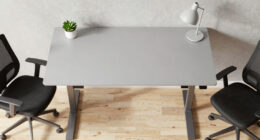
To create a healthy remote workspace, focus on ergonomic furniture that supports your posture and reduces discomfort, such as adjustable chairs and proper desk height. Maximize natural lighting by positioning your desk near windows, and use indirect light or full-spectrum bulbs to prevent glare and eye strain. Small adjustments like these can boost your energy and overall well-being. Keep exploring for more tips on setting up a workspace that promotes health and productivity.
Listen free for 30 days with Audible
Thousands of audiobooks and originals — cancel anytime.
As an affiliate, we earn on qualifying purchases.
Key Takeaways
- Use ergonomic, adjustable furniture to support proper posture and reduce musculoskeletal discomfort.
- Maximize natural lighting by positioning your desk near windows and minimizing glare.
- Ensure your workspace setup promotes correct keyboard, mouse, and monitor placement to prevent strain.
- Incorporate small adjustments like proper desk height and seating to enhance comfort and energy levels.
- Create a balanced environment that encourages health, focus, and sustainable work routines.

Have you ever wondered how your remote workspace can impact your health and productivity? The way you set up your home office makes a significant difference, and paying attention to details like ergonomic furniture and natural lighting can boost both your well-being and efficiency. When you choose ergonomic furniture, you’re investing in your long-term health. An adjustable chair that supports your lower back prevents discomfort and reduces the risk of musculoskeletal issues. A desk at the right height ensures you don’t strain your neck or shoulders while working, and a properly positioned keyboard and mouse can prevent repetitive strain injuries. These adjustments may seem minor, but over time, they can lead to less fatigue and fewer health problems, allowing you to stay focused and energized throughout your workday.
Natural lighting plays an equally essential role in creating a healthy remote workspace. Sitting near a window allows sunlight to flood your space, which not only improves your mood but also helps regulate your circadian rhythm. When your body’s internal clock is properly aligned, you’ll find it easier to wake up refreshed and maintain alertness during working hours. Plus, natural light reduces the need for artificial lighting, which can cause eye strain and headaches if overused or poorly positioned. To maximize natural lighting, position your desk so that the light hits your workspace indirectly, avoiding glare on your screen. If natural light is limited, supplement with full-spectrum bulbs that mimic daylight, helping you stay alert and focused. Incorporating natural light into your workspace can also boost your vitamin D levels, supporting overall health.
Creating a workspace that combines ergonomic furniture and ideal lighting doesn’t require a complete overhaul. Small changes, like replacing your old chair with an adjustable one or repositioning your desk closer to a window, can have a profound impact. Remember, your environment influences your posture, energy levels, and overall health. Prioritizing these elements isn’t just about comfort; it’s about fostering a sustainable work routine that promotes well-being over the long term. By making these thoughtful adjustments, you’ll find your workday becomes more manageable, your productivity increases, and you avoid common issues like eye strain, back pain, or fatigue. Ultimately, your home office should support your health as much as your career goals, so take the time to set it up thoughtfully. Your body and mind will thank you for it.
ergonomic adjustable office chair
As an affiliate, we earn on qualifying purchases.
As an affiliate, we earn on qualifying purchases.
Frequently Asked Questions
How Can I Reduce Distractions in a Home Office?
To reduce distractions in your home office, start with noise management by using headphones or soundproofing. Implement time blocking to schedule focused work sessions, minimizing interruptions. Keep your workspace organized and designate specific areas for work to help you stay on task. Avoid multitasking and set boundaries with household members. These strategies help you maintain concentration, boost productivity, and create a more effective, distraction-free environment for your remote work.
What Ergonomic Accessories Are Essential for Remote Workers?
You need an ergonomic chair and an adjustable desk to stay comfortable and healthy while working remotely. An ergonomic chair provides proper lumbar support, reducing back strain during long hours. An adjustable desk allows you to switch between sitting and standing positions, promoting better circulation and posture. Together, these accessories help prevent discomfort and fatigue, enabling you to focus and work efficiently throughout the day.
How Do I Balance Work and Personal Life Effectively?
Think of your day as a balanced scale, where time management and boundary setting are the weights. To keep it steady, prioritize tasks and set clear boundaries between work and personal life. Use alarms or schedules to manage your time effectively, and communicate your limits to others. By doing so, you create harmony, ensuring work doesn’t spill into your personal space and vice versa.
What Are Signs of Burnout From Remote Work?
You might notice signs of burnout from remote work like mental exhaustion and emotional fatigue, making it hard to stay motivated or focused. You could feel overwhelmed, irritable, or detached from your tasks and colleagues. Physical symptoms like headaches or sleep issues may also appear. If these signs persist, it’s essential to take breaks, set boundaries, and prioritize self-care to prevent further burnout and maintain your well-being.
How Can I Improve My Home Wi-Fi Stability?
To improve your home Wi-Fi stability, optimize your Wi-Fi signal by placing your router in a central, elevated spot away from walls and appliances, ensuring better coverage. Use router placement tips like avoiding obstructions, reducing interference, and updating firmware regularly. Strengthen your connection by minimizing multiple devices competing for bandwidth and considering a mesh network if your space is large. Consistent signal strength keeps your remote work smooth and reliable.
Conclusion
As you design your remote workspace, remember it’s more than just a desk and chair. It’s a sanctuary that fosters productivity and well-being. While technology connects you to the world, don’t forget to disconnect and breathe. A healthy space isn’t just about physical comfort; it’s about nurturing your mind and spirit. In creating this balance, you’ll find that productivity rises, but so does your happiness—showing that a healthy workspace is truly a gateway to a healthier you.
NFL season / tailgating Picks
team gear
As an affiliate, we earn on qualifying purchases.