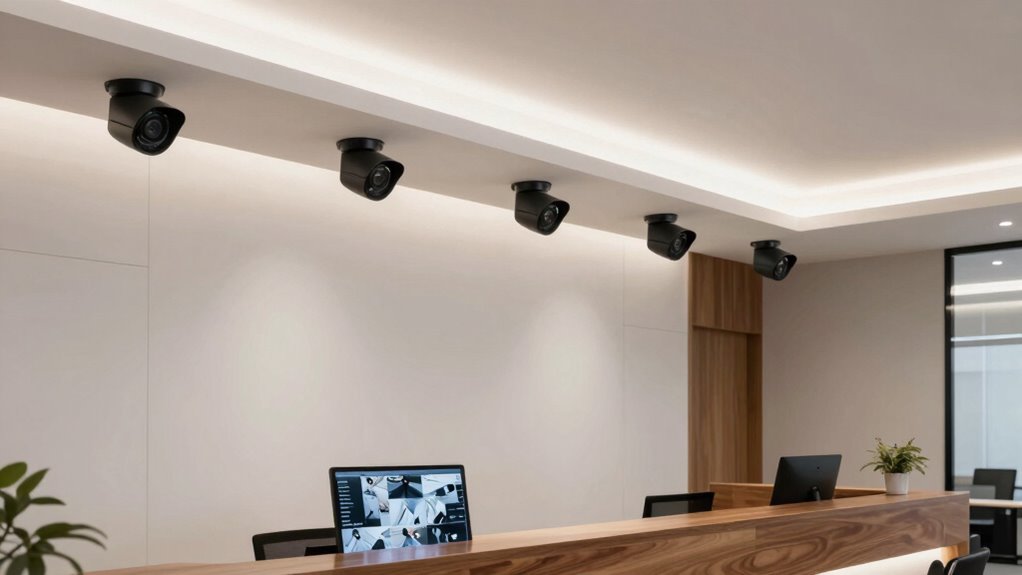

For most reception areas, I’d choose the Blink Mini 2K+ Indoor Security Camera as the best overall balance of clear footage, compact placement, and straightforward setup. The AOQEE 2-Pack stands out when you need wider coverage from auto-tracking cameras, while the Anona 4K 2-Pack suits buyers who prioritize fine image detail across multiple views. The main tradeoffs are coverage versus privacy, sharper video versus storage and network demands, and single-camera simplicity versus multi-camera coverage. One listing, the TP-Link Tapo SolarCam C402 Kit, is designed for outdoor use, so it is a less natural fit for a reception desk than the indoor models. Read on for the full comparison and advice on matching a camera to your floor plan and front-desk workflow.

Get business pricing on office and shipping supplies
- Business-only prices and quantity discounts
- Tax-exempt purchasing
- Multiple users, one account, clear invoices
Key Takeaways
- Blink Mini 2K+ is the clearest single-camera starting point in this lineup; the two-pack versions make more sense when you need separate views of an entrance and reception desk.
- AOQEE’s 360° auto tracking prioritizes moving-subject coverage, which can reduce blind spots, but a fixed view may be preferable when staff need a consistent frame.
- Anona’s 4K two-camera pack favors image detail across multiple positions; higher resolution alone does not solve poor camera placement or limited retention.
- LaView’s four-camera pack is aimed at broad, multi-zone coverage, while its 1080p resolution is a tradeoff for businesses that need more detail from each view.
- The Tapo SolarCam C402 is the lineup’s outdoor outlier; for an indoor reception, the indoor-focused models are generally easier to match to the space.
| TP-Link Tapo SolarCam C402 Kit, 1080p Outdoor Security Camera with Solar Panel |  | Best for Reception Areas Without a Nearby Outlet | Resolution: 1080p | Battery life: Up to 180 days per charge | Solar charging: 45 minutes of direct sunlight provides up to one day of use | VIEW ON AMAZON | See Our Full Breakdown |
| Blink Mini 2K+ Indoor Security Camera, Black |  | Best for Wide, Detailed Reception Coverage | Video resolution: 2K (2560 x 1440) | Field of view: 138° diagonal | Zoom: Up to 4x | VIEW ON AMAZON | See Our Full Breakdown |
| ZEEPORTE 2K Indoor Security Camera |  | Best for Local Recording Without a Cloud Plan | Resolution: 3MP, 2K QHD | Connectivity: Wi-Fi | Night vision range: Up to 30 ft | VIEW ON AMAZON | See Our Full Breakdown |
| AOQEE 2-Pack Indoor Security Cameras with 360° Auto Tracking |  | Best for Monitoring Two Areas with Auto Tracking | Quantity: 2 cameras | Video resolution: 2K HD | Still resolution: 3 MP | VIEW ON AMAZON | See Our Full Breakdown |
| Ring Indoor Cam (2nd Gen), 1080p HD Security Camera, White |  | Best for a Simple Setup with a Physical Privacy Cover | Generation: 2nd Gen (2023 release) | Video: 1080p HD, Live View, Color Night Vision | Field of view: 143° diagonal, 115° horizontal, 59° vertical | VIEW ON AMAZON | See Our Full Breakdown |
| Anona 4K UHD Indoor Security Camera, 2-Pack |  | Best for Detailed, Wide-Area Coverage | Resolution: 4K UHD (8 MP) | Pack size: 2 cameras | Pan and tilt: 360° pan; 110° tilt | VIEW ON AMAZON | See Our Full Breakdown |
| Blink Mini 2K+ Indoor Security Camera, 2-Pack, Black | | Best Two-Camera Starter Set | Resolution: 2K (2560 x 1440) | Pack size: 2 cameras | Field of view: 138° diagonal | VIEW ON AMAZON | See Our Full Breakdown |
| Blink Mini 2K+ Indoor Security Camera |  | Best Compact Single-Camera Pick | Video resolution: 2K (2560 x 1440) | Photo resolution: 1280 x 720 | Field of view: 138° diagonal | VIEW ON AMAZON | See Our Full Breakdown |
| LaView 4-Pack Indoor 1080p Wi-Fi Security Cameras | 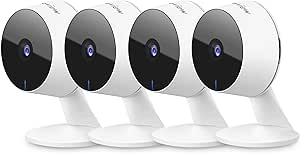 | Best for Multi-Point Coverage | Model: LV-PWF1 | Pack size: 4 cameras | Video resolution: 1080p | VIEW ON AMAZON | See Our Full Breakdown |
| VIMTAG 2.5K Indoor/Outdoor Security Cameras, 2-Pack |  | Best for Mixed Indoor and Outdoor Coverage | Resolution: 2.5K QHD | Pack size: 2 cameras | Water resistance: IP66 | VIEW ON AMAZON | See Our Full Breakdown |
| indoor security cameras for reception area | Audio | Connectivity | Resolution | Storage |
|---|---|---|---|---|
| TP-Link Tapo SolarCam C402 Kit | Two-way audio | — | 1080p | — |
| Blink Mini 2K+ Indoor Security | Two-way audio with noise cancellation | 2.4 GHz Wi-Fi (802.11b/g/n) | — | — |
| ZEEPORTE 2K Indoor Security Ca | Two-way audio | Wi-Fi | 3MP, 2K QHD | microSD card up to 128GB; card not included |
| AOQEE 2-Pack Indoor Security C | — | 2.4 GHz and 5 GHz Wi-Fi, Bluetooth | — | TF card (8 GB–128 GB, not included) or optional cloud storage |
| Ring Indoor Cam | Two-way audio with noise cancellation | 2.4 GHz Wi-Fi (802.11 b/g/n) | — | — |
| Anona 4K UHD Indoor Security C | — | — | 4K UHD (8 MP) | MicroSD up to 512 GB (not included) or cloud |
| Blink Mini 2K+ Indoor Security | Two-way audio with noise cancellation | 2.4 GHz Wi-Fi (802.11b/g/n) | 2K (2560 x 1440) | — |
| Blink Mini 2K+ Indoor Security | Two-way audio with noise cancellation | 2.4 GHz Wi-Fi (802.11b/g/n) | — | — |
| LaView 4-Pack Indoor 1080p Wi- | — | 2.4 GHz Wi-Fi | — | MicroSD up to 128 GB; 30-day cloud storage trial |
| VIMTAG 2.5K Indoor/Outdoor Sec | Two-way audio | — | 2.5K QHD | Cloud subscription or separately purchased microSD card |
More Details on Our Top Picks
TP-Link Tapo SolarCam C402 Kit, 1080p Outdoor Security Camera with Solar Panel
The Tapo SolarCam C402 Kit is the unusual pick here: its included solar panel and battery allow placement where running power would be inconvenient, such as a detached reception entrance or a lobby-facing window area. That freedom is less useful at a standard indoor desk, though, because this is an IP65 outdoor camera rather than a purpose-built indoor model. Its 1080p video is less detailed than the 2K Blink Mini 2K+, while full-color night vision, two-way audio, and local microSD recording cover useful monitoring basics. The panel needs direct sunlight, and charging is specified above 32°F, so an indoor installation may not keep the battery topped up. Choose it for power flexibility; skip it if you want a discreet, plug-in reception camera.
Pros:- Solar panel and built-in battery allow wire-free placement
- Full-color night vision reaches up to 30 feet
- Local microSD storage supports recording without a cloud subscription
- Two-way audio and person detection support remote response
Cons:- Outdoor-oriented design and solar charging are a poor match for many indoor reception desks
- Solar charging depends on direct sunlight and temperatures above 32°F
- Cloud storage requires a subscription
Best for: Reception managers monitoring an entrance or outbuilding where a power outlet is unavailable and the solar panel can receive direct sunlight.
Not ideal for: Businesses seeking a compact, conventional indoor camera for a dim lobby or a location without access to sunlight.
- Resolution:1080p
- Battery life:Up to 180 days per charge
- Solar charging:45 minutes of direct sunlight provides up to one day of use
- Weather resistance:IP65
- Local storage:microSD card up to 512 GB
- Night vision:Full-color, up to 30 ft
- Audio:Two-way audio
- Solar panel cable:13 ft
- Voice assistants:Amazon Alexa and Google Assistant
Our verdict“Choose the Tapo when a reception entrance needs flexible, wire-free placement; choose a plug-in indoor model for a conventional lobby installation.”
Blink Mini 2K+ Indoor Security Camera, Black
For a reception area where one camera needs to cover a broad counter and waiting zone, the Blink Mini 2K+ combines a 138° field of view with 2K video and up to 4x zoom. That gives it more detail potential than the 1080p Ring Indoor Cam, while its compact body and included stand make placement straightforward. It is still a fixed-view camera, unlike the AOQEE 2-Pack’s 360° pan-and-tilt tracking, so careful positioning matters if visitors move beyond the frame. Two-way audio with noise cancellation can help staff speak to someone remotely, but person detection and cloud storage require a subscription. The camera also needs a power outlet. I’d pick it for a single, well-positioned reception view, not for cable-free placement or subscription-free person alerts.
Pros:- 2K video, a 138° diagonal field of view, and up to 4x zoom
- Two-way audio includes noise cancellation
- Compact plug-in design includes a stand and mounting hardware
- Works with Alexa and can provide alerts for a Blink Video Doorbell
Cons:- Person and vehicle detection require a separate subscription
- Cloud video storage beyond the trial requires a subscription
- Requires indoor power; outdoor use needs a separately sold weather-resistant adapter
Best for: Small businesses that want one plug-in camera to cover a wide reception counter and need more image detail for reviewing activity.
Not ideal for: Reception teams that need a moving 360° view, subscription-free person detection, or a camera placed far from an outlet.
- Video resolution:2K (2560 x 1440)
- Field of view:138° diagonal
- Zoom:Up to 4x
- Frame rate:Up to 24/25 FPS
- Audio:Two-way audio with noise cancellation
- Connectivity:2.4 GHz Wi-Fi (802.11b/g/n)
- Power:Plug-in; 100–240 VAC, 50/60 Hz
- Dimensions:2 x 2 x 1.57 inches
- Weight:65 g (camera only)
Our verdict“Choose the Blink Mini 2K+ for a wide, detailed fixed view of a powered reception area, especially if its subscription-dependent features suit your setup.”
ZEEPORTE 2K Indoor Security Camera
The ZEEPORTE 2K Indoor Security Camera makes sense for a reception team that wants clear footage and a local recording option without relying on cloud storage. Its microSD support up to 128GB keeps recordings on-site, although the card is not included. Compared with the Blink Mini 2K+, it offers a built-in siren and customizable activity zones, but Blink provides a wider 138° view and up to 4x zoom. For a front desk, the zones can help reduce alerts from activity outside the area staff need to watch; the siren adds a response option, though it may be disruptive in a public-facing room. Night vision reaches up to 30 feet, and two-way audio supports remote conversation. This is a straightforward indoor choice, but it depends on Wi-Fi and a phone app, with fewer stated connectivity and integration details than some alternatives.
Pros:- 2K QHD video with customizable activity zones
- Local microSD recording works without a cloud subscription
- Night vision reaches up to 30 feet
- Two-way audio and a built-in siren provide remote response options
Cons:- MicroSD card is not included
- Requires Wi-Fi and a phone app
- No field-of-view specification is provided, making reception coverage harder to plan
Best for: Small reception teams that prefer local microSD recording and want activity zones, two-way audio, and a siren in one indoor camera.
Not ideal for: Businesses needing a wide-angle view, stated smart-assistant support, or recording ready to use without buying a memory card.
- Resolution:3MP, 2K QHD
- Connectivity:Wi-Fi
- Night vision range:Up to 30 ft
- Night vision hardware:6 IR LEDs
- Audio:Two-way audio
- Security features:Motion detection, customizable activity zones, built-in siren
- Storage:microSD card up to 128GB; card not included
- Dimensions:2 x 2 x 1 inches
- Model:CK1
Our verdict“Choose ZEEPORTE if local recording and customizable alerts matter more than a documented wide viewing angle or a ready-included memory card.”
AOQEE 2-Pack Indoor Security Cameras with 360° Auto Tracking
The AOQEE 2-Pack is the strongest fit here when a reception operation needs cameras in two places, such as the front desk and a waiting area. Its 360° pan-and-tilt auto tracking can follow movement across each room, covering ground a fixed-view Blink Mini 2K+ or Ring Indoor Cam cannot. Two cameras also make it easier to separate busy zones rather than stretching one view across the whole lobby. The tradeoff is that it is indoor-only, and local recording needs a TF card that is not included; cloud storage is optional. It supports 2.4 GHz and 5 GHz Wi-Fi, plus Alexa live streaming, though Alexa support is limited to that use. Choose AOQEE for room coverage and tracking, not for a simple fixed view or an outdoor-facing entrance.
Pros:- Two cameras can cover separate reception areas
- 360° pan-and-tilt auto tracking follows movement around a room
- Supports local TF card storage without an ongoing subscription
- Person detection, night vision, and two-way audio support active monitoring
Cons:- TF cards are not included
- Designed for indoor use only
- Alexa compatibility is limited to live streaming
Best for: Businesses that want two cameras to monitor separate indoor reception zones and value movement tracking over a fixed camera angle.
Not ideal for: Teams needing outdoor coverage, included local-storage cards, or broader Alexa controls than live streaming.
- Quantity:2 cameras
- Video resolution:2K HD
- Still resolution:3 MP
- Viewing angle:99 degrees
- Connectivity:2.4 GHz and 5 GHz Wi-Fi, Bluetooth
- Storage:TF card (8 GB–128 GB, not included) or optional cloud storage
- Features:360° pan-and-tilt auto tracking, night vision, person detection, motion alerts, two-way audio
- Mounting options:Self-standing, wall, or ceiling mount
- Dimensions:2.83 × 2.83 × 4.49 inches
Our verdict“Choose the AOQEE two-pack when tracking and coverage of two indoor reception zones matter more than outdoor use or a fixed, simpler setup.”
Ring Indoor Cam (2nd Gen), 1080p HD Security Camera, White
The Ring Indoor Cam (2nd Gen) is a practical choice for a reception desk where staff want a familiar plug-in camera and a clear way to block the lens when monitoring should stop. Its manual privacy cover addresses a real workplace concern more directly than the Blink Mini 2K+, which offers higher resolution but no listed physical cover. Ring records in 1080p with Color Night Vision and has a 143° diagonal field of view, slightly broader on paper than Blink’s 138° view, though Blink supplies 2K detail and zoom. Two-way audio with noise cancellation supports remote communication, and motion alerts can be customized. The tradeoffs are the need for Wi-Fi and an outlet, plus subscription requirements for video storage and some features. I’d favor Ring when privacy control matters more than sharper recorded detail.
Pros:- Manual privacy cover blocks the camera and microphone
- 1080p video with Color Night Vision and Live View
- 143° diagonal field of view and flexible mounting options
- Two-way audio with noise cancellation and customizable motion detection
Cons:- Requires a power outlet and Wi-Fi
- Video storage and some features require a compatible Ring subscription
- Records at 1080p rather than the 2K resolution offered by Blink Mini 2K+
Best for: Reception teams that want a plug-in camera with a physical privacy cover and customizable motion alerts in a Ring-compatible setup.
Not ideal for: Businesses that need higher-resolution footage, local storage details, or a camera that works without Wi-Fi and a power outlet.
- Generation:2nd Gen (2023 release)
- Video:1080p HD, Live View, Color Night Vision
- Field of view:143° diagonal, 115° horizontal, 59° vertical
- Audio:Two-way audio with noise cancellation
- Motion detection:Customizable motion detection
- Connectivity:2.4 GHz Wi-Fi (802.11 b/g/n)
- Power:Plug-in; 6.5 ft Micro USB power adapter
- Dimensions:1.93 x 1.93 x 3.81 in.
- Operating temperature:-4°F to 113°F (-20°C to 45°C)
Our verdict“Choose the Ring Indoor Cam if a physical privacy cover and Ring compatibility matter more than 2K recording or subscription-free storage.”
Anona 4K UHD Indoor Security Camera, 2-Pack
For a reception desk that needs both a broad view and detail when checking activity, this pair stands out for 4K video, 360° pan, and motion auto-tracking. The cameras can follow movement across a room, while 8x digital zoom offers more detail than the Blink Mini 2K+ cameras’ up-to-4x zoom. That makes Anona the stronger fit for watching a larger waiting area or more than one approach to the desk. Person detection and two-way audio add useful monitoring and visitor communication options, and buyers can choose local microSD storage or encrypted cloud storage. The tradeoff is 15 fps video, which may look less fluid during fast movement, and the microSD card is not included. Its more advanced coverage is unnecessary for a small, fixed reception desk.
Pros:- 4K resolution and 8x digital zoom provide detailed views
- 360° pan, 110° tilt, and auto-tracking cover more of a room
- Local microSD and encrypted cloud storage options
- Person detection and two-way audio support visitor monitoring
Cons:- Records at 15 frames per second
- MicroSD cards must be purchased separately
- Pet and baby-cry detection add features that may not matter in a reception area
Best for: Reception teams monitoring a larger room who want cameras that can follow movement and provide zoomed-in detail.
Not ideal for: Small offices that only need a fixed view of the front desk, or buyers who want higher frame rates and storage included.
- Resolution:4K UHD (8 MP)
- Pack size:2 cameras
- Pan and tilt:360° pan; 110° tilt
- Zoom:8x digital
- Frame rate:15 frames per second
- Wi-Fi:Dual-band 2.4 GHz and 5 GHz; Wi-Fi 6
- Detection:Person, pet, and baby crying
- Storage:MicroSD up to 512 GB (not included) or cloud
- Audio and power:Two-way audio; corded electric, 5 V
Our verdict“Choose Anona if you need two cameras to track activity across a broad reception area and value detail over smoother video.”
Blink Mini 2K+ Indoor Security Camera, 2-Pack, Black
This two-camera Blink set is a practical starting point for a small reception area with separate desk and entry views. Each compact camera has a 138° diagonal field of view, 2K video, and two-way audio with noise cancellation, so staff can check in remotely and speak to someone near the camera. Unlike the LaView four-pack, Blink supplies only two cameras, but the Blink units offer higher resolution and a wider stated viewing angle than LaView’s 1080p, 84-degree cameras. Mounting hardware, USB-C cables, and power adapters are included, which keeps initial setup straightforward. The main compromise is service dependence: person and vehicle detection and cloud storage beyond the trial require a subscription. Its 2.4 GHz-only Wi-Fi also gives less network flexibility than the dual-band Anona system.
Pros:- Two 2K cameras with a 138° diagonal field of view
- Two-way audio includes noise cancellation
- Mounting kits, USB-C cables, and power adapters are included
- Works with Alexa
Cons:- Person and vehicle detection requires an optional subscription
- Cloud storage beyond the trial requires a subscription
- Supports 2.4 GHz Wi-Fi only
Best for: Small offices wanting two compact, plug-in cameras with included mounting accessories and Alexa compatibility.
Not ideal for: Businesses that need subscription-free person detection, cloud recording, or 5 GHz Wi-Fi support.
- Resolution:2K (2560 x 1440)
- Pack size:2 cameras
- Field of view:138° diagonal
- Zoom:Up to 4x
- Frame rate:Up to 24/25 FPS
- Connectivity:2.4 GHz Wi-Fi (802.11b/g/n)
- Audio:Two-way audio with noise cancellation
- Dimensions and weight:2 x 2 x 1.57 inches; 65 g per camera
- Compatibility:Alexa; iOS 16.4 or later, Android 10 or later, Fire OS 8
Our verdict“Pick this set for an easy two-camera reception setup if you are comfortable with its subscription-dependent detection and cloud features.”
Blink Mini 2K+ Indoor Security Camera
When one compact camera is enough for a reception desk, this single Blink Mini 2K+ keeps the setup simple without sacrificing a wide 138° view. Its 2K video and up-to-4x zoom offer more detail than the 1080p LaView cameras, while its small footprint makes it easier to place discreetly on a counter or shelf. Two-way audio with noise cancellation can help staff respond to a visitor without walking to the entrance. Compared with the two-camera Blink bundle, this listing suits buyers who want one view rather than coverage across multiple zones. The limits are worth weighing: it uses 2.4 GHz Wi-Fi only, and person and vehicle detection plus cloud storage beyond the free trial require a subscription. It is a fixed-view camera, not a pan-and-tilt system like Anona.
Pros:- Compact 2 x 2-inch design is easy to place on a desk or shelf
- 2K video, up to 4x zoom, and a 138° diagonal field of view
- Two-way audio includes noise cancellation
- Works with Alexa
Cons:- Person and vehicle detection requires a subscription
- Cloud storage beyond the free trial requires a subscription
- 2.4 GHz Wi-Fi only; no pan or tilt
Best for: A small office or solo reception desk that needs one discreet, plug-in camera with a broad view.
Not ideal for: Reception areas needing multiple viewpoints, camera movement, or subscription-free person detection and cloud storage.
- Video resolution:2K (2560 x 1440)
- Photo resolution:1280 x 720
- Field of view:138° diagonal
- Zoom:Up to 4x
- Frame rate:Up to 24/25 FPS
- Connectivity:2.4 GHz Wi-Fi (802.11b/g/n)
- Audio:Two-way audio with noise cancellation
- Dimensions and weight:2 x 2 x 1.57 inches; 65 g
- Power and compatibility:Plug-in, 100–240 VAC; iOS 16.4+, Android 10+, Fire OS 8
Our verdict“Choose the single Blink Mini 2K+ for a compact, wide-view camera at one reception point, not for multi-zone or subscription-free monitoring.”
LaView 4-Pack Indoor 1080p Wi-Fi Security Cameras
For a reception area with several entrances, corridors, or waiting-room corners, LaView’s main advantage is simple: four cameras in one set. That makes it easier to cover multiple fixed positions than either two-camera Blink bundle, though each LaView camera has a narrower 84-degree viewing angle and lower 1080p resolution than the Blink Mini 2K+. Infrared night vision reaches up to 33 feet, and staff can view feeds through the app or web browser and share access with up to 20 people. That broad access can suit a team that shares reception duties. The tradeoff is a more constrained setup: the cameras use 2.4 GHz Wi-Fi, require wired power, and are designed for indoor use. Local microSD storage is supported, but each card is limited to 128 GB.
Pros:- Four cameras cover more fixed locations than the two-camera sets
- Infrared night vision reaches up to 33 feet
- Two-way audio and motion alerts support remote checks
- Supports microSD recording and app, web, and shared access
Cons:- 1080p resolution and an 84-degree viewing angle are more limited than the Blink Mini 2K+
- Requires wired power and supports 2.4 GHz Wi-Fi only
- Indoor-only design and microSD support up to 128 GB
Best for: Businesses that need fixed views at several indoor points and want to share camera access with a large staff group.
Not ideal for: Offices needing high-resolution identification detail, wireless placement, outdoor coverage, or 5 GHz Wi-Fi.
- Model:LV-PWF1
- Pack size:4 cameras
- Video resolution:1080p
- Sensor resolution:2.1 MP
- Viewing angle:84 degrees
- Night vision:Infrared, up to 33 ft
- Connectivity:2.4 GHz Wi-Fi
- Storage:MicroSD up to 128 GB; 30-day cloud storage trial
- Audio and compatibility:Two-way audio with noise cancellation; Alexa, iOS, Android, and web access
Our verdict“Choose LaView when covering several indoor reception points matters more than wide-angle views or higher-resolution video.”
VIMTAG 2.5K Indoor/Outdoor Security Cameras, 2-Pack
VIMTAG earns its place for businesses that want a pair of cameras usable both inside reception and at a sheltered exterior point. Its IP66 water resistance sets it apart from the indoor-only Blink Mini 2K+ and LaView models, while 2.5K video, color night vision, and human, motion, and sound detection give it a broader monitoring toolkit. Built-in light and siren alerts may help draw attention to activity, and two-way audio supports direct communication. For a reception area alone, though, this versatility may be more than needed: Anona offers 4K resolution, pan, tilt, and auto-tracking, while VIMTAG’s listed specs do not include camera movement. Recording also calls for planning, since cloud storage requires a subscription and local microSD cards are sold separately.
Pros:- IP66 water resistance supports indoor and outdoor placement
- 2.5K video with color night vision and a 33-foot night vision range
- Human, motion, and sound detection with phone alerts
- Two-way audio plus light and siren alerts
Cons:- Cloud recording requires a subscription
- MicroSD cards for local storage are sold separately
- No pan, tilt, or auto-tracking is listed, unlike the Anona 4K pair
Best for: Small businesses that want two cameras for reception and an outdoor-facing or weather-exposed location.
Not ideal for: Indoor-only offices seeking pan-and-tilt coverage, included storage media, or cloud recording without a subscription.
- Resolution:2.5K QHD
- Pack size:2 cameras
- Water resistance:IP66
- Night vision range:33 feet
- Wi-Fi:2.4 GHz and 5 GHz
- Detection:Human, motion, and sound
- Storage:Cloud subscription or separately purchased microSD card
- Audio:Two-way audio
- Power and mounting:Corded electric, 5 V/5 W; wall, ceiling, tabletop, freestanding, door, or window
Our verdict“Pick VIMTAG if one camera pair must serve both reception and outdoor locations, but choose Anona for movable, detail-focused indoor coverage.”

How We Picked
I ranked these cameras for the realities of a reception area: seeing the entrance and counter clearly, fitting a camera into a public-facing space, and keeping the system manageable for staff. I weighed resolution and field-of-view features alongside camera count, setup complexity, placement flexibility, and whether the product is designed for indoor use. A sharp image is useful only if the camera covers the right area, and extra cameras add little if their views overlap or create unnecessary monitoring.
The order favors options with a practical balance of indoor suitability, coverage, and ease of choosing the right configuration. The Blink Mini 2K+ single camera leads as a straightforward starting point, while multi-camera kits rank higher for spaces that need distinct viewing zones. The 4K Anona option earns a role for buyers prioritizing detail, and the LaView pack favors breadth over resolution. I place the outdoor-focused Tapo SolarCam last for this particular use case, not because outdoor design is inherently poor, but because it is a less direct match for a reception interior.
| indoor security cameras for reception area | Audio | Storage |
|---|---|---|
| TP-Link Tapo SolarCam C402 Kit | Two-way audio | — |
| Blink Mini 2K+ Indoor Security | Two-way audio with noise cancellation | — |
| ZEEPORTE 2K Indoor Security Ca | Two-way audio | microSD card up to 128GB; card not included |
| AOQEE 2-Pack Indoor Security C | — | TF card (8 GB–128 GB, not included) or optional cloud storage |
| Ring Indoor Cam | Two-way audio with noise cancellation | — |
| Anona 4K UHD Indoor Security C | — | MicroSD up to 512 GB (not included) or cloud |
| Blink Mini 2K+ Indoor Security | Two-way audio with noise cancellation | — |
| Blink Mini 2K+ Indoor Security | Two-way audio with noise cancellation | — |
| LaView 4-Pack Indoor 1080p Wi- | — | MicroSD up to 128 GB; 30-day cloud storage trial |
| VIMTAG 2.5K Indoor/Outdoor Sec | Two-way audio | Cloud subscription or separately purchased microSD card |
Factors to Consider When Choosing Indoor Security Cameras For Reception Areas
Choosing a reception camera is less about collecting the most features and more about covering the right moments without disrupting daily work. I’d start with the layout and what staff actually need to see, then match resolution, camera movement, storage, and privacy controls to that plan.
Map the View Before Choosing the Camera
Mark the entrance, visitor waiting area, and counter on a simple floor plan before buying anything. A camera aimed at the counter may miss faces approaching from the door, while a wide view can make people appear too small for useful detail. Check for glass reflections, bright windows, and overhead lights that could wash out the image. A two-camera setup can be more useful than a single high-resolution camera when the entrance and desk are separated. Avoid placing cameras where monitors, shelves, or signage will block the view. Aim to record relevant activity while limiting views into private offices or staff-only areas.
Choose Resolution for the Distance You Need to See
Higher resolution can preserve more detail, but it cannot compensate for a camera mounted too far away or pointed at the wrong angle. For a compact reception desk, a 1080p view may be enough to monitor general activity; identifying details from across a lobby calls for closer framing and potentially a sharper image. Higher-resolution video may also demand more network capacity and storage, depending on the camera and recording setup. Don’t pay for extra pixels before checking whether the camera can be positioned close enough to capture the area that matters. Compare the intended viewing distance with the camera’s available image and coverage information. A well-placed camera at moderate resolution can be more useful than a poorly placed high-resolution one.
Decide Whether Moving Coverage Helps or Hurts
Auto-tracking and pan-and-tilt features can follow a person through a wider area, which may help in an open waiting room. They can also leave a fixed point, such as the reception counter or entrance, outside the frame while the camera follows movement elsewhere. A fixed camera gives staff a consistent view and may be simpler to interpret when reviewing footage. Consider whether the room has one focal point or several routes visitors take through it. If you use a moving camera, test how it behaves when multiple people are present and whether it returns to a useful default position. For a small reception, stable coverage can be more valuable than motion-following features.
Plan Camera Count Around Separate Zones
Buying a multi-camera pack is useful when each camera has a distinct job, such as viewing the entrance, counter, and a side corridor. More units can also mean more setup, more devices on the network, and additional work maintaining power and camera positions. Measure whether one camera’s view can cover two adjacent zones before adding another. Avoid placing cameras so their views heavily overlap while leaving a different area uncovered. Keep the number of cameras aligned with the space and the people responsible for checking them. For a compact front desk, one well-positioned unit may be easier to manage than a larger kit.
Check Recording, Retention, and Network Needs
Live viewing and recorded footage solve different problems: a live feed helps staff respond, while saved video helps reconstruct an event later. Before choosing a camera, confirm how its recording works, where footage is stored, how long it can be retained, and whether any functions depend on a subscription or other service. Those details can vary by model and configuration, so check the current product documentation rather than assuming all cameras in a family behave alike. Several cameras and higher-resolution streams can place more demand on a business Wi-Fi network. Test the planned camera locations for reliable signal, especially near exterior walls or reception areas with dense equipment. Set access permissions so only authorized staff can view footage.
Treat Privacy and Staff Communication as Part of Setup
A reception camera records employees as well as visitors, so its placement and operating practices matter. Point the lens toward public-facing zones and away from private work areas wherever possible. Review local rules and workplace policies covering video monitoring, notice, audio recording, and footage retention before installation. Audio capture deserves particular attention because visitors and staff may not expect conversations to be recorded. Use available privacy controls or schedules when the reception area is not meant to be monitored. Clear internal guidance about who can access recordings and why helps prevent casual or inappropriate viewing.
Frequently Asked Questions
Is one camera enough to monitor a small reception area?
It can be, if the entrance and counter fall within one usable view and neither is blocked by furniture or walls. Before purchasing a second camera, check whether a single placement can show visitors approaching and staff interacting at the desk. A wide view may cover more space but make faces and other details smaller. If the entrance sits around a corner or the desk is far from the door, separate cameras can provide more useful angles. Choose based on distinct coverage needs, not simply the number of cameras in a bundle.
Should I choose a 4K camera for reception security?
Choose 4K when fine image detail at the planned viewing distance is a priority and your network and recording setup can support the resulting video needs. It is not automatically the best choice for every lobby: a camera pointed at a large room may still show people too small to identify clearly. Position and framing often matter more than resolution alone. If the reception is compact and the goal is general activity monitoring, a lower-resolution camera may be adequate. Compare the actual view you need with storage, bandwidth, and retention requirements before paying for greater resolution.
Are auto-tracking cameras a good fit for a staffed front desk?
They can help cover movement through an open waiting area, especially when visitors approach from different directions. The tradeoff is that a moving camera may turn away from the desk or entrance at the moment you want a steady view. A fixed camera is often easier for staff to monitor because its framing stays predictable. If you favor auto-tracking, check how it responds to multiple people and whether it can return to a set viewing position. For a small, focused reception zone, consistent framing may be the more useful behavior.
What should I verify about footage storage before buying?
Confirm whether the camera supports live viewing only or also saves recordings, and check where recordings are kept and how long they remain available. Review which features rely on a subscription or other ongoing service, since access and retention options can differ between models. Think about who will retrieve footage and how quickly it may be needed after an incident. If you plan to install multiple cameras, account for the combined network and storage load. Keep a written retention and access policy that matches your organization’s needs and applicable rules.
Can I use an outdoor camera inside a reception area?
An outdoor-rated camera may physically work indoors, but its design can be less convenient for a reception space than an indoor model. Check how it is powered, mounted, connected, and controlled before choosing it for an interior. The Tapo SolarCam C402 Kit is the lineup’s outdoor-focused option, so its solar-oriented setup is a less direct match for an indoor desk or lobby. An indoor camera is usually the simpler starting point when the unit will stay inside and near a power source. Choose the outdoor model only if its particular installation needs make sense for your space.
Conclusion
For a straightforward single-camera setup, I’d pick the Blink Mini 2K+ Indoor Security Camera as the best overall fit for many reception areas. The Blink Mini 2K+ 2-Pack is my best value-style choice when two distinct views are needed, while Anona’s 4K 2-Pack is the best premium-leaning option for buyers who put image detail across multiple positions first. Beginners can start with the single Blink Mini 2K+ rather than managing a larger kit. For broad coverage with moving subjects, I’d look at the AOQEE 2-Pack; for several separate zones, the LaView 4-Pack has the larger camera count. I’d skip the outdoor-focused Tapo SolarCam for a typical indoor reception unless its installation design specifically suits the space. Match the final pick to your floor plan, recording needs, and privacy policy—not resolution or camera count alone.
Halloween Picks
halloween
As an affiliate, we earn on qualifying purchases.