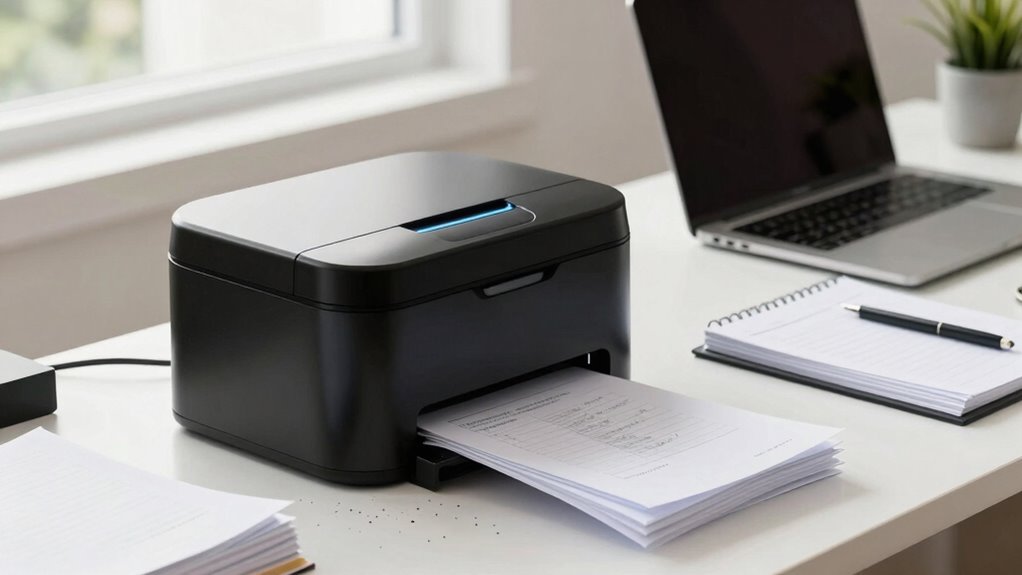
For a startup, an auto feed paper shredder solves a real bottleneck: instead of standing over a machine feeding sheets one at a time, your team stacks a pile, hits start, and walks away. The Kitnery 400-Sheet Auto-Feed P-5 Micro-Cut earns my top spot for combining the largest stack capacity in this lineup with the highest security level — ideal when investor docs and client data pile up faster than anyone can shred. The Aurora AU200MA is the smarter mid-range choice for teams that want commercial-grade 200-sheet micro-cut throughput without paying for extras they won’t use, while the Wingwise 60-Sheet keeps things lean for tiny offices that shred occasionally. The core tradeoff in this category is capacity versus footprint and cost: bigger feed trays and P-5 security come with larger machines and longer duty cycles, which can overwhelm a two-desk office. Keep reading for the full breakdown of all ten models.

Get business pricing on office and shipping supplies
- Business-only prices and quantity discounts
- Tax-exempt purchasing
- Multiple users, one account, clear invoices
Key Takeaways
- Feed capacity varied more than any other spec — from 60 sheets (Wingwise) to 400 sheets (Kitnery) — and it was the single biggest factor separating casual-use models from true set-and-forget machines.
- Every QUIETLEMON model in the lineup delivers P-5 micro-cut security, making that brand the go-to if regulatory compliance (finance, health, legal adjacent) drives the purchase.
- Two models — the Amazon Basics and QUIETLEMON OL100 — use cross-cut (P-4 or lower) rather than micro-cut, trading maximum security for lower cost and faster shred cycles.
- Bin size doesn’t scale with feed capacity across this lineup: the Kitnery’s 400-sheet tray still demands more frequent emptying than you’d expect, while the Amazon Basics’ 8.5-gallon pullout bin is the largest here.
- Touchscreen controls (QUIETLEMON OL288) remain a differentiator, not a standard — most models in this price band still use basic button panels, which matters if multiple teammates share the machine.
| BONSEN 300-Sheet Auto-Feed Micro-Cut Paper Shredder |  | Best Overall | Cut Type: Micro-cut (P-4) | Auto-Feed Capacity: 300 sheets | Manual Feed Capacity: 12 sheets | VIEW ON AMAZON | See Our Full Breakdown |
| Amazon Basics 200-Sheet Auto Feed Cross-Cut Paper Shredder, P-4, Anti-Jam, 8.5 Gallon Pullout Bin |  | Best Value | Cut Type: Cross-cut (P-4) | Auto Feed Capacity: 200 sheets | Manual Feed Capacity: 10 sheets | VIEW ON AMAZON | See Our Full Breakdown |
| QUIETLEMON OL288 Paper Shredder – 200-Sheet Auto Feed, P-5 Micro Cut, Touchscreen, 5.8 Gal Bin |  | Best Security | Cut Type: Micro-cut (P-5, 2×10 mm) | Auto Feed Capacity: 200 sheets | Manual Feed Capacity: 7 sheets | VIEW ON AMAZON | See Our Full Breakdown |
| Aurora AU200MA Commercial Grade 200-Sheet Auto-Feed Micro-Cut Paper Shredder |  | Best Premium | Cut Type: Micro-cut (P-5, 2×12 mm) | Auto Feed Capacity: 200 sheets | Manual Feed Capacity: 10 sheets | VIEW ON AMAZON | See Our Full Breakdown |
| Bonsaii 120-Sheet Autofeed Micro-Cut Paper Shredder |  | Best Compact Pick | Cut Type: Micro-cut (P-4, 4×12 mm) | Auto Feed Capacity: 120 sheets | Manual Feed Capacity: 12 sheets | VIEW ON AMAZON | See Our Full Breakdown |
| Bonsaii 200-Sheet Auto Feed Micro Cut Heavy Duty Paper Shredder |  | Best Overall for Busy Offices | Auto-feed capacity: 200 sheets (letter-size) | Manual-feed capacity: 12 sheets | Continuous run time: 60 minutes (auto-feed), 30 minutes (manual) | VIEW ON AMAZON | See Our Full Breakdown |
| QUIETLEMON OL287 2.0 120-Sheet Auto-Feed Micro-Cut Paper Shredder |  | Best Value Auto-Feed | Auto-feed capacity: Up to 120 sheets | Manual-feed capacity: Up to 8 sheets | Security level: P-4 micro cut | VIEW ON AMAZON | See Our Full Breakdown |
| Kitnery 400-Sheet Auto-Feed P-5 Micro-Cut Paper Shredder |  | Best for Maximum Security | Cut type: P-5 micro cut | Shred size: 2 × 12 mm | Automatic feed capacity: 400 sheets | VIEW ON AMAZON | See Our Full Breakdown |
| QUIETLEMON OL100 100-Sheet Auto-Feed Cross-Cut Paper Shredder |  | Best for Small Teams on a Budget | Auto-feed capacity: Up to 100 sheets | Manual-feed capacity: Up to 6 sheets of 75 g paper | Cut type: Cross-cut, P-4 | VIEW ON AMAZON | See Our Full Breakdown |
| Wingwise 60-Sheet Auto-Feed Paper Shredder |  | Best Compact All-Rounder | Cut type: Cross-cut, P-4 | Auto-feed capacity: 60 sheets | Continuous runtime: 40 minutes in auto-feed mode | VIEW ON AMAZON | See Our Full Breakdown |
| auto feed paper shredders for startup | Bin Capacity | Cut Type | Noise Level | Manual Feed Capacity |
|---|---|---|---|---|
| BONSEN 300-Sheet Auto-Feed Mic | 8.1 gallons | Micro-cut (P-4) | 58 dB | 12 sheets |
| Amazon Basics 200-Sheet Auto F | 8.5 gallons | Cross-cut (P-4) | — | 10 sheets |
| QUIETLEMON OL288 Paper Shredde | 5.8 gallons (up to 500 sheets) | Micro-cut (P-5, 2×10 mm) | Under 60 dB | 7 sheets |
| Aurora AU200MA Commercial Grad | 8.5 gallons | Micro-cut (P-5, 2×12 mm) | — | 10 sheets |
| Bonsaii 120-Sheet Autofeed Mic | 6 gallons | Micro-cut (P-4, 4×12 mm) | — | 12 sheets |
| Bonsaii 200-Sheet Auto Feed Mi | 8.1 gallons (~700 sheets) | — | ≤58dB | — |
| QUIETLEMON OL287 2.0 120-Sheet | 20 L (5.28 gallons), up to 400 sheets | — | Less than 63 dB | — |
| Kitnery 400-Sheet Auto-Feed P- | 13.2 gallons (50 L) | P-5 micro cut | Less than 56 dB | 8 sheets |
| QUIETLEMON OL100 100-Sheet Aut | 17 L (4.5 gallons) | Cross-cut, P-4 | Below 63 dB | — |
| Wingwise 60-Sheet Auto-Feed Pa | 5.8 gallons | Cross-cut, P-4 | 52 dB | — |
More Details on Our Top Picks
BONSEN 300-Sheet Auto-Feed Micro-Cut Paper Shredder
This model earns the top spot because it solves the two problems that actually slow startups down: babysitting the shredder and mid-day overheating. With a 300-sheet auto-feed tray — the largest in this batch — you can stack a whole stack of old financials before a team meeting and come back to an empty tray. The 60-minute auto-mode run time beats the Bonsaii 120-sheet model, which needs an hour of rest after just 30 minutes of work. Unlike the Amazon Basics cross-cut unit, this one accepts credit cards and staples in manual mode, so mixed cleanouts don’t stall. The tradeoff is weight: at 33.5 pounds, it lives wherever you first set it down.
Pros:- Largest auto-feed capacity in the lineup at 300 sheets
- Manual mode accepts credit cards, staples, and clips for mixed cleanouts
- P-4 micro-cut particles keep client and financial data unreadable
- Quiet 58 dB operation suits open-plan offices
Cons:- At 33.5 pounds, it’s awkward to reposition once placed
- Auto mode handles paper only, so cards must go through manually
Best for: Founders and small offices that shred in large, irregular batches and want maximum unattended capacity
Not ideal for: Teams that mostly shred plastic cards and CDs in auto mode — the auto feed is paper-only, so mixed media requires manual feeding
- Cut Type:Micro-cut (P-4)
- Auto-Feed Capacity:300 sheets
- Manual Feed Capacity:12 sheets
- Run Time:Up to 60 min auto / 30 min manual
- Bin Capacity:8.1 gallons
- Noise Level:58 dB
- Weight:33.5 pounds
Our verdict“The best pick for a growing startup that wants to load a big pile, walk away, and trust the job gets done.”
Amazon Basics 200-Sheet Auto Feed Cross-Cut Paper Shredder, P-4, Anti-Jam, 8.5 Gallon Pullout Bin
For a bootstrapped startup watching every expense, this option makes the most sense because it delivers the core auto-feed promise without premium pricing. The 200-sheet tray matches what Aurora’s AU200MA offers, though with cross-cut rather than micro-cut particles — still P-4 rated, so fine for ordinary business documents. Where it falls behind is thermal management: a 45-minute cool-down after continuous use is longer than most rivals here, and the BONSEN’s 60-minute auto run makes it the better choice for all-day marathon shredding. It also refuses credit cards entirely, unlike the BONSEN or QUIETLEMON OL288. Still, the anti-jam auto-reverse and LED status indicators keep day-to-day operation frustration-free for a lean team.
Pros:- 200-sheet auto feed at an accessible price point
- Anti-jam auto-reverse and LED indicators simplify daily use
- 8.5-gallon pull-out bin empties without lifting the cutting head
- Staples don’t need removing before shredding
Cons:- 45-minute cool-down period interrupts heavy shredding days
- Cannot shred credit cards or any metallic items
- Only a 10-minute run time in manual mode
Best for: Budget-conscious startups that shred standard paper documents and want reliable auto-feed without paying for premium features
Not ideal for: Teams that need to destroy cards or shred continuously — the 45-minute cool-down and paper-only diet will slow them down
- Cut Type:Cross-cut (P-4)
- Auto Feed Capacity:200 sheets
- Manual Feed Capacity:10 sheets
- Run Time:60 min auto / 10 min manual
- Cool Down Time:45 minutes
- Bin Capacity:8.5 gallons
- Weight:32.9 pounds
Our verdict“A sensible entry point for paper-only offices that want set-it-and-forget-it shredding at startup-friendly pricing.”
QUIETLEMON OL288 Paper Shredder – 200-Sheet Auto Feed, P-5 Micro Cut, Touchscreen, 5.8 Gal Bin
When the documents being destroyed include term sheets, cap tables, or client PII, this model’s P-5 micro-cut matters — each page becomes thousands of 2×10 mm particles, a step above the P-4 cuts from BONSEN or Amazon Basics. It also handles physical logistics better than most: at 28.66 pounds with four 360° wheels, it’s the easiest machine in this batch to roll between rooms, and the touchscreen beats hunting for physical switches. The compromises are real, though. The 5.8-gallon bin is the smallest here, meaning more frequent emptying, and the 7-sheet manual feed jams readily if you’re impatient with thick stock. Compared with the Aurora AU200MA’s same 200-sheet tray but bigger bin, this pick trades capacity for higher security.
Pros:- P-5 micro-cut produces over 3,000 unreadable particles per page
- Rolling wheels and lighter weight make it easy to relocate
- Touchscreen controls and automatic paper retraction add polish
- Quiet sub-60 dB operation fits shared workspaces
Cons:- 7-sheet manual capacity is sensitive and jams when overloaded
- 5.8-gallon bin requires more frequent emptying than rivals
- Cannot shred CDs or metal cards
Best for: Startups handling sensitive legal, financial, or client data that legally or ethically demands higher-grade destruction
Not ideal for: High-volume shredders — the small bin and jam-prone manual slot make it frustrating for daily bulk work
- Cut Type:Micro-cut (P-5, 2×10 mm)
- Auto Feed Capacity:200 sheets
- Manual Feed Capacity:7 sheets
- Continuous Run Time:40 min auto / 20 min manual
- Bin Capacity:5.8 gallons (up to 500 sheets)
- Noise Level:Under 60 dB
- Weight:28.66 lbs
- Warranty:2 years
Our verdict“The right choice when document sensitivity, not throughput, drives the purchase decision.”
Aurora AU200MA Commercial Grade 200-Sheet Auto-Feed Micro-Cut Paper Shredder
This option stands out for combining commercial-grade endurance with P-5 security — the same protection level as the QUIETLEMON OL288 but with a full 60-minute continuous run time and a larger 8.5-gallon pull-out bin. That pairing makes it better suited to a startup that has outgrown occasional shredding and now destroys documents weekly, like a company preparing for due diligence or an audit. The auto-reverse jam clearing and energy-saving sleep mode round out a genuinely professional package. Compared with the Amazon Basics 200-sheet unit, you get finer cuts and triple the manual run endurance. The cost of that durability is literal: at 38.1 pounds, it’s the heaviest machine here, and the 10-sheet manual limit feels stingy on a unit this size.
Pros:- P-5 micro-cut security at commercial-grade durability
- 60-minute continuous run time handles marathon sessions
- 8.5-gallon pull-out bin minimizes emptying interruptions
- Auto-reverse jam clearing and energy-saving sleep mode
Cons:- Heaviest unit in the lineup at 38.1 pounds
- Manual feed limited to 10 sheets despite the large chassis
Best for: Established startups that shred sensitive documents weekly and want duty-cycle headroom plus top-tier particle security
Not ideal for: Very early teams with light shredding needs — the commercial build and weight are overkill for occasional use
- Cut Type:Micro-cut (P-5, 2×12 mm)
- Auto Feed Capacity:200 sheets
- Manual Feed Capacity:10 sheets
- Continuous Run Time:60 minutes
- Bin Capacity:8.5 gallons
- Weight:38.1 lb
- Color:White
Our verdict“Worth the premium for offices whose shredding volume and document sensitivity both keep climbing.”
Bonsaii 120-Sheet Autofeed Micro-Cut Paper Shredder
For a two- or three-person startup in tight quarters, this model makes the most sense: it brings genuine auto-feed convenience at a smaller scale and a friendlier footprint than the 200- and 300-sheet monsters. The 6-gallon pull-out bin and 360-degree casters are thoughtful touches — it rolls into a corner when idle and empties without wrestling the cutting head. The honest tradeoff is patience. Its cycle demands a 60-minute rest after 30 minutes of auto shredding (and after just 10 minutes of manual use), so it can’t match the BONSEN 300-sheet unit’s all-day stamina. P-4 micro-cut puts it on par with the Amazon Basics machine for security, and like that one, it skips metallic cards. Think of it as right-sized, not underpowered.
Pros:- 120-sheet auto feed right-sized for small-office volumes
- P-4 micro-cut security matching larger units
- 360-degree casters make repositioning effortless
- 6-gallon pull-out bin is easy to empty
Cons:- Requires a 60-minute rest after every 30-minute auto cycle
- Manual mode only runs 10 minutes before a full hour cooldown
- Not suitable for metallic credit cards
Best for: Small teams in compact offices that shred moderate weekly volumes and value mobility over raw capacity
Not ideal for: Offices doing big archive purges — the mandatory hour-long rest cycles will stretch a one-day job into a week
- Cut Type:Micro-cut (P-4, 4×12 mm)
- Auto Feed Capacity:120 sheets
- Manual Feed Capacity:12 sheets
- Auto Cycle:30 min on / 60 min off
- Shredding Speed:71 inches per minute
- Bin Capacity:6 gallons
- Mobility:360-degree universal casters
Our verdict“A space-smart choice for lean teams that want hands-free shredding without a commercial machine dominating the office.”
Bonsaii 200-Sheet Auto Feed Micro Cut Heavy Duty Paper Shredder
This model stands out for the best balance of throughput, duty cycle, and noise control in this batch. Its 60-minute continuous auto-feed run time means a startup can load 200 sheets, walk away, and come back to a finished job — something the QUIETLEMON OL287 (40 minutes) and the Wingwise simply can’t match on endurance. Compared with the Kitnery’s 400-sheet tray, the smaller 200-sheet capacity is offset by a stronger manual mode (12 sheets versus 8), which matters when someone needs to shred cards or stapled stacks right now instead of queuing them.
The tradeoff is footprint: this is a big machine that will dominate a small office corner, and the 8.1-gallon bin, while generous, still needs regular emptying in high-volume weeks.
Pros:- 200-sheet auto-feed with a 60-minute continuous run time
- Strongest manual mode in this batch at 12 sheets
- Quiet ≤58dB operation suits open offices
- Wheeled 8.1-gallon bin holds roughly 700 shredded sheets
Cons:- Large footprint takes up real floor space
- Manual mode still trails dedicated stack-feed machines on bulk jobs
Best for: Growing startups with a shared shredding station and weekly document purges
Not ideal for: Solo founders in tight home offices — the size and capacity are overkill for occasional shredding
- Auto-feed capacity:200 sheets (letter-size)
- Manual-feed capacity:12 sheets
- Continuous run time:60 minutes (auto-feed), 30 minutes (manual)
- Security level:P-4 micro cut
- Bin capacity:8.1 gallons (~700 sheets)
- Noise level:≤58dB
- Mobility:4 smooth-rolling wheels
Our verdict“The most complete package here for a team that shreds daily and wants a machine that never interrupts the workday.”
QUIETLEMON OL287 2.0 120-Sheet Auto-Feed Micro-Cut Paper Shredder
This option makes the most sense for buyers who want genuine auto-feed convenience without paying for heavy-duty capacity. At 120 sheets per load, it handles more than the Wingwise (60 sheets) while staying lighter and cheaper-feeling in build than the Bonsaii 200-sheet model. The P-4 micro-cut output matches what the bigger machines produce, so documents get the same particle-level protection.
The compromises are real, though: the manual feed tops out at 8 sheets of standard paper, and the 20 L bin fills noticeably faster than the Bonsaii’s 8.1-gallon drum. It also skips CD shredding entirely, which the Wingwise handles. For a five-to-ten person team with moderate shredding volume, those are acceptable losses.
Pros:- 120-sheet auto-feed with 40 minutes of continuous operation
- P-4 micro-cut with 4 × 12 mm particles
- 20 L bin holds up to 400 shredded sheets
- Automatic shutoff when the bin is removed
Cons:- Manual feed limited to 8 sheets of standard-weight paper
- No CD or metal card support
Best for: Small startups that want hands-free batch shredding on a lean budget
Not ideal for: Teams shredding CDs or metal cards, or doing daily high-volume purges
- Auto-feed capacity:Up to 120 sheets
- Manual-feed capacity:Up to 8 sheets
- Security level:P-4 micro cut
- Bin capacity:20 L (5.28 gallons), up to 400 sheets
- Continuous operation:Up to 40 minutes auto-feed
- Noise level:Less than 63 dB
- Warranty:2 years
Our verdict“A sensible middle pick that delivers micro-cut auto-feeding for teams that don’t need commercial-grade capacity.”
Kitnery 400-Sheet Auto-Feed P-5 Micro-Cut Paper Shredder
For startups handling contracts, financial records, or client data, this is the pick that justifies its floor space. It pairs the largest auto-feed tray in this batch at 400 sheets with a P-5 micro-cut producing tiny 2 × 12 mm particles — a meaningful step above the P-4 cuts on the Bonsaii 200-sheet and QUIETLEMON OL287. If compliance expectations or investor diligence make shredding security non-negotiable, that finer cut is the differentiator.
It’s also the quietest machine here at under 56 dB. The weakness is one-sidedness: the manual feed takes just 8 sheets, so anyone expecting the Bonsaii’s beefier manual mode for mixed media runs will be queuing instead. It’s a batch machine, not a quick-grab-and-shred machine.
Pros:- Largest auto-feed capacity here at 400 sheets
- P-5 micro cut produces 2 × 12 mm particles for elevated security
- Quietest operation in this batch at under 56 dB
- 50 L pull-out bin with caster wheels and front brakes
Cons:- Manual feed limited to 8 sheets at a time
- Bulkier footprint than the compact QUIETLEMON models
Best for: Startups in finance, legal, or health-adjacent spaces needing higher-grade document destruction
Not ideal for: Teams that mostly shred small handfuls on demand — the 8-sheet manual feed slows that workflow
- Cut type:P-5 micro cut
- Shred size:2 × 12 mm
- Automatic feed capacity:400 sheets
- Manual feed capacity:8 sheets
- Bin capacity:13.2 gallons (50 L)
- Noise level:Less than 56 dB
- Supported materials:Paper, credit cards, stapled sheets
Our verdict“The choice when particle security and batch size matter more than speed on small manual jobs.”
QUIETLEMON OL100 100-Sheet Auto-Feed Cross-Cut Paper Shredder
Compared with its sibling, the QUIETLEMON OL287, the OL100 trades 20 sheets of auto-feed capacity for a lower bar to entry, making it the lightest-touch auto-feed option in this lineup alongside the Wingwise. The 40-minute auto-feed run time matches the OL287, so endurance isn’t sacrificed — only tray size and manual-feed strength (6 sheets versus 8).
What holds this model back is precision: the product information lists conflicting dimensions and weights, which doesn’t inspire confidence about quality control. It also skips CD and pin shredding, and the five-minute manual run time is the shortest here. For a two- or three-person team that shreds in modest weekly batches, those limits rarely bite — but verify the footprint before ordering.
Pros:- Auto-feeds up to 100 sheets hands-free
- 40 minutes of continuous auto-feed operation
- Wheeled design with automatic shutoff when the bin is removed
- Compact shared footprint with the OL287
Cons:- Manual feed capped at 6 sheets and 5 minutes of operation
- Conflicting dimensions and weights in the product listing
- No CD, pin, or metal card support
Best for: Very small teams or solo founders entering auto-feed shredding for the first time
Not ideal for: Larger offices or anyone needing precise specs — the inconsistent product data and weak manual mode are red flags
- Auto-feed capacity:Up to 100 sheets
- Manual-feed capacity:Up to 6 sheets of 75 g paper
- Cut type:Cross-cut, P-4
- Particle size:4 × 12 mm
- Continuous run time:Up to 40 minutes (auto), 5 minutes (manual)
- Bin capacity:17 L (4.5 gallons)
- Noise level:Below 63 dB
- Warranty:Two years
Our verdict“A serviceable entry point for light-volume shredding, as long as you accept its short manual-mode leash.”
Wingwise 60-Sheet Auto-Feed Paper Shredder
This model’s case rests on versatility in a small package: it’s the only machine in this batch that shreds CDs alongside staples and credit cards, which matters if your startup still accumulates old discs or media. At 52 dB, it’s also the quietest alongside the Kitnery, making it easy to place in a shared room. Compared with the QUIETLEMON OL100, the Wingwise gives up 40 sheets of auto-feed capacity but gains media flexibility.
The honest caveat: the 60-sheet auto-feed rating conflicts with a 380-sheet figure elsewhere in the specifications, so treat batch expectations conservatively. The 5.8-gallon bin is also the smallest practical capacity in this lineup when matched against the Kitnery’s 13.2-gallon drum, meaning more frequent emptying on heavier weeks.
Pros:- Handles CDs, credit cards, and staples, not just paper
- Very quiet 52 dB operation
- 40-minute continuous auto-feed runtime
- Jam-proof design with auto and manual start modes
Cons:- Listed auto-feed capacity conflicts with a 380-sheet figure in the specs
- 5.8-gallon bin requires frequent emptying relative to rivals
Best for: Home-office founders and small teams that shred mixed media including CDs
Not ideal for: High-volume offices — the modest auto-feed tray and small bin mean frequent interruptions
- Cut type:Cross-cut, P-4
- Auto-feed capacity:60 sheets
- Continuous runtime:40 minutes in auto-feed mode
- Shredding speed:2.5 meters per minute
- Bin capacity:5.8 gallons
- Noise level:52 dB
- Shreds:Paper, staples, CDs, credit cards
Our verdict“The most flexible small-format option here, best for mixed-media shredding rather than bulk document purges.”

How We Picked
I ranked these shredders through a startup lens rather than a general office one. The first filter was auto-feed capacity, because unattended operation is the entire reason to pay a premium over a manual shredder. The second was security level — P-5 micro-cut offers materially smaller particles than P-4 cross-cut, which matters for startups handling contracts, payroll, or anything covered by privacy regulations. Third, I weighed bin size and emptying frequency, since a big feed tray paired with a small bin just moves the chore from feeding to emptying. Noise, jam handling, and duty cycle rounded out the practical criteria.
The ranking order reflects fit, not just raw specs. The Kitnery leads because its 400-sheet tray and P-5 cut solve the biggest startup problem — shredding backlog — in one machine. Value picks like the Aurora and Amazon Basics sit high because most early-stage teams overspend on capacity they don’t need. Entry models like the Wingwise rank lower not because they’re poor machines, but because a 60-sheet tray only marginally beats manual feeding, which weakens the case for buying auto-feed at all.
Factors to Consider When Choosing Auto Feed Paper Shredders For Startups
Before settling on a model, it helps to understand what actually drives satisfaction with auto feed shredders in a startup environment — and where buyers commonly go wrong.Match Feed Capacity to Your Real Shred Volume
The most common mistake startups make is buying capacity based on a worst-case day rather than a typical week. A 400-sheet tray sounds appealing until you realize your team only shreds 100 sheets weekly — at that volume, a 120-sheet machine empties the backlog in a single unattended run and costs meaningfully less. Conversely, underbuying is the real productivity killer: a 60-sheet tray forces someone to reload multiple times during a document purge, which defeats the purpose. A practical benchmark is to estimate your monthly shred volume, divide by how often you’re willing to run the machine, and buy the tray that covers one session. Also remember that auto-feed trays usually require sheets to be free of staples bulging, folded corners, and envelope flaps to feed cleanly — so real-world capacity is often 10–15% below the rated number.
Security Level: P-4 Cross-Cut vs. P-5 Micro-Cut
DIN security ratings exist for a reason, and the gap between P-4 and P-5 is where most buying decisions should be made deliberately. P-4 cross-cut particles are fine for internal memos, general correspondence, and anything without regulatory exposure. P-5 micro-cut produces confetti-sized particles that satisfy most compliance frameworks covering client PII, financial records, and health-adjacent data. If your startup handles anything a regulator or enterprise customer might audit, the price difference between the two levels is trivial compared to a data-breach conversation. Where P-4 wins is speed and cost: cross-cut mechanisms shred faster per sheet and jam less on slightly imperfect paper. Don’t pay for P-5 as future-proofing if you can’t name a document category today that requires it.
Bin Size and the Emptying Tax
Feed capacity gets all the marketing attention, but bin size determines how often a human has to interact with the machine after the stack disappears. Micro-cut shredders fill bins faster than cross-cut models because the smaller particles settle more densely — a P-5 machine with a 5-gallon bin may need emptying after roughly two full 200-sheet runs. Look for pullout bins over lift-off lids; they’re dramatically less messy when the bin is near full, especially in a shared office kitchen-adjacent corner. A larger bin also means fewer bags used over the machine’s life, which quietly offsets some of the upfront cost difference between models. My rule of thumb: bin capacity in gallons should be at least 1 gallon per 50 sheets of rated feed capacity for comfortable daily use.
Noise, Duty Cycle, and Shared-Office Reality
In a small startup office, the shredder often lives ten feet from someone taking a sales call, so noise output is a legitimate criterion that spec sheets underrepresent. Auto-feed machines run longer than manual ones — a 300-sheet run can take 30+ minutes of continuous operation — so an annoying machine becomes a genuinely disruptive machine. Duty cycle matters too: cheaper units need cool-down periods after long runs, which can stretch a single purge session across an afternoon. If your team shreds in scheduled batches, a duty cycle limitation is manageable; if shredding happens ad hoc throughout the day, prioritize continuous-duty motors found on the commercial-grade models. Placement near a hard floor rather than carpet also reduces both noise transmission and static-driven paper dust.
Jam Handling and Startup-Proof Usability
Auto-feed shredders introduce a failure mode manual shredders don’t have: a misfed stack can stall the tray mechanism, and someone has to clear it. Look for anti-jam reversing and manual-feed bypass slots, which let you shred the crumpled or odd-sized sheets that auto trays reject. Touchscreen controls aren’t a gimmick in shared offices — they typically lock settings and show clear status, which prevents the newest teammate from running a P-5 machine on its fastest, least secure setting. Also check whether the machine accepts credit cards and CDs if your startup still receives physical media; several models here handle them only through the manual slot. Finally, confirm lubricant requirements up front: micro-cut mechanisms need sheet-style oil regularly, and skipping it is the leading cause of premature auto-feed failure.
Frequently Asked Questions
Is an auto feed shredder worth it for a small startup, or is a manual shredder enough?
The honest answer depends on whether shredding currently creates a queue. If someone on your team regularly stands at the machine for more than five minutes, auto-feed pays for itself in reclaimed hours within months. If you shred fewer than about 50 sheets a week, a manual micro-cut shredder at a fraction of the cost does the same job with a smaller footprint. One middle path: the Wingwise 60-sheet and QUIETLEMON OL100 exist precisely for this buyer, offering light auto-feed capability without the full commercial price tag. Just don’t buy a 60-sheet auto-feeder expecting it to handle a document purge — at that capacity you’ll babysit the machine nearly as much as a manual model.
Can auto feed shredders handle stapled paper, envelopes, and crumpled sheets?
Most models in this lineup handle small staples and paper clips in the cutting mechanism, but that’s separate from what the auto-feed tray accepts. Feed trays work by lifting sheets off a stack, and anything irregular — stapled corners, envelope flaps, folded receipts, crumpled paper — causes misfeeds or jams. The standard workflow is to auto-feed the clean stack and run irregular items through the manual bypass slot, which every model here includes. If your paper stream is mostly torn-open mail, the auto-feed benefit shrinks considerably and you should weigh cutting speed and bin size more heavily. Removing staples isn’t usually necessary, but flattening and squaring the stack before loading is the single biggest thing you can do to prevent jams.
What security level does a startup actually need — is P-4 enough?
P-4 cross-cut is genuinely sufficient for most internal documents, ordinary correspondence, and anything that wouldn’t embarrass or legally expose the company if reconstructed. The case for P-5 micro-cut strengthens quickly once you handle client PII, employee records, financial statements, or anything subject to GDPR, HIPAA-adjacent, or SOC 2 documentation expectations. Enterprise customers increasingly ask about document disposal practices during security reviews, and being able to point to P-5 shredding is a cheap credibility win. The practical penalty for P-5 is slower throughput and bins that fill faster, since the particles are smaller. If in doubt and the budget allows, P-5 is the safer default — the QUIETLEMON models make that level accessible at mid-range prices.
How long do auto feed shredders last, and what maintenance do they need?
A well-maintained auto-feed shredder should last five years or more in a small-office setting, but the auto-feed mechanism is the most common failure point — tray motors and pickup rollers wear out faster than the cutting heads. The maintenance routine that actually extends life is simple: run lubricant sheets through the cutters every few weeks (more often with heavy micro-cut use), keep the bin from overfilling, and don’t run back-to-back maximum-capacity batches beyond the stated duty cycle. Paper dust accumulation inside the tray is underrated as a jam cause, so an occasional vacuum-out of the feed area helps significantly. Budget models sometimes lack replacement parts availability, which is a hidden argument for the established brands like Bonsaii and Aurora if you expect the machine to survive multiple office moves.
Should we buy one large shredder or several small ones for the office?
One larger machine almost always wins for startups under roughly 20 people, because auto-feed shredding works best as a batch activity — you collect a bin of documents and run it once or twice a week. Multiple small units fragment the maintenance burden, multiply the oil-and-bins overhead, and usually cost more in total than one mid-capacity commercial model. The exception is a two-location office or a split floor plan where carrying documents to a central machine creates its own security exposure; documents in transit are a real leak vector in compliance-sensitive environments. In that case, two 120-sheet units like the Bonsaii or QUIETLEMON OL287 make more sense than one 400-sheet beast. Also factor in noise: one shredder in a dedicated corner is easier to manage acoustically than several scattered among desks.
Conclusion
For most startups, the decision comes down to how fast documents pile up and what’s written on them. Best overall goes to the Kitnery 400-Sheet P-5 — its capacity and security level handle the heaviest backlogs unattended, making it the machine that scales with your team. Best value is the Aurora AU200MA, which delivers commercial-grade micro-cut performance at the capacity most startups actually need, while the Amazon Basics 200-Sheet is the budget-conscious pick if P-4 security is sufficient and you want the largest bin in the lineup. Best premium is the QUIETLEMON OL288, whose P-5 cut and touchscreen controls suit compliance-driven teams in shared spaces. For beginners and very small offices, the Bonsaii 120-Sheet and QUIETLEMON OL287 offer right-sized auto-feed without overwhelming a corner office, and the Wingwise 60-Sheet covers the occasional shredder. If your priority is document security above all, the BONSEN 300-Sheet rounds out the high-capacity, high-security tier. Match the machine to your weekly shred volume rather than the biggest number on the box, and you’ll land the right pick.