
For ecommerce shipping label printers, my best overall pick is the Rollo Wireless Wi-Fi 4×6 Thermal Shipping Label Printer, which suits sellers who want wireless printing without relying on a phone-only workflow. The Rollo USB 4×6 is a simpler fit for a dedicated computer station, while the Omezizy D450BT stands out for its built-in label bin. The main tradeoff is between connectivity and convenience: Bluetooth models can suit mobile workflows, while USB and Wi-Fi options may fit computer-based shipping better. You’ll also want to weigh footprint, setup requirements, and how your labels feed through the printer. Continue reading for the full breakdown of all 12 picks and how to match one to your shipping routine.

Get business pricing on office and shipping supplies
- Business-only prices and quantity discounts
- Tax-exempt purchasing
- Multiple users, one account, clear invoices
Key Takeaways
- Rollo offers the clearest workflow split: the Wi-Fi model is the wireless pick, while the USB model favors a straightforward, fixed packing station.
- The Omezizy D450BT addresses a practical workspace issue with a built-in label bin, a feature not shared by the other listed models.
- Bluetooth is common across most of this lineup, so compatibility with your computer, phone, and shipping platform deserves more attention than the connection label alone.
- Four-inch-by-six-inch printing is the shared shipping-label format across the named products, making feed method, setup, and workflow the bigger differentiators.
- Brand-name alone does not define the best fit: compare the specific connection and handling features of each model rather than assuming similarly named printers work the same way.
| KNAON Y41BT Bluetooth Thermal Shipping Label Printer |  | Best for Compact Workspaces | Printer type: Thermal, monochrome | Connectivity: Bluetooth, USB | Compatible systems: Windows 7 or later, macOS, ChromeOS, Linux, iOS, Android | VIEW LATEST PRICE | See Our Full Breakdown |
| Labeer Bluetooth Thermal Shipping Label Printer, 4×6, Green |  | Best for Mixed Label Sizes | Printer type: Direct thermal, monochrome | Resolution: 203 × 203 dpi | Supported label width: 1.57–4.41 inches | VIEW LATEST PRICE | See Our Full Breakdown |
| NULLTONEX 4×6 Bluetooth Thermal Shipping Label Printer |  | Best Ready-to-Ship Starter Kit | Printer type: Direct thermal | Resolution: 203 × 203 dpi | Print speed: Up to 150 mm/s | VIEW LATEST PRICE | See Our Full Breakdown |
| KNAON Bluetooth Thermal Shipping Label Printer |  | Best for Template-Based Label Tasks | Printer type and output: Thermal, monochrome | Connectivity: Bluetooth, USB | Compatible operating systems: Windows 7 or later, macOS, ChromeOS, Linux | VIEW LATEST PRICE | See Our Full Breakdown |
| JADENS Bluetooth Thermal Shipping Label Printer, 4×6 |  | Best for Established Marketplace Sellers | Model: JD268BT | Printer type and output: Thermal, monochrome | Print resolution: 203 × 203 dpi | VIEW LATEST PRICE | See Our Full Breakdown |
| Rongta RP425 Wireless Thermal Label Printer, Bluetooth 4×6 Sticker Maker for Shipping Labels (White) |  | Best Compact Pick | Printer type: Thermal | Resolution: 203 × 203 dpi | Print speed: Up to 15 pages per minute | VIEW LATEST PRICE | See Our Full Breakdown |
| Labeer Bluetooth Thermal Shipping Label Printer, 4×6 |  | Best for Multiple Label Sizes | Printer type: Direct thermal | Resolution: 203 × 203 dpi | Supported label widths: 1.57–4.41 inches | VIEW LATEST PRICE | See Our Full Breakdown |
| Omezizy D450BT Bluetooth Thermal Shipping Label Printer with Built-In Label Bin |  | Best for High-Volume Label Batches | Printer type: Thermal | Resolution: 203 × 203 dpi | Print speed: Up to 72 labels per minute | VIEW LATEST PRICE | See Our Full Breakdown |
| Rollo Wireless Wi-Fi 4×6 Thermal Shipping Label Printer |  | Best for AirPrint and Wireless Workflows | Model: X1040 | Print technology: Direct thermal | Resolution: 203 × 203 dpi | VIEW LATEST PRICE | See Our Full Breakdown |
| Rollo USB 4×6 Thermal Shipping Label Printer |  | Best for Wired Desktop Shipping Stations | Model: X1038 | Print technology: Direct thermal | Print speed: Up to 150 mm/s; one 4 × 6 label per second | VIEW LATEST PRICE | See Our Full Breakdown |
| Westinghouse 4×6 Thermal Shipping Label Printer |  | Best for Wired, High-Volume Workflows | Printer type: Direct thermal | Resolution: 203 × 203 DPI | Maximum print speed: 6 inches per second | VIEW LATEST PRICE | See Our Full Breakdown |
| Nelko Bluetooth Thermal Shipping Label Printer, 4×6 |  | Best for Mobile and Compact Setups | Printer type: Thermal | Resolution: 203 × 203 DPI | Print speed: 150 mm/s; up to 72 4×6 labels per minute | VIEW LATEST PRICE | See Our Full Breakdown |
| ecommerce shipping label printer | Connectivity | Resolution | Printer type | Print speed |
|---|---|---|---|---|
| KNAON Y41BT Bluetooth Thermal | Bluetooth, USB | 200 × 200 dpi | Thermal, monochrome | — |
| Labeer Bluetooth Thermal Shipp | Bluetooth, USB | 203 × 203 dpi | Direct thermal, monochrome | — |
| NULLTONEX 4×6 Bluetooth Therma | Bluetooth, USB | 203 × 203 dpi | Direct thermal | Up to 150 mm/s |
| KNAON Bluetooth Thermal Shippi | Bluetooth, USB | 200 × 200 | — | — |
| JADENS Bluetooth Thermal Shipp | Bluetooth, USB 2.0 | — | — | — |
| Rongta RP425 Wireless Thermal | Bluetooth, USB | 203 × 203 dpi | Thermal | Up to 15 pages per minute |
| Labeer Bluetooth Thermal Shipp | Bluetooth, USB | 203 × 203 dpi | Direct thermal | — |
| Omezizy D450BT Bluetooth Therm | Bluetooth, USB | 203 × 203 dpi | Thermal | Up to 72 labels per minute |
| Rollo Wireless Wi-Fi 4×6 Therm | Wi-Fi, USB | 203 × 203 dpi | — | Up to 150 mm/s; one 4 × 6 label per second |
| Rollo USB 4×6 Thermal Shipping | USB | 203 × 203 dpi | — | Up to 150 mm/s; one 4 × 6 label per second |
| Westinghouse 4×6 Thermal Shipp | USB, Ethernet; Bluetooth not supported | 203 × 203 DPI | Direct thermal | — |
| Nelko Bluetooth Thermal Shippi | Bluetooth, USB | 203 × 203 DPI | Thermal | 150 mm/s; up to 72 4×6 labels per minute |
More Details on Our Top Picks
KNAON Y41BT Bluetooth Thermal Shipping Label Printer
The KNAON Y41BT is the space-saving pick in this group: at 7.2 × 3.15 × 2.65 inches, it takes up less desk room than the NULLTONEX while accepting labels up to 4.41 inches wide. Its Bluetooth and USB connections give buyers a choice between app-based printing and a wired computer setup, and support for Windows, macOS, ChromeOS, and Linux suits mixed-device home offices. The 180 mm/s maximum speed is also higher than the NULLTONEX’s listed 150 mm/s, though that figure alone does not establish real-world throughput. The tradeoff is the Bluetooth workflow: shipping labels must be saved as PDFs and imported through FlashLabel Pro. I’d choose it for a tight packing station, but buyers seeking straightforward phone printing may prefer a model with a less involved workflow.
Pros:- Compact 7.2 × 3.15 × 2.65-inch footprint suits crowded packing areas.
- Bluetooth and USB support offer wireless and wired setup options.
- Supports label widths from 1.38 to 4.41 inches.
- Includes templates, icons, fonts, and 20 test papers.
Cons:- Bluetooth shipping-label printing requires the FlashLabel Pro app and PDF import.
- 200 × 200 dpi monochrome output is less defined on paper than the 203 × 203 dpi specification listed for the NULLTONEX.
Best for: Small online sellers with limited desk space who print from a mix of computers and want both Bluetooth and USB connectivity.
Not ideal for: Sellers who want to send shipping labels directly from a phone without saving PDFs and importing them into FlashLabel Pro.
- Printer type:Thermal, monochrome
- Connectivity:Bluetooth, USB
- Compatible systems:Windows 7 or later, macOS, ChromeOS, Linux, iOS, Android
- Supported paper width:1.38–4.41 inches
- Maximum print speed:180 mm/s
- Resolution:200 × 200 dpi
- Dimensions:7.2 × 3.15 × 2.65 inches
- Included:20 test printing papers
Our verdict“Choose the KNAON Y41BT if saving desk space matters more than having a direct, app-free mobile printing workflow.”
Labeer Bluetooth Thermal Shipping Label Printer, 4×6, Green
The Labeer 4×6 earns its place for sellers who print more than carrier labels. It accepts media from 1.57 to 4.41 inches wide and lists preset formats including 4×6, 4×4, 4×2, and 2×1, giving one printer a role in returns, barcodes, inventory, and address labeling. Automatic label calibration and jam detection are practical advantages over the JADENS JD268BT, whose listed guidance calls for recalibration when changing label sizes. Labeer also supports roll and fanfold media, plus Bluetooth and USB connections across computer and mobile systems. The tradeoff is the same app dependence noted with the KNAON Y41BT: mobile printing uses FlashLabel Pro, and output is monochrome only. I’d favor Labeer when format flexibility matters more than a simple single-size workflow.
Pros:- Supports several preset label sizes, including 4×6, 4×4, 4×2, and 2×1.
- Automatic calibration and jam detection can reduce interruptions during label changes.
- Works with roll and fanfold thermal media.
- Bluetooth and USB connectivity support mobile devices and computers.
Cons:- Mobile printing requires the FlashLabel Pro app.
- Monochrome, print-only output is not suited to color labels or document printing.
- The listed 203 × 203 dpi resolution is close to, rather than a major step above, the KNAON Y41BT’s 200 × 200 dpi.
Best for: Small ecommerce teams that print shipping labels alongside return, barcode, inventory, and address labels in several formats.
Not ideal for: Sellers who only need occasional 4×6 labels and prefer a simple, dedicated workflow over support for multiple label sizes.
- Printer type:Direct thermal, monochrome
- Resolution:203 × 203 dpi
- Supported label width:1.57–4.41 inches
- Compatible label sizes:4×6, 4×4, 4×2, 2×1, and custom sizes
- Connectivity:Bluetooth, USB
- Compatible operating systems:Windows, macOS, ChromeOS, Linux, iOS, Android
- Compatible media:Roll and fanfold thermal labels
- Dimensions and weight:7.2 × 2.64 × 3.15 inches; 450 g
Our verdict“Pick the Labeer if your shipping station needs to switch among several label formats with less manual calibration.”
NULLTONEX 4×6 Bluetooth Thermal Shipping Label Printer
The NULLTONEX is the most immediately practical starter bundle here: it includes a USB cable, power cord, and 25 sheets of 4×6 thermal labels, so a new seller has supplies for an initial setup. Its 203 × 203 dpi direct-thermal output and compatibility with Amazon, Shopify, Etsy, USPS, UPS, FedEx, and DHL match the basic needs of a typical parcel workflow. The 150 mm/s listed speed is lower than the 180 mm/s figures on both KNAON models, and its 4.3-inch maximum width falls just short of the KNAON Y41BT’s 4.41 inches. In return, NULLTONEX provides a clearly stated 4×6 starter supply and broad platform compatibility. Its larger listed dimensions also make it less appealing for a very tight desk, and it prints black and white only.
Pros:- Includes power and USB cables plus 25 sheets of 4×6 thermal labels.
- Supports Bluetooth and USB connections.
- Lists compatibility with major marketplaces and carriers, including Amazon, Shopify, USPS, UPS, FedEx, and DHL.
- 203 × 203 dpi direct-thermal printing avoids ink and toner.
Cons:- Maximum listed speed of 150 mm/s is below the 180 mm/s figures for the KNAON Y41BT and KNAON Bluetooth model.
- At 8.08 × 4.73 × 6.9 inches, it is bulkier than the KNAON Y41BT.
- Monochrome output cannot produce color labels.
Best for: New marketplace sellers who want a 4×6-capable printer with cables and a small supply of labels included.
Not ideal for: High-volume shippers prioritizing the fastest listed speed, or sellers who need a particularly compact unit or color output.
- Printer type:Direct thermal
- Resolution:203 × 203 dpi
- Print speed:Up to 150 mm/s
- Connectivity:Bluetooth, USB
- Supported label width:1.57–4.3 inches
- Compatible platforms:Amazon, Shopify, Etsy, USPS, UPS, FedEx, DHL
- Dimensions and weight:8.08 × 4.73 × 6.9 inches; 1.2 lb
- Included:Printer, power cord, USB cable, 25 sheets of 4×6 thermal labels
Our verdict“Choose NULLTONEX if you are starting a 4×6 shipping setup and value included labels and cables over a smaller footprint or higher listed speed.”
KNAON Bluetooth Thermal Shipping Label Printer
This KNAON model is a better match for sellers who want to make more than shipping labels: its companion app offers templates, icons, and fonts for shipping, barcode, and mailing labels. The listed 180 mm/s maximum speed is higher than the NULLTONEX’s 150 mm/s figure, while the printer’s 1.5-to-4.2-inch media range covers common parcel labels and narrower formats. Bluetooth and USB provide a choice of connection, and support for Windows, macOS, ChromeOS, and Linux suits a computer-led packing station. The main drawback is the workflow: Bluetooth printing requires FlashLabel Pro, and platform shipping labels need to be saved as PDFs and imported. Compared with the Labeer 4×6, KNAON emphasizes app-based design tools rather than automatic label calibration and jam detection.
Pros:- App includes templates, icons, and fonts for several label types.
- Bluetooth and USB support both wireless and wired printing.
- Listed maximum speed of 180 mm/s is higher than the NULLTONEX’s stated 150 mm/s.
- Compact listed dimensions and support for media from 1.5 to 4.2 inches wide.
Cons:- Bluetooth printing requires the FlashLabel Pro app.
- Shipping-platform labels must be saved as PDFs and imported into the app.
- 200 × 200 resolution and monochrome output are more limited than color-capable or higher-resolution printing.
Best for: Small sellers who create shipping, barcode, and mailing labels and want app-based templates alongside computer connectivity.
Not ideal for: Shippers who want to print downloaded labels without importing PDFs into an app, or who need media wider than 4.2 inches.
- Printer type and output:Thermal, monochrome
- Connectivity:Bluetooth, USB
- Compatible operating systems:Windows 7 or later, macOS, ChromeOS, Linux
- Supported paper width:1.5–4.2 inches
- Resolution:200 × 200
- Maximum print speed:Up to 180 mm/s
- Maximum sheet capacity:100
- Dimensions and weight:5.46 × 3.03 × 2.61 inches; 2.8 pounds
Our verdict“Choose this KNAON if you want app templates for varied label tasks and can work with its PDF-import process for shipping labels.”
JADENS Bluetooth Thermal Shipping Label Printer, 4×6
The JADENS JD268BT suits sellers who already ship through several marketplaces and want a printer with both USB and Bluetooth options. Its listed compatibility includes ShipStation, eBay, Amazon, and Shopify, while support for fanfold and roll media gives buyers flexibility in how labels are stocked. The included 50 test labels are more than the NULLTONEX’s 25 sheets, making JADENS the stronger of those two for an initial supply. It also lists a one-year limited warranty. The tradeoff is media handling: changing label sizes requires recalibration, unlike the Labeer’s automatic calibration feature. JADENS’ 1.57-to-4.1-inch width range is also narrower than the Labeer’s upper limit of 4.41 inches. Mobile printing requires the Jadens Printer app, so it is not the simplest choice for app-averse users.
Pros:- Supports Bluetooth and USB 2.0 connections.
- Works with listed shipping platforms including ShipStation, eBay, Amazon, and Shopify.
- Supports both fanfold and roll thermal labels.
- Includes 50 test labels and a one-year limited warranty.
Cons:- Changing label sizes requires recalibration, unlike the Labeer’s automatic calibration feature.
- Mobile printing requires the Jadens Printer app.
- The 1.57–4.1-inch media range is narrower than the Labeer’s 1.57–4.41-inch range.
Best for: Marketplace sellers using platforms such as ShipStation, eBay, Amazon, or Shopify who want Bluetooth or USB and a larger included test-label supply.
Not ideal for: Sellers who frequently switch label sizes and want automatic recalibration, or those who need media wider than 4.1 inches.
- Model:JD268BT
- Printer type and output:Thermal, monochrome
- Print resolution:203 × 203 dpi
- Connectivity:Bluetooth, USB 2.0
- Compatible systems:Windows 7 or later, Mac OS 10.9 or later, iOS, Android
- Supported label width:1.57–4.1 inches
- Maximum media size:4 × 6 inches
- Dimensions:5.91 × 9.06 × 5.91 inches
- Included and warranty:50 test labels; one-year limited warranty
Our verdict“Choose JADENS if marketplace compatibility and a larger starter supply matter more than quick switching between label sizes.”
Rongta RP425 Wireless Thermal Label Printer, Bluetooth 4×6 Sticker Maker for Shipping Labels (White)
The Rongta RP425 is a space-saving choice for sellers who print standard 4 × 6 shipping labels from a phone or computer. Bluetooth and USB give it more connection flexibility than the Rollo USB X1038, which depends on a wired computer connection, while its stated speed of up to 15 pages per minute suits routine small-business batches. Its 203 dpi thermal output avoids ink and toner, keeping the basic workflow simple. The tradeoff is a narrower role: it supports only 4 × 6 media, unlike the Labeer printer’s range of listed label sizes, and it has no built-in cutter or larger-media roll feeder. I’d choose it for a compact shipping station, not for varied label formats or color work.
Pros:- Bluetooth and USB support printing from mobile devices and computers.
- Thermal printing avoids ink and toner supplies.
- Compact, lightweight design suits a small packing area.
- 203 dpi output is suited to standard shipping labels.
Cons:- Limited to 4 × 6 labels, unlike the Labeer’s listed selection of sizes.
- No built-in cutter or roll feeder for larger media.
- Monochrome output cannot handle color labels.
Best for: Small online sellers who need a lightweight printer for standard 4 × 6 labels and want to print from phones or computers.
Not ideal for: Sellers who switch between label sizes, need color output, or want a built-in cutter or roll-feeding setup for larger media.
- Printer type:Thermal
- Resolution:203 × 203 dpi
- Print speed:Up to 15 pages per minute
- Maximum media size:4 × 6 inches
- Connectivity:Bluetooth, USB
- Compatible operating systems:Windows, macOS, Android, iOS
- Weight:16 ounces
- Warranty:Limited, 1 year
Our verdict“Choose the Rongta RP425 if a compact footprint and Bluetooth printing matter more than support for multiple label sizes.”
Labeer Bluetooth Thermal Shipping Label Printer, 4×6
The Labeer Bluetooth Thermal Shipping Label Printer earns its place through media flexibility: it supports widths from 1.57 to 4.41 inches and lists several formats, including 4 × 6, 4 × 4, 4 × 2, and 2 × 1. That makes it a better fit than the Rongta RP425 for sellers who also print inventory or barcode labels. Bluetooth and USB cover phones and computers, and the listed operating-system support extends to ChromeOS and Linux. Automatic alignment and jam detection may help reduce interruptions during batches, though mobile printing requires the FlashLabel Pro app. It remains a monochrome thermal printer, so it cannot produce color branding, and buyers who only need standard shipping labels may prefer a simpler setup.
Pros:- Supports multiple label sizes and widths from 1.57 to 4.41 inches.
- Bluetooth and USB connectivity serve mobile and computer workflows.
- Automatic label alignment and jam detection are listed features.
- Works with Windows, macOS, ChromeOS, and Linux.
Cons:- Mobile printing requires the FlashLabel Pro app.
- Monochrome output cannot print color logos or designs.
- The wider format support may be unnecessary for sellers printing only 4 × 6 labels.
Best for: Small ecommerce teams printing shipping labels alongside inventory, barcode, or other labels in different sizes.
Not ideal for: Sellers who want mobile printing without a dedicated app, need color labels, or print only standard 4 × 6 labels.
- Printer type:Direct thermal
- Resolution:203 × 203 dpi
- Supported label widths:1.57–4.41 inches
- Supported label sizes:4 × 6, 4 × 4, 4 × 2, 2 × 1 inches, and custom sizes
- Connectivity:Bluetooth, USB
- Compatible devices and systems:iPhone, Android, Windows, macOS, ChromeOS, Linux
- Weight:450 g
- Dimensions:7.2 × 2.64 × 3.15 inches (D × W × H)
Our verdict“Pick the Labeer if you need one thermal printer for shipping and smaller inventory or barcode labels.”
Omezizy D450BT Bluetooth Thermal Shipping Label Printer with Built-In Label Bin
The Omezizy D450BT is the batch-oriented pick here: its built-in bin holds up to 250 labels, and its stated output reaches 72 labels per minute. That combination can keep a busy packing station supplied with less frequent reloading than a compact model such as the Rongta RP425. Bluetooth and USB, along with compatibility across mobile, desktop, and ChromeOS or Linux systems, leave room for different workflows. The printer also supports paper widths from 1 to 4.6 inches, giving it more media flexibility than the Rollo models’ 4.1-inch maximum. The cost of that capacity is a larger, heavier unit, and it still requires thermal labels and prints only in monochrome. Its capacity is most useful when labels move steadily through the station.
Pros:- Built-in bin holds up to 250 labels.
- Stated print speed reaches 72 labels per minute.
- Supports Bluetooth and USB connections.
- Compatible with Android, iOS, Windows, macOS, Linux, and ChromeOS.
Cons:- Larger and heavier than compact options such as the Rongta RP425.
- Requires thermal labels and prints monochrome only.
Best for: Growing ecommerce sellers who print frequent batches and want a large label supply ready in the printer.
Not ideal for: Occasional shippers with limited desk space or sellers who need color output or non-thermal media.
- Printer type:Thermal
- Resolution:203 × 203 dpi
- Print speed:Up to 72 labels per minute
- Supported paper width:1–4.6 inches
- Label capacity:Up to 250 labels
- Connectivity:Bluetooth, USB
- Compatibility:Android, iOS, Windows, macOS, Linux, ChromeOS
- Dimensions and weight:7.3 × 6.3 × 5.35 inches; 0.97 kg
Our verdict“Choose the D450BT for a busy shipping station where label capacity and batch speed outweigh a larger footprint.”
Rollo Wireless Wi-Fi 4×6 Thermal Shipping Label Printer
The Rollo Wireless X1040 is the strongest fit for sellers who want to print from Apple devices without routing every job through a USB-connected computer. Its Wi-Fi and AirPrint support set it apart from the wired Rollo X1038, while USB remains available for a direct connection. At up to one 4 × 6 label per second, it is suited to shipping queues, and its listed compatibility spans phones, tablets, computers, and several operating systems. The tradeoff is a 4.1-inch maximum media width and monochrome-only output; the Omezizy D450BT accepts wider media and has a built-in bin for larger batches. I’d favor the Rollo when wireless access and AirPrint matter more than onboard label capacity.
Pros:- Wi-Fi and USB provide flexible connection options.
- AirPrint supports printing from iPhone, iPad, and Mac.
- Prints up to one 4 × 6 label per second.
- Works with major shipping platforms and supports custom labels, barcodes, and QR codes.
Cons:- Maximum media width is 4.1 inches, narrower than the Omezizy D450BT’s listed 4.6 inches.
- Monochrome direct thermal printing cannot produce color labels.
- No built-in label bin is listed.
Best for: Online sellers who print from iPhone, iPad, or Mac and want Wi-Fi access alongside USB.
Not ideal for: Sellers who need a built-in high-capacity label bin, wider media than 4.1 inches, or color printing.
- Model:X1040
- Print technology:Direct thermal
- Resolution:203 × 203 dpi
- Print speed:Up to 150 mm/s; one 4 × 6 label per second
- Connectivity:Wi-Fi, USB
- Maximum media width:4.1 inches
- Compatible devices:Android, Chromebook, Linux, Mac, Windows, iPhone, iPad
- Weight and dimensions:3.5 pounds; 3 × 7 × 3.5 inches
Our verdict“Choose the Rollo Wireless X1040 if AirPrint and Wi-Fi are central to your shipping workflow.”
Rollo USB 4×6 Thermal Shipping Label Printer
The Rollo USB X1038 suits sellers who want a straightforward computer-connected printer and do not need wireless or phone-based printing. It reaches up to 150 mm/s, matching the stated speed of the Rollo Wireless X1040, and supports label widths from 1.57 to 4.1 inches for shipping and custom labels. Direct thermal printing means there is no ink or toner to manage. The main compromise is its USB-only connection: unlike the wireless Rollo, it cannot connect over Wi-Fi or use AirPrint. Its listed operating-system support is also limited to Windows XP and newer and Mac 10.9 and newer, so buyers should check their computer setup before choosing it. For a fixed desk station, the simpler wired arrangement may be all that is needed.
Pros:- USB connection provides a direct computer-based workflow.
- Prints at up to 150 mm/s, or one 4 × 6 label per second.
- Direct thermal printing avoids ink and toner.
- Supports label widths from 1.57 to 4.1 inches.
Cons:- USB-only connectivity lacks the Rollo Wireless X1040’s Wi-Fi and AirPrint.
- Listed compatibility is limited to Windows XP and newer and Mac 10.9 and newer.
- Monochrome output cannot print color.
Best for: Sellers who print shipping labels from a dedicated Windows or Mac computer and prefer a direct USB connection.
Not ideal for: Mobile-first sellers, teams needing Wi-Fi or AirPrint, and users whose operating systems fall outside the listed Windows and Mac support.
- Model:X1038
- Print technology:Direct thermal
- Print speed:Up to 150 mm/s; one 4 × 6 label per second
- Resolution:203 × 203 dpi
- Supported label width:1.57–4.1 inches
- Connectivity:USB
- Compatible operating systems:Windows XP and newer; Mac 10.9 and newer
- Weight and dimensions:2.2 pounds; 4 × 8 × 4 inches (D × W × H)
Our verdict“Choose the Rollo X1038 for a fixed Windows or Mac shipping station where fast USB printing matters more than wireless access.”
Westinghouse 4×6 Thermal Shipping Label Printer
The Westinghouse suits sellers who want a fast, wired desktop printer rather than phone-based convenience. Its USB and Ethernet connections, support for Windows, macOS, and Linux, and output up to 6 inches per second make it a flexible fit for a packing station shared across different computers. It also accepts both fanfold labels and rolls, so you can match the feed to your workspace. Compared with the Bluetooth-focused Nelko PL70E, this model skips wireless printing and its app-based workflow, but offers Ethernet for a fixed network setup. The tradeoff is a less mobile, more cable-dependent installation: Bluetooth is not supported, and the Ethernet cable and USB-C cable or adapter are not included. I’d choose it for a dedicated shipping desk, not for printing labels directly from a phone.
Pros:- Prints at up to 6 inches per second for brisk batch processing
- USB and Ethernet connections suit direct computer use and wired network setups
- Works with Windows, macOS, and Linux
- Accepts both fanfold labels and rolls
Cons:- No Bluetooth connection for mobile printing
- Ethernet cable and USB-C cable or adapter must be sourced separately
- Larger desktop footprint than a compact printer such as the Nelko PL70E
Best for: Online sellers running a fixed packing station who print from Windows, Mac, or Linux computers and want Ethernet as well as USB.
Not ideal for: Phone-first sellers or anyone who needs wireless Bluetooth printing, since this printer connects by USB or Ethernet only.
- Printer type:Direct thermal
- Resolution:203 × 203 DPI
- Maximum print speed:6 inches per second
- Maximum print width:4.25 inches
- Supported media width:0.78–4.6 inches
- Connectivity:USB, Ethernet; Bluetooth not supported
- Compatible operating systems:Windows, macOS, Linux
- Dimensions:9.45 × 8.36 × 6.88 inches (D × W × H)
Our verdict“Choose the Westinghouse for a fast, computer-based shipping station with wired network flexibility; skip it if Bluetooth printing is a must.”
Nelko Bluetooth Thermal Shipping Label Printer, 4×6
The Nelko PL70E stands out for sellers who want to print from a phone without giving up a compact desktop footprint. Bluetooth connects it to iOS and Android through the Nelko app, while USB supports computer-based setups; it also works with Windows and Mac. At up to 150 mm/s and 203 DPI, it is suited to routine shipping-label batches, and roll or fanfold media gives buyers some choice in how labels feed. Compared with the Westinghouse 4×6, Nelko trades Ethernet and a stated 6-inch-per-second speed for wireless mobile printing and a narrower body. Its main catch is the app-dependent Bluetooth workflow: direct operating-system printing is not supported on every device. Monochrome output is standard for shipping labels, but it cannot serve sellers who need color labels.
Pros:- Bluetooth printing from iOS and Android through the dedicated Nelko app
- Compact 9 × 5 × 6-inch body fits smaller packing areas
- Prints up to 150 mm/s at 203 DPI
- Supports both roll and fanfold label media
Cons:- Bluetooth printing depends on the Nelko app, and direct OS printing is not supported on all devices
- No Ethernet connection for a wired network setup
- Monochrome printing cannot produce color branding or labels
Best for: Small-shop and home-based sellers who print 4×6 labels from an iPhone or Android device and need a space-saving printer.
Not ideal for: Sellers who require Ethernet, reliable direct printing from every device, or color output for branded labels.
- Printer type:Thermal
- Resolution:203 × 203 DPI
- Print speed:150 mm/s; up to 72 4×6 labels per minute
- Connectivity:Bluetooth, USB
- Supported label width:1.54–4.1 inches
- Supported devices:iOS, Android, Windows, Mac
- Output:Monochrome
- Dimensions:9 × 5 × 6 inches (D × W × H)
- Item weight:1.4 kg
Our verdict“Pick the Nelko PL70E for compact, app-based mobile label printing; choose the Westinghouse instead for Ethernet and a faster stated print speed.”
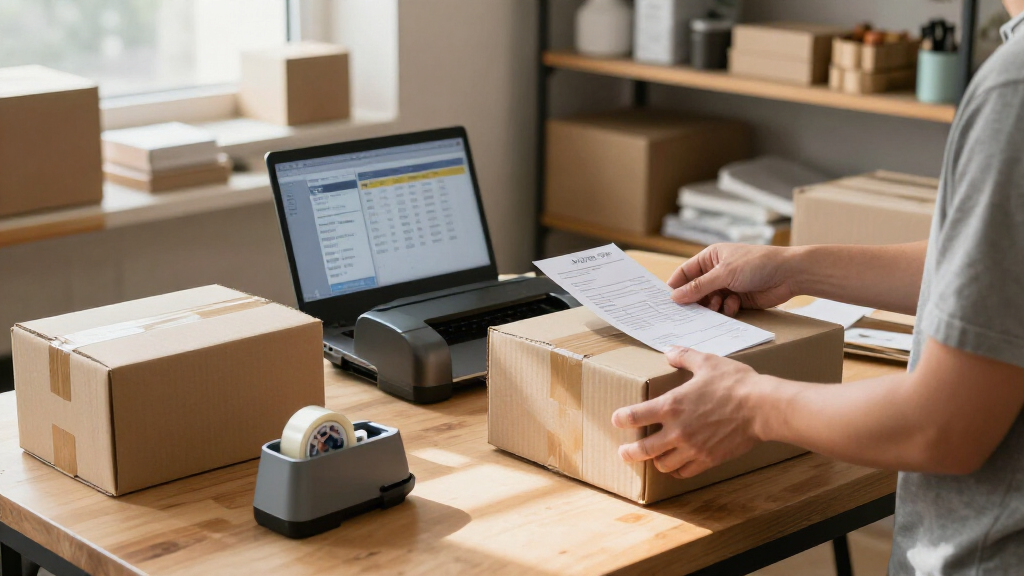
How We Picked
I ranked these ecommerce shipping label printers by how well their stated features match common seller workflows: printing from a computer, using a phone or tablet, keeping labels organized, and setting up a dedicated packing area. I gave more weight to clear workflow advantages than to minor cosmetic differences, and I treated the listed 4×6 format as a baseline rather than a point of distinction. Because the product names do not establish every compatibility or performance detail, buyers should verify operating-system, app, and platform support before choosing.
The order gives priority to versatility and workflow clarity, followed by focused picks for simpler wired setups, label handling, and Bluetooth-first use. Rollo’s Wi-Fi model ranks first for its distinct wireless role, while its USB sibling is a better match for fixed workstations. The remaining models offer variations on Bluetooth thermal printing; their relative fit depends on device compatibility, workspace needs, and the seller’s preference for a particular brand or form factor. No printer ranks higher merely for having a longer feature list.
| ecommerce shipping label printer | Printer type | Connectivity |
|---|---|---|
| KNAON Y41BT Bluetooth Thermal | Thermal, monochrome | Bluetooth, USB |
| Labeer Bluetooth Thermal Shipp | Direct thermal, monochrome | Bluetooth, USB |
| NULLTONEX 4×6 Bluetooth Therma | Direct thermal | Bluetooth, USB |
| KNAON Bluetooth Thermal Shippi | — | Bluetooth, USB |
| JADENS Bluetooth Thermal Shipp | — | Bluetooth, USB 2.0 |
| Rongta RP425 Wireless Thermal | Thermal | Bluetooth, USB |
| Labeer Bluetooth Thermal Shipp | Direct thermal | Bluetooth, USB |
| Omezizy D450BT Bluetooth Therm | Thermal | Bluetooth, USB |
| Rollo Wireless Wi-Fi 4×6 Therm | — | Wi-Fi, USB |
| Rollo USB 4×6 Thermal Shipping | — | USB |
| Westinghouse 4×6 Thermal Shipp | Direct thermal | USB, Ethernet; Bluetooth not supported |
| Nelko Bluetooth Thermal Shippi | Thermal | Bluetooth, USB |
Factors to Consider When Choosing Ecommerce Shipping Label Printers
Before choosing a printer, I’d map the decision to the way orders move through your business. These broader checks can prevent a mismatch that a product name or connection label alone will not reveal.
Match the Connection to Your Packing Routine
Start with the device you actually use to buy postage and print labels, not the device you hope to use someday. A USB printer can suit a fixed desk where one computer handles order processing, while Wi-Fi or Bluetooth may help when the packing station is separate from that computer. Wireless does not automatically mean every phone, tablet, or operating system is supported, so check the maker’s compatibility details and any required app. Sellers who switch between devices should confirm whether the printer supports that specific arrangement instead of assuming it can pair with several devices at once. A common mistake is choosing wireless for flexibility, then discovering that the shipping platform’s print flow works best from a desktop browser.
Check Label Feeding and Workspace Fit
Measure the space around the printer as well as the printer itself: a roll or fanfold stack needs room to feed without catching on a wall or box. A built-in bin, as found on the Omezizy D450BT, can help contain labels, but it does not remove the need to plan the printer’s placement and access. Check what label formats and feeding methods the model supports, especially if you may use labels beyond standard 4×6 shipping stock. Feeding problems can interrupt a busy packing run, so a tidy path from label stack to printer matters as much as a compact footprint. Avoid buying based only on the printer’s outer dimensions; account for labels extending from the back or side.
Verify Shipping Platform and File Compatibility
A printer can support thermal labels and still be inconvenient if it does not work smoothly with your store, marketplace, postage service, or computer. Before ordering, check supported operating systems, driver availability, browser-based printing, and whether the seller requires a dedicated app. Confirm how the device handles common label files and whether the platform can send them at the intended size without extra resizing. Sellers with multiple sales channels should test compatibility across all of them, since a printer that works for one postage workflow may not suit another. This check can save more time than choosing between two similar-looking Bluetooth models.
Think About Volume, Not Just the First Setup
Low-volume sellers may care most about easy setup and a small packing area, while a growing shop should prioritize a repeatable workflow that multiple staff members can follow. Consider how often labels are printed in batches, who loads stock, and what happens when a connection drops or a driver needs attention. Thermal printing avoids ink or toner purchases, but the printer still needs compatible labels and may need cleaning or troubleshooting over time. A cheaper or simpler setup can be sensible for occasional dispatches, whereas frequent shipping can make dependable connections and straightforward label handling more valuable. Do not pay for wireless features you will leave unused, but do not choose a setup that makes every batch harder to print.
Compare Label Stock and Ongoing Supplies
Confirm the label material, roll or fanfold style, core size, and maximum width supported by the printer before stocking up. Some sellers prefer fanfold labels because they can sit in a stack; others want a roll, which may call for a holder or more clearance. Check whether the printer needs proprietary supplies or accepts standard compatible thermal labels, then compare the convenience of the available options for your order volume. Store labels away from heat, sunlight, and moisture, which can affect thermal stock and make barcodes harder to scan. A low purchase cost is less helpful if the required supplies are awkward to source or poorly suited to your packing routine.
Choose a Sensible Upgrade Path
Pay more only when the added feature solves a real bottleneck, such as printing from devices that cannot sit beside the packing station or keeping label stock contained. A dedicated USB printer may be the smarter choice for a stable one-computer setup, while a wireless model can make sense when the workspace layout changes often. Think about whether a second packing station, additional staff, or more order volume is likely soon; those changes can alter which connection and feeding method works best. Avoid treating a feature list as a forecast of future needs, since extra capability adds setup choices that may go unused. Pick the simplest model that fits your current routine and the next realistic step in your business.
Frequently Asked Questions
Should I choose a Bluetooth, Wi-Fi, or USB shipping label printer?
I would choose based on where labels are created and which device sends them to the printer. USB suits a fixed computer station, while Wi-Fi can offer more placement flexibility when the computer and printer share a supported network. Bluetooth may be convenient for phone- or tablet-led workflows, but compatibility and app requirements vary by model. Check your postage service’s printing instructions before buying, since a wireless connection does not guarantee a smooth mobile workflow. If you print from one computer at one desk, a simpler USB setup may be the more dependable match.
Can these printers print labels directly from my ecommerce platform?
That depends on the printer’s drivers, your device’s operating system, and the platform’s print process. A printer may handle thermal labels but still require a driver, app, or file-download step before printing from a store or marketplace. Verify compatibility with every service you use, including postage tools and any browser-based order system. If your workflow depends on printing from a phone or tablet, confirm that exact combination rather than relying on a general Bluetooth claim. I would check the manufacturer’s current compatibility information before ordering.
Do I need a printer that supports more than 4×6 labels?
If you only print standard parcel shipping labels, a 4×6 model can be a practical fit. You may need broader label support for product identification, barcodes, address labels, or other business tasks, but the product names here do not confirm every model’s full range of formats. Check the supported label widths and feeding methods before assuming a printer can handle a second use. Also consider whether using one printer for several label types would slow down packing or require frequent stock changes. If shipping labels are its only job, format flexibility may matter less than reliable compatibility with your shipping workflow.
Are thermal shipping labels interchangeable between these printers?
Not automatically: label width, roll or fanfold format, core size, and printer feeding requirements can differ. The listed models are presented as 4×6 shipping printers, but that alone does not confirm that every roll or stack will fit every device. Check the printer’s supported stock specifications before buying labels in bulk, and confirm whether standard third-party thermal stock is accepted. Thermal labels also need suitable storage because heat, sunlight, and moisture can affect print quality. When changing stock, print a sample and scan the barcode before relying on a large batch.
Is a wireless model worth choosing if I already print from a desktop?
It can be useful if the printer needs to sit away from the desktop or if several supported devices share the packing workflow. If the computer and printer stay together and the connection is stable, a USB model such as the Rollo USB may be simpler to set up and maintain. Wireless features add flexibility, but they can also bring network, pairing, or app requirements that a fixed station does not need. Consider who will print labels and where they will work before paying for a connection you may not use. For a single, stationary workstation, convenience may favor the simpler connection.
Conclusion
For the broadest wireless fit, I’d choose the Rollo Wireless Wi-Fi as best overall; for a fixed computer-based station, the Rollo USB is my straightforward alternative. The best value depends on the specific model’s compatibility and the supplies it accepts, so I would compare those details before choosing among the Bluetooth options rather than assuming a low-friction setup from the name alone. For beginners, I’d favor the printer that matches the device and shipping platform they already use, with the fewest new apps or connection steps. The Omezizy D450BT is the pick for sellers who want a built-in label bin, while Bluetooth-first buyers can compare the KNAON, Labeer, NULLTONEX, JADENS, Rongta, and Nelko models against their device support needs. For premium wireless flexibility, the Rollo Wi-Fi is the clearest option in this lineup; confirm platform compatibility before committing to any model.
Halloween Picks
halloween
As an affiliate, we earn on qualifying purchases.